


 Apple Podcasts
 Spotify
 Youtube Music
 Spreaker
 Podchaser
 Amazon Music
 Dynamics 365 Accounts Payable - Simply Explained
Key Takeaways
- Mirko Peters explains how Dynamics 365 Accounts Payable connects vendor records, purchase orders, receiving, and invoice matching into a controlled financial process.
- Accounts Payable tracks money your company owes vendors for goods and services already purchased, acting as a critical liability management tool.
- Setting up comprehensive vendor records, payment terms, and vendor groups helps organizations maintain consistency and prevent duplicate invoice payments.
- Invoice matching in Dynamics 365 utilizes two-way and three-way matching to compare invoices against purchase orders and product receipts before releasing funds.
- Configuring automated workflows and tolerance limits allows finance teams to focus on handling exceptions rather than reviewing every routine invoice manually.
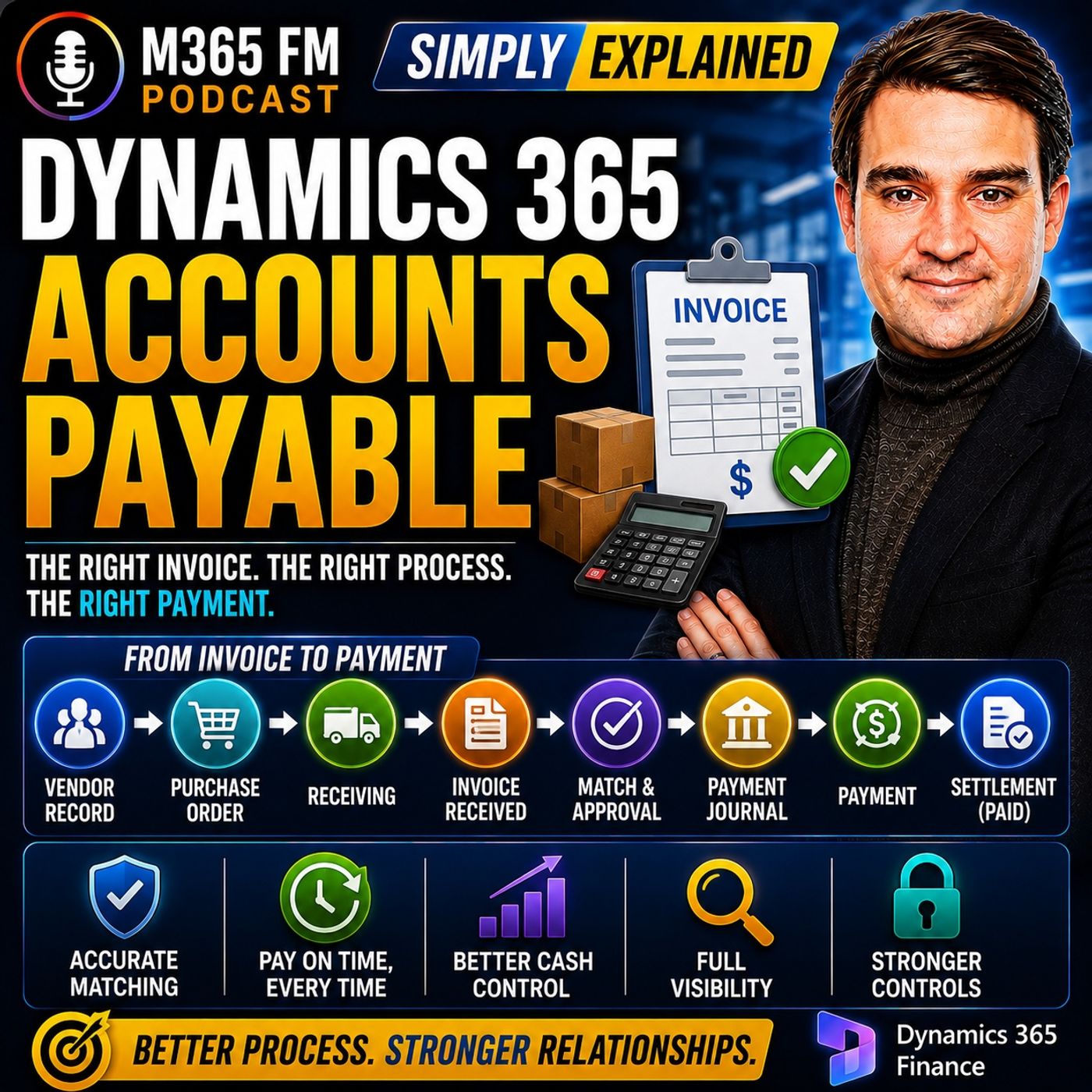
A supplier invoice arrives. The goods may already be sitting in your warehouse or the service may already be complete—but what actually needs to happen before money leaves the company? Dynamics 365 Accounts Payable connects vendor records, invoices, purchase orders, receiving, invoice matching, approvals, payment runs, bank accounts, and settlement into one controlled financial process. In this episode of M365 FM, Mirko Peters explains how Dynamics 365 Finance manages the complete journey from receiving a vendor bill to recording the final payment.
WHAT IS DYNAMICS 365 ACCOUNTS PAYABLE?
Accounts Payable tracks money your company owes vendors for goods and services it has already purchased. Think of it as the payment office inside a large company. Bills arrive, somebody verifies them, the appropriate people approve them, finance determines when they should be paid, and finally the payment is sent to the supplier. Dynamics 365 keeps these individual activities connected so finance can follow the complete history of each vendor invoice.
WHY ACCOUNTS PAYABLE MATTERS
Most businesses don't pay suppliers immediately when they place an order. A supplier delivers goods or completes a service and then sends an invoice. The company now owes that amount, but the money hasn't left the bank account yet. That unpaid amount becomes a liability. A business can therefore have significant cash in its bank account while simultaneously owing substantial amounts to suppliers. Accounts Payable gives finance visibility into both what has already been paid and what will need to be paid in the future.
ACCOUNTS PAYABLE VS ACCOUNTS RECEIVABLE
The names sound similar, but they represent opposite sides of company cash flow. Accounts Payable = Money your company owes vendors. Accounts Receivable = Money customers owe your company. If your company buys printers from a supplier, the supplier invoice belongs in Accounts Payable. If your company sells desks to a customer and sends them an invoice, that customer invoice belongs in Accounts Receivable. One tracks money leaving the business. The other tracks money expected to enter it.
THE GOAL OF ACCOUNTS PAYABLE
The objective is straightforward: Pay the right vendor, the right amount, on the agreed date. Paying too early reduces available cash sooner than necessary. Paying too late can create supplier problems, reminders, disputes, or less favorable payment terms. Paying the wrong amount creates additional administrative work. Dynamics 365 provides the records and controls finance teams need to manage these decisions consistently.
THE VENDOR RECORD
Before Dynamics 365 can process an invoice, it needs to know who should receive the money. The vendor record acts as the supplier's file inside Dynamics 365. It can contain the vendor's name, address, contact information, currency, payment terms, payment method, and other financial settings. These settings don't simply describe the supplier. They influence what happens later when invoices and payments are processed.
PAYMENT TERMS
Payment terms determine when an invoice becomes due. One supplier might require payment within 14 days. Another might allow 30 days. Some vendors may offer discounts for early payment. Dynamics 365 uses the configured payment terms to calculate invoice due dates. That means employees processing invoices for the same vendor don't need to remember individual agreements or search old emails to determine when payment is required.
PAYMENT METHODS
Payment terms answer when the supplier should be paid. Payment methods answer how the money should reach them. Depending on the organization's processes, vendor payments can use methods such as electronic payments, cheques, or promissory notes. Dynamics 365 allows organizations to configure payment methods according to the financial processes they actually use.
VENDOR GROUPS
Large organizations can have hundreds or thousands of vendors. Creating every financial setting independently for every supplier would create unnecessary work and increase the risk of inconsistent configuration. Vendor groups allow organizations to group suppliers sharing common finance rules. The individual vendor still maintains its own identity and transaction history, while the group provides a common starting point for shared financial configuration.
VENDOR POSTING PROFILES
Posting profiles tell Dynamics 365 where vendor transactions belong in the General Ledger. When an invoice is posted, Dynamics 365 needs to record what the organization owes while also connecting the transaction with the appropriate financial accounts. The posting profile provides the accounting map behind this process. Finance employees therefore don't need to manually determine the relevant vendor ledger account every time they process an invoice.
HOW VENDOR INVOICES ENTER DYNAMICS 365
Invoices can enter the Accounts Payable process in several ways. A finance employee can manually enter information from an invoice received through email, paper, or another channel. The invoice record can contain the vendor, invoice number, invoice date, currency, amounts, lines, tax information, purchase order references, and supporting documents. For higher invoice volumes, invoice information can also enter electronically through data entities and connected invoice-processing solutions.
INVOICE NUMBERS AND DUPLICATE DETECTION
The vendor's invoice number is particularly important. Suppose Northwind Office Supplies sends invoice NWO148. If the same invoice enters the system again, Dynamics 365 can use the combination of vendor and invoice number to identify a potential duplicate. This matters because suppliers sometimes resend invoices when they aren't sure the first copy arrived. Employees can also accidentally process the same document twice. Duplicate detection helps prevent the same bill from being paid twice.
INVOICE ATTACHMENTS
Supporting documents can remain connected with the transaction. A PDF invoice, scanned document, or other supporting paperwork can be attached to the invoice record. The finance employee reviewing the transaction can therefore compare the information entered into Dynamics 365 with the original document without searching through shared mailboxes or filing cabinets. This also creates a clearer record when somebody needs to review the transaction later.
AUTOMATED INVOICE IMPORT
Organizations processing large numbers of invoices don't necessarily need employees to manually type every invoice. External invoice capture systems can send invoice information into Dynamics 365 using data entities. The invoice header contains information such as the vendor, invoice number, dates, currency, total amount, and purchase order reference. Invoice lines explain exactly what the supplier is charging for. Supporting documents can travel alongside the structured invoice information.
VENDOR INVOICE POLICIES
Before an invoice proceeds, Dynamics 365 can check whether it follows the organization's configured rules. Missing vendors, invalid dates, duplicate invoice numbers, incorrect totals, or imported data problems can prevent an invoice from proceeding normally. The objective isn't to automate every decision. Automation handles routine checks while finance employees investigate exceptions requiring human judgment.
INVOICE APPROVAL WORKFLOWS
Workflow determines who needs to approve an invoice. Instead of emailing a PDF to a manager and waiting for somebody to respond, Dynamics 365 can route the invoice according to predefined organizational rules. A small invoice might require a simple approval. A large invoice might require a senior manager. An invoice associated with a particular department can be routed toward the manager responsible for that department. The approval route follows configured rules instead of relying on somebody remembering who should receive the invoice.
AUTOMATION AND EXCEPTIONS
Invoices that satisfy established rules can move through routine parts of the process more efficiently. Invoices containing problems become exceptions. Perhaps the vendor is missing, an invoice number already exists, or imported information contains an error. Finance employees can investigate those exceptions rather than spending the same amount of time manually checking every invoice. The system handles repetition. People handle situations requiring judgment.
INVOICE MATCHING
Approval answers: Has the appropriate person approved this invoice? Invoice matching answers another question: Does the supplier's invoice agree with what the company actually ordered and received? When a purchase originates from a purchase order, Dynamics 365 already has information describing the agreed vendor, products, quantities, prices, and terms. That gives finance something concrete against which the vendor invoice can be checked.
PURCHASE ORDERS
A purchase order records what the organization agreed to purchase before the invoice arrives. Suppose the company orders ten office chairs at an agreed price. The purchase order establishes that agreement. When the supplier invoice eventually arrives, finance can compare the bill against the original purchase order instead of reviewing the invoice without any purchasing context.
PRODUCT RECEIPTS
For physical goods, another important record exists: the product receipt. When goods arrive, warehouse employees record what was actually received. If ten chairs were ordered but only eight arrive because two are backordered, the product receipt can record those eight units. Dynamics 365 now has three important pieces of information: What was ordered. What actually arrived. What the supplier wants the company to pay.
Become a supporter of this podcast: https://www.spreaker.com/podcast/m365-fm-modern-work-security-and-productivity-with-microsoft-365--6704921/support.
🚀 Want to be part of m365.fm?
Then stop just listening… and start showing up.
👉 Connect with me on LinkedIn and let’s make something happen:
- 🎙️ Be a podcast guest and share your story
- 🎧 Host your own episode (yes, seriously)
- 💡 Pitch topics the community actually wants to hear
- 🌍 Build your personal brand in the Microsoft 365 space
This isn’t just a podcast — it’s a platform for people who take action.
🔥 Most people wait. The best ones don’t.
👉 Connect with me on LinkedIn and send me a message:
"I want in"
Let’s build something awesome 👊
Frequently Asked Questions
What is Dynamics 365 Accounts Payable?
Dynamics 365 Accounts Payable is the financial module that tracks and manages the money your company owes to vendors for goods and services, streamlining the process from receiving bills to final payment settlement.
What is the difference between accounts payable and accounts receivable?
Accounts payable tracks money leaving your business because you owe vendors for purchases, whereas accounts receivable tracks money entering your business because customers owe you for sales.
How does three-way matching work in Dynamics 365?
Three-way matching compares the purchase order, the product receipt (proof of delivery), and the vendor invoice together to ensure that the company only pays for items that were actually ordered and received.
Why are vendor groups used in Dynamics 365?
Vendor groups allow organizations to categorize suppliers sharing similar financial rules, such as posting profiles and payment terms, saving time and ensuring consistent configuration across thousands of vendors.
00:00:00,000 --> 00:00:01,840
a supplier's invoice lands on your desk.
2
00:00:01,840 --> 00:00:03,640
The goods might already be in the warehouse
3
00:00:03,640 --> 00:00:05,180
or the service already complete,
4
00:00:05,180 --> 00:00:07,160
but the payment clock starts ticking right away.
5
00:00:07,160 --> 00:00:09,640
So what actually happens before the money leaves the company?
6
00:00:09,640 --> 00:00:12,120
Welcome to another knowledge nugget from M365,
7
00:00:12,120 --> 00:00:13,220
FMI Mercopedas,
8
00:00:13,220 --> 00:00:16,040
and today we're looking at Dynamics 365 Accounts Payable
9
00:00:16,040 --> 00:00:17,120
in plain English.
10
00:00:17,120 --> 00:00:18,560
This isn't just a place where someone
11
00:00:18,560 --> 00:00:20,280
types bills into a screen.
12
00:00:20,280 --> 00:00:22,000
It's the finance office of the business,
13
00:00:22,000 --> 00:00:22,920
checking each bill,
14
00:00:22,920 --> 00:00:25,200
who's centred, what the company agreed to buy,
15
00:00:25,200 --> 00:00:26,800
and whether it should be paid.
16
00:00:26,800 --> 00:00:28,200
Here's the simplest definition.
17
00:00:28,200 --> 00:00:29,920
Accounts Payable is the money your company
18
00:00:29,920 --> 00:00:32,440
or those vendors for goods or services you've already bought.
19
00:00:32,440 --> 00:00:35,160
Think of it like the payment office inside a large building.
20
00:00:35,160 --> 00:00:36,400
Bills arrive at the front desk,
21
00:00:36,400 --> 00:00:38,120
get checked against the company's records,
22
00:00:38,120 --> 00:00:39,040
move through approval,
23
00:00:39,040 --> 00:00:41,720
and only then reach the person who releases payment.
24
00:00:41,720 --> 00:00:43,560
We'll follow that path from the vendor record
25
00:00:43,560 --> 00:00:45,480
all the way to the final paid stamp.
26
00:00:45,480 --> 00:00:47,600
Dynamics 365 calls that settlement.
27
00:00:47,600 --> 00:00:50,040
Why Accounts Payable exists?
28
00:00:50,040 --> 00:00:53,920
Imagine you run a small company that sells office furniture.
29
00:00:53,920 --> 00:00:55,840
You need desks before you can sell them,
30
00:00:55,840 --> 00:00:57,240
and you also need packing boxes,
31
00:00:57,240 --> 00:01:00,120
cleaning services, internet access, replacement parts,
32
00:01:00,120 --> 00:01:01,640
and maybe a delivery company.
33
00:01:01,640 --> 00:01:04,360
If you had to pay every supplier the second you ordered something,
34
00:01:04,360 --> 00:01:07,240
buying anything would become very difficult very quickly.
35
00:01:07,240 --> 00:01:10,240
Most businesses buy first and pay later under agreed terms.
36
00:01:10,240 --> 00:01:12,480
A supplier delivers the goods or finishes the work
37
00:01:12,480 --> 00:01:14,240
then sends an invoice their bill.
38
00:01:14,240 --> 00:01:15,920
Your company now owes that amount,
39
00:01:15,920 --> 00:01:18,560
but it doesn't send the money without checking the details first.
40
00:01:18,560 --> 00:01:21,160
That unpaid amount sits on the company's books as a liability.
41
00:01:21,160 --> 00:01:23,760
Liability can sound like a scary finance word,
42
00:01:23,760 --> 00:01:25,200
but the meaning is simple, oh,
43
00:01:25,200 --> 00:01:27,880
it's an amount the company owes somebody else.
44
00:01:27,880 --> 00:01:30,080
If your business receives a bill for office supplies
45
00:01:30,080 --> 00:01:31,240
and hasn't paid it yet,
46
00:01:31,240 --> 00:01:34,520
that bill belongs in accounts payable until payment clears it.
47
00:01:34,520 --> 00:01:36,040
The company still has the cash for now,
48
00:01:36,040 --> 00:01:37,760
but it also has a promise to keep.
49
00:01:37,760 --> 00:01:39,880
This matters because a business can look healthy
50
00:01:39,880 --> 00:01:43,680
in its bank account while still carrying a pile of unpaid bills.
51
00:01:43,680 --> 00:01:45,880
Finance teams need to see both sides,
52
00:01:45,880 --> 00:01:47,520
how much cash sits in the bank,
53
00:01:47,520 --> 00:01:49,880
and how much of that cash will soon need to leave.
54
00:01:49,880 --> 00:01:51,520
Before connected finance systems,
55
00:01:51,520 --> 00:01:53,760
this job often turned into a paper chase,
56
00:01:53,760 --> 00:01:55,160
an invoice might arrive by post,
57
00:01:55,160 --> 00:01:56,120
sit on someone's desk,
58
00:01:56,120 --> 00:01:58,200
then travel through internal mail for approval,
59
00:01:58,200 --> 00:02:00,520
while another invoice sits in an email inbox.
60
00:02:00,520 --> 00:02:03,000
Someone could type the same bill into a spreadsheet,
61
00:02:03,000 --> 00:02:05,800
while another person entered it into an accounting system.
62
00:02:05,800 --> 00:02:07,240
That creates familiar problems.
63
00:02:07,240 --> 00:02:09,040
A manager misses an approval email,
64
00:02:09,040 --> 00:02:10,040
a bill gets paid late,
65
00:02:10,040 --> 00:02:12,280
or a supplier sends the same invoice again,
66
00:02:12,280 --> 00:02:15,160
and nobody notices it already reached the finance team.
67
00:02:15,160 --> 00:02:16,320
Verse it might get paid twice
68
00:02:16,320 --> 00:02:19,440
because the paper copy and email copy looked like separate bills.
69
00:02:19,440 --> 00:02:22,800
Dynamics 365 gives the company one place to track this work.
70
00:02:22,800 --> 00:02:25,840
It records what the company owes, helps people check invoices,
71
00:02:25,840 --> 00:02:28,840
and keeps it clear path from the bill arriving to the bill being paid.
72
00:02:28,840 --> 00:02:31,360
That doesn't mean every invoice moves without human review.
73
00:02:31,360 --> 00:02:33,800
A finance team still decides when something looks wrong,
74
00:02:33,800 --> 00:02:35,560
but the system gives them the records and rules
75
00:02:35,560 --> 00:02:38,640
to make that decision without chasing paper around the building.
76
00:02:38,640 --> 00:02:41,600
You might also hear accounts receivable in the same conversation.
77
00:02:41,600 --> 00:02:43,480
The names sound almost identical,
78
00:02:43,480 --> 00:02:45,160
but they face opposite directions.
79
00:02:45,160 --> 00:02:46,560
Accounts payable tracks.
80
00:02:46,560 --> 00:02:49,040
Money leaving your company because you owe vendors.
81
00:02:49,040 --> 00:02:51,600
Accounts receivable tracks money arriving at your company
82
00:02:51,600 --> 00:02:53,360
because customers owe you.
83
00:02:53,360 --> 00:02:55,120
If your company buys printers from a supplier,
84
00:02:55,120 --> 00:02:56,840
that bill enters accounts payable.
85
00:02:56,840 --> 00:02:58,640
If your company sells desks to a customer
86
00:02:58,640 --> 00:02:59,840
and sends them an invoice,
87
00:02:59,840 --> 00:03:01,920
that customer bill enters accounts receivable,
88
00:03:01,920 --> 00:03:03,920
so payable tracks what you must pay,
89
00:03:03,920 --> 00:03:06,280
while receivable tracks what others must pay you.
90
00:03:06,280 --> 00:03:09,000
Accounts payable aims for a very practical result.
91
00:03:09,000 --> 00:03:11,000
Pay the right vendor, the right amount,
92
00:03:11,000 --> 00:03:12,080
on the agreed date.
93
00:03:12,080 --> 00:03:15,440
Pay too soon and the company loses cash earlier than it needs to.
94
00:03:15,440 --> 00:03:18,040
Pay too late and a supplier may chase the payment
95
00:03:18,040 --> 00:03:20,160
or stop giving favorable terms.
96
00:03:20,160 --> 00:03:23,280
Pay the wrong amount and someone has to untangle the mistake later,
97
00:03:23,280 --> 00:03:26,480
often with emails, credit notes and a lot of frustration.
98
00:03:26,480 --> 00:03:29,120
So before any invoice can travel through this process,
99
00:03:29,120 --> 00:03:31,760
Dynamics 365 needs to know exactly who the vendor is
100
00:03:31,760 --> 00:03:34,960
and what rules apply to that relationship.
101
00:03:34,960 --> 00:03:36,760
Building the vendor foundation.
102
00:03:36,760 --> 00:03:39,720
So before Dynamics 365 can process a single bill,
103
00:03:39,720 --> 00:03:41,640
it first needs to know exactly who sent it.
104
00:03:41,640 --> 00:03:43,160
That's where the vendor record comes in.
105
00:03:43,160 --> 00:03:45,240
Without one, the system doesn't know who to pay
106
00:03:45,240 --> 00:03:46,640
or what rules to follow.
107
00:03:46,640 --> 00:03:48,960
A vendor could supply something physical, like paper,
108
00:03:48,960 --> 00:03:50,760
laptops or spare parts.
109
00:03:50,760 --> 00:03:52,320
They might also provide a service,
110
00:03:52,320 --> 00:03:54,200
like accounting or software support.
111
00:03:54,200 --> 00:03:57,240
The product changes but the role stays the same.
112
00:03:57,240 --> 00:03:59,400
This is the part your company may need to pay.
113
00:03:59,400 --> 00:04:01,480
Think of the vendor record as the supplier's file
114
00:04:01,480 --> 00:04:03,560
inside Dynamics 365.
115
00:04:03,560 --> 00:04:05,800
It stores the basic details your finance team needs
116
00:04:05,800 --> 00:04:08,320
but it also sets rules that control what happens later.
117
00:04:08,320 --> 00:04:11,200
You fill in the vendor's name, address and contact info
118
00:04:11,200 --> 00:04:13,440
so the company knows exactly who it's dealing with.
119
00:04:13,440 --> 00:04:16,400
You can also record the currency used for invoices and payments
120
00:04:16,400 --> 00:04:17,400
which makes a big difference
121
00:04:17,400 --> 00:04:19,480
when you buy from suppliers in different countries.
122
00:04:19,480 --> 00:04:20,840
Now for the payment details.
123
00:04:20,840 --> 00:04:23,800
A vendor record can include payment terms and a payment method.
124
00:04:23,800 --> 00:04:25,760
These might look like small fields on a screen
125
00:04:25,760 --> 00:04:27,720
but they answer very practical questions.
126
00:04:27,720 --> 00:04:29,440
When should this supplier get paid
127
00:04:29,440 --> 00:04:31,120
and how should the company send the money?
128
00:04:31,120 --> 00:04:32,840
Payment terms set the due date rule.
129
00:04:32,840 --> 00:04:36,120
Some suppliers let you pay 30 days after the invoice date.
130
00:04:36,120 --> 00:04:37,760
Others want payment within 14 days.
131
00:04:37,760 --> 00:04:40,040
A few even offer a discount if you pay early.
132
00:04:40,040 --> 00:04:42,480
Dynamics 365 uses the terms you've recorded
133
00:04:42,480 --> 00:04:45,400
to automatically calculate when each invoice becomes due.
134
00:04:45,400 --> 00:04:47,000
Nobody has to remember the agreement.
135
00:04:47,000 --> 00:04:48,440
This creates consistency.
136
00:04:48,440 --> 00:04:51,400
If five different people process invoices for the same vendor
137
00:04:51,400 --> 00:04:53,480
they all follow the same payment rule.
138
00:04:53,480 --> 00:04:54,960
No one needs to dig through old emails
139
00:04:54,960 --> 00:04:56,520
or call the purchasing team just to ask
140
00:04:56,520 --> 00:04:57,800
when a bill should be paid.
141
00:04:57,800 --> 00:05:00,160
The payment method describes how the money gets there.
142
00:05:00,160 --> 00:05:02,640
Your company might pay one vendor by electronic transfer
143
00:05:02,640 --> 00:05:03,760
another by check.
144
00:05:03,760 --> 00:05:07,440
In some cases, a business can also use promissory notes.
145
00:05:07,440 --> 00:05:10,480
Dynamics 365 lets you define your own payment methods
146
00:05:10,480 --> 00:05:12,840
while linking them to system types where needed.
147
00:05:12,840 --> 00:05:15,440
Now, companies usually deal with more than one vendor.
148
00:05:15,440 --> 00:05:18,920
A growing business could have dozens, hundreds, or even thousands.
149
00:05:18,920 --> 00:05:21,040
Creating every setting from scratch for each one
150
00:05:21,040 --> 00:05:23,120
would waste time and invite mistakes.
151
00:05:23,120 --> 00:05:25,920
That's why Dynamics 365 uses vendor groups.
152
00:05:25,920 --> 00:05:27,280
A vendor group collects vendors
153
00:05:27,280 --> 00:05:29,440
that share the same broad finance rules.
154
00:05:29,440 --> 00:05:31,560
For example, you might put local office supply vendors
155
00:05:31,560 --> 00:05:34,040
in one group and overseas stock suppliers in another.
156
00:05:34,040 --> 00:05:35,480
The group carries shared settings
157
00:05:35,480 --> 00:05:38,280
for how transactions post, how payments and settlements work,
158
00:05:38,280 --> 00:05:40,720
and how the company reports on those vendor balances.
159
00:05:40,720 --> 00:05:43,520
You still keep a separate vendor record for each supplier.
160
00:05:43,520 --> 00:05:45,320
That's important because each supplier
161
00:05:45,320 --> 00:05:48,480
needs its own name, address, payment details, and history.
162
00:05:48,480 --> 00:05:50,960
The vendor group just provides a common starting point,
163
00:05:50,960 --> 00:05:53,880
so finance doesn't have to rebuild the same rules again and again.
164
00:05:53,880 --> 00:05:55,400
Behind the scenes, there's another piece
165
00:05:55,400 --> 00:05:57,160
called the vendor posting profile.
166
00:05:57,160 --> 00:06:00,000
The name sounds technical, so let's put it in plain English.
167
00:06:00,000 --> 00:06:02,880
A posting profile is a map that tells Dynamics 365
168
00:06:02,880 --> 00:06:05,640
where vendor transactions belong in the general ledger.
169
00:06:05,640 --> 00:06:07,360
The general ledger is the company's main book
170
00:06:07,360 --> 00:06:08,280
of financial accounts.
171
00:06:08,280 --> 00:06:11,920
When an invoice posts, Dynamics 365 needs to record
172
00:06:11,920 --> 00:06:13,440
both what the company owes
173
00:06:13,440 --> 00:06:15,400
and where the related cost belongs.
174
00:06:15,400 --> 00:06:17,320
The posting profile guides the vendor side
175
00:06:17,320 --> 00:06:19,760
of that accounting entry using the rules you've set
176
00:06:19,760 --> 00:06:21,280
for the vendor or vendor group.
177
00:06:21,280 --> 00:06:23,560
Finance staff don't need to choose those ledger accounts
178
00:06:23,560 --> 00:06:24,960
from memory every time.
179
00:06:24,960 --> 00:06:26,640
Instead, the system follows the map.
180
00:06:26,640 --> 00:06:28,200
That reduces inconsistent entries
181
00:06:28,200 --> 00:06:30,720
and gives the finance team a much cleaner view of vendor debt.
182
00:06:30,720 --> 00:06:32,480
The company also prepares the payment side
183
00:06:32,480 --> 00:06:33,640
before invoices arrive.
184
00:06:33,640 --> 00:06:34,680
In cash and bank management,
185
00:06:34,680 --> 00:06:37,280
you set up the bank accounts that will fund vendor payments.
186
00:06:37,280 --> 00:06:39,480
Payment journals give finance staff a working area
187
00:06:39,480 --> 00:06:42,240
to prepare and record those payments using approved methods.
188
00:06:42,240 --> 00:06:45,880
So to recap, the vendor record identifies who receives money,
189
00:06:45,880 --> 00:06:47,960
the payment terms decide when it's due
190
00:06:47,960 --> 00:06:50,280
and the payment method and bank account shape
191
00:06:50,280 --> 00:06:51,680
how it leaves the company.
192
00:06:51,680 --> 00:06:52,880
With those rules ready,
193
00:06:52,880 --> 00:06:56,160
an invoice can enter the finance office and begin its journey.
194
00:06:56,160 --> 00:06:57,960
From invoice arrival to approval.
195
00:06:57,960 --> 00:07:02,640
With the vendor record in place, Dynamics 365 now knows
196
00:07:02,640 --> 00:07:04,120
who to pay and under what rules.
197
00:07:04,120 --> 00:07:06,160
So what happens when an actual invoice arrives?
198
00:07:06,160 --> 00:07:08,400
Sometimes the finance clerk enters it by hand.
199
00:07:08,400 --> 00:07:10,800
This works when an invoice comes via email, paper,
200
00:07:10,800 --> 00:07:13,480
or a vendor portal and someone needs to type the details
201
00:07:13,480 --> 00:07:14,280
into the system.
202
00:07:14,280 --> 00:07:16,760
The clerk selects the vendor, enters the invoice number
203
00:07:16,760 --> 00:07:19,920
and date, then adds the lines, amounts, tax,
204
00:07:19,920 --> 00:07:22,760
and any purchase order reference that belongs with the bill.
205
00:07:22,760 --> 00:07:24,400
The invoice number deserves attention.
206
00:07:24,400 --> 00:07:26,000
It comes from the vendor, not your company,
207
00:07:26,000 --> 00:07:28,520
and it helps identify that specific bill.
208
00:07:28,520 --> 00:07:31,480
If an invoice for $1,200 arrives from Northwind Office supplies
209
00:07:31,480 --> 00:07:35,600
with number NW-148, Dynamics 365 can use that number
210
00:07:35,600 --> 00:07:38,240
with the vendor record to catch a duplicate entry.
211
00:07:38,240 --> 00:07:40,080
Attachments belong with the record too.
212
00:07:40,080 --> 00:07:42,920
The PDF invoice, a scanned document, or supporting paperwork
213
00:07:42,920 --> 00:07:45,440
can sit alongside the invoice in Dynamics 365.
214
00:07:45,440 --> 00:07:47,280
That means the person reviewing the record
215
00:07:47,280 --> 00:07:49,200
can see the document behind the numbers
216
00:07:49,200 --> 00:07:52,960
without rummaging through a shared mailbox or filing cabinet.
217
00:07:52,960 --> 00:07:55,960
For larger volumes, invoices can enter electronically.
218
00:07:55,960 --> 00:07:58,560
Dynamics 365 supports importing invoice data
219
00:07:58,560 --> 00:07:59,600
through data entities.
220
00:07:59,600 --> 00:08:01,760
Think of a data entity as a standard form
221
00:08:01,760 --> 00:08:04,440
that another system can fill in before sending the information
222
00:08:04,440 --> 00:08:06,280
into Dynamics 365.
223
00:08:06,280 --> 00:08:08,680
An outside invoice capture service, for example,
224
00:08:08,680 --> 00:08:11,480
can send the invoice header, lines, and document attachment
225
00:08:11,480 --> 00:08:12,880
all in one data package.
226
00:08:12,880 --> 00:08:14,680
The header holds the main bill details,
227
00:08:14,680 --> 00:08:17,680
a/vender, invoice number, dates, currency, total amount,
228
00:08:17,680 --> 00:08:18,920
and purchase order reference.
229
00:08:18,920 --> 00:08:21,000
The lines explain what you are charged for.
230
00:08:21,000 --> 00:08:23,720
One line might cover printer paper, another toner,
231
00:08:23,720 --> 00:08:24,960
and another delivery.
232
00:08:24,960 --> 00:08:27,200
Keeping those details separate helps finance staff
233
00:08:27,200 --> 00:08:28,920
see exactly what they're approving.
234
00:08:28,920 --> 00:08:31,160
Tax information travels with the invoice too.
235
00:08:31,160 --> 00:08:34,360
Dynamics 365 needs the tax amount and related details,
236
00:08:34,360 --> 00:08:36,160
so the company records the bill correctly.
237
00:08:36,160 --> 00:08:38,160
A few things can stop an invoice from moving forward
238
00:08:38,160 --> 00:08:40,640
without review, a missing vendor, an invalid date,
239
00:08:40,640 --> 00:08:43,480
a repeated invoice number, or a total that doesn't match.
240
00:08:43,480 --> 00:08:44,880
That pause protects the company.
241
00:08:44,880 --> 00:08:47,360
A vendor invoice policy checks whether the invoice
242
00:08:47,360 --> 00:08:49,720
follows the rules your company has chosen.
243
00:08:49,720 --> 00:08:52,120
Duplicate checks look for a bill that seems familiar
244
00:08:52,120 --> 00:08:54,480
like the same vendor and invoice number already recorded.
245
00:08:54,480 --> 00:08:56,800
The goal isn't to accuse the vendor of doing something wrong.
246
00:08:56,800 --> 00:08:59,480
Vendors may resend because they're not sure it arrived.
247
00:08:59,480 --> 00:09:02,480
A clerk might enter the same PDF twice by mistake.
248
00:09:02,480 --> 00:09:04,160
Either way, paying the same bill twice
249
00:09:04,160 --> 00:09:05,600
creates work nobody wants.
250
00:09:05,600 --> 00:09:08,000
Once Dynamics 365 accepts the invoice,
251
00:09:08,000 --> 00:09:10,360
the next question is simple, who's allowed to approve it.
252
00:09:10,360 --> 00:09:11,480
That's where workflow comes in.
253
00:09:11,480 --> 00:09:13,880
Workflow is the approval route inside the system.
254
00:09:13,880 --> 00:09:16,440
Instead of a clerk emailing a PDF to a manager
255
00:09:16,440 --> 00:09:20,160
and hoping it comes back, Dynamics 365 sends the invoice
256
00:09:20,160 --> 00:09:23,120
to the person or role your company rules specify.
257
00:09:23,120 --> 00:09:25,120
Each organization decides those rules
258
00:09:25,120 --> 00:09:27,600
based on how they want money decisions handled.
259
00:09:27,600 --> 00:09:29,800
A small routine invoice might follow a short route
260
00:09:29,800 --> 00:09:31,160
and invoice above a certain amount
261
00:09:31,160 --> 00:09:32,720
might need a senior manager.
262
00:09:32,720 --> 00:09:34,920
A bill tied to a specific department
263
00:09:34,920 --> 00:09:36,800
can go to that department's manager.
264
00:09:36,800 --> 00:09:38,360
You can even create different approval paths
265
00:09:38,360 --> 00:09:40,240
for different vendor types like stock suppliers,
266
00:09:40,240 --> 00:09:41,520
service vendors or contractors.
267
00:09:41,520 --> 00:09:44,040
The route follows the rule, not someone's memory.
268
00:09:44,040 --> 00:09:45,920
This makes approvals much easier to track.
269
00:09:45,920 --> 00:09:48,840
Finance can see whether an invoice is waiting for review,
270
00:09:48,840 --> 00:09:51,200
has been approved or needs more information.
271
00:09:51,200 --> 00:09:52,720
The person approving can check the bill
272
00:09:52,720 --> 00:09:54,480
and decide if it belongs to their department
273
00:09:54,480 --> 00:09:55,880
and if the charge looks right.
274
00:09:55,880 --> 00:09:59,080
Some invoices meet every rule and move ahead automatically.
275
00:09:59,080 --> 00:10:01,560
The vendor is known, the imported details are complete
276
00:10:01,560 --> 00:10:03,600
and the invoice passes the policy checks.
277
00:10:03,600 --> 00:10:05,440
Those invoices don't need someone to repeat
278
00:10:05,440 --> 00:10:07,240
the same basic checks each time.
279
00:10:07,240 --> 00:10:08,720
Other invoices become exceptions.
280
00:10:08,720 --> 00:10:10,400
Maybe the vendor account is missing.
281
00:10:10,400 --> 00:10:12,120
Maybe the invoice number already exists.
282
00:10:12,120 --> 00:10:14,320
Maybe an imported line has an error.
283
00:10:14,320 --> 00:10:17,560
Dynamics 365 keeps those invoices in an import failures list
284
00:10:17,560 --> 00:10:19,560
where finance staff can see the error message
285
00:10:19,560 --> 00:10:22,520
and fix the problem before creating a pending invoice.
286
00:10:22,520 --> 00:10:24,520
The document still matters during review.
287
00:10:24,520 --> 00:10:28,120
Dynamics 365 includes an attachment viewer on invoice pages
288
00:10:28,120 --> 00:10:30,360
so the finance person can look at the invoice image
289
00:10:30,360 --> 00:10:32,280
right beside the record they're fixing.
290
00:10:32,280 --> 00:10:33,480
No need to switch between screens
291
00:10:33,480 --> 00:10:36,840
just to confirm whether a vendor typed 6,000 or 8,000
292
00:10:36,840 --> 00:10:37,960
on the original bill.
293
00:10:37,960 --> 00:10:39,680
Automation handles the routine movement.
294
00:10:39,680 --> 00:10:41,160
People handle the questions.
295
00:10:41,160 --> 00:10:42,960
Approval confirms that the right person agreed
296
00:10:42,960 --> 00:10:44,120
to move the invoice forward
297
00:10:44,120 --> 00:10:45,600
but it doesn't yet prove the vendor bill
298
00:10:45,600 --> 00:10:47,800
for exactly what was ordered or received.
299
00:10:47,800 --> 00:10:50,320
For that, Dynamics 365 compares the paperwork.
300
00:10:50,320 --> 00:10:51,400
Invoice matching.
301
00:10:51,400 --> 00:10:53,160
Checking what the company ordered approval
302
00:10:53,160 --> 00:10:55,560
confirms the right person has looked at the invoice.
303
00:10:55,560 --> 00:10:57,400
But matching answers a different question.
304
00:10:57,400 --> 00:11:00,360
Does the invoice agree with what the company actually agreed to buy?
305
00:11:00,360 --> 00:11:02,520
When a purchase starts with a purchase order,
306
00:11:02,520 --> 00:11:05,160
Dynamics 365 has a record to check against.
307
00:11:05,160 --> 00:11:08,120
Think of a purchase order as the company's order slip O.
308
00:11:08,120 --> 00:11:10,480
It records the vendor, what was requested,
309
00:11:10,480 --> 00:11:12,320
the quantity, the price and the terms.
310
00:11:12,320 --> 00:11:15,120
Someone in purchasing creates that order before any bill arrives.
311
00:11:15,120 --> 00:11:16,280
Why does this matter?
312
00:11:16,280 --> 00:11:17,840
The purchase order captures the agreement
313
00:11:17,840 --> 00:11:19,480
before the invoice shows up.
314
00:11:19,480 --> 00:11:22,120
Without it, a finance person sees just a bill in a vendor name.
315
00:11:22,120 --> 00:11:24,120
With it, they can compare the supplier's charge
316
00:11:24,120 --> 00:11:25,600
against the original request.
317
00:11:25,600 --> 00:11:28,200
For physical goods, there's another record that matters.
318
00:11:28,200 --> 00:11:31,680
When a delivery arrives, the warehouse team records a product receipt
319
00:11:31,680 --> 00:11:33,680
which is proof inside Dynamics 365
320
00:11:33,680 --> 00:11:36,280
that the goods reached the company, including the quantity.
321
00:11:36,280 --> 00:11:38,040
It doesn't mean every item was perfect,
322
00:11:38,040 --> 00:11:40,480
but it records what was received against that order.
323
00:11:40,480 --> 00:11:42,280
Imagine a company ordering 10 office chairs
324
00:11:42,280 --> 00:11:45,400
that the purchase order lists 10 chairs at an agreed price.
325
00:11:45,400 --> 00:11:46,600
But when the truck arrives,
326
00:11:46,600 --> 00:11:49,760
the warehouse counts only eight because two are on back order.
327
00:11:49,760 --> 00:11:52,360
The receiving team posts a product receipt for eight,
328
00:11:52,360 --> 00:11:54,480
then the supplier sends an invoice for 10 chairs,
329
00:11:54,480 --> 00:11:56,120
which may be correct from their perspective
330
00:11:56,120 --> 00:11:58,760
if they build a full order before the last two ship.
331
00:11:58,760 --> 00:12:00,560
But now your company has a difference.
332
00:12:00,560 --> 00:12:03,640
Order 10 received eight, build for 10.
333
00:12:03,640 --> 00:12:07,040
Dynamics 365 can catch that difference through invoice matching.
334
00:12:07,040 --> 00:12:08,720
Two-way matching compares the purchase order
335
00:12:08,720 --> 00:12:09,960
with the vendor invoice,
336
00:12:09,960 --> 00:12:11,880
checking whether the bill lines up with the order
337
00:12:11,880 --> 00:12:13,160
on price and quantity.
338
00:12:13,160 --> 00:12:15,520
This works for purchases where checking the original order
339
00:12:15,520 --> 00:12:16,680
gives enough control.
340
00:12:16,680 --> 00:12:18,640
It catches a vendor billing a higher price
341
00:12:18,640 --> 00:12:20,120
or more units than ordered.
342
00:12:20,120 --> 00:12:22,280
But it doesn't check whether the goods actually arrived
343
00:12:22,280 --> 00:12:24,080
because it only compares two records,
344
00:12:24,080 --> 00:12:26,280
the purchase order and the invoice.
345
00:12:26,280 --> 00:12:28,320
Three-way matching adds the product receipt.
346
00:12:28,320 --> 00:12:31,000
So Dynamics 365 now compares the purchase order,
347
00:12:31,000 --> 00:12:33,560
the product receipt and the invoice together.
348
00:12:33,560 --> 00:12:36,440
In our chair example, the system sees the order for 10,
349
00:12:36,440 --> 00:12:38,720
the receipt for eight and the invoice for 10.
350
00:12:38,720 --> 00:12:40,040
And that difference becomes a reason
351
00:12:40,040 --> 00:12:42,680
to pause the invoice rather than let it move through.
352
00:12:42,680 --> 00:12:44,720
For companies buying stock, equipment,
353
00:12:44,720 --> 00:12:46,680
or large quantities of physical goods,
354
00:12:46,680 --> 00:12:49,120
this check gives finance stronger control
355
00:12:49,120 --> 00:12:51,240
by helping avoid paying for items
356
00:12:51,240 --> 00:12:54,200
that never arrived or paying for more than received.
357
00:12:54,200 --> 00:12:55,840
Purchasing confirms the agreement,
358
00:12:55,840 --> 00:12:57,640
receiving confirms what came through the door
359
00:12:57,640 --> 00:12:59,320
and the vendor invoice asks for payment,
360
00:12:59,320 --> 00:13:02,360
oh, all three records need to tell the same story.
361
00:13:02,360 --> 00:13:04,720
Small differences happen in real business.
362
00:13:04,720 --> 00:13:06,720
A price might differ because of rounding
363
00:13:06,720 --> 00:13:09,200
or a supplier might include a minor allowed change
364
00:13:09,200 --> 00:13:10,040
in quantity.
365
00:13:10,040 --> 00:13:12,080
If every small difference stopped an invoice,
366
00:13:12,080 --> 00:13:13,680
finance teams would spend too much time
367
00:13:13,680 --> 00:13:15,080
clearing harmless issues.
368
00:13:15,080 --> 00:13:18,320
So Dynamics 365 lets a company set matching policies
369
00:13:18,320 --> 00:13:19,600
and tolerance limits.
370
00:13:19,600 --> 00:13:21,600
A tolerance is an allowed difference
371
00:13:21,600 --> 00:13:24,440
and the company decides what amount or percentage it can
372
00:13:24,440 --> 00:13:28,200
accept for price, quantity, total, or related charge.
373
00:13:28,200 --> 00:13:29,720
Anything inside that limit moves forward
374
00:13:29,720 --> 00:13:31,920
under the company's rules, while anything above
375
00:13:31,920 --> 00:13:34,640
gets flagged for review, the company decides those limits.
376
00:13:34,640 --> 00:13:36,240
A business might allow a small difference
377
00:13:36,240 --> 00:13:38,800
on low cost office supplies, but set much tighter limits
378
00:13:38,800 --> 00:13:40,160
for expensive machinery.
379
00:13:40,160 --> 00:13:43,080
The system doesn't decide what feels reasonable AU finance
380
00:13:43,080 --> 00:13:46,320
and purchasing set the rule and Dynamics 365 applies it
381
00:13:46,320 --> 00:13:47,280
consistently.
382
00:13:47,280 --> 00:13:49,520
This changes how the finance team spends its time.
383
00:13:49,520 --> 00:13:52,240
Instead of checking every clean invoice line by line,
384
00:13:52,240 --> 00:13:54,760
they can focus on exceptions are investigating the invoice
385
00:13:54,760 --> 00:13:57,080
where the price changed, the receipt is missing,
386
00:13:57,080 --> 00:13:58,680
or the quantity doesn't line up.
387
00:13:58,680 --> 00:14:00,280
Clean invoices still follow the rules,
388
00:14:00,280 --> 00:14:03,000
but people spend their attention where a decision is needed.
389
00:14:03,000 --> 00:14:04,640
That's the real value of matching.
390
00:14:04,640 --> 00:14:06,680
It lets the system handle routine checks
391
00:14:06,680 --> 00:14:09,080
while humans handle the questions that need judgment.
392
00:14:09,080 --> 00:14:10,800
That's not the system replacing judgment.
393
00:14:10,800 --> 00:14:13,600
It's sorting routine checks from real questions.
394
00:14:13,600 --> 00:14:15,280
One point can cause confusion.
395
00:14:15,280 --> 00:14:18,760
Standard Dynamics 365 matching supports two-way
396
00:14:18,760 --> 00:14:19,880
and three-way matching.
397
00:14:19,880 --> 00:14:21,360
If a company needs four-way matching,
398
00:14:21,360 --> 00:14:23,440
perhaps adding another check like an inspection record
399
00:14:23,440 --> 00:14:26,480
that takes extra work through customization or another solution.
400
00:14:26,480 --> 00:14:28,320
So matching has a clear job AU.
401
00:14:28,320 --> 00:14:29,880
It compares the supplier's bill
402
00:14:29,880 --> 00:14:32,040
with the company's own buying and receiving records
403
00:14:32,040 --> 00:14:34,160
then points out gaps before payment.
404
00:14:34,160 --> 00:14:36,640
Once an invoice passes its review and matching checks,
405
00:14:36,640 --> 00:14:39,920
it becomes an amount the company owes and can plan to pay,
406
00:14:39,920 --> 00:14:41,720
paying vendors and setting the books.
407
00:14:41,720 --> 00:14:45,040
After an invoice passes the checks your company requires
408
00:14:45,040 --> 00:14:46,880
Dynamics 365 can post it.
409
00:14:46,880 --> 00:14:49,600
Posting means the invoice becomes an official finance record,
410
00:14:49,600 --> 00:14:52,240
and the company now records an amount it owes to that vendor
411
00:14:52,240 --> 00:14:55,240
with the bill appearing as unpaid until a payment clears it.
412
00:14:55,240 --> 00:14:58,040
The invoice is ready, but that doesn't mean money leaves immediately.
413
00:14:58,040 --> 00:15:01,160
Finance teams need to decide which invoices to pay in a payment run.
414
00:15:01,160 --> 00:15:03,840
Dynamics 365 helps with a payment proposal
415
00:15:03,840 --> 00:15:05,640
which looks at invoices that are due
416
00:15:05,640 --> 00:15:07,720
and suggests which ones belong in the run
417
00:15:07,720 --> 00:15:09,800
based on the rules the company chose.
418
00:15:09,800 --> 00:15:11,400
A payment proposal is a starting list
419
00:15:11,400 --> 00:15:14,920
that someone still reviews AU perhaps a vendor invoice falls due this week
420
00:15:14,920 --> 00:15:18,040
while another can wait until later in the month under its agreed terms.
421
00:15:18,040 --> 00:15:20,280
The finance team checks the proposed invoices,
422
00:15:20,280 --> 00:15:22,240
removes or adds items where needed,
423
00:15:22,240 --> 00:15:23,960
then prepares the payment journal.
424
00:15:23,960 --> 00:15:26,080
This way, payments are grouped and controlled
425
00:15:26,080 --> 00:15:28,160
rather than sent out in a scattered way.
426
00:15:28,160 --> 00:15:31,120
Think of the payment journal as the company's payment worksheet.
427
00:15:31,120 --> 00:15:33,600
It lists the vendor payments the company plans to send,
428
00:15:33,600 --> 00:15:35,440
the amounts and the payment details.
429
00:15:35,440 --> 00:15:38,240
Finance staff use it to prepare a controlled batch of payments
430
00:15:38,240 --> 00:15:40,400
rather than sending money one invoice at a time
431
00:15:40,400 --> 00:15:41,640
with no shared record.
432
00:15:41,640 --> 00:15:42,840
How does the money leave?
433
00:15:42,840 --> 00:15:46,080
That depends on the payment method set up for the vendor and the company.
434
00:15:46,080 --> 00:15:47,640
Dynamics 365
435
00:15:47,640 --> 00:15:49,400
lets the company create its own payment methods
436
00:15:49,400 --> 00:15:51,560
and connect them with payment types such as checks,
437
00:15:51,560 --> 00:15:53,520
electronic payments or promissory notes.
438
00:15:53,520 --> 00:15:54,560
A check is familiar,
439
00:15:54,560 --> 00:15:57,720
an electronic payment sends money through the company's bank process.
440
00:15:57,720 --> 00:16:01,360
A promissory note records a formal promise to pay under agreed conditions.
441
00:16:01,360 --> 00:16:03,120
Not every business uses every method,
442
00:16:03,120 --> 00:16:06,960
but Dynamics 365 gives the company a way to record the route it uses.
443
00:16:06,960 --> 00:16:10,240
Each payment method also needs to point to the right company bank account.
444
00:16:10,240 --> 00:16:12,960
That connection matters because a business may hold separate accounts
445
00:16:12,960 --> 00:16:16,240
for different legal entities, currencies or payment purposes.
446
00:16:16,240 --> 00:16:17,880
When finance prepares a payment,
447
00:16:17,880 --> 00:16:20,400
the system needs to know which bank account funds it,
448
00:16:20,400 --> 00:16:24,320
otherwise staff could create a correct payment against the wrong account.
449
00:16:24,320 --> 00:16:26,040
Payment timing needs care too.
450
00:16:26,040 --> 00:16:30,880
Paying after the due date can lead to reminders, disputes or a damaged relationship with a vendor.
451
00:16:30,880 --> 00:16:34,360
Paying too early sends cash out before the company needs to release it.
452
00:16:34,360 --> 00:16:37,200
Dynamics 365 keeps the invoice due date visible
453
00:16:37,200 --> 00:16:40,520
so finance can plan payments around the terms it agreed with each vendor,
454
00:16:40,520 --> 00:16:43,600
giving the company more control over cash leaving the business.
455
00:16:43,600 --> 00:16:44,920
Once the payment goes out,
456
00:16:44,920 --> 00:16:47,800
Dynamics 365 needs to answer a simple question,
457
00:16:47,800 --> 00:16:49,720
which invoice did that payment cover?
458
00:16:49,720 --> 00:16:51,440
The answer is settlement are you.
459
00:16:51,440 --> 00:16:55,200
Settlement links the payment to the specific vendor invoice or invoices it pays.
460
00:16:55,200 --> 00:16:58,280
Think of it as matching a receipt to the bill it clears.
461
00:16:58,280 --> 00:17:01,760
Without settlement, a company might see an invoice and a payment on the same vendor account
462
00:17:01,760 --> 00:17:04,840
but still have no clear record that they belong together.
463
00:17:04,840 --> 00:17:06,680
A full payment settles the full invoice,
464
00:17:06,680 --> 00:17:08,320
but business isn't always that neat.
465
00:17:08,320 --> 00:17:11,280
A company may pay only part of an invoice now and the rest later.
466
00:17:11,280 --> 00:17:14,560
Settlement records the partial payment and leaves the remaining balance open,
467
00:17:14,560 --> 00:17:17,080
so finance can see exactly what the vendor is still owed.
468
00:17:17,080 --> 00:17:20,000
This visibility is crucial for accurate vendor balances.
469
00:17:20,000 --> 00:17:22,360
One payment can also cover several invoices.
470
00:17:22,360 --> 00:17:27,120
Perhaps a company pays five due invoices from the same vendor in a single electronic payment.
471
00:17:27,120 --> 00:17:30,520
Settlement connects that one outgoing amount to each invoice it clears.
472
00:17:30,520 --> 00:17:33,000
If the payment doesn't cover every invoice in full,
473
00:17:33,000 --> 00:17:37,240
the open balance remains clear rather than disappearing into a confusing total.
474
00:17:37,240 --> 00:17:42,280
This creates a traceable record all you can follow the invoice through its approval and matching result,
475
00:17:42,280 --> 00:17:47,240
see the payment prepared in the journal and see how that payment settled the vendor's balance.
476
00:17:47,240 --> 00:17:49,320
When someone asks why money left the company,
477
00:17:49,320 --> 00:17:52,840
finance doesn't need to reconstruct the story from emails and bank statements.
478
00:17:52,840 --> 00:17:56,560
The process may appear across separate pages in Dynamics 365,
479
00:17:56,560 --> 00:18:00,280
but each record connects to the next as one controlled flow.
480
00:18:00,280 --> 00:18:03,000
The connected accounts payable picture.
481
00:18:03,000 --> 00:18:05,480
Imagine you receive one invoice for office supplies.
482
00:18:05,480 --> 00:18:07,560
The vendor record holds the payment rules
483
00:18:07,560 --> 00:18:11,400
and the imported invoice brings in the bill details plus the document itself.
484
00:18:11,400 --> 00:18:14,800
Purchasing provides the purchase order, receiving provides the receipt,
485
00:18:14,800 --> 00:18:17,320
so the matching process has real records to compare.
486
00:18:17,320 --> 00:18:21,720
Now behind the scenes, the posting profile puts the debt and expense into the correct GL accounts.
487
00:18:21,720 --> 00:18:26,480
Cash and bank management controls, which payment method you use and which bank account sends the money.
488
00:18:26,480 --> 00:18:28,280
The attachment stays with the transaction,
489
00:18:28,280 --> 00:18:31,720
so you can always pull up the original invoice later for verification.
490
00:18:31,720 --> 00:18:34,040
Automation doesn't replace the finance team's judgment,
491
00:18:34,040 --> 00:18:37,760
oh, it just removes the repeated checks on invoices that already follow the rules.
492
00:18:37,760 --> 00:18:40,120
People still handle the exceptions that need a human eye.
493
00:18:40,120 --> 00:18:42,920
You can extend this with power automate as your AI,
494
00:18:42,920 --> 00:18:47,720
SharePoint and Power BI to bring in documents, store them, send notices or build reports.
495
00:18:47,720 --> 00:18:54,040
But Dynamics 365 accounts payable is where the vendor, debt, invoice, payment and settlement are actually recorded.
496
00:18:54,040 --> 00:18:56,200
Keep the simple picture in mind.
497
00:18:56,200 --> 00:18:58,440
The vendor record is the supplier folder.
498
00:18:58,440 --> 00:19:02,760
The invoice is the bill, matching is the proof check, workflow is the approval route,
499
00:19:02,760 --> 00:19:04,840
and settlement is the paid stamp.
500
00:19:04,840 --> 00:19:07,560
That's how accounts payable protects the company before payment
501
00:19:07,560 --> 00:19:09,800
and keeps the books accurate afterward.
502
00:19:09,800 --> 00:19:13,000
Conclusion, one bill, one clear trail.
503
00:19:13,000 --> 00:19:18,120
So Dynamics 365 accounts payable turns every vendor bill into a tracked path-au
504
00:19:18,120 --> 00:19:22,200
from invoice arrival through checking, approval, payment and settlement.
505
00:19:22,200 --> 00:19:25,800
Subscribe for more knowledge nuggets with me, Mirko Peters on M365,
506
00:19:25,800 --> 00:19:30,200
FM, then watch the accounts receivable episode to see the other side of company cash flow.
507
00:19:30,200 --> 00:19:32,440
The money customers still owe you.




