


 Apple Podcasts
 Spotify
 Youtube Music
 Spreaker
 Podchaser
 Amazon Music
 The Hard Way to Get Listed on Microsoft Marketplace
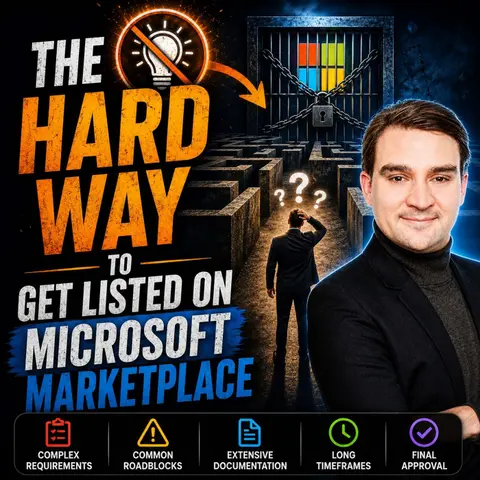

Getting listed on the Microsoft Marketplace sounds straightforward—but the reality is far more challenging. In this episode, we explore what it really takes to publish solutions and services in Microsoft's commercial marketplace, from meeting technical requirements and passing certification to creating compelling offers that customers can actually find and buy. Many partners underestimate the complexity, only to discover that getting approved is just the beginning.
You'll learn the differences between Azure Marketplace and Microsoft AppSource, when each platform is appropriate, and why marketplace success depends on much more than simply uploading a product. We also discuss common mistakes, marketplace eligibility, co-sell opportunities, private offers, transactable listings, and how Microsoft evaluates submissions.
Whether you're an ISV, MSP, Microsoft partner, or software vendor looking to grow through Microsoft's ecosystem, this episode provides practical insights to help you avoid costly delays and increase your chances of a successful marketplace launch. If you're planning to build a scalable Microsoft business, understanding the commercial marketplace is no longer optional—it's becoming a key part of modern partner success.
Quick answer: Getting listed on Microsoft Marketplace requires more than submitting an offer. This episode covers the operational, commercial, technical, and validation decisions that affect the process, helping partners prepare an offer that supports discovery, buyer confidence, and a credible route to market.
Listing your app on the Microsoft Marketplace can be a challenging journey. Many developers encounter several frustrations along the way as they strive to get listed. They often struggle with account creation, face validation issues during submission, and must ensure thorough testing and compliance with guidelines. Understanding the submission process is crucial. It helps you avoid common pitfalls and increases your chances of success. By preparing well, you can make the path to getting listed smoother and more efficient.
Key Takeaways
- Understand the Microsoft Marketplace's importance for app visibility and sales.
- Identify your target audience to tailor your app's features and marketing effectively.
- Follow a clear submission process: create a developer account, prepare your app, and submit it for review.
- Ensure compliance with Microsoft’s policies by preparing necessary documentation like Terms of Use and Privacy Policy.
- Thoroughly test your app before submission to avoid common errors and rejections.
- Utilize co-selling opportunities with Microsoft to expand your app's reach and increase sales.
- Choose the right storefront (AppSource or Azure Marketplace) based on your app's target audience.
- Manage your expectations during the submission process; approvals can take time and may require adjustments.
Microsoft Marketplace Overview

Importance of the Marketplace
The Microsoft Marketplace serves as a vital platform for developers and businesses. It offers numerous benefits that can significantly impact your app's visibility and sales. Here are some key features and benefits:
| Feature/Benefit | Description |
|---|---|
| Access to new markets | Helps businesses reach new customer segments and Microsoft Cloud users. |
| Build trust with customers | Leverages the Microsoft brand to enhance credibility. |
| Shorten sales cycle | Reduces cost and time to market for developers. |
| Marketplace Rewards | Unlocks sales rewards up to $200,000 as businesses achieve milestones. |
| Multiparty private offers (MPOs) | Facilitates faster partner-led sales motions. |
| Go-to-market resources | Provides marketing tools, co-branded collateral, and training guides to support product launch. |
By utilizing these features, you can enhance your app's market presence. Analysts indicate that cloud marketplaces, including Microsoft Marketplace, are evolving into primary distribution channels for enterprise software. This shift highlights the significance of being listed on the Marketplace, as it serves as a strong commercial indicator for both independent software vendors and potential buyers.
Target Audience
Understanding your target audience is crucial for a successful listing. The Microsoft Marketplace caters to various user segments, each with distinct needs and preferences. Here’s a breakdown of the primary users:
| User Segment | Description |
|---|---|
| Enterprise & Government | Primary revenue from enterprise contracts for Azure and Office 365, serving over 1M organizations globally. Decision-makers include CIOs and CTOs. |
| SMEs & Mid-Market | Small and mid-sized businesses using Microsoft 365 and Azure for scalability. IT managers and business owners are key decision-makers. |
| Consumers & Gamers | Xbox targets ages 16-45, while Surface hardware appeals to professionals and students earning $75k+. |
| Developers & Technical Architects | Developers are a key influencer segment, with GitHub's 150M+ users driving cloud and AI adoption. Technical architects lead significant Azure deals. |
By aligning your app with the needs of these segments, you can improve your chances of success. The Microsoft Marketplace provides a transactable platform that simplifies the purchasing process for enterprise buyers. Software companies can integrate their offerings into the Azure ecosystem, enhancing customer access. Co-sell opportunities with Microsoft sellers reduce friction in the sales cycle, making it easier for you to reach potential customers.
Get Listed: Submission Steps

Prepare Your App
Technical Requirements
To successfully prepare your app for the Microsoft Marketplace, you must follow several essential steps. Here’s a step-by-step guide to help you navigate this process:
- Create a developer account through the Microsoft Partner Center.
- Prepare your app by generating an app package using a development platform like Visual Studio or Xamarin.
- Complete the app submission form in the Partner Center, including app details, screenshots, and a logo.
- Undergo the certification process, where Microsoft checks compliance with policies and technical requirements.
- Once certified, publish the app on the Microsoft Store and monitor user feedback for updates.
By adhering to these steps, you can ensure that your app meets the necessary technical standards for a successful listing.
Compliance Documentation
Compliance documentation is crucial for your app's acceptance. You need to prepare several documents to demonstrate adherence to Microsoft’s policies. Here are some common requirements:
- Terms of Use: Clearly outline how users can interact with your app.
- Privacy Policy: Explain how you collect, use, and protect user data.
- Testing Instructions: Provide detailed instructions for reviewers to test your app effectively.
Common mistakes during this phase include:
- Lack of detailed requirements
- Poor design of the end-user experience
- Insufficient testing of the application before release
Avoiding these pitfalls will enhance your chances of a successful submission.
Create Partner Account
Creating a Microsoft Partner account is a vital step in the submission process. You will need to provide specific documentation to verify your business. Here’s a summary of the required documents:
| Documentation Type | Description |
|---|---|
| Formation Documents | Articles of incorporation, partnership deed, etc. |
| Government Issued Documents | Business registration or tax registration certificate, etc. |
| Lease Documents | Lease or tenancy documents. |
| Financial Institution Letters | Letter or statement from a financial institution or utility company. |
| Domain Ownership Proof | WHOIS record, domain purchase invoices, etc. |
Ensure that your company name and address match formal business registration records. This verification can take from a few days to a couple of weeks, leading to potential delays. If verification is not completed, many functionalities in the Partner Center will be blocked.
Submit Your App
Once you have prepared your app and created your partner account, it’s time to submit your app. Follow these steps for a smooth submission process:
- Sign in to Partner Center.
- Select the Marketplace offers tile.
- Choose the Microsoft 365 and Copilot tab if available.
- Click + New offer and select the app type.
- Name your app and check availability.
- Fill out the Product setup page.
- Upload your manifest for package testing.
- Define the metadata for your app.
- Create your detailed store listing for each language.
- Schedule your app's availability date.
- Add critical testing instructions for certification.
- Use the presubmission checklist to avoid common errors.
- Submit your app for review.
Common Errors
During the app submission process, you may encounter several common errors. Here’s a table summarizing these issues:
| Error Type | Cause | Solution |
|---|---|---|
| Publisher/Offer ID Issues | Incorrect or inactive IDs | Verify and update Publisher and Offer IDs. |
| Legal Terms Problems | Missing/incorrect agreements | Accept agreements and ensure all legal docs are complete. |
| Payment Method Errors | Invalid billing or pricing setup | Update payment methods and ensure currency settings match. |
| Region Access Error | Service unavailable in selected regions | Adjust region settings and confirm resource availability. |
| Private Offer Setup Issues | Misconfigured private store settings | Fix visibility settings and private marketplace configurations. |
Tips for Success
To increase your chances of a successful submission, consider these tips:
- Thoroughly test your app before submission.
- Ensure all documentation is complete and accurate.
- Use the presubmission checklist provided by Microsoft to catch common mistakes.
By following these guidelines, you can streamline your app submission process and enhance your chances of getting listed on the Microsoft Marketplace.
Post-Submission Process
After you submit your app to the Microsoft Marketplace, the post-submission process begins. This phase is crucial as it determines how quickly your app gets listed and how you handle any potential setbacks.
Review Timeline
The review timeline can vary based on several factors. Typically, you can expect the review process to take anywhere from a few days to a couple of weeks. Here’s a breakdown of what to anticipate:
- Initial Review: Microsoft will first check your app for compliance with their technical requirements and policies. This stage usually takes about 3-5 business days.
- Detailed Testing: If your app passes the initial review, it will undergo detailed testing. This phase can take an additional 5-10 business days, depending on the complexity of your app.
- Final Approval: Once testing is complete, Microsoft will notify you of the approval status. If approved, your app will go live on the Marketplace.
Tip: Keep an eye on your email for any communication from Microsoft. They may request additional information or changes during the review process.
Handling Rejections
Receiving a rejection can be disheartening, but it’s essential to approach it constructively. Here’s how to handle rejections effectively:
- Review Feedback: Microsoft will provide specific reasons for the rejection. Carefully review this feedback to understand what went wrong.
- Make Necessary Changes: Address the issues highlighted in the feedback. This may involve updating your app, revising documentation, or improving compliance with Microsoft’s policies.
- Resubmit Your App: After making the necessary changes, resubmit your app for review. Ensure that you clearly communicate any adjustments made in your resubmission notes.
Note: Many developers face rejection at least once. Use this experience to refine your app and improve your chances of success in future submissions.
By understanding the review timeline and knowing how to handle rejections, you can navigate the post-submission process more effectively. This preparation will help you stay resilient and focused on getting your app listed on the Microsoft Marketplace.
Co-Selling and Marketplace Benefits
Understanding Co-Selling
Co-selling through the Microsoft Marketplace offers significant advantages for developers and partners. By collaborating with Microsoft, you gain access to a vast customer base with billions of dollars in pre-committed cloud spend. This partnership allows you to sell globally, benefiting from support for invoicing, taxation, and currency conversion. Here are some key benefits of co-selling:
- Larger Deals: Reports indicate that deals through the marketplace can be twice as large compared to direct sales.
- Increased Sales: Companies like Trade Ledger saw their sales skyrocket from $4 million to $25 million due to co-selling with Microsoft.
- Faster Closing: Contentsquare found that co-sell opportunities are 81% larger and close 11% faster than direct contracts.
These benefits highlight how co-selling can enhance your app's market reach and sales efficiency.
Choosing the Right Storefront
When it comes to listing your app, selecting the right storefront is crucial. Microsoft offers two primary options: AppSource and Azure Marketplace. Each storefront caters to different audiences and has unique features.
AppSource vs. Azure Marketplace
| Criteria | Azure Marketplace | AppSource |
|---|---|---|
| Target Audience | IT Professionals and Developers | Business Users and Business Decision Makers |
| Billing Flexibility | Supports free, trial, BYOL, and various transact offer types including consumption-based and subscription-based billing. | Supports free, trial, BYOL, and subscription-based transact offers. |
| Partner Connections | Does not allow linking to service providers or delivery partners. | Links independent software vendors and service providers for collaborative selling. |
| Automation | Limited automation capabilities. | Offers automated SaaS with add-on provisioning. |
| Cloud Types | Supports public cloud and on-premises solutions. | Does not support Azure Stack or regional clouds. |
| Customer Presentation | Available in Azure in-portal experience. | Reaches customers through in-app experiences for Microsoft products. |
Aligning Products with Storefronts
Choosing the right storefront depends on your target audience and the nature of your app. If your app focuses on business applications, AppSource is the ideal choice. It connects you with business users and decision-makers who seek solutions to enhance productivity. On the other hand, if your app provides cloud-based infrastructure or services, Azure Marketplace is the better fit. It targets IT professionals and developers looking for technical solutions.
By aligning your app with the appropriate storefront, you maximize its visibility and sales potential. Understanding your audience and the features of each marketplace will help you make informed decisions that drive success.
Common Challenges in the Marketplace
Technical Issues
When you submit your app to the Microsoft Marketplace, you may encounter various technical issues. These problems can lead to delays or even rejection of your submission. Here are some common technical challenges you might face:
- Validation Errors: If your app submission fails with a validation error, investigate the specific issues. For instance, if the error states that the extension has already been uploaded for a specific region, update your submission list accordingly.
- Logo and Screenshot Requirements: Developers often overlook logo sizing requirements, which are stricter than expected. Additionally, screenshots must be properly annotated to avoid submission rejections.
- Manifest Mismatches: Ensure that the manifest property matches the offer description. This step is crucial to avoid submission issues.
To address these challenges effectively, follow these steps:
- Investigate the cause of any validation error if your app fails at the 'Automated application validation' stage.
- Use Azure Application Insights to check validation results.
- Confirm that all technical requirements are met before submission.
Marketplace Policies
Understanding Microsoft Marketplace policies is essential for a successful submission. You must adhere to several key policies to ensure your app meets the necessary standards. Here are some critical policies to keep in mind:
- Provide a usable software solution with significant benefits.
- If targeting enterprises, indicate this in the Notes for certification section.
- Ensure the version number on the submission form matches the app manifest.
- All locations must be SSL-secured (HTTPS) and valid.
- Specify a unique ID in the manifest.
- Include a valid support URL in the manifest.
- Test your app thoroughly to ensure it is fully functional.
- Submit a valid privacy link.
By following these policies, you can enhance your chances of a successful listing on the marketplace.
Managing Expectations
Managing your expectations during the submission process is crucial. Many developers have high hopes for a quick approval, but the reality can differ. Here are some common expectations and the actual outcomes you might experience:
- Validation Process: The validation process checks for breaking changes against the latest version in the marketplace. This may differ from your expectations if you are unaware of these checks.
- Submission Turnaround: While you may expect the automated validation process to complete within a few hours, larger apps may take longer. This could lead to frustration if you anticipate a quicker turnaround.
- Attention to Detail: Developers should utilize the app certification checklist to identify packaging and deployment issues before submission. Following app design best practices is crucial to avoid common oversights during development.
Engaging with the ISV Success team early in the process can provide valuable insights into both business and technical aspects of certification. This proactive approach can help you navigate the complexities of the marketplace more effectively.
Successfully listing your app on the Microsoft Marketplace requires careful preparation. You can improve your chances by following these steps:
- Ensure your app meets Microsoft's technical and legal standards, including secure authentication and clear terms of service.
- Test your app's functionality, including API integration and SSL/TLS configurations.
- Prepare marketing content that includes a clear title, concise descriptions, and engaging visuals.
Proactive measures can help you navigate challenges in the submission process. Set up your Microsoft Marketplace account and complete the mandatory verification. Submit your SaaS offer to Partner Center, including the assigned GUID in your app submission. By taking these steps, you can turn setbacks into learning opportunities and enhance your chances of success.
FAQ
What is the Microsoft Marketplace?
The Microsoft Marketplace is a platform where you can list and sell your applications. It includes both the Azure Marketplace and Microsoft AppSource, allowing independent software vendors to reach a broad audience.
How long does the submission process take?
The submission process can take anywhere from a few days to a couple of weeks. Factors like app complexity and compliance checks influence the timeline.
What are common reasons for app rejection?
Common rejection reasons include missing compliance documentation, incorrect metadata, and failure to meet technical requirements. Always refer to the checklist before submission to avoid these issues.
Can I sell my app on both Azure Marketplace and Microsoft AppSource?
Yes, you can list your app on both platforms. However, ensure that your app aligns with the target audience of each marketplace for optimal visibility.
How can I improve my app's visibility in the Microsoft Marketplace?
To enhance visibility, optimize your app listing with clear descriptions, engaging visuals, and relevant keywords. Participate in the Microsoft ISV Success Program for additional marketing support.
What is the Microsoft ISV Success Program?
The Microsoft ISV Success Program provides resources and support for independent software vendors. It helps you navigate the Microsoft Marketplace and improve your app's market presence.
Is there a checklist for submitting my app?
Yes, Microsoft provides a comprehensive checklist to guide you through the submission process. Use it to ensure you meet all technical and compliance requirements.
How do I handle feedback after submission?
Carefully review any feedback from Microsoft. Address the issues mentioned and make necessary changes before resubmitting your app for review.
🎧 Listen to this episode
Want a practical explanation of The Hard Way to Get Listed on Microsoft Marketplace? This episode breaks down the topic in clear language and shows why it matters for Microsoft 365, Azure, Power Platform, security, AI, and modern work.
Listen to this episode if you want to:
- Understand the key concepts behind The Hard Way to Get Listed on Microsoft Marketplace
- See how it fits into the wider Microsoft technology ecosystem
- Learn where it can create practical value for your organization
You may also enjoy these related M365 FM episodes:
Discover more practical Microsoft conversations on M365 FM.
Last reviewed: July 2026.
Who Should Listen
This episode is for Microsoft practitioners, architects, business leaders, and partners who need a practical foundation before making implementation, governance, or growth decisions.
🎧 You Should Also Listen To
- Microsoft Marketplace — A practical next step for extending this topic.
- AppSource Listing Strategy — A practical next step for extending this topic.
- Microsoft Partner Journey — A practical next step for extending this topic.
🚀 Want to be part of m365.fm?
Then stop just listening… and start showing up.
👉 Connect with me on LinkedIn and let’s make something happen:
- 🎙️ Be a podcast guest and share your story
- 🎧 Host your own episode (yes, seriously)
- 💡 Pitch topics the community actually wants to hear
- 🌍 Build your personal brand in the Microsoft 365 space
This isn’t just a podcast — it’s a platform for people who take action.
🔥 Most people wait. The best ones don’t.
👉 Connect with me on LinkedIn and send me a message:
"I want in"
Let’s build something awesome 👊
1
00:00:00,000 --> 00:00:02,960
Microsoft's official list is straightforward, seven categories.
2
00:00:02,960 --> 00:00:05,960
You're looking at partner account, marketplace ready product,
3
00:00:05,960 --> 00:00:09,080
technical integration, pricing model, compliance documentation,
4
00:00:09,080 --> 00:00:12,560
go to market assets, and ongoing operational readiness.
5
00:00:12,560 --> 00:00:13,680
It sounds simple.
6
00:00:13,680 --> 00:00:16,040
Seven boxes to check, submit, and you're done.
7
00:00:16,040 --> 00:00:19,280
But what's missing from that list is the depth of each requirement.
8
00:00:19,280 --> 00:00:20,800
Let's walk through three of them.
9
00:00:20,800 --> 00:00:22,280
Start with the partner account.
10
00:00:22,280 --> 00:00:25,440
That means you're enrolled in the Microsoft Cloud Partner Program
11
00:00:25,440 --> 00:00:28,880
with a verified business identity, bank account setup for payouts,
12
00:00:28,880 --> 00:00:31,720
and a tax profile per country if you're selling internationally.
13
00:00:31,720 --> 00:00:33,120
Each of those can take weeks.
14
00:00:33,120 --> 00:00:36,000
The bank verification alone can stall your entire submission.
15
00:00:36,000 --> 00:00:39,280
If your legal entity name doesn't match your bank account name exactly,
16
00:00:39,280 --> 00:00:40,640
that's not a technical problem.
17
00:00:40,640 --> 00:00:43,520
It's an administrative mismatch that stops your listing cold.
18
00:00:43,520 --> 00:00:45,240
Then there's the technical integration.
19
00:00:45,240 --> 00:00:49,040
You need EntraID, Billing Metering APIs for usage-based pricing,
20
00:00:49,040 --> 00:00:52,280
SAS fulfillment APIs for subscription lifecycle management,
21
00:00:52,280 --> 00:00:54,800
and ARM templates if you're deploying into Azure.
22
00:00:54,800 --> 00:00:56,240
This is not a one-day job.
23
00:00:56,240 --> 00:00:58,400
For teams without prior marketplace experience,
24
00:00:58,400 --> 00:01:01,160
the technical integration alone can take six to 10 weeks
25
00:01:01,160 --> 00:01:04,280
before you even submit for certification and compliance.
26
00:01:04,280 --> 00:01:07,360
Privacy policy terms of use, security documentation,
27
00:01:07,360 --> 00:01:10,040
for some offer types, a full security white paper,
28
00:01:10,040 --> 00:01:12,840
with data flow diagrams and access scope descriptions.
29
00:01:12,840 --> 00:01:15,120
That's not a quick copy paste from your website.
30
00:01:15,120 --> 00:01:17,880
It's legal review, engineering sign-off,
31
00:01:17,880 --> 00:01:20,120
and a document that takes time to get right.
32
00:01:20,120 --> 00:01:21,240
Here's the hard way.
33
00:01:21,240 --> 00:01:23,680
Partners assume requirements means a form to fill out,
34
00:01:23,680 --> 00:01:25,360
but it actually means engineering work,
35
00:01:25,360 --> 00:01:27,360
legal review, and operational setup.
36
00:01:27,360 --> 00:01:29,400
The ones who treat it like a checklist get rejected,
37
00:01:29,400 --> 00:01:31,960
while the ones who treat it like a project plan get listed.
38
00:01:31,960 --> 00:01:34,960
The 80% trap, five errors that kill most submissions.
39
00:01:34,960 --> 00:01:36,280
Now here's where it gets interesting.
40
00:01:36,280 --> 00:01:38,280
Microsoft's own documentation says,
41
00:01:38,280 --> 00:01:41,800
"Five common errors cause 80% of review rejections,
42
00:01:41,800 --> 00:01:44,040
"not technical bugs, not product flaws,
43
00:01:44,040 --> 00:01:47,160
"but five administrative errors that are completely preventable."
44
00:01:47,160 --> 00:01:48,320
Let's walk through them.
45
00:01:48,320 --> 00:01:51,320
Error one, missing or invalid terms of use link,
46
00:01:51,320 --> 00:01:53,200
not a broken link, not a placeholder page
47
00:01:53,200 --> 00:01:55,040
that says terms coming soon.
48
00:01:55,040 --> 00:01:57,200
It needs to be a real legal document
49
00:01:57,200 --> 00:01:58,800
that a reviewer can open and read
50
00:01:58,800 --> 00:02:00,480
if it's missing, if it's a 404,
51
00:02:00,480 --> 00:02:03,360
or if it's a generic template you pulled from a competitor,
52
00:02:03,360 --> 00:02:04,400
you get rejected.
53
00:02:04,400 --> 00:02:06,920
Error two, missing or invalid privacy policy link,
54
00:02:06,920 --> 00:02:08,680
same standard, same rejection.
55
00:02:08,680 --> 00:02:11,440
Microsoft's reviewers check this, they click the link.
56
00:02:11,440 --> 00:02:14,160
If it doesn't work, or if it's clearly a placeholder,
57
00:02:14,160 --> 00:02:16,160
your submission stops.
58
00:02:16,160 --> 00:02:19,320
Error three, missing testing instructions for reviewers.
59
00:02:19,320 --> 00:02:21,080
No credentials, no setup notes,
60
00:02:21,080 --> 00:02:22,960
no path to validate the product.
61
00:02:22,960 --> 00:02:25,080
The reviewer gets your listing and has no way
62
00:02:25,080 --> 00:02:28,840
to log in, test functionality, or confirm it works as described.
63
00:02:28,840 --> 00:02:30,920
They're not going to hunt for your demo environment.
64
00:02:30,920 --> 00:02:32,120
They're going to reject it
65
00:02:32,120 --> 00:02:33,600
and move on to the next submission.
66
00:02:33,600 --> 00:02:36,640
Error four, missing service or account disclosures.
67
00:02:36,640 --> 00:02:38,440
If your product needs an Azure subscription,
68
00:02:38,440 --> 00:02:41,320
a Microsoft 365 tenant or a paid third party service,
69
00:02:41,320 --> 00:02:43,440
you have to say so explicitly in the listing,
70
00:02:43,440 --> 00:02:45,520
not buried in the FAQ, not in a footnote,
71
00:02:45,520 --> 00:02:47,640
but in the description clearly stated.
72
00:02:47,640 --> 00:02:49,360
If the reviewer can't tell what's required
73
00:02:49,360 --> 00:02:51,240
to use your product, they'll flag it.
74
00:02:51,240 --> 00:02:54,280
Error five, missing disclosure of additional purchases.
75
00:02:54,280 --> 00:02:56,040
Any required add-on or paid dependency
76
00:02:56,040 --> 00:02:57,640
must be listed in the description.
77
00:02:57,640 --> 00:02:59,400
If your SaaS product needs a premium tier
78
00:02:59,400 --> 00:03:01,920
of a third party API to function, say it.
79
00:03:01,920 --> 00:03:04,200
If your VM image requires a separate license
80
00:03:04,200 --> 00:03:05,880
for the database engine, disclose it.
81
00:03:05,880 --> 00:03:08,960
If you don't, the reviewer will assume your hiding costs.
82
00:03:08,960 --> 00:03:10,600
These are not technical problems.
83
00:03:10,600 --> 00:03:13,200
They're administrative, but they stop your listing cold.
84
00:03:13,200 --> 00:03:15,480
The frustrating part is how avoidable they are.
85
00:03:15,480 --> 00:03:17,200
Partners spend weeks on the product,
86
00:03:17,200 --> 00:03:18,680
engineering, testing, polishing,
87
00:03:18,680 --> 00:03:20,080
and then 10 minutes on the submission.
88
00:03:20,080 --> 00:03:22,360
And that 10 minutes is where the rejection happens,
89
00:03:22,360 --> 00:03:25,440
so you fix the five errors, resubmit, and wait, and wait.
90
00:03:25,440 --> 00:03:29,040
That brings us to the second hidden cost.
91
00:03:29,040 --> 00:03:30,320
Time.
92
00:03:30,320 --> 00:03:33,680
The timeline problem, eight to 24 weeks and counting.
93
00:03:33,680 --> 00:03:35,840
Here's the problem most partners don't see coming.
94
00:03:35,840 --> 00:03:37,960
Microsoft publishes estimated listing times
95
00:03:37,960 --> 00:03:39,720
that look straightforward.
96
00:03:39,720 --> 00:03:41,960
App source at eight to 20 weeks as your marketplace
97
00:03:41,960 --> 00:03:45,200
at 12 to 24 weeks, but that's only if your first submission
98
00:03:45,200 --> 00:03:47,880
is perfect with no rejections, no rework,
99
00:03:47,880 --> 00:03:49,120
and no surprises.
100
00:03:49,120 --> 00:03:51,640
Each rejection cycle adds two to four weeks minimum.
101
00:03:51,640 --> 00:03:53,800
You get rejected for a missing privacy policy link,
102
00:03:53,800 --> 00:03:56,200
so you fix it and resubmit, and that's two weeks gone.
103
00:03:56,200 --> 00:03:58,840
Then you get rejected again because the testing instructions
104
00:03:58,840 --> 00:04:01,160
weren't clear enough, so you fix it and resubmit,
105
00:04:01,160 --> 00:04:02,480
and that's another two weeks.
106
00:04:02,480 --> 00:04:03,360
It adds up fast.
107
00:04:03,360 --> 00:04:05,600
Most partners don't budget for this timeline.
108
00:04:05,600 --> 00:04:08,080
They plan a quarter end launch and miss it by months,
109
00:04:08,080 --> 00:04:10,920
telling their leadership will be live in Q2,
110
00:04:10,920 --> 00:04:13,320
and then still being in certification in Q3.
111
00:04:13,320 --> 00:04:14,640
That's not a failure of execution.
112
00:04:14,640 --> 00:04:15,760
That's a failure of planning.
113
00:04:15,760 --> 00:04:18,240
The technical integration alone can take six to 10 weeks
114
00:04:18,240 --> 00:04:20,720
for teams without prior marketplace experience,
115
00:04:20,720 --> 00:04:24,200
and that includes SaaS fulfillment APIs, billing metering,
116
00:04:24,200 --> 00:04:26,560
and ARM templates, each a separate integration,
117
00:04:26,560 --> 00:04:29,840
requiring engineering time, testing, and debugging.
118
00:04:29,840 --> 00:04:31,480
And that's before you submit anything.
119
00:04:31,480 --> 00:04:33,800
Legal review of terms, privacy policy, and compliance
120
00:04:33,800 --> 00:04:35,800
documentation adds another two to four weeks,
121
00:04:35,800 --> 00:04:37,560
and your legal team has other priorities,
122
00:04:37,560 --> 00:04:38,920
so they're not going to drop everything
123
00:04:38,920 --> 00:04:40,680
to review your marketplace listing.
124
00:04:40,680 --> 00:04:42,720
That timeline needs to be built into your plan.
125
00:04:42,720 --> 00:04:45,400
The storefront decision matters more than partners realize.
126
00:04:45,400 --> 00:04:46,920
Choose wrong, and you're rebuilding.
127
00:04:46,920 --> 00:04:49,120
If you're a business app vendor who picks Azure marketplace
128
00:04:49,120 --> 00:04:50,680
because it sounds more technical,
129
00:04:50,680 --> 00:04:52,480
you're invisible to the line of business buyers
130
00:04:52,480 --> 00:04:53,880
who actually use AppSource.
131
00:04:53,880 --> 00:04:56,040
And if you're an infrastructure vendor who picks AppSource
132
00:04:56,040 --> 00:04:57,680
because the timeline is shorter,
133
00:04:57,680 --> 00:05:00,800
you're invisible to the IT buyers who use Azure marketplace.
134
00:05:00,800 --> 00:05:02,920
The wrong choice costs you months of rework.
135
00:05:02,920 --> 00:05:05,360
The hard way creates a cycle where timeline pressure
136
00:05:05,360 --> 00:05:07,840
leads to shortcuts, shortcuts lead to rejections,
137
00:05:07,840 --> 00:05:10,280
and rejections lead to more timeline pressure.
138
00:05:10,280 --> 00:05:12,320
Partners rush the submission to hit a deadline,
139
00:05:12,320 --> 00:05:14,360
get rejected, spend weeks fixing it,
140
00:05:14,360 --> 00:05:15,920
and then rush the resubmission.
141
00:05:15,920 --> 00:05:17,840
It's a loop that only breaks when you step back
142
00:05:17,840 --> 00:05:20,920
and plan for the real timeline from the start.
143
00:05:20,920 --> 00:05:23,040
AppSource versus Azure marketplace,
144
00:05:23,040 --> 00:05:24,760
the wrong choice costs you.
145
00:05:24,760 --> 00:05:26,160
Let's talk about that storefront decision
146
00:05:26,160 --> 00:05:29,120
because it's one of the most misunderstood parts of the process.
147
00:05:29,120 --> 00:05:31,160
Two storefronts, one publishing system,
148
00:05:31,160 --> 00:05:33,160
but different audiences, different requirements,
149
00:05:33,160 --> 00:05:35,080
different rules, and picking the wrong one
150
00:05:35,080 --> 00:05:36,360
can cost you months.
151
00:05:36,360 --> 00:05:39,200
AppSource is for business apps like Dynamics 365,
152
00:05:39,200 --> 00:05:41,520
Power Platform, and Teams Integrations,
153
00:05:41,520 --> 00:05:43,720
and the buyers are line of business people,
154
00:05:43,720 --> 00:05:47,960
like marketing directors, ops managers, and finance leads.
155
00:05:47,960 --> 00:05:48,960
They're not technical.
156
00:05:48,960 --> 00:05:50,800
They're looking for solutions to business problems,
157
00:05:50,800 --> 00:05:53,120
and they want to buy them without involving IT.
158
00:05:53,120 --> 00:05:55,640
Azure marketplace is for IT solutions like infrastructure,
159
00:05:55,640 --> 00:05:58,200
SaaS that runs on Azure, virtual machines, and containers.
160
00:05:58,200 --> 00:06:00,160
The buyers are developers, cloud architects,
161
00:06:00,160 --> 00:06:01,680
and enterprise procurement teams.
162
00:06:01,680 --> 00:06:02,600
They're technical.
163
00:06:02,600 --> 00:06:04,880
They need to know how your solution deploys,
164
00:06:04,880 --> 00:06:06,680
what resources it consumes,
165
00:06:06,680 --> 00:06:10,200
and whether it plays nice with their existing Azure environment.
166
00:06:10,200 --> 00:06:12,520
Here's the trap that catches a lot of partners.
167
00:06:12,520 --> 00:06:15,360
Multi-year pricing plans automatically de-list from AppSource
168
00:06:15,360 --> 00:06:17,360
and move to Azure marketplace only.
169
00:06:17,360 --> 00:06:18,960
Microsoft's policy is clear on this.
170
00:06:18,960 --> 00:06:20,120
If you're a business app vendor
171
00:06:20,120 --> 00:06:22,760
who wants to offer two year or three year contracts,
172
00:06:22,760 --> 00:06:25,920
your listing disappears from the storefront your buyers actually use.
173
00:06:25,920 --> 00:06:28,160
Your line of business customers are browsing AppSource
174
00:06:28,160 --> 00:06:29,920
and your offer isn't there anymore.
175
00:06:29,920 --> 00:06:31,160
It's on Azure marketplace
176
00:06:31,160 --> 00:06:33,400
where they'd never think to look for a business app.
177
00:06:33,400 --> 00:06:34,240
That's a real problem.
178
00:06:34,240 --> 00:06:36,160
You build a product for business users,
179
00:06:36,160 --> 00:06:37,640
price it for multi-year deals,
180
00:06:37,640 --> 00:06:39,920
because that's what enterprise customers want,
181
00:06:39,920 --> 00:06:41,240
and then your listing vanishes
182
00:06:41,240 --> 00:06:43,720
from the one place your buyers know to find you.
183
00:06:43,720 --> 00:06:45,880
You're not wrong for wanting multi-year contracts,
184
00:06:45,880 --> 00:06:47,760
but you need to know the trade off going in.
185
00:06:47,760 --> 00:06:49,680
Customer prerequisites are different too,
186
00:06:49,680 --> 00:06:51,880
as your marketplace requires an enter ID
187
00:06:51,880 --> 00:06:53,760
and an active Azure subscription to purchase.
188
00:06:53,760 --> 00:06:55,560
So if your customer doesn't have those,
189
00:06:55,560 --> 00:06:57,600
they get prompted to create them during checkout,
190
00:06:57,600 --> 00:06:58,640
and that's friction.
191
00:06:58,640 --> 00:07:01,760
AppSource doesn't require an Azure subscription for most offers,
192
00:07:01,760 --> 00:07:03,400
so your business buyer can click,
193
00:07:03,400 --> 00:07:05,440
purchase, and start using your product
194
00:07:05,440 --> 00:07:07,840
without ever touching the Azure portal.
195
00:07:07,840 --> 00:07:10,760
That's a meaningful difference in how easy it is to close a deal.
196
00:07:10,760 --> 00:07:11,800
The hard way is this.
197
00:07:11,800 --> 00:07:14,080
Partners pick a storefront based on convenience,
198
00:07:14,080 --> 00:07:15,920
whichever one seems easier to publish on,
199
00:07:15,920 --> 00:07:17,920
or whichever one they're developer recommended,
200
00:07:17,920 --> 00:07:20,080
without thinking about where their buyer actually shops.
201
00:07:20,080 --> 00:07:22,280
Then they wonder why no one finds their listing.
202
00:07:22,280 --> 00:07:24,840
The listing is live, certified, technically perfect,
203
00:07:24,840 --> 00:07:26,120
but it's in the wrong store.
204
00:07:26,120 --> 00:07:28,200
The buyers are on the other side of the wall.
205
00:07:28,200 --> 00:07:30,920
The unified Microsoft marketplace is coming.
206
00:07:30,920 --> 00:07:33,040
Microsoft has announced plans to merge AppSource
207
00:07:33,040 --> 00:07:35,120
and Azure marketplace into a single destination,
208
00:07:35,120 --> 00:07:36,960
rolling out slowly starting in the US
209
00:07:36,960 --> 00:07:38,400
with global expansion later.
210
00:07:38,400 --> 00:07:40,960
But don't wait for it to solve your storefront problem today.
211
00:07:40,960 --> 00:07:42,560
The unification is not here yet,
212
00:07:42,560 --> 00:07:43,640
and even when it arrives,
213
00:07:43,640 --> 00:07:46,000
the underlying audience differences won't disappear.
214
00:07:46,000 --> 00:07:47,640
Your buyers will still behave differently,
215
00:07:47,640 --> 00:07:49,720
depending on whether they're looking for a business app
216
00:07:49,720 --> 00:07:51,240
or an infrastructure tool.
217
00:07:51,240 --> 00:07:53,400
The storefronts might merge, but the personas won't,
218
00:07:53,400 --> 00:07:55,960
so you've chosen your storefront, submitted your listing,
219
00:07:55,960 --> 00:07:58,120
and waited through certification.
220
00:07:58,120 --> 00:07:59,960
Your live, and this is where most partners
221
00:07:59,960 --> 00:08:01,800
make their biggest mistake.
222
00:08:01,800 --> 00:08:03,720
Live doesn't mean working.
223
00:08:03,720 --> 00:08:06,000
The operational reality, getting published,
224
00:08:06,000 --> 00:08:07,200
isn't the finish line.
225
00:08:07,200 --> 00:08:08,280
It's the starting line,
226
00:08:08,280 --> 00:08:09,760
and a lot of partners don't realize that
227
00:08:09,760 --> 00:08:11,320
until they've been live for three months
228
00:08:11,320 --> 00:08:13,080
with zero pipeline to show for it.
229
00:08:13,080 --> 00:08:14,960
Microsoft operates under an agency model,
230
00:08:14,960 --> 00:08:17,200
they handle billing, collections, and payouts,
231
00:08:17,200 --> 00:08:19,040
sending invoices, collecting payments,
232
00:08:19,040 --> 00:08:21,360
managing tax compliance, and paying you your share.
233
00:08:21,360 --> 00:08:22,440
That's their job.
234
00:08:22,440 --> 00:08:24,320
Your job is everything else, product support,
235
00:08:24,320 --> 00:08:26,960
customer provisioning, the actual customer experience.
236
00:08:26,960 --> 00:08:28,840
When a customer has a problem with your software,
237
00:08:28,840 --> 00:08:30,000
they don't call Microsoft.
238
00:08:30,000 --> 00:08:30,840
They call you.
239
00:08:30,840 --> 00:08:33,680
If provisioning breaks or a customer wants to upgrade their plan,
240
00:08:33,680 --> 00:08:35,240
that's your workflow to manage.
241
00:08:35,240 --> 00:08:36,560
The hard way is this.
242
00:08:36,560 --> 00:08:39,600
Partners go live and expect leads to appear, but they don't.
243
00:08:39,600 --> 00:08:41,600
The marketplace is not a lead generation machine
244
00:08:41,600 --> 00:08:43,720
that turns on when your listing goes live.
245
00:08:43,720 --> 00:08:44,720
It's a distribution channel
246
00:08:44,720 --> 00:08:46,400
that makes your product available to buyers
247
00:08:46,400 --> 00:08:47,680
who are already searching,
248
00:08:47,680 --> 00:08:49,520
but those buyers need to find you,
249
00:08:49,520 --> 00:08:50,920
and they need a reason to choose you
250
00:08:50,920 --> 00:08:53,840
over the other 11,000 offers on Azure Marketplace
251
00:08:53,840 --> 00:08:56,040
or the 19,000 apps on AppSource.
252
00:08:56,040 --> 00:08:58,200
Seller activation is required.
253
00:08:58,200 --> 00:09:00,920
Microsoft's field sellers need enablement.
254
00:09:00,920 --> 00:09:03,360
They need to understand what your product does,
255
00:09:03,360 --> 00:09:04,440
who it's for,
256
00:09:04,440 --> 00:09:07,040
and why they should prioritize it in their conversations
257
00:09:07,040 --> 00:09:08,240
with customers.
258
00:09:08,240 --> 00:09:10,600
They're managing hundreds of partner solutions
259
00:09:10,600 --> 00:09:11,880
and yours is one of them.
260
00:09:11,880 --> 00:09:13,640
If you don't give them a reason to remember yours,
261
00:09:13,640 --> 00:09:14,480
they won't.
262
00:09:14,480 --> 00:09:17,160
Coastal readiness is a separate process from listing.
263
00:09:17,160 --> 00:09:18,000
It's not automatic.
264
00:09:18,000 --> 00:09:19,960
You need a pitch deck, a one-page sales context
265
00:09:19,960 --> 00:09:22,120
per geography and deal registration discipline.
266
00:09:22,120 --> 00:09:24,120
Microsoft has specific requirements
267
00:09:24,120 --> 00:09:25,880
for what Coastal collateral looks like,
268
00:09:25,880 --> 00:09:26,920
and if you don't provide it,
269
00:09:26,920 --> 00:09:29,760
your solution doesn't get surfaced to their sellers.
270
00:09:29,760 --> 00:09:31,240
You can be live on the marketplace
271
00:09:31,240 --> 00:09:33,720
and invisible to the sales team at the same time.
272
00:09:33,720 --> 00:09:36,920
Mac eligibility at Microsoft Azure consumption commitment
273
00:09:36,920 --> 00:09:39,240
requires Azure IP Coast sales status,
274
00:09:39,240 --> 00:09:41,560
which is a higher tier with its own revenue thresholds
275
00:09:41,560 --> 00:09:42,920
and technical validation.
276
00:09:42,920 --> 00:09:45,760
You need at least $100,000 in Azure consumed revenue
277
00:09:45,760 --> 00:09:48,160
on marketplace build sales over the trailing 12 months.
278
00:09:48,160 --> 00:09:50,840
You need to pass Azure platform technical validation.
279
00:09:50,840 --> 00:09:52,600
You need a reference architecture diagram.
280
00:09:52,600 --> 00:09:55,120
It's a separate process with separate requirements,
281
00:09:55,120 --> 00:09:57,600
and it's the thing that actually makes your offer count
282
00:09:57,600 --> 00:10:00,160
toward a customer's Azure spend commitments.
283
00:10:00,160 --> 00:10:00,960
Without it,
284
00:10:00,960 --> 00:10:03,000
you're missing one of the biggest procurement incentives
285
00:10:03,000 --> 00:10:04,600
enterprise buyers have.
286
00:10:04,600 --> 00:10:05,800
The hard way is this.
287
00:10:05,800 --> 00:10:07,680
Partners who treat marketplace as a
288
00:10:07,680 --> 00:10:10,080
"set it and forget it" channel end up with a listing
289
00:10:10,080 --> 00:10:11,840
that generates zero pipeline.
290
00:10:11,840 --> 00:10:14,160
They put in the work to get listed, celebrate the launch,
291
00:10:14,160 --> 00:10:15,920
and then move on to the next project.
292
00:10:15,920 --> 00:10:18,320
Six months later, they check their partner center dashboard
293
00:10:18,320 --> 00:10:19,960
and see single digit impressions.
294
00:10:19,960 --> 00:10:21,040
They blame the marketplace,
295
00:10:21,040 --> 00:10:22,600
but the marketplace didn't fail them.
296
00:10:22,600 --> 00:10:23,920
They fail to operate it.
297
00:10:23,920 --> 00:10:25,560
That brings us to the real question,
298
00:10:25,560 --> 00:10:28,520
what does it take to do this the right way?
299
00:10:28,520 --> 00:10:31,440
What the right way looks like, the repeatable path.
300
00:10:31,440 --> 00:10:33,240
Here's how you do this the right way.
301
00:10:33,240 --> 00:10:36,040
It starts with one decision that most partners get wrong.
302
00:10:36,040 --> 00:10:38,200
You pick your storefront based on your buyer,
303
00:10:38,200 --> 00:10:40,680
not your product type, not what's easier to build,
304
00:10:40,680 --> 00:10:42,120
not what your developer recommends,
305
00:10:42,120 --> 00:10:43,960
but where your buyer actually shops.
306
00:10:43,960 --> 00:10:45,720
If your customer is a line of business person
307
00:10:45,720 --> 00:10:47,680
who doesn't know what an Azure subscription is,
308
00:10:47,680 --> 00:10:48,880
you belong on AppSource.
309
00:10:48,880 --> 00:10:50,440
If your customer is a cloud architect
310
00:10:50,440 --> 00:10:52,000
who manages infrastructure spend,
311
00:10:52,000 --> 00:10:53,720
you belong on Azure marketplace.
312
00:10:53,720 --> 00:10:55,480
That decision drives everything else.
313
00:10:55,480 --> 00:10:57,320
Your pricing model, your integration path,
314
00:10:57,320 --> 00:10:59,040
your timeline, get it right first,
315
00:10:59,040 --> 00:11:00,720
then you build certification readiness
316
00:11:00,720 --> 00:11:01,760
into your development timeline,
317
00:11:01,760 --> 00:11:02,920
not as an afterthought,
318
00:11:02,920 --> 00:11:05,760
and not as a will figure that out after we finish the product.
319
00:11:05,760 --> 00:11:08,040
From the start, you know that enter ID integration,
320
00:11:08,040 --> 00:11:09,280
billing, metering APIs,
321
00:11:09,280 --> 00:11:11,320
and compliance documentation are part of the build.
322
00:11:11,320 --> 00:11:12,720
They're not separate projects,
323
00:11:12,720 --> 00:11:13,920
they're features of the product,
324
00:11:13,920 --> 00:11:16,080
same as any user facing capability.
325
00:11:16,080 --> 00:11:18,800
If you treat certification as a post development task,
326
00:11:18,800 --> 00:11:20,120
you're adding weeks to your timeline
327
00:11:20,120 --> 00:11:21,280
before you even submit.
328
00:11:21,280 --> 00:11:22,960
Use Microsoft's pre-submission checklist
329
00:11:22,960 --> 00:11:25,120
before every submission, it's published and free,
330
00:11:25,120 --> 00:11:26,520
and it lists the five common errors
331
00:11:26,520 --> 00:11:28,360
that cause 80% of rejections.
332
00:11:28,360 --> 00:11:30,320
Terms of use link, privacy policy link,
333
00:11:30,320 --> 00:11:32,080
testing instructions, service disclosures,
334
00:11:32,080 --> 00:11:33,680
additional purchase disclosures,
335
00:11:33,680 --> 00:11:36,160
check every single one before you hit submit.
336
00:11:36,160 --> 00:11:39,240
That 10 minute check saves you a two to four week rejection cycle,
337
00:11:39,240 --> 00:11:42,080
and it's the highest ROI action in the entire process.
338
00:11:42,080 --> 00:11:44,960
Assign ownership, this is where most partners fall apart.
339
00:11:44,960 --> 00:11:47,240
They have one person trying to manage legal engineering,
340
00:11:47,240 --> 00:11:48,760
marketing, and sales readiness,
341
00:11:48,760 --> 00:11:51,120
that person gets overwhelmed, something slips,
342
00:11:51,120 --> 00:11:52,920
and the submission gets rejected.
343
00:11:52,920 --> 00:11:54,920
Instead, assign clear ownership.
344
00:11:54,920 --> 00:11:57,240
Legal owns the terms and privacy policy,
345
00:11:57,240 --> 00:11:59,520
engineering owns the technical integration,
346
00:11:59,520 --> 00:12:02,640
marketing owns the listing copy and GTMS sets,
347
00:12:02,640 --> 00:12:04,960
and sales owns co-sell readiness.
348
00:12:04,960 --> 00:12:06,720
Each team knows what they're responsible for,
349
00:12:06,720 --> 00:12:09,160
and there's a single person who tracks the overall timeline.
350
00:12:09,160 --> 00:12:10,880
No ambiguity, no dropped balls,
351
00:12:10,880 --> 00:12:12,840
plan for 12 to 24 weeks minimum.
352
00:12:12,840 --> 00:12:14,760
If you beat that timeline, great.
353
00:12:14,760 --> 00:12:16,960
If you don't, you're not behind, you're unscheduled.
354
00:12:16,960 --> 00:12:18,760
The partners who get frustrated are the ones
355
00:12:18,760 --> 00:12:20,920
who plan for eight weeks and hit 24.
356
00:12:20,920 --> 00:12:23,040
They feel like they failed, but they didn't.
357
00:12:23,040 --> 00:12:24,280
They just planned wrong,
358
00:12:24,280 --> 00:12:26,960
built the real timeline into your forecast from day one,
359
00:12:26,960 --> 00:12:29,120
and the process stops feeling like a crisis.
360
00:12:29,120 --> 00:12:30,800
Test the reviewer experience yourself,
361
00:12:30,800 --> 00:12:32,560
create a clean test account.
362
00:12:32,560 --> 00:12:34,800
Not your personal account with all your existing subscriptions
363
00:12:34,800 --> 00:12:36,440
and permissions, but a clean account
364
00:12:36,440 --> 00:12:38,200
that looks like what a reviewer would have.
365
00:12:38,200 --> 00:12:39,640
Write step by step instructions
366
00:12:39,640 --> 00:12:41,400
for how to access and test your product,
367
00:12:41,400 --> 00:12:44,400
and check accessibility on every page the reviewer will see.
368
00:12:44,400 --> 00:12:47,440
Keyboard navigation, contrast, alt text on images.
369
00:12:47,440 --> 00:12:48,720
If the reviewer can't figure out
370
00:12:48,720 --> 00:12:50,840
how to use your product in 15 minutes,
371
00:12:50,840 --> 00:12:53,200
they're not going to spend 30 minutes figuring it out.
372
00:12:53,200 --> 00:12:54,520
They're going to reject it.
373
00:12:54,520 --> 00:12:56,360
And here's a shortcut that actually works.
374
00:12:56,360 --> 00:12:57,720
Work with a partner or platform
375
00:12:57,720 --> 00:12:59,800
that specializes in marketplace listing.
376
00:12:59,800 --> 00:13:01,720
The cost is real, but it's less than the cost
377
00:13:01,720 --> 00:13:03,200
of three rejection cycles.
378
00:13:03,200 --> 00:13:04,640
If you're a team of five people trying
379
00:13:04,640 --> 00:13:07,120
to learn the marketplace from scratch, the math is simple.
380
00:13:07,120 --> 00:13:08,640
Pay someone who's done it before,
381
00:13:08,640 --> 00:13:11,080
or pay for three rounds of rejections, rework,
382
00:13:11,080 --> 00:13:12,160
and delayed revenue.
383
00:13:12,160 --> 00:13:13,960
The specialist is cheaper.
384
00:13:13,960 --> 00:13:15,400
The real cost of the hard way.
385
00:13:15,400 --> 00:13:16,520
So here's the full picture.
386
00:13:16,520 --> 00:13:18,840
The hard way isn't about technical complexity.
387
00:13:18,840 --> 00:13:20,920
It's about underestimating the process.
388
00:13:20,920 --> 00:13:23,680
Partners who treat marketplace as a checkbox exercise
389
00:13:23,680 --> 00:13:26,880
end up with rejections, delays, and zero pipeline.
390
00:13:26,880 --> 00:13:29,000
The ones who treat it as a go-to-market investment
391
00:13:29,000 --> 00:13:32,520
get co-sell, massacy, and a repeatable revenue engine.
392
00:13:32,520 --> 00:13:33,600
Here's your homework.
393
00:13:33,600 --> 00:13:35,840
Audit your current listing or pre-submissions
394
00:13:35,840 --> 00:13:37,680
against the five common errors.
395
00:13:37,680 --> 00:13:39,160
Fix them before you submit.
396
00:13:39,160 --> 00:13:42,000
That's one hour of work that saves you weeks of delays.
397
00:13:42,000 --> 00:13:43,680
If you want to build this engine for real,
398
00:13:43,680 --> 00:13:45,080
start with the storefront decision
399
00:13:45,080 --> 00:13:47,160
and work backward from your buyer's behavior.
400
00:13:47,160 --> 00:13:48,560
The marketplace is worth the fight,
401
00:13:48,560 --> 00:13:51,160
but only if you fight the right battles.

Founder of m365.fm, m365.show and m365con.net
Mirko Peters is a Microsoft 365 expert, content creator, and founder of m365.fm, a platform dedicated to sharing practical insights on modern workplace technologies. His work focuses on Microsoft 365 governance, security, collaboration, and real-world implementation strategies.
Through his podcast and written content, Mirko provides hands-on guidance for IT professionals, architects, and business leaders navigating the complexities of Microsoft 365. He is known for translating complex topics into clear, actionable advice, often highlighting common mistakes and overlooked risks in real-world environments.
With a strong emphasis on community contribution and knowledge sharing, Mirko is actively building a platform that connects experts, shares experiences, and helps organizations get the most out of their Microsoft 365 investments.




