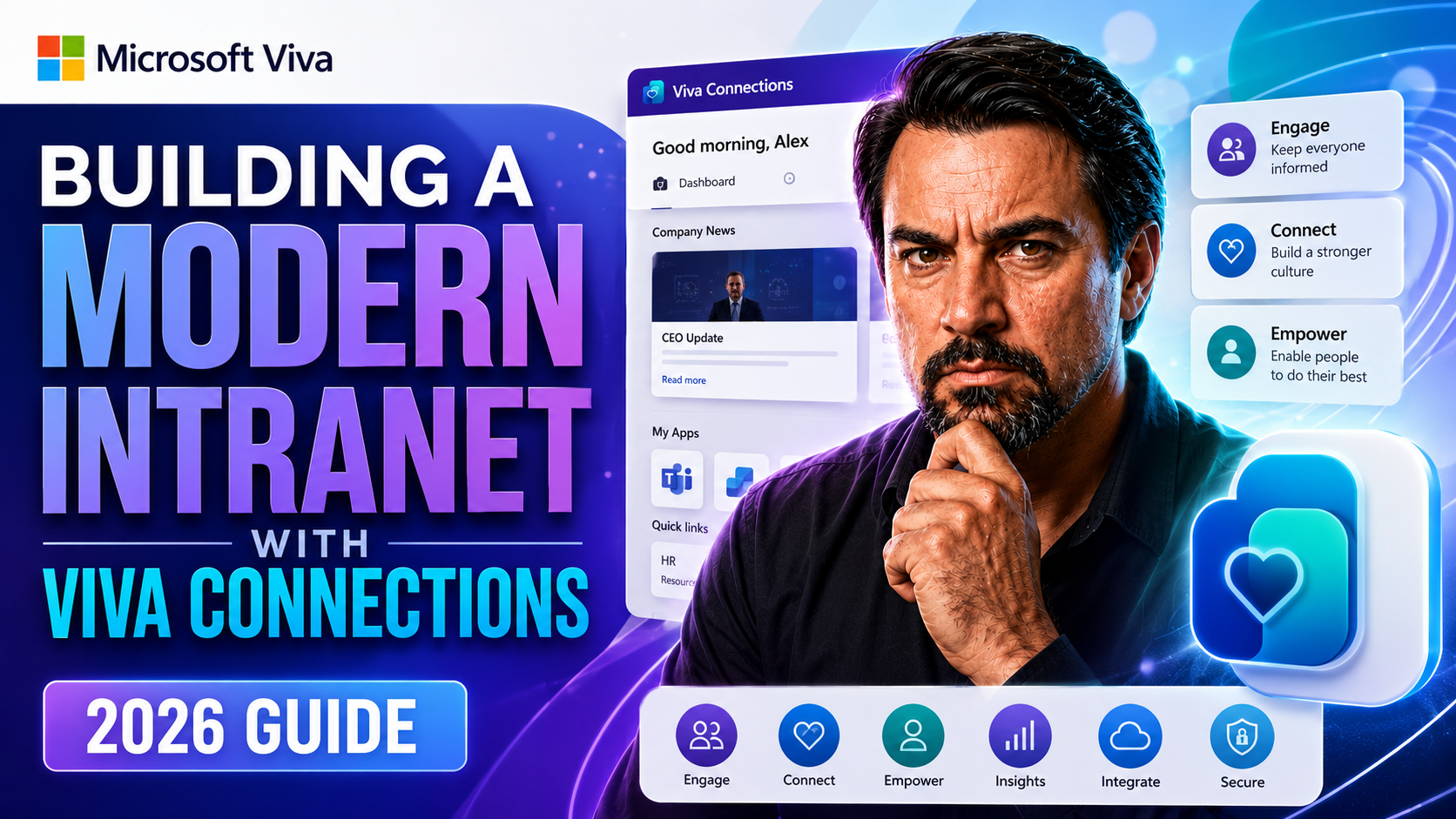
Building a Modern Intranet with Viva Connections (2026 Guide)
This comprehensive guide walks you through designing, implementing, and optimizing a future-proof intranet using Microsoft Viva Connections and SharePoint for 2026. Here, you’ll find practical advice, clear strategies, and the latest thinking on what makes an intranet truly modern. Get the lowdown on essential foundations, design best practices, and governance so you’re not scrambling when it comes time to scale.
Whether you’re worried about supporting your hybrid teams, planning for AI, or keeping compliance folks happy, you’ll find answers here. We dig into employee experience, actionable steps, and what really drives adoption and business results, so your intranet isn’t just another forgotten tool. Let’s roll up our sleeves and build something your company—and your workforce—actually wants to use.
Foundations of a Modern SharePoint Intranet with Viva Connections
Before you jump into technology, it’s smart to nail down the core principles for building a future-ready intranet. In 2026, it’s not enough to just pick a platform and see what sticks. The most successful SharePoint intranets start with a clear vision, rooted in the real needs of your people—not just IT preferences or shiny features.
This section gets you thinking bigger than basic “file storage” or an overstuffed homepage. It’s about aligning your intranet goals with business outcomes, setting yourself up for growth, and making sure your digital workplace can bend without breaking. Practice research and an employee-first mindset aren’t just buzzwords—they’re the difference between a thriving digital hub and a ghost town site.
You’ll also look at scalable architectures and ways to make your intranet fit your organizational structure, not the other way around. These are the decisions that will let you scale up as you add departments, regions, or new business lines. Ultimately, what you learn here sets the stage for a platform that works not just today, but years from now—no matter how your organization changes.
Why Practice Research Before Selecting Intranet Technology
Practice research means studying your employees’ needs, challenges, and workflows before picking intranet technology. By understanding what users actually do and what frustrates them, you can select solutions that fit those real-world scenarios. It prevents you from wasting money on tools employees won’t use and helps pinpoint what’ll make their lives easier.
This approach ensures your intranet addresses genuine business needs and supports long-term engagement. Prioritizing research upfront leads to better decision-making, higher user adoption, and a digital workplace aligned with both day-to-day tasks and strategic goals.
How to Design Practice Hubs That Scale with Departmental Context
- Map Out Your Organizational StructureBegin by sketching out every department, region, and business unit. This gives you a blueprint for hub sites that actually reflect how your company operates, not just a random folder structure. Each hub should have a purpose and a unique context based on the teams it supports.
- Define Departmental Needs and AutonomySome teams need strict governance and standardized tools, while others thrive with flexibility to adjust navigation or highlight their news. Identify who needs what—and why—so your hub architecture can accommodate different workflows and ownership models, without becoming chaotic.
- Assign Clear Ownership and GovernanceEach hub site should have assigned owners or stewards. These folks are responsible for keeping content fresh, managing permissions, and serving as a bridge between IT and the business side. This prevents content sprawl, confusion, and security mishaps.
- Create Consistent but Flexible NavigationHubs need consistent global menus and cross-site links, so users aren’t lost if they jump between departments. But allow each department to showcase what matters most to them through landing pages and targeted web parts, balancing order and autonomy.
- Plan for Change and GrowthYour organization won’t be static. Build hubs so you can add, remove, or reorganize departments with minimal disruption. A flexible hub site structure lets your intranet adapt to mergers, new regions, or business pivots—without a full overhaul.
Key Design Decisions for Your 2026 Intranet Strategy
- Choose Your Core Platform ComponentsEvaluate if SharePoint, Viva Connections, or a blend fits your needs. Make sure your base platform can handle mobile, desktop, and third-party integrations. Future-ready intranets need compatibility with the Microsoft 365 ecosystem and enough openness for emerging tools.
- Design for AI and PersonalizationDecide early how you’ll use AI for search, recommendations, and automation. Options like Microsoft Graph let you push targeted news, apps, or learning paths to the right folks. Planning for this now saves headaches later.
- Set Governance and Security BaselinesDetermine who can create sites, manage permissions, and publish content. Establishing clear “rules of the road” for compliance, access, and retention is especially important if your industry is regulated or your team spans multiple regions.
- Implement Modular and Scalable Design PatternsUse page templates, reusable web parts, and modular navigation so you’re not reinventing the wheel each time a department needs new content. This keeps your intranet manageable and consistent—even as it grows.
- Plan for Feedback and Continuous ImprovementSet mechanisms to gather user feedback and measure engagement. Your intranet should evolve as needs change and as you bring on AI or new integrations. A “set and forget” approach won’t cut it in 2026—be ready to iterate.
Integrating Viva Connections as the Personalized Intranet Front Door
Now that you have your intranet foundation, it’s time to give employees a front door that feels like home. Viva Connections takes your intranet from a static website to an interactive, personalized launchpad—right inside Microsoft Teams, where people already spend their day.
This section unpacks why using Viva Connections as your intranet home changes the game compared to old-school SharePoint homepages. We’ll introduce options for dynamic dashboards, targeting news and tools by audience, and connecting teams and departments in meaningful ways.
Whether your employees are on mobile, at their desks, or working across departments, a personalized Viva Connections dashboard makes sure they get just what they need—nothing more, nothing less. We’re setting the stage for modern, adaptable intranet experiences that put people first, not just pages.
Why Viva Connections Practice Should Be Central to Your Communication Intranet
Viva Connections serves as your intranet’s personalized entry point while living directly inside Microsoft Teams. Because it pulls together news, resources, and tools through a configurable dashboard, it provides a seamless user experience that’s hard to match with a traditional SharePoint homepage.
This integration simplifies access, increases engagement, and extends your organization’s culture and communication reach. By making Viva Connections the root of your communication intranet, you bring information and collaboration to where your employees work every day—increasing usage and alignment.
Customizing Viva Connections for a Personalized Dashboard Experience
- Choose Key Dashboard Cards and WidgetsStart by curating the most relevant dashboard cards for your users. Options include news feeds, task lists, company resources, HR links, and personalized learning modules. Don’t overload—keep the dashboard tight and purposeful.
- Configure Personalization TargetingUse audience targeting so specific roles, offices, or business units see custom content. For example, HR might see alerts just for HR, while sales gets new leads and targets. This laser-focus drives user efficiency and satisfaction.
- Adjust Layout and Placement for UsabilityRearrange widgets based on frequency and importance. Make company-wide news prominent, place team tools at a glance, and put support or help items in easy reach. Regular reviews with user feedback keep the layout fresh and relevant.
- Integrate External Applications and ShortcutsPin business apps like payroll or timesheet systems right onto the dashboard. Use single sign-on when possible for frictionless access. This reduces context switching and makes the intranet an everyday tool—not a detour.
- Leverage Notifications for Real-Time EngagementSet up dashboard alerts and notifications for important updates—whether company news, work anniversaries, or urgent system changes. Alerts draw people in and keep the intranet dynamic.
How to Personalize Intranet for Departments and Business Units
- Enable Audience Targeting for Departmental NewsDepartments can publish updates that only their staff sees, ensuring relevance and minimizing unnecessary noise.
- Create Custom Landing Pages for Each Business UnitTailor each unit’s intranet section with specific resources, contacts, and performance dashboards, so every team has a sense of ownership and finds what matters most.
- Showcase Department-Specific Tools and ActionsAdd shortcuts to the most-used applications or workflow tools for each group. For example, finance might get quick links to expense reporting, while IT sees ticketing systems front and center.
Design, Branding, and Navigation Best Practices
If you want an intranet employees actually use, start with design, branding, and navigation. A modern, visually consistent space makes a world of difference in adoption and usability. This section is all about how to make your digital workplace look good, run smooth, and stay easy to navigate—no matter how big you get.
We’ll focus on why prioritizing navigation is crucial, why branding should be consistent but never overwhelming, and how to use modern SharePoint web parts without drowning users in clutter. With the right balance, your intranet isn’t just functional—it’s a place people actually want to come back to every day.
By leveraging unified templates, accessible color strategies, and streamlined menus, you can create a digital workspace that’s not only engaging but also easy to maintain and scale. The sections ahead will show you how to put this into practice and avoid common pitfalls.
How to Prioritize Navigation with Managed Global Menus and Scalable Architecture
- Implement Managed Global MenusUse consistent menus across your intranet so users can find core sections no matter what page they land on. Managed navigation means less confusion and quicker access to key resources.
- Build with Scalable Information ArchitectureDesign your information structure to support future growth. Use logical categories, intuitive labels, and standard links so new sites or tools can be slotted in without making the whole system chaotic.
- Establish a Clear Information HierarchyPrioritize must-have menu items and bury rarely-used content deeper. The most common tasks—like finding policies, submitting forms, or reading news—should always be at the top. This guides users straight to what matters.
Best Practices for Brand Consistently with Visual Design and Theme Color Strategy
- Establish Branding Guidelines EarlySet your color palette, logo rules, and header/footer styles at the beginning to keep everything aligned. This prevents rogue pages with clashing colors and logos from creeping into your intranet.
- Apply Theme Color Strategically, Not ExcessivelyUse brand colors to highlight action buttons or headings, but keep plenty of white space and neutral backgrounds. This balances corporate identity and readability—nobody wants an eye-straining homepage.
- Ensure Accessibility Across All Visual ElementsTest your colors and contrast for screen readers and low-vision users. Accessibility isn’t just a requirement—it also makes sure everyone feels included and able to participate fully.
Using Modern Web Parts Strategically with Unified Templates for Consistency
- Curate a Core Set of Web PartsPick essential features like News, Quick Links, and Yammer feeds, and standardize their use across templates—so every page works and feels familiar.
- Create Unified Templates for Key Page TypesBuild templates for department homepages, landing pages, or news articles. Lock down core structure but let teams customize content within those boundaries.
- Balance Simplicity with FunctionalityIntroduce custom SPFx web parts only when there’s a real business need. Too many gadgets just bog things down and make support harder.
Content Strategy and Lifecycle Management
Without the right content strategy, your intranet can turn into an unruly pile of documents and outdated news in no time. Starting with a solid plan—and building in automation and lifecycle controls—keeps your intranet orderly, accurate, and worth coming back to.
We’ll walk through proven methods for assigning content ownership, putting workflows in place, and ensuring nothing lingers past its prime. You’ll see why a sustainable strategy is more than just uploading files—it’s about governance, trust, and preparing for continuous change.
Embracing AI-powered automation can help manage retention, keep content fresh, and reduce manual labor. And when you migrate, you’ll want to tidy up legacy content, too—so you don’t drag the mess into your new environment. Let’s get your intranet content humming from day one.
Foundations for Effective Content Strategy Practice
Effective content strategy is about clear ownership, defined workflows, and strong governance from the outset of your intranet project. Each type of content should have a responsible owner who maintains it and ensures accuracy. Well-designed workflows support content review, approval, and publication, keeping everything up-to-date.
By establishing governance—setting out who can create, edit, or delete content—you prevent content sprawl and maintain user trust. A thoughtful strategy keeps information not only organized, but also reliable and current.
Mastering the Content Management Lifecycle with Automation and AI
- Automate Content ClassificationUse AI-powered tools to tag and categorize content as it’s created or uploaded. This makes everything easier to find and route, saving you endless hours of manual work and boosting search relevance for users.
- Enforce Retention and Archiving PoliciesSet automated rules (like those in Microsoft Purview) to retain critical records for set periods and securely dispose of documents no longer needed. Automation reduces human error and helps meet legal or regulatory requirements.
- Monitor Versioning and Review DatesTrack every edit with robust version control, and use AI to prompt owners when scheduled reviews or updates are coming due. This keeps polices and critical documents from gathering dust or becoming stale.
- Enable Approval WorkflowsBuild approval steps into your publishing process, automating notification and escalation for pending drafts. This guards quality and ensures leadership oversight where it’s needed most.
- Integrate Compliance Monitoring ToolsLean on compliance and monitoring features to spot possible data loss, leaks, or expired content, flagging issues before they turn into big headaches. Automation keeps everything on the rails.
Best Practices for Migrating and Organizing Legacy Content
- Inventory and Classify FirstList all legacy content and tag what’s important versus what’s outdated or redundant before migration.
- Restructure for ClarityOrganize content in new, logical categories matching your current structure—don’t just dump files as-is.
- Prune RuthlesslyDelete or archive anything unnecessary to reduce clutter, making the new intranet cleaner and faster.
- Assign New OwnersGive each migrated document a new content owner, ensuring nothing falls through the cracks post-launch.
Governance, Security, and Compliance at Enterprise Scale
Big organizations—and those working in highly regulated industries—have a lot at stake when it comes to intranet governance. One bad permission setting or missed compliance rule can cause major problems. That’s why you need robust frameworks that scale with your business and keep you in the good graces of both auditors and IT.
This section explains how to put the right controls in place, enforce role-based access, and maintain ironclad data security. You’ll find guidance on sensitive data handling, plus compliance considerations for industries like healthcare, financial services, and government. Setting a strong foundation here means your intranet won’t be the weakest link in your security chain.
By the time you’re through, you’ll understand how to reduce risk, maintain control, and enable decentralization without losing quality or oversight. These steps protect your users—and your business—from costly mistakes and reputational damage.
Creating a Governance Framework Enterprise for Your Intranet
- Define Key Roles and ResponsibilitiesAssign site owners, editors, and content stewards for every part of your intranet to maintain order and accountability.
- Develop and Document PoliciesEstablish clear rules for site creation, publishing, and data handling to guide users and maintain consistency.
- Set Escalation and Support PathsMake sure there’s a documented process for handling incidents, permissions issues, or compliance breaches as your needs evolve.
Securing Your Intranet with Role-Based Access and Sensitivity Policies
- Implement Role-Based Access Controls (RBAC)Set granular permissions by user role—like “site owner,” “contributor,” or “reader”—to avoid overexposing sensitive info. Only those who need access get it, helping with zero trust principles.
- Apply Sensitivity Labels and Data PoliciesTag content with sensitivity labels (like “Confidential” or “Internal Use Only”) and trigger different rules for sharing or retention depending on the label. This guards your business-critical and regulated data.
- Disable External Sharing by DefaultLock down files and sites so outside users can’t access them unless expressly needed. Only allow sharing with trusted partners—and only after security review and approval.
- Monitor and Enforce Privileged AccessTrack who has admin or elevated permissions, rotate credentials as needed, and audit activity logs regularly. Regular reviews plug holes and catch problems before they become breaches.
Governance Compliance Considerations for Regulated and Financial Services
- Records ManagementSet rules for document retention and legal holds to satisfy industry regulations and make audits easier to manage.
- Data Residency and PrivacyEnsure sensitive personal or financial data stays in approved geographic regions to meet global compliance standards.
- Audit-ReadinessMaintain reliable tracking and reporting for site usage, permissions changes, and compliance actions, so you’re ready for snap audits at all times.
Driving Intranet Adoption, Measuring Success, and Planning for AI
A modern intranet isn't successful if no one uses it. Adoption, change management, and continuous improvement are the secret sauce behind lasting results. This section dives into how to build excitement, train users, and get leadership backing. After all, if the CEO isn’t sending updates on Viva Connections, who else will?
But launching isn’t the finish line. We'll also explore how to collect feedback, use analytics, and keep iterating so your digital workplace never gets stale. Plus, it’s 2026—so AI, Copilot, and other Microsoft innovations are firmly on the radar. Planning for these now keeps your intranet on the cutting edge and future-proofs your investment.
Stick around for practical tips that turn users into champions, show measurable business impact, and help you keep pivoting as technology (and your people) keep moving forward.
How to Drive Intranet Adoption with Communication and Training
- Launch with Leadership SupportSecure executive sponsorship and share clear, visible endorsements. Leadership involvement signals importance and encourages widespread participation from day one.
- Run Targeted Communication CampaignsUse company-wide emails, Teams posts, and town hall demos to build buzz and inform everyone about what’s coming and why it matters.
- Offer Hands-on Training and OnboardingProvide practical training sessions, easy-to-follow guides, and peer champions who can answer real user questions during launch and beyond.
- Showcase ‘What’s New’ RegularlyHighlight fresh features, department pages, or integrations to keep people interested—and turn occasional users into regulars.
Measure, Iterate, and Improve Continuously with Analytics
- Track Engagement MetricsUse built-in analytics to monitor page views, popular content, and who logs in (and who doesn’t). Insights guide where to focus improvement efforts.
- Collect Direct User FeedbackSurvey employees, hold feedback sessions, and keep a running list of ideas and complaints. This perspective uncovers small issues before they become major roadblocks.
- Set Success Benchmarks and KPIsDefine what “success” looks like—adoption rates, reduced helpdesk tickets, faster onboarding—and measure against these regularly. Adjust goals as your organization changes.
- Enable a Continuous Improvement CycleAct on analytics and feedback by rolling out updates, refining navigation, or adding new web parts as needed. Let users know you’re listening and responding to their needs.
Plan for AI Integration and Future Microsoft 365 Capabilities
- Prepare for Copilot and Viva AI FeaturesAssess how AI assistants and automation will handle content creation, search, and recommendations, freeing up time for higher-value work and improving results.
- Automate Content Management LifecycleLeverage AI to classify, review, and retire documents, reducing manual upkeep and boosting compliance across your intranet ecosystem.
- Enhance User Experience Through PersonalizationUtilize AI to serve up tailored dashboards, news, and tools based on user role, learning history, and behavior, minimizing “noise” and helping people find what matters instantly.
- Stay Flexible as Microsoft 365 EvolvesMonitor roadmaps and community updates so your intranet stays compatible with the latest features and integrations, making upgrades smooth instead of disruptive.
Implementation Roadmap, FAQs, and Next Steps for Building Your Modern Intranet
All the strategy in the world won’t help if you don’t turn plans into action. This section guides you through a clear, practical implementation roadmap—so you’re not lost in the weeds. From early discovery to final launch, being organized is the difference between a smooth rollout and a project that drags for months.
We also tackle those burning FAQs: Teams or SharePoint? How much does it cost? What if we outgrow third-party tools? You want straightforward answers before committing precious time and budget.
Finally, you’ll get a shortlist of next steps and planning actions, plus tips for evaluating your options and lining up the right support. When you reach the end of this section, you’ll be ready to kick off your intranet journey with confidence and clarity.
Your Phased Implementation Plan from Discovery to Launch
- Discovery and Stakeholder AlignmentInterview users, define business objectives, and gather requirements. Establish your project vision and success criteria.
- Design and Architecture PlanningMap your hub site structure, navigation, and branding. Decide on templates, audience targeting, and which features to launch first.
- Content Migration and Permissions SetupAudit existing content. Migrate only what’s valuable, prune the clutter, and set permissions according to your governance model.
- Pilot Rollout and Feedback GatheringLaunch the new intranet to a subset of users. Gather feedback, monitor analytics, and tweak design, navigation, or content before full go-live.
- Organization-Wide Go-Live and SupportRoll out the intranet broadly, ramp up communications, and provide extra support during the transition. Establish a plan for continuous updates and ongoing listening.
Modern Intranet FAQs: Addressing Teams vs. SharePoint, Costs, and More
- Should I build in Teams or SharePoint?Teams, integrated with Viva Connections and SharePoint, offers a seamless experience—most organizations benefit from both.
- What’s the true cost?Licensing, migration, and potential consulting fees all factor in. Plan for ongoing support, not just a one-time build.
- Third-party solutions vs. native tools?Third-party intranets may speed up deployment, but native options offer tighter integration, scalability, and future-readiness—especially with Microsoft 365 innovations.
- How do we get ongoing support?Lean on internal IT, Microsoft support, or trusted consulting partners. Form a governance committee for day-to-day management.
Getting Started: Steps for Planning and Evaluating Design Options
- Define Your RequirementsList must-have features, content priorities, and compliance needs before you start shopping or designing.
- Evaluate Design and Navigation ModelsRun workshops with end users and stakeholders to review hub layouts, branding directions, and demo templates.
- Build Your Team and Secure BudgetInvolve IT, communications, HR, and at least one executive sponsor. Get a budget estimate for initial launch and future improvements.
- Engage Expert Support if NeededIf you hit a wall, don’t hesitate to bring in a Viva or SharePoint consulting partner for design or migration guidance.
- Create a Project TimelineMap discovery, build, testing, and go-live phases. Bake in time for feedback, training, and iteration—rushing leads to pain later.
Optimizing Viva Connections for Hybrid and Remote Workforces
In 2026, a huge chunk of the workforce is remote or hybrid. That means your intranet isn’t just a tool—it’s the lifeline to company culture, leadership updates, and team collaboration. Standard designs don’t cut it for these users; you need features and strategies that reduce isolation and promote “digital togetherness.”
This section focuses on creating digital proximity instead of just digital noise. Learn how to simulate those “hallway moments” virtually and design dashboards that keep everyone in the loop—no matter if they’re in the office, at home, or halfway across the globe.
We’ll also talk about time-zone aware updates and communication scheduling, so folks on different continents aren’t left out or bombarded at 3 AM. If you want every employee to feel included—and valued—these are the upgrades that really make a difference.
Designing for Digital Proximity in a Distributed Workforce
- Curate Targeted News StreamsSurface relevant updates and shoutouts that feature team wins, birthdays, or milestones, so remote staff feel seen and celebrated.
- Enable Social Recognition SpacesLeverage built-in recognition or Yammer web parts—let employees give kudos, share stories, or participate in polls to replicate office camaraderie.
- Foster Collaborative SpacesSet up digital forums or communities for departments, projects, or shared interests. Keep conversation flowing and let people cross paths virtually.
- Actively Highlight Cross-Functional ProjectsShowcase joint projects and successes between teams to boost transparency and break down remote work silos.
Enabling Time-Zone Aware Content and Scheduling for Global Teams
- Schedule News Publishing by RegionPush updates when users are most likely online to avoid lost posts and information overload.
- Localize Key Events and NotificationsAdjust announcements and calendar invites to display in recipients’ local time zones for maximum engagement.
- Provide On-Demand RecapsRecord leadership broadcasts and make Q&As available for people to view when it fits their schedule—every employee gets a voice, no matter their clock.
Leveraging Viva Connections with Viva Engage for Leadership Communication
A truly modern intranet isn’t just about delivering documents or routine memos—it’s a tool for leadership to connect, inspire, and be visible in the digital workplace. With Viva Connections and Viva Engage working together, leaders get the megaphone and the feedback loop they need (without the noise of mass emails).
This section covers how to embed those authentic exec blogs, live Q&As, and recognition campaigns directly in the employee dashboard. When two-way dialogue and social recognition are built in, trust grows and everyone feels closer to company strategy—regardless of role or location.
We’ll also spotlight running ongoing or seasonal leadership campaigns, like CEO challenges or DEI spotlights, keeping communication lively and inclusive. These steps turn your intranet from a notice board into a living, breathing engagement platform.
Embedding Viva Engage for Leadership Transparency and Recognition
- Integrate Leadership Blogs and UpdatesEmbed posts from executives right into Viva Connections, so vision and priorities are visible to all employees in one place.
- Host Interactive Town Hall Q&AsEnable live or asynchronous Q&A cards where leaders respond to employee questions, promoting real transparency and trust.
- Highlight Employee Recognition CampaignsFeature shoutouts, nominations, or awards through Viva Engage feeds—making appreciation and value public in the digital space.
- Encourage Two-Way Feedback LoopsUse polls and open-ended comment cards so employees know their voices are heard and leadership stays connected to ground-level issues.
Creating Persistent Leadership Channels and Engagement Campaigns
- Ongoing CEO ChallengesCreate themed, recurring “leaderboard” campaigns to foster participation and drive alignment with strategic goals.
- Evergreen DEI SpotlightsMaintain a standing channel for diversity, equity, and inclusion stories, so cultural initiatives have a permanent stage.
- Recognition and Advocacy TracksRun regular recognition campaigns or ambassador programs that use Viva Engage to nominate, vote, and showcase top contributors or teams.
Automating Intranet Personalization with Microsoft Graph and AI
Manual audience targeting only takes you so far. For a next-level intranet in 2026, you want content that adapts and recommends itself automatically—AI and Microsoft Graph make this possible. These tools let you serve up dashboards, news, or resources tailored on-the-fly to each person’s behavior, role, and interests.
Here, you’ll discover how to move past static content and build dynamic, intelligent experiences that “learn” what users need. With smart machine learning, your intranet can guide users to relevant experts, new learning paths, or urgent resources, reducing information overload and boosting satisfaction.
This approach isn’t just about bells and whistles. It’s practical, scalable, and future-proofs your investment—because your intranet grows smarter with every user interaction.
Using Microsoft Graph to Surface Role-Based and Behavioral Content
- Analyze Team Memberships and Active ProjectsMicrosoft Graph can identify what teams or groups a user belongs to and surface targeted content, tools, or news accordingly. For example, a member of the HR team will get HR updates and resources—no manual targeting required.
- Monitor Document Usage PatternsBy tracking documents a user frequently accesses, Graph recommends similar or related files—making everyone more efficient without drowning them in irrelevant info.
- Personalize Communication and Learning ModulesGraph can tailor announcements or learning paths based on previous actions or training completed, so users are prompted with updates they might otherwise miss.
- Update Dashboards in Real TimeWith behavioral data, Viva Connections dashboards can update automatically, showing relevant apps, contacts, or resources as someone’s role or interests shift over time.
- Reduce Manual MaintenanceAI handles the heavy lifting so administrators aren’t stuck managing endless lists for audience targeting—every user’s experience is both current and meaningful.
Building AI-Powered 'For You' Experience Zones in Viva Connections
- Set Up Dynamic 'For You' PanelsUse machine learning to recommend timely learning paths, company updates, or expert profiles based on what a user has viewed, clicked, or completed recently.
- Minimize Information Overload with Smart Curation'For You' zones act as intelligent filters, surfacing only the content each user is likely to find valuable—reducing noise and boosting engagement.
- Highlight Time-Sensitive ResourcesAutomatically prioritize urgent tasks or events—like mandatory trainings or benefits deadlines—right at the top of a user’s personalized panel.
- Enable Proactive Content DiscoveryHelp users uncover new opportunities, cross-team projects, or mentorships by surfacing recommendations based on their actions and preferences—making every visit to the intranet a little more useful.
You Should Also Listen To
Building a modern intranet with Viva Connections requires more than a homepage redesign. These episodes examine the information architecture, personalization, extensibility, and governance decisions behind a sustainable employee platform:
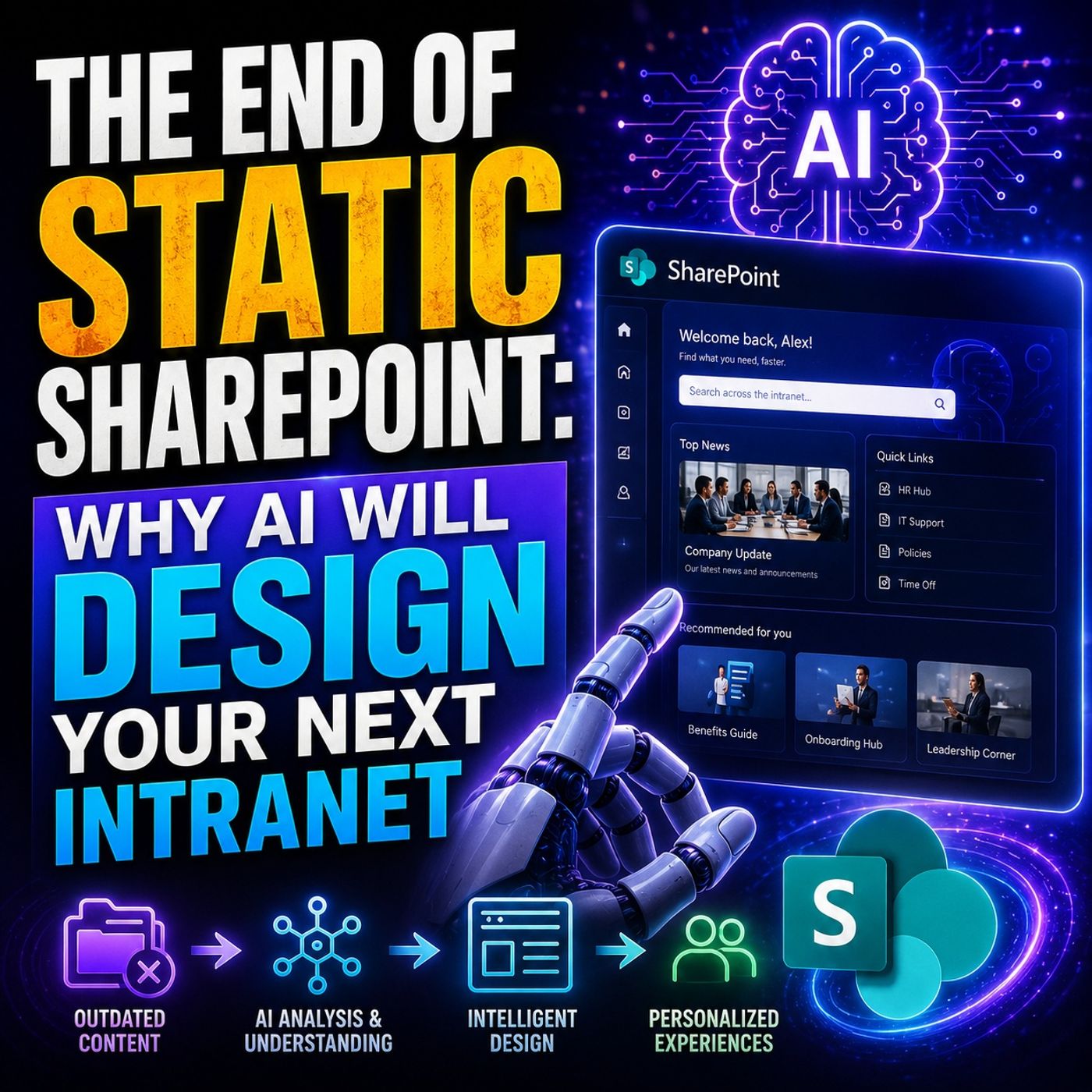
- AI-Powered SharePoint Intranets: Beyond Static Design — Discover how AI and adaptive experiences are changing the future of intranet design.
- Make SharePoint Search Show the Right Files First — Fix the navigation, metadata, and search foundation that determines whether employees can find trusted information.
- Customize Microsoft Viva Connections Dashboards — Learn how role-based cards and business actions turn the intranet into a useful daily work surface.
- Govern SPFx Adaptive Card Extensions in Teams and Viva — Understand how to manage custom extensions without creating ownership and lifecycle problems.

Microsoft MVP | Host of M365.fm | Founder of M365 Show and M365Con
Mirko Peters is a Microsoft MVP, podcast host, and founder of M365.fm, M365 Show, and M365Con. His work connects Microsoft practitioners through podcast interviews, livestreams, and community events.
At M365.fm, Mirko hosts conversations with Microsoft MVPs, product experts, architects, and community contributors. Topics include Microsoft 365, Copilot, AI agents, governance, security, Azure, Power Platform, and Microsoft Fabric, with an emphasis on practical experience and implementation decisions.
M365.fm is the podcast and learning platform. M365 Show brings experts together for livestreams, while M365Con provides an online conference setting for community learning.
Official website: Mirko Peters (https://www.mirkopeters.com/). Recognition: Mirko Peters — Microsoft MVP profile (https://mvp.microsoft.com/de-DE/mvp/profile/9b0ca797-db5a-493a-a845-8b9158046cf5). Connect on LinkedIn (https://www.linkedin.com/in/m365showpodcast/).