AI-Powered Collaboration: Microsoft Teams Productivity Guide
AI-powered collaboration is changing the game for how teams get things done. Today, most folks aren’t just looking for basic chats and document sharing—they want tools that boost productivity, keep everyone connected, and spark new ideas regardless of where they work. This guide walks you through what AI-powered teamwork really means and how smart tech like Microsoft Teams, Asana, and advanced automation are shaking things up for businesses.
If you’re a tech leader or just someone trying to keep your team working like a well-oiled machine, AI collaboration isn’t some far-off future—it’s happening right now. We’ll break down the essentials, show you what works, and help you see how AI tools can make collaboration smoother, smarter, and more innovative for enterprises that can’t afford to lag behind.
What Is Collaborative AI and How Does It Elevate Teamwork
Collaborative AI—sometimes called collaborative artificial intelligence—is all about teams working alongside AI tools that help them communicate faster, automate repetitive tasks, and spot valuable insights across huge piles of data. At its heart, this means using AI that isn’t just smart, but is a real partner in daily work: catching things people might miss, answering questions in plain language, and connecting different apps and files across the whole company.
The engines behind this are things like generative AI, which can draft emails, summarize meetings, and create content, and intelligent automation, which moves info between systems automatically. Team members can hand off heavy lifting—think note-taking, tracking follow-ups, or data searching—to AI, freeing up people for higher-level thinking and decision-making.
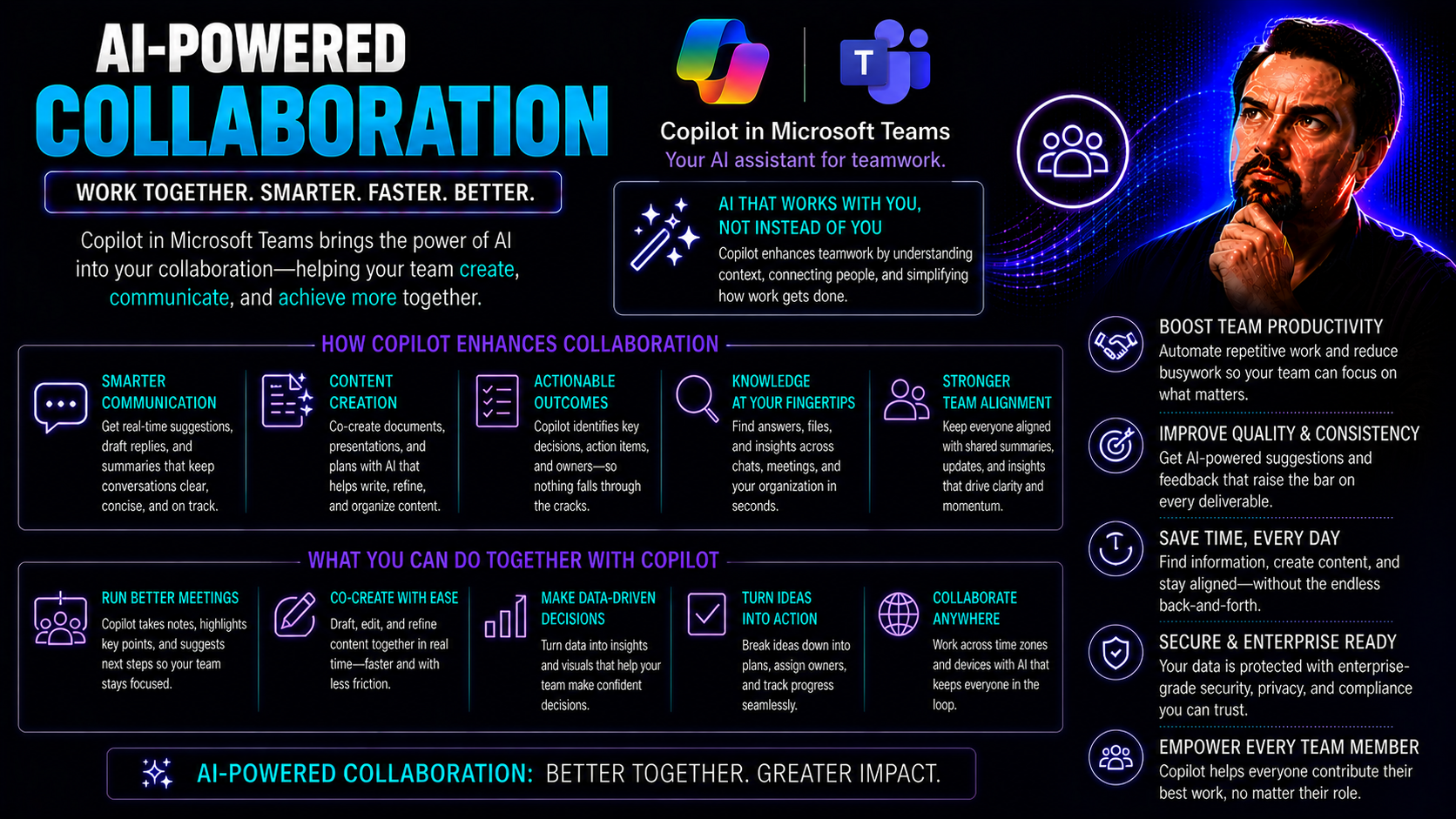
These systems aren’t one-size-fits-all. Collaborative AI adapts to how your team actually works—whether you’re in-person, remote, or spread across the globe. It watches patterns, adjusts recommendations, and lets people from different departments sync up without extra friction. Platforms like Microsoft Teams and SharePoint already use features like Copilot to automate meeting notes, summarize chats, and keep everyone in the loop with secure access—see how M365 Copilot is orchestrating workflows right inside your favorite tools. All this means fewer missed details, smoother projects, and a lot less time spent chasing down the latest version of a file.
Key Benefits of Human-AI Collaboration for Modern Businesses
- Smarter, Faster Decisions: AI delivers real-time data and actionable insights, allowing teams to make informed choices without digging through endless reports.
- Consistent Productivity: Automation cuts down on manual, repetitive tasks, so teams can focus on creative problem-solving and value-added work.
- Scalable Knowledge Sharing: AI centralizes information and supports seamless knowledge transfer across departments, helping everyone stay on the same page.
- Enhanced Innovation: Human-AI partnerships encourage new connections between ideas, driving fresh approaches and cross-functional breakthroughs.
- Improved Team Efficiency: AI coordinates workloads, anticipates bottlenecks, and keeps projects on track—even as teams grow or change shape.
Collaboration Platforms for Enterprise: Leading Solutions Empowered by AI
Enterprise businesses face collaboration challenges on a massive scale—dozens of teams, scattered locations, and high security demands. That’s why today’s leading platforms focus on much more than just messaging or file sharing. They’re built from the ground up with AI to provide deep integrations, robust data protection, and the flexibility to scale as your workforce grows.
With AI at the core, these platforms aren’t just another layer of tech—they’re the connectors, accelerators, and watchdogs for enterprise teamwork. Whether it’s finding experts across departments or surfacing documents hidden in a sea of files, AI-powered collaboration tools are tailored for the realities of big organizations. They help break down walls between departments, cut through noise, and ensure that the right information and people come together at the right time.
In the next sections, we’ll take a closer look at standout solutions—like Glean’s intelligent search engine and Asana’s management analytics—that help organizations like yours improve information sharing, streamline tasks, and drive efficient project coordination on an enterprise scale.
Glean’s AI-Driven Enterprise Search and Improving Information Sharing
- Instant Access to Knowledge: Glean uses AI to sift through emails, messages, and documents across your company, surfacing what’s relevant right when you need it—even if it’s buried on someone’s desktop or hidden in a shared drive.
- Smart, Secure Recommendations: The platform respects access permissions, ensuring people only see information they’re allowed to—critical for regulated industries where data leaks can mean big trouble.
- Accelerated Onboarding: New team members can quickly find past project summaries, policies, or client feedback, helping them get up to speed without bugging colleagues for every detail.
- Unified Search Experience: Glean connects siloed systems, letting teams search across Slack, Salesforce, Google Drive, and more, eliminating wasted time switching between apps and boosting knowledge sharing company-wide.
Asana Management Insights and Zoho Projects Efficient Task Coordination
- Asana’s Management Analytics: Delivers instant progress tracking, highlights overdue tasks, and visualizes project status so managers can act before issues escalate.
- Zoho Projects Automated Updates: Uses AI to suggest project timelines, assign work to the right people, and remind teams about deadlines, keeping everyone aligned with minimal manual input.
- Improved Cross-Team Coordination: Both tools leverage AI-powered dashboards that centralize updates, reducing confusion and ensuring tasks never slip through the cracks.
AI Workflow Automation and Intelligent Task Coordination for Teams
Keeping distributed teams moving in sync is no small feat. That’s where AI-powered workflow automation steps in, acting as an invisible project manager that works around the clock. Modern teams rely on these smart systems not only to lighten the load but also to spot hiccups before they escalate.
Platforms like ClickUp, Trello, and Lindy are leading the charge, helping businesses manage complex workflows—from simple approvals to multi-stage project launches—without endless manual reminders or status update meetings. These tools streamline everything from content creation to task handoffs, so teams can stay nimble, whether everyone’s in the office, remote, or somewhere in between.
In the sections ahead, you’ll see how customizable workflow hubs, intelligent agents, and AI-powered resource planning all contribute to making project management smarter, more resilient, and surprisingly less stressful for leaders and frontline staff alike.
ClickUp for Comprehensive Workflow Management and Trello’s Intuitive Collaboration
- ClickUp’s Flexible Automation: Automates repetitive assignment, status changes, and notifications, adapting to any team size or process.
- Trello’s Easy-to-Use AI Features: AI-powered suggestions help organize boards, assign tasks, and set priorities so anyone—techie or not—can collaborate effectively.
- Seamless Task Coordination: Both tools connect with other popular apps, letting information flow smoothly between project plans, calendars, and chats.
Lindy Agents: Intelligent Content and Task Automation
- Automated Content Creation: Lindy agents can draft emails, generate reports, or even write project summaries—saving countless hours on repetitive writing tasks.
- Effortless Scheduling and Reminders: They handle calendar management, schedule meetings, and send out reminders, making sure deadlines don’t fall through the cracks.
- Bulk Data Entry and Cleanup: Instead of staff slogging through spreadsheets, Lindy takes over data entry, validation, and updates—freeing up human brainpower for higher-value work.
- Scalable Admin Tasks: As teams grow, Lindy scales automatically, slicing through busywork and letting team members focus on collaboration and strategy.
Collaboration Workflow Capabilities: Meeting Project Requirements with AI
- AI-Driven Project Requirements: These tools analyze team inputs, client feedback, and past projects to help define clear, actionable requirements up front.
- Intelligent Resource Allocation: AI matches tasks to the team members best suited for the job, considering skills, availability, and workload balance.
- Proactive Bottleneck Detection: By monitoring task progress and communication trends, AI can flag potential roadblocks—such as overloaded teams or delayed dependencies—before they derail timelines.
- Predictive Tracking and Workload Distribution: AI tracks project health in real time, suggesting adjustments to schedules or assignments to keep everything on target.
How Microsoft Teams Uses AI to Support Distributed and Hybrid Teams
Modern teamwork rarely happens in a single office. That’s why Microsoft Teams leans hard into AI, offering smart tools that bridge gaps for global and remote workers alike. Whether you’re wrangling a project with folks across three time zones or running department meetings where half the people are dialing in from home, AI in Teams keeps the wheels spinning smoothly.
Through features like intelligent meeting assistants, advanced context-aware search, and seamless workflow integrations, Microsoft Teams provides the backbone for connected, productive teamwork—no matter where everyone sits. The real value kicks in when you combine AI-powered features with the deep integration Microsoft offers: from creating reliable meeting summaries to fetching exactly the info you need on the fly, AI cuts through noise and helps everyone stay focused on their goals.
For practical examples on how Copilot boosts productivity in Teams, from meeting automation to secure information access, check out resources like these real-world scenarios. And to understand how M365 Copilot orchestrates chat, meetings, and workflow automation with security built in, dive into this deeper look at Copilot’s architecture. Together, these capabilities support a nimble, transparent, and secure approach that enterprise teams depend on, especially in today’s hybrid work environments.
Role of Intelligent Virtual Assistants in Team Collaboration
- Automated Note-Taking: Virtual assistants like Microsoft Copilot join meetings, capture key points, and create accurate summaries, eliminating the scramble to write everything down. See the impact in these Copilot in Teams examples.
- Efficient Scheduling: AI suggests smart meeting times, books calendars, and sends reminders, cutting down on back-and-forth emails and double bookings.
- Instant Task Delegation: After meetings, Copilot can assign follow-up actions directly to team members with a simple command, so nothing gets missed.
- Context-Aware Assistance: Smart assistants retrieve files, pull up previous conversations, and answer questions during meetings, letting teams stay focused and present.
Improving Sharing and Breaking Language Barriers with AI in Knowledge Collaboration
Getting your team on the same page isn’t just about sharing files—it’s about everyone being able to find, edit, and understand the information they need, no matter where they’re based or what language they speak. That’s where AI-driven collaboration really shines. Advanced platforms use intelligent content management to control document versions so nobody’s left working off an outdated spreadsheet or missing a critical update.
AI tools can auto-summarize lengthy reports, suggest edits to strengthen clarity, and even generate brand-new content drafts. For large projects, version control ensures everyone’s working from the latest file, tracking who made changes and when. This sort of collaboration turns chaos into confidence, helping distributed teams reduce miscommunication and speed up deliverables.
But maybe the biggest leap forward is in how AI tackles language barriers. Built-in AI-powered transcription and translation features allow global teams to instantly convert meeting notes, chat messages, and shared documents into different languages—so a developer in Singapore and a manager in New York can collaborate in real time. It’s not just about crossing borders; it’s about unlocking team potential and making knowledge accessible to all. That’s how true collaboration happens, no matter the mother tongue or time zone.
Security Compliance Standards for AI Collaboration Platforms
- Privacy by Design: Leading AI collaboration tools embed privacy controls from the ground up, ensuring sensitive data stays secure and compliant with frameworks like GDPR and HIPAA. Microsoft Copilot, for instance, operates with strict privacy-by-design and user control principles—see more on Copilot’s data privacy.
- Role-Based Access Controls: Platforms must restrict data and actions based on user roles, minimizing risk and restricting sensitive info to only those with a need to know.
- Lifecycle and Data Governance: Data retention, audit trails, and clear rules for file deletion are built in to support compliance and simplify oversight, as modeled by Teams Governance frameworks.
- Ongoing Risk Assessments: Regular audits and updates keep security tight in fast-changing regulatory environments—vital for sectors like finance or healthcare.
Factors Shaping Implementation and Adoption of AI Collaboration
- User Training and Change Management: Teams must invest in clear onboarding, practical workshops, and support resources so everyone—from power users to tech newbies—adopts AI efficiently. For step-by-step guidance, organizations can learn from Microsoft Copilot deployment best practices.
- Organizational Readiness: Assessing culture, workflows, and IT resources helps preempt resistance and align AI adoption with real business goals.
- Technical Prerequisites and Licensing: Ensuring systems meet integration requirements (software versions, configurations, permissions) avoids frustrating delays post-purchase.
- Clear Governance Frameworks: Setting policies for usage, data, and admin roles keeps implementations both flexible and secure, limiting risks during the rollout.
Measuring Success: KPIs and Metrics for AI-Enhanced Team Performance
- Decision Velocity: Track the time it takes for teams to move from data collection to actionable decision-making—faster speed signals effective AI support.
- Meeting Effectiveness Score: Use feedback, AI-driven analyses of participation, and follow-up completion rates to gauge whether meetings are productive or just taking up calendar space.
- Process Efficiency: Measure reductions in manual work (such as hours saved via automated note-taking, task assignment, or document search) to quantify labor cost savings.
- Knowledge Sharing Impact: Monitor how often AI surfaces helpful documents or connects teams with needed info, indicating stronger cross-functional collaboration.
- Collaboration Health Metrics: Apply AI-driven analytics to spot uneven participation, rising communication silos, or potential burnout—enabling leaders to act before issues escalate.
- ROI of AI Collaboration Tools: Calculate qualitative and quantitative benefits against upfront and recurring costs, supporting data-driven investments and future optimization.
You Should Also Listen To
If you are exploring AI-powered collaboration, these episodes add practical context on architecture, implementation, security, and governance:
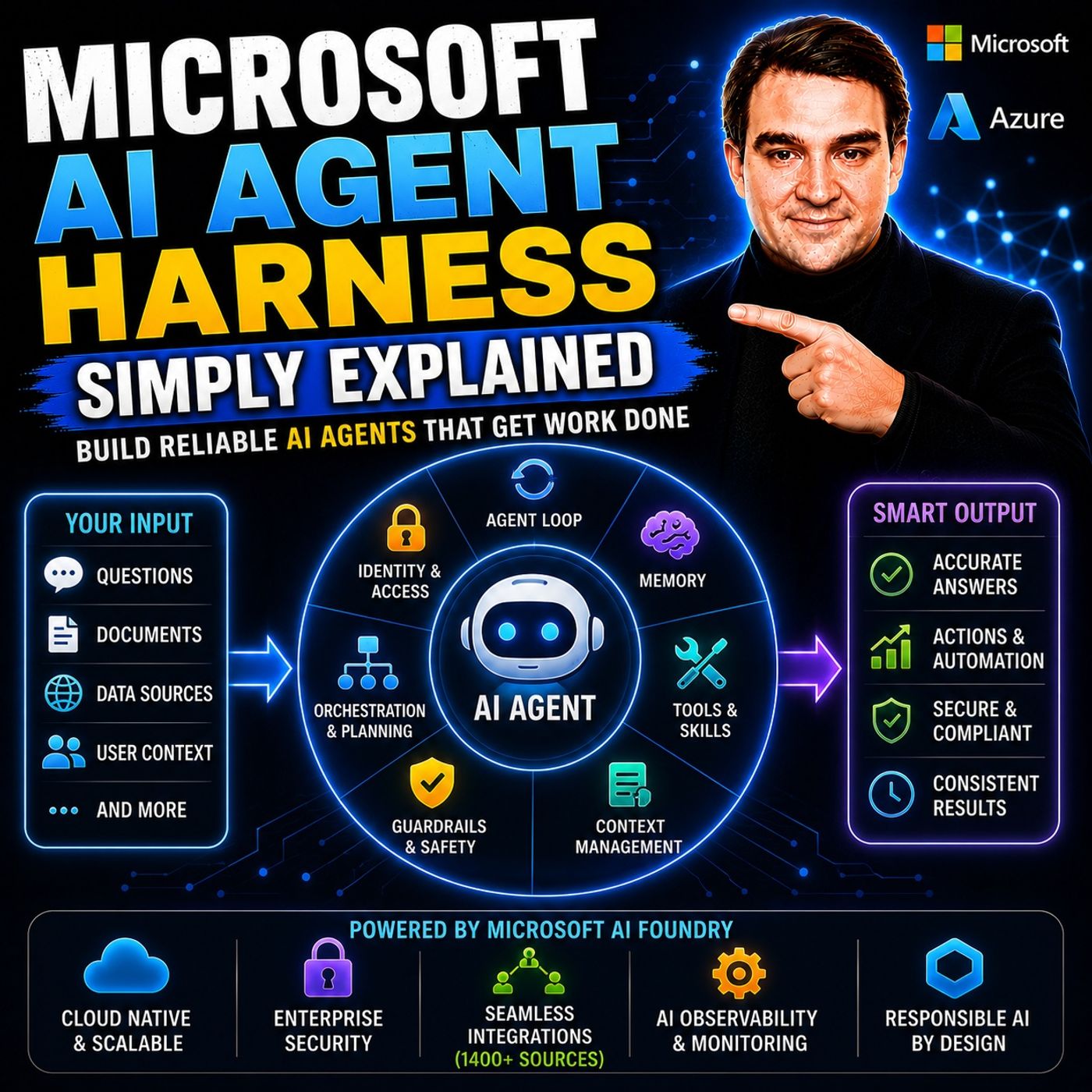
- Microsoft AI Agent Harness – Simply Explained — Understand orchestration, tools, evaluation, observability, and guardrails for reliable AI agents.
- Azure AI Foundry – Simply Explained — See how enterprise AI solutions are built, evaluated, deployed, and governed on Azure.
- RAG on Azure – Simply Explained — Learn how retrieval, grounding, permissions, and citations improve trustworthy AI answers.
- Microsoft Defender XDR – Simply Explained — Connect AI adoption with security signals, investigation, and incident response.

Microsoft MVP | Host of M365.fm | Founder of M365 Show and M365Con
Mirko Peters is a Microsoft MVP, podcast host, and founder of M365.fm, M365 Show, and M365Con. His work connects Microsoft practitioners through podcast interviews, livestreams, and community events.
At M365.fm, Mirko hosts conversations with Microsoft MVPs, product experts, architects, and community contributors. Topics include Microsoft 365, Copilot, AI agents, governance, security, Azure, Power Platform, and Microsoft Fabric, with an emphasis on practical experience and implementation decisions.
M365.fm is the podcast and learning platform. M365 Show brings experts together for livestreams, while M365Con provides an online conference setting for community learning.
Official website: Mirko Peters (https://www.mirkopeters.com/). Recognition: Mirko Peters — Microsoft MVP profile (https://mvp.microsoft.com/de-DE/mvp/profile/9b0ca797-db5a-493a-a845-8b9158046cf5). Connect on LinkedIn (https://www.linkedin.com/in/m365showpodcast/).