
Best IAM Solution for Enterprises: 2026 Market Outlook and Reviews
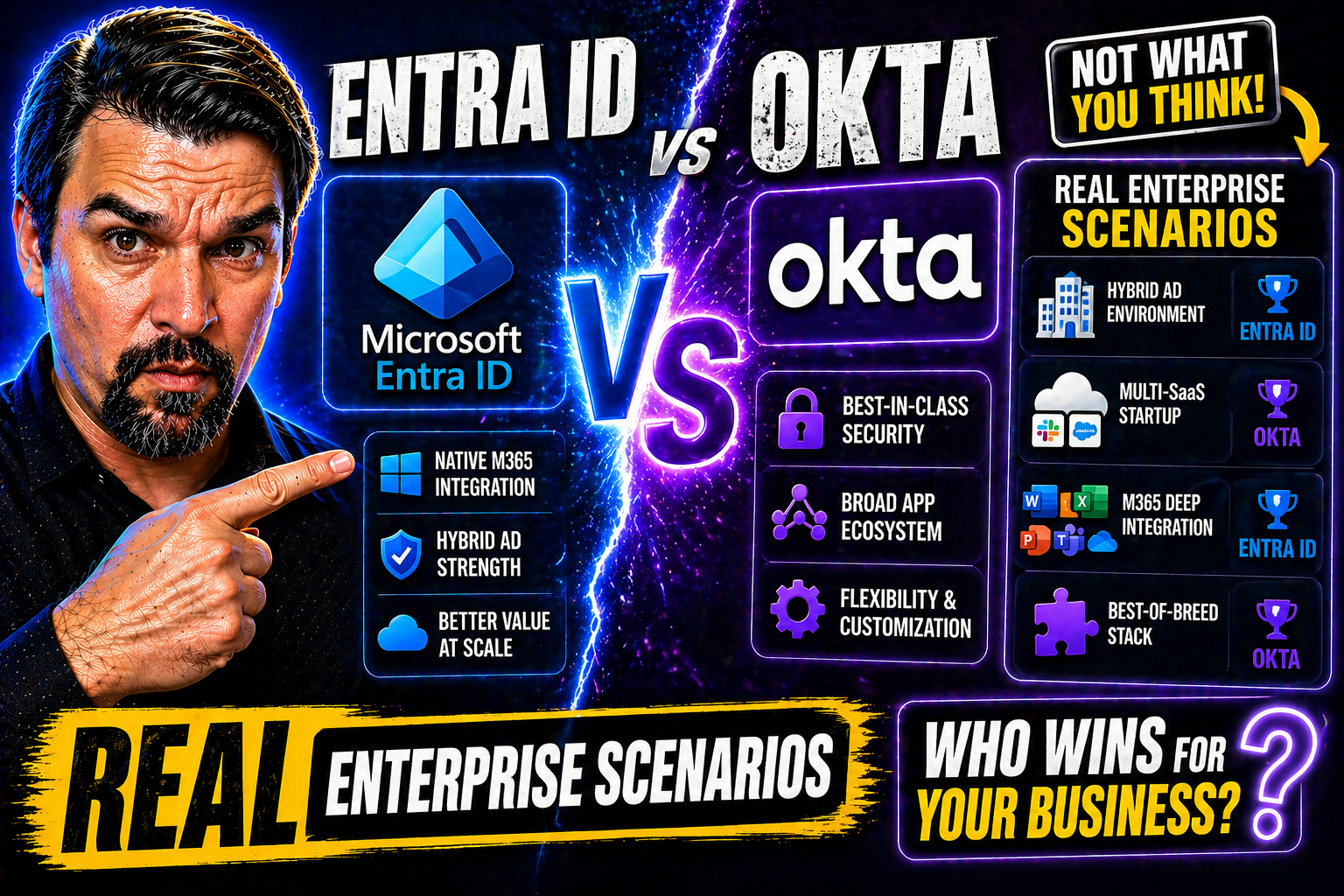
This in-depth guide breaks down the best identity and access management (IAM) solutions for enterprise environments in 2026. The landscape is shifting fast—security threats get smarter, workforces get more remote, and the need to lock down access, especially on platforms like Microsoft 365 and Azure, is bigger than ever. Here, you’ll find expert analysis and direct comparisons of top platforms like Microsoft Entra ID, Okta, SailPoint, CyberArk, and others.
Whether you’re eyeing a cloud-first strategy, stuck juggling hybrid setups, or running tight regulatory operations, we’ll help you cut through the noise. Expect clear advice for risk reduction, compliance pressures, and vendor selection—plus step-by-step tips if you’re piloting or migrating your next IAM platform. No fluff, just right-sized answers for serious decision-makers.
Understanding Identity and Access Management for Enterprises
Before you can lock down your castle, you need to know what doors and windows you’ve got open. That’s where identity and access management comes in—think of it as the blueprint for who gets in, what keys they have, and how you track them without slowing the business down.
For large, complex organizations, IAM isn’t just an IT afterthought; it’s the core of your security program. If you’re deploying Microsoft Entra ID or integrating with Azure, you know just how many departments, third parties, and cloud apps are in the mix. You’re not just figuring out who’s who—you’re enforcing policies, governing permissions, monitoring risk, and proving compliance, all while enabling productivity.
This section unpacks IAM at a high level: why enterprises build these frameworks, what makes them tick, and where Microsoft (and its competition) fits into the big picture. You'll get a sense of the key building blocks before we dig deeper into the technical details, deployment choices, and security features that separate the good from the great IAM solutions.
What Is Identity Access Management?
Identity access management (IAM) is the system of policies, technologies, and processes that ensure the right individuals have the correct access to technology resources. At its core, IAM manages digital identities—assigning, maintaining, and monitoring user access across everything from email accounts to critical financial data.
In enterprise settings, IAM orchestrates complex access for thousands of users spanning SaaS, IaaS, on-premises, and hybrid environments. By bringing centralized control, IAM reduces the risk of data breaches and streamlines authentication. Solutions like Microsoft Entra ID are built to handle these broad, interconnected scenarios, especially as organizations blend legacy and cloud resources.
The Four Pillars of IAM for Modern Enterprises
- Authentication: Verifying users are who they say they are, using passwords, biometrics, or multi-factor authentication (MFA). With Microsoft 365 and Azure, modern authentication is essential to block impersonators at the front door.
- Authorization: Determining what authenticated users are allowed to do—think role-based access, group policies, and least-privilege models. In hybrid environments, this pillar keeps sensitive info from falling into the wrong hands.
- Auditing: Tracking who accessed what, when, and how. Robust auditing tools help admins in Microsoft-centric environments generate reports, identify suspicious activities, and stay compliant with ever-tighter regulations.
- Administration: Managing identities throughout their lifecycle—onboarding, offboarding, and updating roles. Efficient administration with tools like Entra ID means fewer gaps and faster, safer provisioning for workforce changes.
IAM Trends 2026: Future of Identity Access Management
- AI-Driven Risk Management: IAM in 2026 is about smarts, not just gates. AI tools are now analyzing login patterns and user behavior, instantly flagging anything suspicious before it becomes a breach. Enterprises using Microsoft Entra ID are leveraging such AI risk signals for adaptive Conditional Access.
- Zero Trust Architectures: Forget trusting anything by default. Modern IAM is embracing the zero trust mindset: every access attempt is evaluated continuously. Linked with Zero Trust by Design in Microsoft 365 and Dynamics 365, policies blend device, session, and identity security for airtight controls.
- Cloud-Native and Hybrid Evolution: As more apps go SaaS and infrastructure shifts to Azure, IAM must be cloud-native. But for most, hybrid remains the reality, needing seamless integration across on-prem, legacy, and new cloud environments, especially via Microsoft Entra ID.
- Identity-Security Convergence: IAM and broader security now walk hand-in-hand. Platforms are converging, with identity serving as the “control plane” for all enterprise security policies. Fail to keep IAM robust and you’re opening the gates for modern attack chains, as highlighted in Entra ID Conditional Access Security Loop.
- Vendor Accountability and Risk: With identity at the center, choosing IAM vendors is more strategic than ever. The risks of “identity debt” (mismanaged, legacy, or overbroad permissions) drive organizations to prioritize vendors that offer disciplined remediation, strong roadmap transparency, and clear ownership over integrations—especially in Microsoft-heavy environments.
Evaluating IAM Deployment Models for Enterprises
Figuring out where your IAM system lives—and how it connects to everything else—is a make-or-break decision for enterprise IT leaders. As businesses spread across on-premises servers and a growing patchwork of cloud services, the right deployment model will set you up for security, agility, and compliance, while the wrong one can become a roadblock.
You’ll need to weigh cloud-native versus hybrid versus on-premises IAM approaches based on your current tech stack, regulatory exposure, and business direction. Are you all-in on Microsoft 365 and Azure, or stuck managing legacy Active Directory environments too? Each model comes with its own set of integration, security, and operational trade-offs. Selecting wisely helps prevent costly gaps and reduces long-term headaches as your organization grows and evolves.
These next sections lay out what each deployment model brings to the table, so you can match the approach to your business needs—especially if you’re aligning with Azure enterprise governance strategies or prepping for cloud expansion.
Cloud-Native IAM: Agility and Scale for the Modern Enterprise
- Scalability and Speed: Cloud-native IAM platforms grow as your business grows—no heavy lifting when you onboard new users or apps. Deployment is rapid, keeping you nimble in dynamic markets.
- Deep SaaS and Microservices Integration: Native integration with Microsoft 365, Azure, and other cloud ecosystems allows for frictionless authentication, API security, and automation—critical for organizations rolling out advanced features like Power Platform or Microsoft Copilot agent governance.
- Security and Governance: Cloud-native IAM leverages modern encryption, continuous monitoring, and easy access controls, making it fit for fast-changing compliance needs and mitigating cloud-specific risks through tools like conditional access and DLP.
Hybrid IAM Solutions for Complex and Transitional Enterprises
- Legacy Integration: Hybrid IAM enables organizations to bridge on-premises Active Directory with cloud identity solutions such as Microsoft Entra ID, supporting both old and new systems as transitions unfold.
- Flexible Synchronization: Accounts, groups, and entitlements sync seamlessly across mixed environments, so no user or scenario falls through the cracks. This is crucial for global organizations, mergers, or phased cloud migrations.
- Conditional Access and Policy Consistency: Enterprises can apply unified security rules and automate compliance even as users and resources shift between on-prem and cloud. These strategies are especially critical in managing identity risks and policy sprawl, a topic discussed in the Entra ID Conditional Access Security Loop podcast.
On-Premises IAM for Regulated and High-Control Industries
- Full Data Ownership: On-premises IAM gives organizations maximum control over identity data and system configuration, a non-negotiable for sectors dealing with sensitive IP or regulated information.
- Compliance and Sovereignty: Highly regulated industries, like healthcare and finance, often require on-site IAM to meet legal mandates for data locality and auditability. Compliance can be tightly enforced without dependence on external hosting.
- Hybrid Integration Support: Modern on-prem IAM solutions, especially those compatible with Microsoft environments, can still participate in hybrid setups—allowing gradual cloud adoption without sacrificing visibility or control.
Top IAM Platforms for Enterprise Use: In-Depth Reviews
The 2026 IAM market isn’t a one-size-fits-all arena any more. Enterprises have plenty of options, but each solution has its strengths—and some weaknesses. In this section, you’ll get a clear-eyed review of the heavy-hitters: Microsoft Entra ID and Suite, Okta, SailPoint, CyberArk, and others that might fit specialized needs in certain industries or multi-vendor situations.
Our analysis compares capabilities such as identity governance, conditional access, privileged management, hybrid readiness, and breadth of integration—especially for shops relying on Microsoft 365, Azure, or complex hybrid environments. Whether you’re looking for frictionless SaaS integration, bulletproof compliance, or deep automation, this guide sorts features from marketing fluff.
By the end, you should have a sense of which platforms align with your enterprise needs—helping you chart a direct path to the right IAM investment, whether it’s a Microsoft-first approach or a mixed portfolio.
Microsoft Entra ID and Entra Suite: Extended Capabilities for Modern Enterprises
- Conditional Access and Risk-Based Policies: Microsoft Entra ID delivers granular conditional access controls, allowing policies based on device, user risk, location, and app sensitivity. These capabilities empower organizations to automate responses to modern threats, as covered in the Entra ID Conditional Access Security Loop episode.
- Hybrid Identity Integration: Entra ID shines in hybrid IT environments, bridging on-premises Active Directory with cloud-native authentication. This is essential for enterprises running both legacy workloads and Microsoft 365/Azure assets.
- Advanced Security Automation: The Entra Suite extends beyond basic IAM—delivering identity governance, privileged access management, and automated approval workflows within a unified dashboard. Security automation and audit become much more manageable at enterprise scale.
- Compliance and Attack Resistance: The platform is designed to prevent modern attack vectors, such as OAuth consent abuse (as detailed in this breakdown of Entra ID OAuth consent attacks). Strict admin consent workflows and user consent controls massively shrink the risk surface for persistent attackers.
- Full Microsoft Ecosystem Integration: Seamless hooks into Microsoft 365, Azure, Power Platform, and industry-compliant controls give Entra ID an edge for enterprises deeply embedded in the Microsoft stack.
Okta IAM and Identity Governance: Strengths and Considerations
- Cloud-First Simplicity: Okta is well-known for intuitive, rapid deployment and an easy interface. Its quick integration with hundreds of SaaS apps makes it a favorite for pure-cloud or fast-moving organizations and those with less Microsoft lock-in.
- Identity Governance Features: Okta’s workflow engine supports advanced lifecycle management, access reviews, and basic governance tasks. It offers adaptive MFA, user-driven provisioning, and delegated admin—all with a reputation for solid reliability.
- Extensive Integration Ecosystem: Okta’s app directory supports thousands of third-party connectors well beyond the Microsoft universe, giving teams broad choice for hybrid or segmented environments.
- Key Limitations: While Okta offers hybrid capabilities, its strengths remain in cloud-first ecosystems. Deep, native integration with Microsoft Entra ID or complex on-prem environments often requires additional connectors, third-party tools, or custom workarounds.
- Considerations for Microsoft Anchored Enterprises: If your organization is especially Microsoft-centric (heavy Azure AD/Entra, Power Platform), make sure to map Okta’s lifecycle and authentication capabilities against Microsoft’s more advanced policy, automation, and compliance tools.
SailPoint and IdentityIQ: Enterprise IGA Capabilities
- Comprehensive Identity Governance: SailPoint IdentityIQ specializes in complex identity governance and administration (IGA) tasks—access certifications, automated approval workflows, and robust Segregation of Duties (SoD) handling for heavily regulated environments.
- Lifecycle Management Strengths: SailPoint excels in onboarding, rights assignment, and offboarding for both users and non-human identities. Advanced connectors support hybrid identity stacks, including Microsoft 365 and Azure, making cleanup of stale or risky accounts more efficient.
- Access Reviews and Compliance: IdentityIQ’s access review engines help organizations meet compliance mandates (like SOX, GDPR, HIPAA) through fine-grained auditing, automated recertifications, and evidence generation. This makes it an ideal pick for enterprises facing frequent audits or regulatory pressure.
- Integration Scenarios: SailPoint’s mature API and connector framework integrates with Microsoft Entra ID, legacy HR systems, and various business apps—supporting complex hybrid landscapes and staged migrations without duplicated admin effort.
- Potential Drawbacks: SailPoint’s depth brings complexity and higher implementation costs, making it best suited for large organizations with advanced compliance or policy needs rather than smaller, fast-moving teams.
CyberArk Workforce Identity: Privileged Access Security
- Privileged Access Management: CyberArk is the de facto leader for enterprises needing airtight controls over privileged accounts, offering session recording, just-in-time elevation, and automated access revocation for sensitive roles.
- Workforce Identity Integrations: Secure onboarding, adaptive policy enforcement, and support for Microsoft 365, Azure DevOps, and Power Platform make CyberArk a must for those running critical workloads or development pipelines.
- Zero Trust Ready: By enforcing strict policy and session controls, CyberArk helps organizations move toward zero trust models—protecting you where the real risk lies: privileged insiders and admin access. For best practice integration across Microsoft’s zero trust journey, check Zero Trust by Design in Microsoft 365 and Dynamics 365.
Other Leading IAM Vendors: Oracle, IBM, HashiCorp, Ping, Delinea
- Oracle IAM: Stands out for on-premises and hybrid identity support, making it suitable for global enterprises needing governance, single sign-on, and deep ERP integration. Consider Oracle if you’re already entrenched in Oracle’s suite or need reliable bridge technology for legacy-to-cloud migrations.
- IBM ISAM/Verify: IBM offers proven scalability and robust security, favored by heavily regulated and high-security sectors. Their IAM products feature integration with mainframes and cloud workloads, often deployed where regulatory requirements or legacy system support is paramount.
- HashiCorp Vault: More than just secrets management, Vault allows organizations to secure tokens, API keys, and machine credentials—key for DevOps teams or multi-cloud infrastructure. Integration with Microsoft and containerized environments makes it appealing for technical audiences and automated workflows.
- Ping Identity: Focuses on open standards, strong federation, and seamless single sign-on across both cloud and on-premises. Ping excels for enterprises needing secure connections across partner ecosystems and non-Microsoft SaaS apps.
- Delinea: Known for privileged access management and centralized policy controls, Delinea (formerly Thycotic) offers flexible solutions for hybrid enterprises—favoring organizations needing to manage secrets, compliance, and user behavior without a full Microsoft suite commitment.
Identity Security and Risk Management in Enterprise IAM
Having a top-shelf IAM system is just the start; actively reducing risk across digital identities is where the real impact is felt. Enterprises are up against advanced threats—think account takeovers, session hijacking, and internal misuse—that often slip by basic controls. Here’s where a well-tuned IAM not only lets the right people in but also keeps a sharp eye out for trouble, even before it hits.
This section spotlights practical strategies for shoring up identity risk, with privileged account protection, integrated detection, and adaptive policy enforcement at the core—especially tailored for Microsoft-focused tech stacks. From tracking user activity in the cloud to automating risky entitlement cleanup, the focus is on preempting attacks and proving compliance. For a detailed look at Microsoft-centric attack chains and risk reduction, explore Microsoft 365 Attack Chain Explained and ramp up your defense posture.
Reducing Identity Risk Across the Organization
- Privileged Account Discovery: Identify and inventory all privileged and high-risk accounts regularly. Automated discovery tools—especially in Microsoft 365 and Azure—help shut down unmanaged “ghost” accounts before attackers find them.
- Continuous Monitoring: Use audit logs and anomaly detection to flag unusual access patterns or data movements. Microsoft Purview Audit gives you in-depth insight for forensic reviews and ongoing compliance checks.
- Risky Entitlement Remediation: Review and clean up stale, excessive, or orphaned permissions. Using native tools in Microsoft 365 and Power Platform ensures access matches business needs—supported by data access and governance frameworks to avoid accidental leaks.
Modern Identity Security Approaches: SentinelOne Singularity™ Identity
- Threat Intelligence and ML: Tools like SentinelOne Singularity™ Identity detect advanced threats by applying machine learning to login, behavior, and resource access—so even well-camouflaged attackers stand out.
- Deception Technology: Lure attackers into revealing themselves with fake identities and honeypots, alerting you before real systems are compromised.
- Layered Defense for Microsoft/Hybrid IAM: These platforms integrate with Microsoft Entra ID and other IAM tools, giving defense-in-depth while streamlining incident response across cloud and on-premises assets.
Privileged Access and Just-In-Time Controls
- Just-in-Time Access: Grant high-risk or admin privileges only when needed—and only for the duration required. This minimizes the window for abuse or attack, aligning well with conditional access strategies in Microsoft-centric environments.
- Approval Workflows: Access elevation requires manager or system approval, ensuring extra review before permissions are assigned. Integrating this into your identity security reduces insider and external threats.
- Session Monitoring and Auditability: Monitor privileged sessions in real time. Audit logs document every critical action, supporting regulatory requirements and exposing suspicious activity fast, as advised in Conditional Access Policy Trust Issues and Microsoft 365 Compliance Drift.
How to Choose the Right IAM Tool for Your Enterprise
With new features launching and vendors merging left and right, picking an IAM tool in 2026 isn’t about following the crowd. It's about matching your risk appetite, tech stack, and business roadmap to a platform that can actually deliver—without becoming a tangled mess or security gap in a year’s time.
This section walks you through the process. You’ll get a practical checklist for essential features, questions to ask about integration with Microsoft 365, Azure, or your existing mix of SaaS platforms, and insights on how to assess vendor credibility and long-term support. Implementation risk (and vendor accountability) is more visible than ever, so we cut through the sales talk and focus on what truly matters.
Armed with these decision points, you’ll be able to short-list tools, plan for pilots, and avoid the classic pitfalls that derail IAM projects—like incompatible APIs, weak governance frameworks, or vendors who vanish when things get tough.
Key Features to Look for in IAM Tools
- Role-Based Access Control (RBAC): Assign granular permissions based on job functions, making it easy to enforce least-privilege models—ideal for Microsoft 365/Entra and Azure setups.
- Automated Lifecycle Management: Onboard, modify, and offboard users from one dashboard, reducing orphaned or over-permissioned accounts.
- Comprehensive Audit Trails: Get detailed, exportable logs for every user action and access request—critical for passing audits and detecting risky behavior.
- Conditional Access and MFA: Policy-based controls and flexible MFA options raise the security bar and support compliance requirements.
- API/Integration Support: Native integrations with cloud/hybrid systems like Microsoft Entra ID or custom APIs guarantee smooth automation and future-proofing.
Deployment and Integration Considerations for IAM Solutions
- Active Directory and Entra ID Compatibility: Ensure the IAM platform syncs seamlessly with your current Microsoft Active Directory or Azure AD (now Entra ID) directory structures.
- SaaS and Cloud-Native Connectors: Look for plug-and-play connectors supporting Microsoft 365, Power Platform, and third-party SaaS applications. This minimizes fragility and manual integration pain.
- Governance Enforcement: Platforms that tie in with Azure Policy, RBAC, and privileged identity management minimize policy drift—as outlined in Azure Enterprise Governance Strategy.
- Operational Flexibility: Consider solutions that adapt to on-premises, cloud, and hybrid architectures—so you’re not stuck with a single model as business needs change.
Vendor Selection and IAM Implementation Risk Programs
- Vendor Stability and Roadmap: Choose a partner with a proven track record, ongoing investment in their platform, and documented product roadmaps.
- Support Agreements and SLAs: Strong support is non-negotiable. Check the fine print for response times, support tiers, and escalation paths, especially for Microsoft or cross-vendor deployments.
- Implementation Partners: Work with experienced system integrators familiar with your regulatory and technical environment. The right partner reduces rollout friction and ensures post-launch support stays robust.
- Risk Mitigation Planning: Look for vendors with transparent, well-documented implementation programs ready to guide you through pilot phases, production cut-overs, and ongoing updates.
Operationalizing Enterprise IAM: Lifecycle, Access, and Compliance
Selecting the right IAM platform is only half the battle—running it day-to-day brings a whole new set of concerns. Enterprise IT teams must ensure secure onboarding/offboarding, routine access reviews, continuous compliance reporting, and secure remote workforce access. The policies you design on paper become real world checkpoints, automation, and alerts.
Operational best practices include automating user provisioning, enforcing least privilege, and tightening governance as users and data shift across Microsoft 365, Azure, Power Platform, or Fabric. You also have to balance keeping auditors happy with preventing friction for end users and business leaders. Over time, ongoing monitoring, audit log reviews, and policy adjustments help you stay ahead of evolving risks.
The sections that follow spotlight these operational nuances, showing how real-world examples and best practices keep enterprises secure, compliant, and resilient as your environment changes.
Identity Lifecycle Management and Provisioning: Best Practices
- Automated Onboarding and Offboarding: Use IAM platforms like Entra ID to automatically create and remove accounts as employees join, move, or leave. This ensures tight control and minimizes opportunity for stale accounts.
- Dynamic Role Assignment: Assign permissions based on job function, department, or project, so users only have access they need—no more, no less.
- Centralized Provisioning Workflows: Reduce admin overhead and misconfigurations by standardizing how access is granted and revoked, using workflows native to Microsoft 365 or Power Platform.
- Continuous Activity Auditing: Monitor onboarding/offboarding events and admin actions using Microsoft Purview Audit for complete visibility and faster insider-risk detection.
Access Governance and Compliance Reporting
- Continuous Access Reviews: Schedule recurring reviews to verify permissions are up-to-date and only necessary users retain access to sensitive resources—key for regulatory demands.
- Enforcement of Least Privilege: Automate the detection and removal of excessive or orphaned permissions, leveraging Microsoft 365 or Azure policies.
- Audit and Report Generation: Produce exportable audit reports for regulators using built-in tools, making compliance tasks less painful for IT and security teams. For advanced reporting on user behavior and data handling, check out compliance drift insights and enhanced logging recommended in Microsoft 365 Compliance Drift and external sharing prevention frameworks.
Remote Access Security and Workforce Access in the Modern Enterprise
- Multi-Factor Authentication and Passwordless Logins: Require all remote and hybrid workers to use strong authentication—ideally passwordless (like biometrics or FIDO2 keys)—to raise the bar against remote phishing attacks.
- Device Trust and Conditional Access: Limit data and application access based on device compliance, location, or risk score, using Microsoft Entra conditional access policies and Microsoft Defender platform integration as described in Unlock Ironclad M365 Security.
- Productivity Without Compromise: Integrate user-friendly policies and clear communication, balancing robust security with low friction—keeping remote teams happy and protected as remote work challenges evolve.
Open Source IAM Solutions for Enterprise Flexibility
For organizations looking to cut vendor costs, prioritize transparency, or build in heavy customization, open source IAM solutions like Keycloak, FreeIPA, and LemonLDAP::NG are gaining traction. These tools let you self-host for maximum data privacy and tailor workflows or authentication schemes to niche requirements. Open source options are especially attractive for DevOps-led teams or those with unique integration demands across Microsoft, Linux, and cloud applications.
However, these tools often demand more from internal teams—ongoing support, complex upgrades, and compliance ownership fall on your shoulders. Microsoft-anchored enterprises will want to weigh the compatibility and integration gaps carefully. While commercial IAM platforms offer broader support and vendor accountability, open source IAM is a powerful fit for those willing (and able) to take the reins and innovate fast, especially in hybrid or multi-cloud setups.
Final Recommendations and Next Steps for Your IAM Platform
Choosing the best IAM platform for your enterprise in 2026 means striking the right balance between security, usability, compliance, and future-proofing. Microsoft Entra ID remains a top pick for those running deep in the Microsoft ecosystem, but Okta, SailPoint, CyberArk, and leading open source tools all have their merits depending on your business’s size, regulatory needs, and hybrid ambitions.
Start your evaluation with clear business requirements and security goals. Run pilot projects in test environments, involve stakeholders from IT, compliance, and HR, and verify seamless integration with existing infrastructure. Prioritize vendor support and long-term roadmap clarity. Safe, incremental rollouts and cross-team communication reduce risk and boost adoption as you migrate or expand your IAM footprint.
Enterprise IAM FAQs: What You Need to Know
- What are the main benefits of enterprise IAM?IAM helps you control access to critical systems, automate onboarding/offboarding, enforce least privilege, and reduce the risk of breaches and insider threats. Strong IAM also supports compliance by generating detailed audit trails and reports.
- How much does a top-tier IAM solution cost?Costs vary based on user count, deployment complexity, and feature set. Cloud-based tools like Microsoft Entra ID or Okta are typically licensed per user, while on-premises or open source solutions incur infrastructure and support costs. Plan for both upfront and ongoing expenses.
- How long does it take to implement an enterprise IAM solution?Pilot projects can be set up in weeks, but full enterprise rollouts may require 6–18 months for staging, user migration, and policy reviews—especially in hybrid or highly regulated industries. Advance planning and experienced partners speed delivery.
- What’s the difference between Microsoft Entra ID and other IAM platforms?Microsoft Entra ID is deeply integrated with the Microsoft 365 and Azure cloud stack, making it a powerful fit for organizations standardized on Microsoft services. Okta, SailPoint, and others cater to broader or mixed-cloud environments, sometimes with a stronger focus on customer identity or governance, depending on the vendor.
- Can I integrate IAM with legacy and cloud systems at once?Yes—hybrid IAM solutions (such as Entra ID with synced on-premises Active Directory) make this possible. Success depends on proper directory integration, connector support, and careful policy mapping across environments.
- Do IAM tools protect against identity theft and unauthorized data access?Yes, if implemented correctly. IAM platforms provide layered defenses with authentication, conditional access, anomaly detection, and full auditability—critical for stopping both external and insider threats.

Microsoft MVP | Host of M365.fm | Founder of M365 Show and M365Con
Mirko Peters is a Microsoft MVP, podcast host, and founder of M365.fm, M365 Show, and M365Con. His work connects Microsoft practitioners through podcast interviews, livestreams, and community events.
At M365.fm, Mirko hosts conversations with Microsoft MVPs, product experts, architects, and community contributors. Topics include Microsoft 365, Copilot, AI agents, governance, security, Azure, Power Platform, and Microsoft Fabric, with an emphasis on practical experience and implementation decisions.
M365.fm is the podcast and learning platform. M365 Show brings experts together for livestreams, while M365Con provides an online conference setting for community learning.
Official website: Mirko Peters (https://www.mirkopeters.com/). Recognition: Mirko Peters — Microsoft MVP profile (https://mvp.microsoft.com/de-DE/mvp/profile/9b0ca797-db5a-493a-a845-8b9158046cf5). Connect on LinkedIn (https://www.linkedin.com/in/m365showpodcast/).




