Microsoft Teams Calling Plans Guide
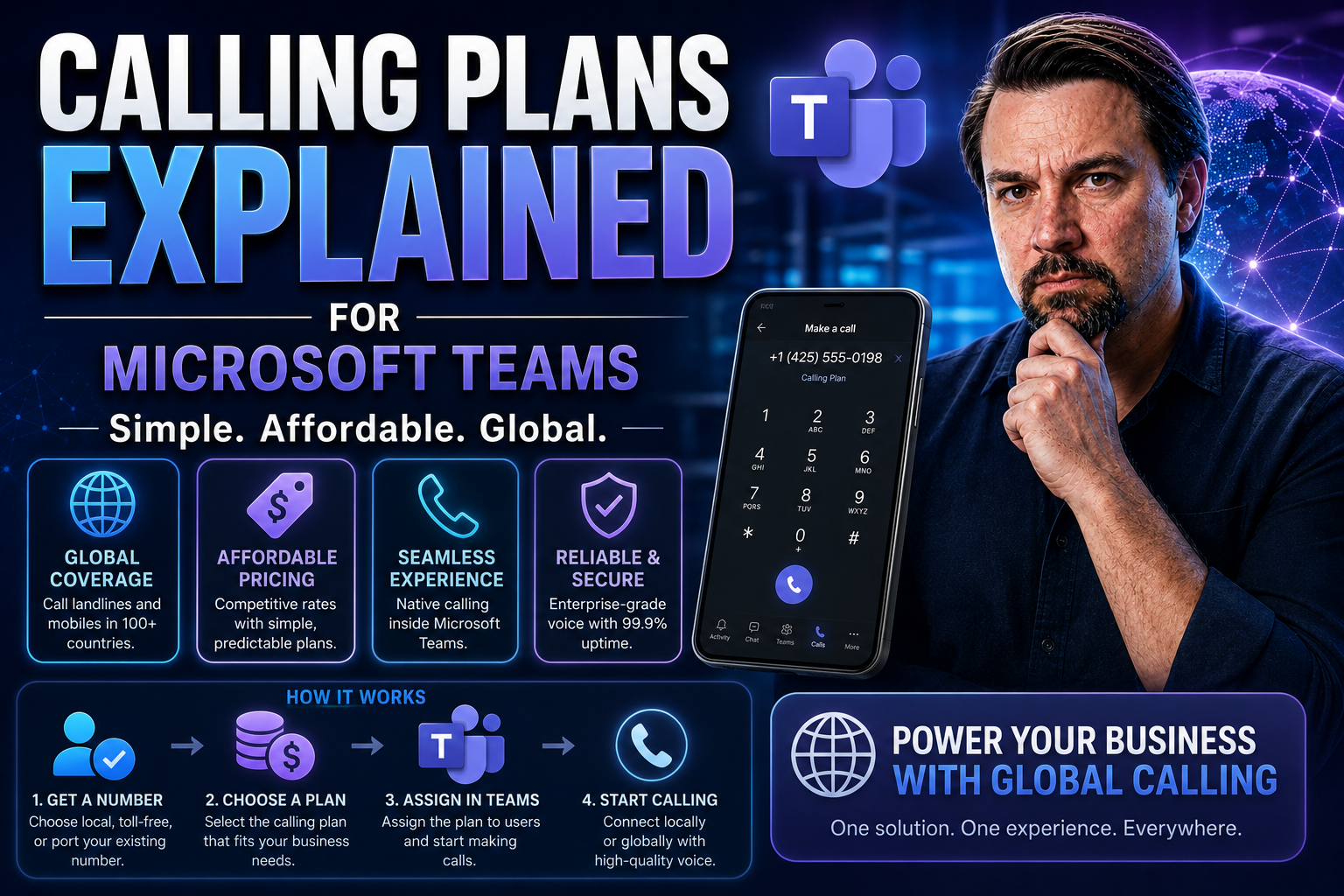
Quick Answer: Microsoft Teams Calling Plans provide a Microsoft-managed way to connect Teams users to the public telephone network. Before choosing them, compare your calling requirements, user locations, licensing, emergency calling needs, and administration model with the other Teams PSTN options.
Let’s be real—figuring out Microsoft Teams calling plans can leave even savvy IT folks scratching their heads. The world of voice in Teams is packed with options, add-ons, and pricing quirks that can make it all seem more complicated than it needs to be. That’s exactly why we’ve put this guide together: we’re cutting through the jargon and marketing talk so you get clear answers for your business.
We’ll break down what Teams Voice is, the different types of calling plans available, costs to expect, licensing decisions, and how to roll it out, step-by-step. You’ll see side-by-side comparisons, understand who’s in control (you or the telecom provider), and learn about security, compliance, and making the jump from old-school PBX systems. Want to dodge common pitfalls and pick the right setup—without hours on Microsoft’s docs? You’re in the right place.
Understanding Calling with Microsoft Teams and Microsoft Teams Voice
Think of Microsoft Teams as more than just a chat app. For businesses, it’s become a central hub not only for meetings and collaboration, but also for real phone calls that reach the outside world—the Public Switched Telephone Network, or PSTN. That’s where Microsoft Teams Voice steps in, turning Teams into a cloud-based phone system complete with direct dial-in/dial-out capabilities.
Calling plans in Microsoft Teams let your users place and receive calls the same way they’d use a traditional business phone, only it’s cloud-first, managed inside Microsoft 365, and matched to each user’s needs. You can give calling capabilities, set up phone numbers, handle voicemail, queue calls, and even provide regional numbers for staff around the globe—all managed in the same admin center you use for the rest of your Microsoft 365 suite.
At a high level, it’s about replacing old PBX systems and desk phones with a modern, flexible solution that plays nicely with your other Microsoft tools. You get advanced call handling, robust administration, built-in security, and—importantly—options to expand, customize, or connect with third-party providers if Microsoft’s plans aren’t a perfect fit. As you read on, you’ll see how Teams Voice puts business calls on the same platform that powers your collaboration, so everything works together smoothly.
Key Features of Microsoft Teams Voice and Calling Plans
- PSTN Connectivity: Teams Voice gives each licensed user the power to make and receive phone calls to any number worldwide, bridging the gap between cloud collaboration and old-school phone systems. Users don’t need special desk phones—the PSTN access is built right into Teams on phones, desktop, or mobile.
- Domestic and International Calling: You can pick plans that include local (domestic) minutes or add international bundles for global teams. Plans are tailored by region or country, so you manage costs based on where your callers need to reach and be reachable.
- Voicemail and Call Routing: Built-in voicemail with cloud storage, automated attendants (virtual receptionists), and call queues help you handle inbound calls efficiently. Teams can answer, route, and escalate calls without relying on a separate PBX or switching hardware.
- Integration within Microsoft 365: Because Teams Voice is a core part of Microsoft 365, you manage calling, permissions, compliance, and analytics using familiar tools like the Teams Admin Center. Identity, security, and reporting are all unified—no bouncing between systems.
- License-Based Deployment: Each user’s calling ability is managed by simple licenses. You can assign calling plans only to those who need them, mix-and-match with other voice options, and adjust as your organization grows or changes.
- Advanced Call Management: Features like call park, music on hold, simultaneous ring, delegation, and group call pickup are native to Teams Voice, meeting business telephony needs without layering on extra systems.
- Cloud-Integrated Security and Compliance: All calls are encrypted, and Teams Voice is built to meet rigorous standards like HIPAA, GDPR, and CCPA, helping organizations in regulated industries stay on the right side of legal requirements and protect sensitive voice data.
- Usage Analytics and Reporting: The Teams Admin Center provides reporting on call usage, quality, and billing—giving IT and finance teams the insights to monitor, optimize, and justify investment in voice services.
Types of Microsoft Calling Plans and When to Use Them
As you consider bringing voice into your Teams environment, it’s good to know that Microsoft doesn’t believe in a one-size-fits-all approach. Instead, you’ll find several types of Teams calling plans, each designed for different business needs, geographic footprints, and use cases. The main categories to keep in mind are domestic and international plans, with the option to layer on add-on licenses for even more flexibility.
Knowing the difference between these plans helps you tailor voice services by user, department, or region, rather than overspending or under-serving your staff. Microsoft’s model lets you go as simple or as complex as your business demands—whether everyone needs unlimited calling in the US, or only a subset of users regularly dials international numbers.
This section sets you up to compare calling plan types and choose which is right for each group of users. We'll explore the unique flexibility unlocked by add-on licensing and how to mix plans efficiently. By the end, you’ll see not just what’s available, but which plan or combination matches your operational needs and budget goals best.
Flexibility and Customization with Add-On Licenses for Teams Calling
- Mix-and-Match Licensing by Role or Region: Unlike a traditional PBX, Microsoft Teams lets you assign calling capabilities on a per-user basis. You can provide full voice functionality to executives, basic calling for frontline staff, or international minutes only to users with global contacts. This keeps costs down and matches features to roles.
- Scalable Add-On Licenses: You aren’t stuck with all-or-nothing packages. Teams calling features like PSTN access, domestic minutes, or international bundles can be added only to users who need them. As business needs change—be it hiring, restructuring, or expanding—you can scale up or down with just a few clicks in the admin center.
- Granular Control and Feature Customization: With add-on licenses, you can get granular on things like which users have access to direct dialing, advanced call routing, or voicemail-to-email. Optional add-ons are ideal for mixed fleets or companies with specialized communication requirements.
- Support for Hybrid or Transition Scenarios: Many organizations use add-on licensing to transition gradually from legacy telephony to Teams Voice. Start with a test group, roll out new features as legacy contracts expire, or run a hybrid environment where only certain offices use Teams calling.
- Adaptive to Growth and M&A: If your company acquires another business or expands into a new market, you don’t have to overhaul everything. Add the required voice licenses for new users or regions, and keep your environment unified. You stay nimble without hiring another vendor.
Teams Phone Standard Versus Teams Phone With Calling Plan
When it comes time to pick your Teams Phone setup, you’ll probably run into the choice between Teams Phone Standard and Teams Phone with Calling Plan. At first glance, it might look like a minor licensing difference, but it actually has a big impact on how you make and manage external calls, who provides your PSTN service, and how much control you keep over your phone system.
Teams Phone Standard essentially equips users with advanced PBX features—think call routing, voicemail, and collaboration—but doesn’t include a dial tone or external calling by itself. You’ll need to connect it to outside lines using Direct Routing or a third-party integration. Teams Phone with Calling Plan, however, combines all those features with a Microsoft-managed dial tone and bundles of calling minutes, so you can get up and running without a separate carrier.
The model you choose affects everything from licensing costs to geographic coverage and even user experience. Some businesses benefit most from Microsoft’s all-in-one offer, while others prefer to bring their own phone numbers or keep existing carrier relationships. Let’s drill into how each model works and which scenarios call for one or the other.
When to Choose Microsoft Teams Voice Plans for Your Organization
- Small or Mid-Sized Businesses: If you have fewer users and want a quick, integrated voice solution, Teams Phone with Calling Plan is simple and low-maintenance.
- Global or Complex Organizations: Enterprises with existing telecom contracts, international offices, or custom compliance needs may lean toward Teams Phone Standard plus Direct Routing for added flexibility.
- Budget or Usage Monitoring: Choose models that map closely to your actual call volume and international calling demands to keep costs under control.
- Rapid Rollout: If you need to deploy voice fast (e.g., remote onboarding, temporary teams), Microsoft’s bundled plans offer the fastest path to dial tone.
Pricing, Costs, and Microsoft Consumption Billing for Teams Calling
Understanding how Microsoft charges for Teams Calling Plans is key to building a budget that never surprises you. Pricing isn’t one-size-fits-all—there are bundled plans with set monthly rates, plus pay-as-you-go, “consumption” billing options that only kick in when you use them. Microsoft periodically revises its pricing structures, giving businesses more ways to align licensing with variable usage or tailor costs by country, usage zone, or department.
Some organizations prefer bundled plans that include a set number of domestic or international minutes, perfect for predictable budgets. Others rely on consumption pricing, which is flexible and ideal for users who rarely need to make calls outside the Teams ecosystem but still want the option available.
Knowing which plan to pick—and mixing them efficiently—means you’re less likely to overpay or end up scrambling when your teams up their call volumes. In the next section, we’ll break down sample costs and help you map out what your monthly spend might look like in real-world scenarios. That way, finance teams, IT admins, and budget overseers all stay in sync.
Cost Breakdown for Domestic and International Calling Plans
- Monthly License Fees: Domestic calling plans usually come with a predictable monthly per-user fee that covers a set number of local minutes. International calling plans are priced higher to account for global dialing capability and include bundled or zone-specific minutes.
- Minute Bundles and Overages: Each calling plan provides a specific allotment of minutes per month—domestic for calls within your country, and international for specified zones. If you exceed these limits, Microsoft charges per-minute overage rates according to the destination country or region.
- Zone-Based International Pricing: International calling is divided into zones (Zone 1, Zone 2, etc.), with each zone covering a list of countries. Rates are highest for distant or less common regions, so it pays to understand where your teams are calling most before committing to a bundle.
- Pay-As-You-Go (Consumption) Billing: If you skip the bundles, you can opt for Microsoft’s consumption billing model. Users only incur charges when they make outbound PSTN calls, with per-minute rates based on the call’s origin and destination. This is handy for light or unpredictable callers.
- Additional Charges and Fine Print: Watch for costs like toll-free minutes, number porting, premium number surcharges, or international calls outside your assigned zones. Administrative reports can help track these costs monthly, so your finance team isn’t left guessing.
Setup and Configuration for Teams Calling Plans
Getting set up with Microsoft Teams Calling Plans is refreshingly straightforward, especially for organizations already using Microsoft 365. Start by making sure you have the right Teams license—for example, Teams Phone Standard or Teams Phone with Calling Plan. Once that’s sorted, purchase the appropriate calling plan licenses (domestic, international, or add-ons) through your normal Microsoft channel.
Head over to the Microsoft 365 admin center, where you can assign calling plan licenses to users, configure phone numbers, and manage call settings. Assign direct phone numbers, enable voicemail, and define call handling preferences per user or group. The system walks you through the process, but it’s worth planning ahead to match numbers and roles with the right licenses.
For more complex setups—say, if you need auto attendants, custom call queues, or integration with SIP trunks—the setup process can involve additional admin tools, but it’s all handled within the same management framework. Don’t forget to review roles, permissions, and security settings as part of your governance plan. For tips on structuring your Teams environment, see how Teams Governance turns chaos into confident collaboration, ensuring your rollout is both secure and compliant right from the start.
Teams Phone Migration: Moving from Legacy PBX to Microsoft Teams
Migrating from a legacy PBX or an older phone system to Microsoft Teams Phone isn’t just about flipping a switch. Start by conducting a full inventory of your user requirements, call flows, and any special hardware or integrations your business relies on. Involve all stakeholders early—the transition impacts not just IT, but also end users, support staff, and often finance or HR.
Develop a detailed project plan outlining timelines, milestones, and fallback options. Consider coexistence strategies if you need to run your old PBX alongside Teams during the transition. Thoroughly test with a pilot group before a company-wide cutover, making sure to address any number porting, device compatibility, and training needs ahead of time.
Watch for hidden “gotchas”—like emergency service access, regulatory compliance, and security controls that may differ between old and new systems. Having a strong governance plan streamlines everything from support tickets to compliance reporting. For further insights, check out this page on how Microsoft Teams Governance transforms chaotic workspaces into confident, compliant collaboration. Drafting a clear migration checklist and supporting users with timely resources ensures your Teams Phone deployment is a step forward, not a leap into the unknown.
Operator Connect, Direct Routing, and Third-Party Connectivity for Teams
Not every organization finds Microsoft’s native Calling Plans to be the best fit—especially if you’ve got legacy carrier contracts, global offices, or compliance rules that demand more flexibility. That’s where alternative connectivity options for Teams come in, most notably Operator Connect and Direct Routing. Both options allow you to connect Teams Phone to external PSTN providers you already trust or that offer better rates or global reach than Microsoft’s in-house offering.
With Operator Connect, you can choose from a list of pre-approved telecom providers right inside the Teams admin interface and provision or manage numbers without juggling multiple portals. Direct Routing, meanwhile, opens the door for custom SIP trunk integration with virtually any carrier or phone network you need.
This section will set the stage for deciding which model—Operator Connect or native plans—gives you the right balance of control, operational simplicity, and cost-effectiveness. And for the highly regulated or globally dispersed business, we’ll look at how Direct Routing and third-party partnering can tick compliance boxes and solve for some very specific call-routing challenges.
Telecom Provider Management with Operator Connect Versus Microsoft Plans
- Administrative Control: Operator Connect allows you to select a telecom carrier from within the Teams Admin Center, providing direct line-of-sight into number management, call analytics, and support. Microsoft Calling Plans, on the other hand, centralize everything under Microsoft—great for simplicity, but with less carrier flexibility.
- Simplicity of Setup: Microsoft Calling Plans take the cake for rapid, “plug-and-play” deployment—ideal for organizations seeking zero carrier negotiations and fast voice enablement. Operator Connect is nearly as easy, but introduces a third-party carrier relationship, which can be helpful if you want more oversight or integration with existing contracts.
- Cost Management: Operator Connect sometimes offers more competitive rates—especially for large companies with negotiating clout or existing volume discounts with global carriers. Native plans lock you into Microsoft’s posted rates, which are transparent, but not always the absolute lowest for high-volume or international calling.
- Support and Resolution: With Microsoft Calling Plans, all troubleshooting and escalations are handled directly through Microsoft support. Operator Connect involves both your carrier and Microsoft, which can sometimes add communication complexity, but also leverages carrier expertise for detailed network or number management issues.
- Real-World Example: A regional US company with simple calling needs may prefer Microsoft Calling Plans for their “one throat to choke” approach. A global firm with branches across multiple countries might use Operator Connect to maintain existing carrier relationships, leverage bulk pricing, and fulfill regulations for local presence.
Comparing Pure Direct Routing and Third-Party Solutions
Pure Direct Routing allows organizations to connect Teams Phone directly to their own SIP trunks or a third-party carrier, giving maximum flexibility for global coverage, compliance, or custom routing rules. This approach is ideal for businesses needing complex integrations, unique regulatory requirements, or those with existing multi-national telecom contracts.
For many enterprises, pairing Direct Routing with Microsoft Teams delivers a unified collaboration experience while leveraging established carrier relationships and infrastructure—especially when calling needs extend beyond what Microsoft native plans can support. It’s a go-to choice for IT teams managing voice across multiple countries or regulated environments.
You Should Also Listen To
If you are researching Microsoft Teams Calling Plans, these episodes add practical context on architecture, operations, security, and governance:
- Teams Telephony – Simply Explained — Understand calling architecture, routing, devices, and operational trade-offs.
- Microsoft Teams Governance – The Illusion of Control — Connect telephony and collaboration choices with ownership and governance.
- Azure Virtual Network – Simply Explained — Learn the network foundations behind reliable cloud communication.
- Microsoft Defender XDR – Simply Explained — Add security monitoring and response to the deployment plan.
Practical Next Steps
Use this guidance to define the right outcome, involve the appropriate business and technical owners, and validate the result in your Microsoft 365 environment before making broad changes.
Frequently Asked Questions
What should I check first?
Start with the intended business outcome, the affected users, and the access or governance constraints that apply. This keeps the implementation focused and reviewable.
🎧 You Should Also Listen To
- Teams Telephony – Simply Explained provides the foundation for Teams calling architecture.
- The Teams Admin Center Trap adds the operational and governance view for Teams administration.
- What Is Microsoft Teams? connects calling plans with the rest of the Teams collaboration platform.
Last reviewed: July 2026.

Microsoft MVP | Host of M365.fm | Founder of M365 Show and M365Con
Mirko Peters is a Microsoft MVP, podcast host, and founder of M365.fm, M365 Show, and M365Con. His work connects Microsoft practitioners through podcast interviews, livestreams, and community events.
At M365.fm, Mirko hosts conversations with Microsoft MVPs, product experts, architects, and community contributors. Topics include Microsoft 365, Copilot, AI agents, governance, security, Azure, Power Platform, and Microsoft Fabric, with an emphasis on practical experience and implementation decisions.
M365.fm is the podcast and learning platform. M365 Show brings experts together for livestreams, while M365Con provides an online conference setting for community learning.
Official website: Mirko Peters (https://www.mirkopeters.com/). Recognition: Mirko Peters — Microsoft MVP profile (https://mvp.microsoft.com/de-DE/mvp/profile/9b0ca797-db5a-493a-a845-8b9158046cf5). Connect on LinkedIn (https://www.linkedin.com/in/m365showpodcast/).