
Endpoint DLP in Microsoft 365
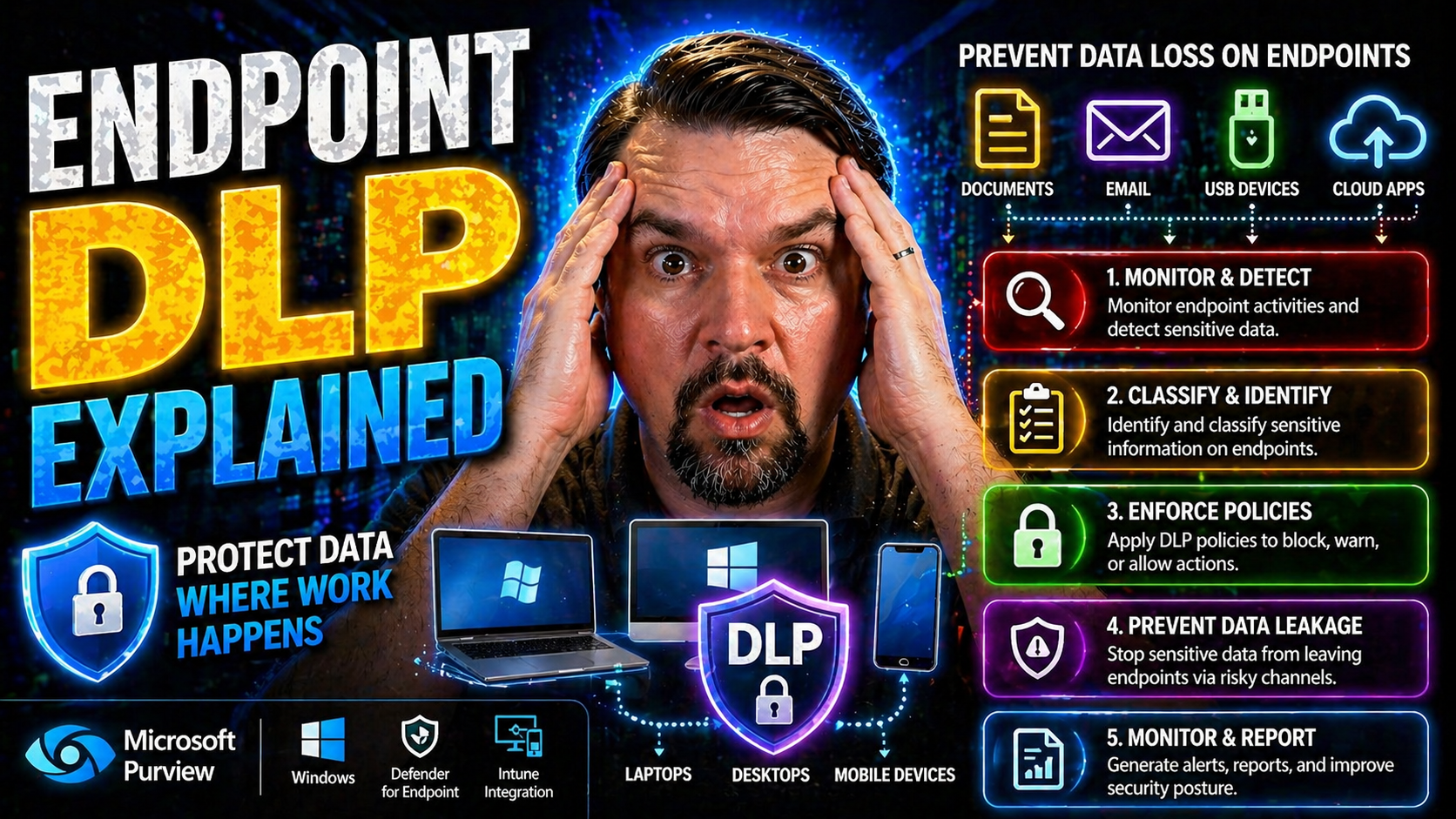
Endpoint Data Loss Prevention (DLP) is a non-negotiable for organizations handling sensitive business data—especially those running deep with Microsoft in their daily operations. As technology keeps us more mobile and collaborative than ever, traditional security perimeters don’t keep threats out the way they used to. That’s where endpoint DLP steps in, focusing on protecting data directly on employee devices, not just in the cloud or over the network.
This guide offers a clear path through what endpoint DLP really is, why it matters so much for businesses big and small, and how you can put it to work. We’ll walk you through everything: the core concepts, how it operates on a technical level, the real-world value, and the practical steps you need for success. We’ll also shine a light on Microsoft-specific strategies and best practices, making sure what you learn works in your environment—not some theoretical one-size-fits-all. Whether you’re starting your DLP journey or leveling up your protections, you’ll find actionable insights right here.
Understanding Endpoint Data Loss Prevention
Let’s face it: with so many folks working remote, relying on laptops and mobile devices every day, keeping business data safe has never been more complicated—or more important. Endpoint Data Loss Prevention is designed to meet this challenge head-on. Instead of waiting for data to reach the network or cloud before getting serious, endpoint DLP flips the script and puts security controls right where the work—and risk—happens: on the device itself.
Endpoint DLP is about protecting your sensitive information as it’s created, stored, or shared on endpoints like desktops, laptops, and even those personal tablets folks bring from home. Its main job? Stop data leaks before they ever leave the device, whether that’s by blocking unauthorized copying to USB drives or preventing someone from emailing out a client list after hours.
Now, a lot of organizations still think setting up some rules on the network or the cloud is enough. But here’s the kicker: nowadays, data zips around in ways perimeter-based controls just can’t touch. And with more business happening on Microsoft platforms—think Microsoft 365, Azure, and the Power Platform—endpoint DLP isn’t just helpful, it’s essential. As you dig deeper, you’ll see how endpoint data prevention fits into your larger security strategy, clears up common misconceptions, and sets a rock-solid baseline for today’s hybrid work reality.
If you’re looking for hands-on setup help in Microsoft environments, check out this podcast episode on Microsoft 365 DLP basics—it’s a resource many IT folks have found invaluable.
What Is Endpoint DLP and How Does It Prevent Data Loss?
Endpoint Data Loss Prevention—often just called endpoint DLP—is a security approach focused on monitoring, controlling, and stopping the movement of sensitive information directly on endpoint devices. That means wherever your company’s data lives on laptops, desktops, or tablets, endpoint DLP is watching and putting up digital fences in real time.
The purpose of endpoint DLP is simple: keep sensitive business data where it belongs and block it from leaving through risky channels. Unlike old-school security that only protected your network’s edge, endpoint DLP protects data even when devices leave the building, connect to coffee shop Wi-Fi, or plug into a random USB stick found on a conference room table.
How does it work in practice? Imagine one of your employees tries to copy a spreadsheet full of customer credit card numbers to their home USB drive. Endpoint DLP can instantly detect the attempt and block it right there, before a single record leaves your control. Or maybe someone tries to “accidentally” upload client contracts to a personal cloud drive. Again, DLP steps in—detects the data, applies the right policy, and either warns the user or blocks the action entirely.
It’s especially important for meeting compliance requirements and staying in the good graces of regulators—not to mention protecting your reputation and bottom line. Endpoint DLP is a critical component for controlling data, maintaining compliance, and preventing everything from innocent mistakes to outright fraud. For a look at how DLP fits into the broader Microsoft Power Platform, you might find this episode on hidden risks and DLP strategies insightful.
Endpoint DLP vs. Network and Cloud DLP Solutions
When it comes to Data Loss Prevention, you’ve got choices—endpoint, network, and cloud solutions each bring something different to the table. But with all these layers, it’s easy to get confused about where one leaves off and the other starts. This part of the guide is here to clear the air, helping you understand exactly what each solution can (and can’t) do for your business.
Not all data loss happens in one place. Sometimes information slips out as it moves across your networks; sometimes it leaks out via cloud-based tools like Microsoft 365 or unsanctioned apps. Other times—more often than you’d think—it walks out the front door on a laptop. Endpoint DLP, network DLP, and cloud DLP aren’t interchangeable, but when you know the real differences, you can build a defense that actually fits your organization’s reality.
Up ahead, you’ll see the strengths, weaknesses, and typical use cases for each type of DLP, along with a practical look at how combining them can close gaps in your security. For organizations working with Microsoft 365 or building automations in Power Platform, you’ll want to consider how DLP policies apply across networks, endpoints, and the cloud—getting that right means fewer surprises down the road. If you’re curious about DLP policies in Microsoft developer scenarios, this page covers best practices for Power Platform developers managing DLP.
Key Differences: Endpoint DLP, Network DLP, and Cloud DLP Explained
- Endpoint DLP: Runs on user devices like laptops and desktops. It monitors and controls data as it’s created, edited, or moved on endpoints—even offline. Great for stopping data when someone tries to copy sensitive files to a USB drive, print them, or transfer them to local folders. Its superpower is visibility and control closest to the user, but it can miss data that slips into unmanaged cloud services or bounces around within encrypted network tunnels.
- Network DLP: Lives at the network’s perimeter—think firewalls, proxies, or network taps. Network DLP screens data in transit as it travels across corporate or internet connections. It’s well-suited for blocking outbound emails, preventing uploads to unapproved websites, or watching for leaks over protocols like FTP or SMTP. However, it loses sight of data that never leaves the endpoint or data that’s already been encrypted before hitting the network.
- Cloud DLP: Protects data inside SaaS apps and cloud storage, such as Microsoft 365, OneDrive, or Google Drive. Cloud DLP keeps a close eye on files being shared, edited, or downloaded in the cloud, often enforcing company policies about where and how business content can travel. It excels at blocking unauthorized file sharing or preventing accidental uploads but can’t stop sensitive data copied locally before syncing to the cloud—unless paired with endpoint DLP.
- Use Case Overlap and Gaps: Each DLP type shines in specific scenarios. Endpoint DLP controls user actions right on the device; network DLP acts as a checkpoint for data as it leaves or enters; cloud DLP guards cloud-native content. For airtight protection, blending them is the smart play.
How Combining DLP Platforms Provides Mix DLP Coverage
- Bridging Gaps Across Environments: Combining endpoint, network, and cloud DLPs ensures you’re not just chasing leaks in one spot. If sensitive data moves from a laptop into Microsoft 365, across your Wi-Fi, and then out to a third-party service, your security net catches it at every point.
- Coordinated Policies: Unified DLP rules allow consistent enforcement—whether someone moves a file to a USB drive, emails it from Outlook, or uploads it to SharePoint. Tools like Microsoft Purview can help align policies across hybrid clouds and endpoints.
- Reduced False Negatives: Multi-layered DLP spots data leaks that would slip through a single layer—think encrypted uploads, shadow IT usage, or local sharing between personal and work apps. This mix lowers your risk profile across the board.
- Microsoft & Third-Party Integration: For organizations deep in Microsoft 365 or Power Platform, integrating endpoint DLP with cloud-based controls—as discussed on Power Platform DLP guidance—brings even more reliability and automation to data protection.
Core Capabilities and Technical Mechanisms of Endpoint DLP
If you want to understand how endpoint DLP puts up roadblocks against data loss, you’ve got to get under the hood. This section dives into the technical gears and levers—data discovery, classification, content inspection, and enforcement—that make endpoint DLP work in the real world, not just on paper.
Endpoint DLP isn’t about slapping on generic rules. It scans files where they pop up, checks what’s inside, tags them for sensitivity, and keeps watch for risky moves—like copying files to a personal cloud account or burning them to a flash drive. All these actions happen close to the device and the user, so dangerous data never makes it out the side door, unnoticed.
Why does this matter? Because today’s risks aren’t kicked off by hackers on the outside—they often start with a regular user making a wrong move or an insider acting up. Endpoint DLP sees these actions as they happen and gives IT the visibility and control to step in. Up next, we’ll break down the entire flow, outline the tech magic (pattern matching, keyword detection), and explain how DLP watches your data as it lives, moves, and eventually gets deleted from endpoints.
How Do DLP Solutions Work? From Discovery to Enforcement
Endpoint DLP follows a clear workflow to secure your data, starting with discovery. The solution scans devices—laptops, desktops, maybe mobile—to find where sensitive information like financial records or customer data actually lives. This process gives you visibility so there are no dark corners for data to hide in.
Next up is classification. Here, DLP categorizes files and information based on sensitivity labels or business rules. Think: “confidential,” “restricted,” or “public.” By tagging data, the system knows which files are the real crown jewels that need tight controls, and which ones don’t need as much attention.
Once data is discovered and classified, enforcement kicks in. DLP watches how people interact with protected content. If someone tries to copy a payroll file to a USB stick, upload it to Dropbox, or print it outside business hours, the system checks the policy rules. If the action is allowed, it moves forward; if not, DLP can block it, warn the user, or send an alert to IT.
This continuous cycle works even on BYOD (bring your own device) setups, giving IT a fighting chance to protect corporate data wherever it lives. The whole point? Protect sensitive information whether users are in the office, at home, or anywhere else.
Technical Deep Dive: Pattern Matching and Content Inspection for Data Protection
- Keyword Search: DLP tools scan files and emails for specific keywords (like “confidential” or “SSN”) that suggest sensitive content is present. Best for catching obvious data exposures.
- Pattern Matching/Regular Expressions: By detecting structured data (credit card numbers, tax IDs) using patterns, DLP can spot and act on records even in documents or spreadsheets.
- Metadata Analysis: DLP checks file properties and user-defined tags, letting it protect sensitive files even if the content isn’t easily matched through keywords.
- Context-Aware Inspection: Combines what’s in the file with how and where it’s used—if a payroll file is emailed outside the company, DLP can flag it as high risk, regardless of naming or format.
- Limitations: These methods can sometimes miss encrypted or cleverly disguised data, so regular tuning and creating exceptions for low-risk false positives is crucial for smooth operations.
Data Lifecycle Protection: How Endpoint DLP Safeguards Data at Every Stage
- Data Creation: DLP detects when new sensitive content is made and applies required labels from the start.
- Data in Use: Monitors and enforces policy when files are edited, copied, or moved locally or between apps.
- Data Sharing: Blocks or monitors transfer attempts, such as emailing or uploading sensitive files to external sites, based on policy rules.
- Data Archival and Deletion: Ensures proper procedures—like secure deletion or storage—are followed for retiring or archiving sensitive files.
- Full-Lifecycle Visibility: Keeping tabs at every stage helps meet compliance and makes audits straightforward because there are no missing gaps.
Business Value and Real-World Use Cases for Endpoint DLP
Here’s where the rubber meets the road. Endpoint DLP isn’t just a technology buzzword—it’s a practical tool with measurable impact for modern organizations, whether you’re running one server or managing hundreds of remote laptops. When your data lives on the move, everywhere from field offices to home dining tables, device-level controls become the first and sometimes only real line of defense.
This section brings context to why endpoint DLP is worth every penny. If you’re in a regulated sector, have a remote or hybrid workforce, or do a lot of business on Microsoft platforms, these controls are key for reducing risk and meeting compliance rules. Endpoint DLP is designed to tackle both the accidental slip-ups and the intentional data grabs, shutting down threats before they become news headlines.
The upcoming examples make it clear how DLP’s impact shows up in everyday work: preventing insider threats, supporting GDPR or HIPAA goals, and strengthening your overall compliance posture without paralyzing productivity. If compliance drift and behavioral blind spots in Microsoft 365 concern you, it’s worth checking out this podcast on compliance drift and this one on building resilient DLP in hybrid environments. These give practical tactics for both enterprise and SMB teams.
Typical Endpoint DLP Use Cases in Modern Organizations
- Insider Threat Prevention: Endpoint DLP can flag suspicious access to sensitive info—like an employee downloading a ton of files just before quitting. It helps spot and stop insider fraud before any damage is done.
- Blocking Unauthorized File Transfers: If someone tries to move business-critical files to an external USB drive or personal storage, DLP can block it instantly or require manager approval. That’s peace of mind right there.
- Managing Remote and BYOD Risks: DLP enforces policy even on personal devices and in home offices, ensuring sensitive data doesn’t escape onto family-shared laptops or untrusted Wi-Fi.
- Monitoring Clipboard and Print Operations: Copying confidential data to the clipboard, pasting into the wrong place, or printing a sensitive document at home can trigger alerts or be outright blocked.
- Automating Compliance: For organizations under GDPR, HIPAA, or PCI-DSS, DLP helps document how and when protected data moves—making it easier to prove you’re following the rules if an auditor comes knocking. If you want deeper visibility into user activities, check how Microsoft Purview Audit supports M365 organizations.
Reducing Data Breaches and Meeting Compliance with Human Policies
- Policy-Based Controls: DLP automates enforcement of regulatory obligations and business rules—avoiding mistakes or deliberate sabotage by acting the instant a data policy is violated.
- Comprehensive Audit Logs: Every DLP-triggered action—blocked, warned, or allowed—is logged for easy auditing and incident investigation, crucial for compliance and proving due diligence.
- Unified Data Visibility: By creating detailed activity records, DLP provides compliance officers and security teams with the insight needed to spot risky trends before they become problems.
- Real-World Example: When an employee attempts to upload patient health info to an unsecured cloud folder, DLP blocks the action and logs it for the compliance team, reducing breach risk and making audit prep easy. Learn more about continuous compliance monitoring in Microsoft environments by visiting this practical compliance guide.
Implementation Best Practices for Endpoint DLP Success
Getting endpoint DLP up and running isn’t just about flipping a switch and hoping for the best. Success takes clear planning, strong policies, and buy-in from everyone—users, IT, and the business. This section shows you how to turn the theory into practice: from picking the right enforcement rules to training employees and keeping the rollout on track. If you want to set up DLP across Microsoft 365 with zero headaches, tuning in to guidance on Zero Trust design and user-friendly security can make a huge difference.
You’ll see how automation and new-age approaches—like Zero Trust—fit tightly with Microsoft’s security stack, helping you keep data safe without creating speed bumps for your teams. Implementing DLP well means balancing effective controls with a user experience that doesn’t drive people to workarounds or shadow IT. Keep reading to discover practical steps to get endpoint DLP right—from kickoff to continuous tuning.
And remember, strong DLP isn’t static. You’ll need to review, adjust, and add fresh controls as your organization grows and threats evolve. With the right mix of people, process, and technology, endpoint DLP becomes an investment that pays off every single day.
Define Policies and Design Your DLP Rollout
- Tailor Policies to Business Needs: Start by mapping your sensitive data types (PII, financials, trade secrets) and aligning policies to major risks and regulatory needs. For Microsoft 365, here’s a solid guide to M365 DLP policy setup.
- Keep Enforcement User-Friendly: Overly strict DLP can drive people mad, so balance blocking actions with just-in-time warnings and educational messages. This helps boost user acceptance while staying secure.
- Roll Out in Phases: Start with less intrusive monitoring-only policies, collect feedback, and refine before moving to full blocks. It minimizes disruption and builds trust with users.
- Communicate Clearly: Set expectations through training and regular updates so employees understand what DLP is, why it’s there, and how it protects them as well as the company.
- Monitor, Review, Improve: Assign owners to review DLP events and policy hits regularly, making tweaks as your risks or business evolve. Change management keeps everything relevant.
Leverage Automation and Zero Trust Models in Endpoint DLP
- Automate Policy Enforcement: Let DLP tools handle routine decisions—blocking, warning, or logging risky data movement—so no incident slips through the cracks, even at scale.
- Apply AI-Powered Detection: Use AI within Microsoft 365 or compatible DLP solutions to detect unusual patterns—like off-hours data transfers or bulk copying—identifying threats faster than human eyes.
- Integrate with Zero Trust Security: Tie your DLP tools to Zero Trust policies, as seen on this Microsoft Zero Trust podcast, for adaptive protections—always verifying device, session, user, and context before allowing sensitive actions.
- Govern Shadow IT & AI Agents: Watch for AI-powered bots or external automations using business data, as explained in this deep-dive on modern Shadow IT, and enforce DLP at every new endpoint or workflow.
Balancing Performance and Integration Trade-Offs
- Choose Lightweight Agents: Prefer DLP solutions optimized for endpoint performance—nobody wants their laptop freezing when opening a spreadsheet. This is especially crucial in hybrid Microsoft environments, as described here.
- Integrate with Existing Tools: Make sure your DLP solution works alongside your Microsoft Defender, Purview, and conditional access controls to avoid agent conflicts and excess monitoring overhead.
- Limit Redundant Processes: Don’t stack too many point tools on endpoints. Streamline with central consoles and unified security management where possible.
- Test for User Experience: Regularly gauge user feedback and monitor device slowdowns; adjust policy complexity as needed to keep everyone productive, not frustrated.
Ongoing Monitoring, Auditing, and Endpoint Risk Optimization
Deploying endpoint DLP is just the start—keeping it working at its best is an ongoing job. This section digs into the day-to-day operations: what to watch, how to measure if your policies are doing what they should, and when to make adjustments for a smoother, smarter security stack.
As threats constantly shift and employees use a growing mix of devices (from company laptops to personal tablets), continuous monitoring and auditing become the foundation for reducing false positives, preventing alert fatigue, and catching real risks early. In remote and distributed work environments, this proactive visibility is even more crucial for security teams juggling device sprawl and user diversity.
You’ll learn why it’s important to schedule regular reviews, track user and data trends across all your endpoints, and build feedback loops for tuning your DLP setup. These efforts keep you out in front of new attack methods—and keep compliance teams and executives confident that data loss prevention is more than just a checkbox. With the right approach, your DLP controls grow smarter and more effective as your business evolves.
Monitoring Endpoint Activities for Remote Employees and Device Diversity
- User Behavior Tracking: Endpoint DLP can watch who accesses, edits, or tries to move sensitive files—whether they’re on a company laptop or personal device logged in from home. This is invaluable for remote-first organizations with lots of BYOD.
- File Movement Visibility: The tools can trace when files are copied, emailed, uploaded, or printed. Alerts can be set for high-risk actions, like a payroll doc moving to a personal Gmail account or USB drive.
- Risky Activity Alerts: Monitor for suspicious patterns, such as large downloads before an employee resigns or attempts to bypass security controls. Proactive detection is key in hybrid work.
- Cross-Device Coverage: With Microsoft 365 and competitors, DLP covers desktops, laptops, tablets, and even some mobile devices, applying the same policies across all endpoints.
- Practical Configuration: Tailor monitoring rules so they fit your workforce’s real habits and business needs—keeping an eye on the right endpoints and skipping “noise.” For advanced user activity audits in Microsoft, see how Purview Audit works here.
Regular Audits and Measuring Endpoint DLP Effectiveness
- Conduct Scheduled Audits: Set up regular policy reviews and event log checks, making sure DLP controls actually match business objectives and stop data from leaking.
- Track Key Metrics: Monitor blocked vs. allowed actions, incident response times, policy hits, false positives, and user complaints to gauge effectiveness over time.
- Integrate Compliance Reporting: Sync DLP logs with your Microsoft 365 security center, Power BI, or compliance dashboards for unified oversight. Pro tips for multi-cloud environment integration and real-time compliance monitoring are discussed here.
- Refine with Feedback: Solicit feedback from users and IT, addressing friction points to reduce workarounds and boost overall DLP performance.
Leading Endpoint DLP Vendors and Data Security Companies
- Microsoft: Microsoft Purview Data Loss Prevention and Microsoft Defender for Endpoint offer deep integration with Microsoft 365 and the full Azure ecosystem, making them strong choices for organizations built on Microsoft technology.
- Symantec (Broadcom): A long-time leader offering mature endpoint DLP tools with customizable policies, good for cross-platform deployments.
- Forcepoint: Known for user behavior analytics and flexible deployment options, Forcepoint helps organizations manage insider risk with detailed forensics.
- Digital Guardian: Specializes in advanced intellectual property and insider threat protection, with strong analytics and real-time blocking.
- CrowdStrike: Touts rapid endpoint response, with a particular focus on stopping breaches at the point of origin using cloud-native DLP modules.
Endpoint DLP Support, FAQs, and Further Learning Resources
Wrapping up your endpoint DLP journey, it’s important to know where to get help, keep your knowledge sharp, and troubleshoot the issues that inevitably pop up along the way. Most major DLP vendors—especially Microsoft—offer extensive support portals, online documentation, and community-driven forums for all your “how-to” and troubleshooting needs.
If you get stuck during deployment, reach out via Microsoft’s official support or use vendor-specific support channels. There are also thriving Microsoft 365 security communities (forums and webinars) for sharing experiences and “best-mistake” stories with other admins. Testing your knowledge is a breeze with self-paced labs and learning modules, and you can always find real-world lessons in M365 FM’s podcast episodes, like this one on DLP strategies or this setup guide for DLP in Microsoft 365.
Common questions include: “How do I start a pilot rollout without breaking everything?” (Answer: start in monitoring mode), or “How do I handle unique, non-technical users?” (Use policy templates and grow your deployment in phases). For more in-depth scenarios—like balancing security with productivity, or securing hybrid environments—official Microsoft docs and podcasts are full of practical advice.
If you want to stay ahead, keep checking back for updates: Endpoint DLP is a fast-moving field with new features, threats, and best practices popping up all the time. Leverage these resources, lean on the community, and never be afraid to ask the tough questions. The security stakes are high, but so are the tools (and teammates) you’ve got on your side.
You Should Also Listen To
If you are exploring endpoint DLP Microsoft 365, these episodes add practical context for secure Microsoft 365 adoption, data protection, governance, and AI risk management.
- Microsoft Purview – Simply Explained — See how classification, retention, compliance, and protection fit into one Microsoft data-governance model.
- Microsoft Defender XDR – Simply Explained — Connect data-protection controls with detection, investigation, and response.
- Conditional Access – Simply Explained — Understand how identity and risk signals add context to access decisions.
- Microsoft AI Agent Harness – Simply Explained — Explore the controls that make AI automation more reliable, observable, and safe.
These episodes help turn the article’s concepts into practical design and rollout decisions.

Microsoft MVP | Host of M365.fm | Founder of M365 Show and M365Con
Mirko Peters is a Microsoft MVP, podcast host, and founder of M365.fm, M365 Show, and M365Con. His work connects Microsoft practitioners through podcast interviews, livestreams, and community events.
At M365.fm, Mirko hosts conversations with Microsoft MVPs, product experts, architects, and community contributors. Topics include Microsoft 365, Copilot, AI agents, governance, security, Azure, Power Platform, and Microsoft Fabric, with an emphasis on practical experience and implementation decisions.
M365.fm is the podcast and learning platform. M365 Show brings experts together for livestreams, while M365Con provides an online conference setting for community learning.
Official website: Mirko Peters (https://www.mirkopeters.com/). Recognition: Mirko Peters — Microsoft MVP profile (https://mvp.microsoft.com/de-DE/mvp/profile/9b0ca797-db5a-493a-a845-8b9158046cf5). Connect on LinkedIn (https://www.linkedin.com/in/m365showpodcast/).





