
ADFS Federation With Entra ID Guide
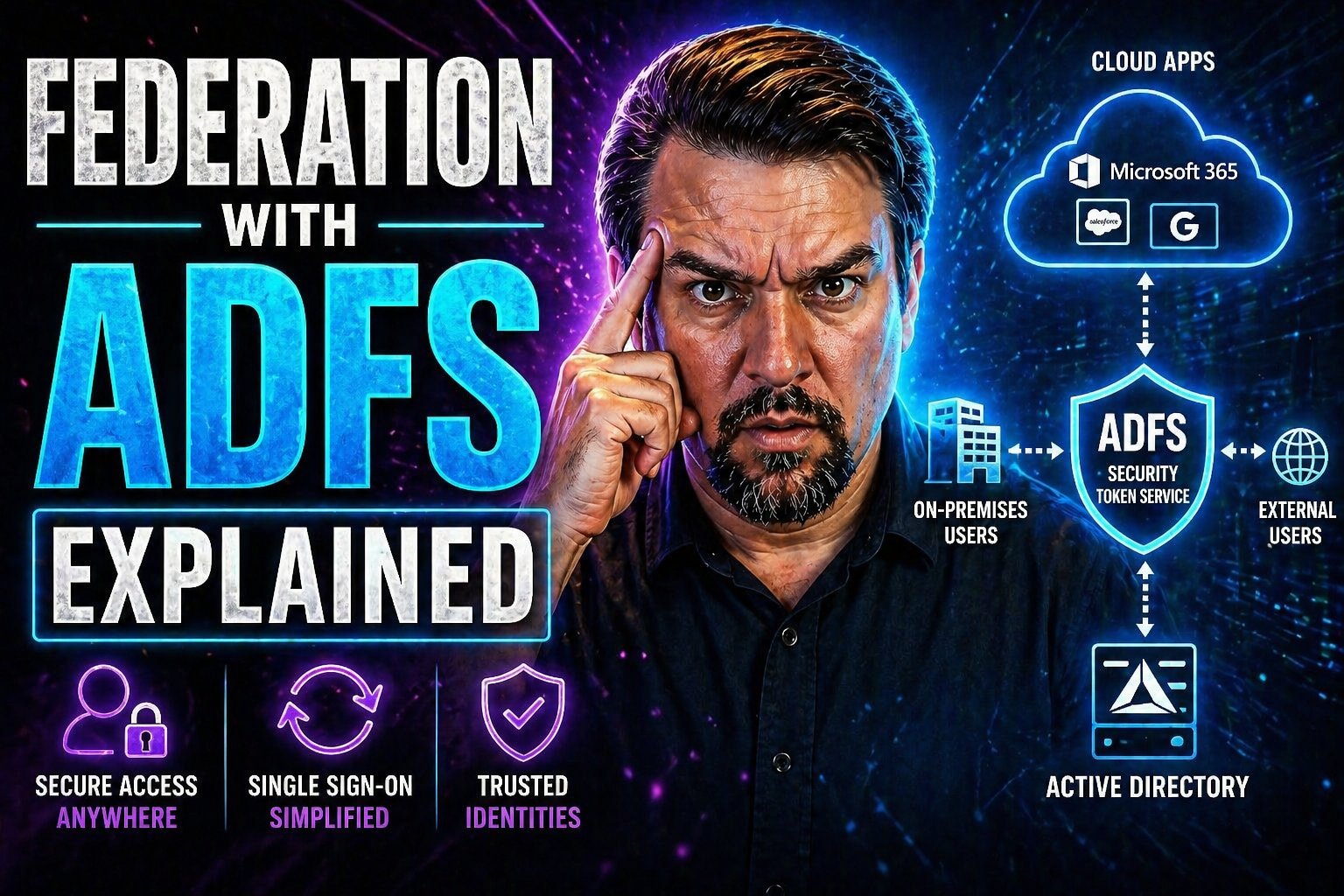
Federation with Active Directory Federation Services (AD FS) plays a central role in how modern organizations manage digital identity and single sign-on (SSO). As businesses grow and their needs evolve—especially with the rise of cloud applications and collaboration platforms—understanding AD FS is more critical than ever. This guide lays out what AD FS does, how it fits into the bigger Microsoft ecosystem, and why the shift to advanced solutions like Entra ID and Azure AD is transforming the enterprise authentication landscape.
From foundational concepts like federated identity to detailed migration strategies and security best practices, you’ll get a comprehensive look at how AD FS operates—plus what you need to know when planning a move to modern cloud identity. Whether you’re troubleshooting existing setups or blueprinting a new approach, this resource is here to help you make informed decisions and keep your authentication game strong.
Active Directory Federation Services Fundamentals
Active Directory Federation Services (AD FS) sits at the heart of how many organizations tie together various authentication systems—especially when you’ve got a mess of on-premises resources and cloud services. The core concept is straightforward: federated identity lets users access applications outside their home environment using their familiar credentials. It’s all about breaking down those digital walls between organizations and services, making access safer and more streamlined for everyone involved.
Imagine you’ve got partners, vendors, or remote teams who need to work on your systems, but you don’t want to hand out a bunch of extra usernames and passwords. AD FS steps in, creating “trusted bridges” so those users can log in just like they’re at home. It’s Microsoft’s answer to the old “how do we share resources without giving up security?” question, backed by a wealth of technical muscles like SAML and OAuth standards.
If you’re just dipping your toes into the world of identity federation, or you’ve been managing domain trust relationships for years, this next section lays the groundwork. We’ll look at what AD FS actually does, why it’s still relevant, and how it’s evolved alongside cloud and hybrid enterprise realities. The details will come in the following parts, but for now, know that AD FS is your starting point for secure, cross-boundary authentication in Microsoft-heavy shops.
What Is Active Directory Federation and How Does It Work?
Active Directory Federation Services (AD FS) is a Microsoft-developed tool designed to enable secure, seamless authentication across organizational and domain boundaries. At its core, AD FS implements “federated identity”—meaning your users can access systems, apps, or services that aren’t controlled by your domain, all while using their normal credentials. So, nobody has to remember a dozen passwords or juggle multiple logins just to get work done.
How does it do this? AD FS uses industry-standard protocols like SAML (Security Assertion Markup Language) and OAuth to establish trusted relationships—these are often called “federated trusts”—between your organization (the identity provider) and any external applications or partners (the relying parties). The magic is in claims-based authentication: after verifying the user, AD FS issues a “security token” containing claims (basically details about the user’s identity and entitlements). The target application checks the token and lets the user in if everything checks out.
Historically, AD FS helped large enterprises deliver single sign-on (SSO) for both on-premises applications and cloud resources like Office 365. Back in the day, before cloud-native directories like Entra ID were mainstream, AD FS was the bridge to keep authentication smooth, even across company boundaries. Today, it’s a foundational component for hybrid setups, even as many organizations are now plotting their course toward cloud-based identity solutions for greater flexibility and security.
Core Components of AD FS Architecture
- Federation Server: The main AD FS engine that authenticates users, issues claims-based tokens, and handles trust relationships with relying parties.
- Web Application Proxy (WAP): Acts as a gateway, providing secure proxy access for external users and protecting federation servers from direct exposure to the internet.
- Claims Provider: Supplies user identity data—often pulling it from Active Directory—to feed into token generation and claims issuance.
- Relying Party Trust: Represents the external applications or systems that consume and validate AD FS tokens; defines how claims are transformed and which users are authorized.
- Domain Controller: Authenticates users against Active Directory, confirming credentials before token issuance.
ADFS Authentication Flows and Federated Trust Explained
When it comes to single sign-on and secure access, AD FS shines by making authentication feel simple for end users—even when the back end is anything but. The backbone of this is how AD FS handles authentication flows and federated trust. It’s all about moving credentials, tokens, and claims safely and efficiently from the moment a user tries to log in to when they actually reach their target application or resource.
This is where the details of protocols (like SAML, WS-Federation, and OAuth) really show their value. The process moves fast—validating user credentials, issuing claims, transforming attributes, and sending the right tokens to the right systems. Along the way, federated trust relationships ensure that organizations on both sides of the handshake can be confident about who’s coming through the digital door.
Up next, we’ll map out the typical AD FS authentication journey step by step, then dive into how federated trust is configured so two completely separate organizations can allow secure, cross-company access without losing sleep over it. Grasping these concepts arms IT pros and security teams for everything from building a secure federation to troubleshooting stubborn access or claims issues later on.
Understanding ADFS Authentication Flows
- User Accesses Application: The user attempts to open a federated application. If it’s external, they hit the Web Application Proxy first; internal requests go straight to AD FS.
- Authentication Request Sent: The application’s relying party redirects the user’s browser to the AD FS server with an authentication request, including which resource they want to access.
- Credential Validation: AD FS prompts the user to log in (using Windows credentials, forms, MFA, or certificate) and checks those details with the Active Directory domain controller.
- Claims Creation: Once validated, AD FS creates a claims-based token. This token includes attributes about the user—like username, group membership, or email—based on pre-configured rules.
- Token Issuance: The claims token is securely signed by AD FS and handed back to the user’s browser.
- Application Validates Token: The browser passes the token to the target application, which verifies its authenticity using the public side of AD FS’s certificate.
- Access Granted: If the token, claims, and rules all check out, the app finally lets the user through—without asking for another password.
This step-by-step flow works for typical SSO, whether users are internal or coming in through a federated partner. Similar logic applies for OAuth (popular with SaaS apps), giving AD FS flexibility to handle a wide range of authentication scenarios and protocols.
Establishing Federated Trust Between Organizations
Setting up a federated trust in AD FS means creating a relationship where two organizations agree to accept each other’s authentication tokens. Technically, this involves configuring each side to recognize the other as a trusted claims provider or relying party. SSL certificates are exchanged to secure the communication, and custom trust policies are set to determine what claims are accepted and how user identities are mapped.
Correct trust setup underpins secure, seamless SSO for business partners, vendors, or subsidiaries—delivering collaboration without lowering the organization’s security standards.
Security Considerations and Best Practices for AD FS Deployment
Anytime you’re talking about federation and SSO, security becomes a top priority—after all, a single breach or misconfigured trust can ripple out fast. With AD FS, the focus is on protecting the entire token issuance pipeline, making sure only the right people can authenticate, and keeping attackers far from your most valuable resources.
The landscape includes everything from credential phishing and token theft to denial-of-service threats and brute force attempts. You need strong defenses at every step: from tough authentication policies to encrypted token flows, and from regular patching to real-time monitoring. This kind of layered security doesn’t just keep the hackers out—it also helps organizations stay compliant with audit and governance requirements.
In the next sections, we’ll break down actionable defenses for AD FS, highlight the most common attack vectors and their mitigation strategies, and summarize proven best practices for secure configuration, ongoing auditing, and integration with broader security and governance programs. If you want practical strategies for risk reduction—including lessons learned from Microsoft’s Entra ID and Azure environments—keep reading. And, if you’re curious about how identity, conditional access, and governance work together in the cloud, check out this episode on identity security strategy for deeper insights.
Securing Token Issuance and Authentication in AD FS
- Enforce Strong Password and Credential Policies: Set up complex passwords and strict expiration rules to reduce weak credential exposure.
- Enable Multi-Factor Authentication (MFA): Add a second verification step (like a phone code or hardware token) to block unauthorized logins—even if a password is compromised.
- Use Secure, Encrypted Token Channels: Require SSL/TLS for all token exchanges, and ensure tokens are signed and encrypted to prevent tampering or eavesdropping.
- Restrict Token Lifetime: Use short-lived tokens to limit the window of attack if a token is stolen or replayed.
For additional context about preventing attacks that bypass even MFA—such as OAuth consent abuses—look into these essential controls for securing Entra ID.
Top Security Considerations and Threat Mitigation
- Credential Phishing: Train users to spot phishing, and require MFA to protect at the point of login.
- Replay and Token Theft: Use short token lifespans and continuous token validation to limit damage from intercepted tokens.
- Denial-of-Service (DoS) Attacks: Deploy AD FS and proxy servers in high-availability configurations and limit exposure to untrusted networks.
- Patch Management: Regularly update all AD FS and dependent systems to address vulnerabilities before attackers exploit them.
- Audit and Monitor: Implement robust logging and monitoring to detect suspicious activity early; for a broader zero trust approach, see this Zero Trust podcast episode.
Best Practices for AD FS Deployment and Monitoring
- Redundancy and Load Balancing: Deploy multiple federation and proxy servers to eliminate single points of failure and support high user volumes.
- Continuous Monitoring: Use audit logs, event monitoring, and real-time alerting to flag suspicious patterns quickly.
- Regular Security Audits: Review configurations and trust relationships for drift or gaps; keep up with best practice changes.
- Integration with Cloud Security Platforms: Connect AD FS logs and events with SIEM tools like Microsoft Sentinel or Microsoft Purview Audit for unified risk detection and compliance reporting.
- Lifecycle Management: Routinely update tokens, certificates, and policy settings to minimize “identity debt” and technical risk.
Limitations of ADFS and Troubleshooting Issues in Modern Organizations
While AD FS helped plenty of organizations connect systems and users in years past, it’s no secret the technology brings a handful of modern headaches. If you’ve managed AD FS infrastructure, you know the drill: there are maintenance costs, complex trust configurations, and updates that crop up whenever you least expect them. Toss in fast-growing cloud environments, and suddenly the old ways can start to feel pretty creaky.
The limitations aren’t just technical—they can turn into business risks. Think about authentication reliability, how easily you can scale, and how quickly you can adapt when the next SaaS requirement lands. These are the sticking points that nudge more teams to look at cloud-based identities like Entra ID. But before any big move, it’s vital to know both what to watch out for and what to do when something breaks in your AD FS landscape.
Next, we’ll dive into the major limitations holding AD FS back for today’s enterprises and break down hands-on troubleshooting steps for the issues most likely to hit your helpdesk. Mastering these basics can buy you crucial time and confidence, whether you’re keeping the lights on or prepping for migration.
Key Limitations of AD FS for Enterprise Authentication
- High Maintenance Overhead: AD FS deployments demand ongoing patching, monitoring, and hardware upkeep—driving up operational costs.
- Limited Cloud Integration: Legacy AD FS can’t match the deep, native integrations with SaaS or cloud-native security found in Entra ID or Azure AD.
- Complex Configuration: Setting up multi-forest or cross-domain scenarios introduces more moving parts and opportunities for misconfiguration.
- Scalability Challenges: Growing user bases or global access needs often require additional servers and sophisticated network setups.
Troubleshooting Common AD FS Issues
- Authentication Failures: Check service account permissions, domain controller connectivity, and failed logon attempts in AD FS event logs (Event ID 364 signals token issuance problems).
- Token Issuance Errors: Review claims rules and certificates configurations—mismatched or expired certificates often cause failures.
- Misconfigured Relying Parties: Verify endpoints, trust relationships, and claim transformations for the correct mapping between systems.
- Account Lockouts or Password Issues: Ensure password synchronization and account policies are consistent across forests and domains.
- Monitor AD FS Logs: Use relevant event IDs (like 100 for successful token issuance or 300 series for configuration problems) to pinpoint root causes quickly.
Migrating From AD FS to Entra ID and the Future of Federation
For organizations keeping one foot in legacy AD FS and the other stepping into the cloud, the road ahead is getting clearer. Cloud-based identity solutions like Azure AD and Entra ID offer robust, flexible, and more secure authentication for modern workloads—even those old, cranky apps that used to rely solely on AD FS. The industry’s moving this way for good reason: less hardware overhead, simpler trust models, and security postures built to handle evolving threats and compliance demands.
But switching from AD FS is not a flip-the-switch deal. Migrating to Entra ID (the new brand umbrella for Microsoft identity services) means reevaluating trust relationships, application integration, and how policies like conditional access and governance will work in the new world. Done right, you get higher user satisfaction and stronger, more consistent controls across cloud and on-prem systems.
Below, you’ll find a direct comparison of AD FS with cloud identity, plus proven strategies for a smooth, staged transition that won’t upend users or open new security holes. If you want a taste of the risk and governance challenges that come with conditional access in Entra ID, this deep dive on identity security loops is a solid place to start as well.
AD FS vs Cloud-Based Identity With Azure AD and Entra ID
- AD FS Limitations: On-premises hardware requirements, patching, complex trust and claim rule management, limited native cloud/SaaS integration, slower response to emerging security threats.
- Azure AD and Entra ID Advantages: Native integration with Microsoft 365, easier setup, built-in conditional access, rapid SaaS onboarding, consistent policy enforcement, and enhanced identity protection for cloud workloads.
- Strategic Migration Drivers: Lower maintenance overheads, streamlined management, scalable access, and policy-driven security models that adapt as the business grows.
For more on how accumulated exceptions and authorizations create “identity debt” and how proper governance in Entra ID transforms cloud identity security, see this podcast on identity as a control plane.
Migration Strategies for Seamless AD FS to Entra ID Transition
- Discovery: Inventory all relying party trusts, claims rules, and integrated applications tied to AD FS; map dependencies and identify workloads ready for migration.
- Planning: Design a phased migration plan, setting up Entra ID and validating cloud connectors for hybrid coexistence if needed.
- Coexistence: Run AD FS in tandem with Entra ID, gradually moving applications to authenticate against Azure AD while monitoring user experience and access logs.
- Cutover: Migrate users and final workloads to Entra ID, remove legacy trusts and custom rules, and retire on-premises AD FS infrastructure once validation is complete.
- Post-Migration Tuning: Review conditional access policies, user provisioning, and reporting in Entra ID to close the loop and future-proof your identity practices.
You Should Also Listen To
If you are researching ADFS federation with Entra ID, these episodes add practical context on architecture, security, governance, and implementation:
- Microsoft AI Agent Harness – Simply Explained — Understand orchestration, guardrails, evaluation, and reliable AI workflows.
- Microsoft Defender XDR – Simply Explained — Connect identity and AI decisions with security monitoring and response.
- Microsoft Teams Governance – The Illusion of Control — Learn how governance, ownership, and policy reduce operational risk.
- Azure Virtual Network – Simply Explained — Understand the architecture context behind cloud connectivity.

Microsoft MVP | Host of M365.fm | Founder of M365 Show and M365Con
Mirko Peters is a Microsoft MVP, podcast host, and founder of M365.fm, M365 Show, and M365Con. His work connects Microsoft practitioners through podcast interviews, livestreams, and community events.
At M365.fm, Mirko hosts conversations with Microsoft MVPs, product experts, architects, and community contributors. Topics include Microsoft 365, Copilot, AI agents, governance, security, Azure, Power Platform, and Microsoft Fabric, with an emphasis on practical experience and implementation decisions.
M365.fm is the podcast and learning platform. M365 Show brings experts together for livestreams, while M365Con provides an online conference setting for community learning.
Official website: Mirko Peters (https://www.mirkopeters.com/). Recognition: Mirko Peters — Microsoft MVP profile (https://mvp.microsoft.com/de-DE/mvp/profile/9b0ca797-db5a-493a-a845-8b9158046cf5). Connect on LinkedIn (https://www.linkedin.com/in/m365showpodcast/).





