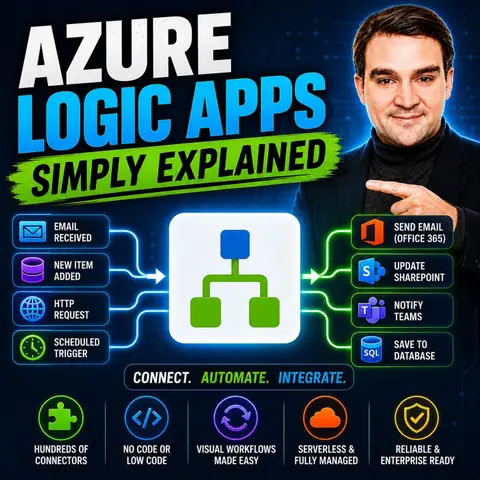
Getting Started with Azure Logic Apps: A Beginner's Guide to Workflow Automation
Welcome back to the podcast companion blog! In this post, we are diving deep into the fundamentals of cloud workflow automation. If you have ever felt bogged down by manual, repetitive data entry, disparate business systems that refuse to talk to each other, or complex integration projects that require endless lines of custom code, you are in the right place. Today, we are exploring how Azure Logic Apps transforms the way organizations build integrations and manage business processes.
Whether you are an IT administrator, a developer looking to move faster without managing underlying infrastructure, or a business leader aiming to boost operational efficiency, understanding cloud workflow automation is an absolute game-changer. For a comprehensive, spoken-word breakdown of this technology, be sure to check out our featured podcast episode, Azure Logic Apps - Simply Explained.
Introduction to Azure Logic Apps
Modern organizations rely on an ever-growing ecosystem of software-as-a-service (SaaS) applications, databases, and custom APIs. However, keeping all these systems synchronized can quickly become a logistical nightmare. Enter Azure Logic Apps: a cloud-based Platform-as-a-Service (PaaS) designed to simplify integration, orchestrate business processes, and automate workflows effortlessly.
At its core, Azure Logic Apps removes the friction of building distributed systems. Rather than writing complex code from scratch to handle HTTP requests, queue messages, and database transactions, you can leverage pre-built connectors and a visual designer. This democratization of development means that both technical professionals and citizen integrators can design, deploy, and scale robust automation solutions rapidly.
Azure Logic Apps Overview

Azure Logic Apps is a powerful cloud service that helps you automate workflows and connect applications without needing extensive coding skills. Imagine being able to create complex enterprise-grade workflows with just a few clicks! This tool allows you to integrate a vast array of services, making it significantly easier to manage your day-to-day business processes.
Key Features
To truly understand why this service has become a cornerstone of modern cloud architecture, let us look at the standout features that make Azure Logic Apps a go-to choice for workflow automation:
| Feature | Description |
|---|---|
| Low-code visual designer | Enables you to create workflows using a drag-and-drop interface without extensive coding. |
| Extensive integration capabilities | Connects various services, data sources, and applications seamlessly. |
| Enterprise-grade connectors | Provides advanced connectors for integrating with enterprise systems and custom APIs. |
| Support for complex workflows | Facilitates the design of intricate workflows suitable for both simple and complex automation. |
With Azure Logic Apps, you can automate everyday tasks like scheduling reminders, sending email notifications, handling client orders, and transferring files securely between on-premises storage and the cloud. This flexibility allows you to tailor solutions to meet your exact organizational needs.
The benefits of using Azure Logic Apps are substantial. You gain a cloud-based service that streamlines your workflows and dramatically enhances productivity:
- You can create automated workflows that seamlessly integrate diverse services, legacy systems, and modern applications.
- The low-code and no-code tools make it easy for almost anyone to automate tasks, even without specialized software development expertise.
- Developers can build solutions faster, moving from an initial idea to production deployment without getting bogged down by complex infrastructure management.
By automating complex business processes, Azure Logic Apps reduces the time, cost, and human errors associated with manual workflows. You can connect with over 200 different services out of the box, enhancing your overall operational throughput and allowing your team to focus on strategic, high-value initiatives.
Importance of Azure Logic Apps
Business Benefits
Implementing cloud-based automation can radically enhance your business operations. Organizations that have integrated Azure Logic Apps into their technology stacks report impressive results, including:
- 295% ROI over three years
- Payback in less than six months
- 35-45% increase in productivity
- 40-50% improvement in operational efficiencies
- Cost reductions valued at over $650,000
These figures highlight how Azure Logic Apps can transform your workflow management. Organizations often experience a 70% reduction in process completion time and an 85% improvement in data accuracy. This means significantly less time spent on repetitive data entry and more focus on creative problem-solving and strategic growth. Plus, employee satisfaction tends to rise when teams are liberated from mundane, repetitive administrative activities.
The serverless nature of Azure Logic Apps allows you to deploy workflows instantly without worrying about provisioning virtual machines, patching operating systems, or scaling server capacity. This is a massive shift away from traditional automation methods, which frequently require extensive hardware setup and ongoing maintenance overhead. With Azure Logic Apps, you concentrate purely on designing effective business logic.
Comparison with Other Tools
When comparing Azure Logic Apps to alternative automation tools like Microsoft Power Automate and AWS Step Functions, several architectural factors come into play. Here is a quick overview of how they compare:
| Factor | AWS Step Functions Advantage | Azure Logic Apps Advantage |
|---|---|---|
| Ecosystem Fit | Ideal for AWS-centric environments | Suited for Microsoft/Azure stacks and broad SaaS connectivity |
| Workflow Complexity | Better for intricate, long-running state machines | Excels in simple to moderate integrations via visual tools |
| Scalability | Automatic scaling with durable execution | Flexible scaling with connector support, but potential latency in hybrid setups |
Azure Logic Apps truly shines through its massive library of pre-built connectors. This makes it exceptionally easy to integrate various third-party services without writing custom API polling scripts. The intuitive visual designer allows teams to collaborate on workflow definitions using a drag-and-drop interface, keeping technical barriers to a minimum.
When it comes to financial planning, Azure Logic Apps offers two primary operational tiers: the Consumption tier, which bills strictly on a pay-per-execution basis, and the Standard tier, which provides dedicated compute resources and hosting flexibility for high-throughput, complex enterprise scenarios.
Building Workflows with Azure Logic Apps
Creating workflows with Azure Logic Apps is remarkably straightforward. You do not need to be a seasoned software engineer to get started. By following a structured approach, you can spin up your first functional integration in minutes:
- Open the Azure portal and navigate to your logic app menu. Select Workflows and click on Add.
- In the New workflow pane, name your workflow and choose the State type (either Stateful or Stateless), then select Create.
- Choose the blank stateful workflow from the list.
- Access the Designer from the workflow menu under Tools.
- Click on Add trigger to open the connectors gallery and select a trigger operation.
- Ensure your blank workflow is open and the Add a trigger prompt is selected.
- Search for request and add the When an HTTP request is received trigger to your workflow.
- Save your workflow by selecting Save on the designer toolbar.
- Under the added trigger, click the plus sign (+) and select Add an action.
- Search for office 365 outlook send email and add the Send an email (V2) action to your workflow.
- In the action's information pane, create a connection to your email account by selecting Sign in.
With these straightforward steps, you have successfully built a foundational Logic Apps workflow capable of responding to incoming web requests and notifying stakeholders automatically.
Triggers and Actions
Every automation built inside Azure Logic Apps relies on two fundamental building blocks: triggers and actions.
- A trigger kicks off your workflow. It listens for a specific event, such as an incoming HTTP webhook, a scheduled timer, or a new file dropping into a cloud storage container.
- Actions represent the operational steps that execute sequentially or conditionally after the trigger fires—such as sending an email, writing a row to a database, or calling an external API.
Here is a quick overview of the different trigger categories available to developers:
| Trigger Type | Description |
|---|---|
| Scheduled Trigger | Runs automatically on a fixed time interval or calendar schedule. |
| HTTP Request Trigger | Starts instantly when an external system calls the assigned workflow webhook endpoint. |
| Event-based Trigger | Responds dynamically to state changes in a connected SaaS service. |
| Connector-based Trigger | Actively monitors a mailbox, message queue, file share, or business app for new activity. |
As you build out your logic, remember that workflows do not have to be strictly linear. You can introduce conditional branching, loops, scopes, and parallel execution paths. This gives you the architectural flexibility needed to model sophisticated enterprise logic without sacrificing readability.
How Azure Logic Apps Function
Workflow Execution
Once your workflows are live in Azure Logic Apps, monitoring and maintaining visibility into their execution health is vital. Every run emits rich telemetry data that helps you track performance, audit payloads, and troubleshoot errors. Depending on your retention and compliance requirements, you can route this telemetry to several native Azure monitoring tools:
| Monitoring Tool | Best Use Case | Strengths |
|---|---|---|
| Log Analytics (Workspace) | Real-time monitoring and troubleshooting | Rich querying capabilities with KQL, integration with Azure Monitor, alerting capabilities. |
| Storage Accounts (Blob Storage) | Long-term storage for audit and compliance purposes | Best for storing large volumes of data at low cost, simple export and archive capabilities. |
| Event Hubs | Streaming telemetry to external systems | Ideal for pushing telemetry data to external processing systems or analytics platforms. |
By regularly analyzing platform metrics, resource logs, and activity logs, your engineering teams can pinpoint performance bottlenecks, tune timeout configurations, and ensure high availability across all integrated systems.
Serverless Model
The serverless architecture underpinning Azure Logic Apps is a massive advantage for organizations looking to scale cost-effectively. Under the consumption model, you only pay for the precise milliseconds and actions your workflows execute. There are no idle server costs during quiet periods.
Key advantages of this serverless approach include:
- Automatic scaling that responds dynamically to incoming workload spikes without manual intervention.
- Financial efficiency, ensuring you never over-provision compute resources.
- Reduced operational overhead, allowing your developers to focus purely on business logic rather than infrastructure maintenance.
Furthermore, serverless execution models incorporate resilient error-handling mechanics. If a downstream API experiences a temporary outage, Logic Apps can automatically execute built-in retry policies, exponential backoffs, and timeout rules, preventing transient glitches from crashing your critical business pipelines.
Real-World Applications
Use Cases Across Industries
Azure Logic Apps are versatile enough to power digital transformation initiatives across virtually every industry sector:
| Industry | Use Case Description |
|---|---|
| Healthcare | Streamlining patient appointment scheduling by checking doctor availability and booking within electronic health record systems. |
| Financial Services | Automating client transaction approvals by securely integrating CRM data, core ledger systems, and compliance verification APIs. |
| Client Support | Streamlining IT service desk ticket management by automatically categorizing, prioritizing, and routing support tickets to specialized engineering teams. |
In manufacturing and supply chain environments, enterprises rely heavily on Azure Logic Apps to bridge legacy on-premises platforms like SAP with modern cloud tools, ensuring real-time data synchronization across global facilities.
Success Stories
Countless forward-thinking organizations leverage Azure automation to drive operational excellence. Notable enterprise implementations include:
| Company | Achievement | Link |
|---|---|---|
| Fortune Brands Innovations | Unified multiple brands under one digital portal, drastically enhancing customer experience with Power Pages and Dynamics 365. | Read the story |
| Solv | Eliminated 98% of clerical errors, saving 40 man-hours monthly through streamlined integrations with Dynamics 365 Business Central. | Read the story |
| Syensqo.AI | Rapidly developed cutting-edge conversational AI capabilities using Azure OpenAI Service and supporting cloud infrastructure. | Read the story |
These real-world wins demonstrate that whether you are automating e-commerce fulfillment, managing customer support queues, or building AI-driven agentic workflows, Azure Logic Apps provides a reliable backbone for enterprise scalability.
FAQ
What are Azure Logic Apps?
Azure Logic Apps is a fully managed cloud service that helps you automate workflows and connect disparate applications without writing complex integration code.
How do I start using Azure Logic Apps?
To begin, simply sign in to the Azure portal, create a new Logic App resource, and utilize the built-in visual designer to construct your first triggers and actions.
Can I integrate third-party applications?
Yes! Azure Logic Apps features an expansive gallery of over 1,400 pre-built connectors, enabling instant integration with popular SaaS platforms like Salesforce, SAP, ServiceNow, and Google Workspace.
Is Azure Logic Apps suitable for small businesses?
Absolutely. While it scales effortlessly for Fortune 500 enterprises, its low-code visual approach and pay-as-you-go consumption pricing make it exceptionally accessible and cost-effective for smaller teams.
How does pricing work for Azure Logic Apps?
Azure Logic Apps offers flexible pricing tiers. The Consumption model bills you strictly based on the number of actions executed, while the Standard tier provides dedicated instance pricing for high-density enterprise environments.
Can I monitor my workflows in real-time?
Yes, you can monitor execution health using native tools like Log Analytics workspaces, Azure Monitor, and Application Insights, giving you deep visibility into performance metrics and run histories.
Are there built-in security features?
Yes, Azure Logic Apps includes enterprise-grade security capabilities, including data encryption in transit and at rest, managed identity authentication, and compliance with major industry security standards.
What types of triggers can I use in my designs?
You can choose from a wide variety of triggers, including time-based schedules, inbound HTTP webhooks, event-driven data grid events, and polling connectors that check mailboxes or storage accounts.
🎧 Listen to this episode
Want a practical, spoken-word explanation of Azure Logic Apps? Our related podcast episode breaks down the topic in clear, accessible language and demonstrates why cloud workflow automation matters for Microsoft 365, Azure, Power Platform, security, and AI integrations.
Listen to this episode if you want to:
- Understand the core architectural concepts behind Azure Logic Apps
- See how workflow automation fits into the wider Microsoft technology ecosystem
- Learn where Logic Apps can create immediate, practical value for your organization
You may also enjoy these related M365 FM episodes:
- Azure Logic Apps for Multi-Agent AI Orchestration
- Stop Microsoft Copilot Prompt Injection with Azure Logic Apps
- Scale Azure Logic Apps Beyond Custom Connectors
- Power Automate vs Azure Logic Apps for Scalable Workflows
- Logic Apps and Copilot Studio for Intent-Driven Automation
Discover more practical Microsoft conversations directly on M365 FM.
Last reviewed: July 2026.
Who Should Listen
This episode is essential listening for Azure administrators, cloud architects, software developers, and IT leaders who need a solid, practical foundation before designing, governing, or operating enterprise workflow services.
🎧 You Should Also Listen To
- Azure Functions — A practical next step for extending event-driven microservices.
- Azure Service Bus — A practical next step for mastering reliable message queuing.
- Azure Event Grid — A practical next step for reactive, event-driven architectures.

Microsoft MVP | Host of M365.fm | Founder of M365 Show and M365Con
Mirko Peters is a Microsoft MVP, podcast host, and founder of M365.fm, M365 Show, and M365Con. His work connects Microsoft practitioners through podcast interviews, livestreams, and community events.
At M365.fm, Mirko hosts conversations with Microsoft MVPs, product experts, architects, and community contributors. Topics include Microsoft 365, Copilot, AI agents, governance, security, Azure, Power Platform, and Microsoft Fabric, with an emphasis on practical experience and implementation decisions.
M365.fm is the podcast and learning platform. M365 Show brings experts together for livestreams, while M365Con provides an online conference setting for community learning.
Official website: Mirko Peters (https://www.mirkopeters.com/). Recognition: Mirko Peters — Microsoft MVP profile (https://mvp.microsoft.com/de-DE/mvp/profile/9b0ca797-db5a-493a-a845-8b9158046cf5). Connect on LinkedIn (https://www.linkedin.com/in/m365showpodcast/).

Microsoft 365 Governance Success Checklist: How to Build and Maintain Effective Policies