


 Apple Podcasts
 Spotify
 Youtube Music
 Spreaker
 Podchaser
 Amazon Music
 Azure Service Bus - Simply Explained
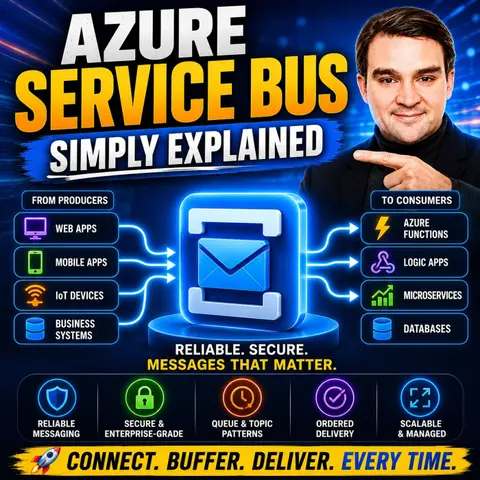

Azure Service Bus is Microsoft's enterprise messaging service for building reliable, secure, and loosely coupled applications. In this episode, we explain what Azure Service Bus is, how it works, and why it's a key component of modern cloud architectures. Whether you're connecting applications, integrating business systems, or building resilient microservices, Azure Service Bus ensures messages are delivered reliably—even when systems are temporarily unavailable.
You'll learn the core concepts behind queues, topics, subscriptions, and message brokers, as well as features like dead-letter queues, duplicate detection, scheduled messages, sessions, and transactions. We also explore how Azure Service Bus integrates with Azure Functions, Logic Apps, Power Platform, and other Azure services to enable asynchronous communication and scalable enterprise solutions. Along the way, we compare Azure Service Bus with Event Grid and Event Hubs so you'll understand when each messaging service is the right fit.
Whether you're a developer, cloud architect, IT professional, or preparing for an Azure certification, this episode explains Azure Service Bus in simple, practical terms without unnecessary jargon. By the end, you'll understand why enterprise applications rely on messaging, how Azure Service Bus improves reliability and scalability, and when it should be your preferred choice for mission-critical communication between applications and services.
Quick answer: Azure Service Bus provides dependable enterprise messaging for applications that need to communicate asynchronously. This episode explains queues, topics, subscriptions, delivery guarantees, dead-lettering, and design decisions that help teams decouple systems and handle work reliably under load.
Azure Service Bus is a fully managed enterprise message broker that plays a crucial role in cloud messaging. It enables your applications to communicate seamlessly, even when they aren't directly connected. With Azure Service Bus, you can decouple applications and services, allowing them to send and receive messages reliably. This setup not only improves application scalability but also enhances reliability by balancing workloads across different services. Whether you're transferring business data or coordinating complex transactions, Azure Service Bus helps you manage your messaging needs effectively.
Key Takeaways
- Azure Service Bus acts as a reliable message broker, allowing applications to communicate without direct connections.
- Decoupling applications with Azure Service Bus enhances scalability and reliability, making it easier to manage workloads.
- Service Bus queues ensure that each message is processed by a single consumer, maintaining order and reliability.
- Topics enable a publish/subscribe model, allowing multiple subscribers to receive the same message for greater flexibility.
- Utilize dead-letter queues to handle undeliverable messages, ensuring no data is lost and issues can be resolved.
- Scheduled messages allow you to queue tasks for future processing, automating workflows and improving efficiency.
- Implement best practices like consistent tagging and message retention policies to optimize your Azure Service Bus usage.
- Integrate Azure Service Bus with other Azure services for seamless operations and enhanced application performance.
What Is Service Bus?

Overview of Azure Service Bus
Azure Service Bus is a robust messaging service designed to facilitate communication between distributed applications. Think of it as a reliable post office for your services. When one service sends a message, Azure Service Bus safely stores it until another service is ready to pick it up. This process allows your applications to operate independently, enhancing their scalability and reliability.
Here’s a quick look at some of the primary functions and components of Azure Service Bus:
| Function/Component | Description |
|---|---|
| Messaging Service | Azure Service Bus simplifies building loosely coupled software components with high scalability. |
| Communication Mechanisms | It provides queues, topics, and relays for flexible messaging solutions. |
| Queues and Topics | Enable one-directional communication; messages are stored until consumed. |
| Namespace | Acts as a logical container for messaging components, allowing coexistence of multiple entities. |
| Architecture | Includes Queues, Topics, and Relays supporting various messaging patterns. |
| Advanced Features | Features like Dead Letter Queues, Auto-forwarding, and Duplicate Detection are included. |
Importance in Cloud Messaging
In the world of cloud architecture, Azure Service Bus plays a vital role. It allows you to decouple your applications, meaning they don’t need to be running at the same time to communicate. This decoupling leads to several advantages:
- Durability: Your messages won’t disappear if something fails. Azure Service Bus ensures they are stored safely.
- Smoother scaling: When your applications experience spikes in demand, Azure Service Bus queues the work instead of causing timeouts.
- Controlled retries and failure handling: You can retry message delivery safely and isolate any problematic messages, often referred to as "poison" messages.
By using Azure Service Bus, you create a more resilient architecture. It supports asynchronous operations, which means your applications can continue working without waiting for immediate responses. This capability is crucial for maintaining performance under varying loads.
How Azure Service Bus Works

Service Bus Queues and Topics
Understanding Queues
Service Bus queues are essential for managing messages in a one-to-one relationship. When you send a message to a queue, only one consumer processes that message. This setup ensures that each message is handled efficiently. Here are some key points about queues:
- Single Consumer: Each message is processed by one consumer only.
- FIFO Message Delivery: Messages are delivered in the order they are received, ensuring a first-in, first-out (FIFO) approach.
- Reliability: If a consumer fails to process a message, it remains in the queue until it can be retried.
Queues are perfect for scenarios where you need to ensure that each task is completed before moving on to the next one.
Understanding Topics
On the other hand, topics enable a publish/subscribe messaging pattern. This means that when you publish a message to a topic, multiple subscribers can receive that message. Here’s how topics work:
- One-to-Many Relationship: Each message can be sent to multiple subscribers, allowing for greater flexibility.
- Subscriptions: Each subscriber has its own subscription, which acts like a virtual queue. This allows consumers to receive messages tailored to their needs.
- Message Filtering: You can apply custom filters to messages based on properties, ensuring that subscribers only receive relevant information.
With topics, you can efficiently distribute messages across various services, making it ideal for applications that require real-time updates.
Message Delivery Mechanisms
Azure Service Bus employs various mechanisms for message delivery, ensuring that your applications communicate effectively. Here are some important aspects of message delivery:
-
Asynchronous Communication: Azure Service Bus uses messages to transfer data between applications. This means your applications can continue working without waiting for immediate responses. For example, when a file is uploaded, an integration event like
FileSuccessfullyUploadedIntegrationEventnotifies other components without blocking the process. -
Message Structure: Each message contains essential details, such as
userIdandfileUrl, which help the receiving service process the information correctly. You can send messages using theServiceBusSender.SendMessageAsyncmethod, which creates a new message with the event information. -
Receiving Messages: The
ServiceBusProcessormanages incoming messages and handles errors through dedicated event handlers. This ensures that your applications can process messages reliably and efficiently.
By leveraging these message delivery mechanisms, Azure Service Bus enhances the overall messaging experience, allowing you to build resilient applications that can scale with your business needs.
Key Features of Azure Service Bus
Reliability and Scalability
When you choose Azure Service Bus, you gain access to a messaging service that prioritizes reliability and scalability. This service ensures that your messages are stored securely until they are processed. Here are some key features that highlight its reliability:
| Feature | Description |
|---|---|
| Message Durability | Ensures messages are stored reliably until they are processed. |
| At-least-once Delivery Guarantees | Guarantees that messages are delivered at least once, preventing data loss. |
| Dead-letter Queues | Handles messages that cannot be processed successfully, allowing for later inspection and reprocessing. |
| Zone-redundant Deployments | Automatically replicates configurations and messages across multiple availability zones for resilience. |
| Automatic Failover | Provides seamless failover without user intervention in case of zone failures. |
| Capacity Reserves | Ensures enough capacity to handle the complete loss of a zone without data loss or interruption. |
With these features, Azure Service Bus helps you build applications that can handle varying loads without compromising performance. You can scale your applications effortlessly, ensuring they remain responsive even during peak times.
Security Features
Security is a top priority when it comes to messaging services, and Azure Service Bus excels in this area. It offers several robust security features to protect your data and messages:
| Security Feature | Description |
|---|---|
| SSL/TLS Encryption | Ensures secure communication between clients and Service Bus entities. |
| Shared Access Signatures (SAS) | Provides a way to control and restrict access to messaging entities. |
| Azure Active Directory (AAD) | Allows for authentication and access control to Service Bus resources. |
You can rest easy knowing that your messages are protected during transmission and that access to your messaging entities is tightly controlled. This level of security is essential for maintaining trust in your applications.
Integration with Azure Services
Azure Service Bus integrates seamlessly with other Azure services, enhancing its capabilities. For instance, it works well with Azure Functions, a serverless computing platform. This integration allows your applications to process incoming messages automatically, scaling based on the volume of messages.
By decoupling your applications, you can build scalable architectures that respond efficiently to changing demands. This flexibility is crucial for modern applications that need to adapt quickly to user needs.
Practical Applications of Service Bus
Use Cases in Business Scenarios
Azure Service Bus finds its place in various business scenarios, helping organizations streamline their operations. Here are some real-world examples:
- A utility bill payments company is developing an application for mobile recharges. During peak hours, they handle a high volume of recharge requests. To manage this load, they utilize Azure Service Bus to queue incoming requests and process them sequentially.
- In the e-commerce sector, businesses use Azure Service Bus to manage order processing. When customers place orders, the service queues the messages, ensuring that each order is processed without overwhelming the system.
- Financial institutions leverage Azure Service Bus for secure transaction processing. It allows them to send transaction messages between different systems while maintaining compliance with industry regulations.
These examples illustrate how Azure Service Bus enhances performance and reduces dependencies in data operations. It supports reliable messaging, ensuring that applications can communicate effectively even when they experience downtime.
Best Practices for Implementation
Implementing Azure Service Bus effectively requires careful planning. Here are some best practices to consider:
| Recommendation | Benefit |
|---|---|
| Implement consistent tagging strategies for Service Bus namespaces. Include cost center, project, and environment tags to enable accurate cost allocation and support chargeback models. | Tagging enables cost attribution across shared infrastructure and supports structured chargeback models for multi-tenant Service Bus deployments. |
| Use Azure Cost Management to analyze message volume patterns and operation counts. Review historical data to identify optimal tier selection for current and projected usage patterns. | Data-driven tier selection ensures optimal cost efficiency by matching pricing models to actual usage patterns rather than assumptions. |
| Configure message retention policies based on actual application requirements rather than using maximum values. | This approach eliminates unnecessary message persistence and processing overhead while balancing duplicate prevention requirements with cost efficiency through appropriate configuration. |
Additionally, consider these tips for a successful implementation:
- Use separate namespaces to provide isolation between environments and prevent cross-environment failure propagation.
- Establish automated Service Bus configuration backup with Azure Resource Manager templates that include namespace metadata and definitions.
- Implement Infrastructure as Code for Service Bus deployments to ensure consistent deployments across environments.
By following these best practices, you can maximize the benefits of Azure Service Bus, ensuring your messaging infrastructure is efficient, reliable, and scalable.
Advanced Features of Azure Service Bus
Dead-Letter Queues
Dead-letter queues (DLQs) are a crucial feature of Azure Service Bus. They act as a safety net for messages that can't be delivered or processed. When a message fails to reach its intended destination, it gets redirected to a dead-letter queue. This allows you to inspect these messages later and take corrective actions. Here are some benefits of using dead-letter queues:
- DLQs store undeliverable messages.
- They allow for inspection and corrective actions on failed messages.
- You can log errors and take necessary actions to resolve issues.
By utilizing dead-letter queues, you ensure that no message gets lost in the shuffle. You can analyze the reasons behind delivery failures and fix any underlying issues, enhancing the reliability of your messaging system.
Message Sessions
Message sessions in Azure Service Bus allow you to group related messages together. This feature is particularly useful when you need to maintain the order of messages, such as processing orders and payments for a customer. Here’s how message sessions enhance your messaging experience:
- They enable FIFO (first-in, first-out) processing.
- They facilitate request-response patterns, allowing a sender to send a request and receive a response in the correct order.
With message sessions, you can ensure that messages are processed in the order they were sent. This capability is essential for maintaining the integrity of message sequences, especially in applications that rely on timely and accurate data processing.
Scheduled Messages
Scheduled messages let you queue messages for processing at a designated time. This feature is perfect for scenarios where you need to send delayed notifications or reminders. Here are some key points about scheduled messages:
- You can set messages for future delivery, making them great for reminders or notifications.
- Scheduled delivery enables the queuing of messages for processing at a specific time, which is useful for task scheduling.
By using scheduled messages, you can automate your workflows and ensure that important tasks happen at the right time. This capability adds flexibility to your messaging strategy, allowing you to plan and execute tasks efficiently.
In summary, Azure Service Bus stands out as a vital tool in modern cloud messaging. It acts as a reliable intermediary, ensuring that your messages are stored safely until they can be processed. By utilizing Azure Service Bus, you can enhance the scalability and reliability of your applications.
Consider implementing Azure Service Bus in your projects to take advantage of its features. Here are some recommendations:
- Use it for reliable information delivery.
- Decouple your applications for better performance.
- Leverage message sessions for FIFO processing.
- Utilize topics and subscriptions for efficient communication.
As you explore Azure Service Bus, you'll find that it simplifies event-driven integrations and supports your messaging needs effectively.
FAQ
What is Azure Service Bus used for?
Azure Service Bus is used for reliable messaging between distributed applications. It helps decouple services, allowing them to communicate without being directly connected, which enhances scalability and reliability.
How does Azure Service Bus ensure message durability?
Azure Service Bus stores messages securely until they are processed. This ensures that messages are not lost, even during failures or maintenance, providing a reliable messaging solution.
Can I use Azure Service Bus for real-time applications?
Yes! Azure Service Bus supports real-time applications by enabling asynchronous communication. This allows your applications to continue processing without waiting for immediate responses.
What are the differences between queues and topics?
Queues support one-to-one messaging, where each message is processed by a single consumer. Topics enable one-to-many messaging, allowing multiple subscribers to receive the same message.
How do I secure my Azure Service Bus?
You can secure Azure Service Bus using SSL/TLS encryption, Shared Access Signatures (SAS), and Azure Active Directory (AAD) for authentication and access control.
What are dead-letter queues?
Dead-letter queues store messages that cannot be delivered or processed. They allow you to inspect and take corrective actions on these undeliverable messages, ensuring no data is lost.
Can I schedule messages in Azure Service Bus?
Absolutely! Azure Service Bus allows you to schedule messages for future delivery. This feature is useful for sending reminders or notifications at a specific time.
How do I monitor Azure Service Bus performance?
You can monitor Azure Service Bus performance using Azure Monitor and Application Insights. These tools provide insights into message volume, latency, and other key metrics.
🎧 Listen to this episode
Want a practical explanation of Azure Service Bus? This episode breaks down the topic in clear language and shows why it matters for Microsoft 365, Azure, Power Platform, security, AI, and modern work.
Listen to this episode if you want to:
- Understand the key concepts behind Azure Service Bus
- See how it fits into the wider Microsoft technology ecosystem
- Learn where it can create practical value for your organization
You may also enjoy these related M365 FM episodes:
- Dynamics 365 Customer Service - Simply Explained
- Azure Kubernetes Service (AKS) - Simply Explained
- AI Agent Identity Security: Beyond Service Accounts
- Microsoft Refine (Rayfin) as Backend as a Service
- Service Principal Security: Stop Using Personal Accounts
Discover more practical Microsoft conversations on M365 FM.
Last reviewed: July 2026.
Who Should Listen
This episode is for Azure administrators, architects, developers, and IT leaders who need a practical foundation before designing, governing, or operating this service.
🎧 You Should Also Listen To
- Azure Functions — A practical next step for extending this topic.
- Azure Logic Apps — A practical next step for extending this topic.
- Azure Event Grid — A practical next step for extending this topic.
🚀 Want to be part of m365.fm?
Then stop just listening… and start showing up.
👉 Connect with me on LinkedIn and let’s make something happen:
- 🎙️ Be a podcast guest and share your story
- 🎧 Host your own episode (yes, seriously)
- 💡 Pitch topics the community actually wants to hear
- 🌍 Build your personal brand in the Microsoft 365 space
This isn’t just a podcast — it’s a platform for people who take action.
🔥 Most people wait. The best ones don’t.
👉 Connect with me on LinkedIn and send me a message:
"I want in"
Let’s build something awesome 👊
1
00:00:00,000 --> 00:00:02,280
So imagine you need to send a message to a coworker.
2
00:00:02,280 --> 00:00:05,480
You walk over, hand them a note, and wait until they read it
3
00:00:05,480 --> 00:00:06,360
and respond.
4
00:00:06,360 --> 00:00:08,120
That works fine when you're both sitting there.
5
00:00:08,120 --> 00:00:10,800
But what if they're in a meeting or out for lunch or in vacation
6
00:00:10,800 --> 00:00:11,960
for a week, you're stuck.
7
00:00:11,960 --> 00:00:14,360
You can't move your work forward until they reply.
8
00:00:14,360 --> 00:00:17,200
That's exactly what happens when two apps talk directly.
9
00:00:17,200 --> 00:00:19,080
One app sends a request and waits.
10
00:00:19,080 --> 00:00:21,280
If the other app is slow, busy, or crashed,
11
00:00:21,280 --> 00:00:22,960
the first app is stuck.
12
00:00:22,960 --> 00:00:24,840
Developers call this tight coupling.
13
00:00:24,840 --> 00:00:26,360
The two apps are tied together.
14
00:00:26,360 --> 00:00:28,400
If one breaks, the other breaks too.
15
00:00:28,400 --> 00:00:31,280
In a system with dozens of services, that's a disaster.
16
00:00:31,280 --> 00:00:32,680
The fix put a middleman between them.
17
00:00:32,680 --> 00:00:35,320
A digital buffer that accepts messages when the sender is ready
18
00:00:35,320 --> 00:00:37,400
and holds them until the receiver can process them.
19
00:00:37,400 --> 00:00:39,360
That middleman is called a message broker.
20
00:00:39,360 --> 00:00:42,720
And as your service bus is Microsoft's version of that middleman,
21
00:00:42,720 --> 00:00:44,840
what actually is a message broker?
22
00:00:44,840 --> 00:00:46,520
So what is a message broker, really?
23
00:00:46,520 --> 00:00:48,480
It's a piece of software that sits between apps
24
00:00:48,480 --> 00:00:49,840
and handles passing messages.
25
00:00:49,840 --> 00:00:52,680
The sender sends a message to the broker and moves on.
26
00:00:52,680 --> 00:00:53,520
No waiting.
27
00:00:53,520 --> 00:00:55,720
The receiver picks up the message whenever it's ready.
28
00:00:55,720 --> 00:00:57,680
The two sides never talk directly.
29
00:00:57,680 --> 00:00:59,040
They only talk to the broker.
30
00:00:59,040 --> 00:01:00,320
Developers call this decoupling.
31
00:01:00,320 --> 00:01:01,440
And it's the whole point.
32
00:01:01,440 --> 00:01:04,160
When two apps are decoupled, they can fail independently.
33
00:01:04,160 --> 00:01:06,800
If the receiver crashes, the sender doesn't even notice.
34
00:01:06,800 --> 00:01:08,680
The message just sits in the broker waiting.
35
00:01:08,680 --> 00:01:10,080
When the receiver comes back online,
36
00:01:10,080 --> 00:01:11,560
it picks up where it left off.
37
00:01:11,560 --> 00:01:13,240
No data loss, no errors to handle.
38
00:01:13,240 --> 00:01:15,160
They can also scale independently.
39
00:01:15,160 --> 00:01:16,720
If the sender gets a flood of traffic,
40
00:01:16,720 --> 00:01:19,160
it can keep sending messages as fast as it wants.
41
00:01:19,160 --> 00:01:20,680
The broker absorbs the spike.
42
00:01:20,680 --> 00:01:22,760
The receiver processes at its own pace,
43
00:01:22,760 --> 00:01:24,720
10 messages a minute or 10,000.
44
00:01:24,720 --> 00:01:26,200
And if you need to update one app,
45
00:01:26,200 --> 00:01:28,400
you can do it without taking down the whole system.
46
00:01:28,400 --> 00:01:30,160
The other side never knows the difference.
47
00:01:30,160 --> 00:01:31,480
Here's a simple way to think about it.
48
00:01:31,480 --> 00:01:33,480
You're in an office building and need to give a document
49
00:01:33,480 --> 00:01:34,920
to someone on the third floor.
50
00:01:34,920 --> 00:01:36,040
But they're in a meeting.
51
00:01:36,040 --> 00:01:38,240
You could stand outside the meeting room and wait.
52
00:01:38,240 --> 00:01:40,880
Or you could leave the document with the reception desk.
53
00:01:40,880 --> 00:01:41,800
The receptionist takes it.
54
00:01:41,800 --> 00:01:44,080
You go back to your desk and the document gets delivered
55
00:01:44,080 --> 00:01:45,360
when the person is free.
56
00:01:45,360 --> 00:01:47,440
The reception desk is your message broker.
57
00:01:47,440 --> 00:01:49,480
It accepts the message, holds it safely,
58
00:01:49,480 --> 00:01:51,920
and delivers it when the receiver is ready.
59
00:01:51,920 --> 00:01:54,920
Azure Service Bus is Microsoft's fully managed version
60
00:01:54,920 --> 00:01:56,320
of this reception desk.
61
00:01:56,320 --> 00:01:59,240
Fully managed means you don't worry about the infrastructure.
62
00:01:59,240 --> 00:02:01,280
No service to patch, no hard drives to replace,
63
00:02:01,280 --> 00:02:02,400
no backups to schedule.
64
00:02:02,400 --> 00:02:03,680
Microsoft handles all of that.
65
00:02:03,680 --> 00:02:06,520
You just create a namespace, set up your cues and topics
66
00:02:06,520 --> 00:02:07,760
and start sending messages.
67
00:02:07,760 --> 00:02:09,200
It's serverless messaging.
68
00:02:09,200 --> 00:02:11,560
You pay for what you use and never think about the hardware
69
00:02:11,560 --> 00:02:12,400
underneath.
70
00:02:12,400 --> 00:02:14,520
So how does this middleman organize the messages?
71
00:02:14,520 --> 00:02:16,840
It uses two main structures, cues and topics.
72
00:02:16,840 --> 00:02:20,240
Let's start with the simplest one, anatomy of a message.
73
00:02:20,240 --> 00:02:21,520
So we've covered the structures.
74
00:02:21,520 --> 00:02:23,960
Now let's talk about what actually travels through them,
75
00:02:23,960 --> 00:02:26,280
the message itself.
76
00:02:26,280 --> 00:02:28,760
Think of a message in Azure Service Bus
77
00:02:28,760 --> 00:02:33,480
as a container with two main parts, the body and the metadata.
78
00:02:33,480 --> 00:02:35,960
The body is your actual data, the thing you're trying to send.
79
00:02:35,960 --> 00:02:39,920
It's usually formatted as JSON or XML, plaintext works too.
80
00:02:39,920 --> 00:02:42,080
And binary data is supported, but in practice,
81
00:02:42,080 --> 00:02:43,760
JSON is the most common format.
82
00:02:43,760 --> 00:02:45,680
It's human readable, easy to work with,
83
00:02:45,680 --> 00:02:47,440
and every programming language can handle it.
84
00:02:47,440 --> 00:02:49,520
The metadata is where things get interesting.
85
00:02:49,520 --> 00:02:51,680
Every message comes with a set of system properties
86
00:02:51,680 --> 00:02:53,760
that service bus automatically assigns.
87
00:02:53,760 --> 00:02:56,160
Things like a unique message ID, a timestamp
88
00:02:56,160 --> 00:02:57,800
showing when the message was in queued,
89
00:02:57,800 --> 00:02:59,720
and a sequence number that tells you the message is
90
00:02:59,720 --> 00:03:00,720
positioned in the queue.
91
00:03:00,720 --> 00:03:01,920
These are managed by the system.
92
00:03:01,920 --> 00:03:03,880
You don't set them, they're just there.
93
00:03:03,880 --> 00:03:06,200
But you can also add your own custom properties.
94
00:03:06,200 --> 00:03:08,440
These are key value pairs you define, something
95
00:03:08,440 --> 00:03:10,640
like customer region with a value of Europe
96
00:03:10,640 --> 00:03:15,160
or order total with a value of 29999 or priority
97
00:03:15,160 --> 00:03:16,560
with a value of high.
98
00:03:16,560 --> 00:03:19,760
These custom properties are critical for filtering and topics.
99
00:03:19,760 --> 00:03:21,840
Remember those subscription filters we talked about?
100
00:03:21,840 --> 00:03:24,400
They work by matching against these custom properties.
101
00:03:24,400 --> 00:03:27,320
You set a filter that says, only receive messages
102
00:03:27,320 --> 00:03:29,120
where customer region equals Europe.
103
00:03:29,120 --> 00:03:31,440
And the subscription uses the custom property
104
00:03:31,440 --> 00:03:33,480
to decide whether to accept the message.
105
00:03:33,480 --> 00:03:34,920
There are limits on message size.
106
00:03:34,920 --> 00:03:38,800
In the standard tier, a message can be up to 256 kilobytes.
107
00:03:38,800 --> 00:03:40,920
That's enough for most business data and order record
108
00:03:40,920 --> 00:03:42,760
a customer profile, a payment confirmation,
109
00:03:42,760 --> 00:03:44,160
all well under that limit.
110
00:03:44,160 --> 00:03:45,560
If you need more, the premium tier
111
00:03:45,560 --> 00:03:47,440
supports messages up to one megabyte.
112
00:03:47,440 --> 00:03:49,960
But if you're regularly sending data larger than that,
113
00:03:49,960 --> 00:03:52,240
you probably shouldn't be putting it in a message.
114
00:03:52,240 --> 00:03:53,760
Store the large data somewhere else
115
00:03:53,760 --> 00:03:55,040
and put a reference in the message.
116
00:03:55,040 --> 00:03:56,200
That's the common pattern.
117
00:03:56,200 --> 00:03:58,160
Scheduled delivery is a useful feature.
118
00:03:58,160 --> 00:04:00,000
You send a message now, but tell service bus
119
00:04:00,000 --> 00:04:02,560
not to make it visible until a specific time in the future.
120
00:04:02,560 --> 00:04:05,760
Imagine you want to send a reminder email in 24 hours.
121
00:04:05,760 --> 00:04:08,080
You send the message now with a scheduled in queue time
122
00:04:08,080 --> 00:04:09,240
set to tomorrow.
123
00:04:09,240 --> 00:04:11,200
Service bus holds it, it stays invisible.
124
00:04:11,200 --> 00:04:12,080
Nobody can read it.
125
00:04:12,080 --> 00:04:15,080
Then at the exact scheduled time, it appears in the queue
126
00:04:15,080 --> 00:04:16,360
as if it was just sent.
127
00:04:16,360 --> 00:04:18,120
This is perfect for time-based workflows,
128
00:04:18,120 --> 00:04:20,400
reminders, time-outs, delayed processing.
129
00:04:20,400 --> 00:04:22,440
The lifecycle of a message goes like this.
130
00:04:22,440 --> 00:04:24,200
First, it's sent to the queue or topic.
131
00:04:24,200 --> 00:04:25,600
Service bus stores it durably,
132
00:04:25,600 --> 00:04:27,560
written to triple redundant storage.
133
00:04:27,560 --> 00:04:29,120
Then a receiver requests a message.
134
00:04:29,120 --> 00:04:31,960
Service bus locks it so no other receiver can grab it.
135
00:04:31,960 --> 00:04:33,560
The receiver processes the message.
136
00:04:33,560 --> 00:04:36,640
If everything goes well, the receiver calls complete.
137
00:04:36,640 --> 00:04:38,280
Service bus deletes the message.
138
00:04:38,280 --> 00:04:41,120
If something goes wrong, the receiver can call a bandon.
139
00:04:41,120 --> 00:04:42,960
The lock is released and the message goes back
140
00:04:42,960 --> 00:04:44,520
into the queue for another try.
141
00:04:44,520 --> 00:04:45,920
If the message keeps failing,
142
00:04:45,920 --> 00:04:48,080
it eventually gets moved to the dead letter queue.
143
00:04:48,080 --> 00:04:49,160
We'll talk about that next.
144
00:04:49,160 --> 00:04:51,440
The key thing, messages are durable.
145
00:04:51,440 --> 00:04:53,080
They don't disappear if a receiver crashes.
146
00:04:53,080 --> 00:04:54,760
They don't get lost if the network goes down.
147
00:04:54,760 --> 00:04:56,840
They sit in service bus, safely stored,
148
00:04:56,840 --> 00:04:58,360
until they are successfully processed
149
00:04:58,360 --> 00:05:00,360
or explicitly moved to the dead letter queue.
150
00:05:00,360 --> 00:05:02,840
That reliability is the whole point of using a message broker
151
00:05:02,840 --> 00:05:04,720
in the first place.
152
00:05:04,720 --> 00:05:06,880
Advanced features that make a difference.
153
00:05:06,880 --> 00:05:08,280
Now let's talk about the features
154
00:05:08,280 --> 00:05:10,480
that turn a simple message queue into a platform
155
00:05:10,480 --> 00:05:11,400
you can rely on.
156
00:05:11,400 --> 00:05:13,160
Starting with the dead letter queue,
157
00:05:13,160 --> 00:05:15,760
we mentioned earlier that messages that keep failing
158
00:05:15,760 --> 00:05:17,560
eventually get moved somewhere else.
159
00:05:17,560 --> 00:05:19,400
That somewhere else is the dead letter queue.
160
00:05:19,400 --> 00:05:20,680
Think of it as a holding cell.
161
00:05:20,680 --> 00:05:23,000
When a message exceeds its maximum delivery count
162
00:05:23,000 --> 00:05:25,280
or when it expires because it's time to live ran out,
163
00:05:25,280 --> 00:05:26,560
it doesn't just disappear.
164
00:05:26,560 --> 00:05:28,160
It gets moved to a separate sub queue
165
00:05:28,160 --> 00:05:30,200
inside the same queue or subscription.
166
00:05:30,200 --> 00:05:31,720
You can inspect those messages,
167
00:05:31,720 --> 00:05:34,120
figure out what went wrong and decide what to do.
168
00:05:34,120 --> 00:05:36,760
Maybe the data was malformed and you need to fix it.
169
00:05:36,760 --> 00:05:38,520
Maybe the processing logic has a bug.
170
00:05:38,520 --> 00:05:40,000
Maybe the downstream system was down
171
00:05:40,000 --> 00:05:41,400
and you want to retry later.
172
00:05:41,400 --> 00:05:43,160
The dead letter queue gives you a backup plan.
173
00:05:43,160 --> 00:05:44,840
Nothing gets silently lost.
174
00:05:44,840 --> 00:05:47,640
Now let's clear up a common misunderstanding about sessions.
175
00:05:47,640 --> 00:05:50,320
By default, as your service bus does not guarantee
176
00:05:50,320 --> 00:05:52,040
that messages are processed in order.
177
00:05:52,040 --> 00:05:54,880
I know we said queues are fee-fo, first in first out
178
00:05:54,880 --> 00:05:56,760
and that's true for how messages arrive.
179
00:05:56,760 --> 00:05:58,560
But processing order is a different story.
180
00:05:58,560 --> 00:06:01,080
If you have multiple consumers pulling from the same queue
181
00:06:01,080 --> 00:06:03,680
and one message takes longer to process than another,
182
00:06:03,680 --> 00:06:06,080
the second message might finish before the first one.
183
00:06:06,080 --> 00:06:07,200
The ordering is lost.
184
00:06:07,200 --> 00:06:08,440
Sessions fix this.
185
00:06:08,440 --> 00:06:10,640
A session groups related messages together.
186
00:06:10,640 --> 00:06:12,560
You assign a session ID to each message
187
00:06:12,560 --> 00:06:15,480
like a customer order number or a workflow instance ID.
188
00:06:15,480 --> 00:06:17,360
All messages with the same session ID
189
00:06:17,360 --> 00:06:20,720
are processed by the same consumer one at a time in order.
190
00:06:20,720 --> 00:06:22,240
No other consumer can touch them.
191
00:06:22,240 --> 00:06:25,120
This gives you strict, fife-fo processing within that session.
192
00:06:25,120 --> 00:06:27,680
Different sessions can still be processed in parallel
193
00:06:27,680 --> 00:06:28,800
by different consumers.
194
00:06:28,800 --> 00:06:31,080
So you keep your throughput while preserving order
195
00:06:31,080 --> 00:06:32,040
where it matters.
196
00:06:32,040 --> 00:06:33,920
Duplicate detection is another great feature.
197
00:06:33,920 --> 00:06:37,000
Sometimes the network hiccups, your application sends a message
198
00:06:37,000 --> 00:06:38,360
but the response gets lost.
199
00:06:38,360 --> 00:06:41,480
So your app sends it again thinking the first one never arrived.
200
00:06:41,480 --> 00:06:44,760
Without duplicate detection, that message gets processed twice.
201
00:06:44,760 --> 00:06:47,080
With it, ServiceBus remembers the message ID
202
00:06:47,080 --> 00:06:50,560
for a configurable window usually up to 30 days.
203
00:06:50,560 --> 00:06:52,360
If it sees the same message ID again,
204
00:06:52,360 --> 00:06:54,160
it silently discards the duplicate.
205
00:06:54,160 --> 00:06:56,120
The receiver never knows there was a retry.
206
00:06:56,120 --> 00:06:58,040
Transactions let you group multiple operations
207
00:06:58,040 --> 00:06:59,440
into one atomic unit.
208
00:06:59,440 --> 00:07:01,680
Maybe you need to receive a message from one queue,
209
00:07:01,680 --> 00:07:03,520
process it and send a result to another queue.
210
00:07:03,520 --> 00:07:06,280
If any step fails, you want everything to roll back.
211
00:07:06,280 --> 00:07:08,120
The message goes back to the first queue.
212
00:07:08,120 --> 00:07:09,200
The result never gets sent.
213
00:07:09,200 --> 00:07:10,720
Everything stays consistent.
214
00:07:10,720 --> 00:07:12,480
This is critical for financial systems
215
00:07:12,480 --> 00:07:15,320
where partial processing is worse than no processing at all.
216
00:07:15,320 --> 00:07:17,200
Auto-forwarding lets you chain queues together.
217
00:07:17,200 --> 00:07:18,720
Messages arrive at one queue
218
00:07:18,720 --> 00:07:21,000
and automatically get forwarded to another.
219
00:07:21,000 --> 00:07:23,200
This is useful for building processing pipelines.
220
00:07:23,200 --> 00:07:24,920
A raw message comes in, gets validated
221
00:07:24,920 --> 00:07:27,440
and then gets forwarded to a different queue for the actual work.
222
00:07:27,440 --> 00:07:28,640
The first queue stays clean.
223
00:07:28,640 --> 00:07:30,600
The second queue handles the heavy lifting.
224
00:07:30,600 --> 00:07:33,200
And deferral lets you skip a message temporarily.
225
00:07:33,200 --> 00:07:36,200
Maybe you receive a message, but the data references isn't ready yet.
226
00:07:36,200 --> 00:07:37,320
You can defer it.
227
00:07:37,320 --> 00:07:39,200
It stays in the queue, but it's invisible.
228
00:07:39,200 --> 00:07:42,120
Later, using the sequence number, you can retrieve it and process it
229
00:07:42,120 --> 00:07:43,280
when the time is right.
230
00:07:43,280 --> 00:07:46,080
These features are what separate a simple queue from a system
231
00:07:46,080 --> 00:07:47,800
you can build your business on.
232
00:07:47,800 --> 00:07:49,880
Service bus versus the alternatives.
233
00:07:49,880 --> 00:07:52,520
So when do you pick service bus over something else?
234
00:07:52,520 --> 00:07:53,640
Let me break it down.
235
00:07:53,640 --> 00:07:55,800
As your storage queues are the simplest option,
236
00:07:55,800 --> 00:07:58,400
cheap, fast and easy to set up.
237
00:07:58,400 --> 00:07:59,400
But they're limited.
238
00:07:59,400 --> 00:08:01,840
Messages max out at 64 kilobytes
239
00:08:01,840 --> 00:08:05,640
and you don't get topics, sessions, dead lettering or transactions.
240
00:08:05,640 --> 00:08:07,400
They're great for basic background job queues
241
00:08:07,400 --> 00:08:09,120
where you just need to offload work
242
00:08:09,120 --> 00:08:12,000
but if you need any of the advanced features we talked about,
243
00:08:12,000 --> 00:08:13,520
you'll outgrow them fast.
244
00:08:13,520 --> 00:08:16,200
Event hubs is built for something completely different.
245
00:08:16,200 --> 00:08:18,160
High throughput event streaming.
246
00:08:18,160 --> 00:08:22,440
Think millions of events per second from IoT devices or application logs.
247
00:08:22,440 --> 00:08:23,520
It's not a message broker.
248
00:08:23,520 --> 00:08:25,200
It's a data ingestion pipeline.
249
00:08:25,200 --> 00:08:27,200
So you wouldn't use it for transactional workflows.
250
00:08:27,200 --> 00:08:31,200
You use it when you need to capture and process massive streams of data.
251
00:08:31,200 --> 00:08:33,280
Event grid is the lightweight option,
252
00:08:33,280 --> 00:08:36,040
a pub subsystem for event-driven triggers.
253
00:08:36,040 --> 00:08:37,840
When a blob gets uploaded to storage,
254
00:08:37,840 --> 00:08:40,040
event grid can fire an azure function.
255
00:08:40,040 --> 00:08:41,560
When a resource gets created,
256
00:08:41,560 --> 00:08:42,960
it can notify other services.
257
00:08:42,960 --> 00:08:45,640
It's fast, cheap and perfect for reactive scenarios.
258
00:08:45,640 --> 00:08:46,440
But it's not a queue.
259
00:08:46,440 --> 00:08:48,560
It doesn't hold messages for later processing.
260
00:08:48,560 --> 00:08:50,880
So if the receiver is down, the event is lost.
261
00:08:50,880 --> 00:08:53,240
Now, service bus sits right in the middle.
262
00:08:53,240 --> 00:08:55,560
It has the rich features of an enterprise broker
263
00:08:55,560 --> 00:08:57,560
without the complexity of managing one.
264
00:08:57,560 --> 00:09:00,920
If you need dead letter queues, sessions, transactions, topics with filters
265
00:09:00,920 --> 00:09:03,920
or guaranteed delivery, service bus is the right choice.
266
00:09:03,920 --> 00:09:04,760
What about Kafka?
267
00:09:04,760 --> 00:09:06,440
That's a different conversation entirely.
268
00:09:06,440 --> 00:09:09,000
Service bus is for commands and business workflows,
269
00:09:09,000 --> 00:09:11,920
while Kafka is for events streaming and analytics.
270
00:09:11,920 --> 00:09:13,560
Many large systems use both.
271
00:09:13,560 --> 00:09:15,560
Service bus handles the operational messaging.
272
00:09:15,560 --> 00:09:17,200
Kafka handles the data pipeline.
273
00:09:17,200 --> 00:09:18,960
They're complementary, not competing.
274
00:09:18,960 --> 00:09:20,280
Here's a simple rule of thumb.
275
00:09:20,280 --> 00:09:23,560
If you're asking, did this message get processed correctly?
276
00:09:23,560 --> 00:09:25,160
Use service bus.
277
00:09:25,160 --> 00:09:28,280
If you're asking, can I replay this stream of events from last week?
278
00:09:28,280 --> 00:09:29,240
Use Kafka.
279
00:09:29,240 --> 00:09:31,000
Different tools for different jobs.
280
00:09:31,000 --> 00:09:32,360
Real-world use cases.
281
00:09:32,360 --> 00:09:34,120
Let's make this real with some examples.
282
00:09:34,120 --> 00:09:35,840
Here's how service bus works in production.
283
00:09:35,840 --> 00:09:37,400
Start with e-commerce.
284
00:09:37,400 --> 00:09:39,880
A customer places an order on a website.
285
00:09:39,880 --> 00:09:42,480
The web server takes that order and immediately post a single message
286
00:09:42,480 --> 00:09:44,720
to a service bus queue, then tells the customer,
287
00:09:44,720 --> 00:09:46,640
"Thanks, your order is confirmed."
288
00:09:46,640 --> 00:09:49,400
The customer gets a fast response without waiting.
289
00:09:49,400 --> 00:09:52,440
Behind the scenes, a pool of worker services pulls from that queue.
290
00:09:52,440 --> 00:09:54,080
One worker processes the payment.
291
00:09:54,080 --> 00:09:55,280
Another checks inventory.
292
00:09:55,280 --> 00:09:57,000
Another prepares the shipping label.
293
00:09:57,000 --> 00:10:00,520
Each worker grabs the next message, does its job, and moves on.
294
00:10:00,520 --> 00:10:02,120
The customer never sees any of that.
295
00:10:02,120 --> 00:10:03,520
They just see the confirmation.
296
00:10:03,520 --> 00:10:06,080
That's the classic asynchronous processing pattern.
297
00:10:06,080 --> 00:10:07,680
Instant feedback for the user.
298
00:10:07,680 --> 00:10:09,200
Heavy work in the background.
299
00:10:09,200 --> 00:10:11,000
Financial systems take this further.
300
00:10:11,000 --> 00:10:13,440
Payment processing requires guaranteed delivery.
301
00:10:13,440 --> 00:10:15,920
You can't lose a transaction or process it twice.
302
00:10:15,920 --> 00:10:17,600
You need ordering and transactions.
303
00:10:17,600 --> 00:10:19,200
Service bus gives you all of that.
304
00:10:19,200 --> 00:10:21,360
A payment message arrives, gets processed,
305
00:10:21,360 --> 00:10:23,240
and the result gets sent to another queue.
306
00:10:23,240 --> 00:10:25,200
If anything fails, the whole thing rolls back
307
00:10:25,200 --> 00:10:27,440
so the money never moves incorrectly.
308
00:10:27,440 --> 00:10:29,080
This is where service bus shines.
309
00:10:29,080 --> 00:10:31,560
Not just moving data, but moving it safely.
310
00:10:31,560 --> 00:10:33,280
Now think about multi-service fan-out.
311
00:10:33,280 --> 00:10:35,160
A new customer register is on your platform.
312
00:10:35,160 --> 00:10:36,560
You want the CRM system to know.
313
00:10:36,560 --> 00:10:38,320
The marketing system to send a welcome email
314
00:10:38,320 --> 00:10:39,960
and the support team to create a ticket.
315
00:10:39,960 --> 00:10:41,920
Instead of calling three different services,
316
00:10:41,920 --> 00:10:44,960
you post one message to a topic called customer registered.
317
00:10:44,960 --> 00:10:46,920
Each service has its own subscription.
318
00:10:46,920 --> 00:10:48,960
The CRM subscription takes every message.
319
00:10:48,960 --> 00:10:51,680
The marketing subscription filters for new customers only.
320
00:10:51,680 --> 00:10:54,560
The support subscription filters for premium customers only.
321
00:10:54,560 --> 00:10:56,080
One message, three reactions.
322
00:10:56,080 --> 00:10:57,920
And if you add a fourth service later,
323
00:10:57,920 --> 00:10:59,440
you just create a new subscription.
324
00:10:59,440 --> 00:11:00,520
The sender never changes.
325
00:11:00,520 --> 00:11:02,360
Logistics companies use this at massive scale.
326
00:11:02,360 --> 00:11:03,880
Imagine a package tracking system
327
00:11:03,880 --> 00:11:05,880
where hundreds of thousands of delivery trucks
328
00:11:05,880 --> 00:11:08,320
send location updates every few seconds.
329
00:11:08,320 --> 00:11:09,400
Each update is a message
330
00:11:09,400 --> 00:11:12,200
and each package's updates need to be processed in order.
331
00:11:12,200 --> 00:11:13,800
You can't process the delivered update
332
00:11:13,800 --> 00:11:15,640
before the out-for-delivery update.
333
00:11:15,640 --> 00:11:17,240
Sessions handle this.
334
00:11:17,240 --> 00:11:19,120
Each package gets its own session ID
335
00:11:19,120 --> 00:11:21,680
and all updates for that package go through the same session
336
00:11:21,680 --> 00:11:22,440
in order.
337
00:11:22,440 --> 00:11:25,040
Different packages can still be processed in parallel.
338
00:11:25,040 --> 00:11:26,960
Millions of packages, billions of updates,
339
00:11:26,960 --> 00:11:28,320
all handled reliably.
340
00:11:28,320 --> 00:11:30,880
Micro-Services architectures use service bus
341
00:11:30,880 --> 00:11:32,880
as their communication backbone.
342
00:11:32,880 --> 00:11:34,720
Services don't call each other directly.
343
00:11:34,720 --> 00:11:36,560
They exchange messages.
344
00:11:36,560 --> 00:11:38,720
Service A sends a command to a queue.
345
00:11:38,720 --> 00:11:40,840
Service B picks it up and does the work.
346
00:11:40,840 --> 00:11:42,920
Service C publishes an event to a topic
347
00:11:42,920 --> 00:11:46,080
and services D and E each react in their own way.
348
00:11:46,080 --> 00:11:47,960
No direct calls, no tight coupling.
349
00:11:47,960 --> 00:11:49,840
Every service can be updated, scaled,
350
00:11:49,840 --> 00:11:51,800
or replaced without touching the others.
351
00:11:51,800 --> 00:11:53,520
And here's a pattern you see in older companies.
352
00:11:53,520 --> 00:11:55,440
They have a legacy system running on premises
353
00:11:55,440 --> 00:11:56,760
that can't be replaced easily,
354
00:11:56,760 --> 00:11:58,840
but they want to use modern cloud services.
355
00:11:58,840 --> 00:12:00,800
So they bridge the gap with service bus
356
00:12:00,800 --> 00:12:02,920
The legacy system sends messages to a queue
357
00:12:02,920 --> 00:12:04,760
and cloud applications consume them.
358
00:12:04,760 --> 00:12:07,160
The old system never knows it's talking to the cloud
359
00:12:07,160 --> 00:12:09,600
and the cloud never knows it's talking to an old system.
360
00:12:09,600 --> 00:12:12,400
Service bus sits in the middle, translating and relaying.
361
00:12:12,400 --> 00:12:14,960
Scheduled delivery handles the time-based jobs.
362
00:12:14,960 --> 00:12:17,080
Send a reminder email in 24 hours.
363
00:12:17,080 --> 00:12:20,320
Expire this reservation in 30 minutes if not confirmed.
364
00:12:20,320 --> 00:12:23,360
Generate a weekly report every Monday at 8am.
365
00:12:23,360 --> 00:12:25,400
You send the message now with a future delivery time
366
00:12:25,400 --> 00:12:27,120
and service bus holds it and releases it
367
00:12:27,120 --> 00:12:28,280
at exactly the right moment.
368
00:12:28,280 --> 00:12:30,280
No cron jobs, no background timers,
369
00:12:30,280 --> 00:12:31,640
just a message with a timer.
370
00:12:31,640 --> 00:12:34,440
The common thread in all these examples is the same.
371
00:12:34,440 --> 00:12:36,320
The sender doesn't wait for the receiver
372
00:12:36,320 --> 00:12:38,000
and the receiver doesn't need to be online
373
00:12:38,000 --> 00:12:39,000
when the message is sent.
374
00:12:39,000 --> 00:12:40,000
They're decoupled,
375
00:12:40,000 --> 00:12:42,400
and that decoupling makes the whole system more resilient,
376
00:12:42,400 --> 00:12:44,640
more scalable and easier to change.
377
00:12:44,640 --> 00:12:47,040
The big picture, why it all fits together.
378
00:12:47,040 --> 00:12:48,800
So what exactly is service bus?
379
00:12:48,800 --> 00:12:50,840
It's the backbone that lets independent services
380
00:12:50,840 --> 00:12:53,720
communicate reliably without depending on each other.
381
00:12:53,720 --> 00:12:56,920
Three words sum it up, decouple, buffer and root.
382
00:12:56,920 --> 00:12:59,960
Decouple means services don't need to know about each other.
383
00:12:59,960 --> 00:13:01,520
They only know about the queue or topic.
384
00:13:01,520 --> 00:13:03,120
That means you can change one service
385
00:13:03,120 --> 00:13:04,520
without breaking the others,
386
00:13:04,520 --> 00:13:06,400
scale one without affecting the rest
387
00:13:06,400 --> 00:13:09,200
and deploy updates to one while the others keep running.
388
00:13:09,200 --> 00:13:12,200
Buffer means when traffic spikes, the queue absorbs the load.
389
00:13:12,200 --> 00:13:13,800
The sender keeps sending at full speed
390
00:13:13,800 --> 00:13:16,080
while the receiver processes at its own pace,
391
00:13:16,080 --> 00:13:17,840
so nobody crashes or gets overwhelmed
392
00:13:17,840 --> 00:13:20,840
and the buffer smooths out the peaks and fills in the valleys.
393
00:13:20,840 --> 00:13:23,360
Root means queues send messages to one consumer
394
00:13:23,360 --> 00:13:25,120
while topics broadcast to many
395
00:13:25,120 --> 00:13:28,080
and filters ensure each consumer gets only what it needs.
396
00:13:28,080 --> 00:13:31,440
So the message finds its way to the right place automatically.
397
00:13:31,440 --> 00:13:33,880
Queues handle point to point work distribution
398
00:13:33,880 --> 00:13:36,480
and topics handle broadcast to many consumers.
399
00:13:36,480 --> 00:13:38,760
Advanced features handle the edge cases.
400
00:13:38,760 --> 00:13:41,920
Failures go to the dead letter queue, ordering users sessions,
401
00:13:41,920 --> 00:13:45,400
duplicates get detected, transactions keep everything consistent
402
00:13:45,400 --> 00:13:47,720
and scheduling handles time-based work.
403
00:13:47,720 --> 00:13:49,720
And because it's fully managed by Microsoft,
404
00:13:49,720 --> 00:13:51,680
you focus on building your applications
405
00:13:51,680 --> 00:13:54,200
instead of patching servers, managing disk space
406
00:13:54,200 --> 00:13:55,560
or handling failovers.
407
00:13:55,560 --> 00:13:57,120
Microsoft takes care of the infrastructure
408
00:13:57,120 --> 00:13:58,960
and you take care of the business logic.
409
00:13:58,960 --> 00:14:01,360
The real power of service bus isn't any single feature
410
00:14:01,360 --> 00:14:03,600
but how all these pieces work together.
411
00:14:03,600 --> 00:14:06,640
The queues, topics, sessions, dead lettering, transactions
412
00:14:06,640 --> 00:14:09,040
and scheduling form one integrated platform
413
00:14:09,040 --> 00:14:12,000
that handles the hard parts of distributed communication.
414
00:14:12,000 --> 00:14:14,320
So you don't have to think of it as the nervous system
415
00:14:14,320 --> 00:14:15,560
for your applications.
416
00:14:15,560 --> 00:14:17,680
Messages flow between services like signals
417
00:14:17,680 --> 00:14:19,960
between parts of the body, fast when they need to be
418
00:14:19,960 --> 00:14:21,040
and reliable always.
419
00:14:21,040 --> 00:14:23,880
The brain never has to worry about how each signal gets delivered.
420
00:14:23,880 --> 00:14:25,760
It just sends the message and trusts the system
421
00:14:25,760 --> 00:14:27,200
to handle the rest.
422
00:14:27,200 --> 00:14:30,120
So that's Azure Service Bus and it exists to solve one problem.
423
00:14:30,120 --> 00:14:31,840
How do you let applications talk to each other
424
00:14:31,840 --> 00:14:33,480
without breaking when things go wrong?
425
00:14:33,480 --> 00:14:35,600
If you're building any system where multiple services
426
00:14:35,600 --> 00:14:38,560
need to exchange data reliably, service bus is the middleman
427
00:14:38,560 --> 00:14:40,840
you can trust to keep everything running smoothly.
428
00:14:40,840 --> 00:14:42,600
Subscribe on your favorite podcast platform
429
00:14:42,600 --> 00:14:44,480
for more knowledge nuggets and share this
430
00:14:44,480 --> 00:14:47,160
with someone starting their journey with Azure Messaging.

Founder of m365.fm, m365.show and m365con.net
Mirko Peters is a Microsoft 365 expert, content creator, and founder of m365.fm, a platform dedicated to sharing practical insights on modern workplace technologies. His work focuses on Microsoft 365 governance, security, collaboration, and real-world implementation strategies.
Through his podcast and written content, Mirko provides hands-on guidance for IT professionals, architects, and business leaders navigating the complexities of Microsoft 365. He is known for translating complex topics into clear, actionable advice, often highlighting common mistakes and overlooked risks in real-world environments.
With a strong emphasis on community contribution and knowledge sharing, Mirko is actively building a platform that connects experts, shares experiences, and helps organizations get the most out of their Microsoft 365 investments.




