


 Apple Podcasts
 Spotify
 Youtube Music
 Spreaker
 Podchaser
 Amazon Music
 Event Grid - Simply Explained
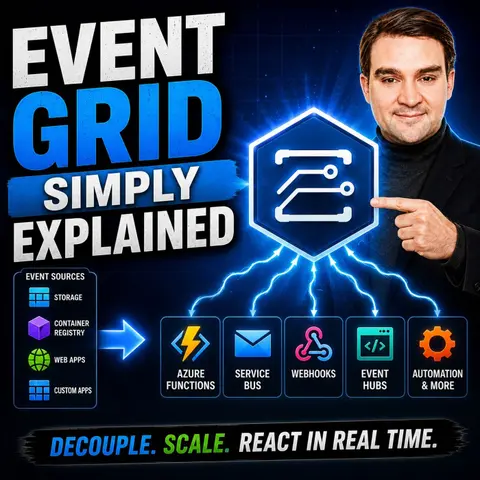
Azure Event Grid is the backbone of event-driven applications in Microsoft Azure, enabling services to react instantly when something happens. In this episode, we explain what Azure Event Grid is, how it works, and why it's a key building block for modern cloud-native, serverless, and microservices architectures. Instead of constantly polling for changes, Event Grid delivers notifications in real time, making applications faster, more efficient, and easier to scale.
You'll learn how publishers, topics, subscriptions, and event handlers work together to create loosely coupled systems. We also cover push versus pull delivery, event filtering, retries, and integrations with services like Azure Functions, Logic Apps, Event Hubs, Service Bus, Storage Accounts, and custom webhooks. Along the way, we compare Event Grid with Azure Service Bus and Event Hubs so you'll know when each messaging service is the right choice.
Whether you're a developer, cloud architect, IT professional, or preparing for an Azure certification, this episode explains Azure Event Grid in simple, practical terms without unnecessary jargon. By the end, you'll understand how event-driven architecture enables scalable, responsive applications and why Event Grid is an essential service for building modern Azure solutions that react to business events in real time.
Quick answer: Azure Event Grid routes events between Azure services and applications so systems can react quickly without tight coupling. This episode explains event sources, subscriptions, handlers, filtering, delivery behavior, and when Event Grid is a better choice than queues or streaming.
Imagine a world where your applications communicate effortlessly through events. That’s the magic of Azure Event Grid! It’s a fully managed event routing service that uses a publisher-subscriber model to deliver events from various sources to their intended destinations. Understanding Event Grid is crucial for you as a developer or business owner. It not only streamlines communication between applications but also supports large-scale systems by integrating multiple Azure services seamlessly. With Event Grid, you can automate processes and enhance the efficiency of your applications, making it a key player in modern cloud computing.
Key Takeaways
- Azure Event Grid simplifies application communication through an event-driven model.
- It allows real-time event handling, enhancing user experiences and application responsiveness.
- Event Grid promotes scalability, automatically adjusting to varying loads without manual intervention.
- The service supports a pay-per-event pricing model, making it cost-effective for businesses.
- Event Grid integrates seamlessly with other Azure services, streamlining workflows and automation.
- Implementing Event Grid can lead to modular application design, allowing for easier updates and maintenance.
- Utilize best practices like health monitoring and backup strategies to ensure reliability and performance.
- Explore Event Grid's features to transform your applications and improve efficiency in event processing.
Understanding Event Grid
Key Components
To grasp the power of Azure Event Grid, you need to understand its key components. These elements work together to create a seamless event-driven architecture. Here’s a quick overview of the main components:
| Component | Description |
|---|---|
| Event | A specific message representing an occurrence, containing details like source, timestamp, and ID. |
| Event Publisher | The source that sends events to Event Grid, such as Azure Blob Storage or Azure Event Hubs. |
| Topic | The endpoint where publishers send events, categorizing them accordingly. |
| Event Subscription | Receives specific events from a topic and forwards them to subscribers or event handlers. |
| Event Handlers | Receivers of events from subscriptions, which can be services like Azure Functions or Logic Apps. |
These components interact to create a robust system for managing events. When an event occurs, the event publisher sends it to a specific topic. From there, the event subscription picks it up and forwards it to the appropriate event handler. This process allows your applications to respond to changes in real-time.
Now, let’s dive into how Azure Event Grid operates within an event-driven architecture. Unlike traditional systems that rely on polling, Event Grid enables a more efficient way to handle events. It allows your applications to react instantly to events as they happen. This decoupling of event producers and consumers means that you can build scalable systems that handle millions of events per second.
Azure Event Grid stands out from other event management systems, such as AWS EventBridge or Google Cloud Pub/Sub. For instance, Event Grid focuses on event routing and serverless event processing. This flexibility allows you to design applications that are independent of each other, making it easier to maintain and scale your systems. With built-in redundancy, you can trust that your events will be delivered securely and reliably.
Event Grid Topics and Features
Event Routing and Filtering
Event Grid topics play a crucial role in how you manage events in your applications. Think of a topic as a mailbox where event sources send their messages. When an event occurs, it gets published to a specific topic, allowing multiple subscribers to receive it. This setup supports a uniform publish-subscribe model, which means you can have various subscribers listening to the same topic without direct connections.
Here’s how event routing and filtering work in Azure Event Grid:
- Intelligent Routing: Event Grid uses filters to determine which events reach which subscribers. You can set subscriptions based on event types or apply specific filters like prefixes and suffixes.
- Custom Events: You can push custom events to an Event Grid topic, enabling tailored responses to unique occurrences in your applications.
- WebHooks for Delivery: Event delivery happens through WebHooks, allowing services like Azure Functions and Logic Apps to subscribe to events. This ensures that your applications react promptly to changes.
When it comes to reliability, Event Grid shines. It guarantees that events are delivered individually to subscribers, ensuring timely processing with minimal latency. If an acknowledgment isn’t received within 30 seconds, the event is queued for a retry. The system employs an exponential retry policy, making attempts at intervals ranging from 10 seconds to hourly for up to 24 hours. If an event still goes undelivered after maximum retries, you can configure a dead-letter destination to store those events, ensuring nothing gets lost.
Scalability and Reliability
Scalability is one of the standout features of Azure Event Grid. It automatically adjusts to handle varying loads, making it perfect for applications that experience fluctuating traffic. Here’s a quick look at some key features that enhance scalability and reliability:
| Feature | Description |
|---|---|
| Dynamically scalable | Automatically adjusts to handle varying loads. |
| Serverless architecture | Eliminates the need for server management. |
| 'At least once delivery' | Ensures that messages are delivered reliably. |
With Azure Event Grid, you can build applications that scale effortlessly. Whether you’re processing thousands or millions of events, Event Grid manages the load without breaking a sweat. This reliability means you can focus on building your applications without worrying about the underlying infrastructure.
Benefits of Event Grid

Simplified Integration
When you use Azure Event Grid, integrating various Azure services becomes a breeze. This service streamlines event routing, allowing your applications to communicate in real-time. Here are some key advantages of using Event Grid for application integration:
- Seamless Interaction: Event Grid enables smooth communication between software components. You can connect different services without worrying about direct dependencies.
- Decoupled Design: With Event Grid, you can design your applications to be modular. This means you can update or replace components without affecting the entire system.
- Custom Topics: You can create custom topics to publish specific application events. This feature enhances modularity and allows for tailored responses to unique occurrences.
- Serverless Architecture: Event Grid's serverless nature reduces the operational overhead. You won't have to manage servers, which lets you focus on building your applications.
In enterprise scenarios, Event Grid excels in reactive programming. It can trigger multiple independent handlers from a single event, making it perfect for notifications and processing events from systems like Dynamics 365.
Cost Efficiency
Cost efficiency is another significant benefit of using Event Grid. By adopting this service, you can lower your operational costs while maintaining high performance. Here’s how Event Grid helps you save money:
- Pay-Per-Use Model: Event Grid operates on a pay-per-event pricing model. This means you only pay for what you use, which can lead to substantial savings compared to traditional messaging systems.
- Lightweight Event Distribution: The service is designed for efficient event distribution, eliminating the need for extensive infrastructure management. This reduces costs associated with idle servers.
- Automatic Scaling: Event Grid automatically scales to handle varying loads. You won’t need to worry about over-provisioning resources, which can lead to unnecessary expenses.
- Reduced Latency: By using event-driven triggers, you can transform file ingestion and processing. This approach improves resource efficiency and leads to greater scalability.
Event Grid Use Cases
Real-time Data Processing
Azure Event Grid shines in real-time data processing scenarios. You can leverage it to create responsive applications that react instantly to events. Here are some common use cases where Event Grid excels:
- Event-driven architectures: Build systems that respond to events as they happen, enhancing user experience.
- E-commerce applications: Manage ordering, telemetry, and shipping processes efficiently. For instance, when a customer places an order, Event Grid can trigger notifications for product manufacturing, dispatch, and shipping.
- Custom applications using Web Hooks: Integrate various services seamlessly, allowing them to communicate without direct dependencies.
With these capabilities, you can create applications that not only process data in real-time but also adapt to changing conditions quickly.
Automation in Azure
Event Grid also plays a crucial role in automating workflows within Azure environments. By using event grid subscriptions, you can streamline processes and reduce manual intervention. Here’s how you can set up automation:
- Create a Topic: Start by creating a custom topic in the Azure portal.
- Define Event Subscriptions: Add subscriptions to the topic with endpoint details and filtering options.
- Publish Events: Use the Event Grid SDK or REST API to publish events.
- Monitor and Manage: Utilize Azure Monitor to track event deliveries and configure alerts.
This setup allows you to automate various tasks, such as:
- Automated Serverless Workflows: Trigger Azure Functions for tasks like image processing.
- DevOps Integration: Notify teams of new builds and deployment statuses.
- Internet of Things (IoT): Route telemetry data for real-time processing and alerts.
- Monitoring and Security: Implement monitoring solutions for security alerts.
By adopting serverless architectures with Event Grid, you can enjoy dynamic scaling and reduced operational overhead. Unlike traditional automation approaches that rely on fixed infrastructure, Event Grid allows you to build flexible systems that can grow with your needs. This adaptability is essential in today’s fast-paced digital landscape.
With Azure Event Grid, you can transform how your applications handle events, making them more efficient and responsive. Whether you're processing real-time data or automating workflows, Event Grid provides the tools you need to succeed.
Getting Started with Event Grid
Setup Steps
Getting started with Azure Event Grid is straightforward. Follow these steps to set it up in your Azure environment:
- Create an Event Grid Namespace: Use the Azure CLI command:
az eventgrid namespace create --location <location> --resource-group <resource-group-name> --name <resource-name> - Create an Event Grid Topic: Set up a topic within your namespace using:
az eventgrid namespace topic create --location <location> --resource-group <resource-group-name> --name <resource-name> - Authenticate the Client: Create an instance of a client with an endpoint and credential.
- Use Azure Active Directory: Assign roles like 'Event Grid Data Sender' or 'Event Grid Data Receiver' for authentication.
- Look Up the Endpoint: Find the endpoint for your Event Grid Namespace or Basic Topic in the Azure portal.
- Create the Client: If you're using an Access key, create the client using AzureKeyCredential.
Before you dive in, make sure you have the necessary prerequisites. You’ll need to create Azure Functions to manage change events and register the Event Grid resource provider with your subscription.
Best Practices
To maximize the performance and reliability of Azure Event Grid, consider these best practices:
- Implement Custom Multi-Region Architectures: This gives you higher control and predictability over your event handling.
- Use Health Monitoring: Leverage built-in health APIs to track the status of your topics. This helps you stay informed about any issues.
- Set Up a Concierge Service: Manage endpoint health checks for your client applications to ensure they are always responsive.
- Create Backup Strategies: Route events to a durable store like Azure Blob Storage. This way, you can recover lost events if needed.
- Ensure Resilience: Rely on Azure's automatic handling of updates to maintain service availability during maintenance.
Additionally, configure alerts in Azure Monitor for key performance indicators. Enable diagnostic settings to stream logs and metrics to Azure Monitor. Creating custom dashboards in Azure Monitor can help you visualize relevant metrics and alerts.
By following these setup steps and best practices, you can effectively implement Azure Event Grid in your applications. This will enhance your event-driven architecture and improve overall system performance.
In summary, Azure Event Grid is a game-changer for modern application development. It enables you to build event-driven architectures that respond to changes in real-time. With features like scalability and loose coupling, Event Grid supports applications that can grow and adapt effortlessly.
Here are some key points to remember:
- Event Grid is essential for creating responsive applications.
- It allows for real-time event handling, enhancing user experiences.
- The service promotes scalability and loose coupling among components.
As you consider your next project, think about how Event Grid can streamline your processes and improve efficiency. Explore its features and see how it can fit into your architecture. The future of event-driven systems is bright, and Event Grid is at the forefront of this innovation.
FAQ
What is Azure Event Grid?
Azure Event Grid is a fully managed event routing service that enables applications to communicate through events. It simplifies event handling and supports event-driven architectures, allowing you to build scalable and responsive applications.
How does Event Grid improve application performance?
Event Grid enhances performance by enabling real-time event handling. It eliminates the need for polling, allowing your applications to react instantly to changes, which improves efficiency and user experience.
Can I use Event Grid with other Azure services?
Absolutely! Event Grid integrates seamlessly with various Azure services like Azure Functions, Logic Apps, and Azure Blob Storage. This integration allows you to create complex workflows and automate processes effortlessly.
What types of events can I publish to Event Grid?
You can publish a wide range of events, including custom events, system events from Azure services, and events from third-party sources. This flexibility allows you to tailor event handling to your specific needs.
How does Event Grid ensure event delivery?
Event Grid guarantees event delivery through an "at least once" delivery model. If a subscriber doesn't acknowledge receipt within 30 seconds, Event Grid retries delivery, ensuring that no events are lost.
Is there a cost associated with using Event Grid?
Yes, Event Grid operates on a pay-per-event pricing model. You only pay for the events you publish and deliver, making it a cost-effective solution for managing event-driven architectures.
How can I monitor Event Grid performance?
You can monitor Event Grid performance using Azure Monitor. It provides insights into event delivery, failures, and latency, allowing you to track key metrics and optimize your event handling processes.
What are the best practices for using Event Grid?
Best practices include implementing health monitoring, creating backup strategies, and using custom multi-region architectures. These practices help ensure reliability, scalability, and efficient event processing in your applications.
🎧 Listen to this episode
Want a practical explanation of Event Grid? This episode breaks down the topic in clear language and shows why it matters for Microsoft 365, Azure, Power Platform, security, AI, and modern work.
Listen to this episode if you want to:
- Understand the key concepts behind Event Grid
- See how it fits into the wider Microsoft technology ecosystem
- Learn where it can create practical value for your organization
You may also enjoy these related M365 FM episodes:
Discover more practical Microsoft conversations on M365 FM.
Last reviewed: July 2026.
Who Should Listen
This episode is for Azure administrators, architects, developers, and IT leaders who need a practical foundation before designing, governing, or operating this service.
🎧 You Should Also Listen To
- Azure Service Bus — A practical next step for extending this topic.
- Azure Event Hubs — A practical next step for extending this topic.
- Azure Functions — A practical next step for extending this topic.
🚀 Want to be part of m365.fm?
Then stop just listening… and start showing up.
👉 Connect with me on LinkedIn and let’s make something happen:
- 🎙️ Be a podcast guest and share your story
- 🎧 Host your own episode (yes, seriously)
- 💡 Pitch topics the community actually wants to hear
- 🌍 Build your personal brand in the Microsoft 365 space
This isn’t just a podcast — it’s a platform for people who take action.
🔥 Most people wait. The best ones don’t.
👉 Connect with me on LinkedIn and send me a message:
"I want in"
Let’s build something awesome 👊
1
00:00:00,000 --> 00:00:03,400
Welcome to another episode of Microsoft Knowledge Nuggets here on M365.
2
00:00:03,400 --> 00:00:05,040
FM, I'm your host, Milco Peters.
3
00:00:05,040 --> 00:00:07,680
Today's topic is one that almost everyone in Azure has heard of,
4
00:00:07,680 --> 00:00:09,960
but few people can actually explain in plain English.
5
00:00:09,960 --> 00:00:11,000
It's as your event grid.
6
00:00:11,000 --> 00:00:12,280
So what exactly is event grid?
7
00:00:12,280 --> 00:00:15,560
Is it just another messaging service or is it something completely different?
8
00:00:15,560 --> 00:00:18,760
By the end of this episode, you'll understand what event grid actually is,
9
00:00:18,760 --> 00:00:23,720
why event-driven architecture matters and how to think about it using a simple smart home analogy.
10
00:00:23,720 --> 00:00:28,800
Imagine your phone didn't have push notifications and had to wake up every two seconds to ask the email server,
11
00:00:28,800 --> 00:00:30,080
do I have any new emails?
12
00:00:30,080 --> 00:00:32,200
Then it gets a response, no.
13
00:00:32,200 --> 00:00:35,680
Two seconds later it asks again and gets another no, all day long.
14
00:00:35,680 --> 00:00:39,040
That's wasted battery, wasted bandwidth and wasted time.
15
00:00:39,040 --> 00:00:41,320
And most software systems still work this way.
16
00:00:41,320 --> 00:00:43,640
There's a smarter approach instead of constantly asking,
17
00:00:43,640 --> 00:00:46,040
"You wait to be told, that's exactly what event grid enables,
18
00:00:46,040 --> 00:00:48,840
you'll see how Azure services can talk to each other automatically,
19
00:00:48,840 --> 00:00:51,680
without any manual intervention or wasteful polling."
20
00:00:51,680 --> 00:00:54,760
The problem, why polling is wasting your time?
21
00:00:54,760 --> 00:00:56,320
Let's start with the problem.
22
00:00:56,320 --> 00:01:00,120
Most software systems today communicate using something called polling.
23
00:01:00,120 --> 00:01:02,000
Polling is exactly what it sounds like.
24
00:01:02,000 --> 00:01:06,080
One server keeps asking another server, "Hey, anything new yet?"
25
00:01:06,080 --> 00:01:07,800
Over and over.
26
00:01:07,800 --> 00:01:09,040
Here's a real world example.
27
00:01:09,040 --> 00:01:13,200
Imagine you wrote a script that checks a folder on your server every 30 seconds for new files.
28
00:01:13,200 --> 00:01:18,040
Maybe it's looking for incoming invoices, new photos or reports from another system.
29
00:01:18,040 --> 00:01:22,000
Every 30 seconds the script wakes up, opens the folder, looks at every file,
30
00:01:22,000 --> 00:01:24,360
checks if anything changed and then goes back to sleep.
31
00:01:24,360 --> 00:01:26,720
30 seconds later, it does it all over again.
32
00:01:26,720 --> 00:01:28,440
Now what happens most of the time?
33
00:01:28,440 --> 00:01:29,040
Nothing.
34
00:01:29,040 --> 00:01:33,600
No new files, so the script just checked an empty folder and wasted a tiny bit of compute in bandwidth.
35
00:01:33,600 --> 00:01:39,360
But here's the thing, multiply that by 10 scripts or 100 or 1000 services all polling each other.
36
00:01:39,360 --> 00:01:44,240
Suddenly you're burning CPU cycles, network traffic and electricity on checks that return nothing useful.
37
00:01:44,240 --> 00:01:47,440
The inefficiency is staggering because most polling checks return nothing.
38
00:01:47,440 --> 00:01:51,520
You're paying for compute in bandwidth to ask questions you already know the answer to.
39
00:01:51,520 --> 00:01:55,920
And the worst part is the more responsive you want your system to be, the more often you have to poll.
40
00:01:55,920 --> 00:02:02,080
Want near real-time reactions, you need to check every second, which means 86,400 empty checks per day for nothing.
41
00:02:02,080 --> 00:02:04,520
Now contrast that with an event-driven approach.
42
00:02:04,520 --> 00:02:09,920
Instead of asking anything new over and over, you simply say, "Tell me when something happens.
43
00:02:09,920 --> 00:02:11,320
Don't make me keep asking."
44
00:02:11,320 --> 00:02:16,040
It's like the difference between refreshing your inbox every two seconds and getting a push notification.
45
00:02:16,040 --> 00:02:18,160
One is constant work, the other is waiting to be told.
46
00:02:18,160 --> 00:02:20,600
So if polling is wasteful, what's the better way?
47
00:02:20,600 --> 00:02:22,400
That's where Event Grid comes in.
48
00:02:22,400 --> 00:02:24,400
What is Event Grid, the Smart Home Hub?
49
00:02:24,400 --> 00:02:25,720
Today's topic is Event Grid.
50
00:02:25,720 --> 00:02:26,640
What exactly is it?
51
00:02:26,640 --> 00:02:28,280
Is it just another Azure service?
52
00:02:28,280 --> 00:02:29,960
Or is it something much bigger?
53
00:02:29,960 --> 00:02:31,400
Here's the simplest definition.
54
00:02:31,400 --> 00:02:34,160
Event Grid is a fully managed event-rooting service in Azure.
55
00:02:34,160 --> 00:02:36,280
That's a mouthful, so let me say it in plain English.
56
00:02:36,280 --> 00:02:38,760
Think of Event Grid as the central hub in a Smart Home.
57
00:02:38,760 --> 00:02:43,680
In a Smart Home you have sensors everywhere, motion sensors in the hallway, door sensors on the front door,
58
00:02:43,680 --> 00:02:45,360
temperature sensors in the living room.
59
00:02:45,360 --> 00:02:49,560
Now imagine if each sensor had to talk directly to every device it needed to trigger.
60
00:02:49,560 --> 00:02:53,720
Your motion sensor would need to know about the hallway lights, the alarm system and the thermostat.
61
00:02:53,720 --> 00:02:58,000
The door sensor would need to know about the doorbell, the security camera and the welcome matte light.
62
00:02:58,000 --> 00:02:58,800
That's a mess.
63
00:02:58,800 --> 00:03:01,680
Every time you add a new device, you'd have to rewire everything.
64
00:03:01,680 --> 00:03:04,800
But in a real Smart Home, all those sensors talk to a central hub.
65
00:03:04,800 --> 00:03:07,800
The motion sensor just says "I detected motion."
66
00:03:07,800 --> 00:03:10,120
It doesn't know or care what happens next.
67
00:03:10,120 --> 00:03:11,080
The hub decides.
68
00:03:11,080 --> 00:03:14,120
It turns on the lights, triggers the alarm, and adjusts the thermostat.
69
00:03:14,120 --> 00:03:15,560
The sensor doesn't know who's listening.
70
00:03:15,560 --> 00:03:17,400
The lights don't know who triggered them.
71
00:03:17,400 --> 00:03:18,480
They just trust the hub.
72
00:03:18,480 --> 00:03:21,600
That's exactly what Event Grid does for your Azure services.
73
00:03:21,600 --> 00:03:25,520
When a file is uploaded to blob storage, it doesn't need to know which service should process it.
74
00:03:25,520 --> 00:03:27,560
It just publishes an event to Event Grid.
75
00:03:27,560 --> 00:03:30,400
Then Event Grid routes that event to whatever services are listening.
76
00:03:30,400 --> 00:03:36,000
There's maybe an Azure function that generates a thumbnail, a logic app that sends a notification,
77
00:03:36,000 --> 00:03:39,160
and a storage queue that archives the event.
78
00:03:39,160 --> 00:03:42,840
The publisher doesn't know the subscribers and the subscribers don't know the publisher.
79
00:03:42,840 --> 00:03:45,520
They just trust Event Grid to route the message correctly.
80
00:03:45,520 --> 00:03:49,600
And the pricing model, its paper event, the first 100,000 operations each month are free.
81
00:03:49,600 --> 00:03:53,080
So for most small to medium workloads, it costs essentially nothing.
82
00:03:53,080 --> 00:03:54,680
You're not paying for idle infrastructure.
83
00:03:54,680 --> 00:03:56,960
You're only paying when something actually happens.
84
00:03:56,960 --> 00:03:59,480
Now let's break down the pieces that make this work.
85
00:03:59,480 --> 00:04:03,880
Because Event Grid isn't just one thing, it's a collection of building blocks that work together.
86
00:04:03,880 --> 00:04:05,480
The building blocks events.
87
00:04:05,480 --> 00:04:07,200
Let's start with the most basic piece.
88
00:04:07,200 --> 00:04:08,200
The event itself.
89
00:04:08,200 --> 00:04:10,640
An event is simply a notification that something happened.
90
00:04:10,640 --> 00:04:12,240
That's it. It's not the data itself.
91
00:04:12,240 --> 00:04:15,240
It's a signal that says, "Hey, this thing just occurred."
92
00:04:15,240 --> 00:04:16,520
Think of it like a doorbell.
93
00:04:16,520 --> 00:04:19,120
When someone rings your doorbell, you know someone is at the door.
94
00:04:19,120 --> 00:04:22,160
But the doorbell doesn't tell you who it is, why they're there or what they want.
95
00:04:22,160 --> 00:04:23,880
It just tells you someone is there.
96
00:04:23,880 --> 00:04:25,360
You have to go look for yourself.
97
00:04:25,360 --> 00:04:26,520
Events work the same way.
98
00:04:26,520 --> 00:04:30,760
A blob created event tells you that a file was uploaded to a storage container.
99
00:04:30,760 --> 00:04:32,320
But it doesn't contain the file itself.
100
00:04:32,320 --> 00:04:34,440
It just says, "A file was uploaded."
101
00:04:34,440 --> 00:04:35,440
Here's the name.
102
00:04:35,440 --> 00:04:36,440
Here's when it happened.
103
00:04:36,440 --> 00:04:37,800
Go check it out if you need to.
104
00:04:37,800 --> 00:04:41,360
Now when Event Grid sends an event, it follows a specific format.
105
00:04:41,360 --> 00:04:43,360
You get a few key pieces of information.
106
00:04:43,360 --> 00:04:44,960
The event type tells you what happened.
107
00:04:44,960 --> 00:04:49,040
What could be blob created or blob deleted or resource write success.
108
00:04:49,040 --> 00:04:51,120
The subject tells you what resource it happened to.
109
00:04:51,120 --> 00:04:53,520
That's the exact path to the file or the resource ID.
110
00:04:53,520 --> 00:04:55,280
The event time tells you when it happened.
111
00:04:55,280 --> 00:04:58,160
An ID is a unique identifier for that specific event.
112
00:04:58,160 --> 00:05:02,680
And a small data field contains a few extra details like the file size or the URL to the blob.
113
00:05:02,680 --> 00:05:04,000
Notice I said, "Small data field."
114
00:05:04,000 --> 00:05:05,000
That's important.
115
00:05:05,000 --> 00:05:06,000
Events are lightweight.
116
00:05:06,000 --> 00:05:09,680
They carry just enough information to tell you something happened and where to look.
117
00:05:09,680 --> 00:05:11,200
They don't carry the full payload.
118
00:05:11,200 --> 00:05:13,000
If you need the actual file, you go get it.
119
00:05:13,000 --> 00:05:14,640
The event just points you in the right direction.
120
00:05:14,640 --> 00:05:17,040
This is a key difference between an event and a message.
121
00:05:17,040 --> 00:05:18,560
A message carries a payload.
122
00:05:18,560 --> 00:05:20,000
It's like a letter in an envelope.
123
00:05:20,000 --> 00:05:21,920
The letter contains the actual content.
124
00:05:21,920 --> 00:05:23,400
An event is more like a postcard.
125
00:05:23,400 --> 00:05:24,400
It says, "I'm here.
126
00:05:24,400 --> 00:05:25,880
Come find me."
127
00:05:25,880 --> 00:05:27,360
Events are notifications.
128
00:05:27,360 --> 00:05:28,760
Messages are deliveries.
129
00:05:28,760 --> 00:05:30,080
So events are the signals.
130
00:05:30,080 --> 00:05:31,320
There is something happened.
131
00:05:31,320 --> 00:05:32,320
Announcements.
132
00:05:32,320 --> 00:05:33,400
But where do they actually go?
133
00:05:33,400 --> 00:05:36,040
They don't just float around in the cloud hoping someone picks them up.
134
00:05:36,040 --> 00:05:37,680
They go to a topic.
135
00:05:37,680 --> 00:05:38,680
Topics.
136
00:05:38,680 --> 00:05:39,680
Where events get published.
137
00:05:39,680 --> 00:05:40,680
What exactly is a topic?
138
00:05:40,680 --> 00:05:43,000
Think of it as a mailbox for notifications.
139
00:05:43,000 --> 00:05:46,560
Messages send their events to a topic and the topic holds them until they're routed to the
140
00:05:46,560 --> 00:05:47,560
right place.
141
00:05:47,560 --> 00:05:48,560
Simple as that.
142
00:05:48,560 --> 00:05:51,120
Now, there are two types of topics in Event Grid.
143
00:05:51,120 --> 00:05:52,440
System topics and custom topics.
144
00:05:52,440 --> 00:05:53,640
Let's break them down.
145
00:05:53,640 --> 00:05:55,760
System topics are built in for Azure services.
146
00:05:55,760 --> 00:05:59,880
When you create a storage account, Event Grid automatically creates a system topic for it.
147
00:05:59,880 --> 00:06:01,360
You don't have to do anything.
148
00:06:01,360 --> 00:06:03,040
The events are already available.
149
00:06:03,040 --> 00:06:04,600
You can subscribe to them right away.
150
00:06:04,600 --> 00:06:08,120
Same with Azure Resource Manager, Event Hubs and many other services.
151
00:06:08,120 --> 00:06:09,440
These are the plug and play topics.
152
00:06:09,440 --> 00:06:10,440
They just work.
153
00:06:10,440 --> 00:06:11,680
No setup needed.
154
00:06:11,680 --> 00:06:13,640
Some topics are for your own applications.
155
00:06:13,640 --> 00:06:15,840
Let's say you build a custom ordering system.
156
00:06:15,840 --> 00:06:18,360
You want to publish events when an order is placed.
157
00:06:18,360 --> 00:06:21,960
So you create a custom topic and your application sends events to it.
158
00:06:21,960 --> 00:06:24,640
Then any subscriber can listen for those events and react accordingly.
159
00:06:24,640 --> 00:06:25,640
You control the topic.
160
00:06:25,640 --> 00:06:26,640
You control the events.
161
00:06:26,640 --> 00:06:28,560
Here's a smart home way to think about it.
162
00:06:28,560 --> 00:06:30,200
Topics are like channels on a radio.
163
00:06:30,200 --> 00:06:34,720
You have a motion alerts channel, a temperature changes channel, a door open channel.
164
00:06:34,720 --> 00:06:36,600
Senses published to the appropriate channel.
165
00:06:36,600 --> 00:06:38,120
Subscribers tune into the channels they care about.
166
00:06:38,120 --> 00:06:40,800
The motion sensor doesn't publish to the temperature channel.
167
00:06:40,800 --> 00:06:45,040
It publishes to the motion channel and only subscribers who care about motion listen there.
168
00:06:45,040 --> 00:06:46,040
So events go to topics.
169
00:06:46,040 --> 00:06:47,480
The topic is the mailbox.
170
00:06:47,480 --> 00:06:49,400
But a mailbox is useless if nobody checks it.
171
00:06:49,400 --> 00:06:50,400
So who's listening?
172
00:06:50,400 --> 00:06:51,840
That's the big question.
173
00:06:51,840 --> 00:06:53,600
Subscriptions and handlers who gets the news.
174
00:06:53,600 --> 00:06:54,600
So who's listening?
175
00:06:54,600 --> 00:06:56,280
That's where subscriptions and handlers come in.
176
00:06:56,280 --> 00:06:57,280
Let me explain.
177
00:06:57,280 --> 00:06:58,280
A subscription is a rule.
178
00:06:58,280 --> 00:07:01,520
It says send this topic's events to the specific destination.
179
00:07:01,520 --> 00:07:05,160
You create a subscription on a topic and you tell it where you want the events to go.
180
00:07:05,160 --> 00:07:07,200
That destination is called an event handler.
181
00:07:07,200 --> 00:07:10,560
Event handlers are the services that actually receive and process the events.
182
00:07:10,560 --> 00:07:11,880
They're the ones that do the work.
183
00:07:11,880 --> 00:07:14,360
An event grid supports a wide range of them.
184
00:07:14,360 --> 00:07:16,200
Let's go through the most common ones.
185
00:07:16,200 --> 00:07:18,240
Azure functions are probably the most popular.
186
00:07:18,240 --> 00:07:22,240
You write a small piece of code and when an event arrives, the function runs.
187
00:07:22,240 --> 00:07:23,520
No service to manage.
188
00:07:23,520 --> 00:07:25,120
Logic apps are another common choice.
189
00:07:25,120 --> 00:07:28,200
They let you build visual workflows without writing code.
190
00:07:28,200 --> 00:07:29,440
Great for automation.
191
00:07:29,440 --> 00:07:33,640
Web hooks let you send events to any HTTP endpoint even outside of Azure.
192
00:07:33,640 --> 00:07:36,960
And then you have storage queues and service bus which are useful when you want to buffer
193
00:07:36,960 --> 00:07:39,000
events for later processing.
194
00:07:39,000 --> 00:07:40,520
Now here's where it gets powerful.
195
00:07:40,520 --> 00:07:43,320
An event can trigger multiple handlers in parallel.
196
00:07:43,320 --> 00:07:44,880
This is called the fan out pattern.
197
00:07:44,880 --> 00:07:47,000
Let me explain with the smart home analogy.
198
00:07:47,000 --> 00:07:48,440
Imagine you arrive home.
199
00:07:48,440 --> 00:07:50,000
You walk through the front door.
200
00:07:50,000 --> 00:07:53,240
That single action arriving home could trigger multiple things.
201
00:07:53,240 --> 00:07:54,440
The whole way lights turn on.
202
00:07:54,440 --> 00:07:56,760
The thermostat adjusts to your preferred temperature.
203
00:07:56,760 --> 00:07:58,400
The security alarm disarms.
204
00:07:58,400 --> 00:08:01,000
The coffee machine starts brewing all from one event.
205
00:08:01,000 --> 00:08:03,280
The door sensor doesn't need to know about the coffee machine.
206
00:08:03,280 --> 00:08:05,000
It just says door opened.
207
00:08:05,000 --> 00:08:06,400
The hub handles the rest.
208
00:08:06,400 --> 00:08:07,960
Event grid works the same way.
209
00:08:07,960 --> 00:08:13,000
A single blob created event can trigger an Azure function to generate a thumbnail, a logic
210
00:08:13,000 --> 00:08:17,000
app to send a notification to your team and a storage queue to archive the event for later
211
00:08:17,000 --> 00:08:20,040
auditing all at the same time all from one event.
212
00:08:20,040 --> 00:08:21,600
The publisher doesn't know about any of them.
213
00:08:21,600 --> 00:08:24,120
It just published the event and event grid handled the routing.
214
00:08:24,120 --> 00:08:25,120
That's the magic of it.
215
00:08:25,120 --> 00:08:26,120
But here's a question.
216
00:08:26,120 --> 00:08:28,960
What if you don't want every handler to get every event?
217
00:08:28,960 --> 00:08:31,680
What if you only want certain events to reach certain handlers?
218
00:08:31,680 --> 00:08:33,120
That's where filtering comes in.
219
00:08:33,120 --> 00:08:35,520
But we'll cover that in another episode.
220
00:08:35,520 --> 00:08:37,920
Filtering only the events you care about.
221
00:08:37,920 --> 00:08:39,520
So what happens without filtering?
222
00:08:39,520 --> 00:08:42,600
Every subscription receives every single event published to that topic.
223
00:08:42,600 --> 00:08:44,080
It gets noisy and wasteful fast.
224
00:08:44,080 --> 00:08:47,400
Imagine your motion sensor triggers every time your cat walks by.
225
00:08:47,400 --> 00:08:50,640
You'd get a notification every few minutes and pretty soon you'd just ignore them.
226
00:08:50,640 --> 00:08:52,400
That's the problem with unfiltered events.
227
00:08:52,400 --> 00:08:55,120
Event grid gives you a way to filter those events.
228
00:08:55,120 --> 00:08:58,560
So each subscription only gets the ones it actually cares about.
229
00:08:58,560 --> 00:09:02,160
You can filter on the event type, the subject path, or even specific data fields inside the
230
00:09:02,160 --> 00:09:03,160
event.
231
00:09:03,160 --> 00:09:04,160
The idea is simple.
232
00:09:04,160 --> 00:09:05,400
Only deliver what matters.
233
00:09:05,400 --> 00:09:06,400
Here's a real example.
234
00:09:06,400 --> 00:09:09,120
Say you have a storage account with multiple containers.
235
00:09:09,120 --> 00:09:12,540
One holds invoices, another holds photos, and another holds logs.
236
00:09:12,540 --> 00:09:16,020
You want to trigger a process only when a new invoice shows up, not when a photo or log
237
00:09:16,020 --> 00:09:17,020
file appears.
238
00:09:17,020 --> 00:09:19,200
So you set up a filter on the subject field.
239
00:09:19,200 --> 00:09:21,400
The subject contains the full path to the blob.
240
00:09:21,400 --> 00:09:25,680
You tell event grid to only match subjects that start with, push, blob services, default
241
00:09:25,680 --> 00:09:27,280
or containers invoices.
242
00:09:27,280 --> 00:09:30,960
Now only files uploaded to that invoices container trigger your handler.
243
00:09:30,960 --> 00:09:32,680
Photos and logs are ignored completely.
244
00:09:32,680 --> 00:09:35,000
You can also use prefix and suffix filtering.
245
00:09:35,000 --> 00:09:40,640
Maybe you only want to trigger on files ending with post PDF or files that start with urgent.
246
00:09:40,640 --> 00:09:44,000
Event grid gives you that control without any extra code.
247
00:09:44,000 --> 00:09:45,720
Let's go back to the smart home analogy.
248
00:09:45,720 --> 00:09:47,720
You don't want your bedroom lights to turn on.
249
00:09:47,720 --> 00:09:49,840
Every time motion is detected anywhere in the house.
250
00:09:49,840 --> 00:09:53,760
You only want them on when motion happens in the bedroom and maybe only after sunset.
251
00:09:53,760 --> 00:09:54,760
That's filtering.
252
00:09:54,760 --> 00:09:58,160
It's about making sure the right events reach the right handlers and nothing else.
253
00:09:58,160 --> 00:10:00,600
So events are filtered and sent to the right handlers.
254
00:10:00,600 --> 00:10:01,600
That sounds great.
255
00:10:01,600 --> 00:10:03,200
But what happens when something goes wrong?
256
00:10:03,200 --> 00:10:04,280
What if the handler is down?
257
00:10:04,280 --> 00:10:06,040
What if the network fails?
258
00:10:06,040 --> 00:10:09,120
Reliability, retries and dead lettering.
259
00:10:09,120 --> 00:10:11,320
So events are filtered and sent to the right handlers.
260
00:10:11,320 --> 00:10:12,320
That sounds great.
261
00:10:12,320 --> 00:10:13,880
But what happens when something goes wrong?
262
00:10:13,880 --> 00:10:15,040
What if the handler is down?
263
00:10:15,040 --> 00:10:16,280
What if the network fails?
264
00:10:16,280 --> 00:10:18,200
Event grid handles this with retries.
265
00:10:18,200 --> 00:10:22,160
If a handler doesn't respond, event grid doesn't just give up and lose the event.
266
00:10:22,160 --> 00:10:24,920
It tries again using something called exponential back off.
267
00:10:24,920 --> 00:10:27,760
But first retry happens quickly maybe a few seconds later.
268
00:10:27,760 --> 00:10:30,760
If that fails, the next retry waits a bit longer.
269
00:10:30,760 --> 00:10:31,760
Then longer.
270
00:10:31,760 --> 00:10:34,680
Event grid keeps retrying for up to 24 hours.
271
00:10:34,680 --> 00:10:37,800
That's a lot of chances for the handler to come back online.
272
00:10:37,800 --> 00:10:38,800
But here's the thing.
273
00:10:38,800 --> 00:10:41,280
What if the handler is permanently broken?
274
00:10:41,280 --> 00:10:43,880
What if someone deleted the Azure function by accident?
275
00:10:43,880 --> 00:10:47,560
What if the endpoint URL changed and nobody updated the subscription?
276
00:10:47,560 --> 00:10:50,600
After 24 hours of retries, event grid still can't deliver.
277
00:10:50,600 --> 00:10:51,840
So where does that event go?
278
00:10:51,840 --> 00:10:53,240
That's where dead lettering comes in.
279
00:10:53,240 --> 00:10:54,760
Dead lettering is your safety net.
280
00:10:54,760 --> 00:10:59,440
You configure a storage location, usually a storage queue or a blob storage container.
281
00:10:59,440 --> 00:11:03,440
If all retries fail, event grid moves the event to that dead letter location.
282
00:11:03,440 --> 00:11:04,520
It's not lost.
283
00:11:04,520 --> 00:11:07,000
It's sitting there waiting for you to investigate.
284
00:11:07,000 --> 00:11:08,240
Why does that matter?
285
00:11:08,240 --> 00:11:11,960
Because in a real system, you don't want events to disappear silently.
286
00:11:11,960 --> 00:11:16,000
Imagine a payment processing pipeline, a customer places an order, an event fires.
287
00:11:16,000 --> 00:11:18,400
The handler that processes the payment is down.
288
00:11:18,400 --> 00:11:21,040
Without retries and dead lettering, that order is just gone.
289
00:11:21,040 --> 00:11:24,600
The customer thinks they ordered something, the system has no record of it, and you never
290
00:11:24,600 --> 00:11:25,720
know it happened.
291
00:11:25,720 --> 00:11:27,560
With retries, the system keeps trying.
292
00:11:27,560 --> 00:11:30,920
With dead lettering, if it still fails, you have a record of the failure.
293
00:11:30,920 --> 00:11:33,920
You can investigate, fix the issue, and reprocess the event.
294
00:11:33,920 --> 00:11:35,720
Let's go back to the smart home analogy.
295
00:11:35,720 --> 00:11:39,760
Imagine you arrive home and the hub sends a signal to turn on the hallway light, but the
296
00:11:39,760 --> 00:11:41,120
light bulb is broken.
297
00:11:41,120 --> 00:11:42,720
The hub doesn't just give up.
298
00:11:42,720 --> 00:11:44,440
It tries again a few seconds later.
299
00:11:44,440 --> 00:11:45,440
Nothing.
300
00:11:45,440 --> 00:11:46,440
It tries again.
301
00:11:46,440 --> 00:11:47,440
Still nothing.
302
00:11:47,440 --> 00:11:49,120
After a few attempts, it logs the failure.
303
00:11:49,120 --> 00:11:51,640
You get a notification that the hallway light needs attention.
304
00:11:51,640 --> 00:11:52,840
The event isn't lost.
305
00:11:52,840 --> 00:11:53,840
It's recorded.
306
00:11:53,840 --> 00:11:55,760
You know something went wrong and you can fix it.
307
00:11:55,760 --> 00:11:56,960
That's what event grid does.
308
00:11:56,960 --> 00:11:58,320
It doesn't just fire and forget.
309
00:11:58,320 --> 00:11:59,320
It keeps trying.
310
00:11:59,320 --> 00:12:01,560
And if it can't deliver, it tells you.
311
00:12:01,560 --> 00:12:02,840
Event grid sounds great.
312
00:12:02,840 --> 00:12:04,800
But when should you use something else?
313
00:12:04,800 --> 00:12:08,120
Because not every messaging problem is an event grid problem.
314
00:12:08,120 --> 00:12:10,560
Event grid versus event hubs versus service bus.
315
00:12:10,560 --> 00:12:14,520
Azure has three main messaging services and people mix them up all the time.
316
00:12:14,520 --> 00:12:16,280
Event grid event hubs and service bus.
317
00:12:16,280 --> 00:12:19,920
They all move data around, but they solve completely different problems.
318
00:12:19,920 --> 00:12:20,920
Let's break it down.
319
00:12:20,920 --> 00:12:23,560
Event grid is for discrete events and notifications.
320
00:12:23,560 --> 00:12:25,040
Think of it as a notification bell.
321
00:12:25,040 --> 00:12:29,120
When something happens, a file gets uploaded, a VM spins up or an order is placed.
322
00:12:29,120 --> 00:12:32,440
Event grid rings that bell and tells the right handler to react immediately.
323
00:12:32,440 --> 00:12:35,640
It's built for serverless triggers, automation and fan out patterns.
324
00:12:35,640 --> 00:12:38,640
If you need to react to something, this is your tool.
325
00:12:38,640 --> 00:12:40,760
Event hubs is for high throughput streaming.
326
00:12:40,760 --> 00:12:44,760
Imagine millions of IoT devices sending data every second, or application logs, or click
327
00:12:44,760 --> 00:12:46,800
stream data from a website.
328
00:12:46,800 --> 00:12:51,400
Event hubs ingests that massive stream and makes it available for analytics pipelines.
329
00:12:51,400 --> 00:12:53,680
It's not about reacting to individual events.
330
00:12:53,680 --> 00:12:56,520
It's about collecting and processing data over time.
331
00:12:56,520 --> 00:12:59,560
Think of it as a massive pipeline, not a notification bell.
332
00:12:59,560 --> 00:13:01,120
Service bus is for reliable messaging.
333
00:13:01,120 --> 00:13:02,160
This is your mail room.
334
00:13:02,160 --> 00:13:04,440
It handles queues and topics where order matters.
335
00:13:04,440 --> 00:13:06,040
Payment processing, order fulfillment.
336
00:13:06,040 --> 00:13:09,560
Any scenario where you need guaranteed delivery first and first out ordering or transactional
337
00:13:09,560 --> 00:13:10,560
messaging.
338
00:13:10,560 --> 00:13:13,560
Service bus ensures nothing is lost in everything stays in sequence.
339
00:13:13,560 --> 00:13:15,680
It's what you use when you can't afford a mistake.
340
00:13:15,680 --> 00:13:17,200
Here's a simple rule to remember.
341
00:13:17,200 --> 00:13:18,360
Event grid reacts.
342
00:13:18,360 --> 00:13:19,960
Event hubs streams.
343
00:13:19,960 --> 00:13:21,360
Service bus coordinates.
344
00:13:21,360 --> 00:13:24,920
If you need to trigger a function when a blob is uploaded, use event grid.
345
00:13:24,920 --> 00:13:29,000
If you need to ingest millions of sensor readings per second, use event hubs.
346
00:13:29,000 --> 00:13:33,320
If you need to process orders and sequence with guaranteed delivery, use service bus.
347
00:13:33,320 --> 00:13:35,240
And here's the thing, you can use them together.
348
00:13:35,240 --> 00:13:39,000
Event grid can root events to event hubs for long term storage and analytics.
349
00:13:39,000 --> 00:13:41,360
Event hubs feeds data into stream analytics.
350
00:13:41,360 --> 00:13:43,360
Service bus queues work for downstream processing.
351
00:13:43,360 --> 00:13:45,040
They're not competitors.
352
00:13:45,040 --> 00:13:47,760
They're complimentary tools in your architecture toolbox.
353
00:13:47,760 --> 00:13:49,240
So where does that leave us?
354
00:13:49,240 --> 00:13:50,240
Let's wrap this up.
355
00:13:50,240 --> 00:13:53,560
Event grid is the smart notification hub for your Azure services.
356
00:13:53,560 --> 00:13:57,440
It replaces wasteful polling with instant event driven reactions.
357
00:13:57,440 --> 00:14:00,720
Instead of constantly asking anything new, you wait to be told.
358
00:14:00,720 --> 00:14:04,240
And when something happens, event grid roots that notification to the right handlers with
359
00:14:04,240 --> 00:14:06,760
filtering, retries and dead lettering built in.
360
00:14:06,760 --> 00:14:08,400
The key takeaway is simple.
361
00:14:08,400 --> 00:14:10,080
Move from polling to event driven.
362
00:14:10,080 --> 00:14:12,840
Stop wasting compute and bandwidth on empty checks.
363
00:14:12,840 --> 00:14:16,800
Start building reactive systems that only do work when there's actual work to do.
364
00:14:16,800 --> 00:14:17,800
Here's your challenge.
365
00:14:17,800 --> 00:14:20,160
Think of one manual check in your environment.
366
00:14:20,160 --> 00:14:24,240
In script that pulls a folder, one service that queries a database every few seconds.
367
00:14:24,240 --> 00:14:27,480
Ask yourself, could this be an event instead?
368
00:14:27,480 --> 00:14:29,640
If the answer is yes, you know where to start.
369
00:14:29,640 --> 00:14:32,240
That's it for this episode of Microsoft Knowledge Nuggets.
370
00:14:32,240 --> 00:14:35,880
If you found this helpful, subscribe on your favorite podcast platform and share this with
371
00:14:35,880 --> 00:14:37,880
someone starting there as your journey.
372
00:14:37,880 --> 00:14:40,080
I'm Mirko Peters and I'll see you in the next episode.

Founder of m365.fm, m365.show and m365con.net
Mirko Peters is a Microsoft 365 expert, content creator, and founder of m365.fm, a platform dedicated to sharing practical insights on modern workplace technologies. His work focuses on Microsoft 365 governance, security, collaboration, and real-world implementation strategies.
Through his podcast and written content, Mirko provides hands-on guidance for IT professionals, architects, and business leaders navigating the complexities of Microsoft 365. He is known for translating complex topics into clear, actionable advice, often highlighting common mistakes and overlooked risks in real-world environments.
With a strong emphasis on community contribution and knowledge sharing, Mirko is actively building a platform that connects experts, shares experiences, and helps organizations get the most out of their Microsoft 365 investments.




