
Identity Platform Comparison 2026 Guide
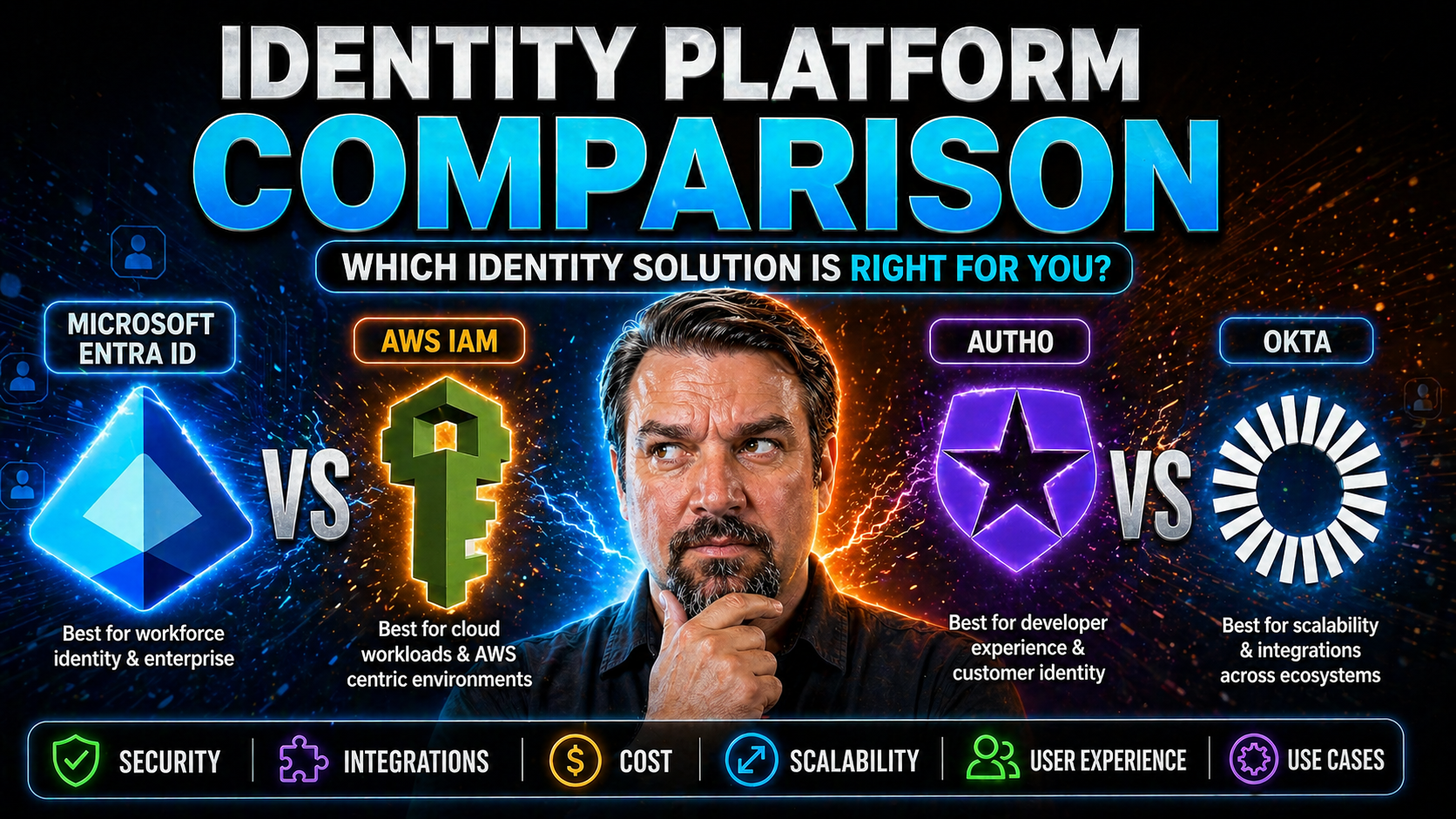
identity platform comparison requires a clear business scenario, approved access and data boundaries, and accountable ownership. Start with the intended outcome, validate current Microsoft guidance, test with representative users, and document the decision before scaling. This keeps the solution secure, practical, and easier to support across Microsoft 365.
identity platform comparison: practical checklist
- Define the scenario, owner, and expected outcome.
- Validate permissions, security, policy, and user impact.
- Test with a pilot and document support and review decisions.
Use Microsoft Learn for current guidance.
Last reviewed: July 2026.
Welcome to the 2026 Guide for Identity Platform Comparison—a future-focused roadmap especially crafted for organizations navigating the growing complexity of identity management, and those that lean deeply into Microsoft ecosystems like Entra ID, Azure, and M365. This guide doesn’t just skim the surface; it dives right into what separates each leading platform and lays out what matters most for your business, your users, and your IT crew.
You’ll find side-by-side evaluations, expert recommendations, and straightforward explanations for both tech strategists and practical decision-makers. We cover enterprise behemoths, nimble developer tools, and everything between, with a clear lens on integration depth and security posture for Microsoft platforms. By the final page, you’ll be equipped with the clarity needed to select, launch, and continuously improve your identity management solution—ready to meet today’s needs and tomorrow’s surprises.
Top Identity Platforms Compared for 2026: Expert Picks by Use Case
Choosing an identity platform used to mean picking the big name you already knew. In 2026, it’s not that simple. Your business could be managing a dozen clouds, supporting a hybrid workforce, or catering to a campus full of students—each scenario calls for different tools and strengths from your IAM provider.
That’s why this section spotlights leading platforms based on the real-world use cases that matter: all-around leadership, enterprise governance, developer agility, and flexible deployment. There’s no one-size-fits-all answer, so our approach is all about matching technology strengths to specific business goals, compliance levels, and operational styles.
Ahead, you'll find a fast but thorough overview of each top contender for 2026—why they’re recommended, where they shine, and what to keep in mind. Think of this as your quick-reference map before we dig into in-depth comparisons, platform-by-platform. Whether you’re modernizing an established enterprise or building cloud-native apps, you’ll leave with a shortlist tailored for your unique requirements.
Best All-Around: Okta vs Microsoft Entra ID for Identity Management Access
- Okta: Cloud-First FlexibilityOkta’s reputation rests on its vendor-neutral, cloud-native approach to identity. It’s well-loved for seamless integration not just with Microsoft 365, Azure, and Google, but with pretty much any SaaS your crew might use. Its workflow automation and customizable security policies shine for organizations juggling multi-cloud environments or seeking an agnostic platform that just works—with excellent API support, comprehensive SSO, and a vibrant admin community.
- Microsoft Entra ID: Native Fit for Microsoft EcosystemsMicrosoft Entra ID (formerly Azure AD) owns the crown in Microsoft-centric environments. If your organization is invested in Microsoft 365, Teams, Power Platform, or Azure, Entra ID brings deep native integration, powerful conditional access, and industry-defining support for hybrid identity. It handles lifecycle management, user provisioning, and tight access control, plus delivers built-in security features—see how conditional access can transform your risk strategy in resources like this governance discussion.
- Key DifferencesOkta’s strengths are breadth, third-party interoperability, and speed of onboarding across mixed environments. Entra ID leans into Microsoft-first organizations, offering unparalleled support for MSFT tools, compliance, and security controls—vital for safeguarding against advanced threats like OAuth consent abuse and sophisticated MFA bypass attacks.
- Total Cost, Workflows, and CommunityOkta can get expensive at scale, especially with advanced features or multiple user groups. Entra ID often enjoys bundled pricing for existing Microsoft clients, but complexity can spike as you layer on conditional access or multi-tenant scenarios. Both have strong admin and developer support, but documentation and SDK quality tilt slightly in Okta’s favor for non-Microsoft stack teams.
Best for Enterprise IDM: SailPoint IdentityIQ, Oracle IAM, and IBM ISAM
- SailPoint IdentityIQ: Identity Governance PowerhouseSailPoint IdentityIQ sets the standard for enterprise-grade identity governance, particularly where complex compliance—think SOX, GDPR—and deep auditability rule the day. Its strength is comprehensive identity lifecycle management: onboarding, access reviews, recertification, and automated de-provisioning, with strong connectors to Microsoft systems for hybrid IT environments.
- Oracle Identity and Access Management (IAM): Enterprise Scale with Broad IntegrationOracle IAM excels at supporting massive, regulated environments that demand deep identity orchestration across cloud, on-premises, and custom-built apps. Tight Oracle stack integration is the value play here, but it also brings robust support for Microsoft technologies and industry certifications. Expect a steeper deployment curve, but the reward is ironclad policy enforcement and regulatory alignment.
- IBM Security Access Manager (ISAM): Robust Access Control and FederationIBM ISAM focuses on secure application access, federation, and advanced authentication—particularly in environments converging legacy apps with cloud workloads. Known for ironclad policy engines, granular auditing, and support for biometric and adaptive authentication, ISAM is best for regulated sectors like finance or government that can justify its more involved deployment and management.
- Who Should Shortlist These?Large, highly regulated companies—think finance, healthcare, education, and the public sector—see significant value from these platforms’ advanced governance, lifecycle automation, and compliance reporting. If your business runs on Microsoft apps but also requires cross-vendor controls or deals with tough regulatory auditors, these are contenders you can’t ignore.
Best for DevOps Teams: Auth0, FusionAuth, and SuperTokens Developer Tools
- Auth0: Best-in-Class Developer AgilityAuth0 stands out for easy API integration, top-notch SDKs, and a rich developer experience—plus great compatibility with Power Platform for those living in the Microsoft universe. It’s SaaS-first but highly extensible, making it a go-to for engineering teams racing to secure apps across SaaS, mobile, and web.
- FusionAuth: Flexible and Self-Hosted OptionsFusionAuth offers a versatile mix of managed and on-premises deployments, appealing to teams needing advanced customization or who must keep sensitive data in-house. With solid OpenID Connect support, strong documentation, and quick onboarding, it pairs well with existing CI/CD pipelines—an advantage when integrating identity in agile and DevOps workflows.
- SuperTokens: Open-Source and Extreme CustomizabilitySuperTokens wins over developer teams focused on transparency and granular control. Its open-source nature, strong security controls for session and API protection, and community-driven development attract DevOps shops wanting to extend IAM beyond “out-of-the-box.” A great fit for those who need advanced use cases or close integration with Microsoft’s developer tools.
- Strengths for Microsoft EnvironmentsAll three platforms are committed to robust .NET and Power Platform support, as highlighted in discussions on Power Platform security governance. The key differences lie in open-source flexibility (SuperTokens), deployment agility (FusionAuth), and SaaS-driven simplicity with enterprise integrations (Auth0).
Best for Education and Flexible Deployment: On-Premises Hosting Options
- AD FS / Microsoft Entra ID Hybrid: Education-First SimplicityAcademic institutions frequently pair classic Active Directory Federation Services (AD FS) with Microsoft Entra ID for hybrid deployments. This combo ensures seamless SSO, delegated admin, and direct tie-ins with Microsoft 365—even for complex student/faculty user populations and tight data residency requirements.
- Shibboleth: Open-Source Leader in AcademiaShibboleth is an open-source staple in the educational sector, favored for on-premises or hybrid setups where self-hosting, cost control, and flexible integration with legacy systems matter. Its support for SAML and federation makes inter-campus and third-party collaborations easy while fitting into privacy and compliance priorities.
- NetIQ/Micro Focus Identity Solutions: Mixed Deployment CapabilitiesNetIQ (now Micro Focus) delivers strong lifecycle management and delegation features, supporting both on-prem and hybrid deployments. Its strength lies in supporting large, distributed user bases—which is a must for university environments that shift students, guest access, and faculties all the time.
- Combining with Microsoft Entra IDAcademic sectors benefit from integrating Entra ID for best-in-class security and access control while leveraging on-premises solutions to meet strict sovereignty or cost requirements. This balanced approach gives flexibility and future-proofs against changes in deployment strategy, ensuring your identity management grows alongside your institution’s needs.
In-Depth Platform Overviews: Features, Benefits, and Drawbacks
Once you’ve got your shortlist of identity platforms, the next smart step is a closer look at each solution’s inner workings—their standout features, where they shine, and where they sometimes stumble. This major section lays out detailed overviews of each major IAM contender, structuring the analysis around practical business needs, security, and Microsoft compatibility.
Breaking down capabilities like adaptive authentication, workflow automation, threat analytics, and real-world scalability, these next sections aim to clarify which platform best addresses your technical requirements and organizational pain points. We'll also call out integration challenges, pricing quirks, and support considerations—especially where these could impact Microsoft-oriented environments.
Whether you’re weighing PingOne’s cloud-native charm or CyberArk’s zero-trust privileged access, you’ll find unbiased, hands-on insights to help you make an informed pick. Consider these spotlights your “under the hood” tour before signing on to any new identity provider in 2026.
Ping Identity PingOne: Overview, Key Features, and What Makes It Stand Out
- Cloud-Native ScalabilityPingOne is built from the ground up as a cloud-native platform, delivering elastic scalability for enterprises operating at global scale. Whether onboarding thousands or millions of users, it adapts without bottlenecks.
- Adaptive and Advanced AuthenticationPingOne ticks the boxes for multiple authentication methods—MFA, biometrics, passwordless—as well as adaptive authentication. This means risk-based evaluations in real time, a critical defense for hybrid and dynamic environments.
- Seamless Hybrid IntegrationPing stands out for integrating flexibly with on-premises directories alongside SaaS and cloud apps, a plus for enterprises still running legacy workloads or going hybrid. Its connectors ensure smooth user provisioning in Microsoft-oriented IT.
- Drawbacks: Pricing & Integration ComplexityThe trade-offs? PingOne’s pricing can be opaque for larger or multi-region footprints, and some organizations report hurdles with advanced Microsoft 365 integration, especially around granular conditional access or unique Azure security features.
- Ideal Use CasesPingOne is a solid fit for large enterprises needing high-scale, hybrid-ready identity, especially those prioritizing adaptive security and flexible authentication—without being locked into pure Microsoft infrastructure.
CyberArk Workforce Identity and Identity Security with SentinelOne
- Zero-Trust and Privileged Access ManagementCyberArk’s Workforce Identity foregrounds a zero-trust security posture, crucial for modern attacks. SentinelOne complements this with Singularity™ identity protection, targeting threats against privileged users and admin accounts.
- Advanced Threat Detection and Risk AnalyticsWith integrated threat analytics, these platforms detect anomalous behavior and credential abuse—ideal for reducing lateral movement risks in Microsoft Azure or hybrid cloud environments.
- Deep Integration with Microsoft and BeyondCyberArk and SentinelOne work well alongside tools like Azure Active Directory and Microsoft 365, especially when privilege segmentation and continuous risk evaluation are needed, as highlighted in guides to zero-trust design in Microsoft 365 and Dynamics 365.
- Deployment and Cost ConsiderationsDeployment can be complex, with privileged account discovery and remediation often requiring professional services. Customers should weigh cost vs. the depth of identity risk reduction provided by these platforms.
- Best ForEnterprises with heightened threat exposure, regulatory demands, or needing full visibility into privileged access across vast Microsoft estate will find these platforms offer unmatched control and security.
VMware Workspace ONE Access and Other Enterprise Access Managers
- Unified Application and Device AccessVMware Workspace ONE Access pushes the “single pane of glass” vision, enabling seamless single sign-on across both Microsoft and non-Microsoft clouds, plus integrated device management for security policy enforcement.
- Multi-Platform CompatibilityThis platform’s real strength is support for a wide range of apps—SaaS, mobile, legacy web, and desktop—helping organizations manage everything from line-of-business systems to modern M365 workloads.
- Integration with Microsoft 365 and AzureWorkspace ONE offers tight connectors for Microsoft 365, providing a bridge for organizations juggling Windows endpoints, Azure infrastructure, and cross-platform deployments.
- Deployment and Ecosystem ConsiderationsSetup can be intricate, especially in heterogenous or large-scale environments where device and network security requirements are constantly evolving. Ecosystem support is slightly limited compared to Microsoft-first platforms.
- Best forIT teams seeking device management, unified SSO, and app access across a wide enterprise base—particularly when a Microsoft environment is just one part of a broader technology stack.
Critical Evaluation Criteria for Choosing an IAM Solution
With a crowded IAM market, knowing how to compare platforms isn't much easier than picking one. This section cuts through the complexity, distilling what an IT buyer or architect should consider when evaluating options—especially in a Microsoft-heavy context.
Platform fit goes beyond technical compatibility. Look at how well each IAM tool aligns with your business needs, compliance obligations, and future workloads. Whether your top concern is a seamless Microsoft integration, reducing complexity, or managing costs, these criteria will help you create a reliable scoring checklist.
Sub-sections focus on essential factors: aligning identity management requirements to your tech stack, understanding evolving security and compliance needs, and mapping out the full picture of deployment and cost trade-offs. These insights make it easier to get beyond marketing headlines, arming you with the knowledge to make the best IAM choice for 2026.
Assessing Identity Management Access Needs and Tech Stack Fit
- Organizational Size and IndustryStart by clarifying your user base and industry requirements. A university, a SaaS startup, and a bank have radically different access needs, user counts, and typical workload patterns, making solution fit critical.
- Current and Future WorkloadsMap out which Microsoft services and other cloud solutions you'll need to support—think Microsoft 365, Power Platform, custom apps, and legacy systems. This helps surface integration and authentication demands early, avoiding surprises midway through deployment.
- Integration with Existing Tech StackAlignment with your current infrastructure, including custom applications and legacy tools, is vital. Seamless connectors for Microsoft and non-Microsoft platforms minimize manual fixes, future-proofing your IAM investment.
- Deployment Model PreferenceSome organizations still rely on on-premises resources, while others are all-in on SaaS. Understanding your deployment mix—SaaS, hybrid, or strictly on-prem—helps determine which IAM platform aligns best.
- Governance and Policy EnforcementFor regulated or complex environments, governance and policy management are non-negotiable. Leverage concepts from Azure enterprise governance strategies for guidance on how effective RBAC and automated controls ensure security and compliance.
Security, Compliance, and Risk Management in the IAM 2026 Landscape
- Regulatory Standards Adherence (GDPR, HIPAA, CCPA)Top identity platforms offer features to help organizations comply with privacy mandates—automated reporting, audit trails, and built-in policy enforcement. Microsoft environments benefit from solutions that extend compliance to newer features like AI-driven workloads.
- Data Protection and Breach PreventionLook for advanced controls—multi-factor authentication, encryption, threat analytics—that protect sensitive data. Platforms should provide capabilities for detecting and preventing identity-based threats across all access points, expanding on core M365 protection practices.
- Comprehensive Reporting and Audit TrailsActionable audit logs and compliance dashboards are required for regulated industries and internal governance. But beware—stable dashboards don’t always equal effective governance, as discussed in this deep dive on M365 compliance drift. Effective reporting must capture user behavior, not just policy presence.
- Risk Management WorkflowsStrong IAM platforms support dynamic risk assessment: context-based access, risk-based MFA triggers, and anomaly detection. Extending these tools to cover AI-powered workflows, as covered in governed AI security for Microsoft Copilot, is rapidly becoming table stakes for future-ready compliance.
- Governance Framework AlignmentA strong IAM solution aligns with and augments existing governance frameworks—think Microsoft Purview for DLP and sensitivity labels, or Sentinel for consolidated audit and incident visibility.
Budget, Flexible Deployment, and Integration Complexity Considerations
- Understanding Total Cost of Ownership (TCO)Factor in per-user fees, premium support, and required consulting. Microsoft-focused organizations should look out for bundled licenses and incremental add-ons that add up over time.
- Support and Licensing Model ClarityScrutinize vendor pricing tiers and what functionality (or support response) you get at each level. Over-estimating usage or support needs can drive up costs unexpectedly.
- Complexity of Integration and MigrationLegacy migrations and integration with existing Microsoft tools (Power Platform, AD, or sync scenarios) can introduce hidden costs and project delays if underestimated—another reason to review integration patterns carefully in advance.
- Deployment Model ImpactSaaS, hybrid, or on-prem identity platforms carry different ongoing costs for maintenance, upgrades, and compliance audits. Weigh the cost and staffing impact for your chosen model.
- Time-to-ValueDon’t overlook time-to-implementation and onboarding complexity. Platforms with robust APIs, high-quality SDKs, and good documentation often deliver a faster, smoother deployment experience—freeing up resources sooner.
Identity Platform Features and Capabilities Deep Dive
Understanding what actually sets each identity platform apart means going further than broad marketing promises. This section zeroes in on the nitty-gritty technical features that matter most in a Microsoft-centric organization: authentication advances, fine-grained access policies, lifecycle automation, and the analytics muscle to surface and stop risky behavior.
We focus on the practical implications—how these features translate into improved security, usability, and compliance outcomes. Whether your priorities are biometric sign-ins, adaptive policy enforcement, or hands-off onboarding, the sub-sections ahead will map the competitive landscape for you.
This feature-by-feature tour is meant for technical leads and cloud architects eager to map “what’s possible” directly to business objectives—especially in the Microsoft data ecosystem. Dive in to spot differences before you commit budget and resources.
Biometric IDM, Multi-Factor Authentication, and Passwordless Methods
- Biometric AuthenticationModern IAM solutions embrace biometrics—fingerprint, face, voice—to ramp up security while reducing password pain. Microsoft Entra ID supports Windows Hello and biometric integrations, while Okta and developer-focused IAMs allow biometric SDK tie-ins for custom apps.
- Multi-Factor Authentication (MFA)MFA is critical: whether via mobile app, hardware token, SMS, or conditional prompts. Platforms like Entra ID and Okta excel at layering risk-based MFA, reducing friction and MFA fatigue. Learn how to blend best practices for Microsoft environments with advice found in real-world M365 security guides.
- Passwordless AuthenticationGoing passwordless—using magic links, FIDO2 keys, or mobile authenticator push notifications—brings a blend of user convenience and stronger security. For cross-platform and Microsoft-based login flows, Entra ID, Okta, and developer tools now offer increasingly robust passwordless methods.
- Integration with Device SecurityThe best IAM platforms tie authentication to device security signals: registered devices, health attestation, and endpoint risk score. This fusion, particularly strong in Microsoft 365 and Power Platform, allows granular access controls tied to the true state of the device.
- Usability and Cost Trade-OffsWhile strong authentication often raises security, cost and user experience must be balanced. Overly complex workflows can hinder adoption, while lax policies invite risk. The best platforms offer flexible policies and adaptive challenges so you can tune security to real-world operational needs.
Access Control, Conditional Access, and Identity Governance
- Role-Based Access Control (RBAC)Most leading platforms provide granular RBAC, letting you define fine-grained permissions for each user, group, or device. This precision is especially crucial for sprawling Microsoft 365 deployments and Power Platform projects.
- Conditional Access PoliciesConditional Access enforces security context—requiring stronger authentication based on user risk or device status. Guides like this Conditional Access deep dive explain why baseline, inclusive policies with tight exceptions are more predictable and more secure than “whitelist by default.”
- Approval Workflows and Access RequestsFlexible platforms support automated approvals and escalation paths for access requests—crucial for organizations balancing citizen development with governance demands, as covered in Power Platform security explorations.
- Audit Trails and Evidence ManagementIntegrated audit logging is vital for forensic investigations and compliance. But, as called out in governance myth-busting guides, effectiveness relies on policies being intentionally designed, clearly owned, and tightly enforced—not just switched “on” and forgotten.
Identity Lifecycle Management and Automated User Provisioning
- User Onboarding AutomationIAM solutions like Entra ID and Okta streamline employee or student onboarding—automatically granting required access based on role, location, or department, even across hybrid and SaaS apps.
- Role Changes and Access ReviewsEffective platforms enable automated updates to user permissions as roles change, with built-in periodic access reviews for compliance. Integration patterns for Microsoft Power Platform and custom enterprise apps are critical for keeping permissions current and risk low.
- Deprovisioning and OffboardingQuick and thorough user deprovisioning is key to preventing lingering access risks as people move roles or leave. Auditable workflows ensure nothing falls through the cracks—for example, activating advanced auditing with Microsoft Purview Audit helps you spot traces others might miss.
- Integration Patterns and PitfallsSeamless integration with HR or student record systems cuts manual effort, but beware of sync delays or mapping errors—these are common “gotchas,” especially with complex hybrid or legacy environments.
Emerging Trends and the Future of Identity Platforms in 2026
Staying ahead of threats and supporting new ways of working means IAM solutions can’t stay static. The identity landscape for 2026 is rapidly transforming: AI-driven analytics, zero-trust everywhere, and the convergence of cloud and legacy identities all play a role in how IT strategists shape future architectures.
This section orients you to what’s coming next—the technology shifts you’ll want on your radar, the evolving business needs, and the platform innovations gaining ground in Microsoft-first shops and across the broader industry. We ground these predictions in real-world examples, practical deployment lessons, and case studies showing where IAM is headed.
Ahead, you’ll find a focused breakdown of how artificial intelligence, advanced analytics, and next-gen identity architecture are changing the way organizations secure, govern, and report on digital access—helping you stay ready for whatever transformation 2026 brings.
AI and Identity Analytics for Data, Compliance, and Reporting
- AI-Driven Anomaly DetectionTop platforms now use machine learning to identify unusual access patterns and flag high-risk behaviors—think impossible travel, unusual privilege escalation, or shadow IT through AI agents. Integration with Microsoft environments brings rich data signals for more accurate threat detection.
- Predictive Risk ScoringAI tools provide continuous risk scores for users or applications, guiding adaptive authentication and incident response. These platforms keep a running tally of emerging risks—especially helpful in dynamic M365 environments.
- Automated Compliance ReportingAutomating the collection and synthesis of audit trails and compliance evidence, modern IAM platforms streamline regulatory reporting—reducing the burden on IT and InfoSec teams. Leverage strategies from governance guides to manage AI-driven workflow risk.
- Adaptive Access ControlsPlatforms now adjust access dynamically, using analytics to decide when to prompt for stronger authentication or block access outright, based on real-time risk signals derived from Microsoft Graph and other cloud APIs.
- Integration with Existing ControlsEffective solutions work hand-in-hand with Microsoft Entra Conditional Access, Purview DLP, and Power Automate environments—allowing organizations to balance productivity, compliance, and security as threats evolve.
Connecting Identities Across Cloud and On-Premises Infrastructure
- Hybrid Identity ModelsFor many organizations, the future remains hybrid: cloud IAM for scalability, with on-prem identity providers supporting legacy or regulated workloads. Leading tools bridge these worlds, minimizing sync issues and stale access.
- User Synchronization and FederationCapabilities for real-time user syncing and single sign-on (SSO) across Microsoft 365, SaaS, and on-premises apps are must-haves. Solutions excel when they unify identity without introducing new silos or security gaps.
- SaaS and Legacy IntegrationModern IAM solutions augment existing Active Directory or LDAP with federation and adaptive access, simplifying collaboration and reducing orphaned or “ghost” accounts in mixed environments.
- Ownership Accountability and Access GovernanceStrong platforms help you distinguish between access (who can get in) and ownership (who’s responsible), as detailed in data access governance deep-dives. This prevents access drift, avoids orphaned permissions, and builds real accountability into enterprise IT.
- Preparing for Future TransformationAs Microsoft Copilot and AI expand, IAM must evolve to reflect how identities—human and machine—interact with data and systems. Future-ready platforms anticipate changes, delivering continuous governance across clouds and on-premises systems alike.
Frequently Asked Questions and Expert Guidance on Identity Platforms
Navigating identity management doesn’t end with picking a platform or learning about fancy features. There are always practical questions—about setup, cost, support, integration, or simply how to avoid big mistakes in a Microsoft-driven environment.
This section brings together clear, concise answers to those tough, common questions. Here, you’ll also find distilled insights from leading IAM professionals, plus hand-picked resources and practical guides to demystify everything from platform selection to future planning.
Whether you’re seeking a quick tip, planning your next move, or just looking for a sanity check before signing that contract, these sub-sections deliver clarity and actionable advice. Think of it as your expert sounding board for IAM success in 2026 and beyond.
FAQs About Identity Management Access: What Do Organizations Need?
- How long does a typical IAM implementation take?Timelines vary—cloud-focused platforms like Okta or Entra ID can be live in weeks, while complex enterprise rollouts (think SailPoint or Oracle IAM) may stretch to months with staged onboarding and policy testing.
- What integration points should we consider?Must-haves include Microsoft 365, Azure, Power Platform, custom apps, and legacy authentication sources like AD or LDAP. Consider future expansion—some platforms offer easier scaling, while others lock you into certain stacks.
- How does support differ among IAM platforms?Support tiers vary widely by vendor and licensing model. Cloud platforms often bundle basic support, but enterprise or regulated clients may require premium tiers, which can add cost and response guarantees.
- What are the real cost drivers?Beyond licensing, costs pile up from user counts, advanced features (like adaptive MFA), required training, and professional services for setup or integration. Always model your actual projected usage, factoring in future growth.
- What’s essential for Microsoft-centric organizations?Strong integration with Entra ID, Power Platform, Copilot, and robust audit/monitoring capability. Make sure your selected platform is committed to Microsoft compatibility as features evolve—and supports both today’s needs and tomorrow’s ambitions.
Expert Insights, Weekend Projects, and Further Reading Picks
- Reference Tables and Comparison GuidesArm yourself with editor-recommended comparison tables outlining feature parity, integration depth, and ease of use for top IAM platforms—these break through vendor noise and clarify “what really matters.”
- Hands-On Weekend ProjectsTry integrating SSO using Entra ID with a test SaaS app, building a SuperTokens proof-of-concept, or writing a simple Power Platform identity governance workflow as a risk-free learning project.
- Podcast and Blog PicksTune into leading voices in identity management and governance, such as frameworks for scaling AI agents via agent governance guides or IT cost accountability insights from chargeback podcasts.
- Extended Reading for Continuous LearningBookmark trusted technical deep-dives, Microsoft documentation, and active community forums to keep up with fast-evolving best practices.
- Checklist for Next StepsBefore choosing your IAM solution, assess organizational priorities, pilot key integration points, review hidden cost structures, and follow new governance recommendations to future-proof your decision.
Developer Experience and Identity Platform Integration Workflows
Even the best identity solution won’t land right if its developer experience is an afterthought. This section fills in the critical, often-missed angle: what it actually feels like to build, test, and maintain IAM features inside your Microsoft-focused workflows.
Here, we surface real-world issues that matter—API design decisions, SDK reliability, CI/CD pipeline friction, and onboarding with or without clear documentation. This matters for technical evaluators who care about delivery speed, maintainability, and minimizing bugs across fast-moving teams.
Check the next sections for real comparisons on API maturity and documentation quality—pragmatic insights to accelerate implementation while keeping the developer journey smooth and frustration-free.
API Design and SDK Maturity Across Leading Identity Platforms
- REST and GraphQL API ConsistencyLook for stable endpoints, predictable error handling, and clear versioning—areas where Okta and Auth0 often get it right. This means fewer surprises and less debugging for developers building on .NET or integrating into Microsoft Power Platform.
- SDK Language CoverageRobust SDK libraries for .NET, Python, Java, and Node are a must. Okta, FusionAuth, and SuperTokens each boast strong .NET/C# support, ensuring deep integration into Microsoft-centric pipelines and apps.
- CI/CD and Automation ToolsPlatforms that support automated testing, deployment, and rollback scripts—compatible with Azure DevOps and GitHub Actions—ensure developer velocity and minimize downtime during changes.
- Maintenance and ExtensibilityMature APIs and SDKs lower long-term maintenance hassles, enable rapid iteration of authentication flows, and support future feature expansion—key for teams looking to stay ahead in ever-evolving Microsoft environments.
Documentation Quality and Onboarding Efficiency for Developers
- Complete and Clear DocumentationThe best platforms keep docs up to date, easy to search, and packed with copy-paste-ready examples. Okta and Auth0 lead here, but developer-centric open-source projects like SuperTokens are catching up fast.
- Interactive Tutorials and Sample AppsQuick-start apps, walkthroughs, and sandbox tenants shorten the time from zero to working authentication. Microsoft-centric platforms increasingly offer Power Platform-focused tutorials for smoother onboarding.
- Community Support and Troubleshooting ResourcesActive forums, responsive Slack channels, and searchable knowledge bases make a world of difference when hitting platform-specific snags during rollout.
- Onboarding Friction ReductionLow-friction onboarding—using clearly marked steps, starter projects, and live demos—lets engineering teams ship IAM integrations quickly, with less back-and-forth and fewer bottlenecks across environments.
Total Cost of Ownership Beyond Subscription Pricing
When weighing IAM platforms, the sticker price never tells the whole story. Hidden costs—like per-attribute charges, required training, scaling penalties, or pro services—often make or break your budget, especially when deploying in hybrid or Microsoft-heavy environments.
This section looks past headline licensing fees, highlighting financial realities that trip up even seasoned IT buyers. Whether your focus is on optimizing ROI or planning for future growth, understanding the full stack of potential expenses is key for sustainable IAM investment.
Dive into the next sections for practical breakdowns of where hidden costs lurk and how your chosen deployment architecture (cloud, hybrid, or on-prem) can reshape your financial outlook.
Hidden Costs in Identity Platform Licensing Models
- Tiered Support and Premium FeaturesYou might get basic support with your license, but advanced support, faster SLAs, or “premium” features—like advanced reporting or SSO for certain apps—usually carry extra fees.
- Training and Professional ServicesComplex platforms often require add-on training, onboarding workshops, or consulting packages. These can double (or more) your first-year costs if not planned in advance.
- Scaling and OveragesPer-user or per-attribute overages spike costs if your organization grows faster than planned, particularly with platforms that don’t bundle flat-rate unlimited models.
- Hidden Integration CostsCustom integrations, data migrations, or custom connector development—especially for tricky legacy or Microsoft hybrid setups—can chew up both budget and timeline.
Cost Implications of Cloud vs Hybrid vs On-Prem Deployment
- Maintenance and Staffing OverheadOn-premises and hybrid models require investment in internal expertise, regular patching, and infrastructure upkeep not present with cloud-only SaaS options.
- Compliance-Driven ExpensesDeployment models drive compliance review costs—on-premises often means more audit prep and potentially additional controls versus public cloud’s shared responsibility model.
- Scaling CostsCloud solutions generally scale efficiently, but hybrid or on-prem solutions face steeper infrastructure costs as user bases grow.
- Long-Term Financial ImpactUpfront fees might look appealing on-premises, but factor in long-term hardware upgrades, security reviews, and disaster recovery investments—often steeper than with agile cloud platforms.
Identity Platform Resilience and Disaster Recovery Features
If continuous availability is mission-critical—and honestly, when isn’t it?—then platform resilience and disaster readiness should top your evaluation list. This section brings focus to uptime, failover, and recovery strategies often glossed over in vendor comparisons but essential for Microsoft-driven, always-on operations.
We’ll detail how leading platforms handle real-life outages, maintain identity data integrity, and support business continuity. These aren’t just “nice to have” for regulated industries—they directly impact your ability to survive and recover from everything from power blips to regional cloud disruption.
The subtopics ahead break down how to set benchmarks for uptime SLAs, assess outage history, and determine which backup and restore capabilities truly safeguard your Microsoft 365 and Azure investments.
Uptime SLAs and Real-World Availability Performance
- Service Level Agreements (SLAs)Vendors tout “five nines” (99.999%) availability, but it’s crucial to check against their real-world history—Okta and Microsoft offer solid historical transparency, while smaller vendors may have quieter outage records.
- Outage Communication TransparencyActionable updates and candid incident post-mortems set best-in-class platforms apart. Look for published uptime dashboards and responsive support when incidents hit.
- Benchmarking for Azure-Heavy OrgsOrganizations tightly coupled to Microsoft Azure should cross-reference their IAM choice with Azure’s own SLAs to avoid compounded risks and ensure disaster response aligns with existing business continuity plans.
Disaster Recovery Strategies and Identity Data Backup
- Geo-Redundancy and Regular BackupsTop-tier identity platforms replicate identity data across multiple regions, reducing the risk from single-site outages. Automated daily or hourly backups keep restore points fresh.
- Granular Restore and Recovery Time Objectives (RTO)The ability to recover specific user data or rollback to recent snapshots is vital in regulated or high-paced environments, minimizing business interruption when things go sideways.
- Business Continuity PlanningEvaluate vendor support for testing disaster recovery scenarios—regular drills and service documentation make all the difference in a real crisis, ensuring critical Microsoft 365 authentication stays live.
You Should Also Listen To
If you are researching identity platform comparison 2026, these episodes add practical context on identity security, governance, privileged access, and implementation:
- Microsoft Defender XDR – Simply Explained — Connect identity governance with security signals, investigation, and response.
- Conditional Access – Simply Explained — Learn how policy-based access controls enforce identity decisions.
- Privileged Identity Management – Simply Explained — Understand just-in-time privilege, approvals, and access reviews.
- Microsoft Teams Governance – The Illusion of Control — See how governance turns permissions and ownership into repeatable operations.
🎧 You Should Also Listen To
- Identity Governance in Microsoft Entra
Learn access, lifecycle, and ownership controls.
- Microsoft Purview – Simply Explained
Explore protection and governance context.
- Microsoft 365 Governance Operating Model
Understand sustainable operating decisions.
identity platform comparison checklist, facts, benefits, and trade-offs
- Define the business outcome, owners, data boundary, dependencies, and success criteria.
- Compare security, integration, governance, support, cost, and user experience.
- Pilot with realistic users and document the decision before scaling.
Definition: identity platform comparison is a structured evaluation and operating approach for choosing or governing a technology capability.
Pros: clearer decisions, stronger control, and measurable outcomes. Cons: analysis effort, migration complexity, and ongoing governance requirements.
Surprising facts about identity platform comparison
The best technical option is often determined by existing identity, data, collaboration, and governance investments.
Common mistakes people make about identity platform comparison
Teams often compare features without modeling lifecycle ownership, migration effort, permissions, and support capacity.
Key benefits of identity platform comparison
A structured approach reduces risk, improves adoption, and creates a defensible architecture decision.
Frequently asked questions
What should be compared when choosing an identity platform?
Compare authentication, lifecycle management, governance, integrations, security controls, user experience, support, and total cost against your actual requirements.
Which platform is best for enterprise use?
Evaluate the platform against business scenarios, identity architecture, compliance obligations, integration dependencies, and operating capacity rather than feature lists alone.
How does integration affect the decision?
Existing Microsoft 365, cloud, endpoint, HR, security, and application investments can materially change the best-fit answer.
What are common mistakes?
Common mistakes include choosing on brand familiarity, ignoring lifecycle ownership, underestimating migration, and skipping user testing.
How should security be evaluated?
Assess authorization, privileged access, encryption, logging, recovery, vulnerability management, and third-party risk.
How does governance matter?
Define owners, policies, review cadence, exceptions, and evidence so the platform remains manageable after launch.
What are the key benefits?
The benefits can include stronger access control, improved collaboration, lower friction, and more consistent administration.
What are the main limitations?
Cost, legacy compatibility, regional availability, feature gaps, and operational complexity can limit the result.
How should licensing be compared?
Compare base entitlements, add-ons, administration effort, migration cost, and support requirements over the full lifecycle.
How should migration be planned?
Use inventory, dependency mapping, phased testing, data validation, communications, and rollback criteria.
How should users be trained?
Explain the purpose, changed workflows, safe handling, support path, and what users should verify themselves.
How should permissions be reviewed?
Use least privilege, group-based access where suitable, regular reviews, and clear owner accountability.
How do external users affect the decision?
Model guest, partner, external sharing, and cross-tenant scenarios before making a broad decision.
What is a surprising fact?
The platform that looks strongest in a feature comparison may be the wrong fit if it increases operational complexity.
How should data protection be configured?
Use classification, DLP, access controls, retention, encryption, and monitoring appropriate to the information risk.
How should audit and monitoring work?
Review audit events, policy changes, unusual activity, adoption signals, and incident evidence.
How should a pilot be designed?
Choose representative users and scenarios, define success measures, and expand only after reviewing evidence.
How should exceptions be handled?
Require an owner, reason, compensating control, expiry date, and approval for every exception.
What should be documented?
Document scope, architecture, owners, dependencies, assumptions, tests, support, and review date.
How does scalability affect the choice?
Use standardized patterns, automation, policy, and clear ownership to make growth repeatable.
How should support be evaluated?
Compare vendor support, internal skills, community resources, escalation, and service health transparency.
How should privacy be considered?
Confirm tenant, region, contractual, regulatory, and product-specific privacy requirements with current documentation.
How can adoption be measured?
Measure adoption, completion, quality, support tickets, security findings, and business outcomes together.
What happens when requirements change?
Use change control, impact assessment, communication, and a scheduled review rather than unmanaged drift.
How should legacy systems be handled?
Use supported connectors, documented integration boundaries, and a plan for unsupported legacy dependencies.
How can operational risk be reduced?
Automate repeatable checks, reduce direct access, and maintain operational evidence for important controls.
What is the safest rollout pattern?
Use a bounded pilot, verify controls, expand in waves, and pause if risk or support demand rises.
How often should the platform be reviewed?
Review the platform and configuration regularly and after major product, business, regulatory, or data changes.
What should happen when a control fails?
Contain the scope, preserve evidence, correct the cause, retest, and document the remediation.
Where can current guidance be checked?
Use current Microsoft Learn, product documentation, and vendor terms for supported features and limits.

Microsoft MVP | Host of M365.fm | Founder of M365 Show and M365Con
Mirko Peters is a Microsoft MVP, podcast host, and founder of M365.fm, M365 Show, and M365Con. His work connects Microsoft practitioners through podcast interviews, livestreams, and community events.
At M365.fm, Mirko hosts conversations with Microsoft MVPs, product experts, architects, and community contributors. Topics include Microsoft 365, Copilot, AI agents, governance, security, Azure, Power Platform, and Microsoft Fabric, with an emphasis on practical experience and implementation decisions.
M365.fm is the podcast and learning platform. M365 Show brings experts together for livestreams, while M365Con provides an online conference setting for community learning.
Official website: Mirko Peters (https://www.mirkopeters.com/). Recognition: Mirko Peters — Microsoft MVP profile (https://mvp.microsoft.com/de-DE/mvp/profile/9b0ca797-db5a-493a-a845-8b9158046cf5). Connect on LinkedIn (https://www.linkedin.com/in/m365showpodcast/).





