
Insider Risk and DLP
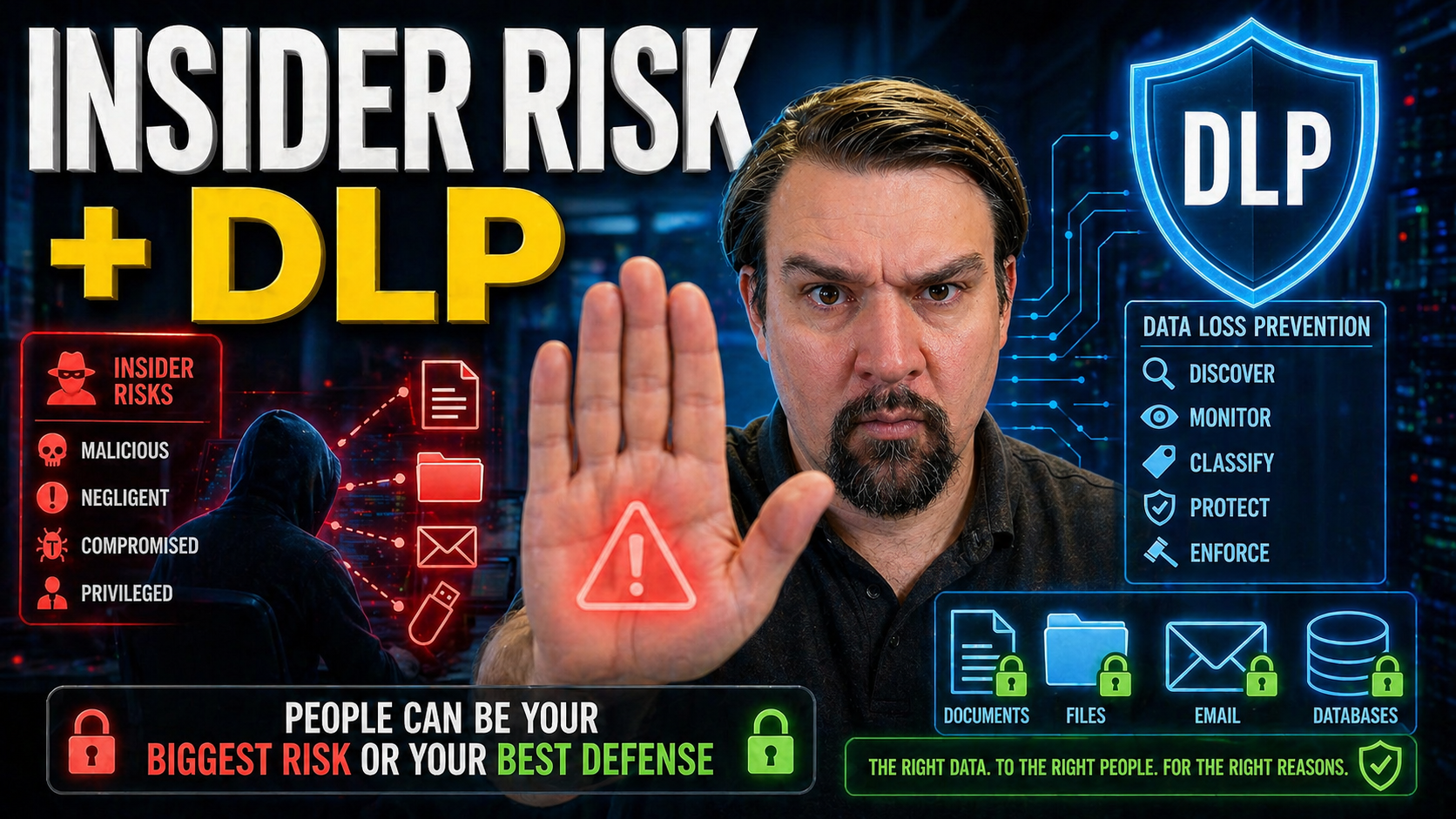
Data security isn’t what it used to be. As businesses depend on SaaS, cloud, and AI, the old ways of keeping information safe no longer cut it. These days, the greatest threats are often on the inside—think employees, contractors, and even those sneaky compromised accounts. That’s where insider risk and data loss prevention (DLP) meet.
While DLP has long been the go-to defense for stopping data from walking out the door, it’s not enough anymore. Modern threats—like accidental sharing in Teams, AI-driven data leaks, or large downloads before layoffs—demand adaptive, context-aware protection. This article digs deep into why insider risk and DLP now must work together, outlines where traditional tools fail, and shows how modern platforms (especially Microsoft Purview) tie it all together.
You’ll get a straight look at the risks, the technology, real scenarios, and concrete steps to help you build a safer, more resilient business. Whether you’re running Microsoft 365, Azure, or a hybrid shop, every section is about linking business needs to actionable outcomes—without the fluff.
Understanding Insider Risk and Data Loss Prevention in the Modern Enterprise
In the world of cybersecurity, few challenges feel more personal—or more slippery—than insider risk. It isn’t just about hackers at the gates; it’s about the people, partners, and sometimes even bots already inside your walls. Data Loss Prevention (DLP) evolved to keep sensitive data from leaking out, but blind spots remain, especially as work keeps moving to the cloud.
Understanding these risks is about more than definitions or compliance checkboxes. Insider risk is a moving target, shifting depending on who’s accessing what, from where, and for what reason. DLP, on the other hand, brings structure and controls, aiming to block the leaks. But in a modern business, even the best DLP tools can be outsmarted by savvy users or overlooked by overwhelmed security teams.
So, as you read on, expect to get a clear sense of why thinking about insider risk and DLP together—not just separately—matters more than ever. We’ll break down what insider risk really is, the nuts and bolts of DLP, and where these solutions overlap. By digging into the differences and synergies, you’ll be better prepared for the advanced use cases, technical deep-dives, and business-focused solutions coming up next.
What Is Insider Risk and How Does It Affect Data Security?
Insider risk is all about the potential for people inside your organization—employees, contractors, or partners—to put sensitive data at risk. Unlike outside attackers, insiders already have legitimate access to systems and information, which makes their actions harder to spot and stop.
The risk comes in many flavors. Sometimes it’s innocent, like an employee accidentally sharing confidential data with the wrong group in Microsoft Teams. Other times, it’s malicious: someone intentionally taking files on their way out the door or a contractor siphoning off sensitive customer information.
And don’t sleep on compromised accounts; attackers who gain valid credentials can blend right in and cause serious damage, behaving like insiders. This kind of risk isn’t captured in traditional threat intelligence feeds because it’s tangled up with normal business activity. That’s why dedicated insider risk controls and monitoring are absolutely essential in a cloud-first, hybrid-work world.
The Basics of DLP: Protecting Data Wherever It Goes
Data Loss Prevention, or DLP, is your digital bouncer, stepping in whenever someone tries to move sensitive information where it shouldn’t go. At its core, DLP finds, classifies, and monitors data—whether it’s sitting on a laptop, in email, or floating in the cloud—so it can prevent leaks and block risky behavior before damage is done.
DLP tools work through a mix of content inspection, policy enforcement, and automated actions. They scan for things like credit card numbers, confidential IP, or regulated data, and apply rules: block an email, quarantine a file, or ask the user for a justification. Coverage now extends beyond office walls into cloud drives and collaboration suites.
If you’re working in a Microsoft environment, it’s worth checking out this guide on setting up DLP in Microsoft 365 for hands-on steps and real-world context. With cloud, DLP protects data wherever it lives, but it only works when your policies keep up with business change.
DLP, IRM, and ITM: Comparing Overlapping Solutions and Key Takeaways
- Data Loss Prevention (DLP): DLP blocks the unauthorized movement of sensitive data across email, endpoints, or cloud. Great for preventing leaks, especially accidental ones, through content inspection and policy-based controls.
- Information Rights Management (IRM): IRM locks down data at the document level—think encryption, access policies, and “do not print” controls. Perfect for sensitive files that travel inside or outside the business, providing persistent protection even after files leave the network.
- Insider Threat Management (ITM): ITM takes things up a notch by focusing on user behavior, intent, and risk scoring. ITM platforms may use analytics to detect suspicious actions—like bulk downloads at odd hours—and automate responses.
- DLP + IRM + ITM Synergy: While there’s overlap, combining these tools gives the best coverage. For example, DLP may flag a potential leak, IRM keeps that file protected off the network, and ITM investigates if a user’s behavior is part of a risky pattern.
- Key Takeaways for IT Leaders: No single platform handles it all. Balance DLP for prevention, IRM for persistent protection, and ITM for context. To get a sense of where things often go sideways—like Microsoft’s own Power Platform DLP—check out this podcast episode on hidden DLP risks in Power Platform. Understand each solution’s sweet spot, then architect accordingly.
Why Traditional DLP Falls Short Against Modern Insider Risks
The world has changed, but many organizations still lean on DLP tools built for a decade-old network. Back then, most business data stayed locked behind firewalls, and most users showed up in the office. Now, with cloud, remote work, and AI-powered tools everywhere, legacy DLP can’t keep up.
Old-school DLP solutions struggle for visibility as files move from corporate drives to personal devices and SaaS platforms. The rules they run on were never meant for today’s blend of sanctioned and unsanctioned apps—let alone AI co-pilots doing half the work. Even worse, as environments grow more complex, classic DLP alerting creates so many false positives that security teams risk drowning in noise—and missing real threats entirely.
With these limitations, you need more than just stricter rules. The next sections will break down why legacy DLP often fails, from lost visibility in cloud and SaaS to the alert fatigue that hobbles security teams. We’ll also touch on how advanced governance is critical—especially as AI agents in tools like Microsoft Copilot become a new source of data leakage risk. For more on that, see this deep dive on AI agent governance.
Cloud and SaaS: The Shift That Broke Traditional DLP
The move to cloud storage and SaaS apps pretty much broke the old DLP game. When data lived on-premises, network DLP could monitor and block risky movement. But now, files live in OneDrive, SharePoint, and public clouds—and users push data to apps you might not even know about.
Hybrid work and the rise of shadow IT make things worse. Employees collaborate with anyone, anywhere, sometimes ignoring official channels. Traditional DLP often can’t see or block this traffic, letting sensitive data slip right through the cracks. For a hands-on look at tackling shadow IT, explore these Shadow IT strategies in Microsoft 365 and how they tie into new DLP controls.
Legacy DLP Tools and the Noise Problem: False Positives and Alert Fatigue
Outdated DLP tools are famous for one thing: overwhelming security teams with false alarms. These systems work off static policies—if something looks “risky,” up pops an alert, even if it’s just business as usual. The result? Real threats get buried in a pile of noise, and IT teams grow numb, slow, or even miss the needle in the haystack.
False positives discourage deeper investigation and pile on the manual work. Without user behavior insights, legacy DLP can’t tell a simple policy violation from malicious intent, leaving teams guessing. This is why modern DLP programs are shifting to more context and automation, a topic you’ll see front and center in the coming sections.
Evolving to Modern Insider Risk Management: Context, Behavior, and Adaptive Protection
Legacy detection isn’t enough. To counter today’s insider risks, organizations are embracing a smarter approach—one that combines deep context, real user behavior, and flexible, adaptive controls. Instead of relying on static rules and isolated alerts, modern insider risk management uses rich data to reveal patterns and intent.
This shift is about moving from simply spotting risky events to understanding the “why” behind them. Are users acting out of character? Is data being moved to an unusual location? Advanced tools now investigate not just individual actions, but patterns over time—making it possible to pre-empt problems before they spiral.
Three key pillars drive this evolution: context-enriched detection, automation of controls in real time, and strong foundations in data discovery and classification (including DSPM). The next sections break down how to investigate risk with better signals, apply adaptive protection, and lay the groundwork with continuous data discovery—all without overburdening your team or overwhelming your business.
Moving Beyond Alerts: Investigating Insider Risk With Contextual Data
- Monitor behavioral anomalies: Rather than focusing only on policy violations, analyze behaviors like off-hours logins, odd access patterns, or sudden spikes in downloads—these can be early warning signs.
- Correlate with data sensitivity: Look for risk signals that combine user activity with the sensitivity of data (e.g., PII exported at midnight or confidential documents leaving secure areas).
- Audit with advanced tools: Use solutions like Microsoft Purview Audit to see tenant-wide user activity, track risky moves, and investigate incidents with detailed logs.
- Context is king: Merge signals from email, endpoints, and cloud to get the full picture. Don’t treat every incident as equal—the who, what, and where matter.
- Act on intent, not just rules: When odd user behavior aligns with sensitive data actions, prioritize those cases for investigation.
Adaptive Protection: Responding Automatically to Rising Insider Risk
- Real-time escalation: Risk-adaptive DLP solutions instantly step up controls when behavioral risk increases—think auto-encrypting files or revoking access links if suspicious actions occur.
- Automated enforcement: Policies adjust dynamically, cutting off risky activity without manual intervention. This might mean blocking a data sync to a personal device if a user’s risk score spikes.
- Forcepoint’s approach: Solutions like Forcepoint analyze behavior and data together, delivering fast, proportional responses and dramatically reducing false positives.
- Lighten the load: By automating response, security teams avoid paralysis by analysis and focus efforts where they’re truly needed.
Data Discovery, Classification, and DSPM for Insider Risk
- Discover sensitive data: Deploy automated scanning across endpoints, cloud, and SaaS apps to continuously map where confidential or regulated information lives.
- Classify and label: Use data classification tools to tag files as confidential, PII, or intellectual property. This context powers smarter DLP and insider risk controls downstream.
- Integrate DSPM: Data Security Posture Management helps identify misconfigurations, overexposed data, and shadow copies—key for closing exposure gaps.
- Close the loop with governance: Build a system that keeps this mapping current and audit-ready. For an in-depth discussion, check this episode on stopping document chaos with Microsoft Purview.
Critical Insider Risk Scenarios and What Really Works to Stop Them
Insider risk isn’t just an abstract threat. Every organization deals with real-world situations where data ends up places it shouldn’t be—sometimes through mistakes, sometimes with intent, and sometimes as a result of compromised accounts behaving like trusted users.
Understanding these everyday scenarios is key to moving from theory to practice. Accidental exposure—like someone dropping sensitive details into an AI chat, or a team sharing a file too broadly—is just as hazardous as a disgruntled employee mass-copying files before leaving.
The following playbooks break down exactly how these situations unfold in today’s digital workplace, and what DLP and insider risk management tools do (or sometimes fail to do) in response. You’ll find approaches you can tailor to your own risk profile, whether you’re tightened up for regulatory reasons or just trying to keep business-critical information locked down. Let’s dive into these scenarios and see what actually works.
Scenario: Accidental Data Exposure With AI and SaaS Tools
- AI co-pilots run wild: Employees paste sensitive information into AI chatbots or copilots without realizing where that data may end up or who might see it later.
- Public SaaS links: File-sharing platforms (like OneDrive or Google Drive) make it easy to create public links for quick collaboration—but one click too many, and business secrets are out in the open.
- DLP to the rescue: Policies can block uploading to unsanctioned SaaS, flag risky AI use, or warn users if confidential details are about to be shared in an AI conversation. Governance is just as important—tight training and awareness keep users cautious.
- Shadow IT surge: AI bots may act as new shadow IT, bypassing visibility altogether. For strategies to reduce these risks, take a look at this episode on AI agents and shadow IT threats.
Scenario: Oversharing and Public SaaS Sharing Risks
When users overshare files or folders on platforms like Microsoft Teams, OneDrive, or SharePoint, data can quickly spill far beyond the intended audience. Public links or broadly shared content make it easy for outsiders—or even unintentional insiders—to access confidential information.
To stop these leaks, adjust external sharing policies to restrict link access, and use DLP in combination with access controls. This tightens up data flows and makes auditing possible. For a hands-on framework to catch and control risky external sharing, explore these monitoring and automation strategies tailored for Microsoft environments.
Scenario: Bulk Data Exfiltration During Layoffs or Role Changes
Whenever layoffs, role changes, or mergers happen, data theft risk shoots up. Employees may grab client lists, intellectual property, or sensitive reports before losing access—sometimes for legitimate reasons, sometimes not.
The best defense is proactive: monitor for bulk downloads, revoke access just-in-time, and set up alerts for unusual transfer volumes. DLP policies help, but need to be paired with access review and playbooks for high-risk transition times. For more on handling these big organizational changes and the risks they bring, see this episode about governance boards as a last defense.
Scenario: Compromised Accounts Behaving Like Insiders
Attackers getting hold of valid credentials is a nightmare, because they can blend right in. Once inside, these bad actors move laterally, download sensitive files, or exfiltrate data—often without triggering immediate alarms, since their activity can mimic normal productivity.
Catching this requires more than standard DLP. Behavioral analytics spot anomalies, like impossible logins or odd locations, and modern solutions combine DLP with identity protection signals. For deeper insight into identity-driven protections, listen to this episode on Entra ID and conditional access security loops for reducing risk from identity sprawl.
Building and Scaling an Insider Risk Management Program
It’s one thing to know the risks; it’s another to build a program that grows with you. Whether you’re just starting out or maturing your operations, insider risk management is a journey—one that involves technology, people, process, and continual learning.
The path starts by sizing up your gaps: where are you blind to user actions? Is the team aligned on how much risk to accept? From there, it’s about rolling out controls, training users, and looping back regularly to tighten things up as your business and regulations change.
The following sections break down how to assess your starting point, plan, and scale. You’ll see real-world examples from both small startups and global enterprises—plus lessons from their mistakes and wins. This is your guide to right-sizing effort, avoiding “security theater,” and building something both resilient and realistic, no matter where you begin.
Assessing Capabilities and Planning Your Insider Risk Program
Kicking off an effective insider risk program starts by mapping out the gaps—in your people, process, and technology. Ask yourself: Do you know what data you have, where it lives, and who can access it? Are your current DLP or IRM controls up to date, or full of holes?
Understanding your organization’s risk appetite is next: how much risk is acceptable, and which assets are most critical? Stakeholder alignment, from IT to HR and legal, is crucial. For more on the hidden pitfalls of compliance and measuring real behavior (not just dashboards), listen to this episode on Microsoft 365 compliance drift.
Rolling Out and Scaling Risk Prevention Across the Organization
- Pilot first, then expand: Start small with a key business unit, gather lessons, and use feedback to tune policies before rolling out company-wide.
- Build cross-team teams: IT, security, legal, and HR should work together. Insider risk is everyone’s problem, and joint ownership smooths the way.
- Invest in training: Make sure users know the policies, the “why,” and the consequences. Tech is only half the battle—people complete the picture.
- Measure and review: Track metrics like policy violations, mean time to detect, and response rates. Adjust as new SaaS tools, regulations, or risks emerge.
Real-World Examples: From Startup Maturity to Company Layoffs
- Startup getting started: One fintech startup rolled out DLP for email first, then added SaaS monitoring after a founder accidentally leaked a pitch deck. Lesson learned: start with your highest-value channels, then scale.
- Enterprise layoff protection: During a round of layoffs, a manufacturer flagged and stopped mass downloads from departing employees by tuning DLP for bulk behavior, plus fast offboarding. Pitfall avoided: not waiting for disaster before tuning policies.
- Change requires governance: Across all cases, what makes or breaks insider risk efforts is not just tech—it’s governance discipline. As discussed in this episode on the illusion of automatic governance, policies require intentional design and ongoing ownership or they simply don’t work.
Maximizing Microsoft Purview: Insider Risk and DLP Unified
If your business is invested in Microsoft 365, Azure, or any of their cloud ecosystems, Microsoft Purview stands out as an all-in-one platform for managing both insider risk and DLP from a single pane of glass. It weaves together compliance, privacy, data classification, and automated response—tailored for complex, hybrid environments.
But unlocking Purview’s potential takes planning. You’ll need to check the organizational boxes—like roles, permissions, and buy-in—as well as the technical—think data connectors, policy design, and ongoing governance. The right approach means less noise, more coverage, and faster action on real threats.
The next sections will guide you through setting up Microsoft Purview for maximum impact, tips for ongoing improvements, and best practices for bringing identity, access, and DLP closer together. Consider this your blueprint for making Microsoft’s security tools work together for adaptive, unified insider risk protection.
Microsoft Purview Setup: Prerequisites and Deployment Best Practices
Getting Microsoft Purview up and running for insider risk and DLP demands more than just flipping a switch. Start with proper role assignments—ensure admins, compliance officers, and DLP managers have the right permissions. Next, connect data sources across Microsoft 365 and (if needed) hybrid workloads for holistic monitoring.
Craft policies that reflect your organization’s real risk exposure, not just out-of-the-box templates. Pilot in stages—test with a segment of users, tune rules for culture and workflow, then scale organization-wide. For advanced agent governance, learn from this deep dive on advanced Copilot agent and Purview governance.
Getting the Most Out of Microsoft Purview for Insider Risk
- Invest in robust training: Take advantage of Microsoft’s certifications and curated training to stay current with features and best practices.
- Centralize governance: Establish a governed learning center or control room—see how in this case for governed Copilot learning—for continuous knowledge sharing, reduced support tickets, and measurable ROI.
- Iterate policies over time: Don’t “set and forget”—regularly review incident data, user feedback, and regulatory changes to tighten or relax controls as needed.
Integrating Identity and Access Controls With DLP Solutions
- Layer Entra ID and MFA: Strong identity management—using Microsoft Entra ID and Multi-Factor Authentication—closes gaps legacy DLP can’t touch, blocking many attacks at the door.
- Monitor OAuth and consent flows: Attackers exploit overlooked OAuth grants—lock these down using Entra controls. For a concise breakdown, see this OAuth consent attack explainer.
- Combine signals for precision: Let DLP act on identity-driven risk signals—such as recently elevated privileges, or users bypassing normal consent workflows—to escalate response in real time.
- Review and remediate lifecycle: Audit access and permissions as part of regular operations. Remove stale permissions, enforce least privilege, and keep your access model aligned with business changes.
Comparing Vendor Solutions: Forcepoint, Proofpoint, Browser and Endpoint Controls
While Microsoft Purview is a front-runner in unified insider risk and DLP for Microsoft-heavy environments, best-in-class protection is rarely a one-vendor show. Mixing specialized solutions—like Forcepoint for risk-adaptive DLP, Proofpoint for advanced threat detection, and Ravenswood for managed services—lets you tailor security for your exact needs.
Key features to compare include risk-driven automation, endpoint and browser-level controls, fine-grained SaaS sharing enforcement, and managed response capabilities. Modern security teams balance cloud, endpoint, and identity protections, leaning on each vendor’s strengths and bridging the gaps between solutions.
The next sections break down what each provider brings, where their controls shine, and how layering solutions can extend coverage, visibility, and peace of mind—whether your environment is small, sprawling, or a bit of both.
Forcepoint DLP and Adaptive Protection: Unified Approach for Visibility and Enforcement
- Unified visibility: Forcepoint DLP consolidates monitoring across endpoints, cloud, and web, letting you spot risky moves wherever they happen.
- Adaptive protection: Policies auto-adjust as user risk rises, shifting from alerts to enforcement—quarantining files or blocking transfers if suspicious patterns emerge.
- X-Labs innovation: Forcepoint’s research team feeds threat intel and detection logic that’s constantly evolving, helping you stay ahead of both accidental and malicious insiders.
- Rapid remediation: Automated triggers plus case management allow teams to act quickly before damage is done.
Layered Security: Browser, Endpoint, and SaaS Sharing Controls
- Browser controls: Block unauthorized uploading/copying into web apps, control session behavior, and prevent risky downloads from SaaS tools.
- Endpoint DLP: Monitor and restrict USB transfers, clipboard actions, and local saving of sensitive files—even when users work offline or outside the corporate network.
- Email filtering: Scan attachments and content for risky data before it leaves, whether users are emailing internally, externally, or through integrated SaaS chat.
- SaaS sharing governance: Policy-aware sharing ensures files in OneDrive, Box, or Google Drive can’t go public or to unauthorized users, using detailed access controls.
- Integrated alerts: Centralized dashboards coordinate signals from all layers, reducing blind spots and false positives.
Enhancing Security Through Partnerships: Proofpoint and Ravenswood
- Proofpoint advanced detection: Pairs with DLP solutions to catch sophisticated phishing, account compromise, and insider threat indicators earlier in the attack chain.
- Ravenswood managed services: Offers expert-led program tuning, incident response, and compliance reviews so organizations can scale security without overloading staff.
- Seamless integration: Both partners offer connectors and APIs to extend detection, response, and reporting across diverse environments, filling gaps in out-of-the-box deployments.
- Continuous improvement: Ongoing partnership means not just set-and-forget, but regular reviews, workshops, and updated playbooks fueled by threat intelligence and evolving business needs.
You Should Also Listen To
If you are exploring insider risk and DLP, these episodes add practical context for turning Microsoft 365 security and governance concepts into workable controls.
- Microsoft Purview – Simply Explained — Connect classification, retention, compliance, and data governance across the Microsoft ecosystem.
- Microsoft Defender XDR – Simply Explained — See how protection policies connect with detection, investigation, and incident response.
- Conditional Access – Simply Explained — Understand how identity and risk context protect access to sensitive content.
- Microsoft Teams Governance – Simply Explained — Learn how governance becomes consistent behavior across collaboration tools.
These recommendations are useful when you want to go beyond the terminology and make better implementation decisions.

Microsoft MVP | Host of M365.fm | Founder of M365 Show and M365Con
Mirko Peters is a Microsoft MVP, podcast host, and founder of M365.fm, M365 Show, and M365Con. His work connects Microsoft practitioners through podcast interviews, livestreams, and community events.
At M365.fm, Mirko hosts conversations with Microsoft MVPs, product experts, architects, and community contributors. Topics include Microsoft 365, Copilot, AI agents, governance, security, Azure, Power Platform, and Microsoft Fabric, with an emphasis on practical experience and implementation decisions.
M365.fm is the podcast and learning platform. M365 Show brings experts together for livestreams, while M365Con provides an online conference setting for community learning.
Official website: Mirko Peters (https://www.mirkopeters.com/). Recognition: Mirko Peters — Microsoft MVP profile (https://mvp.microsoft.com/de-DE/mvp/profile/9b0ca797-db5a-493a-a845-8b9158046cf5). Connect on LinkedIn (https://www.linkedin.com/in/m365showpodcast/).





