Teams Meeting Policies Guide
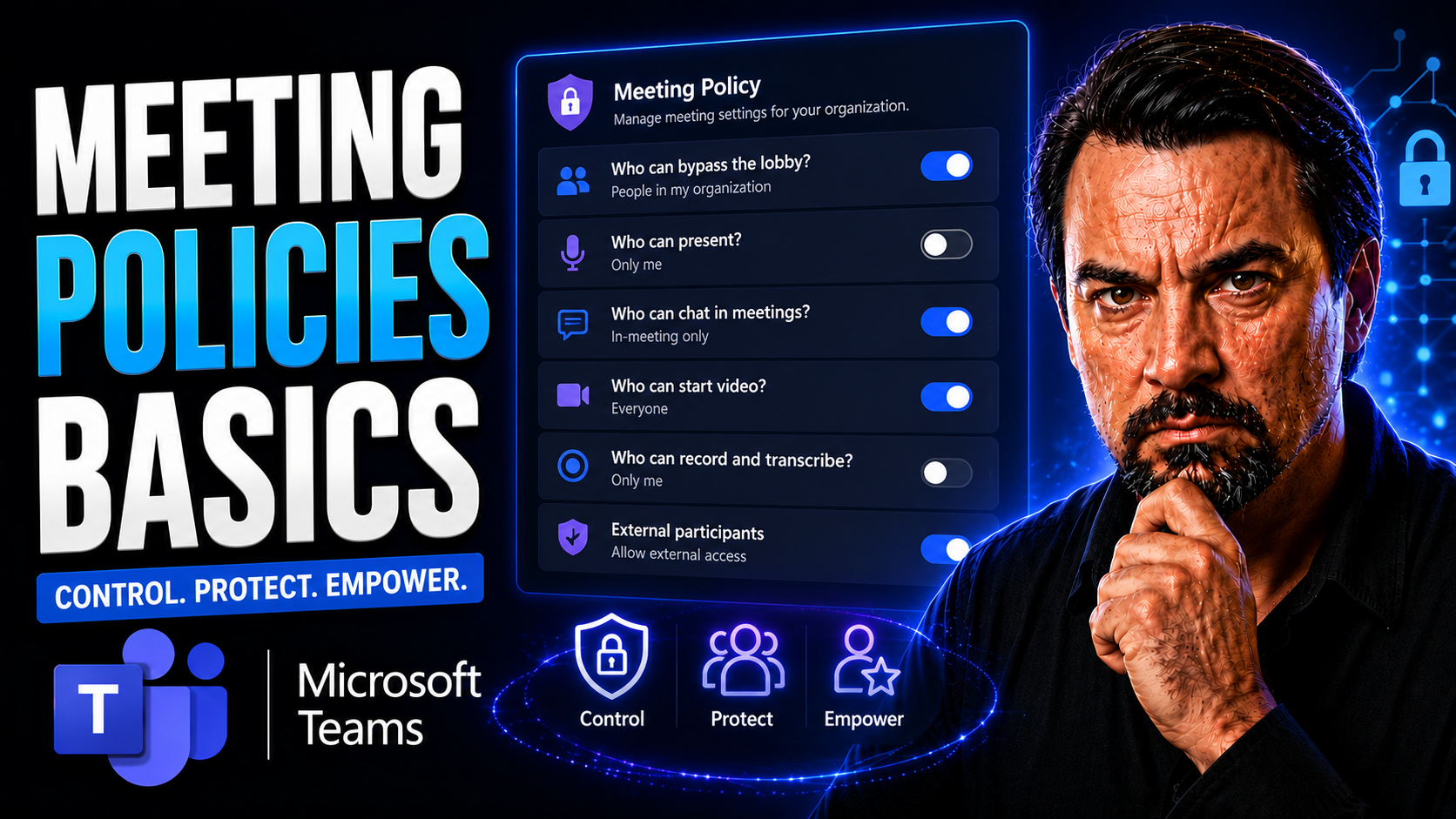
When you're looking to run meetings that actually get stuff done, you need more than just a calendar invite. This guide digs into the basics of meeting policies—what they are, why they matter, and how they bring real order and focus to both in-person and virtual get-togethers. Whether your whole team is in the office, scattered across cities, or meeting in Microsoft Teams, these rules make a difference.
Here, you’ll find straightforward advice and modern best practices built for today’s fast-moving, digital workplace. You’ll understand how clear, structured guidelines support productivity, professionalism, and a sense of fairness for everyone. From etiquette to compliance and accessible tech, this article lays it all out so your meetings are not only efficient, but genuinely inclusive and secure.
Understanding the Foundations of Meeting Policies
If you want your team meetings to leave everyone nodding “That was worth it,” you need more than good intentions. Lay a strong foundation by understanding the building blocks of effective meeting policies. At their core, meeting guidelines and etiquette shape how people interact, communicate, and collaborate—setting the tone for everything that happens around the virtual or physical table.
Clear policies help teams avoid the usual meeting headaches: unclear goals, talking in circles, or awkward silences. They do more than keep meetings on schedule—they foster a culture of respect, accountability, and open participation. It’s about making sure everyone knows what’s expected and feels welcome to contribute.
This section sets up the ideas you’ll encounter in detail in the next few parts: what meeting guidelines look like, why etiquette isn’t just polite but powerful, and the key rules that make any professional meeting better for everyone involved.
What Are Meeting Guidelines and Why Do They Matter?
Meeting guidelines are a set of agreed-upon rules and best practices that outline how meetings should be run. These guidelines lay the groundwork for how participants communicate, interact, and contribute during gatherings—whether they’re face-to-face or connecting on Microsoft Teams. Think of them as the playbook that helps teams keep meetings organized, focused, and productive.
Without clear guidelines, meetings can quickly turn into a free-for-all. People talk over each other, decisions get lost, and valuable time gets wasted. Clear rules help clarify who speaks when, how to handle disagreements, and what level of preparation is expected from each participant. This avoids chaos, builds trust, and ensures everyone has equal opportunity to participate.
The most common types of meeting guidelines include rules about punctuality, agenda use, respectful communication, technology etiquette, and decision-making processes. When these expectations are set ahead of time, misunderstandings and disruptions are minimized. Everyone knows what’s expected, leading to smoother teamwork and better outcomes. Ultimately, meeting guidelines matter because they transform meetings into precise, purposeful, and collaborative events that move the business forward.
Why Is Business Etiquette Important for Meetings?
Business etiquette in meetings sets the temperature for the whole room. When everyone follows respectful communication and professional behavior, it’s easier to share ideas, solve problems, and reach decisions together. Etiquette isn’t just about being polite—it’s about showing respect for people’s time, perspectives, and contributions.
Strong etiquette helps build a positive workplace culture, strengthens team relationships, and boosts your organization’s reputation. When meetings are run with professionalism, people feel valued and are more likely to engage meaningfully, making every session count.
Key Rules and Business Etiquette Tips for Professional Meetings
- Be on time: Arriving early or right on time sets a respectful tone and shows you value everyone’s schedule. Punctuality helps meetings start smoothly and stay on track.
- Come prepared: Review the agenda, relevant materials, and your own action items before joining. Being ready reduces needless detours and keeps the discussion focused.
- Practice active listening: Give speakers your full attention, avoid interruptions, and clarify your understanding through feedback or thoughtful questions. This makes conversations more productive and inclusive.
- Contribute constructively: Share your insights clearly, stay on topic, and offer solutions rather than shifting blame. Positive participation encourages open dialogue and creative problem-solving.
- Respect the agenda and speaking order: Stick to the planned structure, let others finish their points, and use features like “raise hand” in Microsoft Teams. Following the agenda ensures essential topics are covered without getting sidetracked.
Establishing Effective Meeting Ground Rules
Ground rules are what keep a meeting from spiraling into confusion or, worse, time wasted. By laying out expectations up front, you give every participant a fair shot at having their voice heard and keeping the meeting moving in the right direction. These “house rules” cover everything from participation and technology use to how disagreements are handled.
Getting these basics right is crucial. A clear set of rules supports accountability, clarity, and engagement for everyone, whether you’re planning a big strategy session or a quick team check-in over Microsoft Teams. The right ground rules help participants understand their roles, stay on task, and achieve meeting goals more efficiently.
In the following sections, you’ll get specific advice on setting these rules, defining the real purpose of your meetings, and making sure everyone knows their responsibilities before, during, and after each session.
How to Set Rules for Productive Meetings
- Start with a clear agenda: Share a structured agenda with all participants ahead of time. This lets everyone know what will be discussed and how to prepare, keeping the meeting focused from the start.
- Define participation expectations: Explain who should speak when, how long individual updates should be, and how participants can signal they’d like to contribute (for example, by raising a virtual hand in Microsoft Teams).
- Establish time management rules: Set a firm start and end time for each meeting. Appoint a timekeeper if needed to ensure discussions don’t drag on—and politely move the team forward if they do.
- Outline technology use: Set expectations for muting microphones, turning cameras on or off, and minimizing on-screen distractions. Make sure everyone understands how to use tools like chat or screen sharing appropriately.
- Invite input on rules: Encourage your team to suggest additional guidelines and vote on them as a group. When everyone helps shape the rules, they’re more likely to follow them and hold each other accountable.
Defining Scope and Purpose to Ensure Meeting Success
Before you even send out invites, clarify why this meeting needs to happen and what you want to accomplish. The “scope” covers the topics and decisions on the table, while the “purpose” spells out the main objective—like reaching a decision, sharing information, or brainstorming ideas.
By outlining these points up front, you help participants prepare appropriately and keep conversations goal-oriented. Measuring meeting success becomes much easier when everyone knows exactly what outcome you’re working toward.
Assigning and Naming Roles and Responsibilities in Meetings
- Facilitator: Guides the meeting, keeps to the agenda, and ensures everyone gets a chance to speak.
- Note-taker: Records key decisions, action items, and next steps so nothing important is missed or forgotten.
- Timekeeper: Watches the clock and signals when it’s time to move on, helping keep the session efficient.
- Participants: Actively engage by listening, asking questions, and sharing insights. Assigning roles makes accountability clear and meetings much smoother.
Implementing and Enforcing Meeting Policies
Even the best rules fall flat if nobody follows them. Rolling out new meeting guidelines means integrating them into your team’s everyday routines—especially when you’re meeting virtually or using Microsoft Teams. This can be as simple as updating your meeting invites or as detailed as creating a team playbook with rules, roles, and do’s and don’ts.
Enforcing these guidelines is about consistency and fairness. When someone forgets or ignores a rule, it’s important to address it promptly yet respectfully, preventing negative patterns from taking hold. For virtual meetings, you’ll face extra challenges with compliance, privacy, and even security—making clear expectations and strong enforcement all the more critical.
Next up, you’ll see practical strategies for embedding these policies into your workflow, how to handle rule violations, and what you need to keep in mind about compliance and security—especially with platforms like Microsoft Teams where protecting your organization’s data and reputation takes center stage.
Best Practices for Implementing Meeting Guidelines
- Communicate changes clearly: Announce new meeting rules and expectations in multiple formats—email, chat, or even a kickoff huddle—so nothing gets lost in translation and everyone is on the same page.
- Document everything: Keep guidelines, agendas, and responsibilities in a central spot (like a shared Teams folder) for easy reference. This makes onboarding new team members a breeze.
- Train your team: Brief everyone on how to put rules into practice, especially for features unique to Microsoft Teams (such as muting, channel etiquette, or meeting recordings).
- Secure leadership buy-in: When team leaders follow and support these policies openly, the rest of the group sees they’re serious and worth respecting.
- Embed guidelines in your workflow: Leverage Microsoft Teams governance tools to automate reminders, enforce permissions, and control access to sensitive information. For more on this, check out how Microsoft Teams Governance turns chaos into confident collaboration by setting clear rules and security measures.
What Happens if Meeting Rules Are Violated?
- Start with a gentle reminder: If someone strays from the rules, a quick, friendly prompt (either during or after the meeting) often gets things back on track.
- Issue a written warning: If issues persist, document the problem and offer specific feedback. This reinforces that guidelines matter and need to be respected.
- Escalate as needed: Continued disruptions may require involvement from HR or a team leader. Escalation ensures problems don’t derail the meeting culture for everyone.
Maintaining Compliance, Security, and Ethics in Meetings
- Stay current on company and legal policies: Ensure all meetings, especially those in the cloud, comply with internal guidelines and external regulations.
- Recognize and manage security risks: Use secure platforms, restrict access, and avoid sharing sensitive data in open channels. Dive deeper into best practices with this guide to hardening Microsoft Teams security and learn about Microsoft's five-layer security approach for safeguarding collaboration.
- Uphold ethical responsibilities: Assign someone to oversee code of conduct and ethical behavior in meetings. Keep a clear trail of decisions and actions taken so there’s no ambiguity.
- Control sensitive information: Limit who can record, share, or access key meeting details—particularly using features within Microsoft Teams and related platforms.
- Utilize advanced tools: Adopt AI tools, such as Microsoft Copilot, that follow strict security protocols for access and compliance. For more on Copilot’s security model, see this explanation of Microsoft Copilot’s safeguards against data exposure and compliance risks.
Optimizing Meetings for Productivity and Engagement
No matter how good your ground rules are, meetings can quickly slip off the rails—especially when screens, devices, or side chats start to steal the spotlight. The key to running truly productive and engaging meetings is staying proactive. From the first agenda item to the last sign-off, your tactics should push toward inclusive participation and focused discussion.
Technology, used the right way, adds speed, structure, and accountability. Microsoft Teams, with its built-in agenda sharing, attendance tracking, and follow-up tools, is a game-changer when you want to automate the boring stuff and keep everyone’s heads in the meeting—not buried in their phones.
In the next sections, you’ll get practical ways to minimize distractions, boost active listening, and use digital tools to run meetings your team actually enjoys—and remembers for the right reasons.
Managing Distractions to Keep Meetings Focused
- Mute notifications and devices: Ask participants to silence phones, instant messages, and pop-up reminders. A focused environment keeps conversation flowing.
- Designate “no multitasking” zones: Remind attendees to avoid checking emails or browsing the web during the meeting. Visible attention leads to better engagement and less repetition.
- Set technology expectations upfront: Let everyone know about required camera or mic settings, and use digital features like “focus mode” in Microsoft Teams to minimize visual clutter. For more on tech productivity, see these Copilot tips for better focus with Microsoft 365 and Outlook.
Encouraging Active Listening and Participation
- Use structured round-robins: Give everyone a set time or order to speak so no voice dominates—and no one gets left out.
- Ask direct questions: Call on quieter members with open-ended prompts that invite their perspective. Positive reinforcement helps participation flourish.
- Leverage feedback tools: Use live polls, reactions, or chat boxes in Microsoft Teams to gather input and let people weigh in quickly without interrupting the flow.
Using Microsoft Teams to Enhance Meeting Efficiency
- Share the agenda beforehand: Teams lets you attach and distribute meeting agendas for easy prep, so everyone’s on the same wavelength before logging in.
- Track attendance and participation: Built-in attendance lists and engagement summaries show who’s present and involved—making it easier to follow up and keep accountability high.
- Automate follow-ups and action items: Tools like integrated task lists or automation features (e.g., Power Automate) remind team members of next steps and deadlines, reducing dropped balls and missed progress. Check out how to streamline project collaboration with this Teams project organization guide.
- Secure and govern your meeting workflows: Proper set-up of meeting permissions, recording policies, and document sharing in Teams isn’t just about efficiency—it’s key to data security and compliance. To leverage AI features safely, see this tutorial on safely using Microsoft Copilot in Teams.
Supporting Elements of Professional Meeting Culture
Beyond the basics, every meeting is also a statement about your team’s professionalism and standards. The small details—how you handle logistics, manage sign-ups, or even the dress code—shape the experience and influence how your team, clients, or outside partners perceive your organization.
From ironing out the guest list to making sure that payments and registrations don’t trip you up, these behind-the-scenes elements play a huge role in overall meeting success. And, of course, the way your group presents itself—from business attire to polished communication skills—fosters a respectful and goal-oriented atmosphere.
Coming up, we’ll break down practical, step-by-step methods for handling all the meeting logistics you need to think about, and reinforce the rules for professional presentation and conduct that give your team a winning edge.
How to Plan Meeting Logistics, Registration, and Payments
- Choose the right venue (physical or virtual): Select spaces that fit your group size, have the needed equipment, or—for remote teams—platforms like Microsoft Teams. Tools such as Microsoft Places help coordinate room bookings and workspace utilization. For more, see this overview of Microsoft Places for hybrid meetings.
- Manage registrations: Use clear sign-up forms or online registration tools to keep track of attendees. For big events, confirming RSVPs prevents confusion on the day-of.
- Handle payments and expenses: For paid sessions, provide easy and secure payment options. Track expenses and reimbursements to keep things transparent and on budget.
- Prepare support materials: Send out agendas, handouts, or digital resources well in advance so folks know what to expect and bring what they need.
- Plan for tech issues: Always have a backup plan for hardware failures or online platform glitches—like a secondary dial-in number or spare laptop where possible.
Professional Conduct, Appearance, and Making a Statement in Meetings
- Dress to fit the occasion: Match your attire to the formality of the meeting—business casual for internal check-ins, formal wear for high-stakes client sessions, or neat, tidy attire for virtual calls.
- Communicate clearly with proper spelling and grammar: Polished emails and meeting chats show attention to detail and respect for your audience.
- Express ideas concisely and respectfully: Whether giving a presentation or chiming into discussion, keep your statements clear, purposeful, and considerate of the audience’s time and background.
Inclusive Meeting Design for Diverse Teams
For meetings to really deliver value to everyone, you can’t use a one-size-fits-all approach. Today’s teams bring together a wide range of backgrounds, learning styles, and communication needs—some visible, some not. The policies that guide your meetings should support full participation from neurodiverse coworkers, culturally diverse members, and those working in hybrid or remote setups.
That calls for more than just good intentions; it means considering things like cognitive accessibility, psychological safety, and cultural nuance throughout your planning process. Setting up meetings this way opens the floor for every voice and perspective, leading to smarter decisions and a stronger team vibe all around.
Read on for practical accommodations and policies that make meetings more accessible for folks with ADHD, autism, or anxiety, plus strategies to foster global collaboration without cultural missteps.
Accommodating Neurodiversity and Cognitive Differences
- Share agendas and materials early: Allow extra time for review and processing, reducing stress and improving understanding for all participants.
- Shorten meeting durations: Schedule shorter, focused sessions with frequent breaks to help those who may struggle with sustained attention.
- Offer alternative participation methods: Allow folks to contribute via chat, polls, or follow-up emails, not just verbal participation.
- Use clear and simple language: Avoid jargon or ambiguous instructions to ensure everyone can keep up and contribute confidently.
Cultural Sensitivity in Global Team Meetings
- Respect world time zones: Rotate meeting times to share the burden of early mornings or late nights across regions.
- Prioritize language clarity: Stick to simple wording, avoid idioms, and use visual aids so non-native speakers can easily follow.
- Encourage structured turn-taking: Use “round-robin” or “speaking order” formats to prevent culture-based dominance or hesitation.
- Celebrate diverse perspectives: Acknowledge holidays, customs, or viewpoints that might shape how team members approach a topic.
Measuring and Improving Meeting Effectiveness With Feedback Loops
It’s not enough to slap down a set of rules and call it a day; smart teams measure whether their meetings are actually working. Continuous feedback transforms meeting policies from “just paperwork” into a living part of your culture that can adapt as your needs change.
Introducing feedback tools and metrics helps leaders do more than just guess how meetings are going. This kind of insight drives real improvement: are decisions being made faster, is engagement up, are outcomes meeting goals?
In the coming sections, you’ll learn ways to gather feedback after meetings and track the right metrics to see if your policies are truly moving the needle for your team’s productivity and morale.
Using Post-Meeting Feedback to Continuously Improve
- Quick surveys: Send a short, anonymous survey after the meeting to gauge satisfaction and gather immediate suggestions.
- Pulse checks: Use real-time polls or feedback buttons during virtual meetings for instant reactions on flow or clarity.
- Open comment channels: Provide a spot (chat, digital forms) where team members can safely share what worked and what didn’t, helping refine policies over time.
Defining and Tracking Metrics for Meeting Success
- Decision-making speed: Track how quickly meetings result in actionable decisions, not just lengthy discussions.
- Action item completion rate: Monitor how many assigned tasks are done by deadlines—a telling sign of meeting follow-through.
- Participation levels: Look at who’s speaking up (or not)—higher engagement means better inclusion and results.
- Productivity benchmarks: Compare time spent in meetings to tangible outcomes or progress toward business goals. For more on measuring technology’s impact, see this analysis of Microsoft Copilot efficiency metrics.
Hybrid Meeting Equity and Technology Access
Hybrid teamwork is the new normal, but it comes with its own headaches. Too often, remote attendees end up as second-class participants as in-person dynamics take over. To build a truly fair and effective meeting culture, every organization needs clear policies that address this “two-tier” challenge and ensure everyone—no matter where they log in from—has the same shot at being seen and heard.
Technology access is the great equalizer if implemented right. That means having guidelines on the minimum devices, internet quality, and meeting platform familiarity needed for everyone to show up and take part. Thoughtful standards can close the gaps, eliminate barriers, and empower even the least tech-savvy team members to participate fully in every meeting.
Next, we dive into simple but powerful ways to ensure equal footing for hybrid teams, plus organizational rules to guarantee everyone has the tech tools and support they need to stay connected and involved.
Promoting Equal Participation for Hybrid Teams
- Rotate facilitators: Switch up who leads so both in-person and remote folks get their shot at running the meeting and feeling included.
- Follow structured agendas: Stick to topics and scheduled speaking slots, which makes participation more predictable and fair across locations.
- Promote real-time collaboration: Use shared documents, online whiteboards, or polls during meetings so everyone can contribute in the same format, no matter where they’re joining from.
Standardizing Technology Access and Device Readiness
- Set clear device requirements: Share a checklist of recommended hardware, software, and connectivity speeds for smooth participation in platforms like Microsoft Teams.
- Provide technical support: Ensure help is available for setup or troubleshooting, so no one misses out due to simple IT issues.
- Automate governance: Use tech like Power Apps and Power Automate to standardize workspace setup and minimize sprawl. Get a look at what this means in practice in this Teams governance deep dive.
- Conduct regular readiness checks: Periodically test equipment and connections before key meetings so everyone, not just IT pros, can participate without disruption.
You Should Also Listen To
If you are researching Teams meeting policies, these episodes add practical context on meeting operations, security, collaboration, and governance:
- Recording, Transcription, and Breakout Rooms — Learn how recording and transcription turn meetings into reusable knowledge.
- Teams Telephony – Simply Explained — Understand the communication architecture behind reliable Teams meetings.
- Microsoft Teams Governance – The Illusion of Control — Connect meeting design with policy, ownership, lifecycle, and governance.
- Microsoft Defender XDR – Simply Explained — Add security monitoring and response to meeting operations.

Microsoft MVP | Host of M365.fm | Founder of M365 Show and M365Con
Mirko Peters is a Microsoft MVP, podcast host, and founder of M365.fm, M365 Show, and M365Con. His work connects Microsoft practitioners through podcast interviews, livestreams, and community events.
At M365.fm, Mirko hosts conversations with Microsoft MVPs, product experts, architects, and community contributors. Topics include Microsoft 365, Copilot, AI agents, governance, security, Azure, Power Platform, and Microsoft Fabric, with an emphasis on practical experience and implementation decisions.
M365.fm is the podcast and learning platform. M365 Show brings experts together for livestreams, while M365Con provides an online conference setting for community learning.
Official website: Mirko Peters (https://www.mirkopeters.com/). Recognition: Mirko Peters — Microsoft MVP profile (https://mvp.microsoft.com/de-DE/mvp/profile/9b0ca797-db5a-493a-a845-8b9158046cf5). Connect on LinkedIn (https://www.linkedin.com/in/m365showpodcast/).