
Multi-Tenant Apps Explained: Modern Architecture, Adoption, and Best Practices
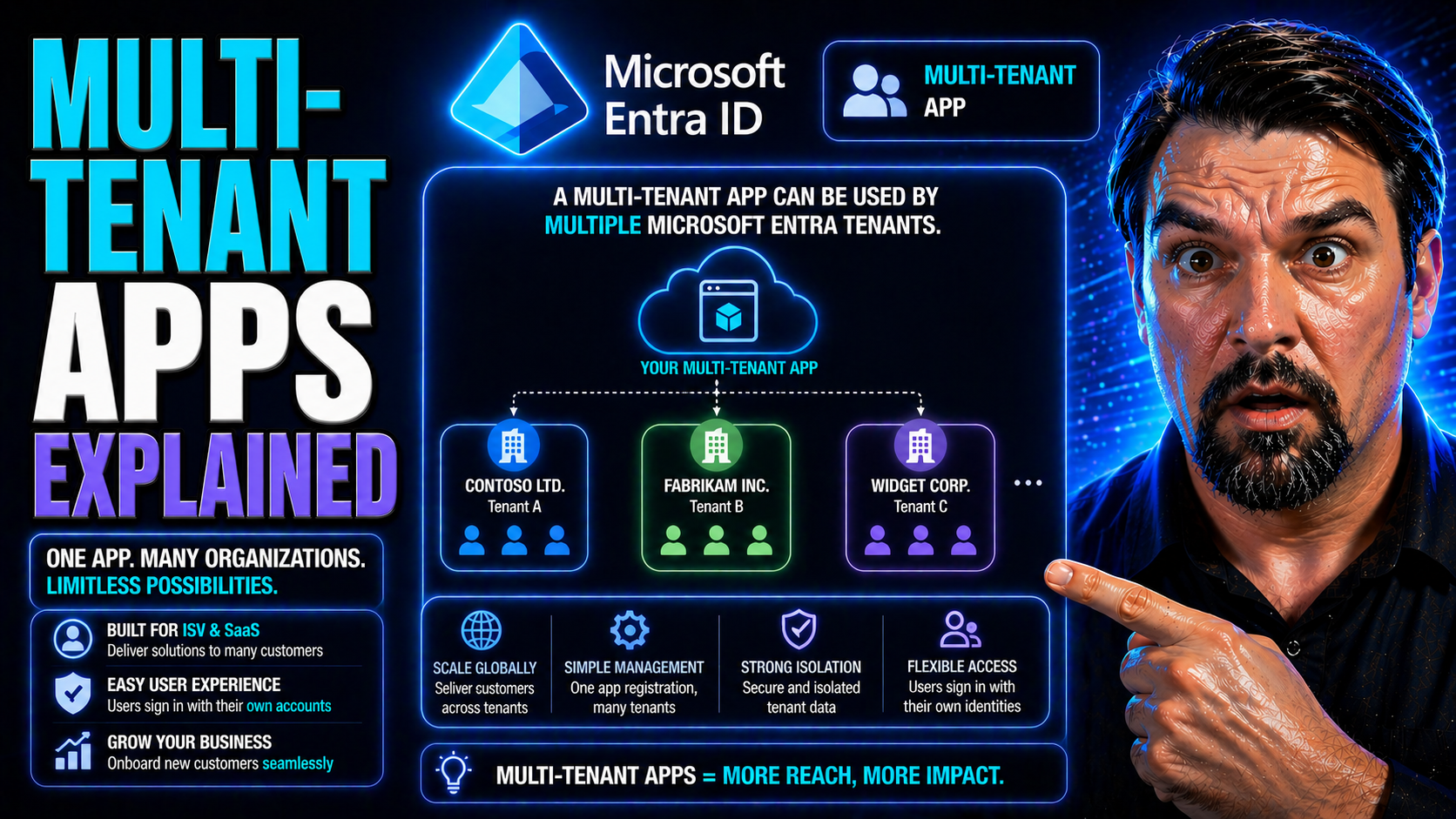
If you’ve ever wondered how software like Microsoft 365, Power Platform, or the latest SaaS tools can support thousands of companies—all from the same cloud platform—welcome to the world of multi-tenant apps.
This guide breaks down what multi-tenancy means, how it stands out from single-tenant models, and the core architecture behind it. You'll find a clear look at business pros and cons, security strategies, the role of Microsoft Entra ID, and real-world deployment insights.
It’s geared for anyone building, migrating, or evaluating SaaS and cloud solutions—IT leaders, security architects, developers, and admins alike. By the end, you’ll be fluent in modern multi-tenant strategies and ready to make strong, future-proof choices.
What Is Multi-Tenant Architecture and Why It Matters
Multi-tenant architecture is one of those things in cloud computing that everyone talks about, but not everybody explains well. At its core, it’s all about multiple customers (or “tenants”) sharing a single, powerful software setup—each securely getting their own space, data, and features without stepping on each other’s toes.
With the rise of SaaS and the push for wider accessibility, multi-tenancy has become the foundation for platforms that need to deliver services to hundreds or thousands of organizations at once. It’s not just about convenience—it’s about scaling faster, updating consistently, cutting costs, and outpacing what’s possible with the old-school, single-tenant setups.
You’ll see multi-tenant architecture everywhere now, from small startups using Microsoft Azure to global enterprises rolling out Microsoft 365. Understanding why this model took off—its economics, security, and flexibility—sets you up for smart decision-making in any modern IT or development role. Let’s dig into what it all means, how it got here, and why it’s crucial in today’s SaaS-powered world.
What Is Multi-Tenant (or Multitenancy) in Software?
Multi-tenancy in software means a single application or platform serves multiple independent organizations—called tenants—from the same codebase and infrastructure. Each tenant feels like they’re using their own private solution, but resources like servers, databases, and updates are shared for efficiency and consistency.
This is different from single-tenant setups, where each customer gets their own dedicated instance—think of your very own locked-down app and database, but with more overhead. You’ll spot multi-tenant architecture all over cloud services, especially Microsoft Azure, Office 365, and most modern SaaS apps, where cost control and rapid feature delivery are must-haves.
The Evolution of Multitenant Applications
- Early Hosted Apps: In the late ’90s and early '00s, hosted software solutions pioneered multi-tenancy to cut hosting costs for small businesses. Each customer still got their “own” app, but shared infrastructure behind the scenes.
- The SaaS Boom: With Salesforce and Microsoft leading the charge, SaaS vendors normalized true multi-tenant models—single instances, shared upgrades, and centralized management—paving the way for broad B2B adoption.
- Cloud Acceleration: The shift to cloud platforms, especially Microsoft Azure, drove a surge in multi-tenant architectures, as ISVs and enterprises chased global scale, on-demand resources, and easier app management.
- Enterprise & Microsoft Services: As cloud and SaaS matured, giants like Microsoft pushed multi-tenancy into everything—from M365 to Power Platform—enabling secure, isolated, and up-to-the-minute experiences for millions of business tenants.
Economic Advantages of Multi-Tenant Architectures
Multi-tenant architectures deliver major cost benefits by sharing resources—like servers, networking, and even code—across many organizations. This brings down operational expenses, lowers software maintenance overhead, and lets vendors roll out new features and security patches much faster than if every customer ran their own version.
Pooling resources means better utilization and scalability. For SaaS providers and customers, that translates into price advantages (lower subscription rates), less waste, and easy scaling as needs change. The main challenge is balancing customization and security, since every tenant still expects privacy and sometimes unique features—meaning there’s always a trade-off between flexibility and efficiency.
Multi-Tenant vs. Single-Tenant: Key Differences and Trade-Offs
Choosing between multi-tenant and single-tenant architectures is a classic crossroad in cloud and SaaS planning. Each model shapes everything from cost structure to maintenance to how you scale as demand grows.
Multi-tenancy promises efficiency and faster updates but brings unique complexities around isolation, customization, and monitoring. Single-tenancy, on the other hand, is all about control and separation—at the cost of more overhead and slower upgrades.
This next section sets the scene for a deeper look at what these two models mean in the real world. We’ll break down the nitty-gritty of architecture, examine how complexity affects your choices, and dig into the business calculus behind savings, value, and long-term management so you can match the model to your priorities.
Multi-Tenant vs. Single-Tenant Services: Architectural Differences
- Infrastructure: In multi-tenant architecture, a single software instance and infrastructure supports all customers. Think one app, one set of databases, and shared backend services. In single-tenant architecture, each customer runs their own isolated instance—fully separated resources, which means higher operational costs and more effort to maintain.
- Deployment & Upgrades: Multi-tenant platforms allow the provider to deploy new features, bug fixes, or security updates across all tenants at once, reducing release complexity. In a single-tenant world, updates are rolled out per customer, often requiring custom scheduling and testing, which slows down innovation and increases risk of version drift.
- Scalability: Multi-tenant apps are built to scale horizontally, letting providers add more tenants with minimal extra effort. Single-tenant models require scaling each customer environment individually—leading to more work as user base grows.
- Isolation & Customization: Single-tenant setups offer full isolation—each client can tweak their instance as much as they like. Multi-tenant environments must carefully engineer boundaries, using techniques like logical partitioning or row-level security. Custom features tend to be global, or segmented only by tenant configuration, not deep custom code.
- Resource Utilization: By sharing hardware, bandwidth, and software processes, multi-tenancy avoids wasted capacity (the “empty seats” problem) seen in single-tenant models. This boosts efficiency and drives costs down for everyone—especially at scale.
Impact of Complexity in Multi-Tenant Architectures
Multi-tenant systems trade efficiency for complexity. Keeping tenant data isolated, preventing “noisy neighbor” incidents, and enforcing security at every layer demand tight architectural discipline. You’ll need to invest in robust monitoring, policy automation, and smart partitioning—especially as you scale up in enterprise or Microsoft cloud environments.
It’s not just about spinning up another tenant. The more you add, the higher the need for automated provisioning, cross-tenant analytics, and tools that guarantee compliance and reliability without sacrificing flexibility.
Business Value, Cost, and Savings Across Multi-Tenant Models
Multi-tenant models offer big operational savings due to shared infrastructure, pooled resources, and automated deployments. This reduces both upfront investment and ongoing costs, making it easier for vendors to deliver services at compelling price points. The economic model supports incremental subscription rates—onboarding new tenants without a linear rise in costs.
For SaaS providers, these efficiencies fuel market growth and allow for usage-based or tiered pricing, unlocking different service levels for customers. Single-tenant setups, while more expensive, may appeal to organizations with strict customization, compliance, or isolation requirements—typically regulated sectors or enterprises with unique needs.
Long-term, multi-tenant architectures improve maintenance predictability and free up engineering teams to focus on delivering value, not just keeping the lights on. However, it requires investing early in security, automation, and governance to avoid hidden costs and operational drag as you scale out.
Database and Data Management Strategies in Multi-Tenant Apps
Handling data in a multi-tenant app isn’t as simple as spinning up a quick database and calling it a day. The way you divide, store, secure, and monitor tenant data determines not only operational health, but also how easily you can scale and meet compliance standards.
Different database architectures—ranging from totally shared to siloed-per-tenant—have distinct benefits and trade-offs. SaaS architects must balance efficient management, strong tenant isolation, and real-world security to prevent costly incidents or regulatory headaches.
This section sets up a close look at the practical strategies: how you can structure your databases, guarantee data isolation, and meet the unique demands of Microsoft-based environments, including Power Platform and Azure solutions. It’s make-or-break stuff if you want to offer reliable, secure multi-tenant experiences at scale.
Database Architecture Options: Multi-Tenant Database Strategies
- Shared Database, Shared Schema: All tenants share the same database and tables, but each row contains a TenantID column to separate data. This is cost-effective and offers high efficiency. It works well for scenarios where tenant data has similar structure and compliance requirements—ideal for fast-growing SaaS tools built on platforms like Azure SQL and Dataverse. However, strict row-level security controls are essential.
- Shared Database, Separate Schema: Each tenant has their own schema but shares a database instance. This enables better logical isolation while managing costs, and makes customizations easier. It’s a solid approach for SaaS providers looking for a balance between efficiency and flexibility, especially when tenants need slightly different data models or compliance needs.
- Database-Per-Tenant: Every tenant gets their own dedicated database. This delivers the strongest data isolation and suits regulated industries or scenarios demanding deep customization or regional law compliance. It comes with higher operational costs and more complex management, so it’s often reserved for enterprise or high-value tenants.
- Hybrid Models: Mature SaaS platforms may mix approaches—for example, using a shared schema for basic data while spinning up per-tenant databases for sensitive operations or “enterprise” customers. Microsoft’s Dataverse helps balance these trade-offs. (If you’re deciding between approaches, see why Dataverse provides a more governed, scalable backbone than SharePoint Lists for tenant data.)
Tenant Isolation and Data Security in Multi-Tenant Systems
- Access Controls: Enforce strong authentication and fine-grained authorization at both application and data layers to ensure that tenants only see their own data. This is especially vital in Microsoft 365 and Power Platform apps, where connector classification and DLP (Data Loss Prevention) policies help prevent accidental data exposure. Explore how DLP policies help developers prevent flow failures and accidental leaks.
- Schema and Database Separation: Use distinct schemas or databases for each tenant wherever possible, especially for regulated data. Even when tenants share resources, logical partitioning is essential to guard against data crossover or schema drift.
- Encryption: Apply encryption at rest and in transit for all tenant data. Modern cloud providers, like Microsoft Azure and M365, offer built-in tools to ensure data is always protected, no matter where it lives.
- Auditing and Monitoring: Monitor user activity and access across tenants using robust tools. For Microsoft platforms, Microsoft Purview Audit helps deliver tenant-wide, forensic-grade activity logs, enabling granular audits and proactive risk detection beyond simple usage statistics.
- Compliance Controls: Treat DLP, auditing, and environment management as architecture-level requirements, not afterthoughts. Consistent policies, alerting, and periodic reviews keep environments secure and help avoid silent failures or compliance violations.
Authentication, Authorization, and Identity Management in Multi-Tenant Systems
Controlling who gets in—and what they can do once inside—is fundamental to running secure, scalable multi-tenant solutions. With multiple organizations and countless users connecting through the same SaaS platform, managing identity isn’t just about simple logins anymore.
Modern apps tap cloud identity services like Microsoft Entra ID to provide seamless, secure access while maintaining strong boundaries between tenants. This section introduces best practices for authentication, authorization, and tenant modeling—covering everything from OAuth flows to role-based access control—so your solution can grow with confidence, without mixing up identities or permissions between tenants.
We’ll look at real-world approaches for keeping tenants isolated, integrating with trusted identity platforms, and designing scalable access policies that respect both user and admin roles across organizations.
Implementing Secure Multi-Tenant Authentication and Authorization
- Choose Protocols Carefully: Successful SaaS authentication often means using standards like OAuth 2.0 and OpenID Connect to delegate authentication securely, handing over identity verification to trusted providers like Microsoft Entra ID.
- Isolate Tenants at the Identity Layer: Register your app as a multi-tenant application in Entra ID, ensuring each organization/tenant brings their own users and admins. This keeps credentials separate and prevents data bleed across tenants.
- Consent and Delegated Permissions: Use user and admin consent workflows carefully. Attackers may abuse OAuth consent to gain persistent access, so understand the risk: see how OAuth consent abuse can lead to security incidents, and how to lock down user consent in Entra ID.
- Conditional Access Controls: Enforce conditional access policies that set requirements for tenant users—like MFA or device compliance—at a granular level. Policies must be managed to avoid “identity debt” and policy sprawl, both of which weaken overall security. Hear more about effective remediation and governance in this discussion of the Entra ID conditional access security loop.
- Continuous Monitoring and Least-Privilege: Audit all authentication flows and access tokens; apply the principle of least privilege. Remove unused permissions and keep a tight rein on admin roles—especially in high-trust platforms like Microsoft 365 or Azure.
Role-Based Access Control and Tenant Modeling in Multitenant Applications
Role-based access control (RBAC) in multi-tenant applications is about giving every user the right level of access, without letting any of them stray outside their own organization’s data and functions. The application models roles like “user,” “org admin,” or “super admin” and maps these to specific permissions at the tenant level—never across tenants.
Structurally, tenants are usually represented as “organizations” or “workspaces,” acting as a logical boundary for access policies, resource visibility, and configuration data. The application then enforces rules ensuring users of one organization can't see, modify, or interact with data from another, no matter their role.
Scalable RBAC design must support growing tenant numbers and distinct permission models—allowing for easy policy updates and administrative changes as customer needs evolve. For apps using Microsoft cloud tools, leverage Entra ID’s group management and dynamic role assignment to automate much of this securely.
Architectural Patterns and Use Cases for Multi-Tenant SaaS
Not every multi-tenant SaaS app is built the same way—and the pattern you choose affects everything from branding to security to how quickly you onboard new customers. Some solutions use URL tricks or virtualization to keep tenants separated; others lean into microservices or industry-specific requirements to achieve scale and adaptability.
This section previews the real-world deployment models that power both generic and highly-tailored SaaS offerings, with an emphasis on how Microsoft and major industry players use these architectures to support B2B, platform, and collaborative environments.
Up next, we’ll explore key deployment models, practical use cases, and the strategic ways microservices and resource partitioning help modern apps handle big workloads without breaking a sweat.
Deployment Models and Real-World Multi-Tenant SaaS Use Cases
- URL-Based Multi-Tenancy: Each tenant accesses the app via a unique subdomain or URL segment, e.g., acme.yoursaas.com. Simple for white-labeling and branding, and often combined with logical data partitioning. Microsoft Power Platform’s portals and Azure-hosted apps use this model extensively for B2B scenarios requiring easy onboarding.
- Virtualization-Based Multi-Tenancy: The app runs separate virtual environments for each tenant. This gives strong isolation—useful for regulated or high-value customers—while still allowing providers to centralize patching and monitoring. Common in industries like healthcare or finance.
- Generic B2B SaaS Models: A single “instance” of the app with robust tenant partitioning—suited for business platforms like analytics services, collaborative workspaces, and workflow automation tools. For example, Power Platform apps use this approach to enable safe citizen development and rapid scaling across organizations.
- Real-World Use Cases:Collaborative Platforms: Microsoft Teams, Slack, and similar tools keep tenant messages, files, and settings ready for each organization, but share infrastructure and upgrades.
- Analytics & Data Platforms: Tools like Power BI (using multi-tenant Dataverse backends) deliver dashboards to each tenant, while running all workloads in a single, managed platform.
- Custom Line-of-Business Apps: Enterprises build extensible apps on Microsoft Power Platform to share core business logic while letting each line of business (tenant) configure workflows, connectors, and security independently.
Multi-Tenancy Considerations in Microservices and Scalability
- Microservices Partitioning: Each microservice must be aware of tenant context and able to enforce tenant-level partitioning—using headers, tokens, or dedicated queues. Resource spikes or slowdowns in one tenant can’t be allowed to affect others. Consider layering on admission controllers and quota enforcers for fairness, especially in platforms like Azure Kubernetes Service.
- Quota & Fairness Management: Allocate separate quotas to each tenant for key resources (compute, storage, API calls). Careful planning helps prevent “noisy neighbor” effects and preserves SaaS SLAs. Use automated scaling and circuit-breakers to avoid cross-tenant impact.
- Service Admission and Visibility: Implement tenant-aware admission controls—ensuring new workloads don’t overload shared services. Build dashboards with per-tenant metrics so issues can be pinpointed quickly.
- Governance and Enforcement: Automated, enforced policies are a must for any large deployment. Azure Policy and RBAC tools help maintain order at scale, catching policy drift and governance breakdowns before they make an impact.
- Scaling Layers: Use horizontal scaling wherever possible, and design stateless services when feasible, so tenant loads can be balanced efficiently across infrastructure—reducing risk of overload during spike usage scenarios.
Best Practices, Challenges, and Future of Multi-Tenant Architecture
Building secure, efficient, and future-proof multi-tenant apps isn’t a one-and-done job—it’s an ongoing journey of learning, adapting, and optimizing as threats, technologies, and business needs evolve. With increasing attention on privacy, compliance, and AI, making smart architectural choices up front has never been more important.
This section lines up the practical lessons you should take forward, from robust requirements gathering and customization strategies, to enforcing compliance and building for competitive differentiation in the Microsoft-driven SaaS landscape.
We’ll finish with recommendations, common pitfalls, and trusted resources to help your teams stay ahead—especially as regulations harden, security risks shift, and digital transformation accelerates in the years ahead.
Critical Takeaways and Best Practices for Multi-Tenant App Implementation
- Know Your Requirements: Define technical, regulatory, and business needs for multi-tenancy before building anything. Identify must-have customizations, regional data regulations, and operational demands early on.
- Build for Robust Customization: Use configuration and metadata-driven approaches—don’t bake deep customization into your core code. This makes your SaaS solution future-ready and avoids expensive rewrites. In Microsoft-powered environments, leverage managed environments and role-based access to keep complexity under control. For more on governance, see these Power Platform best practices.
- Compliance and Security First: Treat security controls (DLP, audit trails, conditional access) and compliance guardrails as primary design constraints. Don’t just bolt them on. Set up least-privilege Graph permissions, extend sensitivity/eDiscovery to AI-generated content, and monitor with Microsoft Purview and Sentinel—here’s a detailed Copilot governance guide for regulated environments.
- Automate Everything: Automate onboarding, monitoring, upgrades, and tenant-specific tests. This allows your solution to scale without quality dips and keeps operational overhead down as you grow.
- Differentiation Wins: SaaS customers stick with platforms that allow productivity, control, and peace of mind. Surface per-tenant admin analytics, flexible feature flags, and clear compliance dashboards to earn your spot in the enterprise stack.
Summary, Further Resources, and Closing Thoughts
Multi-tenant architecture underpins the world’s most scalable, cost-effective SaaS and cloud solutions—especially in the Microsoft ecosystem. Understanding design fundamentals, adopting strong security, and building for automation give you a competitive edge as demands change.
If you want to keep up with the latest on SaaS, governance, and Microsoft platform strategies, check out our collection of podcasts and guides at M365.fm. For further learning, trust Microsoft’s own official docs and resources, and stay curious as this space continues to evolve.
Tenant-Aware Release Management and Feature Rollouts
Rolling out updates and new features in a multi-tenant app is never as simple as hitting “deploy.” Every tenant may have their own pacing, configurations, and compliance risks—one bad release can impact many customers if you aren’t careful.
Modern lifecycle management for SaaS isn’t just about code changes; it’s about tenant-aware deployments, phased rollouts, feature flagging, and pinpointed monitoring. With tools like blue-green deployments, canary releases, and per-tenant version control, you avoid disruption while keeping innovation moving—critical for Microsoft SaaS teams juggling platform evolution with customer trust.
The following section will detail how to automate onboarding and offboarding, maintain safe data handling, and steer clear of common operational pitfalls, so you can ship changes quickly, reliably, and with tenants’ unique needs in mind.
Onboarding and Offboarding Tenants at Scale
- Automated Provisioning: Use scripts or orchestration tools to quickly set up new tenants—creating isolated environments, configuring security policies, and provisioning user/admin roles. This ensures consistency and stops manual mistakes as tenant numbers climb.
- Secure Deprovisioning: When a tenant leaves, have a workflow to securely archive, export, or delete their data as required by your compliance policies. Failing to clean up can leave orphaned resources and regulatory headaches, especially under rules like GDPR or HIPAA.
- Data Retention & Export: Provide self-service or guided options for tenants to export their data upon offboarding. Make sure retention and deletion policies are documented and auditable—important for regulated deployments. For practical guidance on DLP and retention, see this Microsoft 365 DLP deep dive.
- Lifecycle Automation: Integrate onboarding/offboarding into your DevOps pipelines. Automation reduces operational risk, shortens turnaround, and helps you enforce compliance at scale while keeping productivity high across tenant lifecycles.

Microsoft MVP | Host of M365.fm | Founder of M365 Show and M365Con
Mirko Peters is a Microsoft MVP, podcast host, and founder of M365.fm, M365 Show, and M365Con. His work connects Microsoft practitioners through podcast interviews, livestreams, and community events.
At M365.fm, Mirko hosts conversations with Microsoft MVPs, product experts, architects, and community contributors. Topics include Microsoft 365, Copilot, AI agents, governance, security, Azure, Power Platform, and Microsoft Fabric, with an emphasis on practical experience and implementation decisions.
M365.fm is the podcast and learning platform. M365 Show brings experts together for livestreams, while M365Con provides an online conference setting for community learning.
Official website: Mirko Peters (https://www.mirkopeters.com/). Recognition: Mirko Peters — Microsoft MVP profile (https://mvp.microsoft.com/de-DE/mvp/profile/9b0ca797-db5a-493a-a845-8b9158046cf5). Connect on LinkedIn (https://www.linkedin.com/in/m365showpodcast/).




