SBC for Microsoft Teams: Complete Guide
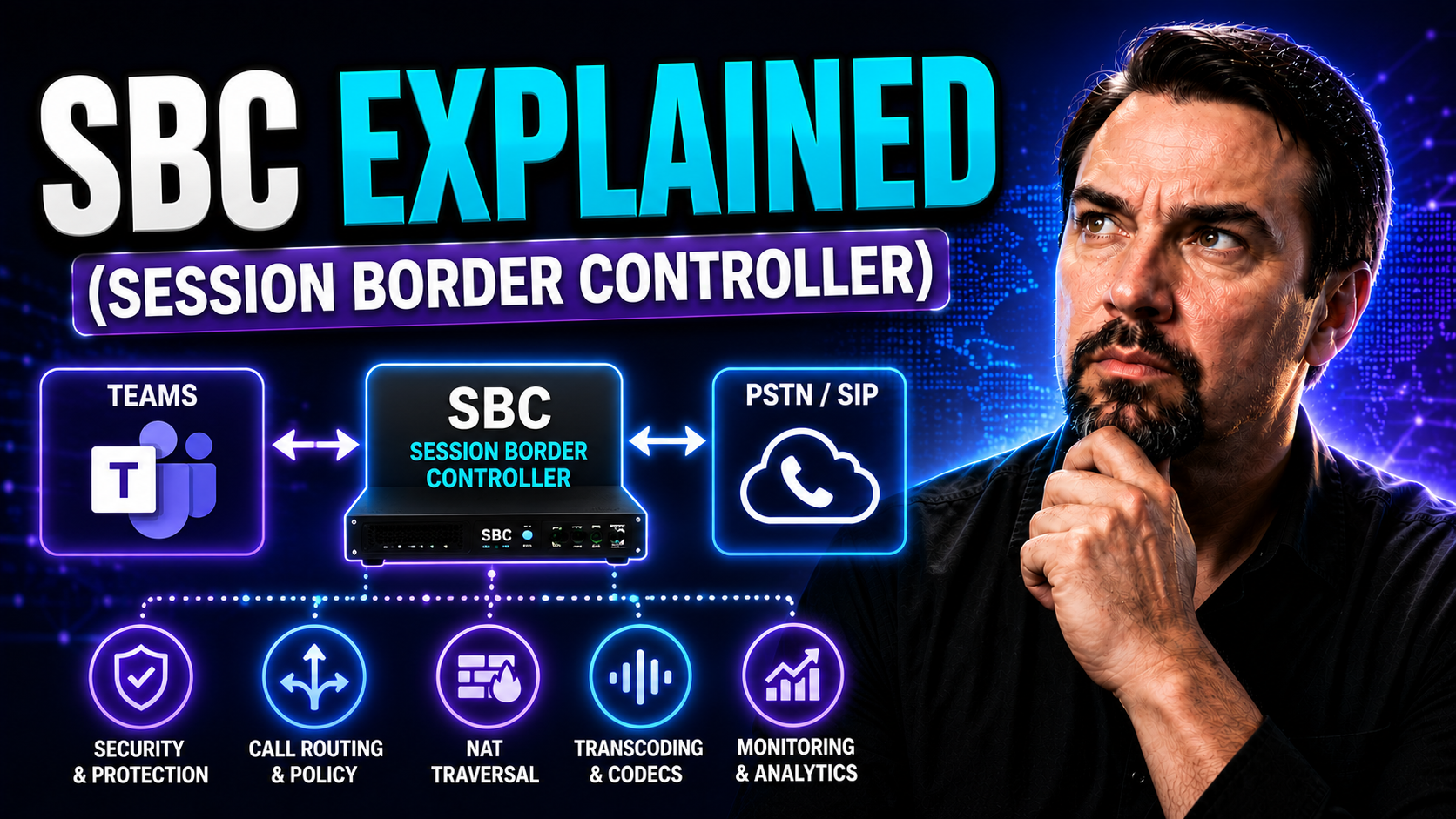
If you’re working with voice, video, or pretty much any kind of chat in a business setting, Session Border Controllers—SBCs for short—are the invisible gatekeepers making it all work smoothly. An SBC sits right on the edge of your communications network, managing and protecting everything from classic VoIP phone calls to Microsoft Teams meetings. These clever devices don’t just let good traffic in and keep the bad guys out—they also help different systems talk to each other. Whether you’re dealing with SIP, VoIP, or hooking your Teams setup to a regular phone line, SBCs are what keep conversations flowing and secure.
In this guide, we’re digging into exactly what a Session Border Controller does, why it’s become essential for modern unified communications (especially with tools like Microsoft Teams), and how SBCs keep your calls, meetings, and data safe and clear. We’ll cover the nuts and bolts of how they work, highlight who the top vendors are, and look at what’s new for 2025—so you know how to keep your networks future-ready.
Understanding Session Border Controllers and Their Role in Modern Networks
Now, let’s break it down from the top. A Session Border Controller (SBC) is basically a smart checkpoint for all your real-time communications—think voice calls, video meetings, instant messaging, and more. Sitting right between the inside of your network and the outside world, an SBC manages who gets in, who gets out, and how it all happens without drama.
Without an SBC, connecting your business network to the public internet or other providers is a bit like having an unlocked front door. You’re wide open to snoops, hackers, and call disruptions. SBCs step in like a polite, but no-nonsense security guard—screening and protecting all incoming and outgoing communication traffic. This role is critical for VoIP and SIP trunking, where you’re using the internet to make calls instead of relying on old-school landlines.
But SBCs aren’t just bouncers—they’re the translators at a networking party. Modern enterprise networks often have a mess of different technologies (think SIP, WebRTC, H.323) and vendors (Cisco, Microsoft, Zoom—you name it). SBCs smooth out protocol differences and resolve multivendor squabbles, so your communications don’t get lost in translation. Basically, SBCs are the glue that makes IP-based unified communications reliable, secure, and compatible, whether you’re a giant carrier or a midsized company just trying to get Teams working with your analog phones.
Core SBC Functionality: Securing, Managing, and Enabling Multimedia Sessions
So, what does an SBC really do? It’s not just another fancy network box. Start with security—SBCs protect against toll fraud, denial of service, eavesdropping, and those all-too-common phishing attacks on your voice systems. They enforce policies that control who’s allowed to connect, block suspicious behavior, and even encrypt your calls so they can’t be intercepted in transit.
Managing sessions is another big job. SBCs keep track of every voice or video call going through—routing traffic where it needs to go, limiting call rates to avoid system overload, and balancing resources so that nobody’s left with a choppy connection. If you suddenly have hundreds of employees jumping onto Teams video calls at once, the SBC makes sure your network doesn’t buckle under the weight.
Don’t forget the multimedia magic. SBCs handle all that audio, video, and data flowing between users, optimizing it for quality and reliability. They can tweak media streams to fit the quirks of your network, work with different codecs, and even redirect media traffic in real time if a connection falters. When unified communications platforms like Microsoft Teams are in the picture, the SBC makes sure voice and video quality holds up—even when users are all over the map, working from home, on mobile, or across a hybrid setup.
Enterprise Versus Carrier SBCs: Which Session Border Controller Fits Your Needs?
Picking the right SBC is all about the job you need it to do. Enterprise SBCs—E-SBCs, as you’ll hear them called—are built for the needs of businesses and organizations. They focus on protecting internal networks, connecting VoIP desk phones and Teams environments, and making sure SIP trunking runs without hiccups. These are your go-to if you’re managing communications for an office, a school, or even a mid-sized company spread across a few locations.
Carrier-grade or service provider SBCs, on the other hand, play at a whole different level. They live in the massive data centers of telecom giants and internet service providers, juggling thousands (sometimes millions) of calls and video sessions at a time. Their job isn’t just to keep one company secure, but to connect entire networks together—linking different carriers, handling multi-tenant scenarios, and enforcing service quality across complex infrastructures.
When choosing your SBC, think about how many calls you need to handle, how complex your network integrations are, and whether you need to plug into services like Microsoft Teams or integrate legacy PBXs. Enterprise SBCs are lighter, easier to manage, and designed for rapid deployment. Carrier SBCs are built for scale, redundancy, and heavy-duty compliance. If you’re running a Teams migration or planning a hybrid cloud setup, matching your needs to the right SBC will keep your communications smooth and secure.
Security and Optimization: SBC Benefits for Direct Routing and Microsoft Teams
Security is where SBCs really shine in today’s unified communications world, especially if you’re using Microsoft Teams with direct routing. Think of an SBC as your VoIP firewall—fending off threats, blocking unauthorized access, and encrypting both voice and signaling traffic to keep sensitive conversations private.
With direct routing in Teams, SBCs aren’t just protecting you—they’re also making things faster and smarter. They can optimize media paths by routing audio and video as directly as possible, shaving off precious milliseconds of delay. That translates to crisp call quality and less frustration for users bouncing between home, office, and mobile networks.
On top of that, SBCs offer deep session monitoring and troubleshooting. If someone complains about a meeting dropping or a phone call turning robotic, you can pull up real-time logs, sift through network stats, and zero in on what went wrong—without guessing. For IT teams, that means less scrambling and more confident problem-solving.
If you’re serious about Teams security and compliance, an SBC is essential. But don’t stop there. Strong Teams governance—like setting proper user policies, controlling guest access, and keeping audit logs—locks down even more gaps. Check out resources like Teams security hardening best practices and how Teams governance turns chaos into confident collaboration for a thorough approach. With SBCs and good governance, your Teams environment stays locked tight—and easy to manage.
Top SBC Vendors in 2025 and Future Trends in Border Controller Technology
The SBC market has a few clear front-runners, each with a different strength. Ribbon and AudioCodes are top picks if you’re looking for Teams-certified devices, robust SIP trunking support, and flexible deployment models—on-prem, cloud, or virtual SBC setups. Cisco and Metaswitch serve both enterprises and service providers, offering carrier-grade reliability and integrations with a wide range of unified communications platforms.
Meanwhile, TrueConf Border Controller is carving out its own niche in secure video conferencing and easy interoperability. This makes it a favorite for organizations that put security and seamless video above all else, especially when WebRTC or cross-platform connections are a must-have.
Looking to the future, 2025 brings trends like cloud-native SBCs that can spin up or down as your organization grows, AI-powered analytics to spot and fix call quality issues before users even notice, and tighter integration with 5G and container-based architectures. There’s also a rising demand for SBCs that handle next-gen needs—like WebRTC gateways for browser-to-SIP communication, compliance with tricky data sovereignty laws, and virtualized deployments for hybrid clouds.
If you’re planning big upgrades to Microsoft Teams, rolling out unified communications, or keeping an eye on what’s next, picking a forward-thinking SBC puts you in a good spot. With the right vendor and features, your network will be ready for whatever the future of business communication throws at it.
You Should Also Listen To
If you are researching SBC for Microsoft Teams, these episodes add practical context on architecture, operations, security, and governance:
- Teams Telephony – Simply Explained — Understand the calling architecture behind Teams voice, routing, and telephony operations.
- Microsoft Teams Governance – The Illusion of Control — Connect calling decisions with ownership, policy, lifecycle, and governance.
- Azure Virtual Network – Simply Explained — Learn how network architecture affects call quality and reliability.
- Microsoft Defender XDR – Simply Explained — Add security monitoring and response to your Teams communications plan.

Microsoft MVP | Host of M365.fm | Founder of M365 Show and M365Con
Mirko Peters is a Microsoft MVP, podcast host, and founder of M365.fm, M365 Show, and M365Con. His work connects Microsoft practitioners through podcast interviews, livestreams, and community events.
At M365.fm, Mirko hosts conversations with Microsoft MVPs, product experts, architects, and community contributors. Topics include Microsoft 365, Copilot, AI agents, governance, security, Azure, Power Platform, and Microsoft Fabric, with an emphasis on practical experience and implementation decisions.
M365.fm is the podcast and learning platform. M365 Show brings experts together for livestreams, while M365Con provides an online conference setting for community learning.
Official website: Mirko Peters (https://www.mirkopeters.com/). Recognition: Mirko Peters — Microsoft MVP profile (https://mvp.microsoft.com/de-DE/mvp/profile/9b0ca797-db5a-493a-a845-8b9158046cf5). Connect on LinkedIn (https://www.linkedin.com/in/m365showpodcast/).