
When To Use Microsoft Entra B2C Guide
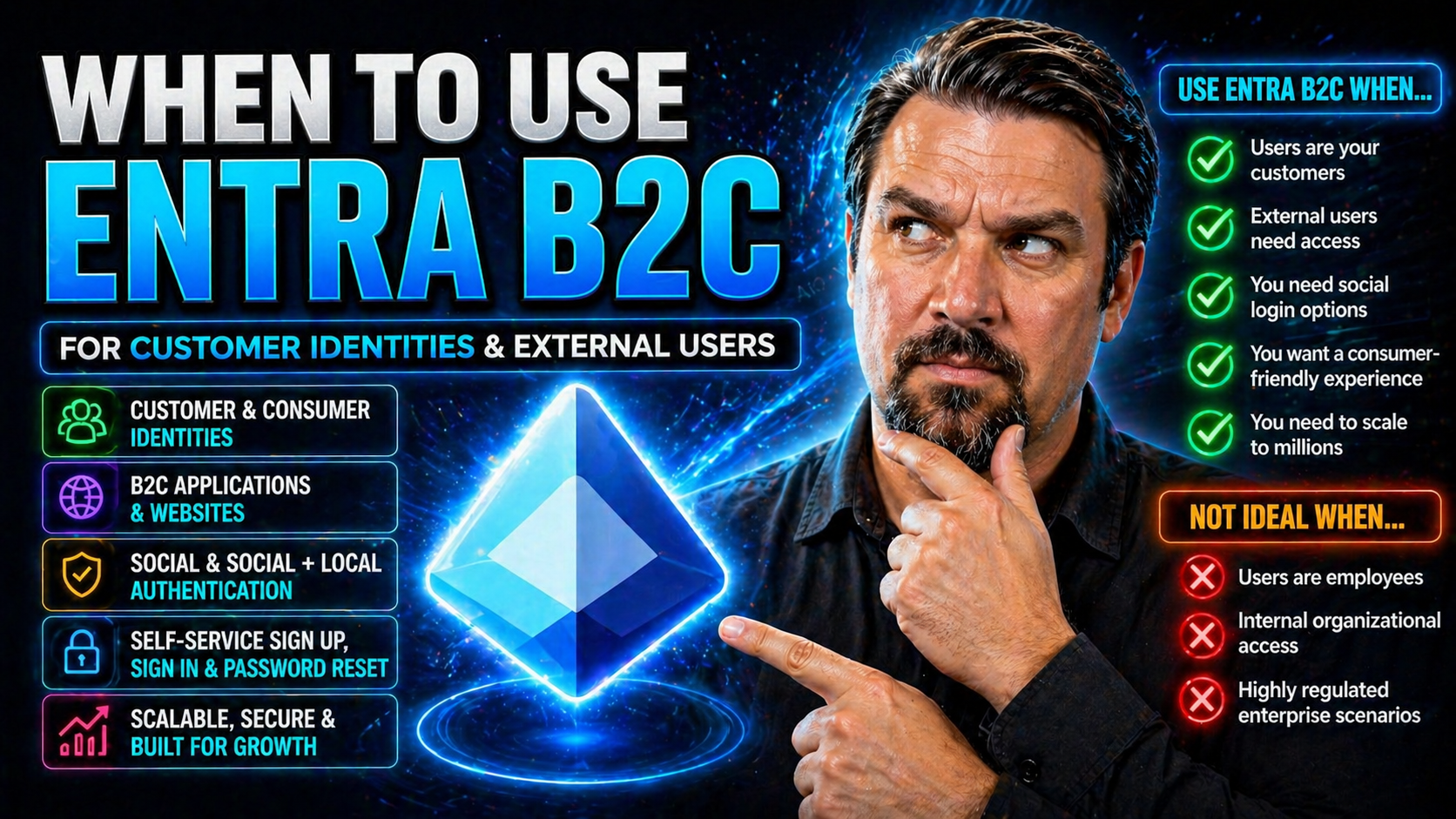
Choosing the right identity platform for your external apps isn’t just a checkbox—it can shape your entire digital experience. Microsoft Entra B2C is built for organizations that need to securely manage customer, partner, or citizen identities at scale, far beyond what simple, built-in authentication can offer.
This guide cuts through the jargon and hype to help you figure out when Entra B2C is genuinely the best fit for your project or organization. Whether you’re running a SaaS platform, building mobile apps, managing multiple brands, or handling regulated data, we’ll show where Entra B2C shines—and where it doesn’t. Ready to see if it matches your identity needs? Let’s get into it.
Introduction to Entra B2C and the Evolution of Customer Identity
Customer-facing applications have changed a lot in recent years, and so have the requirements for managing their users. From retail giants to fast-growing SaaS startups, everyone’s grappling with bigger, more diverse audiences and higher user expectations for security and experience. This is where Microsoft Entra B2C enters the picture, offering tools specifically designed to manage millions of identities outside your own workforce.
The story starts with Azure AD B2C, a familiar name for anyone who’s been running authentication for external users in the Microsoft cloud. But as customer identity needs became more sophisticated—think custom journeys, social logins, regulatory compliance—Microsoft evolved the platform into what’s now called Entra External ID, often referred to simply as Entra B2C.
This evolution marks a shift from workforce identity to true customer identity and access management (CIAM). Entra B2C is squarely focused on external user authentication for web and mobile applications, giving organizations the advanced capabilities and flexibility needed in today’s digital economy. If your apps need to balance user convenience with robust security, you’ll want to get familiar with this platform and where it fits.
Quick Answer: Who Should Use Entra B2C?
- SaaS platforms serving external customers: If your app is used by clients or partners outside your business, Entra B2C handles authentication and user management at any scale.
- Multi-brand or multi-tenant portals: Companies operating several brands or distinct customer groups can maintain separate policies and branding in one place.
- Mobile and web consumer apps: Need secure logins, social auth, or native experiences? Entra B2C delivers out-of-the-box.
- Businesses with strict compliance needs: Industries like health or finance trust Entra B2C for privacy, data control, and regulatory requirements.
Understanding Entra External Azure and Azure B2C
Microsoft Entra B2C, also called Entra External ID, evolved from Azure Active Directory B2C (Azure AD B2C). The essential shift: Azure AD B2C was focused on external user authentication, separate from Azure AD (now Entra ID), which managed internal employee identities.
Microsoft rebranded Azure AD B2C to Entra External ID to better align with their modern Entra identity suite. The goal? To make it clear this is not just an “add-on” for Azure AD, but a specialized customer identity and access management (CIAM) solution for your external-facing apps. Under this change, existing Azure AD B2C tenants now carry the Entra branding and offer a migration path to the updated services and APIs if needed.
What’s new? Enhanced policy controls, improved branding flexibility, and stronger support for compliance have been rolled out. What hasn’t changed? The fundamental purpose: managing millions of customer, partner, or citizen identities outside your company, with deep integration into Microsoft’s broader security and governance infrastructure. So, if you’ve known Azure AD B2C, Entra B2C is your logical next step for customer identity in the Microsoft ecosystem.
Key Entra B2C Use Cases and Adoption Scenarios
Not every app needs Entra B2C—but for those that do, it makes a world of difference. This section introduces the main real-world scenarios where Entra B2C stands apart from generic authentication or homegrown solutions. These aren’t just theory; organizations from startups to Fortune 500 companies are betting their external access strategies on the platform.
What do these scenarios look like in practice? You might be running a SaaS that serves a wide userbase, operating multiple brands under one umbrella, building mobile apps that can’t afford login friction, or navigating strict data privacy and compliance requirements. Entra B2C is engineered to tackle these challenges head-on, offering reliable scale, flexibility, and features that bring peace of mind to both engineers and business leaders.
The detailed subsections that follow break these scenarios down, so you can see where your use case fits. Whether you’re handling millions of logins or just want to avoid authentication headaches as you grow, knowing these adoption patterns will help you choose wisely.
SaaS Platforms Serving External Users
- Massively scalable authentication: Entra B2C supports SaaS products that need to manage millions of customers, each with their own accounts and sign-in preferences.
- Bring your own identity: External users can authenticate using their existing email, Google, Facebook, enterprise providers, or custom identity sources.
- Custom user journeys: Onboarding, password reset, and multi-factor flows are easily tailored, accommodating diverse SaaS client needs.
- Branded experiences: Each tenant or external client enjoys custom branding without duplication or extra maintenance.
Multi-Brand and Multi-Tenant Consumer Platforms
- Isolated identity policies: Run multiple brands or customer groups in one tenant, but apply unique authentication flows and security settings to each.
- Custom-branded sign-in: Deliver sign-up, sign-in, and password reset screens tailored to each brand or tenant.
- Flexible user journeys: Change up the flow for registration, consent, or authentication based on which consumer group is accessing your service.
- Tenant isolation: Keep user data and user experiences separate to reduce compliance headaches and protect IP.
Mobile Apps That Need Mature, Native Authentication
- Native login experiences: Entra B2C integrates with iOS, Android, and cross-platform frameworks to avoid clunky browser-based SSO popups.
- Social login support: Out-of-the-box connectors for common platforms let users sign in with Facebook, Google, Apple, and more.
- Consistent auth flows: Seamlessly onboard both new and returning users without code duplication or security compromises.
- Mature OpenID Connect support: Works reliably across the mobile stack, using protocols your devs already trust.
Regulated Applications and Compliance Requirements
- Data residency and privacy: Entra B2C can store user data in specific geographies, supporting GDPR and other data localization laws. This helps regulated industries stay compliant and avoid risk.
- Consent management: Applications can track, log, and enforce user consent to meet CCPA, GDPR, and other regulatory frameworks on digital privacy and marketing preferences.
- Multi-factor authentication (MFA): Entra B2C offers flexible MFA and self-service password reset, boosting protection for banking, healthcare, or government apps where stakes are high.
- Audit and reporting: Built-in logging lets you monitor access, changes, and suspicious activities—key for passing audits and staying alert to insider and external threats. For deeper compliance insights, integrating solutions like Microsoft Defender for Cloud or Microsoft Purview enhances your ability to track activity and maintain continuous compliance.
When Entra B2C Is the Right Fit and When It’s Not
Entra B2C is a powerhouse for many external identity needs, but it’s not a blanket solution for every team or every project. It really shines when you need granular control over authentication policies, custom user journeys, and integrations with various external identity sources. Teams with strong requirements for governance, custom workflows, or regulatory compliance tend to find Entra B2C is well worth the up-front build-out.
However, for early-stage products or projects where authentication is little more than “email and password to get in,” the extra complexity of Entra B2C can slow you down. The setup, configuration, and learning curve may outweigh the benefits until you start facing more sophisticated user or compliance challenges.
It’s also important to recognize the technical boundaries. If you’re building decentralized apps, “wallet-native” authentication, or leveraging emerging Web3 identity protocols, Entra B2C’s architecture and supported standards might not meet your needs—at least, not yet. The details in the next sections will help you spot whether you’re in the “sweet spot” for Entra B2C, or if you should be looking elsewhere.
Best For Teams Needing Control Over Authentication Policies
- Advanced policy customization: Organizations needing complex signup, sign-in, and password reset logic rely on Entra B2C for custom user journeys and claims processing.
- Fine-grained user management: Entra B2C offers deep profile attributes, role management, and granular consent tracking, which are ideal for regulated or mature platforms.
- Integration flexibility: Want tight coupling with Azure Logic Apps, Microsoft Graph API, or downstream systems? Entra B2C supports those workflows through extensive APIs and webhook capabilities.
- IT governance and compliance: If your organization’s policies demand detailed auditing and policy-based access, Entra B2C is built from the ground up for this level of control.
Why Early-Stage Products with Simple Auth Might Avoid Entra B2C
- Setup complexity: Configuring tenants, domains, and user flows for Entra B2C takes time and specialized knowledge, which can be a bottleneck for MVPs or rapid experiments.
- Learning curve: Compared to baked-in authentication from Firebase or Auth0, Entra B2C’s policies and customization options are powerful—but come with extra things to learn.
- Potential overkill: If your needs are “sign in with email, see dashboard,” rolling out Entra B2C can feel like using a power tool when a screwdriver would do.
- Developer ramp-up: For new teams or solo founders unfamiliar with Azure, the ecosystem, SDKs, and API permissions can slow down agile development cycles.
Where Entra B2C Breaks: Web3, Wallet-Native and Decentralized Identity
- No native wallet login: Projects needing “Sign in with Ethereum,” Solana wallets, or similar decentralized flows will hit technical walls—Entra B2C wasn’t built with these protocols in mind.
- Limited decentralized features: The platform is tied to centralized identity models (OAuth 2.0, OpenID Connect). Web3 use cases demanding self-sovereign identity or DID frameworks require alternative solutions.
- Lack of native-first extensibility: Advanced signature workflows, decentralized claims, or browser plugin-based auth isn’t out-of-the-box—future updates may help, but not for those building on decentralized identity today.
Entra ID Versus Entra External ID B2C and Identity Alternatives
Before you lock in any identity system, it pays to step back and understand the differences—and overlaps—between Entra ID (formerly Azure AD), Entra External ID (B2C), and other identity solutions. These platforms might sound similar, but they serve very different purposes: Entra ID secures your workforce (employees, contractors), while Entra B2C is tuned for customers and partners outside your organizational walls.
In practice, large organizations often need both. Some use a hybrid approach—combining Entra B2C for customer access and Entra ID for employees, sometimes layering other CIAM or custom systems on top. Add to that pricing, future support, integration challenges, and migration paths, and the decision gets even trickier.
As technologies change and attackers get smarter, there’s an ever-growing need for disciplined identity and access security strategies (see this on Entra ID conditional access or OAuth consent attack prevention). The subsections below compare the nuts and bolts of Entra B2C versus its alternatives, so you can make the most informed call for your organization’s goals.
Comparison Table and Pricing Considerations
- Feature sets: Entra B2C supports advanced customization, social/enterprise identity providers, and granular policy controls. Alternatives like Auth0 or Okta offer similar breadth, with differences in extensibility and prebuilt integrations.
- Pricing models: Entra B2C pricing is per MAU (monthly active user), typically lower for larger userbases. Other CIAMs may use MAU, API call, or subscription pricing—check for hidden costs on SMS/email OTPs and add-ons.
- Migration paths: Existing Azure AD B2C tenants can migrate to Entra B2C with minimal disruption. Alternatives may involve more data migration, custom claims translation, or changes to MFA experiences.
- Future support: Microsoft plans ongoing support and feature development for Entra B2C, whereas some competitors pivot focus between products. Consider vendor roadmaps when committing for the long haul.
Hybrid Identity Models and Combining Logins
- Mix and match providers: Organizations often combine Entra B2C for external users and Entra ID for employees or contractors in one digital ecosystem.
- Layering legacy or custom auth: Some maintain legacy authentication systems for niche apps while using Entra B2C for main platforms.
- Using third-party CIAMs: Integrate Okta, Auth0, or custom federation as an external IdP for Entra B2C when needed.
- Phased migration: Migrate in stages, letting older apps keep their authentication until user migration is feasible, then consolidating into Entra B2C.
Practical Startup Scenarios and Industry Insights
It’s one thing to know the theory, but how do real startups and product teams use Entra B2C in the wild? This section grounds the guide in the reality of launching, scaling, and securing new digital businesses—whether that’s a health tech platform, an online marketplace, or something in between.
As you’ll see, successful adoption depends on more than just feature checklists. Teams weigh their growth trajectory, user demographics, compliance needs, and engineering resources. Expert advice and field data help you steer clear of common pitfalls, spot unseen integration barriers, and get strategic about customer identity from the start.
The next subsections share short examples of how startups actually implement Entra B2C, along with opinions from recognized industry experts to help connect practice with strategy. If you’re trying to map your next move, you’ll find actionable ideas here.
Startup Scenarios: From Web Marketplaces to Health Platforms
- Marketplace MVP to scale: A new web marketplace launches simple email/password auth, then upgrades to Entra B2C for social logins and scalable onboarding as user registration picks up speed.
- B2B2C health app: Health startup builds with Entra B2C to meet HIPAA requirements, managing doctor and patient identities separately with consent and audit logging.
- Fintech SaaS: Financial app serving both businesses and consumers leverages Entra B2C’s MFA, consent journeys, and geo-restricted data storage to quickly meet regulatory checklists.
- Consumer mobile app: Mobile-first product integrates Entra B2C’s SDK for smooth social and email signup, rolling out progressive profile completion as the business matures.
Expert Insights on Entra B2C Strategy
Microsoft identity architects like Ali Hajimohamadi and Siva Krishna Pokuri highlight that the flexibility of Entra B2C is one of its greatest strengths—and also a common source of mistakes for teams unfamiliar with scalable authentication. Pokuri points out that early, thoughtful decisions on user journeys are critical for future extensibility.
Research and post-mortems from real SaaS products show that up to 80% of user friction comes from poorly planned onboarding and forgotten compliance steps. Industry experts recommend starting with clear, documented business requirements and involving compliance/legal teams early when sensitive data is in play. The key is to map business goals directly to Entra B2C’s technical capabilities and not to underestimate the need for ongoing policy reviews as regulations evolve.
Frequently Asked Questions About Entra B2C
- How does Entra B2C pricing work? You pay per monthly active user (MAU). There’s a free tier, then a fixed price per user with discounts for higher volumes. SMS/phone verification and some premium features may cost extra.
- What’s involved in migrating from Azure AD B2C? Most features and user data are preserved, but review custom policies and branding for transition to new APIs. Microsoft provides migration tools and step-by-step docs.
- Which features help with auditing and compliance? Comprehensive audit logs, consent management, multi-factor authentication, and conditional access policies are available. For more, check out integrations with Microsoft Purview Audit or Microsoft Defender for Cloud.
- What technical setup is required? You’ll need an Azure subscription, Entra B2C tenant, custom domain setup, and network/Azure AD permissions to get started. Third-party provider integration, SMS/email gateways, and API permissions can add complexity.
- Can I customize user attributes and profile management? Yes. Entra B2C offers extension properties, custom schemas, and UI customization for user profile editing, consent dialogues, and privacy controls.
- What’s the developer experience like? There are SDKs for .NET, JavaScript, iOS, and Android, with code samples. Local development and troubleshooting may be less streamlined than Firebase or Auth0—expect some ramp-up.
Conclusion: Final Summary and Decision Framework
Entra B2C is the go-to choice when you need secure, scalable, and flexible customer identity for external apps, especially in regulated or multi-tenant environments. Teams seeking deep customization, branding, or policy control will benefit most. It’s less suitable for quick MVPs or bleeding-edge Web3 projects. Always weigh your business needs and product roadmap before deciding, and look at long-term vendor support and compliance.
Useful Links and Further Learning Resources
- Podcast: Conditional Access and Identity Risk in Entra ID – Learn about identity as the control plane, conditional access policies, and security governance in Microsoft environments.
- How to Set Up Data Loss Prevention in Microsoft 365 – Deep dive on DLP, Microsoft Copilot productivity, and real-world automation strategies.
- How to Monitor Compliance in Microsoft Defender for Cloud – Continuous compliance monitoring and actionable insights for regulated apps.
- How to Audit User Activity with Microsoft Purview Audit – Covers audit setup, investigation, and tenant-wide risk detection in Microsoft’s cloud.
- Microsoft Docs: Entra B2C Official Documentation – The official source for tutorials, reference, and API docs.
You Should Also Listen To
If you are researching when to use Microsoft Entra B2C, these episodes add practical context on identity security, governance, privileged access, and implementation:
- Microsoft Defender XDR – Simply Explained — Connect identity governance with security signals, investigation, and response.
- Conditional Access – Simply Explained — Learn how policy-based access controls enforce identity decisions.
- Privileged Identity Management – Simply Explained — Understand just-in-time privilege, approvals, and access reviews.
- Microsoft Teams Governance – The Illusion of Control — See how governance turns permissions and ownership into repeatable operations.

Microsoft MVP | Host of M365.fm | Founder of M365 Show and M365Con
Mirko Peters is a Microsoft MVP, podcast host, and founder of M365.fm, M365 Show, and M365Con. His work connects Microsoft practitioners through podcast interviews, livestreams, and community events.
At M365.fm, Mirko hosts conversations with Microsoft MVPs, product experts, architects, and community contributors. Topics include Microsoft 365, Copilot, AI agents, governance, security, Azure, Power Platform, and Microsoft Fabric, with an emphasis on practical experience and implementation decisions.
M365.fm is the podcast and learning platform. M365 Show brings experts together for livestreams, while M365Con provides an online conference setting for community learning.
Official website: Mirko Peters (https://www.mirkopeters.com/). Recognition: Mirko Peters — Microsoft MVP profile (https://mvp.microsoft.com/de-DE/mvp/profile/9b0ca797-db5a-493a-a845-8b9158046cf5). Connect on LinkedIn (https://www.linkedin.com/in/m365showpodcast/).





