


 Apple Podcasts
 Spotify
 Youtube Music
 Spreaker
 Podchaser
 Amazon Music
 Dynamics 365 Product Information Management - Simply Explained
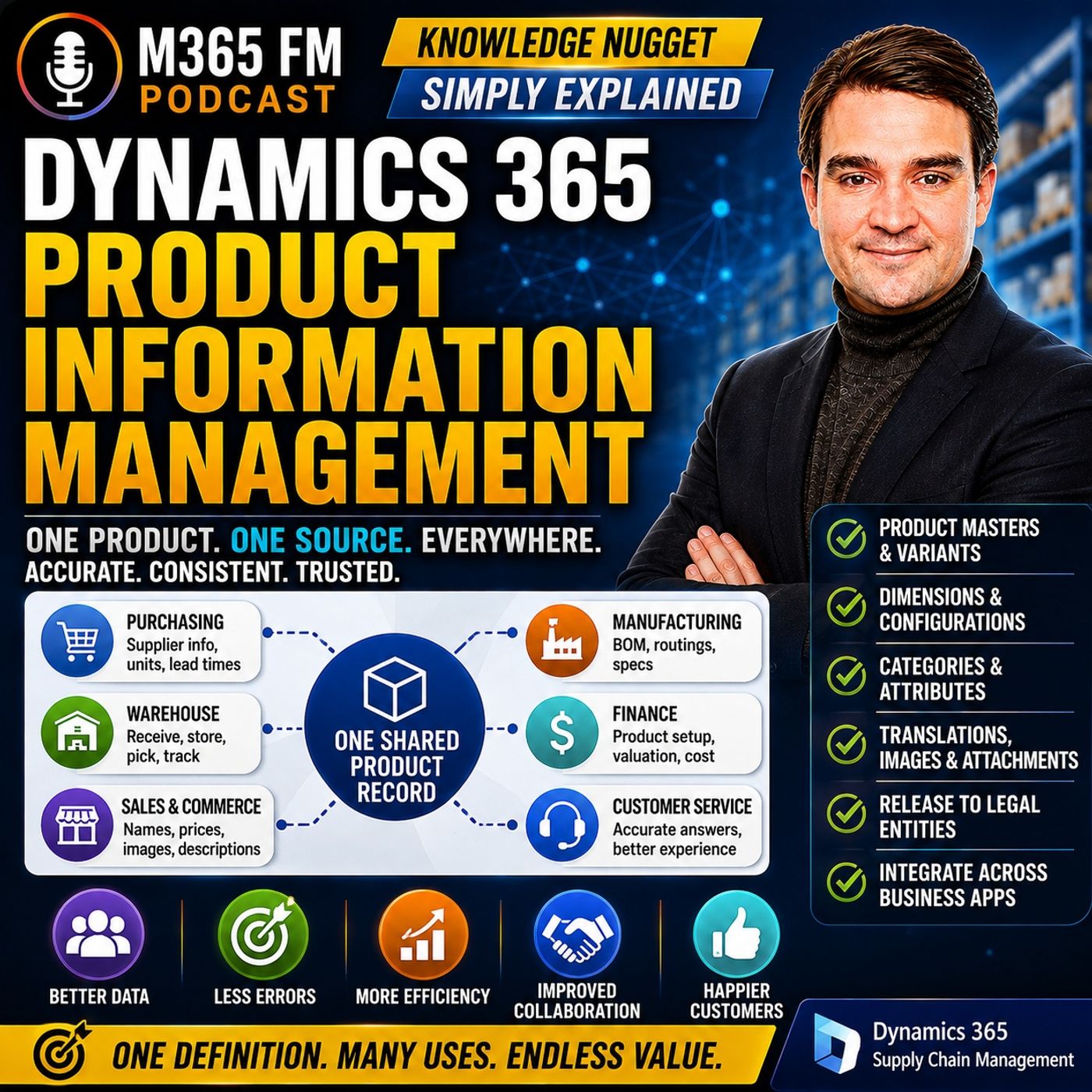
Key Takeaways
- Mirko Peters explains how Dynamics 365 Product Information Management (PIM) establishes a single shared product record to prevent departments from working with outdated, isolated spreadsheets and documents.
- Dynamics 365 distinguishes between simple products and product masters, utilizing product dimensions like color, size, style, configuration, and version to manage complex item families.
- Organizations can choose from three distinct variant configuration approaches—predefined variants, dimension-based configuration, and constraint-based configuration—depending on their specific manufacturing and sales processes.
- Categories, attributes, images, attachments, and translations provide structured enrichment, ensuring that every downstream team—from purchasing and warehouse operations to sales and marketing—references accurate data.
- Product data access rules and the release process allow central product definitions to be securely distributed across multiple legal entities while accommodating local operational settings.
What happens when sales, purchasing, warehouse teams, and your online store all have different information about the same product? A supplier changes a specification, one spreadsheet gets updated, another system doesn't, and suddenly customers receive outdated information or employees order the wrong item. In this episode of M365 FM, Mirko Peters explains how Dynamics 365 Product Information Management (PIM) creates a shared product definition across the business and manages products, product masters, variants, dimensions, configurations, categories, attributes, legal entities, and integrations.
WHAT IS DYNAMICS 365 PRODUCT INFORMATION MANAGEMENT?
Dynamics 365 Product Information Management provides a central place for defining and maintaining product information. Purchasing needs supplier information and units. Warehouse teams need accurate information for receiving, storing, and picking. Sales needs understandable product names. Finance needs the correct product setup, while commerce channels need descriptions, images, and specifications. Without a shared product definition, each department can create its own version of the same information. PIM provides the common product record those different business processes can use.
ONE PRODUCT RECORD ACROSS THE BUSINESS
Consider an insulated water bottle originally sold as a 500-milliliter product. The supplier changes it to 750 milliliters. Purchasing receives the new specification, but the online store still shows 500 milliliters. Sales sends customers an outdated specification sheet, while warehouse employees see labels that don't match their orders. Nobody intentionally created incorrect information. The problem is that different departments were working from different copies. Product Information Management creates one central product definition where agreed product information can be maintained and reused.
WHAT INFORMATION DOES A PRODUCT RECORD CONTAIN?
The product number provides a consistent identifier even when different teams use different terminology. The record can also contain names, descriptions, units, images, attachments, categories, attributes, and translations. Units are particularly important because organizations might buy, sell, store, or count products as pieces, boxes, kilograms, liters, or pallets. Attachments can provide supplier documents or specifications, while images help employees and customers recognize products. Translations allow the same underlying product to have appropriate names and descriptions for different languages and markets.
SIMPLE PRODUCTS VS PRODUCT MASTERS
Dynamics 365 distinguishes between a simple product and a product master. A simple product represents one fixed item without choices that create separate variants. A product master represents an entire family of related products. A pair of jeans provides a useful example. Customers might consider it one product, but a warehouse needs to distinguish blue medium jeans from black large jeans. The product master contains the shared information for the jeans range. Individual variants represent the exact products employees purchase, stock, sell, and ship.
PRODUCT VARIANTS EXPLAINED
A variant is a specific sellable or manageable version of a product master. Blue medium jeans can represent one variant. Black large jeans can represent another. Although both belong to the same product family, they're not interchangeable. Each variant can have different inventory availability, labels, barcodes, and operational requirements. The product master therefore acts as the parent definition while variants represent the individual members of that family.
PRODUCT DIMENSIONS
Dynamics 365 Supply Chain Management includes five product dimensions discussed in the episode: Color, Size, Style, Configuration, and Version. Color and size are straightforward examples for clothing. Style can distinguish variations such as regular fit and slim fit. Configuration can identify a particular build or setup, such as different equipment specifications. Version can distinguish engineering changes to a product over time. Organizations choose the dimensions appropriate for each product family rather than applying every dimension to every product.
PRODUCT DIMENSIONS VS PHYSICAL DIMENSIONS
Product dimensions shouldn't be confused with physical dimensions. Weight, height, width, length, and volume describe the physical characteristics of a product. They don't necessarily create another sellable variant. Product dimensions identify which specific variant somebody wants. Physical dimensions describe what that product is physically like. For warehouse operations, physical dimensions can help determine how much space something requires. For a customer ordering black jeans in size large, product dimensions identify the correct variant.
THREE WAYS TO CONFIGURE PRODUCT VARIANTS
Dynamics 365 Supply Chain Management supports three approaches covered in the episode: Predefined variants, dimension-based configuration, and constraint-based configuration. The appropriate method depends on whether the organization already knows every valid product combination or whether the final product is configured according to customer choices and business rules. Choosing the appropriate configuration model early is important because it shapes how the product family is managed afterward.
PREDEFINED VARIANTS
Predefined variants work well when the organization already knows which combinations it will sell. A retailer might sell jeans in several colors and sizes but not offer every mathematically possible combination. Instead of generating unnecessary variants, the business creates only the combinations that actually exist. This keeps the catalog cleaner and prevents somebody from ordering a combination the organization doesn't sell.
DIMENSION-BASED CONFIGURATION
Dimension-based configuration can be useful in manufacturing. Imagine a company producing industrial pumps where different configurations require different components. The organization can use a shared Bill of Materials while associating particular components with specific configurations. A pump requiring one voltage might need one motor, while another configuration requires a different motor. The configuration determines which relevant component lines should be used for the resulting product.
CONSTRAINT-BASED CONFIGURATION
Constraint-based configuration becomes useful when customers can select many options but not every combination is technically possible. A custom machine might provide choices for its housing, motor, voltage, safety equipment, and control panel. Some combinations work together. Others don't. A product configuration model defines available choices and the rules controlling them. The system can therefore prevent an impossible product configuration before the order reaches manufacturing.
CHOOSING THE RIGHT CONFIGURATION MODEL ㅤ The key question is: Does the business know every valid product combination before an order arrives, or does the customer create a valid product through a controlled set of choices? A retailer with a fixed clothing range probably doesn't require a sophisticated configurable-product model. A manufacturer producing made-to-order equipment might. The product configuration approach should follow the real purchasing, sales, and production process rather than simply choosing the most flexible technology available.
PRODUCT CATEGORIES
Categories provide structure around product information. Think of them like aisles inside a well-organized store. A company might organize products into clothing, tools, office supplies, or more specialized categories. One product can also participate in multiple categories when those categories serve different business requirements. Categories make products easier to find, organize, and manage while providing structure for related product information.
PRODUCT ATTRIBUTES
Attributes provide additional details describing a product. For a water bottle, attributes might include material, capacity, lid type, insulation, brand, and care instructions. For industrial equipment, attributes might describe physical dimensions, power requirements, temperature ranges, or technical standards. Categories can carry attributes appropriate for the products they contain. This gives organizations a structured way to capture useful product information rather than inventing unrelated fields for individual products.
IMAGES, ATTACHMENTS AND TRANSLATIONS
Product information isn't limited to structured fields. Images can help warehouse employees, salespeople, and customers recognize an item. Attachments can contain supplier documentation, specifications, and other supporting information. Translations allow product names and descriptions to be presented appropriately across different languages while retaining the same underlying product definition. Together, these capabilities make the product record a richer source of information than a simple item number and description.
CONTROLLING ACCESS TO PRODUCT DATA
Not every employee should be allowed to modify every product record. Changes to product names, specifications, categories, or other information can affect multiple downstream teams and systems. Dynamics 365 can apply product-data access rules at category or individual-product level. Different teams can therefore manage the product areas for which they're responsible while sensitive or restricted products can receive tighter controls.
Become a supporter of this podcast: https://www.spreaker.com/podcast/m365-fm-modern-work-security-and-productivity-with-microsoft-365--6704921/support.
🚀 Want to be part of m365.fm?
Then stop just listening… and start showing up.
👉 Connect with me on LinkedIn and let’s make something happen:
- 🎙️ Be a podcast guest and share your story
- 🎧 Host your own episode (yes, seriously)
- 💡 Pitch topics the community actually wants to hear
- 🌍 Build your personal brand in the Microsoft 365 space
This isn’t just a podcast — it’s a platform for people who take action.
🔥 Most people wait. The best ones don’t.
👉 Connect with me on LinkedIn and send me a message:
"I want in"
Let’s build something awesome 👊
Frequently Asked Questions
What is Dynamics 365 Product Information Management (PIM)?
Dynamics 365 PIM provides a central place for defining and maintaining product information, creating a single shared product record that different business departments like sales, purchasing, and warehouse teams can use.
What is the difference between a simple product and a product master?
A simple product represents one fixed item without choices that create separate variants, whereas a product master acts as the parent record for an entire family of related products with configurable choices.
What are the three ways to configure product variants in Dynamics 365 Supply Chain Management?
The three approaches are predefined variants for known fixed combinations, dimension-based configuration for shared bills of materials in manufacturing, and constraint-based configuration for complex products with specific combination rules.
How do released products work across multiple legal entities?
Once a central product definition is approved, it can be released to specific legal entities as a released product, allowing individual business units to add local settings for purchasing, selling, or inventory without altering the master definition.
00:00:00,000 --> 00:00:05,400
What happens when the product name in sales does no attempt match the product name in the warehouse and the online store still shows last year.
2
00:00:05,400 --> 00:00:07,720
Tim's photo someone orders the wrong item.
3
00:00:07,720 --> 00:00:18,000
A buyer asks for details nobody can find and staff start checking spreadsheets, old emails, supplier PDFs and five different systems just to answer a simple question.
4
00:00:18,000 --> 00:00:22,560
Welcome to another knowledge nugget from M365 FM I out TM.
5
00:00:22,560 --> 00:00:38,560
M, Mirko Peters and today we out TM RE tackling Dynamics 365 product information management or PIM for short by the end you will understand how it keeps one shared product record, how products can come in different forms and how that information reaches the parts of the business that needed.
6
00:00:38,560 --> 00:00:41,560
One product record for the whole company.
7
00:00:41,560 --> 00:00:46,560
A product might look simple from the outside, just a name, a price and maybe a picture.
8
00:00:46,560 --> 00:00:52,560
Behind the scenes that same product touches nearly every part of a company. Here out TM's how it plays out.
9
00:00:52,560 --> 00:00:58,560
Purchasing needs supplier details and units while warehouse teams need information to receive, store and pick items.
10
00:00:58,560 --> 00:01:03,560
Sales needs clear names, finance needs correct setup and the online store needs accurate photos and descriptions.
11
00:01:03,560 --> 00:01:06,560
Each team looks at the same product from a different angle.
12
00:01:06,560 --> 00:01:10,560
Without one shared place for that information people often create their own copies.
13
00:01:10,560 --> 00:01:22,560
The product team keeps a spreadsheet, sales enters a shorter name in its system, the warehouse uses an item number with a different description and marketing saves images in a shared folder while customer service digs through old emails.
14
00:01:22,560 --> 00:01:28,560
That approach creates small differences first and then those differences travel. Imagine a company selling an insulated water bottle.
15
00:01:28,560 --> 00:01:36,560
The supplier changes it from 500 milliliters to 750 milliliters, our the purchasing team gets the new detail but the online store still lists the old capacity.
16
00:01:36,560 --> 00:01:46,560
Sales sends customers the wrong spec sheet and warehouse staff see a product label that does not emit match the order. Nobody intended to create a problem. Each team just worked from a different copy.
17
00:01:46,560 --> 00:01:52,560
Dynamics 365, product information management gives the company one central product definition.
18
00:01:52,560 --> 00:02:00,560
Think of it as a shared filing cabinet for product information. Instead of every department keeping its own folder, the product record becomes the place where the agreed details live.
19
00:02:00,560 --> 00:02:08,560
You can use that definition across business work rather than retyping the same information again and again. The product number sits at the center of that record.
20
00:02:08,560 --> 00:02:14,560
It helps the company identify the product consistently even if different teams use different words when they talk about it.
21
00:02:14,560 --> 00:02:22,560
Alongside that number, you store the name and description and you identify whether it how TM is a physical item you can stock or a service the company provides.
22
00:02:22,560 --> 00:02:31,560
The record also includes the units people use when they buy, sell, store or count the product. A box, a piece, a kilogram, a liter or a pallet can mean very different things in daily work.
23
00:02:31,560 --> 00:02:35,560
When those units are clear, purchasing and warehouse work have a much better starting point.
24
00:02:35,560 --> 00:02:41,560
Product information can also hold images, attachments, categories, attributes and translations for names and descriptions.
25
00:02:41,560 --> 00:02:48,560
So the record can contain more than a label. It can hold the supplier document that explains a product, a photo that helps someone recognize it,
26
00:02:48,560 --> 00:02:55,560
translated descriptions for teams or customers who work in another language and details like material, brand or handling instructions.
27
00:02:55,560 --> 00:03:02,560
The shared definition comes before local use. A company defines a product once, then lets different parts of the business use it as needed.
28
00:03:02,560 --> 00:03:07,560
The shared record keeps common facts together, while each area applies its own business settings later.
29
00:03:07,560 --> 00:03:11,560
You denote me to you, rebuild the product from scratch every time another team needs it.
30
00:03:11,560 --> 00:03:23,560
That items are much cleaner way to work, but a name and a description still denote me to tell the full product story. A single pair of jeans can turn into many items once color and size enter the picture.
31
00:03:23,560 --> 00:03:26,560
Product masters and variants, the family tree.
32
00:03:26,560 --> 00:03:37,560
So, when does one product become many products? Think about a pair of jeans. You probably see jeans as one product, but the warehouse can't grab just any pair when an order asks for black and size large.
33
00:03:37,560 --> 00:03:44,560
And sales can't promise blue jeans and extra small if that combination doesn't actually exist. That's where Dynamics 365 steps in with a simple idea.
34
00:03:44,560 --> 00:03:54,560
It separates a basic product from a product master. A simple product is one fixed item. Imagine a plain box of printer paper sold in one size, one color and one format.
35
00:03:54,560 --> 00:04:02,560
It has its own product record because there are no choices that change what the item is. A product master works differently. It's the parent record for a whole product family.
36
00:04:02,560 --> 00:04:12,560
It holds the shared details and the rules for the choices that create separate items. Here's how it works. The jeans product master carries the name, basic description and common information for every pair in that range.
37
00:04:12,560 --> 00:04:23,560
Then individual variants identify the exact jeans, someone buys, stores, produces or ships. A variant is the specific sellable item. For jeans, blue and medium can be one variant, black and large can be another.
38
00:04:23,560 --> 00:04:36,560
They belong to the same product family, but they're not interchangeable. One may sit on a warehouse shelf while the other has run out. One may use a different label. One may have its own barcode. That parent and child structure is the key idea. The product master defines the family.
39
00:04:36,560 --> 00:04:44,560
Product variants are the individual members. Instead of entering the same base information over and over, you start with the master and create the real combinations your business needs.
40
00:04:44,560 --> 00:04:57,560
Let me give you a concrete example. Imagine that jeans range comes in blue, black and brown. It also comes in sizes, extra small, small, medium, large, extra large and double extra large. If every color came in every size, you'd have 18 combinations.
41
00:04:57,560 --> 00:05:08,560
But businesses rarely sell every possible combination. Maybe blue only comes in extra small through medium. Black comes in medium through extra large, brown starts at large. Dynamics 365 can treat each allowed combination as its own variant.
42
00:05:08,560 --> 00:05:20,560
When someone adds jeans to an order, they choose the dimensions that identify the exact product. Color and size tell the system which variant the customer wants. No guessing which pair belongs in the box. Those choices are called product dimensions.
43
00:05:20,560 --> 00:05:33,560
Dynamics 365, supply chain management includes five of them, A.O. Color, size, style, configuration and version. A company chooses the dimensions that fit a product family, then groups them together for that product master. Let's go through them quickly.
44
00:05:33,560 --> 00:05:56,560
Color is simple, blue, black, brown, red. Size is also familiar. Small, medium, large or shoe size number. Style can separate products that share a name but look different. A shirt might come in regular fit and slim fit. A chair might have a standard frame or a different finish. Configuration describes a chosen build or setup. For example, a machine might need a specific motor, voltage or set of parts.
45
00:05:56,560 --> 00:06:07,560
The configuration dimension identifies that choice. Version tracks changes to a product over time. This one matters most for manufacturers. Picture a part that keeps the same purpose but changes after an approved engineering update.
46
00:06:07,560 --> 00:06:20,560
Version lets the company tell version one apart from version two as it moves through the supply chain. Now not every product master needs all five dimensions. A t-shirt may only need color and size. A piece of equipment may need configuration and version.
47
00:06:20,560 --> 00:06:34,560
The dimension group acts like a rule sheet for the product family. It tells Dynamics 365 which choices apply when creating and identifying variants. That decision shapes the product from the start. You might wonder about weight, height, length, width or volume.
48
00:06:34,560 --> 00:06:44,560
Those details describe a physical product but they don't create variants. A pair of jeans can have a listed weight or package size that doesn't turn it into a different item the way color or size does.
49
00:06:44,560 --> 00:06:56,560
Physical dimensions describe the product. Product dimensions identify a specific variant, keeping those two ideas separate prevents confusion later. If the warehouse needs to know how much space a carton takes up, physical dimensions help.
50
00:06:56,560 --> 00:07:08,560
If an order needs black jeans in large product dimensions find the right variant, there's one early choice that affects everything after this. How will the company create and control those product variants? And that's exactly what we're covering next.
51
00:07:08,560 --> 00:07:22,560
Configuring products without creating chaos. Choosing dimensions tells Dynamics 365 how to identify a variant but the company still needs to decide how to create those variants. That choice depends on the product. Supply chain management supports three main approaches.
52
00:07:22,560 --> 00:07:34,560
Predefined variants, dimension-based configuration and constraint-based configuration. The name sound technical so let me put them in plain English. Predefined variants fit products with a known limited set of combinations.
53
00:07:34,560 --> 00:07:51,560
Imagine that retailer selling the jeans range we just discussed. The company already knows which colors and sizes it will buy, stock and sell. Blue comes in extra small, small and medium. Black comes in medium, large and extra large. Brown comes in large, extra large and double extra large. Those nine choices can be created ahead of time as separate variants.
54
00:07:51,560 --> 00:08:03,560
The business doesn't need every possible color and size combination. It creates only the combinations that exist that keeps the catalog clean and it stops someone from ordering brown jeans and extra small when nobody makes that item.
55
00:08:03,560 --> 00:08:16,560
Predefined variants work well when the range stays predictable, a closing company, a distributor with fixed package sizes, a business selling standard furniture colors. They can all prepare the items they expect to handle. Each variant exists as a known item before an order arrives.
56
00:08:16,560 --> 00:08:35,560
So purchasing, warehouse teams and sales staff can work with clear product choices. The next approach is dimension-based configuration. This one often appears in manufacturing. Picture a company that builds industrial pumps. One pump family may use many of the same parts, but the customer can choose a certain configuration. That choice affects which components belong in the finished pump.
57
00:08:35,560 --> 00:08:43,560
Dynamics 365 can use the configuration dimension to control that. The product uses one shared bill of materials, oh, often called a bomb.
58
00:08:43,560 --> 00:08:55,560
A bill of materials is simply the parts list for building something. Within that one list, some parts apply only when the customer picks a particular configuration. For example, a pump built for one voltage might need one motor.
59
00:08:55,560 --> 00:09:04,560
A different voltage needs another motor. Instead of maintaining a separate parts list for every possible pump, the company keeps one shared list. It marks which lines belong to which configuration.
60
00:09:04,560 --> 00:09:19,560
When the chosen configuration reaches planning or production, Dynamics 365 uses only the part lines that fit that choice. That saves a lot of duplicate setup. It also gives manufacturers a clearer way to manage a product family that shares most of its construction, but differs in controlled ways.
61
00:09:19,560 --> 00:09:27,560
The dimensions identify the chosen product. The bill of materials guides, which parts belong in that build, then there's constraint-based configuration.
62
00:09:27,560 --> 00:09:37,560
This approach suits products where customers can choose from many options, but not every option works with every other option. Think about a custom machine, a piece of lab equipment, or a product assembled from many parts.
63
00:09:37,560 --> 00:09:45,560
A customer may choose the power type, housing, motor, safety option, and control panel. Some combinations work, some simply don't.
64
00:09:45,560 --> 00:09:56,560
A certain housing may not fit a larger motor. One voltage may require a specific control panel. A safety cover may only work with one machine size. Without rules, a salesperson could select a combination that the factory can't build.
65
00:09:56,560 --> 00:10:09,560
A constraint-based configuration puts those rules into a product configuration model. The model describes the possible choices and the rules that limit them. When someone configures the product, the system guides them toward valid options. It prevents choices that conflict with each other.
66
00:10:09,560 --> 00:10:15,560
That stops an impossible order before it reaches production. I want to slow down here because this is an early design decision.
67
00:10:15,560 --> 00:10:25,560
A company needs to choose the configuration technology that fits its business process before building out the product family. Dynamics 365 doesn't convert a product from one configuration model to another later.
68
00:10:25,560 --> 00:10:32,560
So a retailer selling a fixed genes range should not set up a complicated custom product model just because it sounds flexible.
69
00:10:32,560 --> 00:10:42,560
And a manufacturer building made to order equipment shouldn't force every possible build into a long list of predefined variants if the choices depend on rules. Start with a real buying, selling, and production process.
70
00:10:42,560 --> 00:10:52,560
Ask a simple question, do we know every product combination before the order arrives or does the customer create the product choice through a set of allowed options? The answer points the business to what the right approach.
71
00:10:52,560 --> 00:11:02,560
Once the company knows what a product can be, it needs a way to describe it clearly and keep that information organized. Categories, attributes, and control of product information.
72
00:11:02,560 --> 00:11:14,560
A product name tells you what something is called, but that alone will not have to help you buy its storage, sell it, or explain it to a customer. That attempts where categories come in. Think of categories like the aisles in a well organized store.
73
00:11:14,560 --> 00:11:23,560
A company might group products by what they are, o, clothing in one aisle, tools in another, office supplies in a third, or they might group them by the type of work people need to do.
74
00:11:23,560 --> 00:11:41,560
Either way, the goal is the same, make products easier to find and manage, take a cordless drill, a sales team needs to find it under power tools. A product team might put it in a category for battery-powered equipment, and here o,tems the thing, or one product can live in multiple categories at the same time when those categories serve different business needs.
75
00:11:41,560 --> 00:11:52,560
The point is now to squeeze every product into one perfect folder. Categories give the business a structured way to organize product information, search for products, and work with groups of related items.
76
00:11:52,560 --> 00:11:58,560
They also help people apply the right information to products that belong together. Now categories do a lot, but they can only be able to carry every detail.
77
00:11:58,560 --> 00:12:06,560
That opens where attributes come in. For a water bottle, attributes might include the material, capacity, lid type, insulation, brand, and care instructions.
78
00:12:06,560 --> 00:12:12,560
For a machine part, they might include dimensions, power requirements, temperature range, or a technical standard.
79
00:12:12,560 --> 00:12:22,560
Attributes turn a broad label into useful product information, either kind you actually need to do your job. Categories can carry attributes that make sense for the products inside them.
80
00:12:22,560 --> 00:12:30,560
Clothing needs fabric, fit, and washing instructions. Electronic equipment needs voltage, warranty details, and compatibility info.
81
00:12:30,560 --> 00:12:36,560
That means nobody has to invent random fields for every product record. They just use the details that fit the product group.
82
00:12:36,560 --> 00:12:51,560
Images and attachments add another layer. A photo helps a warehouse worker, a salesperson, or a customer see the item they out and are talking about. An attachment can hold supporting material like a supplier document, a spec sheet, or other paperwork. Sometimes the written name alone is now term-made enough.
83
00:12:51,560 --> 00:13:02,560
Translations matter when the company works across languages. Product names and descriptions can be translated so people in different markets get information that makes sense to them. The product stays the same, but the words around it can fit the audience.
84
00:13:02,560 --> 00:13:12,560
The company also needs control over who can change this information. Not every employee should be able to edit every product record, rename an item, or alter details that other teams depend on.
85
00:13:12,560 --> 00:13:23,560
Dynamics 365 lets you apply product data access rules at the category level, or for an individual product. For example, the team responsible for industrial equipment works with that category, while another group handles consumer products.
86
00:13:23,560 --> 00:13:43,560
A restricted product might need tighter control than ordinary office supplies. The business decides who can work with each area of its product data that protects the information people rely on. The record may now have the right details, documents, categories, and controls, but it still needs approval before the parts of the company that buy, sells, stock, or produce it can actually use it.
87
00:13:43,560 --> 00:13:59,560
A finished product definition is now TimD, automatically ready for everyone to use O, not yet. A company often operates through several legal entities, which are separate companies inside the larger business. One entity might buy and stock a product in Germany.
88
00:13:59,560 --> 00:14:13,560
Another sells the same product in the United States, a third manufactures it, they can all start with the same shared product definition. In Dynamics 365, that shared definition becomes our own released product due when the company approves it for use by a specific legal entity.
89
00:14:13,560 --> 00:14:20,560
Think of release as giving that business unit permission to bring the product into its own day-to-day work. The product does not emit a detailed change its identity.
90
00:14:20,560 --> 00:14:33,560
Its common name, description, category, dimensions, and other shared details stay connected to the central definition, but each legal entity can add the settings it needs before ordering, selling, storing, or producing that product. One company might buy the product from a supplier.
91
00:14:33,560 --> 00:14:40,560
Another may only sell it, a manufacturing company needs production settings, while the distribution company needs warehouse and inventory settings.
92
00:14:40,560 --> 00:14:54,560
Sales details differ from one entity to another. Local business rules differ too. Release lets each legal entity prepare the product for its own work without creating a completely separate product definition. Imagine a company that sells the same water bottle in several countries.
93
00:14:54,560 --> 00:15:04,560
The product team creates one central product definition. Then the company releases it to the legal entity in the United Kingdom, and that entity adds the settings it needs to purchase and store the bottle.
94
00:15:04,560 --> 00:15:17,560
Later, the same product gets released to the Canadian legal entity where people complete the settings for local sales and inventory. Both companies use the same product. They don't know to meet need to start over with the name, description, and product family details.
95
00:15:17,560 --> 00:15:23,560
They only complete the information that belongs to their own entity. The separation keeps shared facts and local business work in the right place.
96
00:15:23,560 --> 00:15:37,560
A shared product definition answers, "Oh, what is this product? How? A released product answers, "Oh, how will this specific company use it?" Oh, that's a small difference in wording, but it prevents a lot of duplicate work when a business operates across multiple legal entities.
97
00:15:37,560 --> 00:15:46,560
Dynamics 365 can release products to one legal entity or several at the same time. That helps when a company introduces a standard product range across many business units.
98
00:15:46,560 --> 00:15:55,560
Still, release is now, timente, to the final, click, and forget step. Each legal entity may need extra details before its teams can work with the product safely.
99
00:15:55,560 --> 00:16:04,560
The released product maintenance workspace helps people watch that process. It shows recently released products and checks whether the required setup for that legal entity is complete.
100
00:16:04,560 --> 00:16:13,560
If someone still needs to add product attributes, categories, order settings, or translations, the workspace gives them a place to find that work and open the relevant product pages.
101
00:16:13,560 --> 00:16:22,560
It also helps teams spot unfinished product change cases. That matters because a product can look ready from the central view while local settings remain incomplete.
102
00:16:22,560 --> 00:16:28,560
The workspace gives the legal entity a practical list of products that need attention instead of leaving people to search through long lists.
103
00:16:28,560 --> 00:16:37,560
So, release does now empty, copy a product into a separate world. It connects one approved product definition to a legal entity, then gives that entity room to apply its own operating details.
104
00:16:37,560 --> 00:16:44,560
Once that happens, the product information can move into the work people do around orders, stock, and customer needs.
105
00:16:44,560 --> 00:16:50,560
How PIM connects the work around a product? So, how does product information management actually connect the work around a product?
106
00:16:50,560 --> 00:16:57,560
Here's the simplest definition. PIM doesn't run every business process by itself. Instead, it supplies the product information those processes need.
107
00:16:57,560 --> 00:17:03,560
Think of it as a master filing cabinet for product data. A buyer needs to find the right item on a purchase order.
108
00:17:03,560 --> 00:17:10,560
The warehouse team needs the correct item when receiving or picking stock. The sales team needs the product details that belong on a quota order.
109
00:17:10,560 --> 00:17:17,560
And other Dynamics 365 apps may need product data too. PIM gives all those teams one common starting point to a single source of truth.
110
00:17:17,560 --> 00:17:24,560
Now, where does that product data come from? Product definitions can begin inside Dynamics 365, supply chain management.
111
00:17:24,560 --> 00:17:27,560
That works well when the company manages product information there from the start.
112
00:17:27,560 --> 00:17:36,560
But many businesses already use another system for product development or product records. For example, product data can come from a product lifecycle management system, often called PLM.
113
00:17:36,560 --> 00:17:44,560
A PLM system helps teams manage a product through its design and development work. There's also product data management, or PDM, which handles product data in related documents.
114
00:17:44,560 --> 00:17:49,560
Some companies even use a separate PIM system before product information enters supply chain management.
115
00:17:49,560 --> 00:17:53,560
Here's the good news. Dynamics 365 can import product definitions from those systems.
116
00:17:53,560 --> 00:17:59,560
That means you don't need to type the same product details again just because the product moves from design into supply chain work.
117
00:17:59,560 --> 00:18:04,560
Supply chain management can become the place that holds the master product data for other instances as well.
118
00:18:04,560 --> 00:18:12,560
This matters in larger companies with more than one instance. One instance manages the central product definitions, then exports and imports that data to the others.
119
00:18:12,560 --> 00:18:18,560
Microsoft provides data entities for this type of exchange, oh structured ways to move defined data between systems. But there's more.
120
00:18:18,560 --> 00:18:25,560
Microsoft Dataverse extends that distribution path. Dataverse is Microsoft's shared cloud data service used by many business apps.
121
00:18:25,560 --> 00:18:33,560
Supply chain management can export product definitions to dataverse and other business applications like Dynamics 365 sales can use that product data.
122
00:18:33,560 --> 00:18:38,560
Now that doesn't mean every app suddenly does the same job. PIM organizes and maintains product information.
123
00:18:38,560 --> 00:18:46,560
Dynamics 365 sales handle sales work. Other apps handle their own customer service, commerce, finance, manufacturing, or operational tasks.
124
00:18:46,560 --> 00:18:51,560
They can use related product data but each app keeps its own purpose. Let's look at a practical flow.
125
00:18:51,560 --> 00:18:57,560
The product team creates or imports a new product definition. The business releases it to the legal entities that need it.
126
00:18:57,560 --> 00:19:01,560
Those entities finish their local setup. Purchasing can work with the approved item.
127
00:19:01,560 --> 00:19:07,560
Warehouse staff can receive and handle it. Sales can refer to the correct product rather than inventing its own version.
128
00:19:07,560 --> 00:19:14,560
The result shows up in ordinary moments. A buyer orders the right item, a customer sees the right details. A warehouse worker can match an order to the stock in front of them.
129
00:19:14,560 --> 00:19:20,560
When product information changes, teams have a clearer route for using the current approved details rather than chasing old copies.
130
00:19:20,560 --> 00:19:26,560
That reduces ordering mistakes, outdated information, and returns caused by incorrect product details.
131
00:19:26,560 --> 00:19:33,560
Product information management is the part that keeps the product definition organized while the rest of the connected platform puts that information to work.
132
00:19:33,560 --> 00:19:43,560
Conclusion. One shared product story Dynamics 365 product information management turns a product idea into one controlled record that legal entities and business teams can use in their own work.
133
00:19:43,560 --> 00:19:50,560
That's your knowledge nugget for today. Subscribe on your favorite podcast platform and share this with someone learning Dynamics 365.
134
00:19:50,560 --> 00:19:55,560
Then continue with the next episode to see how all the building blocks connect across the business.




