


 Apple Podcasts
 Spotify
 Youtube Music
 Spreaker
 Podchaser
 Amazon Music
 Dynamics 365 Human Resources - Simply Explained
Key Takeaways
- Mirko Peters explains how Microsoft Dynamics 365 Human Resources serves as a centralized cloud hub for core people information and everyday HR processes.
- Fragmented HR data across spreadsheets, emails, and disconnected tools creates outdated records, whereas a shared employee profile establishes a single source of truth.
- Dynamics 365 Human Resources organizes workforce structures by clearly defining departments, jobs, and positions to support reporting relationships and operational planning.
- Employee and manager self-service features reduce repetitive administrative work by allowing staff to easily manage leave requests, view balances, and update details.
- Integrating HR workflows with Microsoft Teams enables employees to submit time-off requests directly within their daily collaboration tools without opening a separate portal.
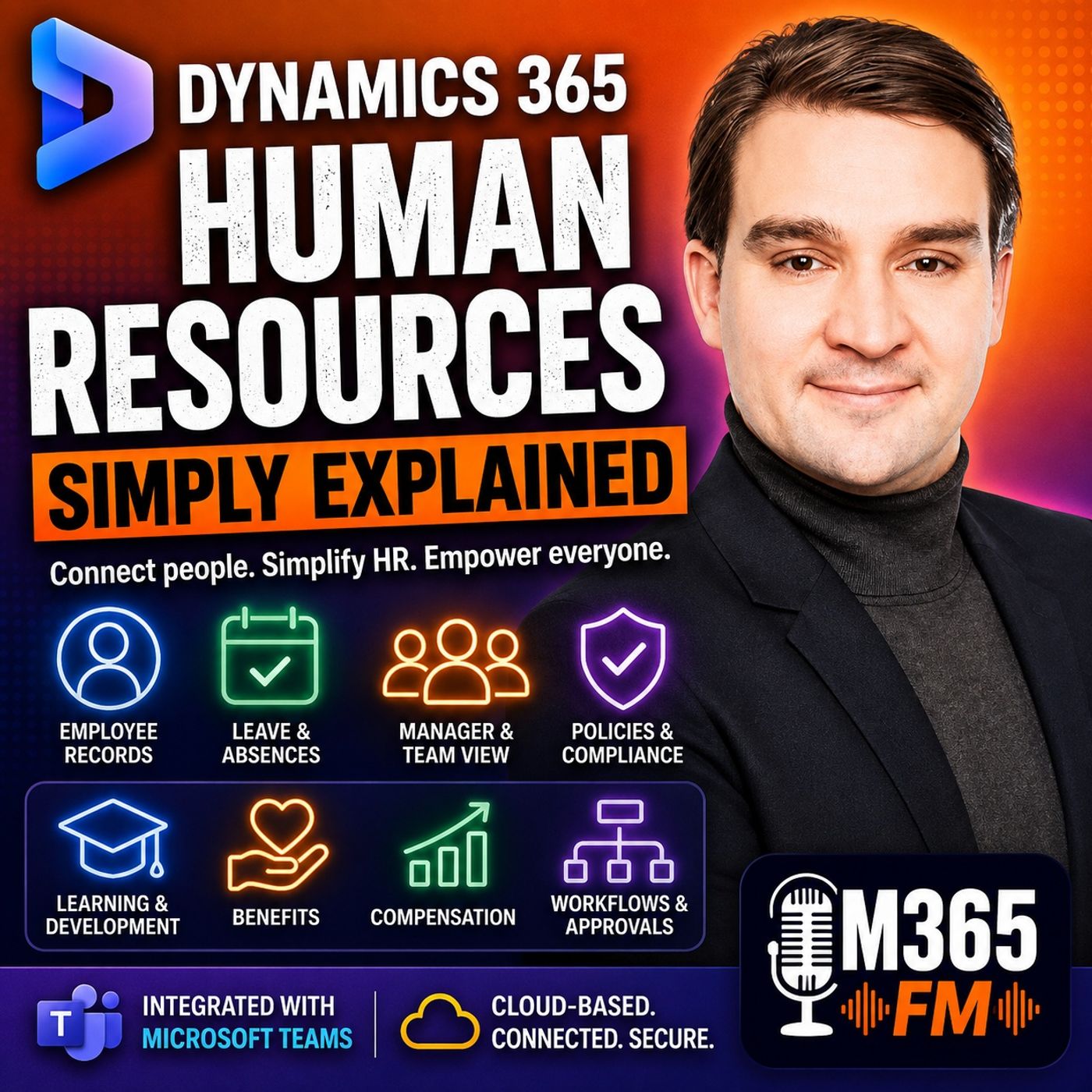
HR teams manage some of the most important and sensitive information inside an organization. Employee records, organizational structures, leave requests, benefits, compensation information, skills, certifications, training, performance, approvals, and onboarding tasks all need to remain accurate and accessible to the right people. The problem begins when that information is spread across spreadsheets, email conversations, shared folders, HR applications, manager-maintained lists, and disconnected systems. In this episode of Microsoft Knowledge Nuggets on M365 FM, Mirko Peters explains Microsoft Dynamics 365 Human Resources and how it creates a connected environment for core HR information and everyday people processes. We explore employee records, organizational structures, employee and manager self-service, leave and absence management, benefits, compensation, learning and development, HR workflows, onboarding, automation, reporting, Microsoft Teams, Power BI, and integrations with payroll and other HR systems.
WHAT IS DYNAMICS 365 HUMAN RESOURCES?
Microsoft Dynamics 365 Human Resources is a cloud-based HR solution designed to give organizations a central place for employee information and common HR processes. Think of it as the digital HR floor inside an organization. Employee records live in one controlled environment. Requests can follow predefined approval processes. Managers can access information about their teams. Employees can perform appropriate self-service activities. HR can manage policies and maintain the underlying people information. Instead of employees and managers carrying information between disconnected systems, the organization can create clearer HR processes around a shared employee record. The goal is not necessarily to put every people-related process into one application. Organizations may still use specialized solutions for payroll, recruitment, learning, or other functions. Dynamics 365 Human Resources provides the central people information and HR processes those connected systems can depend on.
THE PROBLEM OF FRAGMENTED HR DATA
Consider what happens when a new employee joins a company. HR enters the employee's information into one system. Their manager adds them to a separate team list. Payroll needs information in another application. Training materials are stored somewhere else. Benefits information arrives through email. Initially, everything may appear to work. But every additional copy of the employee record creates another opportunity for information to become outdated. The employee changes departments. Their manager changes. They move to another address. Their working hours change. They complete another certification. Suddenly, several systems contain different versions of the same person. Dynamics 365 Human Resources addresses this problem by providing a shared employee record around which HR processes can operate.
THE EMPLOYEE RECORD
At the center of Dynamics 365 Human Resources is the employee profile. This is considerably more than a digital contact card containing someone's name, telephone number, and job title. An employee profile can contain job information, contact details, work history, skills, certifications, interests, accomplishments, and training information. This creates a more complete professional record. Two employees may have exactly the same job title while possessing very different skills and experience. One project manager might hold a particular certification. Another may speak several languages. Another may have completed training required for a future role. Keeping this information connected to the employee record gives HR and managers a better foundation for staffing, development, training, and workforce decisions.
ORGANIZATIONAL STRUCTURES
Dynamics 365 Human Resources also helps organizations describe how their workforce is structured. The system can record departments, jobs, positions, managers, and reporting relationships. These concepts have different purposes. A department identifies where work takes place within the organization. A job describes a type of work. A position represents a particular place within the organization that can be filled by an employee. For example, an organization could employ many people with the job "Warehouse Associate," while every employee occupies a particular position connected with a specific department and reporting structure. Connecting these elements allows the organizational structure to become a working part of HR processes rather than a static organizational chart updated occasionally.
SKILLS AND CERTIFICATIONS
Employee skills and certifications are another important part of the employee profile. Imagine a manager asking HR: Who on my team currently holds the certification required for this project? Without structured HR information, answering that question might require searching spreadsheets, old training documents, emails, or individual employee records. Dynamics 365 Human Resources provides a more direct starting point by connecting skills and certifications with employee profiles. Certification dates can also matter. Some professional certifications or mandatory training requirements expire. Keeping those dates connected with employee information helps HR and managers identify when qualifications require attention. This becomes especially valuable in environments where particular jobs or projects require specific certifications.
SECURITY AND ROLE-BASED ACCESS
HR systems contain sensitive information. That means not everyone should have access to everything. Employees may need access to their own information. Managers may require information about their teams. HR professionals may require broader access for legitimate HR responsibilities. Dynamics 365 Human Resources uses roles and permissions to control who can view or modify different areas. The source describes this like different doors inside a staff-only office. Not everyone receives the master key. Organizations need to determine which employees require access to particular information and configure security, privacy, and compliance controls accordingly. Technology provides the controls, but organizations remain responsible for establishing appropriate policies around employee data.
EMPLOYEE SELF-SERVICE
A good HR platform should not require employees to email HR every time they need basic information. Employee self-service gives people a clearer way to handle routine HR activities themselves. Depending on the organization's configuration, employees can review their profiles, update permitted information, check leave details, complete assigned tasks, and submit HR requests. Instead of emailing: "How many vacation days do I have left?" the employee can check their available balance. Instead of wondering whether HR received a request, the employee can submit it through a defined process and follow its status. This can reduce repetitive administrative work for HR while giving employees more direct access to appropriate information.
MANAGER SELF-SERVICE
Managers need a different perspective. They need to understand who works within their team, reporting relationships, upcoming absences, employee information relevant to their responsibilities, and requests waiting for approval. Manager self-service gives managers access to appropriate information without requiring HR to manually answer every routine question. This can make common management processes significantly more efficient. The important point is that managers and HR are working from connected people information instead of maintaining separate team spreadsheets that gradually become inconsistent.
LEAVE AND ABSENCE MANAGEMENT
Leave management demonstrates how connected HR processes can improve a routine employee experience. Imagine an employee named Maya requesting three days of annual leave. The system can consider the employee's available balance and the company's configured leave rules. The request is routed to Maya's manager. The manager reviews the dates and approves or declines the request. Maya can see the result. The leave record reflects the decision. HR can review the request history. Instead of the approval existing only as an email saying "approved," the complete process becomes part of a structured HR workflow.
LEAVE POLICIES AND COMPANY RULES
Leave is more complicated than selecting several dates on a calendar. Organizations have policies covering working days, weekends, public holidays, leave categories, balances, eligibility, and other conditions. Dynamics 365 Human Resources can apply configured company rules when processing leave requests. For example, if a public holiday occurs during an employee's requested absence, the system can handle that date according to the organization's configured leave policy. This helps move policy enforcement away from manual interpretation for every routine request.
Become a supporter of this podcast: https://www.spreaker.com/podcast/m365-fm-modern-work-security-and-productivity-with-microsoft-365--6704921/support.
🚀 Want to be part of m365.fm?
Then stop just listening… and start showing up.
👉 Connect with me on LinkedIn and let’s make something happen:
- 🎙️ Be a podcast guest and share your story
- 🎧 Host your own episode (yes, seriously)
- 💡 Pitch topics the community actually wants to hear
- 🌍 Build your personal brand in the Microsoft 365 space
This isn’t just a podcast — it’s a platform for people who take action.
🔥 Most people wait. The best ones don’t.
👉 Connect with me on LinkedIn and send me a message:
"I want in"
Let’s build something awesome 👊
Frequently Asked Questions
What is Dynamics 365 Human Resources?
Dynamics 365 Human Resources is a cloud-based solution that gives organizations a central repository for employee data, organizational structures, and core people processes, acting as a shared foundation for HR management.
How does Dynamics 365 Human Resources handle leave requests?
The platform allows employees to check leave balances and submit time-off requests through self-service or Microsoft Teams, which are then automatically routed to managers through configured company workflows and policy rules.
Does Dynamics 365 Human Resources replace payroll systems?
No, while it manages core HR data, benefits, and compensation structures, organizations typically connect it with separate local payroll or finance tools to handle country-specific tax regulations and payroll processing.
Why is tracking skills and certifications important in employee profiles?
Maintaining detailed skills and certification data within the employee profile allows HR and managers to quickly identify qualified staff for specific projects and track expiring qualifications before deadlines pass.
00:00:00,000 --> 00:00:02,480
What exactly is Dynamics 365 human resources?
2
00:00:02,480 --> 00:00:05,080
Is it just another place for HR to store employee names
3
00:00:05,080 --> 00:00:06,720
or does it handle something much bigger?
4
00:00:06,720 --> 00:00:08,160
Think about a typical HR day.
5
00:00:08,160 --> 00:00:09,960
A leave request comes in through email.
6
00:00:09,960 --> 00:00:11,960
Someone updates their address in a spreadsheet.
7
00:00:11,960 --> 00:00:13,600
A manager asks who needs training.
8
00:00:13,600 --> 00:00:16,200
HR ends up searching through folders, messages,
9
00:00:16,200 --> 00:00:19,160
and different tools just to answer one simple question.
10
00:00:19,160 --> 00:00:22,520
Dynamics 365, human resources gives people data,
11
00:00:22,520 --> 00:00:25,160
and every day HR work a single home in the cloud.
12
00:00:25,160 --> 00:00:26,680
Here's the simplest definition.
13
00:00:26,680 --> 00:00:29,040
It's like the HR floor in an office building.
14
00:00:29,040 --> 00:00:30,560
Employee files live in one room.
15
00:00:30,560 --> 00:00:33,080
Request forms go to the right desk automatically.
16
00:00:33,080 --> 00:00:35,800
Company rules guide the work behind the scenes.
17
00:00:35,800 --> 00:00:38,120
Instead of people carrying paper between rooms,
18
00:00:38,120 --> 00:00:39,840
the work follows a clear path.
19
00:00:39,840 --> 00:00:41,400
By the end of this knowledge nugget,
20
00:00:41,400 --> 00:00:44,600
you'll understand employee self-service, core HR work,
21
00:00:44,600 --> 00:00:46,520
the connections with other Microsoft tools,
22
00:00:46,520 --> 00:00:48,440
and what this product isn't meant for.
23
00:00:48,440 --> 00:00:50,480
But first let's look at the problem it fixes.
24
00:00:50,480 --> 00:00:53,360
The problem it solves.
25
00:00:53,360 --> 00:00:55,480
Fragmented people work.
26
00:00:55,480 --> 00:00:57,360
Imagine someone joins a company tomorrow.
27
00:00:57,360 --> 00:00:59,600
HR enters their contact details in one system.
28
00:00:59,600 --> 00:01:02,160
Their manager adds them to a team list somewhere else.
29
00:01:02,160 --> 00:01:04,560
Payroll needs information in its own tool.
30
00:01:04,560 --> 00:01:06,080
The new employee gets a welcome email
31
00:01:06,080 --> 00:01:08,400
with links to benefits, training, and a leave policy
32
00:01:08,400 --> 00:01:09,440
all stored separately.
33
00:01:09,440 --> 00:01:11,080
Nothing looks broken at first,
34
00:01:11,080 --> 00:01:13,080
but every separate place makes another copy
35
00:01:13,080 --> 00:01:14,760
of that same person's information.
36
00:01:14,760 --> 00:01:17,360
And every copy falls behind when that person changes role,
37
00:01:17,360 --> 00:01:19,400
manager address, hours, or department.
38
00:01:19,400 --> 00:01:20,720
That's the old HR problem.
39
00:01:20,720 --> 00:01:22,240
Information spreads out.
40
00:01:22,240 --> 00:01:24,000
One spreadsheet holds employee details.
41
00:01:24,000 --> 00:01:25,720
Another keeps certification dates.
42
00:01:25,720 --> 00:01:27,440
Leave requests sit in email threads.
43
00:01:27,440 --> 00:01:30,280
Benefits questions arrive through a shared mailbox.
44
00:01:30,280 --> 00:01:32,280
Meanwhile, managers keep their own team lists
45
00:01:32,280 --> 00:01:34,360
because they don't trust the company chart.
46
00:01:34,360 --> 00:01:36,920
People end up asking, where do I find that?
47
00:01:36,920 --> 00:01:39,160
Employees might not know their remaining time off,
48
00:01:39,160 --> 00:01:41,840
which policy applies, whether HR received their request
49
00:01:41,840 --> 00:01:43,440
or where their training record lives.
50
00:01:43,440 --> 00:01:46,080
So they send an email because email feels safer than guessing.
51
00:01:46,080 --> 00:01:48,640
Managers face the same problem from a different angle.
52
00:01:48,640 --> 00:01:50,480
They need to know who works on their team,
53
00:01:50,480 --> 00:01:52,960
who reports to whom, who is away next week,
54
00:01:52,960 --> 00:01:54,960
and which requests wait for approval.
55
00:01:54,960 --> 00:01:56,960
When those answers live in different tools,
56
00:01:56,960 --> 00:01:58,960
a simple decision becomes a search.
57
00:01:58,960 --> 00:02:02,000
HR carries most of the weight, say a person changes roles,
58
00:02:02,000 --> 00:02:03,680
HR updates the employee record,
59
00:02:03,680 --> 00:02:05,600
then someone needs to update the manager relationship,
60
00:02:05,600 --> 00:02:07,800
access lists, benefits, details, training needs,
61
00:02:07,800 --> 00:02:09,640
and maybe information sent to payroll.
62
00:02:09,640 --> 00:02:11,840
When those steps rely on memory and messages,
63
00:02:11,840 --> 00:02:13,080
details slip through.
64
00:02:13,080 --> 00:02:15,080
Nobody enjoys fixing records after the fact.
65
00:02:15,080 --> 00:02:17,240
So Dynamics 365 Human Resources
66
00:02:17,240 --> 00:02:19,640
pulls those people records and HR processes
67
00:02:19,640 --> 00:02:21,000
into one shared place.
68
00:02:21,000 --> 00:02:23,800
It gives HR a controlled record for each employee,
69
00:02:23,800 --> 00:02:25,880
while giving employees and managers a clearer route
70
00:02:25,880 --> 00:02:26,920
for routine tasks.
71
00:02:26,920 --> 00:02:29,000
That doesn't mean every company keeps every people
72
00:02:29,000 --> 00:02:30,960
related task inside one product.
73
00:02:30,960 --> 00:02:33,640
Companies often use separate tools for payroll, hiring,
74
00:02:33,640 --> 00:02:34,440
or learning.
75
00:02:34,440 --> 00:02:35,600
The point is simpler.
76
00:02:35,600 --> 00:02:38,280
Human Resources holds the people information
77
00:02:38,280 --> 00:02:40,720
and the HR rules that other work depends on.
78
00:02:40,720 --> 00:02:43,000
Think of it as a shared HR filing cabinet
79
00:02:43,000 --> 00:02:46,080
that can route a request instead of just holding paper.
80
00:02:46,080 --> 00:02:48,520
When a person needs leave, the request follows the company's
81
00:02:48,520 --> 00:02:49,280
process.
82
00:02:49,280 --> 00:02:51,200
A manager who needs team information
83
00:02:51,200 --> 00:02:53,640
looks at the same people data HR maintains.
84
00:02:53,640 --> 00:02:55,320
And when HR updates an employee detail,
85
00:02:55,320 --> 00:02:57,920
they aren't chasing down five folders with the same record.
86
00:02:57,920 --> 00:02:59,400
The work becomes easier to follow.
87
00:02:59,400 --> 00:03:01,320
Of course, a shared filing cabinet only
88
00:03:01,320 --> 00:03:04,680
helps if every person has a clear place inside it.
89
00:03:04,680 --> 00:03:06,600
The employee record and organization,
90
00:03:06,600 --> 00:03:08,960
the digital HR filing cabinet.
91
00:03:08,960 --> 00:03:12,240
Welcome to Microsoft Knowledge Nuggets on M365 FM.
92
00:03:12,240 --> 00:03:13,320
I'm Mirko Peters.
93
00:03:13,320 --> 00:03:15,120
And today we're talking about two important parts
94
00:03:15,120 --> 00:03:18,160
of Dynamics 365 Human Resources, the employee record,
95
00:03:18,160 --> 00:03:19,760
and the self-service experience.
96
00:03:19,760 --> 00:03:22,280
So where does all that information actually live?
97
00:03:22,280 --> 00:03:24,720
Inside Dynamics 365 Human Resources,
98
00:03:24,720 --> 00:03:26,680
every employee gets a detailed profile.
99
00:03:26,680 --> 00:03:28,880
Think of it as their working HR record,
100
00:03:28,880 --> 00:03:31,960
not just a page with a name, phone number, and job title.
101
00:03:31,960 --> 00:03:34,640
The profile can hold job details, contact information,
102
00:03:34,640 --> 00:03:36,960
work history, skills, certifications, interests,
103
00:03:36,960 --> 00:03:38,600
accomplishments, and training info.
104
00:03:38,600 --> 00:03:40,920
That gives HR and managers much more context.
105
00:03:40,920 --> 00:03:44,320
Here's the thing, a job title alone rarely tells the full story.
106
00:03:44,320 --> 00:03:46,360
Two people might both be project managers,
107
00:03:46,360 --> 00:03:48,000
but one has a safety certificate,
108
00:03:48,000 --> 00:03:49,360
another speaks several languages,
109
00:03:49,360 --> 00:03:51,720
and a third is training for a different role.
110
00:03:51,720 --> 00:03:53,880
Those details can sit right in the employee record
111
00:03:53,880 --> 00:03:55,720
instead of getting lost inside all documents
112
00:03:55,720 --> 00:03:56,960
or a manager's memory.
113
00:03:56,960 --> 00:03:58,880
And that matters when you need to staff a project,
114
00:03:58,880 --> 00:04:00,720
plan training, or fill an open role.
115
00:04:00,720 --> 00:04:05,200
Dynamics 365 Human Resources also helps a company
116
00:04:05,200 --> 00:04:06,680
describe its own shape.
117
00:04:06,680 --> 00:04:08,960
It records departments, jobs, positions, managers,
118
00:04:08,960 --> 00:04:10,040
and reporting lines.
119
00:04:10,040 --> 00:04:12,160
So the organization becomes a working Mar-Pau,
120
00:04:12,160 --> 00:04:14,080
not a static chart, someone updates once a year,
121
00:04:14,080 --> 00:04:15,000
and forgets about.
122
00:04:15,000 --> 00:04:16,280
Let's break down the difference.
123
00:04:16,280 --> 00:04:18,120
A department tells you where the work happens.
124
00:04:18,120 --> 00:04:19,640
A job describes the type of work.
125
00:04:19,640 --> 00:04:22,320
A position identifies a specific place in the company.
126
00:04:22,320 --> 00:04:23,760
That distinction might sound small,
127
00:04:23,760 --> 00:04:25,680
but it prevents real confusion.
128
00:04:25,680 --> 00:04:27,920
A company may have many people with the same job
129
00:04:27,920 --> 00:04:29,800
or warehouse associate, for example,
130
00:04:29,800 --> 00:04:32,680
oh, while each person fills a different position
131
00:04:32,680 --> 00:04:34,960
under a particular manager and department.
132
00:04:34,960 --> 00:04:37,560
Once those details connect, the system can show who reports
133
00:04:37,560 --> 00:04:39,800
to whom and which manager oversees a team.
134
00:04:39,800 --> 00:04:41,400
That helps people find the right person
135
00:04:41,400 --> 00:04:44,240
when they need direction, and it gives HR a clearer view
136
00:04:44,240 --> 00:04:46,120
when a manager leaves, a team grows,
137
00:04:46,120 --> 00:04:47,920
or someone moves into a new role.
138
00:04:47,920 --> 00:04:49,120
Imagine a manager asks,
139
00:04:49,120 --> 00:04:51,200
"Who are my team holds the certification?"
140
00:04:51,200 --> 00:04:54,040
So then let us say, "Dushenness is synonymous."
141
00:04:54,040 --> 00:04:55,640
Without a proper employee record,
142
00:04:55,640 --> 00:04:58,680
HR might search a spreadsheet, dig through all training documents
143
00:04:58,680 --> 00:05:00,280
and message several people.
144
00:05:00,280 --> 00:05:03,280
But with skills and certifications recorded in the profile,
145
00:05:03,280 --> 00:05:05,880
HR has a much more direct starting point.
146
00:05:05,880 --> 00:05:07,400
Certification dates matter too.
147
00:05:07,400 --> 00:05:09,680
Some jobs require training that expires.
148
00:05:09,680 --> 00:05:11,360
If records live in separate files,
149
00:05:11,360 --> 00:05:13,120
you can easily miss an expiry date
150
00:05:13,120 --> 00:05:14,840
until someone needs proof.
151
00:05:14,840 --> 00:05:16,800
When that information lives in the employee record,
152
00:05:16,800 --> 00:05:18,800
HR can track it as part of the person's
153
00:05:18,800 --> 00:05:19,880
work history.
154
00:05:19,880 --> 00:05:21,520
The same goes for development.
155
00:05:21,520 --> 00:05:23,760
An employee can gain experience through a course
156
00:05:23,760 --> 00:05:26,160
on your responsibility or a professional achievement.
157
00:05:26,160 --> 00:05:28,880
Instead of a one-time note, HR can keep that information
158
00:05:28,880 --> 00:05:31,120
right next to the person's role and skills.
159
00:05:31,120 --> 00:05:32,680
That gives a manager a fuller picture
160
00:05:32,680 --> 00:05:34,160
during a conversation about growth.
161
00:05:34,160 --> 00:05:36,440
Now, HR records contain sensitive information.
162
00:05:36,440 --> 00:05:38,120
Not everyone should see everything.
163
00:05:38,120 --> 00:05:39,680
A manager may need team details,
164
00:05:39,680 --> 00:05:41,640
an employee may need access to their own info,
165
00:05:41,640 --> 00:05:43,040
HR may need access to more.
166
00:05:43,040 --> 00:05:44,720
So the system uses roles and permissions
167
00:05:44,720 --> 00:05:46,840
to control who can view or change different areas,
168
00:05:46,840 --> 00:05:49,080
think of it like a staff only offers with different doors
169
00:05:49,080 --> 00:05:50,080
for different jobs.
170
00:05:50,080 --> 00:05:52,760
You don't give every visitor the same master key.
171
00:05:52,760 --> 00:05:54,920
You decide who needs access to a room
172
00:05:54,920 --> 00:05:56,760
and you review that choice carefully.
173
00:05:56,760 --> 00:05:59,160
Microsoft provides guidance on security, compliance,
174
00:05:59,160 --> 00:06:01,000
and privacy because the technology only
175
00:06:01,000 --> 00:06:03,920
works when the company sets clear rules for its people data.
176
00:06:03,920 --> 00:06:05,000
That setup takes thought.
177
00:06:05,000 --> 00:06:07,120
A profile isn't just a digital contact card.
178
00:06:07,120 --> 00:06:09,080
It supports day-to-day HR decisions
179
00:06:09,080 --> 00:06:11,400
about roles, skills, training, reporting lines,
180
00:06:11,400 --> 00:06:13,160
and the work each person can do.
181
00:06:13,160 --> 00:06:15,920
But a well-kept record is only part of the picture.
182
00:06:15,920 --> 00:06:17,880
Employees also need a simple way to handle
183
00:06:17,880 --> 00:06:19,960
their own routine HR tasks,
184
00:06:19,960 --> 00:06:22,280
buzz, employee and manager.
185
00:06:22,280 --> 00:06:24,720
Self-service, everyday HR.
186
00:06:24,720 --> 00:06:26,440
Without the email chain.
187
00:06:26,440 --> 00:06:28,760
A good HR system shouldn't turn every small question
188
00:06:28,760 --> 00:06:29,720
into an email.
189
00:06:29,720 --> 00:06:32,040
Employees need to update personal details,
190
00:06:32,040 --> 00:06:35,200
check leave information, see tasks they need to complete,
191
00:06:35,200 --> 00:06:36,920
and send routine HR requests.
192
00:06:36,920 --> 00:06:39,040
Managers need a clear way to review those requests
193
00:06:39,040 --> 00:06:41,240
without digging through a crowded inbox.
194
00:06:41,240 --> 00:06:44,200
Dynamics 365, human resources gives both groups
195
00:06:44,200 --> 00:06:46,440
a self-service area for that everyday work.
196
00:06:46,440 --> 00:06:48,320
For an employee, self-service means you
197
00:06:48,320 --> 00:06:50,280
can take care of simple things yourself.
198
00:06:50,280 --> 00:06:52,160
You review your profile, update information
199
00:06:52,160 --> 00:06:54,320
where your company allows it, check leave details,
200
00:06:54,320 --> 00:06:55,720
and complete assigned tasks.
201
00:06:55,720 --> 00:06:58,000
You don't need to ask HR where a form lives.
202
00:06:58,000 --> 00:07:01,480
That sounds basic, but it changes the flow of a normal week.
203
00:07:01,480 --> 00:07:03,160
Instead of sending a message asking,
204
00:07:03,160 --> 00:07:05,360
how many vacation days do I have left?
205
00:07:05,360 --> 00:07:06,600
You look up your balance.
206
00:07:06,600 --> 00:07:08,240
Instead of wondering whether your request
207
00:07:08,240 --> 00:07:10,840
reached the right person, you submitted through the system
208
00:07:10,840 --> 00:07:12,120
and follow its status.
209
00:07:12,120 --> 00:07:14,280
The employee gets a clearer answer and HR receives
210
00:07:14,280 --> 00:07:15,760
fewer repeat questions.
211
00:07:15,760 --> 00:07:18,200
Microsoft also puts time off balances and leave requests
212
00:07:18,200 --> 00:07:19,920
directly into Microsoft Teams.
213
00:07:19,920 --> 00:07:21,720
That matters because Teams already
214
00:07:21,720 --> 00:07:24,120
sits in many employees daily work routine
215
00:07:24,120 --> 00:07:26,680
right next to chats, meetings, and team messages.
216
00:07:26,680 --> 00:07:29,040
You don't need to open a separate HR website every time
217
00:07:29,040 --> 00:07:30,560
you want to request a day off.
218
00:07:30,560 --> 00:07:32,200
Imagine you're planning a family trip.
219
00:07:32,200 --> 00:07:34,680
You open the human resources experience in Teams,
220
00:07:34,680 --> 00:07:37,040
check your available leave, choose the dates,
221
00:07:37,040 --> 00:07:38,360
and send the request.
222
00:07:38,360 --> 00:07:40,920
Your manager receives it through the approval process.
223
00:07:40,920 --> 00:07:42,960
Instead of finding it buried between meeting invites
224
00:07:42,960 --> 00:07:45,800
and project emails, the request follows a known route.
225
00:07:45,800 --> 00:07:48,200
Leave is more than choosing dates on the calendar.
226
00:07:48,200 --> 00:07:50,480
Each company has rules about working days, weekends,
227
00:07:50,480 --> 00:07:53,640
public holidays, leave types, and how much time someone can take.
228
00:07:53,640 --> 00:07:55,160
Dynamics 365.
229
00:07:55,160 --> 00:07:57,000
Human resources can apply those rules
230
00:07:57,000 --> 00:07:58,720
when the company configures them.
231
00:07:58,720 --> 00:08:01,600
So if a public holiday falls in the middle of your leave,
232
00:08:01,600 --> 00:08:03,280
the system can treat that day differently
233
00:08:03,280 --> 00:08:06,560
from a normal work day based on the company's leave policy.
234
00:08:06,560 --> 00:08:08,400
That removes a common source of confusion,
235
00:08:08,400 --> 00:08:10,200
manages to see the other side of the process.
236
00:08:10,200 --> 00:08:12,040
They can review a request, check the dates,
237
00:08:12,040 --> 00:08:14,280
and approve or decline it through the system.
238
00:08:14,280 --> 00:08:16,320
Instead of replying to an email with approved
239
00:08:16,320 --> 00:08:18,400
and hoping someone updates the right record,
240
00:08:18,400 --> 00:08:20,800
their decision becomes part of the request itself.
241
00:08:20,800 --> 00:08:22,560
Everyone can see where things stand.
242
00:08:22,560 --> 00:08:23,960
Let's follow one simple example.
243
00:08:23,960 --> 00:08:25,920
Maya requests three days of annual leave.
244
00:08:25,920 --> 00:08:27,160
The system checks her balance
245
00:08:27,160 --> 00:08:29,240
and applies her company's leave rules.
246
00:08:29,240 --> 00:08:31,480
Her manager receives the request, reviews the dates,
247
00:08:31,480 --> 00:08:32,400
and approves it.
248
00:08:32,400 --> 00:08:35,120
Maya sees the result and the leave record updates.
249
00:08:35,120 --> 00:08:37,040
HR can also see the request history.
250
00:08:37,040 --> 00:08:39,480
That history matters when someone later asks
251
00:08:39,480 --> 00:08:41,840
what happened, when it happened, and who approved it.
252
00:08:41,840 --> 00:08:43,800
The process leaves a record instead of relying
253
00:08:43,800 --> 00:08:45,640
on a deleted email or a paper form
254
00:08:45,640 --> 00:08:47,400
that never reached the right folder.
255
00:08:47,400 --> 00:08:49,280
Benefits information and employee tasks
256
00:08:49,280 --> 00:08:50,720
can work in a similar way.
257
00:08:50,720 --> 00:08:53,080
An employee may need to review available benefits,
258
00:08:53,080 --> 00:08:55,000
complete a task after joining the company,
259
00:08:55,000 --> 00:08:56,600
or respond to an HR request.
260
00:08:56,600 --> 00:08:58,280
Putting those actions closer to the employee
261
00:08:58,280 --> 00:09:00,520
means HR doesn't need to act as a messenger
262
00:09:00,520 --> 00:09:01,600
for every routine step.
263
00:09:01,600 --> 00:09:03,560
Still, self-service doesn't replace HR.
264
00:09:03,560 --> 00:09:05,960
HR professionals still answer difficult questions,
265
00:09:05,960 --> 00:09:08,000
apply policy, handle sensitive cases,
266
00:09:08,000 --> 00:09:10,640
and help people through changes that don't fit a standard form.
267
00:09:10,640 --> 00:09:12,760
Self-service removes repetitive handoffs,
268
00:09:12,760 --> 00:09:14,640
so HR can spend more time on the work
269
00:09:14,640 --> 00:09:16,040
that needs human judgment.
270
00:09:16,040 --> 00:09:18,800
And leave is only one part of an employee's working life.
271
00:09:18,800 --> 00:09:20,600
HR also needs to manage benefits,
272
00:09:20,600 --> 00:09:22,960
pay related information, learning, and development.
273
00:09:22,960 --> 00:09:24,200
That's where we'll go next.
274
00:09:24,200 --> 00:09:28,000
Benefits, compensation, learning, and development,
275
00:09:28,000 --> 00:09:30,160
supporting the employee journey.
276
00:09:30,160 --> 00:09:32,560
Here are our Timns, something easy to forget.
277
00:09:32,560 --> 00:09:35,880
Employees, Donutemfin, stay the same person after their first day.
278
00:09:35,880 --> 00:09:39,160
They take on new work, learn new skills, pick up certifications,
279
00:09:39,160 --> 00:09:40,520
move into new roles.
280
00:09:40,520 --> 00:09:42,880
Maybe change their benefits as their life changes.
281
00:09:42,880 --> 00:09:44,760
HR needs somewhere to track all of that
282
00:09:44,760 --> 00:09:48,440
without turning every single change into a separate form.
283
00:09:48,440 --> 00:09:50,800
Picture Dynamics 365, Human Resources,
284
00:09:50,800 --> 00:09:53,280
as the central desk for that employee information.
285
00:09:53,280 --> 00:09:55,760
It manages benefits programs based on the rules
286
00:09:55,760 --> 00:09:56,840
your company sets.
287
00:09:56,840 --> 00:09:58,240
Most people here owe benefits
288
00:09:58,240 --> 00:10:00,800
are an immediately picture medical or dental coverage.
289
00:10:00,800 --> 00:10:02,640
But benefits can cover a lot more depending
290
00:10:02,640 --> 00:10:05,680
on your company and where you ultimately relocated.
291
00:10:05,680 --> 00:10:08,120
An organization defines its own benefit plans
292
00:10:08,120 --> 00:10:10,120
decides who our man's eligible
293
00:10:10,120 --> 00:10:12,000
and sets the enrollment periods.
294
00:10:12,000 --> 00:10:13,640
That gives employees a much clearer view
295
00:10:13,640 --> 00:10:15,160
of what actually applies to them.
296
00:10:15,160 --> 00:10:16,760
Instead of HR sending a long email
297
00:10:16,760 --> 00:10:18,640
with PDF attachments, benefit details
298
00:10:18,640 --> 00:10:20,680
set right next to the employee record.
299
00:10:20,680 --> 00:10:22,120
Employees review their choices
300
00:10:22,120 --> 00:10:24,760
and HR manages the rules behind those choices.
301
00:10:24,760 --> 00:10:27,240
But not every employee qualifies for every plan.
302
00:10:27,240 --> 00:10:29,800
A benefit might depend on location, job type,
303
00:10:29,800 --> 00:10:31,360
working hours, or how long someone
304
00:10:31,360 --> 00:10:33,120
O.T. Miles has been with the company.
305
00:10:33,120 --> 00:10:34,960
Human Resources records those conditions,
306
00:10:34,960 --> 00:10:36,600
so HR does no temtty have to judge
307
00:10:36,600 --> 00:10:38,240
the same eligibility question from scratch
308
00:10:38,240 --> 00:10:39,760
every time someone asks.
309
00:10:39,760 --> 00:10:41,720
Compensation sits right next to benefits,
310
00:10:41,720 --> 00:10:43,720
but eTautums a different thing.
311
00:10:43,720 --> 00:10:45,720
Compensation is the pay related information
312
00:10:45,720 --> 00:10:47,680
tied to an employee O.T.M. as work.
313
00:10:47,680 --> 00:10:51,040
Human Resources includes a compensation management area
314
00:10:51,040 --> 00:10:53,720
where HR keeps records for fixed pay, variable pay,
315
00:10:53,720 --> 00:10:55,400
and builds compensation structures
316
00:10:55,400 --> 00:10:57,440
that fit how your company pays people.
317
00:10:57,440 --> 00:11:00,720
But here, TEMS the thing, oh, this does no, TEMM.
318
00:11:00,720 --> 00:11:03,160
To mean human resources runs every payroll process
319
00:11:03,160 --> 00:11:03,760
on its own.
320
00:11:03,760 --> 00:11:05,920
Payroll has local tax rules, payment schedules,
321
00:11:05,920 --> 00:11:07,520
and country specific requirements.
322
00:11:07,520 --> 00:11:09,280
Many companies connect human resources
323
00:11:09,280 --> 00:11:11,400
with finance or a separate payroll tool,
324
00:11:11,400 --> 00:11:13,320
so the employee record and the payroll record
325
00:11:13,320 --> 00:11:14,840
share what they need without pretending
326
00:11:14,840 --> 00:11:16,120
they outtember the same job.
327
00:11:16,120 --> 00:11:17,840
Imagine two connected disks.
328
00:11:17,840 --> 00:11:22,000
The HR desk holds the employee, eAutomass role, pay details,
329
00:11:22,000 --> 00:11:23,880
benefits, and employment history.
330
00:11:23,880 --> 00:11:27,520
The payroll desk calculates and sends the actual pay.
331
00:11:27,520 --> 00:11:29,520
Both desks need accurate information,
332
00:11:29,520 --> 00:11:31,600
but each handles a different part of the work.
333
00:11:31,600 --> 00:11:33,040
Growth also needs a record.
334
00:11:33,040 --> 00:11:34,880
Microsoft describes employee profiles
335
00:11:34,880 --> 00:11:37,120
that include career accomplishments, skills,
336
00:11:37,120 --> 00:11:39,000
certifications, and interests.
337
00:11:39,000 --> 00:11:41,280
That matters because a person is more than their current job
338
00:11:41,280 --> 00:11:41,840
title.
339
00:11:41,840 --> 00:11:43,360
Maybe someone works in customer support,
340
00:11:43,360 --> 00:11:45,280
but has completed data training.
341
00:11:45,280 --> 00:11:47,200
Maybe another employee holds a certificate
342
00:11:47,200 --> 00:11:48,680
and new project requires.
343
00:11:48,680 --> 00:11:51,120
Or someone has shown interest in becoming a team lead.
344
00:11:51,120 --> 00:11:53,320
Those details help managers have better conversations
345
00:11:53,320 --> 00:11:54,560
about future work.
346
00:11:54,560 --> 00:11:56,720
Learning gives that information a place to grow.
347
00:11:56,720 --> 00:11:59,040
Human Resources includes learning tools for courses,
348
00:11:59,040 --> 00:12:00,800
questionnaires, and training records.
349
00:12:00,800 --> 00:12:02,920
A company can track the learning it expects employees
350
00:12:02,920 --> 00:12:03,440
to complete.
351
00:12:03,440 --> 00:12:06,680
A course is notemity, just a link someone receives once.
352
00:12:06,680 --> 00:12:08,440
HR creates or records the course.
353
00:12:08,440 --> 00:12:10,600
Tracks who needs it and keeps completion information
354
00:12:10,600 --> 00:12:12,880
with the employee, eAutom's development history.
355
00:12:12,880 --> 00:12:15,760
If a certification expires, HR has a clearer way
356
00:12:15,760 --> 00:12:18,280
to see that it needs attention before the date passes.
357
00:12:18,280 --> 00:12:19,480
Let me give you a simple example.
358
00:12:19,480 --> 00:12:21,720
A technician moves into a role that requires a safety
359
00:12:21,720 --> 00:12:22,400
certification.
360
00:12:22,400 --> 00:12:24,840
HR records the new role and identifies the training
361
00:12:24,840 --> 00:12:25,720
requirement.
362
00:12:25,720 --> 00:12:27,480
The employee completes the course.
363
00:12:27,480 --> 00:12:29,920
And the certification becomes part of that employee,
364
00:12:29,920 --> 00:12:31,880
eAutomass profile.
365
00:12:31,880 --> 00:12:33,640
The manager can see the person is ready.
366
00:12:33,640 --> 00:12:35,800
That eAutom is much better than finding out
367
00:12:35,800 --> 00:12:38,840
during a project that the certificate expired months ago.
368
00:12:38,840 --> 00:12:41,240
Development also includes performance conversations
369
00:12:41,240 --> 00:12:42,120
and reviews.
370
00:12:42,120 --> 00:12:44,760
Human Resources includes areas for performance management,
371
00:12:44,760 --> 00:12:46,680
reviews, skills, and goals.
372
00:12:46,680 --> 00:12:48,760
So the company keeps growth-related information
373
00:12:48,760 --> 00:12:50,280
in a more structured place.
374
00:12:50,280 --> 00:12:52,840
Still, software cano, tm, it, turn a poor manager
375
00:12:52,840 --> 00:12:53,720
into a good one.
376
00:12:53,720 --> 00:12:56,840
A system records a goal, a review, or a completed course.
377
00:12:56,840 --> 00:12:59,520
It can eAutom set, replace a meaningful conversation
378
00:12:59,520 --> 00:13:00,200
about someone.
379
00:13:00,200 --> 00:13:03,480
Out-em adds career, their workload, or the support they need.
380
00:13:03,480 --> 00:13:04,960
People still need to talk to people.
381
00:13:04,960 --> 00:13:07,480
What the system does is keep the agreed upon information
382
00:13:07,480 --> 00:13:10,240
from disappearing, from onboarding to a role change,
383
00:13:10,240 --> 00:13:11,840
and employee builds a history.
384
00:13:11,840 --> 00:13:14,000
Their skills grow, their benefits may change,
385
00:13:14,000 --> 00:13:16,440
their pay records shift, their training proves their
386
00:13:16,440 --> 00:13:18,600
automore ready for the next responsibility.
387
00:13:18,600 --> 00:13:20,680
That ongoing record gives HR and managers
388
00:13:20,680 --> 00:13:22,800
a much better starting point than memory alone.
389
00:13:22,800 --> 00:13:24,920
But records only help when requests, reviews,
390
00:13:24,920 --> 00:13:27,240
and changes follow a clear route.
391
00:13:27,240 --> 00:13:29,880
That opens where workflows come in.
392
00:13:29,880 --> 00:13:32,640
Workflows, automation, and reporting,
393
00:13:32,640 --> 00:13:35,880
turning repeated HR work into a process.
394
00:13:35,880 --> 00:13:37,280
Records tell you what happened.
395
00:13:37,280 --> 00:13:39,280
Workflows help decide what happens next.
396
00:13:39,280 --> 00:13:41,760
A workflow is simply a set route for a task.
397
00:13:41,760 --> 00:13:44,720
Someone starts a request, the right person reviews it,
398
00:13:44,720 --> 00:13:46,520
and the system records the result.
399
00:13:46,520 --> 00:13:49,000
That route applies to leave requests, benefits, changes,
400
00:13:49,000 --> 00:13:51,000
employee data updates, or any HR work
401
00:13:51,000 --> 00:13:51,960
that needs approval.
402
00:13:51,960 --> 00:13:54,320
Without a workflow, people invent their own route.
403
00:13:54,320 --> 00:13:56,920
One manager asks for an email, another wants a form.
404
00:13:56,920 --> 00:13:59,680
A third tells employees to send a team's message.
405
00:13:59,680 --> 00:14:02,120
HR then has to figure out which requests count,
406
00:14:02,120 --> 00:14:04,840
who approved them, and whether anyone missed a step.
407
00:14:04,840 --> 00:14:07,600
Dynamics 365, human resources lets your company
408
00:14:07,600 --> 00:14:09,200
set a repeatable path instead.
409
00:14:09,200 --> 00:14:11,760
For example, an employee change might need a manager
410
00:14:11,760 --> 00:14:14,880
out TM's approval before HR reviews it.
411
00:14:14,880 --> 00:14:17,960
A benefits request might need an eligibility check first.
412
00:14:17,960 --> 00:14:20,960
A leave request goes directly to the employee, AO,
413
00:14:20,960 --> 00:14:23,440
TM's manager.
414
00:14:23,440 --> 00:14:26,600
The company decides the rules, and the system sends each request
415
00:14:26,600 --> 00:14:28,960
to the person responsible for the next decision
416
00:14:28,960 --> 00:14:30,200
that removes the guessing.
417
00:14:30,200 --> 00:14:32,000
It also gives each person a clear job.
418
00:14:32,000 --> 00:14:33,960
The employee knows the request has been sent.
419
00:14:33,960 --> 00:14:35,520
The manager knows it needs attention.
420
00:14:35,520 --> 00:14:37,920
HR can see exactly where it sits instead of searching
421
00:14:37,920 --> 00:14:40,800
through inboxes and asking, "How did anyone approve this?
422
00:14:40,800 --> 00:14:42,920
"How?" the process becomes visible.
423
00:14:42,920 --> 00:14:45,680
But this does not empty mean automation decides everything
424
00:14:45,680 --> 00:14:46,640
for people.
425
00:14:46,640 --> 00:14:49,920
A workflow routes the request, checks whether required information
426
00:14:49,920 --> 00:14:51,680
exists, and keeps the history.
427
00:14:51,680 --> 00:14:54,840
A manager still decides whether a request works for the team.
428
00:14:54,840 --> 00:14:57,280
HR still handles cases that need good judgment.
429
00:14:57,280 --> 00:14:59,320
The system handles the repeatable steps.
430
00:14:59,320 --> 00:15:00,920
People handle the people parts.
431
00:15:00,920 --> 00:15:02,840
Task management works in a similar way.
432
00:15:02,840 --> 00:15:04,760
Think about a new employee, "Oh, wow,"
433
00:15:04,760 --> 00:15:06,400
TM's first few weeks.
434
00:15:06,400 --> 00:15:09,160
They might need to read a policy, provide personal information,
435
00:15:09,160 --> 00:15:11,280
complete training, meet with their manager,
436
00:15:11,280 --> 00:15:12,880
and confirm a benefit choice.
437
00:15:12,880 --> 00:15:15,040
Without a shared task list, each item gets lost
438
00:15:15,040 --> 00:15:16,120
in a welcome email.
439
00:15:16,120 --> 00:15:18,440
Human resources supports task management
440
00:15:18,440 --> 00:15:20,880
around employee milestones like onboarding.
441
00:15:20,880 --> 00:15:23,720
HR creates tasks, assigns them to the right people,
442
00:15:23,720 --> 00:15:24,880
and tracks progress.
443
00:15:24,880 --> 00:15:26,680
The employee sees what they need to do.
444
00:15:26,680 --> 00:15:28,840
The manager sees what it must still waiting.
445
00:15:28,840 --> 00:15:32,240
HR can spot a missed step before a new starter reaches week three
446
00:15:32,240 --> 00:15:34,040
without the access or training they need.
447
00:15:34,040 --> 00:15:36,720
That "oh" means a much calmer start for everyone.
448
00:15:36,720 --> 00:15:39,240
Automation can also reduce repeated data entry.
449
00:15:39,240 --> 00:15:41,680
If information already sits in the HR record,
450
00:15:41,680 --> 00:15:44,320
staff should now, TMT, have to type the same details
451
00:15:44,320 --> 00:15:45,800
into every request by hand.
452
00:15:45,800 --> 00:15:47,640
A company uses business events and power
453
00:15:47,640 --> 00:15:50,360
automate templates to connect human resources activity
454
00:15:50,360 --> 00:15:52,440
with other approved business processes.
455
00:15:52,440 --> 00:15:54,480
But keep the role of automation in perspective.
456
00:15:54,480 --> 00:15:56,400
It does not even create a fair-leave policy.
457
00:15:56,400 --> 00:15:58,960
It does not tempt explain a sensitive benefit decision.
458
00:15:58,960 --> 00:16:02,600
It does not emit DT notice that an employee needs support
459
00:16:02,600 --> 00:16:04,680
unless a person pays attention.
460
00:16:04,680 --> 00:16:06,880
Automation takes away routine chasing,
461
00:16:06,880 --> 00:16:10,040
which gives HR more time to deal with the work that needs care.
462
00:16:10,040 --> 00:16:11,520
Then their oaks-m's reporting.
463
00:16:11,520 --> 00:16:13,400
HR teams and leaders often need answers
464
00:16:13,400 --> 00:16:15,400
that sit above any one employee record,
465
00:16:15,400 --> 00:16:17,120
which training still needs completion,
466
00:16:17,120 --> 00:16:19,680
which requests have been waiting too long for approval,
467
00:16:19,680 --> 00:16:22,520
where could planned absences leave a team short-staffed.
468
00:16:22,520 --> 00:16:25,000
Human resources connects people and operations data,
469
00:16:25,000 --> 00:16:27,560
so organizations examine workforce costs and patterns.
470
00:16:27,560 --> 00:16:30,080
A report helps HR spot a group of certifications
471
00:16:30,080 --> 00:16:31,160
nearing expiry.
472
00:16:31,160 --> 00:16:33,000
It shows a manager their pending actions.
473
00:16:33,000 --> 00:16:36,480
It helps leaders see patterns in absences or workforce changes.
474
00:16:36,480 --> 00:16:39,440
The point is now, TMT, to collect reports for their own sake,
475
00:16:39,440 --> 00:16:41,920
or ETOW, attempts to give people a better view
476
00:16:41,920 --> 00:16:43,200
before they make a decision.
477
00:16:43,200 --> 00:16:45,640
You still need to ask a useful question first.
478
00:16:45,640 --> 00:16:48,120
Good reporting starts with a clear business need.
479
00:16:48,120 --> 00:16:50,440
Check training status before a busy season.
480
00:16:50,440 --> 00:16:53,720
Review unapproved requests before they become a problem,
481
00:16:53,720 --> 00:16:57,280
or see if any department is consistently short-staffed.
482
00:16:57,280 --> 00:16:58,720
The system organizes the information,
483
00:16:58,720 --> 00:17:01,720
but HR decides what the information means and what action to take.
484
00:17:01,720 --> 00:17:03,880
Once requests follow a known process and data
485
00:17:03,880 --> 00:17:06,360
can answer real questions, human resources
486
00:17:06,360 --> 00:17:08,240
becomes easier to connect with the other tools
487
00:17:08,240 --> 00:17:09,760
people use every day.
488
00:17:09,760 --> 00:17:12,000
And that opens where the real power of the platform starts
489
00:17:12,000 --> 00:17:15,120
to show off when everything works together.
490
00:17:15,120 --> 00:17:17,320
Connections across Microsoft and beyond.
491
00:17:17,320 --> 00:17:18,960
The connected HR desk.
492
00:17:18,960 --> 00:17:19,720
Here's the thing.
493
00:17:19,720 --> 00:17:22,080
People don't pick an HR tool just because HR says so.
494
00:17:22,080 --> 00:17:24,080
They use it when it fits naturally into the apps
495
00:17:24,080 --> 00:17:25,520
they already open every day.
496
00:17:25,520 --> 00:17:28,200
That's why connecting with Microsoft Teams matters so much.
497
00:17:28,200 --> 00:17:30,080
Employees can check their time off balances
498
00:17:30,080 --> 00:17:32,280
and submit leave requests right inside teams,
499
00:17:32,280 --> 00:17:33,880
where they're already chatting with colleagues
500
00:17:33,880 --> 00:17:35,000
and joining meetings.
501
00:17:35,000 --> 00:17:38,360
HR can also tap into the wider Microsoft 365 platform,
502
00:17:38,360 --> 00:17:40,320
putting people data closer to the actual work
503
00:17:40,320 --> 00:17:41,800
happening across the company.
504
00:17:41,800 --> 00:17:44,200
Your finance team might need approved employment
505
00:17:44,200 --> 00:17:47,600
and pay details for payroll, and HR can share that information.
506
00:17:47,600 --> 00:17:50,840
But the exact setup depends on how your company runs payroll.
507
00:17:50,840 --> 00:17:53,920
20 years ago, you'd have separate systems for each task.
508
00:17:53,920 --> 00:17:56,040
And information would need to be re-entered everywhere.
509
00:17:56,040 --> 00:17:57,440
Now it flows automatically.
510
00:17:57,440 --> 00:17:59,920
Some companies already use a separate recruiting system
511
00:17:59,920 --> 00:18:01,800
and others use a specialist learning platform.
512
00:18:01,800 --> 00:18:02,960
And that's perfectly fine.
513
00:18:02,960 --> 00:18:05,040
Think of Dynamics 365, human resources
514
00:18:05,040 --> 00:18:07,160
like a central HR desk in your office.
515
00:18:07,160 --> 00:18:09,840
It becomes the one place where everyone's people record lives.
516
00:18:09,840 --> 00:18:12,080
But recruiting payroll and learning tools
517
00:18:12,080 --> 00:18:13,440
keep doing what they do best.
518
00:18:13,440 --> 00:18:15,320
When someone joins the company, that desk
519
00:18:15,320 --> 00:18:17,400
creates their record and sends the right information
520
00:18:17,400 --> 00:18:19,800
to payroll, benefits, and their manager,
521
00:18:19,800 --> 00:18:21,720
all without re-entering any details.
522
00:18:21,720 --> 00:18:24,360
For reporting, you can connect the data to Power BI,
523
00:18:24,360 --> 00:18:27,240
Microsoft's visual reporting tool, letting HR and leaders
524
00:18:27,240 --> 00:18:29,640
see workforce information in charts and dashboards
525
00:18:29,640 --> 00:18:32,360
instead of staring at endless rows in a spreadsheet.
526
00:18:32,360 --> 00:18:34,880
When a new employee record enters Dynamics 365
527
00:18:34,880 --> 00:18:36,800
human resources, their manager sees them
528
00:18:36,800 --> 00:18:38,240
in the correct team structure.
529
00:18:38,240 --> 00:18:40,760
The employee handles approved self-service tasks
530
00:18:40,760 --> 00:18:42,720
and other connected tools get the information
531
00:18:42,720 --> 00:18:44,240
they need for their own work.
532
00:18:44,240 --> 00:18:46,520
Each tool does its job, but the employee record
533
00:18:46,520 --> 00:18:49,440
never needs to be recreated from scratch.
534
00:18:49,440 --> 00:18:52,800
Where Dynamics 365 human resources fits.
535
00:18:52,800 --> 00:18:55,760
Dynamics 365 human resources is designed for companies
536
00:18:55,760 --> 00:18:59,400
that want one shared place for basic employee info, leave,
537
00:18:59,400 --> 00:19:02,920
benefits, compensation records, development, and HR approvals.
538
00:19:02,920 --> 00:19:05,200
But here's the thing, oh, it works best
539
00:19:05,200 --> 00:19:08,320
when the company first agrees on how HR work should actually happen.
540
00:19:08,320 --> 00:19:09,720
You can't skip that part.
541
00:19:09,720 --> 00:19:11,280
Before setup begins, you need to decide
542
00:19:11,280 --> 00:19:13,440
what data to keep, who can access it, which policies
543
00:19:13,440 --> 00:19:17,000
apply, who approves requests, and which other tools need a connection.
544
00:19:17,000 --> 00:19:19,840
Recruiting, payroll, time entry, and learning needs
545
00:19:19,840 --> 00:19:22,760
can differ widely by country, industry, and company size.
546
00:19:22,760 --> 00:19:26,040
And Dynamics 365 human resources can connect with tools
547
00:19:26,040 --> 00:19:29,120
for those areas, but it doesn't automatically replace them.
548
00:19:29,120 --> 00:19:31,440
Microsoft provides documentation with setup guidance,
549
00:19:31,440 --> 00:19:34,440
reporting material, security information, tools, samples,
550
00:19:34,440 --> 00:19:35,480
and admin help.
551
00:19:35,480 --> 00:19:37,280
And you can also work with a Microsoft partner
552
00:19:37,280 --> 00:19:40,000
for planning support, pre-built apps, training,
553
00:19:40,000 --> 00:19:41,400
or help getting started.
554
00:19:41,400 --> 00:19:44,160
Microsoft offers both a full human resources license
555
00:19:44,160 --> 00:19:46,280
and a lower cost self-service license
556
00:19:46,280 --> 00:19:49,840
for employee and manager tasks, but prices and terms can change.
557
00:19:49,840 --> 00:19:51,920
So always check Microsoft's current pricing
558
00:19:51,920 --> 00:19:53,640
before planning a budget.
559
00:19:53,640 --> 00:19:56,840
Think of it like setting up a filing system before buying folders.
560
00:19:56,840 --> 00:19:59,280
You need to decide how to organize people data first,
561
00:19:59,280 --> 00:20:02,880
then let Dynamics 365 human resources handle the filing.
562
00:20:02,880 --> 00:20:05,480
Choose the HR process first, then configure the software
563
00:20:05,480 --> 00:20:07,880
around the way your people actually work.
564
00:20:07,880 --> 00:20:11,080
Conclusion, the connected people record.
565
00:20:11,080 --> 00:20:14,280
Here's the thing about Dynamics 365 human resources.
566
00:20:14,280 --> 00:20:18,480
Employee info, self-service, and HR tasks all live in one place.
567
00:20:18,480 --> 00:20:20,400
Your team finds what they need without digging
568
00:20:20,400 --> 00:20:23,640
through separate systems, and your HR people keep work moving
569
00:20:23,640 --> 00:20:24,960
instead of chasing paper.
570
00:20:24,960 --> 00:20:27,040
Subscribe on your favorite podcast platform
571
00:20:27,040 --> 00:20:28,960
and share this knowledge nugget with someone
572
00:20:28,960 --> 00:20:31,680
trying to figure out where Dynamics 365 human resources
573
00:20:31,680 --> 00:20:33,520
fits in their company.




