
App Registration and OAuth Guide for Secure Application Integration
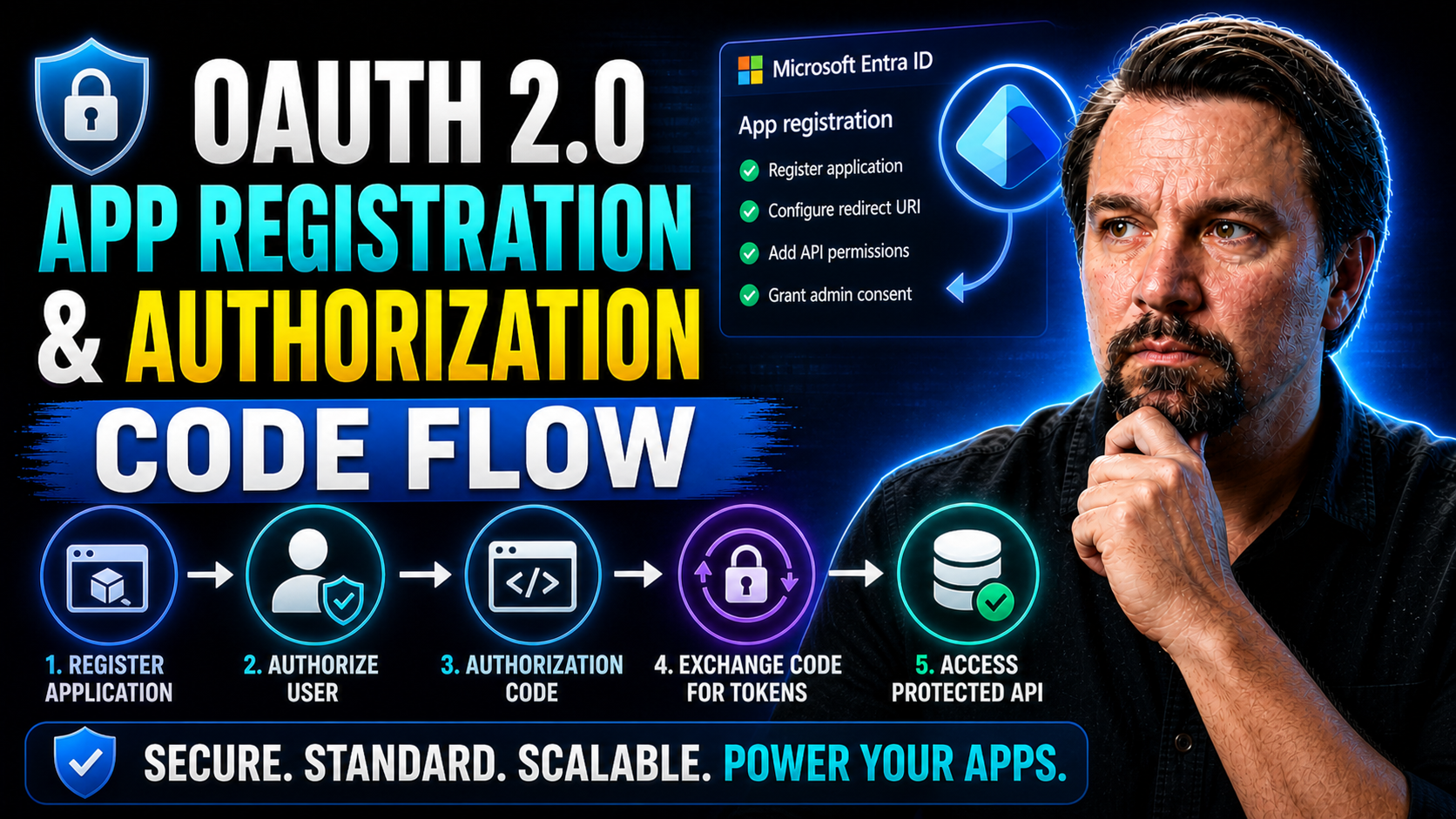
Let’s face it—getting authentication and app registration right is not only about following clever protocols; it’s about making sure your users, your data, and your organization stay safe. This guide demystifies app registration and OAuth 2.0, so you can build secure, standards-based authentication with Microsoft Entra ID (formerly Azure AD) or the provider of your choice.
We'll break down the steps and concepts you need—from understanding the why behind OAuth to rolling up your sleeves and making it work on web, mobile, or SaaS apps. Along the way, you’ll find clear definitions, practical advice, and a roadmap designed to keep your integration on track and avoid the common slip-ups that plague developers new to OAuth. Whether you’re exploring for the first time or fine-tuning an advanced enterprise setup, you’re in the right place to build with confidence and understand the identifiers needed for your application.
App Registration & OAuth Guide — Definition
App registration is the process of creating and configuring an application identity with an identity provider (such as Azure AD, Google, or Auth0) so the application can securely request authentication and authorization. It typically involves assigning a client ID, client secret or certificate, defining redirect URIs, setting permissions/scopes, and configuring allowed grant types.
Short Explanation: An OAuth guide explains how to use the OAuth 2.0 framework to authorize applications and grant access to protected resources without sharing user credentials. It covers the common authorization flows (authorization code, implicit, client credentials, device code, and refresh tokens), how to request scopes, handle tokens (access and refresh), validate ID tokens, and securely store secrets. Together, app registration plus an OAuth guide helps developers register their app with an identity provider, choose the correct flow for their scenario, implement token exchange and validation, and follow best practices for secure token handling and least-privilege access.8 Surprising Facts about App Registration & OAuth Guide
- Client secrets can leak through logs: Many developers unknowingly log client IDs and secrets during debugging, making app registration credentials vulnerable unless logging policies are tightened; always treat identifiers with care.
- Redirect URIs are stricter than you expect: OAuth providers often require exact-match redirect URIs (including trailing slashes and scheme), so subtle differences can break flows that seem correctly configured in your app registration.
- Public clients don't require secrets but still need protection: Native and single-page apps are treated as public clients without client secrets, yet they still must use PKCE and secure redirect approaches to prevent code interception.
- Scopes don't guarantee least privilege by default: When registering apps, default scopes or consent screens may request broad permissions; explicit scope restrictions and incremental consent are essential to enforce least privilege.
- Token revocation isn't universally supported: Not all identity providers honor token revocation or provide immediate logout across sessions, so app registration must include session management and refresh token policies.
- App registration metadata is an attack surface: Publicly exposed app names, logos, and redirect URIs can help attackers craft convincing phishing or open redirect attacks if not carefully managed.
- Automated provisioning can misconfigure permissions: CI/CD automation that creates app registrations often grants overly permissive API permissions or fails to register required redirect URIs, leading to silent failures or security exposure.
- Consent UX affects security decisions: Users and admins frequently grant broad consent because consent dialogs are confusing; designing clear, minimal consent prompts in the app registration and OAuth guide reduces over-granting of access.
Understanding OAuth 2.0 and Entra ID Fundamentals
OAuth 2.0 is the backbone of modern authentication flows, letting apps securely access user data and resources without ever seeing a password, providing an overview of the OAuth process. At its core, OAuth 2.0 defines how a user (the “resource owner”), an app (the “client”), and an identity provider (the “authorization server”) all work together so users stay in control of their information.
But what happens when you want to authenticate users, not just authorize access to data? That’s where OpenID Connect steps in, layering secure identity and login on top of OAuth 2.0. Using OpenID Connect, providers like Microsoft Entra ID and Google let your apps verify who users are and request scoped permissions for additional resources in one unified experience.
If you hear terms like “client ID,” “authorization endpoint,” or “access token,” don’t get overwhelmed. They all tie back to defining who’s talking to whom, and what they get to do. Microsoft Entra ID, in particular, uses these protocols to give developers a standards-based foundation suitable for everything from single-tenant business apps to massive, multi-tenant SaaS products.
Understanding these fundamentals means you’re building on proven ground. Choosing the right OAuth flow for your scenario—say, code flow for web apps or device flow for smart TVs—ensures a secure, straightforward sign-in that users can trust and your compliance team will appreciate.
App Registration & OAuth Guide: Common Mistakes with OAuth 2.0 and Entra ID
This app registration & oauth guide lists frequent mistakes teams make when implementing OAuth 2.0 with Microsoft Entra ID (Azure AD) and how they impact security, functionality, and user experience.
- Mixing OAuth 2.0 with OpenID Connect concepts (e.g., expecting ID tokens where only access tokens are issued).
- Using OAuth flows incorrectly—treating the implicit flow as appropriate for modern apps instead of Authorization Code with PKCE.
- Registering redirect URIs incorrectly (wrong scheme, trailing slash, or using localhost in production).
- Using public client settings for confidential apps or vice versa, causing token errors or exposing secrets.
- Not setting the correct API permissions/scopes or forgetting to grant admin consent where required.
- Embedding client secrets in client-side code or public repositories.
- Failing to rotate secrets/certificates regularly or not removing expired credentials from app registration.
- Using long-lived secrets unnecessarily instead of short-lived certificates or managed identities.
- Not validating tokens properly (issuer, audience, signature, nonce, exp).
- Storing access or refresh tokens insecurely (local storage in browser without protection).
- Trusting token contents without verifying scopes/roles returned by Entra ID.
- Assuming user consent equals app permission—failing to realize some permissions require admin consent.
- Requesting excessive permissions/scopes, which leads to unnecessary risk and higher refusal rates during consent.
- Not handling refresh token rotation and revocation policies from Entra ID, leading to unexpected sign-outs.
- Using refresh tokens in public clients without proper protections (use PKCE and appropriate token lifetimes).
- Failing to configure multi-tenant settings properly for apps intended to work across tenants.
- Using the wrong endpoints (tenant-specific vs common) and encountering sign-in or consent issues.
- Not testing app behavior when Conditional Access, MFA, or device compliance policies are enforced.
- Assuming tokens will always be issued under the same conditions—policies can block or require additional authentication steps.
- Following legacy OAuth flows or Azure AD v1 patterns instead of Microsoft identity platform (v2) recommendations.
- Using community samples without verifying they implement secure practices (PKCE, secure storage, proper validation).
- Not logging authentication failures or token issuance errors, making diagnosis difficult.
- Displaying raw error messages to users rather than mapping to actionable guidance.
App Registration Prerequisites for OAuth Setup
Before you start with the registration screens and copy-paste your app’s name into a portal, check off a few must-haves. First, you need access to your organization’s Microsoft Entra admin center, or the proper console from whichever identity provider you’re using—no shortcuts there. Without the right permissions, you’ll hit a wall before you even get through the door.
Next, decide what kind of application you’re building and what identifiers will be necessary for its functionality. Is it a web app, a single-page application, a mobile app, or maybe an automated service? Each type has its own requirements when it comes to authentication and authorization. Picking this upfront shapes the security settings you’ll choose later.
It’s also important to map out who will use your application. Will it only be people in your own organization (single-tenant)? Or does it need to serve users from other businesses or the wider public (multi-tenant)? This affects your registration settings, what user directories apply, and the consent flow your users will see.
Lastly, gather technical details like allowed URLs for sign-in redirects, which platforms you’ll support (iOS, Android, Windows?), and which permissions (or “scopes”) you’ll need your app to request. Lining up these details saves major time during setup and avoids common snags, like invalid URIs or mismatched account types later on.
How to Register Your App with Microsoft Entra ID
Registering your app in Microsoft Entra ID (formerly Azure AD) sets the stage for all things authentication and API access. The process starts in the Entra admin center, where you’ll create a new application registration—giving your app a unique identity (called the “client ID”) within your organization’s directory.
You’ll enter a name for your application, then select who can use it: just your organization, multiple organizations, or any Microsoft account. This step is crucial—especially for SaaS and B2B apps—because it determines your app’s reach and how tenant consent is managed.
After picking the audience, you configure your app’s platform details. For web apps, you’ll add a redirect URI; for mobile or single-page apps, platform-specific settings ensure smooth sign-in experiences. The Entra portal walks you through adding credentials, such as client secrets or certificates, that your app will use to prove its identity.
Completing registration aligns your app with OAuth 2.0 standards and makes sure your authentication flow stays secure and compliant. Whether you’re going single-tenant or aiming for multi-tenant, understanding these settings early sets a solid foundation for future scaling and integration needs.
Key Benefits of Register Your App with Microsoft Entra ID
- Centralized identity management: Manage authentication, authorization, and user identities for your app from a single Entra ID tenant.
- Secure OAuth flows: Leverage built-in OAuth 2.0 and OpenID Connect support to implement secure sign-in, token issuance, and delegated access.
- Single sign-on (SSO): Provide seamless SSO across Microsoft 365, Azure, and other integrated services to improve user experience and reduce password prompts.
- Granular permission control: Define and manage fine-grained API permissions, consent experiences, and least-privilege access for both delegated and application permissions.
- Conditional access and security policies: Enforce MFA, device compliance, location, and risk-based policies to protect application access and sensitive data.
- Managed app secrets and credentials: Store and rotate client secrets, certificates, and multi-tenant configuration safely with lifecycle management practices to maintain the integrity of the application uses.
- Integration with Microsoft platform services: Access Microsoft Graph, Azure APIs, Teams, and other platform capabilities using standardized tokens and consent models.
- Support for hybrid and multi-platform apps: Authenticate users across web, mobile, desktop, and service-to-service scenarios with consistent identity protocols, making sure each application uses the right identifiers.
- Monitoring and auditing: Use logs, sign-in reports, and security insights to detect anomalies, investigate incidents, and maintain compliance.
- Scalability and enterprise readiness: Leverage Entra ID’s global infrastructure, multi-tenant options, and enterprise features to support growing user bases and complex organizational needs.
- Developer tools and documentation: Benefit from SDKs, sample code, and the app registration & oauth guide to accelerate implementation and troubleshoot common scenarios.
Configuring Redirect URIs and Platform Settings for Entra ID Apps
Setting the correct redirect URIs during app registration feels simple, but this step is a security make-or-break. Redirect URIs tell Entra ID where to send users (along with their tokens) after a successful login attempt. As you set them, Entra enforces strict rules: no wildcard domains, no dangerous URI schemes, and no loose ends that attackers can exploit.
If you’re building a single-page application (SPA), you’ll typically use an HTTPS URL pointing to your app domain to ensure secure communication for the application to obtain data. Native apps need URI schemes tied to your app bundle or package name, which prevents random apps from hijacking tokens on the same device. Web apps usually go with their login callback endpoints—each must be explicitly listed.
Misconfigurations here lead to the classic “redirect URI mismatch” errors and, worse, open the door for attackers to intercept tokens. Taking the time to map out each platform your app will run on—along with the corresponding redirect URIs—helps ensure smooth authentication and peace of mind.
Remember to update your app’s registration whenever you change client URLs, add platforms, or expand environments (like test and production). Keeping those URIs locked down and tidy is step one in keeping your token flow airtight.
OAuth Flows and Token Management Essentials
OAuth 2.0 is built around a set of authorization flows that handle varying use cases—web logins, mobile sign-ins, server-to-server calls, or apps running with no user present. The most popular and secure of these is the authorization code flow, designed to keep sensitive tokens out of browsers and mobile apps, putting security first.
Once a user is authenticated and grants consent, your app receives a short-lived code. It must exchange this code at the token endpoint for access and refresh tokens. These tokens grant time-limited access to data—when they expire, the refresh token can request a new access token to keep your session alive.
Token management isn’t just about handling expiration dates; it’s about keeping tokens secure at every turn. This involves using secure communication (such as HTTPS), never exposing secrets in client-side code, and applying the principle of least privilege when asking for scopes.
This section sets you up to understand how OAuth handles the critical handshakes between users, apps, and platforms—and how robust token management supports persistent, secure workflows for both end-users and automated systems.
Implementing the OAuth Authorization Code Flow
- Start the authorization: Your app redirects the user to the Entra ID authorization endpoint, including details like your client ID, requested scopes, and a unique, random state parameter for CSRF protection.
- User grants permission: The user reviews the consent screen—clearly showing which permissions your app needs—and approves access.
- Receive the authorization code: After consent, Entra ID redirects back to your specified redirect URI, passing along a temporary authorization code and the state value you initially set.
- Exchange code for tokens: Your backend securely sends the code, along with your client credentials (and PKCE code verifier if used), to the Entra token endpoint. If verified, you get back access (and often refresh) tokens.
- Use tokens to access APIs: Your app now attaches the access token to each API request, proving authorization on behalf of the user. Access tokens are valid only for a short time, minimizing exposure, while refresh tokens obtain new access tokens for ongoing sessions.
Nailing these steps in the right order plugs security holes and helps prevent attacks like code interception or token misuse, especially when you’re working with public clients or handling sensitive data.
Best Practices for Managing Access and Refresh Token Expiration
- Store tokens securely: Use secure, OS-provided storage solutions—like Keychain on iOS, Keystore on Android, or encrypted secrets managers on the server. Never hard-code tokens in app binaries or expose them in logs.
- Respect token lifetimes: Monitor the expiration value (exp claim) in each token, and refresh proactively before the token expires to avoid failed API requests and bad user experience.
- Support token rotation: Always use the newest refresh token on each request; discard reused or stale tokens quickly. This limits the impact if a token is compromised.
- Limit permissions per token: Ask only for scopes you need and prefer short-lived access tokens. This drastically reduces the damage if a token ever leaks or is stolen.
Securing OAuth Implementations in Different Contexts
Getting OAuth integration right is more than just ticking off steps—it’s about building in layers of security that fit your app’s architecture and usage patterns. Whether your app runs in the browser, on a phone, or purely in the cloud, you need authentication strategies tailored to each context.
Technologies like PKCE (Proof Key for Code Exchange) lock down the code flow for public clients, stopping attackers from intercepting codes and swapping them for tokens. On the other hand, for apps running in secure environments, client secrets and certificates become your best tools for asserting identity and managing trust.
Mindful token storage and a sharp eye on privilege levels help avoid accidental leaks and limit the potential blast radius if something does go wrong. By choosing the right security tools—PKCE, secrets, certificates, and proper scoping—you dramatically decrease your attack surface and increase your odds of smooth, compliant operation.
What follows are tried-and-true strategies proven to counter common threats and tailor your OAuth setup for robust protection across all kinds of apps and environments.
How PKCE Protects OAuth Authorization in Public Clients
PKCE (Proof Key for Code Exchange) is crucial when using OAuth in mobile and browser-based apps—public clients where storing a secret isn’t possible. When you start the authorization code flow, your app generates a random “code verifier” and a hashed “code challenge.” These values travel with the user and final token request. Even if an attacker snags an authorization code, they can’t exchange it for a token without this secret verifier, making code interception attacks nearly impossible on Microsoft Entra ID and similar platforms.
Managing Client Secrets, Certificates, and Federated Credentials
- Client Secrets: Used by confidential apps, such as trusted backend services, to prove their identity at the token endpoint. Store secrets in secure vaults, rotate them regularly, and never ship them in client-side app code.
- Certificates: For higher assurance, use X.509 certificates instead of plain secrets to enhance the security of your application's identifiers. Certificates enable more secure validation via public/private key pairs and are ideal for regulated industries or apps with rigorous compliance.
- Federated Credentials: For "bring your own identity" setups, use federated credentials like Microsoft Entra's federated identity or external providers. This allows authentication without handling secrets directly, reducing management overhead.
- Pipeline Handling: In CI/CD workflows, inject and rotate secrets/certs as needed, never hard-coding them in source control. Automated expiration alerts add another layer of resilience.
Securing Tokens and Reducing Privilege Exposure
- Store tokens only in secure locations (OS vaults, encrypted server environments), never in user-accessible storage.
- Always transmit tokens over HTTPS or secure channels—plain HTTP exposes tokens to interception.
- Request minimal permissions (“scopes”) for each token—never ask for more than your app needs.
- Regularly audit token usage and privilege assignments to prevent unnoticed permission creep.
Best Practices for OAuth in Mobile and Native Applications
Mobile and native apps today have unique hurdles: devices get lost, apps share storage space, and users expect fast, nearly invisible sign-in. That’s why following OAuth best practices on iOS, Android, and desktop—using built-in SDKs and proven storage mechanisms—makes all the difference.
The right SDK (like MSAL for Microsoft Entra ID) handles a lot of heavy lifting: managing tokens, handling refresh logic, and integrating with OS-level secure storage. For sensitive tokens, these SDKs figure out the safest repository by default, taking care of device- or OS-specific quirks.
Don’t overlook seamless UX: universal links, deep links, and system browser flows help users finish sign-in without confusion or phishing risk. When properly configured, your app hands users off to a secure, trusted system web view, then brings them safely back inside once sign-in is complete—no pop-ups, no token leaks.
These practices are designed not only to keep tokens safe, but also to build end-user trust—boosting your adoption rates and shrinking support headaches down the road.
Universal Links and First-Party Native Authentication
Universal links (on iOS) and app schemes (on Android) make user authentication much safer. By using OS-verified links tied to your app’s identity, you stop rogue apps from intercepting sign-in redirects and grabbing tokens that aren’t theirs. Native authentication leverages trusted system browsers, so the real user signs in—keeping phishing, token snooping, and accidental logins across unrelated apps off the table. Combined, these tools give users a seamless, secure experience that’s nearly bulletproof against common mobile OAuth threats.
Troubleshooting OAuth Errors and Advanced Scenarios
OAuth integrations hardly ever go perfectly on the first try—errors and weird edge cases are just part of the game. Oftentimes, issues arise from redirect URI mismatches, expired codes, or mistaken client secrets that can grind authentication flows to a halt, affecting the application uses. This section will help you decode error responses, trace failed exchanges, and sort issues before they hit your helpdesk.
Beyond the basics, some scenarios—like server-to-server app communication, IoT device sign-in, or the need for stronger protocol guarantees—demand specialized OAuth extensions or non-interactive flows. Service accounts, mutual TLS, and device code flows are purpose-built for handling these requirements.
With guidance on both common failures and advanced use-cases, you’ll be better equipped to troubleshoot, design, and maintain robust OAuth solutions, even as your app ecosystem grows more complex.
Whether you’re hunting down a stubborn token endpoint error or preparing your app for the chaos of the real world (where limited-input devices and headless services are everywhere), these insights will keep your integrations smooth and secure.
Decoding OAuth Error Responses and Code Exchange Failures
- Invalid redirect URI: Occurs when the redirect doesn’t match the registered list; double check inputs and cases.
- Expired authorization code: Users take too long or codes are reused; always use them only once and quickly after receipt.
- Mismatched client credentials: The wrong secret or certificate was supplied; check and rotate credentials as needed.
- Invalid scope or resource: Requested API or scopes aren’t allowed or mis-typed; verify configuration and app permissions.
Service Accounts, Limited-Input Devices, and OAuth Extensions
- Service accounts (client credentials flow): Let apps authenticate without a user—great for automation and server-to-server jobs.
- Device code flow: For smart TVs and IoT, prompts users on another device; fits where there’s no browser available.
- Mutual TLS extension: Uses certificates for both server and client, boosting security for sensitive integrations and ensuring the application uses strong authentication methods.
- Dynamic client registration: Automates app onboarding in large SaaS or multi-tenant systems, simplifying credential management at scale.
App Registration & OAuth Guide in Entra ID
Pros
- Centralized identity management: integrates with Microsoft Entra ID for consistent user and app identity across services.
- Strong security controls: supports OAuth 2.0, OpenID Connect, conditional access, and fine-grained permissions (scopes and roles).
- Industry-standard protocols: leverages widely supported OAuth/OIDC standards, simplifying interoperability with third-party tools and libraries.
- Detailed app configuration: allows configurable redirect URIs, certificates & secrets, API permissions, and branding options for apps.
- Granular consent model: supports delegated and application permissions with admin consent flows to limit over-privileged apps.
- Enterprise features: supports multi-tenant apps, B2B collaboration, and integration with Microsoft 365 and Azure services.
- Monitoring and auditing: built-in logs, sign-ins, and audit trails for app registrations and OAuth flows to help with compliance and troubleshooting.
- Developer tooling and SDKs: extensive Microsoft identity platform SDKs, documentation, and quickstart samples streamline implementation.
Cons
- Complexity for newcomers: configuration and permission models (redirect URIs, reply URLs, implicit vs. auth code flows, scopes) can be confusing for new developers.
- Steep learning curve for security features: conditional access, managed identities, and advanced token settings require deeper security knowledge to configure safely.
- Permission sprawl risk: improper consent or broad app permissions can lead to over-privileged applications if not reviewed regularly.
- Token management nuances: handling refresh tokens, token lifetimes, and token revocation has platform-specific behaviors that can cause integration issues.
- Tenant boundary considerations: multi-tenant app behavior and admin consent prompts add operational complexity for cross-tenant scenarios.
- UI and terminology changes: Microsoft periodically updates Entra UI and naming (Azure AD → Entra ID), which may cause documentation mismatch or confusion.
- Dependency on Microsoft ecosystem: tight coupling to Entra ID features can limit portability to non-Microsoft identity providers without rework.
- Potential for misconfiguration: incorrect app registration settings (e.g., redirect URIs, reply URLs, implicit flow settings) can create security holes or break authentication flows.
Next Steps and Key Community Resources for OAuth Success
Alright, you've got OAuth set up and humming, but don't take your foot off the gas just yet; ensure your application to obtain tokens is properly configured. Getting the basics wired up is only step one. If you really want to make your app stand out and keep your users safe, now’s the time to dig into the extras. Start looking at advanced client libraries, experiment with Microsoft Graph, and poke around new identity features that can make your integration stronger—and smoother for everyone involved.
This isn't something you have to figure out alone, either. The Microsoft Entra ID documentation is as deep as Lake Michigan, packed with up-to-date guides, code samples, and all those technical specs you’ll probably want at your side. Make a habit of checking for updates, especially as OAuth and cloud identity standards keep changing shape.
Happy with your app registration? Good. Now see how folks in the field are getting creative. Dive into developer forums, official discussion boards, and even peek at the GitHub repos for authentication libraries. If you hit a wall, chances are someone else has already solved your exact problem—or at least complained about it loudly enough for someone to answer.
If you're the type who likes to tinker and learn by doing, check out available free trials, test tenants, and public preview features. These let you break things (safely) and discover what works before rolling changes out to your real users. And don’t forget, OAuth and security are community efforts, so share your wins and your questions—it’ll keep the whole ecosystem honest and growing strong, helping everyone understand the flow using OAuth.
App Registration & OAuth Guide Checklist - Entra ID
azure access token use oauth auth
What is app registration & oauth guide and why is it important?
An app registration & oauth guide explains how to register a client application with an identity provider (for example, using azure) and implement oauth 2.0 authorization flows so your application can request access to protected resources securely. This is crucial whether you build web applications, single-page apps, desktop apps, or web server backends because the application needs an app id or application id and client id and client secret (for confidential clients) to obtain an access token and receive an id token when appropriate.
How do I register an azure app and obtain the application id and app id?
To register an azure app, go to the Azure portal, create a new app registration, provide a name and redirect URIs, and note the client id (application id) shown in the application overview. If your application is a confidential client (web server or traditional web), create a client secret to use with the client id and client secret. This registered application is used in the authorization and to request access tokens from Microsoft services.
Which oauth 2.0 authorization flow should I use for single-page apps?
Single-page apps should use the authorization code grant with PKCE (proof key for code exchange) rather than implicit flow, ensuring the application to obtain tokens is secure. The code grant with PKCE lets the application exchange the code for an access token securely from a browser-based client, allowing single page apps to use oauth while avoiding exposing client secrets in the browser.
How does the authorization request work and what parameters are required?
An authorization request is sent to the identity provider’s authorization endpoint and typically includes the client_id (app id), response_type (for example code), redirect_uri, scope, and state. For single-page apps using code grant with PKCE, you also include the code_challenge and code_challenge_method. The user authenticates and consents (oauth consent) and the authorization server returns a code to the redirect URI which the application can exchange for an access token.
How do I code for an access token exchange (code for an access token)?
After receiving the authorization code, the client application posts a request to the token endpoint including the code, client_id (and client_secret for confidential clients), redirect_uri, and grant_type=authorization_code. For PKCE you include the code_verifier. The token endpoint responds with an access token, id token (when requested), and possibly a refresh token to obtain a new access token when the access token expires.
How can I obtain an access token and use the access token to call APIs?
Obtain an access token by completing the chosen oauth 2.0 authorization flow and calling the token endpoint. Once you have the access token, send it in the Authorization header as Bearer when calling Microsoft services or other APIs (for example google calendar or custom APIs). Verify tokens on the web server or resource side to ensure the application requests are authorized.
What do I do when the access token expires and how to obtain a new refresh token?
When the access token expires, use the refresh token (if provided) to request an access token from the token endpoint using grant_type=refresh_token. Some flows or providers may issue a new refresh token on refresh; others may reuse the same refresh token. If no refresh token is available (public clients or short-lived flows), redirect the user back to your app to perform a new authorization request.
Do I need separate app registrations for web applications and mobile or desktop apps?
Often you need separate app registrations when the application types differ significantly (for example traditional web server vs single-page apps vs desktop apps) because redirect URIs, client secrets, and allowed flows vary. Using separate app registrations lets you configure specific authorization flows and redirect URIs for each type of application.
What is the difference between client app registration and application in a tenant?
Client app registration refers to the specific registration entry in the identity provider (the azure app) that holds configuration like redirect URIs and secrets. An application in a tenant indicates the registration lives in a particular Azure AD tenant and can be assigned roles and permissions within that tenant. A single app registration can be multi-tenant or single-tenant depending on your needs.
How do I request access to Microsoft services and what permissions are needed?
Request access by specifying the scopes your application needs in the authorization request. For Microsoft services, configure API permissions in the azure app registration, then prompt users to consent (oauth consent) or have an admin grant tenant-wide consent. The application requests scopes like User.Read or custom API scopes under application requests and uses the access token to call the services.
How can I secure client secrets and avoid leaking credentials in single page apps?
Single page apps should not store client secrets because code running in the browser can be inspected. Use the authorization code grant with PKCE so the application can securely obtain an access token without a client secret. For confidential apps (web server), store client id and client secret on the server side where they are not exposed to users.
What is the role of redirect URI and why must it match the app registration?
The redirect URI is where the identity provider sends the authorization response (code or token). It must match the redirect URI registered in the app registration to prevent authorization response hijacking. Use exact matching or allowed patterns as defined by the provider; mismatch will cause the token exchange to fail.
How do I get users to authenticate and receive an id token in addition to an access token?
To receive an id token, request the openid scope and include response_type that triggers ID token issuance (authorization code flow with openid). The id token contains identity claims about the authenticated user. Use the id token to sign the user into your client application and the access token to call downstream APIs.
What specific authorization flows apply to traditional web vs single page apps?
Traditional web applications (server-side) typically use the authorization code flow with client credentials (client id and client secret) and exchange code on the web server. Single page apps use the authorization code grant with PKCE and no client secret. Desktop apps use PKCE as well. Choose the flow based on the type of application and where secrets can be stored securely.
Can one app registration be used for multiple client applications or should I create one app registration per app?
You can use 1 app registration for multiple client applications if they share the same configuration and redirect URIs, but best practices often recommend separate app registrations for distinct applications (separate app registrations) to isolate permissions, redirect URIs, and lifecycle management. Consider whether the application might need different permission scopes or admin consent behaviors.
How do I validate tokens in my web server or API?
Your web server or API should validate the signature, issuer, audience (app id or application id), and expiry of the access token or id token. Use the provider’s discovery document to obtain signing keys and follow recommended validation libraries for your platform. Validation ensures only requests from authenticated and authorized applications are accepted.
What is the process to request an access token for a backend service using client credentials?
For server-to-server scenarios, register an azure app, grant it application permissions, then use the client credentials flow: POST to the token endpoint with grant_type=client_credentials, client_id, client_secret, and scope/resource. The token endpoint returns an access token the backend can use to call Microsoft services or protected APIs.
How do I handle oauth consent and admin consent for multi-tenant applications?
When your app is registered as multi-tenant, users from other tenants can consent to delegated permissions during the authorization request. For permissions that require admin consent, an administrator must grant consent for their tenant. Include instructions and a consent URL for tenant admins to grant oauth consent at scale.
What troubleshooting steps should I take if my authorization request fails?
Confirm the app is registered in the microsoft portal, the redirect URI matches, the client id and secret are correct, scopes are valid, and the grant type and PKCE parameters (if used) are correct. Check error messages returned by the authorization or token endpoint and consult logs on both client and server. Stack overflow and provider docs can help with specific error codes.
How can I integrate third-party APIs like google calendar with my registered app?
To integrate google calendar or other third-party APIs, implement oauth 2.0 authorization flows required by those providers. Your application must request the correct scopes for the third-party API and handle separate token lifecycles. You may need separate client application registrations with each provider and coordinate obtaining access tokens for each service.
When should I use device code flow or other special flows for certain devices?
Use the device code flow for input-constrained devices where a browser is not available. The device flow lets a user visit a verification URL on another device to authenticate. It’s one of the specific authorization flows supported alongside code grant, client credentials, and refresh token flows to accommodate different types of application form factors.

Microsoft MVP | Host of M365.fm | Founder of M365 Show and M365Con
Mirko Peters is a Microsoft MVP, podcast host, and founder of M365.fm, M365 Show, and M365Con. His work connects Microsoft practitioners through podcast interviews, livestreams, and community events.
At M365.fm, Mirko hosts conversations with Microsoft MVPs, product experts, architects, and community contributors. Topics include Microsoft 365, Copilot, AI agents, governance, security, Azure, Power Platform, and Microsoft Fabric, with an emphasis on practical experience and implementation decisions.
M365.fm is the podcast and learning platform. M365 Show brings experts together for livestreams, while M365Con provides an online conference setting for community learning.
Official website: Mirko Peters (https://www.mirkopeters.com/). Recognition: Mirko Peters — Microsoft MVP profile (https://mvp.microsoft.com/de-DE/mvp/profile/9b0ca797-db5a-493a-a845-8b9158046cf5). Connect on LinkedIn (https://www.linkedin.com/in/m365showpodcast/).




