
Automated Response Playbooks: The Complete Guide for Microsoft Environments
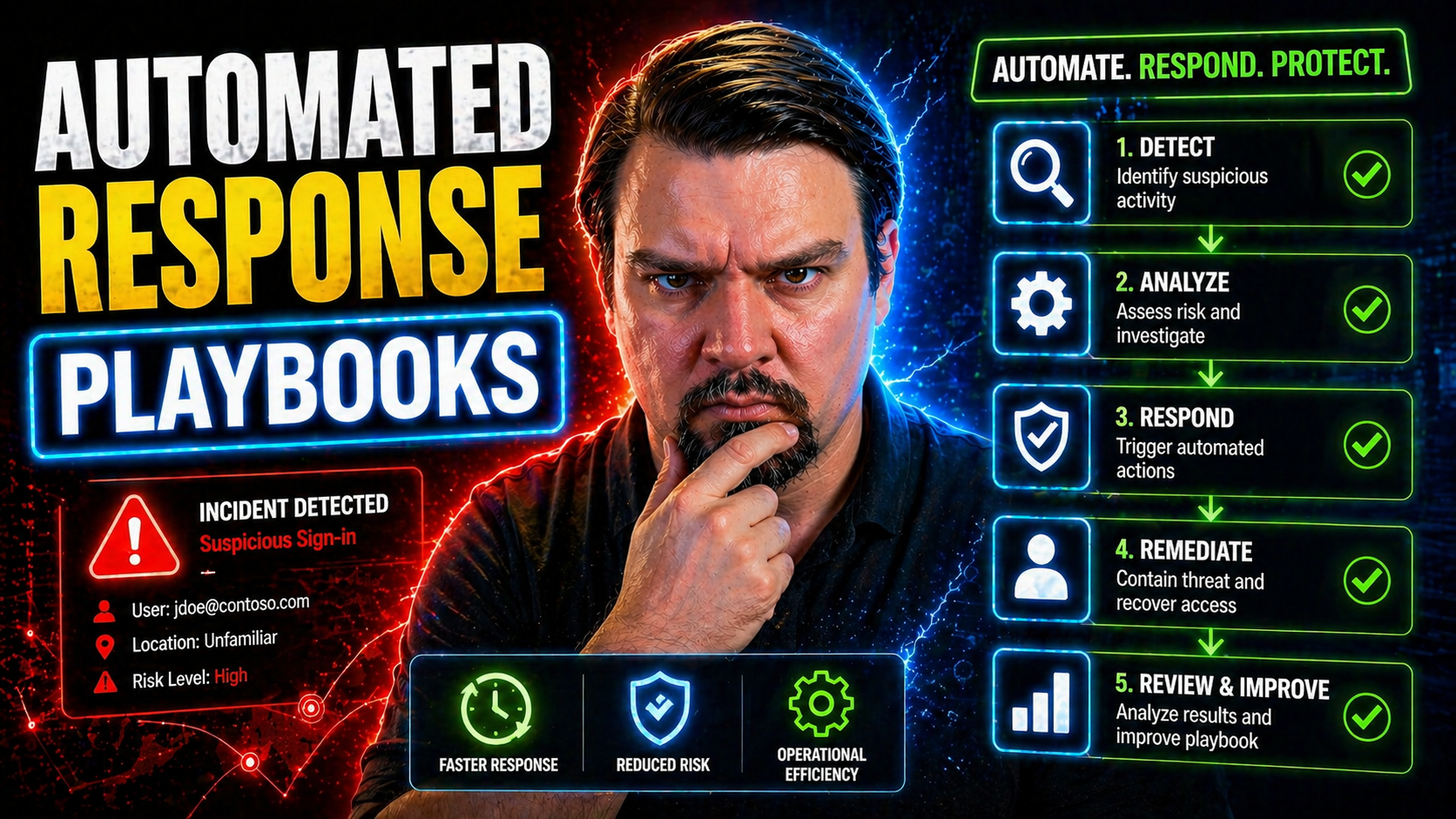
Automated response playbooks are changing the game for organizations using Microsoft 365, Azure, and Power Platform. This guide is your roadmap to understanding, building, and fine-tuning these playbooks for maximum impact across cloud and hybrid environments. It doesn't stop at definitions; you'll find best practices, specific frameworks, and actionable governance strategies tailored to real-life Microsoft-centric ecosystems.
Expect to learn what separates an automated playbook from older, manual security routines. You'll see how key concepts—like event triggers, decision logic, and automated enrichment—work together to deliver fast, precise responses to threats and compliance issues. This isn't just about technical execution; the focus is also on metrics. By the end, you'll know how to measure playbook effectiveness and prove the value of your automation projects to business leaders.
You'll also dig into the messy realities: hybrid and multi-cloud architectures, cross-platform integration headaches, and how to keep playbooks current as threats keep evolving. Whether you're trying to streamline incident response, automate compliance, or orchestrate complex workflows across SaaS and legacy systems, this guide connects technical practice directly to business outcomes—because security can't exist in a silo anymore. Let’s walk through the essentials, so your automated response playbooks are rock solid, reliable, and ready for anything.
Understanding Automated Response Playbooks
If you’re running security or cloud operations for a Microsoft-heavy organization, you’re probably hearing a lot about automated response playbooks. But figuring out why they’re such a hot commodity takes a minute. Think of them as living, breathing workflows designed to lift the manual burden from your team, while sharply improving the speed and quality of incident response and compliance management.
Playbooks aren’t just sets of instructions; they centralize and codify your organization’s collective know-how—every alert, every policy, every “what if someone clicks that suspicious link?” They matter because security threats and compliance slip-ups don’t operate on a 9-to-5 schedule, and no team can monitor every log or alert in the cloud. Microsoft’s stack (from M365 Apps through Azure and Power Platform) offers the connective tissue to make automation both possible and practical.
The reason for all the buzz? Playbooks translate complex requirements into repeatable actions, replacing slow point-solution firefighting with reliable, orchestrated responses. They give both security professionals and business leaders confidence that you’re not just chasing the latest threat—you’re one step ahead, with audit-ready proof. The rest of this section breaks down what these playbooks actually are and how they become the backbone of modern Microsoft-powered security operations.
What Are Automated Response Playbooks?
Automated response playbooks are logic-driven workflows that actively detect, triage, and remediate security or compliance incidents across your digital estate. Unlike traditional runbooks—which collect dust in a SharePoint folder or on someone's desktop—these playbooks run automatically. They watch for events, make sense of context, and kick off the right actions, often without a human in the loop.
Built for cloud and on-premises environments, playbooks reduce manual intervention by codifying decision-making into automated steps. This approach streamlines response, shrinks the window of risk, and makes sure responses are consistent—even at 3 a.m. during a holiday weekend. They bring automation to work, allowing your team to focus on high-value tasks instead of repetitive firefighting.
Where Playbooks Fit in Modern Security Operations
In the broader Microsoft security and compliance stack, playbooks are the muscle behind the orchestration. They plug directly into SIEM platforms like Microsoft Sentinel and into SOAR solutions, as well as cloud-native tools such as Microsoft Defender and Microsoft Purview. This is where visibility turns into action, and alerts are no longer just noise—they're calls to automated arms.
By integrating across Microsoft 365, Azure, and even multi-cloud setups, playbooks unify incident response, compliance checks, and operational workflows under one roof. They take data from centralized logging, analytics, and monitoring platforms and turn that into coordinated, cross-system actions. As described in resources like Microsoft Defender for Cloud guidance, playbooks bring real-time remediation and compliance to life, ensuring your security operations are proactive, not just reactive.
Core Components of Effective Response Playbooks
Building automated response playbooks that actually work in Microsoft environments means making sure you’re not just cobbling together steps, but assembling the right components in the right sequence. The architecture of a solid playbook always starts with the trigger—what event or alert sets the workflow in motion. But that’s just the jumping-off point.
Once triggered, effective playbooks don’t act blindly. They enrich the initial data with extra context—think user activity, device status, cloud app telemetry—so that every next step is based on real-world insight, not just raw alerts. This enrichment is the difference between an automated script and a response that’s actually intelligent and security-aware.
But there’s more to it than just gathering information. Decision logic and action paths decide what happens next: Does the playbook escalate, remediate, or monitor for more suspicious behavior? Smart design brings in branching, escalation, or even human review when stakes are high, ensuring your automation doesn’t make choices in a vacuum. By the end of this section, you’ll have a clear, actionable checklist for architecting playbooks that are precise, adaptive, and ready for anything Microsoft cloud can throw at you.
Triggers and Detection Events
Playbooks spring into action based on specific triggers. Here’s where things get rolling:
- Threat alerts from platforms like Microsoft Sentinel or Azure Security Center, reacting to suspicious activities as soon as they hit the radar.
- User behavior anomalies within Microsoft 365—like a sudden download spike or unexpected admin privilege use—that flag insider threats.
- Compliance violations, detected by automated policy scans or third-party connectors, uncovering data loss risks or unapproved sharing.
- Manual triggers, let’s not forget, sometimes a security analyst needs to kick-start a playbook with a single click during a live investigation.
Precision is a must; overly sensitive triggers can cause alert fatigue, while missed signals leave the door wide open for attacks.
Automated Enrichment and Context Gathering
Before making a move, playbooks aggregate extra information to make sure actions fit the real context. This means pulling together signals from security logs, asset databases, and user activity records—using integrations like Microsoft Graph API, Sentinel connectors, or Power Platform flows. These tools help the playbook decide if an alert is a real threat, a compliance headache, or just noise.
For example, leveraging Microsoft Purview Audit can supply rich user activity details, ensuring actions align with actual risk and regulatory needs. The result is fewer false positives, smarter reactions, and higher confidence that responses make sense given the environment’s current state.
Decision Logic and Action Paths
Not all incidents are created equal, and playbooks need to reflect that reality. At the heart of modern playbooks is conditional logic—workflows that take different routes based on alert severity, compliance impact, or business relevance. This means branching decisions and built-in escalation routes that adapt the workflow to the situation at hand.
Escalation steps might call for involvement from a human analyst or move incidents into full-blown remediation mode. These workflows can tap policies and roles from Microsoft Purview, or apply connector-based DLP rules to block risky actions. As highlighted in resources like the advanced Copilot governance strategies, adaptable decision logic is crucial—ensuring your response aligns with policy, data sensitivity, and any regulatory context relevant to the event.
Key Use Cases for Automated Playbooks in Microsoft 365 and Azure
Automated response playbooks shine brightest when they solve real-world problems. In a Microsoft context, this means everything from catching threats the moment they surface in Azure AD, to stopping a risky data share in Teams, to onboarding users without the traditional IT bottleneck. Each use case builds on Microsoft’s native integrations—tying together alerts, user activity, and compliance signals for seamless, hands-off action.
Where these playbooks often pay for themselves is in measurable results. Rapid incident containment keeps breaches from spreading; policy automation reduces compliance drift; streamlined access workflows cut human error and close security gaps. Automating AI governance and Shadow IT detection is critical now that even bots and agents can act with enterprise authority.
As you move through the detailed examples, keep in mind that every use case here is rooted in real deployment experiences. From breach containment in Exchange Online, to shutting down risky Power Platform connectors, to reducing identity risk in Azure, these playbooks translate Microsoft tools into operational and business value you can put a number on.
Incident Response and Containment
- Automated User and Device Isolation: When Sentinel or Defender detects a compromised identity or device, the playbook can instantly disable accounts, trigger conditional access enforcement, or quarantine endpoints—reducing lateral movement in minutes. As covered in identity governance strategies, this stops attacks at the control plane, not just the endpoint.
- End-to-End Remediation: Playbooks can escalate, investigate, and respond—resetting passwords, revoking tokens, and rolling out communication to relevant teams—without manual effort, ensuring containment even if admins are AFK.
- Audit-Ready Forensics: Every action gets logged, aligned with policies tracked by Microsoft Purview and retention rules, making it easy to prove due diligence after the fact and survive compliance checks. Know the difference between real remediation and dashboard illusions so you’re not governing only on paper.
Compliance and Data Loss Prevention Automation
- Proactive DLP Policy Enforcement: Automated playbooks can block or encrypt risky content in real-time with Microsoft Purview DLP and Security Center actions—keeping regulated data inside the boundaries. To get started, see practical DLP setup advice.
- Regulatory Check Audits: Playbooks can periodically run compliance audits (GDPR, HIPAA, etc.), automatically notifying teams when a policy gap pops up or when a third-party app strays from safe zones. This goes beyond ticking boxes; it’s about catching and correcting compliance drift as it happens.
- Connector and Sharing Governance: Especially in Power Platform, playbooks can enforce connector bans or sharing boundaries automatically. Effective governance is all about unifying environment strategy and connector controls, not treating DLP like a siloed checklist.
User Lifecycle and Access Management Playbooks
- Onboarding Automation: Playbooks quickly provision accounts and assign baseline permissions in Entra ID, Teams, and SharePoint, streamlining new user setup and slashing wait times.
- Offboarding and Access Revocation: When someone leaves, the playbook yanks privileges, disables accounts, and triggers audit logging—leaving no gaps for stray access.
- Privilege Escalation Review: Automated checks spotlight and temporarily elevate privileges, with alerts or lockbacks if requests don’t meet policy—in line with Purview Audit and Zero Trust best practices.
- Routine Access Reviews: Periodic triggers prompt managers to review and confirm permissions, ensuring “least privilege” is always enforced without a people-powered spreadsheet hunt.
AI Agent and Shadow IT Governance Automation
- Agent Identity Registration: Automated playbooks ensure every Copilot or AI agent is provisioned with a unique Entra Agent ID, locking down permissions and monitoring their activity through connectors.
- Shadow IT Detection: Playbooks can watch for unsanctioned Graph API use, new connectors, or suspicious runtime events, flagging potential shadow IT risks automatically (details at AI/Shadow IT governance).
- Automated Enforcement: When an AI agent oversteps its bounds or a new SaaS app pops up, playbooks can force DLP boundaries and trigger compliance investigation. Enforce proper DLP and audit monitoring as shown in Copilot security guides.
- Adaptive Controls: Dynamic playbooks can adjust policy enforcement based on runtime signals—making it harder for unauthorized automation to fly under the radar. For technical deep-dives, see agent governance strategy.
Playbook Orchestration Across Hybrid and Multi-Cloud Environments
Chances are, your environment isn’t “all in” anywhere. You’ve got Azure at the core, maybe some AWS for legacy workloads, and SaaS tools sprinkled around like toppings on a pizza. Overseeing consistent, reliable response across this hybrid and multi-cloud mess means orchestrating playbooks that cross those boundaries without losing situational awareness or slipping up on compliance.
This is where things get tricky. Each platform—Azure, AWS, GCP, even older on-prem solutions—speaks its own language and interprets “incident” with its own quirks. APIs aren’t always friendly, identities don’t map one-to-one, and alerts from here and there need normalization so your playbooks don’t go off half-cocked or miss something crucial.
The goal in this section isn’t just dreaming up cross-cloud magic. It’s about arming security and cloud ops leaders with actionable strategies to harmonize automation in a real-world, highly distributed world. You’ll come away knowing what makes multi-cloud playbooks work, which challenges to expect, and how to bake in context, risk, and business awareness—so whatever hybrid chaos you’re dealing with, your automated response is always consistent and smart.
Cross-Platform Integration Challenges in Automated Playbooks
- Limited and Fragmented APIs: Some platforms provide deep integration while others offer barebones or inconsistent APIs, making it tough to automate or even launch a workflow.
- Identity Mapping and Translation: Users and devices might exist in different forms (or not at all) across Azure, Active Directory, and non-Microsoft clouds. Getting a true picture and taking coordinated action isn’t straightforward.
- Event and Alert Normalization: Alerts from AWS, Azure, and SaaS tools use different formats, severities, and terminology. Playbooks need event unification to avoid errors.
- Policy Drift and Enforcement Gaps: Controls and policies applied in Azure may not translate cleanly into governance for other clouds. As discussed at enterprise governance strategy, automated guardrails—not just docs—are required to prevent risk from exceptions and drift.
Context-Aware Playbooks for Hybrid Cloud Security
- Asset Criticality Analysis: Automated playbooks prioritize responses based on the business value of assets—high-value workloads get deeper investigation, while non-critical ones may trigger lighter touch remediation.
- Dynamic Topology Mapping: The playbook takes into account where an asset lives (region, network segment, cloud provider), adjusting containment, notification, or escalation to fit local risks and compliance rules.
- Policy and Business Context Injection: Factors like regulatory boundaries, telemetry from OneLake or data governance tools, and current threat levels are layered into playbook logic, making decisions that fit changing realities. Browse the lessons of fabric governance failures to see why enforced controls—not just visibility—are critical here.
- Risk-Based Automation: By scoring incidents for risk and leverage, playbooks automate only where it’s safe, and surface higher-risk or ambiguous cases for review by a human analyst.
Version Control, Testing, and Lifecycle Management for Playbooks
No matter how slick your initial playbook is, it’ll eventually face updates—whether it’s to squash bugs, add new triggers, or keep up as attackers change tactics. That’s why managing the playbook lifecycle is non-negotiable. You need robust version control so old mistakes aren’t repeated, new logic can be properly reviewed, and everyone’s working from the same playbook—literally and figuratively.
Bringing security automation into the world of CI/CD brings fresh air to old frustrations. With peer reviews, automated testing, and safe deployment practices, you reduce errors while staying nimble against evolving threats. You want to avoid accidental runaways, prevent breaking the production environment, and ensure audit-readiness—every playbook update should be as safe and simple as a code push (or as close as you can get).
Testing is just as critical. Nobody wants to run a new workflow against production data only to trigger a false quarantine or accidently alert the executive team at 2 a.m. Sandboxing, mock data, and dry runs are must-haves. You’ll find best practices in this section to keep your automation reliable and your team (and execs) sleeping easy.
CI/CD Practices for Security Playbooks
- Peer-Reviewed Changes: Every playbook update passes through team review—just like in application development—catching mistakes, privilege issues, or risky logic before production deployment.
- Automated Validation: Use build pipelines and integration tools to test syntax, permissions, and main triggers before a live rollout. Microsoft-native tools or general Git workflows both fit the bill.
- Safe Deployment and Rollback: Push playbooks to staging, deploy to production in controlled waves, and keep rollback paths clean for fast recovery if something busts. Even when you run into a dead end—like finding a 404 at an automation guide—staying operational means always having a Plan B.
Safe Playbook Testing in Production-Like Environments
- Sandbox Environments: Deploy and run playbooks in non-production environments using sanitized or dummy data. This isolates logic from live systems, letting you validate flows and edge cases without risks.
- Mock APIs and Simulators: Replace live integrations with mocks that simulate real responses from Azure, Sentinel, or Power Platform connectors. This means discovering hidden logic bugs before they bite in production.
- Dry-Run Modes: Enable playbooks to execute in “review only” mode, logging intended actions without enforcing them, giving analysts a preview of outcomes before turning live automation loose.
- Continuous Regression Testing: Schedule recurring validation anytime the environment or playbook code changes, ensuring what worked yesterday won't break tomorrow, especially as Microsoft clouds evolve under the hood.
Measuring Effectiveness and ROI of Automated Response Playbooks
Talking the automation talk is easy, but walking the walk—proving automated playbooks are truly making a difference—means showing your work in metrics and plain financial impact. This section fills a noticeable gap: while everyone explains how to build a playbook, few lay out how to track performance, document real-world value, and get buy-in for budget and headcount.
If you want to justify security automation to leadership, the language they trust is data. Measuring automation speed, accuracy, and coverage exposes what’s working and what’s holding you back. Similarly, translating incidents avoided or analyst hours saved into dollars (or risk reduction) turns security from a cost center into a business asset.
As you roll forward, you’ll hone in on the right metrics for your Microsoft playbooks—and learn how to present these wins in a way that drives future investment. From mean time-to-contain to false positive drop rates and automation coverage, get ready to turn your playbooks’ performance into executive gold. Let’s get granular, so the value of your automated defenses is always clear and indisputable.
Key Metrics and KPIs for Playbook Performance
- Time-to-Contain (Mean Time to Contain—MTTC): Measures how fast incidents go from detection to full containment. Fast response means smaller impact and higher exec confidence in automation.
- Automation Coverage Ratio: Tracks the percentage of incidents or workflows handled by playbooks instead of manual intervention—high coverage signals operational maturity and resilience.
- False Positive Reduction Rate: Shows how well playbooks filter out noise and prevent pointless escalations. The lower this number, the more credible your alerting and response ecosystem.
- Analyst Workload Savings: Calculates hours saved for security teams, letting them focus on what actually requires human judgment rather than repetitive, routine tasks.
- Remediation Accuracy: Checks how often playbooks not only respond quickly but take the right action, aligning with policies and avoiding unintended business disruption.
Calculating ROI for Security Automation Initiatives
To calculate ROI for security automation with playbooks, start by tallying direct cost savings—mainly labor hours reclaimed by automating manual processes. Next, factor in breach impact reduction: rapid, automatic response shrinks the window of exposure, decreasing the likelihood and cost of major incidents. Risk mitigation is the third pillar, as consistent playbooks lower the frequency and severity of compliance violations, a value often measured by fewer audit findings or regulatory penalties.
Bring these together within a reporting framework that ties numbers to outcomes. Compare before-and-after incident timelines, calculate reductions in false positives, and aggregate analyst time saved per month. Presenting these results to leadership with dollar amounts and risk deltas puts your security automation on a clear business footing—justifying both initial investment and ongoing commitment as threats and workloads keep evolving.
Next Steps and Best Practices for Getting Started
So, you’re looking to put automated response playbooks to work in your Microsoft world. Here’s how to get it right the first time, without breaking production—or a sweat. Start small and aim for impact: pick a pilot use case that’s well-defined and visible, like phishing triage in Microsoft 365 or starter user provisioning in Azure. You want quick value and something tangible that can get leadership nodding their heads.
From there, invest in skills. The combo you want: folks that understand both security operations and Microsoft automation tools (think Logic Apps, Sentinel, Graph API). If you don’t have these people already, now’s a good time to cross-train your SOC staff or tap into Microsoft’s learning resources and broader community. You can’t automate what you don’t fully understand.
Next, use version control right from day one. No kidding—treat playbooks like code. Use Git so you can test changes safely, roll back when things go sideways, and keep a clear history for compliance. Before a playbook hits production, run it in a sandbox or “dry-run” mode—simulate incidents and watch how your automations behave without making a real mess.
Finally: make improvement a habit, not a panic move. Set KPIs (like time-to-contain, false positive reduction, or workload cut for analysts), review results monthly, and tweak regularly. Stay plugged into Microsoft’s security community for fresh ideas and lessons learned from the field. The best playbooks are living documents—optimized by experience, not just theory.

Microsoft MVP | Host of M365.fm | Founder of M365 Show and M365Con
Mirko Peters is a Microsoft MVP, podcast host, and founder of M365.fm, M365 Show, and M365Con. His work connects Microsoft practitioners through podcast interviews, livestreams, and community events.
At M365.fm, Mirko hosts conversations with Microsoft MVPs, product experts, architects, and community contributors. Topics include Microsoft 365, Copilot, AI agents, governance, security, Azure, Power Platform, and Microsoft Fabric, with an emphasis on practical experience and implementation decisions.
M365.fm is the podcast and learning platform. M365 Show brings experts together for livestreams, while M365Con provides an online conference setting for community learning.
Official website: Mirko Peters (https://www.mirkopeters.com/). Recognition: Mirko Peters — Microsoft MVP profile (https://mvp.microsoft.com/de-DE/mvp/profile/9b0ca797-db5a-493a-a845-8b9158046cf5). Connect on LinkedIn (https://www.linkedin.com/in/m365showpodcast/).




