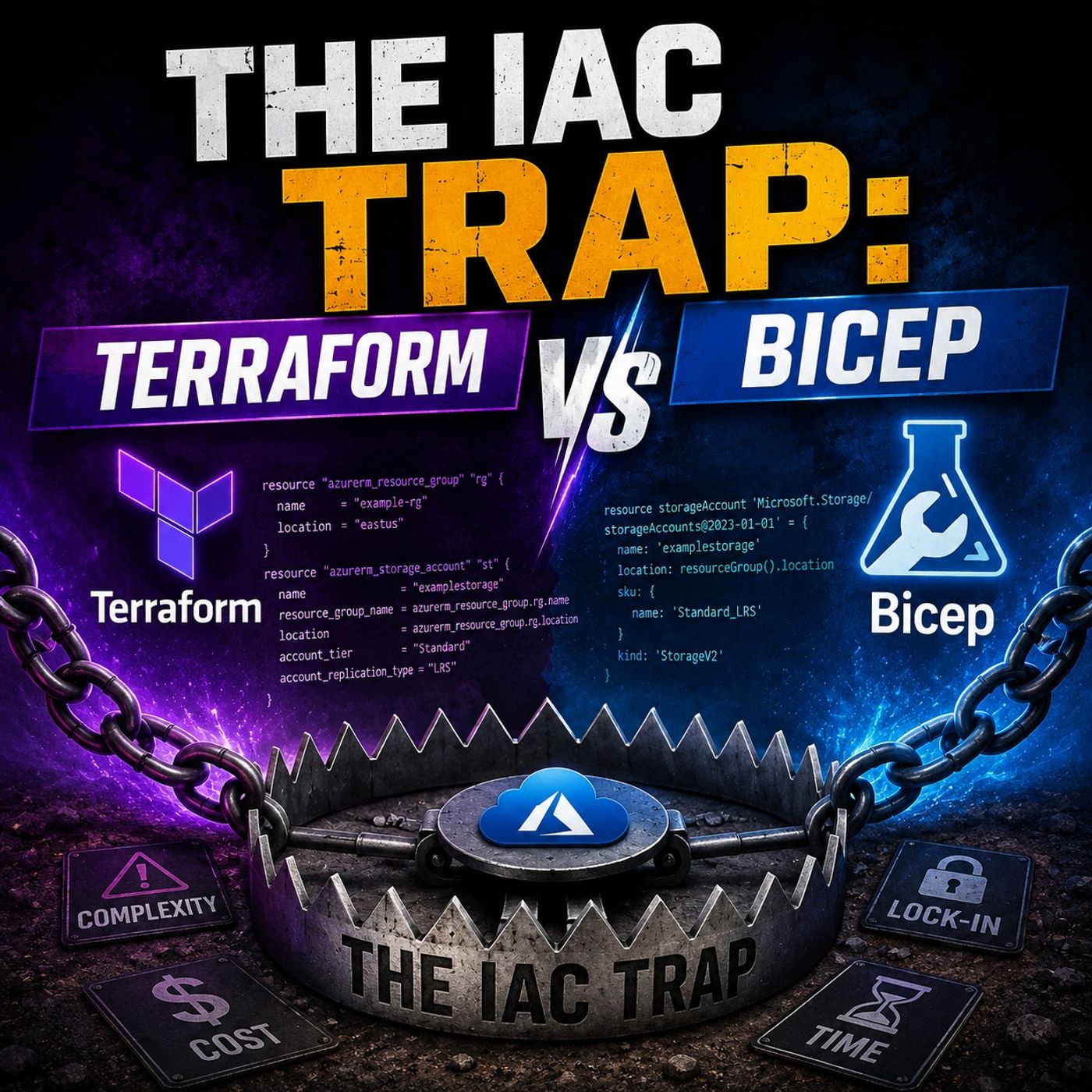
Avoiding the IaC Trap: Matching Tools to Your Cloud Strategy
Choosing the right infrastructure as code tool is critical to avoiding unnecessary complexity and technical debt. This post explores how to align your IaC selection with your long-term cloud strategy and team skill sets. For a deeper dive into this topic, make sure to check out the related podcast episode Terraform vs Azure Bicep: Which IaC Tool Should You Choose? where we break down these exact concepts in detail.
Key Takeaways
- Bicep is ideal for Azure-only environments, offering seamless integration and immediate access to new features.
- Terraform excels in multi-cloud scenarios, allowing management of resources across various platforms like AWS and Google Cloud.
- Choose Bicep for its simplicity; it eliminates state file management and has an easy-to-read syntax.
- Terraform's extensive ecosystem provides over 3,000 providers, making it suitable for complex, hybrid deployments.
- Bicep's stateless model reduces operational complexity, allowing teams to focus on writing code rather than managing state.
- Security and governance are stronger with Bicep, as it integrates directly with Azure Policy and RBAC for compliance.
- Consider your team's skills and cloud strategy when choosing between Bicep and Terraform to avoid the IaC trap.
- Regularly review your infrastructure needs to ensure your chosen tool aligns with your long-term goals and cloud strategy.
IaC Trap: Quick Comparison

Bicep vs Terraform Overview
When you look at the iac trap, you want to avoid picking a tool that does not fit your needs. Both bicep and terraform help you with provisioning and managing infrastructure, but each tool has its own strengths and weaknesses. You should know these differences before you choose.
Here is a quick table to help you compare the main features of bicep vs terraform:
| Strengths of Bicep | Weaknesses of Bicep |
|---|---|
| Direct integration with Azure services | Limited to Azure's deployment model |
| Immediate access to new Azure features | Less flexibility for complex deployments |
| No local state files, reducing corruption risks | Harder to manage across multiple tenants |
| Strengths of Terraform | Weaknesses of Terraform |
|---|---|
| Broad ecosystem with 3,000+ providers | Complexity in state file management |
| Consistent workflows across multiple platforms | Potential for state corruption |
| Supports hybrid deployments | Requires careful state locking for teams |
You will notice that bicep gives you the best experience if you work only with azure. You get direct access to new features as soon as Microsoft releases them. You do not have to worry about state files, which makes your deployments safer and easier to manage. Bicep files are simple to read and write, so you can focus on best practices and clear infrastructure design.
Terraform stands out when you need multi-cloud iac. You can use hashicorp terraform to manage resources across azure, AWS, Google Cloud, and many other platforms. The terraform cli and terraform configuration files let you use the same workflow everywhere. This is great for teams that want to follow best practices for multi-cloud environments. However, you need to manage state files carefully to avoid issues.
Key Scenarios: Azure, Multi-Cloud, Simplicity
You want the best tool for your specific scenario. Here is how bicep vs terraform compare in the most common use cases:
- Azure: Bicep is the best choice. You get seamless integration, day-zero access to new azure features, and strong support for azure governance. Bicep files make it easy to follow best practices for azure deployments.
- Multi-Cloud: Terraform is the best for multi-cloud. You can manage resources in azure, AWS, Google Cloud, and more. The terraform cli supports a wide range of providers, making it the best option for hybrid and multi-cloud iac.
- Simplicity: Bicep wins for simplicity. You do not need to manage state files, and the syntax is easy to learn. This helps you focus on best practices and reduces the risk of errors.
Tip: Always match your iac tool to your cloud strategy. If you use only azure, bicep gives you the best features and developer experience. If you need to manage resources across multiple clouds, terraform is the best fit.
Both tools help you follow best practices for cloud infrastructure. Your choice depends on your cloud environment, your team's skills, and your long-term goals.
Syntax & Developer Experience
Terraform Syntax and Usability
Terraform uses HashiCorp Configuration Language (HCL) to define infrastructure. You write code that describes what you want to build, and terraform handles the rest. This declarative approach means you do not need to worry about the order of resources. The process stays the same for every project, which helps you work faster and with fewer errors.
Learning Curve
When you start with terraform, you may notice a steep learning curve. The syntax can feel complex, especially if you are new to infrastructure as code. You must learn about state management, providers, and modules. The onboarding process for new team members often follows these steps:
- Initialize the directory and download providers.
- Validate the configuration files.
- Create an execution plan.
- Apply the plan to build resources.
- Destroy resources when you no longer need them.
This workflow gives you consistency and reliability. You can provision resources in minutes, not hours. Teams can collaborate easily because terraform supports version control and scales from small to large projects.
However, some usability issues can slow you down. The table below highlights common challenges:
| Usability Issue | Description |
|---|---|
| Overcomplicating Logic with Nested for_each and Ternaries | Too much nesting makes code hard to read and maintain. |
| Omitting Explicit Variable Type Declarations | Missing type constraints can lead to unexpected values and errors. |
| Neglecting Sensitive Flagging on Secret Inputs | Not marking sensitive values can expose secrets in outputs. |
Community Support
You will find a large and active community around terraform. Many resources, guides, and modules are available online. This support helps you solve problems quickly and learn best practices. You can join forums, read documentation, and use pre-built modules to speed up your work.
Bicep Language Simplicity
Bicep offers a clean and concise syntax that aligns with Azure Resource Manager (ARM). You write less code, and the structure is easy to follow. Bicep is also declarative, so the order of resources does not affect deployment. The default target scope is the resource group, which brings clarity to your Azure projects.
Azure Integration
Bicep integrates directly with Azure services and tools. You get immediate access to new Azure features as soon as they are released. The language supports modular design, so you can reuse components and reduce duplication. Strong type checking and built-in validation help you catch errors early, making your experience smoother.
| Benefit | Description |
|---|---|
| Improved Syntax | Clean, straightforward syntax that feels familiar. |
| Modularity and Reusability | Build reusable components and avoid repeating code. |
| Type Safety and Validation | Catch mistakes before deployment with strong type checking. |
| Integration with Azure Ecosystem | Seamless use with Azure services and tools for efficient development. |
Readability and Maintenance
Bicep stands out for its readability. You can encapsulate complex expressions with variables, which makes your code easier to understand. The modular approach lets you break large deployments into smaller, manageable pieces. This reduces complexity and makes maintenance simple, even as your projects grow.
Tip: If you work mainly with Azure, bicep gives you a straightforward experience. You spend less time troubleshooting and more time building.
Both terraform and bicep help you become more productive. Bicep’s simplicity and Azure alignment make it a strong choice for Azure-focused teams. Terraform’s broad support and consistent workflow suit multi-cloud environments. Your experience will depend on your cloud strategy and team skills.
Bicep vs Terraform: Cloud Coverage
Terraform Multi-Cloud Support
Terraform stands out when you need to manage infrastructure across multiple cloud platforms. You can use terraform to provision resources in Azure, AWS, Google Cloud, and many other environments. This flexibility helps you build solutions that work for your organization, no matter which cloud providers you use.
Terraform supports over 300 cloud providers, while Bicep is limited to Azure only.
You can use terraform for many scenarios. Here are some common use cases:
| Use Case | Description |
|---|---|
| Multi-Account Setup | Organizations often manage multiple cloud accounts for different environments like production and staging. Terraform helps structure these accounts effectively. |
| AI/ML Infrastructure | Terraform standardizes high-cost resources and services needed for AI/ML workloads across environments. |
| Kubernetes Infrastructure | Terraform is used to provision and manage the underlying infrastructure for Kubernetes clusters, including VPCs and IAM roles. |
| Internal Platform Engineering | Platform teams provide Terraform modules as self-service templates for developers, streamlining infrastructure management. |
You can also use terraform to manage networking, storage, and compute resources in hybrid or multi-cloud setups. This makes terraform a strong choice if you want to avoid vendor lock-in or need to support multiple cloud environments.
Providers and Use Cases
You will find terraform useful when you need to:
- Manage different cloud accounts for production, staging, and development.
- Standardize resources for machine learning workloads across environments.
- Set up infrastructure for Kubernetes clusters, including networking and IAM roles.
- Offer pre-approved terraform modules for developers to use.
Terraform gives you a consistent workflow for all these scenarios. You can use modules and providers to simplify complex deployments. This helps your team work faster and reduces errors.
Bicep Azure-First Focus
Bicep is designed for azure-native deployments. You get a tool that aligns perfectly with Azure Resource Manager. If your organization uses Azure as its primary cloud, bicep gives you a seamless experience.
Day-Zero Advantage
Bicep provides immediate access to new azure features. When Microsoft releases a new capability, you can use it right away in your bicep files. You do not have to wait for updates from third-party providers, as you often do with terraform. This advantage helps you stay ahead and use the latest azure-native services.
Bicep integrates tightly with Azure tools and governance frameworks. You can use Azure Policy and RBAC to enforce compliance and security. This makes bicep a strong choice for organizations that want to build secure, azure-native infrastructure.
Limitations for Multi-Cloud
Bicep works best when you focus on azure-native solutions. If you need to manage resources across multiple clouds, you may face some challenges. Here are some limitations:
| Limitation | Description |
|---|---|
| Azure-Only Ecosystem | Bicep is restricted to Azure, making it unsuitable for multi-cloud management. |
| No Native State Management | Lacks built-in state tracking, complicating infrastructure management compared to other tools. |
| Limited Ecosystem & Tooling | Less mature than alternatives like Terraform, resulting in fewer community resources and support. |
| Procedural Gaps | Limited logic capabilities hinder complex deployments, requiring workarounds for advanced scenarios. |
| Testing and Validation Are Awkward | No first-class unit testing, making it difficult to simulate changes or mock deployments effectively. |
| Role Confusion with Azure Policies | Uncertainty about whether to enforce configurations via Bicep or Azure Policy can lead to conflicts. |
You should choose bicep if you want to build azure-native infrastructure and take advantage of new features as soon as they are released. If your organization needs multi-cloud support, terraform offers broader coverage and a mature ecosystem.
Tip: Match your infrastructure as code tool to your cloud strategy. If you use Azure as your main platform, bicep gives you the best azure-native experience. If you need to manage resources in multiple clouds, terraform is the right choice.
State Management in Infrastructure as Code

Terraform State Handling
Terraform relies on a state file to track the current status of your infrastructure. This file acts as a source of truth for all resources you manage. You must handle state management carefully to avoid issues that can disrupt your deployments.
Remote State Options
You can store the terraform state file locally or remotely. Remote storage options include cloud buckets, databases, or specialized backends. Remote state management helps teams collaborate and prevents conflicts, but it introduces new operational challenges. As your infrastructure grows, the state file can become a central failure point. Locking delays and partial writes may halt deployments if the backend is compromised.
Here is a table that shows common operational challenges with terraform state management:
| Challenge | Description |
|---|---|
| State Becomes a Central Failure Point | The state file can bottleneck deployments, causing delays and failures if the backend is compromised. |
| Drift Appears Faster Than It Can Be Tracked | Changes outside terraform cause drift, which may go unnoticed without manual intervention. |
| Different Teams Run Terraform in Different Ways | Inconsistent execution leads to confusion and makes tracing changes difficult. |
| Cross-Account Dependencies Break Easily | Dependencies across accounts may fail if changes are not sequenced properly. |
| Common Anti-Patterns Make Everything Worse | Hardcoding values and lack of versioning increase friction and operational risks. |
Security Risks
Terraform state files often contain sensitive information, such as access keys and secrets. If you store these files insecurely, you risk unauthorized access and data breaches. The SCARLETEEL incident showed how exposed access keys in S3 buckets allowed attackers to compromise cloud infrastructure. You must scan terraform manifest files and secure your state management to protect your environment.
Tip: Always encrypt your terraform state file and restrict access to trusted users.
Bicep Stateless Model
Bicep takes a different approach to state management. You do not need to manage a state file. Instead, Azure Resource Manager tracks the state of your resources. This stateless model simplifies operational tasks and reduces complexity, especially for smaller teams.
Operational Simplicity
You benefit from bicep’s stateless design because you avoid the challenges of state management. Azure handles resource tracking, so you focus on writing clear infrastructure as code. You do not worry about locking, drift, or backend failures. This approach streamlines your workflow and lets you deploy infrastructure quickly.
Note: Bicep’s stateless model makes iac easier for teams that want to minimize operational overhead.
Security Benefits
Bicep’s stateless approach also improves security. You do not store sensitive information in a state file, which reduces the risk of unauthorized access. By preventing state drift, bicep helps you maintain consistent and secure infrastructure. This model supports better compliance and governance, especially when you use Azure Policy and RBAC.
Callout: Bicep’s stateless design helps you avoid security gaps and supports strong governance strategies.
You must choose the right state management model for your environment. Terraform gives you flexibility for multi-cloud deployments but requires careful handling of state files. Bicep offers operational simplicity and security for azure-native infrastructure. Your decision depends on your cloud strategy and team needs.
Security & Governance with Bicep and Terraform
Bicep Security Integration
Security and governance play a major role in your infrastructure as code journey. When you use bicep, you gain a strong advantage with its deep integration into azure governance frameworks. You can define governance rules and automate compliance directly in your bicep templates. This approach helps you enforce standards and reduce configuration drift. You make sure every resource meets your organization’s requirements from the start.
You can also integrate bicep templates into your CI/CD pipelines. This lets you apply governance standards automatically during resource provisioning. You do not need to add extra steps for compliance checks. Security and compliance become part of your deployment process. This proactive method reduces the risk of non-compliance and helps you build secure azure environments.
Azure Policy and RBAC
Azure bicep works seamlessly with Azure Policy and RBAC. You can use Azure Policy to set rules for your resources. For example, you can require that all storage accounts use encryption. You can also use RBAC to control who can deploy or manage resources. By combining these tools with bicep, you create a secure and compliant environment. You do not have to worry about manual enforcement. The policies and roles apply automatically when you deploy with bicep.
Tip: Use bicep to define both your infrastructure and your governance rules. This ensures that every deployment follows your organization’s security standards.
Terraform Security Practices
Terraform gives you flexibility for multi-cloud deployments, but you must follow strong security practices. You need to manage access credentials carefully. Always give users only the permissions they need. Regular audits of your terraform configurations help you find and fix vulnerabilities. Choose secure terraform modules that follow best practices. Store your terraform state files in encrypted remote locations. Never keep them in local folders or version control. Avoid manual changes to the state file, as this can cause inconsistencies and security risks. Use version control systems like Git to track your terraform manifests and support team collaboration.
State File Risks
Terraform uses a state file to track your infrastructure. This file can contain sensitive data, such as passwords or keys. If you do not secure it, you risk exposing your environment to attackers. Always encrypt your state files and limit access to trusted users. Remote storage options, like Azure Blob Storage or AWS S3, offer better security than local files. You should never share state files through email or unsecured channels.
Provider Management
Terraform relies on providers to interact with different cloud platforms. You must keep these providers up to date and review their permissions. Outdated or misconfigured providers can introduce security gaps. Always check provider documentation and follow recommended practices. This helps you avoid unexpected changes and keeps your deployments secure.
Note: Strong security and governance depend on your commitment to best practices, whether you use bicep or terraform. Regular reviews and automation help you stay compliant and reduce risk.
Real-World Performance
Deployment Speed
You want your infrastructure to be ready fast. In real-world scenarios, Bicep often delivers quicker initial deployment for Azure-only environments. Bicep uses server-side orchestration, which means Azure handles much of the heavy lifting. This approach speeds up deployment and reduces wait times. You can see your resources appear in Azure almost as soon as you run your Bicep files.
Terraform, on the other hand, uses a client-driven model. Your machine processes the deployment plan and communicates with Azure. This can slow down deployment, especially when you manage large or complex states. If you have many resources or a big environment, you may notice longer deployment times with Terraform. For small projects, the difference may not matter, but for larger Azure deployments, Bicep gives you a clear speed advantage.
Tip: For fast Azure deployments, Bicep helps you move quickly and take advantage of new features right away.
Error Handling
Error handling is important when you work with infrastructure as code. Both Terraform and Bicep provide clear error messages, but they do it in different ways. Terraform shows you errors during the plan and apply stages. You see what went wrong before any changes happen. This helps you fix problems early and avoid failed deployments.
Bicep integrates with Azure Resource Manager, so you get detailed error messages from Azure itself. These messages often include links to documentation or suggestions for fixing the problem. You can use these details to troubleshoot quickly. Bicep also checks your files before deployment, catching many mistakes before they reach Azure.
Here is a quick comparison:
| Tool | Error Detection | Troubleshooting Support |
|---|---|---|
| Terraform | Plan and apply stages | Community forums, docs |
| Bicep | Pre-deployment checks | Azure portal, built-in docs |
You can rely on both tools to help you find and fix errors, but Bicep’s integration with Azure gives you extra guidance for Azure resources.
Large-Scale Management
Managing large environments brings new challenges. You need tools that scale with your needs. Terraform lets you manage thousands of resources across different clouds. You can use modules and workspaces to organize your infrastructure. This makes Terraform a strong choice for hybrid or multi-cloud environments.
Bicep focuses on Azure, but it shines when you want to use the latest Azure features at scale. Microsoft backs Bicep, so you get immediate support for new services and improved usability as Azure evolves.
"Terraform has a user-friendly interface compared to ARM's complex JSON format, but it faces delays in supporting new Azure features. In contrast, Bicep, backed by Microsoft, offers immediate support for all Azure features and improved usability, making it increasingly relevant as Azure evolves."
You should choose Terraform if you need to manage resources across many clouds or accounts. If you want to build large Azure environments and use new features right away, Bicep gives you the edge.
Integration & Ecosystem
Terraform Modules and Plugins
You can rely on terraform for a mature ecosystem. The module registry gives you access to thousands of reusable templates. You find modules for networking, storage, security, and more. The plugin system lets you connect to over 3000 providers, including AWS, Azure, and Google Cloud. You can build complex infrastructure with these modules and plugins. The community creates and maintains many of these resources, so you always find help and updates.
Here is a quick comparison of ecosystem maturity:
| Feature | Terraform | Bicep |
|---|---|---|
| Maturity Level | Mature ecosystem with extensive support | Rapid tooling maturation |
| Cloud Support | Multi-cloud (AWS, Azure, GCP, etc.) | Azure-native |
| Community Support | Extensive community and documentation | Limited to Azure |
| Syntax | More complex | Simpler syntax |
You benefit from terraform’s flexibility. You can use modules to standardize deployments. You can also use plugins to extend functionality. The ecosystem supports many use cases, from simple projects to large enterprise solutions.
Bicep Tooling and Extensions
Bicep offers a streamlined experience for Azure users. You use a simple syntax that aligns with Azure Resource Manager. The tooling integrates directly with Azure services. You can write, validate, and deploy templates using familiar Azure tools. Extensions for Visual Studio Code help you write Bicep files faster. You get built-in linting and error checking. The ecosystem grows quickly, with new features added as Azure evolves.
You find Bicep easier to use if you focus on Azure. The language compiles to ARM templates, so you do not need extra plugins. You can reuse modules and share templates across your team. The rapid maturation of Bicep tooling means you get new capabilities soon after Azure releases them.
Tip: Use Bicep extensions in Visual Studio Code to speed up your development and catch errors early.
CI/CD Integration
You can automate infrastructure deployments using CI/CD pipelines. Terraform integrates with many popular tools, such as GitHub Actions, GitLab CI/CD, Jenkins, and Azure DevOps. You set up workflows to plan, apply, and destroy infrastructure automatically. This helps you maintain consistency and reduce manual errors.
Bicep fits naturally into Azure DevOps and GitHub Actions. You deploy Azure resources using native support. You do not need extra plugins. Bicep compiles to ARM templates, so you can use existing Azure deployment tasks in your pipeline.
Here is a table showing CI/CD integration examples:
| Tool | CI/CD Integration Examples | Key Features |
|---|---|---|
| Terraform | GitHub Actions, GitLab CI/CD, Jenkins, Azure DevOps | Automates infrastructure across multiple clouds, modular architecture for deployments. |
| Bicep | Azure DevOps, GitHub Actions | Native support in Azure ecosystem, compiles to ARM templates without plugins. |
You can choose terraform if you need to automate deployments across different clouds. You can choose Bicep if you want seamless Azure integration. Both tools help you build reliable pipelines and speed up your infrastructure delivery.
Note: The right tool depends on your cloud strategy and the platforms you use for automation.
Cost & Licensing
Open Source vs Proprietary
You need to understand the licensing model before you choose an infrastructure as code tool. The license affects how you use, share, and support your projects. Here is a quick look at the differences:
- Terraform now uses a Business Source License (BSL) starting from version 1.6.x. This means you can use it for free for most personal and internal business projects, but there are restrictions for commercial SaaS offerings.
- Bicep is completely free and open-source. You can use, modify, and share it without worrying about licensing fees or restrictions.
If you want a tool with no licensing surprises, Bicep gives you peace of mind. You do not need to track license changes or worry about future costs.
Operational Costs
You should consider more than just the price tag. Operational costs include the time and resources you spend on setup, maintenance, and troubleshooting. With terraform, you may need to invest in training for your team. The syntax and workflow can be complex for new users. You also need to manage state files and provider updates, which can add to your workload.
Bicep offers a simpler experience for Azure users. You do not manage state files, and the syntax is easier to learn. This reduces onboarding time and lowers the risk of mistakes. You can focus on building and deploying infrastructure instead of managing tool complexity.
Tip: Choose a tool that matches your team's skills and your cloud strategy. This helps you control operational costs and avoid wasted effort.
Hidden Pitfalls
Every tool has challenges that can lead to unexpected costs. You need to watch for these hidden pitfalls:
| Challenge | Explanation |
|---|---|
| Managing Dependencies Between Resources | Complications arise during deployments and updates due to resource dependencies. Arm templates help define these dependencies clearly, ensuring correct deployment order. |
| Managing Resource Lifecycles | Complexity in managing resource lifecycles can lead to increased costs. Implementing lifecycle policies and tagging can assist in tracking and managing resources effectively. |
When you use terraform, you may face issues with resource dependencies and lifecycle management. If you do not set up dependencies correctly, deployments can fail or create extra work. You might also see higher costs if you forget to clean up unused resources.
New team members often struggle with complex templates. For example, ARM templates can be hard to read and easy to break. You may spend hours fixing small errors, which slows down your workflow. Deployment cycles can also take longer than expected, especially when templates process resources in a strict order.
Note: Always review your infrastructure code and train your team to spot common pitfalls. This helps you avoid costly mistakes and keeps your projects on track.
Pros & Cons: Bicep vs Terraform
Terraform Pros and Cons
When you consider terraform, you see a tool that gives you flexibility and reach. You can use terraform to manage resources in azure, AWS, Google Cloud, and many other platforms. This makes terraform a strong choice for teams that need to support multi-cloud strategies.
Pros of Terraform:
- You can use one language to manage resources across many clouds.
- The terraform community is large and active. You find many guides, modules, and plugins.
- You get a consistent workflow for planning, applying, and destroying resources.
- Terraform modules help you reuse code and follow best practices.
- You can automate deployments with many CI/CD tools.
Cons of Terraform:
- You must manage state files. This adds complexity and risk.
- The syntax can be hard for new users to learn.
- You may wait for new azure features to appear in terraform providers.
- Security depends on how you handle state files and provider updates.
Tip: Choose terraform if you need to manage infrastructure in more than one cloud or want a mature ecosystem.
Here is a quick table to help you compare:
| Pros | Cons |
|---|---|
| Multi-cloud support | State file management required |
| Large community and resources | Steep learning curve |
| Reusable modules | Delays for new azure features |
| Strong automation options | Security risks with state files |
Bicep Pros and Cons
Bicep gives you a different experience. You get a tool built for azure. You write simple code that works directly with azure services. Bicep helps you move fast and stay secure.
Pros of Bicep:
- You get seamless integration with azure. New features are available right away.
- The syntax is easy to read and write. You spend less time learning.
- You do not manage state files. Azure Resource Manager tracks everything for you.
- Bicep supports strong governance with azure policy and RBAC.
- You can use bicep for free with no licensing worries.
Cons of Bicep:
- Bicep works best for azure-only environments.
- You may find fewer community modules compared to terraform.
Note: Pick bicep if you want the best experience for azure and need simple, secure deployments.
Here is a summary table:
| Pros | Cons |
|---|---|
| Azure-native integration | Azure-only focus |
| Simple, readable syntax | Smaller community |
| No state file management needed | Limited multi-cloud support |
| Day-zero access to new features | |
| Built-in governance and security |
You should match your tool to your needs. Terraform gives you reach and flexibility. Bicep gives you speed and simplicity for azure. Both tools help you build strong infrastructure.
Best Use Cases for Infrastructure as Code
Choosing the right tool helps you avoid the iac trap. You want to match your infrastructure as code solution to your cloud strategy and team needs. Both terraform and bicep offer unique strengths. You can use them to solve different challenges in the cloud. Let’s look at practical scenarios where each tool shines.
When to Choose Terraform
You should select terraform when your projects require flexibility across multiple cloud platforms. This tool helps you manage resources in azure, AWS, Google Cloud, and many other environments. You can build hybrid solutions and avoid vendor lock-in. Terraform supports a wide range of providers, making it ideal for multi-cloud strategies.
Here are common scenarios where terraform is the preferred choice:
- You need to set up Heroku applications and want to codify the process. Terraform lets you automate add-ons, DNS, and CDN configurations.
- You manage multi-tier applications. Terraform handles N-tier architectures, so you can scale each tier independently and optimize resource allocation.
- You want to empower product teams with self-service clusters. Terraform enables developers to manage their own infrastructure, promoting agility and faster delivery.
- You build hybrid environments that combine azure with other cloud providers. Terraform gives you a consistent workflow for all platforms.
- You run large-scale deployments across multiple accounts or regions. Terraform modules help you standardize and reuse code, reducing errors and improving efficiency.
- You need to integrate with CI/CD pipelines that span several cloud services. Terraform fits well with automation tools and supports complex workflows.
- You want to manage Kubernetes clusters and related infrastructure in a multi-cloud setup. Terraform simplifies provisioning and maintenance.
Tip: If you face the iac trap of needing to support more than one cloud, terraform gives you the reach and flexibility you need. You can scale your infrastructure and keep your workflows consistent.
| Scenario | Why Terraform Works Well |
|---|---|
| Multi-cloud deployments | Supports many providers and hybrid environments |
| Self-service infrastructure | Empowers developers to manage resources |
| Large-scale, multi-region setups | Standardizes code and simplifies scaling |
| Complex application architectures | Handles N-tier and modular designs |
You benefit from terraform’s mature ecosystem and strong community support. You find many modules and plugins that help you solve problems quickly. Developers can collaborate and share best practices, making your infrastructure projects more reliable.
When to Choose Bicep
You should choose bicep when your focus is on azure-native solutions. Bicep gives you seamless integration with azure services. You get immediate access to new features, which helps you stay ahead in a fast-changing cloud environment. Bicep simplifies your workflow and reduces operational overhead.
Here are practical scenarios where bicep is the best fit:
- You build infrastructure exclusively in azure. Bicep aligns perfectly with Azure Resource Manager, so you deploy resources quickly and efficiently.
- You want day-zero access to new azure features. Bicep lets you use the latest services as soon as Microsoft releases them.
- You need strong governance and compliance. Bicep works with Azure Policy and RBAC, helping you enforce security standards from the start.
- You prefer a stateless model. Bicep eliminates state file management, reducing risks and simplifying operations.
- You want readable and maintainable code. Bicep’s syntax is clean and easy to understand, making it ideal for developers who value clarity.
- You integrate with azure-native CI/CD pipelines. Bicep fits naturally into Azure DevOps and GitHub Actions, streamlining automation.
- You manage modular deployments in azure. Bicep supports reusable components, so you can scale your infrastructure without complexity.
Note: If you want to avoid the iac trap of tool complexity and focus on azure, bicep gives you a straightforward experience. You spend less time troubleshooting and more time building secure, compliant infrastructure.
| Scenario | Why Bicep Works Well |
|---|---|
| Azure-only deployments | Native integration and immediate feature access |
| Governance-first environments | Built-in support for Azure Policy and RBAC |
| Simple, stateless workflows | No state file management needed |
| Modular, readable code | Easy for developers to maintain and scale |
You gain operational simplicity and security with bicep. Developers can focus on designing infrastructure, not managing tool complexity. Bicep helps you avoid the iac trap by matching your tool to your cloud strategy.
Callout: Always align your infrastructure as code tool with your cloud environment and team skills. This approach helps you build reliable, scalable, and secure solutions.
Recommendation Framework
Decision Matrix for IT Teams
You want to make the right decision for your infrastructure as code journey. A clear framework helps you weigh your options and avoid common traps. Start by listing your main considerations. Think about your cloud environment, your team's skills, and your long-term goals. Use a simple matrix to compare bicep and terraform based on these factors.
| Considerations | Bicep | Terraform |
|---|---|---|
| Azure-only focus | ✅ | ⚪ |
| Multi-cloud support | ⚪ | ✅ |
| Simplicity | ✅ | ⚪ |
| State management | ✅ (stateless) | ⚪ (state files) |
| Immediate Azure features | ✅ | ⚪ |
| Community modules | ⚪ | ✅ |
| Governance integration | ✅ | ⚪ |
You should score each tool for your own environment. For example, if you use only Azure, bicep will likely win most categories. If you need to support AWS or Google Cloud, terraform becomes the better decision. Write down your top considerations and see which tool matches your needs.
Tip: Involve your team in the decision process. Gather feedback from developers, security, and operations. This helps you avoid blind spots and ensures your decision fits your organization.
Long-Term Viability
Your decision should not only solve today’s problems. You want a solution that grows with your business. Look at the roadmap for both bicep and terraform. Microsoft invests heavily in bicep, so you get new Azure features quickly. Terraform has a strong community and supports many providers, which makes it a safe choice for multi-cloud strategies.
Think about future considerations. Will your organization expand to other clouds? Do you expect your team to grow? Will compliance and governance become more important? These questions shape your decision. If you plan to stay with Azure, bicep offers a future-proof path. If you see a multi-cloud future, terraform gives you flexibility.
You should revisit your decision as your needs change. Technology evolves, and so do your requirements. Build a habit of reviewing your considerations every year. This keeps your infrastructure strategy aligned with your business goals.
Callout: The best decision comes from matching your tool to your strategy, not just following trends. Use your matrix, review your considerations, and choose the tool that fits your future.
You now have a clear comparison between Bicep and terraform. Bicep wins for Azure simplicity and fast access to new features. Terraform stands out for multi-cloud flexibility. Use the decision matrix to match your tool to your needs.
Choose the tool that fits your cloud strategy and helps your team build secure, reliable infrastructure.
FAQ
What is Infrastructure as Code (IaC)?
You use Infrastructure as Code to automate cloud resource deployment. You write code to define your infrastructure. This approach helps you manage resources quickly and consistently.
How does Bicep differ from ARM templates?
You write Bicep files with a simpler syntax. Bicep compiles to ARM templates. You find Bicep easier to read and maintain. ARM templates use JSON, which can be harder to manage.
Can I use Bicep for multi-cloud deployments?
You use Bicep only for Azure. Bicep does not support other cloud providers. If you need multi-cloud, you should choose another tool.
Do I need to manage state files with Bicep?
You do not manage state files with Bicep. Azure Resource Manager tracks your resources. This stateless model reduces operational complexity.
How does terraform handle multi-cloud environments?
You use terraform to manage resources across many cloud providers. You write one workflow for Azure, AWS, and Google Cloud. This flexibility helps you build hybrid solutions.
Is Bicep free to use?
You use Bicep without paying any fees. Bicep is open-source. You can modify and share it freely.
How do I enforce security and compliance with Bicep?
You use Azure Policy and RBAC with Bicep. These tools help you set rules and control access. You build secure and compliant infrastructure from the start.
Can I integrate Bicep with CI/CD pipelines?
You integrate Bicep with Azure DevOps and GitHub Actions. You automate deployments and improve consistency. Bicep fits naturally into Azure-native workflows.
🎧 Listen to this episode
Want a practical explanation of Terraform vs Azure Bicep? This episode breaks down the topic in clear language and shows why it matters for Microsoft 365, Azure, Power Platform, security, AI, and modern work.
Listen to this episode if you want to:
- Understand the key concepts behind Terraform vs Azure Bicep
- See how it fits into the wider Microsoft technology ecosystem
- Learn where it can create practical value for your organization
You may also enjoy these related M365 FM episodes:
- No-Code vs Low-Code vs Pro-Code: Which Should You Choose?
- Microsoft Entra B2B vs B2C: Which Should You Choose?
- How to Choose the Right Microsoft Power Platform Tool
- Canvas App UI vs Generative Pages: Which Should You Use?
- Copilot Studio vs Azure AI Foundry: Which Should You Use?
Discover more practical Microsoft conversations on M365 FM.
Last reviewed: July 2026.
Who Should Listen
This episode is for Microsoft administrators, architects, developers, security professionals, and business leaders who need a practical foundation before making implementation, operations, or governance decisions.
🎧 You Should Also Listen To
- Azure Resource Manager — A strongly related next step for extending this topic.
- Infrastructure as Code — A strongly related next step for extending this topic.
- Azure Policy — A strongly related next step for extending this topic.

Microsoft MVP | Host of M365.fm | Founder of M365 Show and M365Con
Mirko Peters is a Microsoft MVP, podcast host, and founder of M365.fm, M365 Show, and M365Con. His work connects Microsoft practitioners through podcast interviews, livestreams, and community events.
At M365.fm, Mirko hosts conversations with Microsoft MVPs, product experts, architects, and community contributors. Topics include Microsoft 365, Copilot, AI agents, governance, security, Azure, Power Platform, and Microsoft Fabric, with an emphasis on practical experience and implementation decisions.
M365.fm is the podcast and learning platform. M365 Show brings experts together for livestreams, while M365Con provides an online conference setting for community learning.
Official website: Mirko Peters (https://www.mirkopeters.com/). Recognition: Mirko Peters — Microsoft MVP profile (https://mvp.microsoft.com/de-DE/mvp/profile/9b0ca797-db5a-493a-a845-8b9158046cf5). Connect on LinkedIn (https://www.linkedin.com/in/m365showpodcast/).