From Low-Code to Pro-Code: A Guide to Power Apps Code Apps
Welcome back to the podcast blog, where we expand on the conversations we have on the air and dive deeper into the tools shaping the modern digital workplace. If you have been following the evolution of the Microsoft Power Platform, you know that the boundary between low-code configuration and traditional pro-code development is shifting. For years, low-code solutions have empowered citizen developers to spin up applications rapidly, bypassing traditional software development cycles. However, as enterprise requirements grow more complex, teams often hit a ceiling with traditional Canvas and Model-Driven Apps.
Enter Power Apps Code Apps. This capability changes the game by bridging the gap between professional web development and the Power Platform ecosystem. In this post, we are going to explore what Code Apps are, how they differ from traditional app types, the business benefits they offer, and how you can get started building your own customized solutions using modern web development stacks. For an audio deep-dive into this exact topic, be sure to check out our related podcast episode, Power Apps Code Apps - Simply Explained.
What Are Code Apps?

Power Apps Code Apps represent a powerful way for you to build custom applications within the Power Platform. These apps leverage modern web technologies, allowing you to create sophisticated solutions tailored to your business needs.
Key Features
Power Apps Code Apps utilize several key technologies that enhance your development experience. Here’s a breakdown of these technologies and their contributions:
| Technology | Contribution to App Development |
|---|---|
| React | Enables the creation of dynamic user interfaces for web applications. |
| Angular | Provides a robust framework for building scalable web applications. |
| Vue | Offers a flexible and progressive framework for building user interfaces. |
| Visual Studio Code | Serves as an integrated development environment (IDE) for coding and debugging applications. |
| Node.js | Allows for server-side scripting and enhances the development of scalable network applications. |
| Git | Facilitates version control and collaboration among developers. |
| Power Apps CLI | Provides command-line tools for managing and deploying Power Apps Code Apps effectively. |
| Microsoft Entra ID | Ensures secure authentication and authorization for applications. |
| Connectors | Access to over 1,500 connectors enables integration with various data sources and services. |
| Compliance Features | Built-in compliance features support enterprise-level governance and security policies. |
Using JavaScript, TypeScript, and React in your development process offers several advantages. These technologies allow you to create responsive and interactive user interfaces. You can also implement complex business logic with ease. This flexibility leads to rapid development cycles, enabling you to bring your applications to market faster.
Integration with Power Platform services is another significant feature of Power Apps Code Apps. You can easily connect your applications with other services like Dataverse and Power Automate. For instance, you can:
- Use Power Automate cloud flows to synchronize data.
- Implement Power Platform dataflows for data management across environments.
Additionally, the integration process is straightforward. You can automate deployments using CI/CD pipelines with GitHub Actions. This allows you to manage your applications efficiently while ensuring they meet your organization’s needs.
Differences from Other App Types
When you explore the differences between Power Apps Code Apps and other app types, you will notice distinct approaches and functionalities. Understanding these differences helps you choose the right app type for your needs.
Canvas vs. Code Apps
Canvas Apps and Code Apps differ significantly in their development approaches. Here’s a comparison of their features:
| Feature | Canvas Apps | Code Apps |
|---|---|---|
| Customization | Limited customization options | High level of customization with Dataverse setup |
| Development Efficiency | Slower due to manual processes | Accelerated by AI-powered IDEs like Cursor and Claude |
| Licensing | Advantageous under standard Microsoft 365 licensing | May incur premium costs for advanced features |
Canvas Apps cater to citizen developers who prefer a low-code environment. You can build simple applications quickly, often in just a few hours. However, these apps may not handle complex business logic effectively. In contrast, Code Apps target professional developers. They allow you to create sophisticated applications with full control over the user interface and advanced functionalities.
The functionality of these two app types also varies. Canvas Apps excel in creating quick proof-of-concept applications. They work well for simple forms and data entry tasks. On the other hand, Code Apps are ideal for enterprise-grade applications that require scalability and custom components.
Model-Driven vs. Code Apps
Model-Driven Apps and Code Apps also have distinct differences. The primary distinction lies in their architectural approach. Model-Driven Apps prioritize data modeling, meaning you start with a well-structured data foundation. This influences how users interact with the application. In contrast, Code Apps focus on user interface design first, allowing for more customization of visual elements.
Here are some key differences:
-
Model-Driven Apps emphasize:
- A robust data model for consistency and scalability.
- Generated interfaces based on data structure.
- Limited control over the user experience compared to Code Apps.
-
Code Apps allow:
- Tailored user experiences with full control over UI elements.
When deciding between these app types, consider your project requirements. If you need to manage structured business processes, Model-Driven Apps may be the better choice. However, if you aim to create a highly customized user experience, Code Apps will serve you well.
Benefits of Power Apps Code Apps for Business
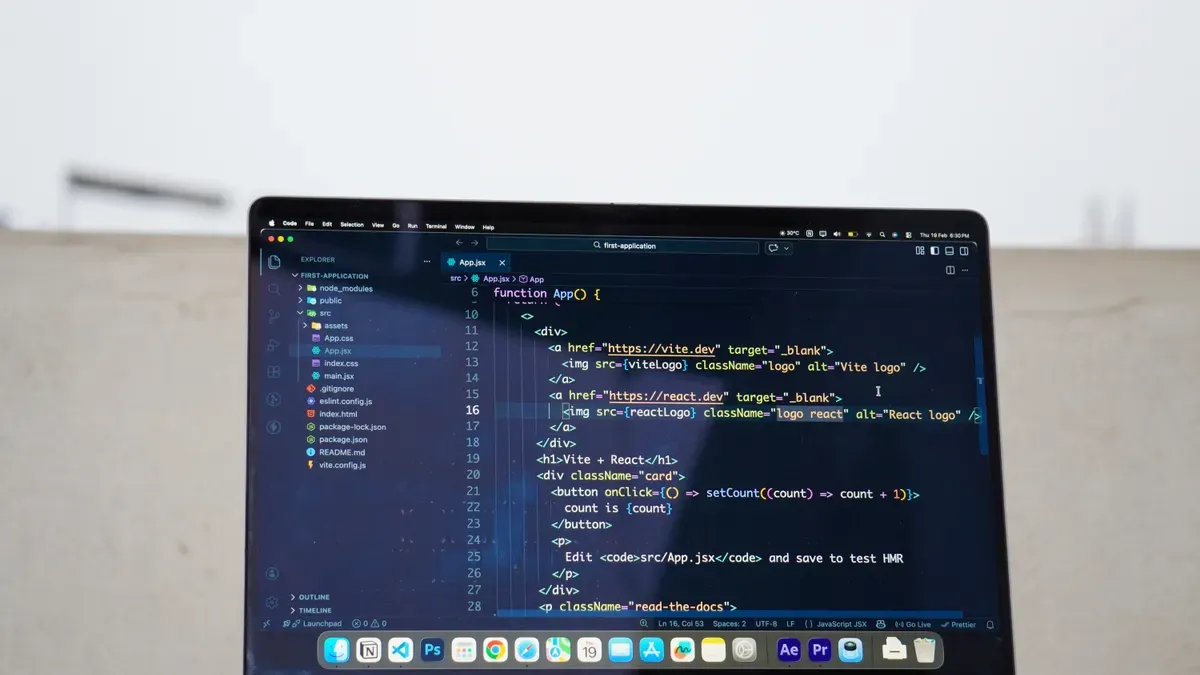
Power Apps Code Apps offer significant advantages for businesses looking to create tailored solutions. You can customize applications to meet your specific business app needs. This flexibility allows you to adapt quickly to changing requirements and streamline operations.
Customization and Flexibility
With Power Apps, you can build custom business apps that align with your unique operational needs. This platform supports low-code development, enabling you to create applications rapidly without the complexities of traditional coding. You can launch applications in days rather than months, ensuring they fit your business processes perfectly.
- Tailored Solutions: You can design applications that cater specifically to your workflows. This customization leads to enhanced productivity and operational efficiency.
- Seamless Integration: Power Apps allows you to integrate with existing systems easily. This capability fosters innovation and enhances efficiency across your organization.
Organizations that adopt Power Apps have reported measurable improvements in productivity. For instance, a Total Economic Impact study highlighted that businesses experienced an average productivity increase of about 25% after implementing custom apps. Additionally, companies like Rabobank operate over 2,500 Power Apps solutions, showcasing the platform's scalability and effectiveness.
Enhanced User Experience
Modern web technologies used in Power Apps Code Apps significantly enhance user experience compared to traditional app types. You can create Progressive Web Apps (PWAs) that combine the best features of web and native applications. These apps offer offline access, improved performance, and automatic updates, making them more appealing to users.
- User Engagement: PWAs allow for offline usage, ensuring users always have the latest version without manual updates. This capability leads to increased user satisfaction and engagement.
- Accessibility: With features like web push notifications and home screen presence, you can create applications that are not only functional but also engaging.
The rapid development enabled by low-code/no-code platforms allows users with varying technical skills to create applications quickly. This efficiency helps organizations modernize legacy systems effectively, delivering solutions that meet user needs more effectively.
Practical Applications of Code Apps
Power Apps Code Apps have transformed how businesses operate across various industries. Organizations leverage these apps to address unique challenges and enhance their workflows. Here are some notable use cases:
Use Cases in Various Industries
Businesses utilize Code Apps in diverse sectors, including:
- Enterprise Resource Planning (ERP): Streamlining operations and integrating various business functions.
- Customer Relationship Management (CRM): Enhancing customer interactions and managing relationships effectively.
- Business Intelligence (BI): Creating insightful dashboards and reports to drive data-driven decisions.
- Human Resource Management Systems (HRMS): Automating HR processes and improving employee engagement.
- Supply Chain Management (SCM): Optimizing logistics and inventory management.
- Asset Management: Tracking and managing company assets efficiently.
- Industry-Specific Systems: Tailoring applications to meet the unique needs of specific sectors.
Organizations benefit from features like compliance with SOC 2 Type II, ISO 27001, and GDPR. These features ensure data security and regulatory adherence. Role-based access provides granular control over user permissions, enhancing security and operational efficiency. Full audit trails maintain accountability and transparency in processes.
"Microsoft Dynamics 365 enables enterprises to build custom applications tailored to specific workflows, automate repetitive tasks, and create insightful dashboards and reports."
Successful Implementations
Many businesses have experienced quantifiable benefits after implementing Power Apps Code Apps. For instance, organizations have reported:
| Benefit | Quantifiable Result |
|---|---|
| Better Data Accuracy | Reduced data-entry errors by 80% and achieved 99.7% data integrity. Report generation time decreased from 48 hours to under 5 minutes. |
| Stronger Governance and Visibility | Identified EUR 50,000 in cost savings and eliminated the need for a full-time analyst role. Contributed to a CFO of the Year award. |
| Scalable Ecosystem | Decreased report load times from 20-30 seconds to under 5 seconds, with report usage increasing by 25%. |
These results demonstrate how Code Apps can significantly enhance operational efficiency and decision-making capabilities. By integrating with the power platform, businesses can respond quickly to market needs and streamline their processes.
Getting Started with Power Apps Code Apps
Setting Up Your Environment
To begin your journey with Power Apps Code Apps, you need to set up your development environment. Follow these steps to get started:
-
Create a New Project: Open a terminal and run the following command:
npx degit github:microsoft/PowerAppsCodeApps/templates/vite my-appNavigate to your project folder:
cd my-app -
Authenticate and Select Environment: Authenticate your CLI by running:
pac auth createSign in with your Power Platform account. Then, select your environment:
pac env select --environment -
Install Dependencies and Initialize: Install the necessary dependencies by running:
npm installInitialize your app with the following command:
pac code init --displayname "My Code App" -
Test Locally: Start your development server with:
npm run devOpen the local URL (e.g., http://localhost:5173) in your browser. If prompted, handle browser local network access by adding permissions for Chrome or Edge.
-
Build and Deploy: Once you finish testing, build your app using:
npm run buildPush your app to Power Apps with:
pac code pushIf you encounter errors, such as an environment mismatch, edit the
power.config.jsonfile with the correct environment ID and retry. You can find the app URL from the output or in the Power Apps > Apps section.
Creating Your First Code App
Now that you have set up your environment, you can create your first Code App. Start by designing a simple application that meets a specific need. For example, you might want to build a task tracker. Here’s a brief guide to help you develop it:
-
Define Your App's Purpose: Determine what your app will do. In this case, it will track tasks and their statuses.
-
Design the User Interface: Use React components to create a user-friendly interface. You can include input fields for task names, due dates, and status updates.
-
Implement Business Logic: Use JavaScript or TypeScript to handle task creation, updates, and deletions. Ensure that your app responds to user actions effectively.
-
Connect to Data Sources: Utilize Power Apps connectors to integrate your app with data sources. This allows you to store and retrieve task information seamlessly.
-
Test and Iterate: Regularly test your app during development. Gather feedback from users and make necessary adjustments to improve functionality and user experience.
By following these steps, you can create a functional Code App that meets your needs. As you gain experience, explore more advanced features and integrations to enhance your applications further.
Power Apps Code Apps offer a powerful way to create custom applications tailored to your business needs. Here are some key takeaways from our discussion:
- Power Apps Code Apps can be enhanced with AI tools within the Power Platform.
- Canvas Apps provide flexibility, but the local build process may present challenges.
- Security roles are respected in connections, but AI logic requires careful error checking.
If you want to dive deeper into Power Apps Code Apps, consider these next steps:
- Explore the use of IDEs like Visual Studio Code for building tailored web applications.
- Familiarize yourself with Microsoft Entra authentication and the extensive library of over 1,500 connectors.
- Check out resources that discuss using GitHub Copilot and CI/CD pipelines to boost your development productivity.
By taking these steps, you can unlock the full potential of Power Apps Code Apps and create innovative solutions for your organization.
FAQ
What are Power Apps Code Apps?
Power Apps Code Apps allow you to build custom applications using modern web technologies like JavaScript, TypeScript, and React. They provide greater flexibility and control compared to other app types.
Who can use Power Apps Code Apps?
Professional developers primarily use Power Apps Code Apps. However, citizen developers can also benefit from them if they have some coding knowledge and experience with web technologies.
How do I integrate Code Apps with other Power Platform services?
You can easily connect Code Apps to services like Dataverse and Power Automate. Use Power Apps connectors to access various data sources and automate workflows seamlessly.
What is the development environment for Code Apps?
You develop Code Apps using Visual Studio Code. This IDE supports coding, debugging, and testing your applications efficiently, allowing for a streamlined development process.
Can I deploy Code Apps directly to Power Apps?
Yes, you can deploy Code Apps directly to Power Apps. After building your app, use the command pac code push to publish it to your Power Apps environment.
Are there any licensing requirements for Code Apps?
Yes, a standard Power Apps Premium license is required to use Code Apps. This license ensures access to advanced features and capabilities within the Power Platform.
What are the benefits of using Code Apps over Canvas Apps?
Code Apps offer higher customization, better control over user interfaces, and the ability to implement complex business logic. They are ideal for creating sophisticated applications tailored to specific business needs.
How can I get support while developing Code Apps?
You can access Microsoft’s documentation, community forums, and tutorials for support. Additionally, consider joining online communities where developers share tips and best practices.
🎧 Listen to this episode
Want a practical explanation of Power Apps Code Apps? This episode breaks down the topic in clear language and shows why it matters for Microsoft 365, Azure, Power Platform, security, AI, and modern work.
Listen to this episode if you want to:
- Understand the key concepts behind Power Apps Code Apps
- See how it fits into the wider Microsoft technology ecosystem
- Learn where it can create practical value for your organization
You may also enjoy these related M365 FM episodes:
- Power Apps Code Apps with Carike Botha [MVP]
- Power Apps Vibe Code vs Low-Code: Which Fits Your Team?
- Govern Power Apps Generative Pages After Edit Code
- Microsoft Defender for Cloud Apps - Simply Explained
- Power Apps - Simply Explained
Discover more practical Microsoft conversations on M365 FM.
Last reviewed: July 2026.
Who Should Listen
This episode is for Microsoft practitioners, architects, developers, security professionals, and IT leaders evaluating the topic in a real-world environment.
🎧 You Should Also Listen To
- Power Platform — A relevant next step that adds practical context to this topic.
- Power Apps — A relevant next step that adds practical context to this topic.
- Dataverse Security — A relevant next step that adds practical context to this topic.

Microsoft MVP | Host of M365.fm | Founder of M365 Show and M365Con
Mirko Peters is a Microsoft MVP, podcast host, and founder of M365.fm, M365 Show, and M365Con. His work connects Microsoft practitioners through podcast interviews, livestreams, and community events.
At M365.fm, Mirko hosts conversations with Microsoft MVPs, product experts, architects, and community contributors. Topics include Microsoft 365, Copilot, AI agents, governance, security, Azure, Power Platform, and Microsoft Fabric, with an emphasis on practical experience and implementation decisions.
M365.fm is the podcast and learning platform. M365 Show brings experts together for livestreams, while M365Con provides an online conference setting for community learning.
Official website: Mirko Peters (https://www.mirkopeters.com/). Recognition: Mirko Peters — Microsoft MVP profile (https://mvp.microsoft.com/de-DE/mvp/profile/9b0ca797-db5a-493a-a845-8b9158046cf5). Connect on LinkedIn (https://www.linkedin.com/in/m365showpodcast/).

Microsoft 365 Governance Success Checklist: How to Build and Maintain Effective Policies