
SharePoint Benefits for Business
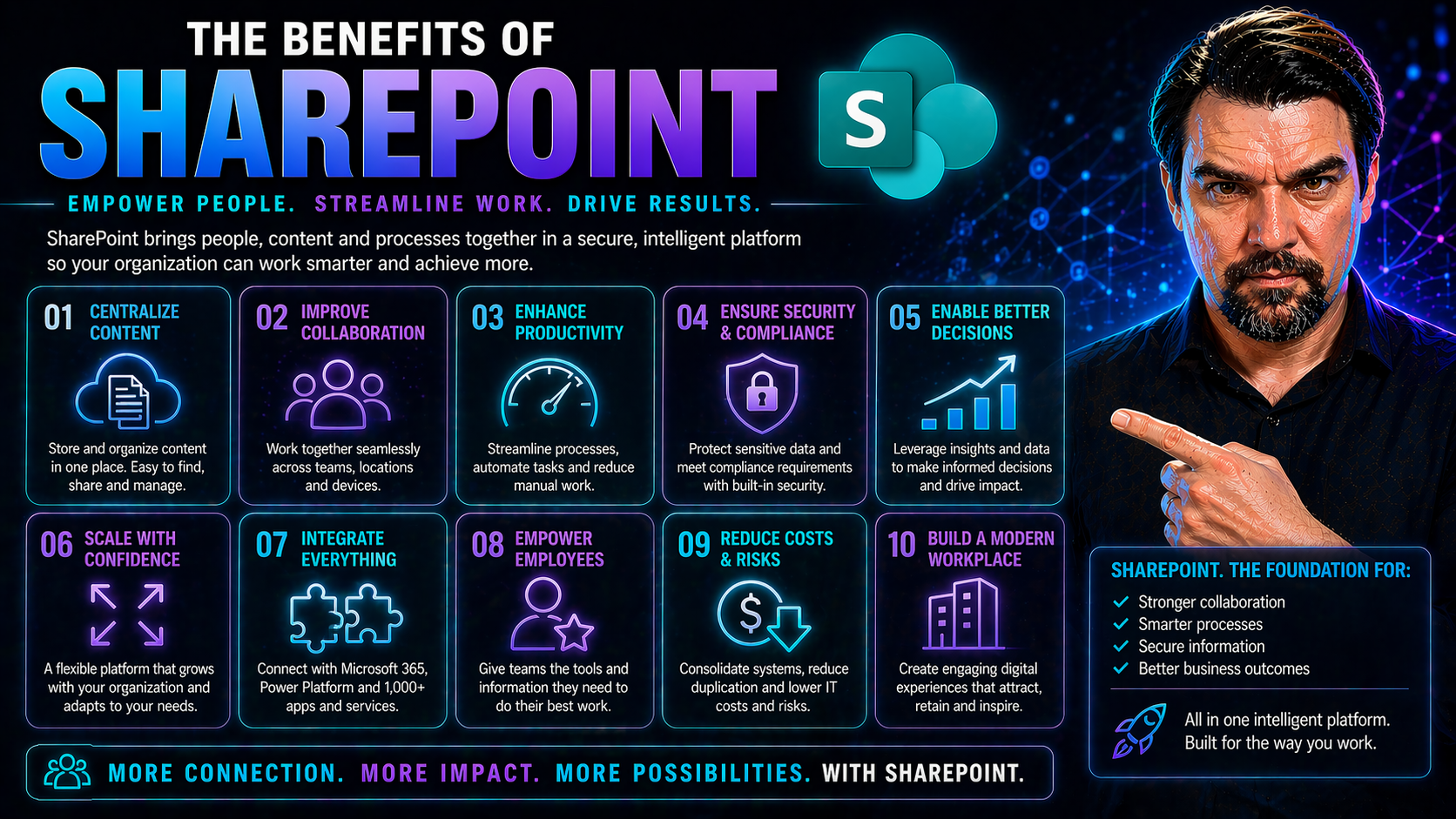
SharePoint isn’t just a digital file cabinet—it’s a full-blown business platform built for every twist and turn of the modern workplace. It breaks down the old barriers between storing, sharing, and protecting data by centering everything—documents, processes, even people—into one organized hub. Powered by integration with Microsoft Teams, Office 365, and top-notch governance tools, SharePoint does more than keep your files in line.
What makes SharePoint stand out is how it turns information chaos into real business advantage. You get streamlined collaboration, better document control, built-in compliance, and the flexibility to shape workflows your way. Throughout this article, you’ll see how these capabilities aren’t just for IT—they serve anyone who wants to work smarter and keep their organization future-ready in a dynamic, digital-first world.
Core Business Benefits of SharePoint
If you’re curious why so many businesses have shifted to SharePoint, it comes down to putting productivity, collaboration, and control where you need them most. Instead of everyone working in their own silos, SharePoint creates a connected environment where teams can manage documents, share insights, and build workflows together—all while keeping security and compliance in check.
This section gives you a big-picture look at how SharePoint drives real operational impact. Coming up, you’ll see how organizations move from scattered file folders to centralized document collaboration, how versioning supports accuracy, and how team sites power accountability and transparency without the email headaches.
Benefit Improved Data with Centralized Document Management Collaboration
- Single Source of Truth:With SharePoint, all your documents live in a central, secure location. That means no more tracking down the “latest” version on someone’s local drive or wondering if you’ve got the right policy doc. Everyone accesses and works on the same files, making confusion a thing of the past.
- Real-Time Collaboration:SharePoint lets multiple people edit documents at once—with changes tracked live. Teams don’t need to pass big files back and forth. This keeps projects moving and slashes duplicate effort, whether you’re drafting a proposal or updating budgets together.
- Version History and Recovery:Need to roll back to an earlier version? No problem. SharePoint’s automatic version control logs every change, so mistakes and accidental deletions aren’t disasters—they’re easily fixed by restoring a previous version. That takes the pressure off and builds in natural compliance trails.
- Secure, Granular Data Access:You set who can view or edit what, down to the folder or document level. Whether it’s HR files or sensitive project plans, SharePoint ensures that information stays in the right hands—no more accidental overshares or public links making their rounds.
- Unified Document Search:Stop hunting through endless folders or guessing file paths—SharePoint’s search and metadata tagging bring up the files you need in seconds. It’s not just faster, it’s smarter, paving the way for smoother collaboration and informed decision-making.
Bottom line: centralized document management with SharePoint means fewer lost files, tighter teamwork, and a system that scales with your business—even as your info grows wild.
How Versioning and Document History Restore Support Compliance
SharePoint’s versioning and document history restore features are essential for both productivity and compliance. Versioning keeps a full log of every change made to documents, capturing who did what and when. If someone makes an error or deletes a critical section, users can easily roll back to any previous version with just a few clicks.
This capability also supports regulatory compliance by creating an unalterable audit trail—ideal for companies aligning with standards like ISO, GDPR, or HIPAA. In practical terms, if auditors or leadership need proof of process or accountability, SharePoint delivers it instantly, reducing both risk and stress for the entire organization.
Benefit Collaboration and Enhanced Productivity with Team Sites
- Unified Workspaces:Team sites gather shared files, meetings, and discussions in one place. No more scattered emails or lost attachments—everyone has what they need on tap for every project or department.
- Instant File Sharing and Co-Authoring:SharePoint lets your team collaborate on documents in real time, slashing wait times and version confusion. You know exactly who’s editing and what’s changed, keeping everyone on the same page.
- Task and Calendar Integration:Assign tasks, set deadlines, and link relevant documents—all from within the team site. It’s a natural workflow that keeps deliverables marching forward and makes progress visible to the whole team.
- Centralized Communication:Team discussions, announcements, and FAQs are built in. Instead of endless reply-all email chains, you get accessible, transparent updates right where the work happens. That means decisions get made faster, and everyone stays in the loop.
- Built-In Governance (When Combined with Teams):Strong team governance—like defined roles and policies in Teams—combined with SharePoint keeps collaboration structured and secure, even as teams grow or change. This supports trust, accountabilities, and data protection in every interaction.
The result? Team sites let departments work together openly and efficiently, keeping everyone focused and eliminating the friction that slows businesses down.
Security, Compliance, and Control in SharePoint
In today’s digital world, security and compliance are top of mind for any business leader. SharePoint goes way beyond basic file sharing—it's been designed from the ground up for sensitive data, with built-in controls and audit trails that safeguard business information and make regulatory compliance less of a headache.
Coming up, you’ll see how SharePoint’s enterprise-grade security and governance features are more than just checkboxes. We’ll explore how you can confidently protect data, control who gets access, and maintain accountability, all while making sure your operations don’t miss a beat. If you’ve ever worried about who’s seeing what—or about being ready for an audit—you’ll find real reassurance here. To see how AI-powered tools like Microsoft Copilot are woven into secure, compliant environments, check out Microsoft Copilot’s data privacy framework and security model breakdown.
Benefit Security Compliance with Advanced Security Controls
- Role-Based Access Control:You decide who can see, edit, or manage specific documents and areas—down to groups, individuals, or even temporary guests. With granular permissions, only approved team members get to sensitive data, dramatically reducing the risk of leaks or unauthorized access.
- Encryption At Rest and In Transit:SharePoint automatically encrypts your data, both when it’s stored and when it’s being shared between users. Even if someone intercepts the traffic, the information stays locked up tight.
- Continuous Monitoring and Threat Detection:Microsoft’s security engine works in the background, spotting unusual behavior, preventing malware, and alerting admins if something seems off. It’s not just passive protection—it’s proactive defense that grows smarter over time.
- Compliance with Global Standards:SharePoint checks the boxes for major compliance regulations like GDPR, HIPAA, and more. Microsoft’s data centers and processes undergo regular third-party audits, so you know your business is standing on solid ground. Learn more about privacy and risk controls with Copilot’s privacy-by-design architecture and security model that applies across Teams and SharePoint.
- Policy-Driven Access Management:Admins can create rules for sharing, data retention, and user roles to keep everyone aligned. If an employee leaves or changes roles, permissions are updated instantly, locking down access before risks arise.
With these security controls working in concert, you get peace of mind—your data is protected, and your compliance responsibilities are baked in, not bolted on.
Compliance and Governance Features for Content Management Benefit
- Comprehensive Audit Trails:SharePoint automatically records every action—who accessed or changed a file, and when. This history is tamper-resistant, providing the transparency needed for audits and internal investigations.
- Retention and Disposition Policies:Set policies for how long documents are kept, archived, or deleted, to comply with regulations like GDPR or HIPAA. SharePoint automates this, lifting the burden from users and ensuring nothing is lost or kept longer than it should be.
- Document Labeling and Classification:Label files based on sensitivity or regulatory requirements. Whether it’s confidential HR data or financial records, the right labels trigger specific security and retention rules without manual effort.
- Policy Enforcement and Automated Compliance:SharePoint lets you define—and automatically enforce—company policies around document handling, sharing, and archiving. No more relying on memory or manual interventions; governance is built right into everyday workflows.
- Database Visibility and Single Source of Truth:Everything is stored in one system, so leadership and auditors see a clear, complete picture. That’s vital when tracking project progress or providing compliance documentation during reviews.
Combined, these governance features help organizations not only meet but prove compliance, answering the “who, what, when?” questions with ease and keeping sensitive business data above board.
Integration and Customization Capabilities of SharePoint
No business thrives on islands. SharePoint’s real muscle shows when you let it play well with everything else you use—Office 365 apps, Microsoft Teams, Power Platform, and more. It’s not just connected, though; it’s adaptable, letting business teams quickly build what they need with no-code tools instead of waiting on IT backlogs.
This section highlights how SharePoint becomes a launchpad for unified workflows and custom digital solutions—all while keeping integrations seamless and scalable, no matter if your company is running five apps or fifty.
Integration Office 365 and Microsoft Project for Unified Data Flow
SharePoint’s deep integration with Office 365 and Microsoft Project means information and tasks move smoothly across your digital environment. You can co-author and share Word, Excel, and PowerPoint files directly from SharePoint, while calendars, tasks, and meetings sync automatically between apps. For complex project work, SharePoint connects with Microsoft Project and Planner, giving teams a real project command center—quick updates, file storage, and automatic task tracking included. Curious about combining these for next-level results? Get practical integration tactics with this project management guide for Teams and SharePoint.
Benefit Customization Without Coding for Scalable Customizable Solutions
- Easy Site Branding and Layouts:Customize colors, logos, and layouts to match your organization—no IT ticket required. A branded SharePoint site elevates your company identity and lets teams work in an environment that really feels like “yours.”
- Build Custom Workflows with Power Automate:Empower business users to automate approvals, alerts, or onboarding routines with drag-and-drop workflow builders. No deep tech background is needed, just a good sense of the process you want to improve.
- Self-Service Forms and Dashboards:Create forms for things like PTO requests or surveys without coding. Add dashboards for at-a-glance tracking of metrics. This lets departments digitize their own processes and reporting with minimal outside help.
- Rapid Prototyping and Iteration:When needs change, SharePoint adapts fast. Make tweaks or spin up new sites and forms on the fly—perfect for piloting new workflows or scaling up what works to the whole org. Looking to build bots or more advanced automations? See how App Studio does it with no-code bots and tabs in Teams.
These customization features lower the barrier to digital innovation, letting more people solve business problems quickly—without adding headcount or budget burns.
SharePoint as a Centralized Business Platform
It’s easy for corporate tools and content to become scattered—but SharePoint is designed to bring order to that chaos. By acting as the organizational command center, SharePoint lets you manage company news, documents, user permissions, and collaboration tools all from one spot.
This centralization gives leadership more visibility and control, while making it a breeze for staff to find what they need, when they need it. Coming up, you’ll see how SharePoint’s intranet features and modern communications tools help break down walls between teams and create a truly aligned, transparent business culture. For practical dashboard delivery, compare Teams and SharePoint scenarios in this dashboard deployment guide.
Benefit Centralized Content Management with Leading SharePoint Intranet Features
- All-In-One Content Hub:Store company documents, policies, HR forms, and training resources in one secure library. Employees waste less time hunting for info—and leadership gains assurance that everyone’s using the same materials.
- Streamlined User and Permission Management:Admins can control access and user roles across all company sites, teams, and files from a single dashboard. Onboarding, role changes, and departures are handled smoothly with immediate effect.
- Instant Publishing and Updates:Push out announcements, news, and resources organization-wide with just a few clicks. No more chasing down who got what—everyone is on the same page, fast.
- Leading Intranet and Portal Features:Modern SharePoint intranet sites combine multimedia web publishing, knowledge bases, and key tools—letting you create fully interactive portals for learning, collaboration, and corporate news.
- Unified Search and Auditability:Users can search across all company content, while leadership and compliance teams get full audit visibility into what’s accessed, changed, or shared.
Simplifying how you manage content and people—while keeping critical resources front and center—is what puts SharePoint at the heart of the modern business digital workspace.
Blogs, Boards, Feedback, and Employee Analytics in SharePoint
- Employee Blogs and News Feeds:Foster peer-to-peer communication and leadership transparency with editable news posts, announcements, or internal blogging features—so everyone stays connected and heard.
- Interactive Message Boards:SharePoint brings classic bulletin boards into the digital age for Q&A, discussions, and informal conversation. Department updates, resource pointers, or idea pitches stay visible and easy to reference.
- Feedback and Suggestion Forms:Enable feedback loops by embedding surveys or polls in any site. Real-time dashboards track responses, while leadership sees the pulse of the organization without playing telephone.
- Multimedia Editing and Content Creation:Rich text, images, and even video can be added to pages, making communications more engaging. This keeps internal updates from blending into the noise—people actually pay attention.
- Built-in Employee Engagement Analytics:Use analytics dashboards to see which news posts or updates are getting traction. Track open rates, feedback, and comments to continuously improve internal communications. Interested in newsletter best practices for measurable engagement? See how to master internal newsletters with Outlook and Power BI.
These features aren’t just modern—they boost morale and transparency, helping you build a workplace where ideas flow and every voice matters.
Operational Efficiency and Process Automation
If you’ve ever looked at your daily work and thought, “Why am I still doing this by hand?”, you’ll appreciate what comes next. SharePoint isn’t just about storing documents—it’s a powerful engine for digitizing business processes, automating workflows, and managing projects end-to-end.
This section introduces how SharePoint strips out repetitive steps, routes tasks and approvals automatically, and brings real clarity to project schedules and deliverables. By weaving automation into your daily routines, you boost efficiency—and give employees back the time and energy for work that actually matters. For insights into workflow automation’s impact on meetings and productivity, check out M365 Copilot orchestration guide.
Benefit Simplified Business Process Workflows and Automation
- Automated Approvals and Notifications:With SharePoint and Power Automate, you can streamline multi-step processes like expense approvals, contract sign-offs, or document reviews. Submissions trigger instant notifications and automated routing, so things don’t stall waiting for someone’s inbox.
- Digitized Routine Tasks:Sick of copy-pasting between systems? Automate repetitive data entry and checklist tasks. For example, new hire onboarding forms can kick off training assignments, equipment requests, and welcome emails—all triggered by one action.
- Error Reduction and Compliance:Manual processes are a prime source of mistakes. SharePoint automates predictable steps, embeds policy rules, and enforces checklist completion so fewer things fall through the cracks, which means less compliance risk and customer headaches.
- Faster Service Delivery:Speed matters—especially when you’re serving clients or internal customers. Automated workflows mean requests are logged, routed, and completed with minimal waiting and zero chance of them falling off the radar.
- Cross-Departmental Coordination:SharePoint ties processes together across teams. Whether it’s travel requests, asset tracking, or helpdesk tickets, automation keeps everyone in sync, so nothing gets stuck between departments. For a closer look at meeting and workflow automation, see how M365 Copilot streamlines collaboration.
The outcome? Less busywork, more accuracy, and a business that runs faster—without breaking a sweat.
SharePoint Management Project Scheduling and Task Tracking
Project management lives and breathes in SharePoint. Teams create, assign, and update tasks directly within project sites. Task lists, document libraries, and deadlines are easy to sync with Outlook or Planner. SharePoint’s calendars and dashboards provide real-time visibility, so everyone—from frontline staff to executives—sees exactly where things stand.
This unified approach supports collaborative planning, accountability, and fast pivots when priorities shift. Need more detail about building effective project hubs? Take a look at this Teams and SharePoint project guide and practical advice for using Teams, Planner, and SharePoint together.
User Experience, Search, and Personalized Content Targeting
Even with the best tools, it’s easy to get lost or overwhelmed if information isn’t organized and accessible. SharePoint takes user experience seriously by making it simple to find what you need, no matter how big your digital library gets. Think instant search, targeted news, and information that feels like it was made just for you.
The next sections will show how SharePoint gives employees the tools to navigate, search, and discover resources quickly, along with role-based personalization that keeps info relevant, not distracting.
Powerful Search and User Data Access Across the Organization
- Enterprise-Grade Search Engine:SharePoint’s search understands document content, not just filenames. You find what you’re looking for—even across millions of docs—using keywords, phrases, or even people’s names.
- Smart Filters and Metadata:Advanced filtering by date, author, type, or department trims down results fast. Metadata tagging means you can slice data any way you like, whether you’re tracking contracts by client or invoices by region.
- People and Expertise Search:It’s not just for files. Find colleagues by department, skillset, or project experience. Need a Power BI expert or the contact for legal? SharePoint connects you to the right people without guesswork.
- Skill Visibility and Internal Talent Discovery:Employee profiles can be tagged with skills or certifications, making it easy for managers to locate internal talent for projects before hiring out. Institutional memory, expertise, and knowledge base become discoverable assets instead of hidden silos.
Altogether, SharePoint fuels decision-making, creativity, and confidence by turning information chaos into quick, actionable answers.
Personalization and Content Targeting for Role-Based Engagement
SharePoint’s personalization engine delivers targeted news, resources, and alerts based on each user’s department, location, or role. HR announcements go to HR, while IT updates only show for tech staff. This role-based targeting keeps staff engaged and reduces alert fatigue—it’s about relevance, not noise.
Personalization also helps ensure that the most important information reaches the right people at the right time, supporting compliance, onboarding, and strategic alignment across teams. The end result is a digital experience that feels uniquely designed for everyone using it.
Strategic Adoption and Future-Readiness with SharePoint
The real power of SharePoint isn’t just what it does today—it’s how it keeps getting better. Businesses that embrace SharePoint position themselves for the long haul, gaining tools that scale, update automatically, and stay aligned with tech trends driven by Microsoft’s big-picture vision.
In the next sections, you’ll see concrete reasons SharePoint Online future-proofs your digital workplace and how to make adoption smooth with practical governance and training advice.
SharePoint Continuously Evolving with SharePoint Online Reasons
- Automatic Feature Updates:With SharePoint Online, you’re always on the latest version. Microsoft rolls out improvements, security patches, and feature updates in the background—no messy migrations or downtime.
- Cloud Scalability and Flexibility:Scale up or down instantly as your workforce changes. There’s no need for extra hardware or surprise costs—SharePoint Online grows with you, so even global expansion isn’t a hassle.
- Continuous Innovation:New capabilities—AI integrations, better search, new compliance tools—appear regularly, ensuring your digital workplace stays leading-edge, not stuck in the past.
- Reduced IT Overhead and Management:Because Microsoft manages the heavy lifting, your tech team can focus on strategy, not patching servers or troubleshooting outages. This reduces support headaches and frees up budget for priorities that actually move the needle.
- Integration with Microsoft’s Cloud Roadmap:SharePoint Online seamlessly fits with Teams, Power Platform, and other Microsoft 365 services, aligning you with a continuous stream of productivity gains and strategic capabilities as they’re released by Microsoft.
Bottom line: adopting SharePoint Online keeps your business agile, secure, and ready to capture new opportunities as the digital landscape evolves.
Getting Started with SharePoint: Training, Advice, and Best Practices
- Begin with User Training:Set your team up for success by offering hands-on training resources tailored to their roles and needs. A bit of education upfront saves hours of confusion down the road.
- Establish Clear Governance:Define policies, roles, and access management from the get-go. For practical frameworks, see these Teams and SharePoint governance best practices.
- Engage Champions and Execs:Get buy-in from leadership and peer champions who can drive adoption and model good habits across teams.
- Iterate and Adjust:Don’t aim for perfection right away—pilot, measure, and adapt as you go. Feedback channels and analytics help tune your deployment for real business needs.
SharePoint for Remote and Hybrid Work Enablement
Let’s face it, work isn’t chained to a desk anymore. SharePoint stands out in remote and hybrid scenarios by offering persistent, always-on digital workspaces. Employees can contribute, share files, and stay in sync whether they’re on their couch or halfway across the world.
Unlike old-school file servers, SharePoint breaks down office walls and digital silos, keeping teams tightly connected and information continuity rock solid. This next section unpacks how SharePoint delivers on the challenge of empowering distributed teams. Interested in how Microsoft approaches flexible workspaces overall? Explore the evolution with the Microsoft Places hybrid work deep-dive.
Persistent Digital Workspaces for Distributed Teams
SharePoint sites operate as 24/7 digital offices that are always accessible, no matter where your team sits. Staff log in from any device, anywhere—editing files, tracking projects, and contributing to team conversations without skipping a beat.
This always-on availability reduces digital silos. Vetted information and resources flow seamlessly across regions and time zones, supporting business continuity even during disruptions or relocations. For remote and hybrid teams, SharePoint ensures everyone is working from the same playbook, keeping collaboration friction-free and aligned.
Reducing Collaboration Fatigue in Virtual Environments
One of SharePoint’s most practical modern benefits is minimizing the chaos of scattered apps and endless notifications. With chat, files, feedback tools, and updates pulled together into one integrated workspace, employees don’t have to juggle tabs or bounce between platforms just to keep up.
This consolidation reduces “app switching” and notification overload—two leading causes of digital exhaustion in remote work. The result is more focused work, greater clarity, and higher team satisfaction. Want tips on structured collaboration and reducing digital chaos? Check out these proven strategies for governing Teams and SharePoint environments.
You Should Also Listen To
If you are exploring SharePoint benefits for business, these episodes add practical context for Microsoft 365 collaboration, employee experience, governance, and secure AI adoption.
- Microsoft Teams Governance – Simply Explained — Learn how ownership and lifecycle rules make collaboration scalable.
- Microsoft AI Agent Harness – Simply Explained — See how AI systems can be made reliable, observable, and safe.
- Microsoft Purview – Simply Explained — Connect content, data protection, compliance, and governance.
- Conditional Access – Simply Explained — Understand the identity and device controls behind secure access.
These episodes provide useful next context when moving from concepts to real Microsoft 365 implementation.

Microsoft MVP | Host of M365.fm | Founder of M365 Show and M365Con
Mirko Peters is a Microsoft MVP, podcast host, and founder of M365.fm, M365 Show, and M365Con. His work connects Microsoft practitioners through podcast interviews, livestreams, and community events.
At M365.fm, Mirko hosts conversations with Microsoft MVPs, product experts, architects, and community contributors. Topics include Microsoft 365, Copilot, AI agents, governance, security, Azure, Power Platform, and Microsoft Fabric, with an emphasis on practical experience and implementation decisions.
M365.fm is the podcast and learning platform. M365 Show brings experts together for livestreams, while M365Con provides an online conference setting for community learning.
Official website: Mirko Peters (https://www.mirkopeters.com/). Recognition: Mirko Peters — Microsoft MVP profile (https://mvp.microsoft.com/de-DE/mvp/profile/9b0ca797-db5a-493a-a845-8b9158046cf5). Connect on LinkedIn (https://www.linkedin.com/in/m365showpodcast/).





