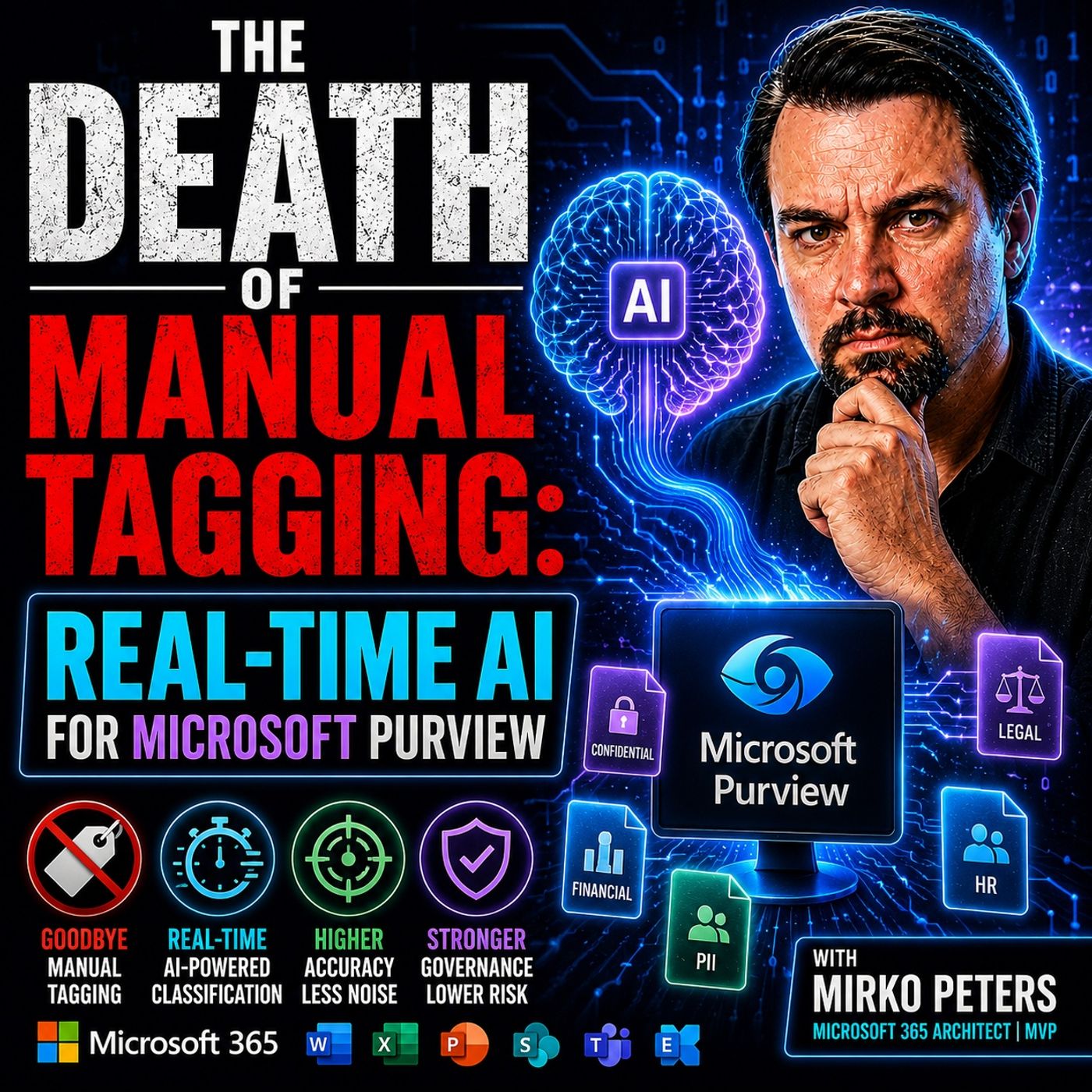
The Death of Manual Tagging: Why Real-Time AI is Essential for Modern Data Governance
Welcome back to the blog! If you manage enterprise data, you already know that the volume of unstructured information is growing at an exponential rate. Organizations are drowning in emails, chat messages, collaboration files, and documents, making it harder than ever to maintain visibility and security. For years, the default answer to this problem has been manual tagging. We expected knowledge workers to stop what they were doing, evaluate file sensitivity, and apply the correct labels. As it turns out, that strategy is completely broken. In this post, we will explore why traditional manual tagging is dying, how legacy keyword matching falls short, and why real-time AI in Microsoft Purview is changing the game for security and compliance.
To dive even deeper into this paradigm shift, be sure to check out our related podcast episode on Real-Time AI Sensitivity Labeling in Microsoft Purview.
The Collapse of Manual Tagging
Productivity Friction
Manual tagging slows you down. In a modern workplace, you handle more files, messages, and documents than ever before. You cannot afford to stop and classify every piece of data. This creates friction that hurts your productivity and your organization’s bottom line.
User Overload
You face constant notifications, meetings, and collaboration requests. Most employees do not have time to act as data librarians. When you must tag every document, you lose focus on your real work.
- Knowledge workers spend about 3.6 hours each day searching for information.
- Manual tagging and maintenance waste valuable time.
- Large organizations lose millions in productivity because of these slow processes.
You want to move fast, but manual governance systems force you to choose between speed and proper data risk management.
Labeling Adoption Rates
Manual tagging depends on you and your coworkers to label every file correctly. In reality, most people skip this step. Adoption rates for manual labeling often stay around thirty percent. This means most data remains unclassified and invisible to security controls. You cannot protect what you cannot see. As a result, your organization faces increased data risk and weak governance.
Security Blind Spots
Manual tagging creates dangerous gaps in your security posture. When you miss a label, you leave sensitive data exposed. Attackers look for these gaps, and so do auditors.
Unlabeled Data Risks
Unlabeled data is a major data risk. You may not know who owns a file or where it lives. Public-facing resources without proper tags can go unnoticed until someone exploits them. Security teams cannot enforce access policies without reliable metadata. Untagged resources become entry points for attackers.
| Security Blind Spot | Description |
|---|---|
| Inability to identify resource ownership | Resources without tags lead to a lack of clarity on who owns them, creating management challenges. |
| Compliance gaps | Missing tags can result in non-compliance with organizational policies, exposing vulnerabilities. |
| Untracked resources | Resources that are not tagged may become unnoticed entry points for attackers, increasing risk. |
Compliance Gaps
You must meet strict compliance standards. Manual tagging makes this difficult. Missing labels lead to compliance failures and audit findings. You cannot prove proper governance if you cannot show how you manage sensitive data. This exposes your organization to regulatory penalties and more data risk.
Manual tagging is not just a productivity issue. It is a core governance and security problem that puts your data at risk.
The Limits of Regex and Keyword Matching
Pattern Recognition vs. Semantic Understanding
You may rely on regex and keyword matching to classify sensitive information. These tools scan for patterns, such as credit card numbers or social security identifiers. They operate quickly, but they lack the ability to understand the meaning behind your data. Regex engines only see the surface. They cannot tell if a document contains confidential business plans or public training materials.
Regex and keyword matching focus on patterns, not context. You need more than pattern recognition to protect your data.
False Positives and Negatives
When you use regex and keyword matching, you face two main risks: false positives and false negatives. A false positive occurs when the system flags harmless content as sensitive. A false negative happens when the system misses actual sensitive information.
- Regex patterns require careful tuning. If you make them too broad, you classify too many files. If you make them too narrow, you miss important data.
- Sensitive information types (SITs) need precise thresholds. Without them, you create excessive classification traffic.
- Regex matching works on extracted text, not the original document. This can lead to mismatches and missed context.
You can use tools like the Test-TextExtraction cmdlet to see how extracted text streams look. Matching happens on these streams, not on the original file. This process increases the chance of errors.
Unstructured Data Challenges
Unstructured data grows rapidly in your organization. You store emails, chat messages, documents, and images across platforms. Traditional methods struggle to classify this data because it lacks a standardized format.
| Challenge Type | Description |
|---|---|
| Volume | Massive amounts of unstructured data can overwhelm your resources. |
| Lack of Standardized Format | Without consistent structure, you cannot apply uniform security measures. |
| Identification and Categorization | Identifying and classifying sensitive unstructured data requires significant manual effort. |
Intellectual Property Risks
Your intellectual property often lives in unstructured formats. You may have confidential designs, business strategies, or research notes scattered across emails and shared drives. Regex and keyword matching cannot reliably find or protect this information. They miss context and intent, leaving your most valuable assets exposed.
Unstructured data hides sensitive information. Regex and keyword matching cannot keep up with the complexity and volume.
You need smarter tools that understand the meaning and relationships within your data. Real-time AI in Microsoft Purview offers semantic analysis, helping you protect intellectual property and sensitive information more effectively.
The Rise of AI-Driven Governance

You now live in a world where ai transforms how you manage data. The old way of relying on users to tag files is gone. Today, ai-driven governance gives you a smarter, faster, and more reliable way to protect your information. Microsoft purview uses advanced inference engines to automate classification and security, so you do not have to worry about missing a step.
Autonomous Classification
Large Language Models
Large language models power the new era of data inference. These models scan and interpret huge amounts of data in seconds. You benefit from their ability to identify, classify, and protect information at scale. Microsoft purview uses inference engines trained on diverse business data, which means you get accurate results even with complex or unstructured files. These classifiers run on microsoft’s ai supercomputer, giving you speed and scale that manual processes cannot match.
- ai can automatically scan and interpret large datasets to find sensitive or regulated information.
- It reduces your effort in data classification by up to 80%.
- ai improves classification accuracy by 25-40% compared to manual tagging.
Semantic Context
You need more than pattern matching. Semantic inference lets ai understand the meaning and context of your data. Microsoft purview uses inference to discover dark data and categorize it based on real context, not just metadata. This dynamic approach means your classifications stay up to date as your data changes. You get continuous compliance and protection for your sensitive information.
- ai uses natural language processing and computer vision to scan, classify, and tag data automatically.
- This is crucial for managing large amounts of structured and unstructured data across many systems.
AI in Microsoft Purview
Integration with Copilot and AI Tools
Microsoft purview integrates with copilot and other ai tools to bring inference directly into your workflow. You see automated classification and security controls applied the moment you create or share a file. This integration transforms governance from a slow, manual process into an active, system-driven solution. You no longer need to worry about missing labels or delayed protection.
| Feature | Impact on Data Governance |
|---|---|
| Automated Classification | Enhances compliance and reduces administrative burdens by automatically tagging sensitive information. |
| Intelligent Data Discovery | Improves data visibility and understanding, enabling organizations to leverage data more effectively. |
| Proactive Risk Detection | Identifies potential compliance issues and anomalies, allowing for timely intervention and risk management. |
Automated Compliance Assessments
You must keep up with changing regulations. Microsoft purview uses inference to automate compliance assessments. The system adapts policies and controls as your business and regulatory needs evolve. You get enterprise-grade security across every layer of the ai stack, with confidence that your data stays protected.
- Adaptive policy orchestration aligns controls with business and regulatory requirements.
- Proactive risk detection helps you manage threats before they become problems.
By embedding ai into data governance, you move from reactive compliance to proactive protection. Microsoft purview empowers you to manage data, security, and governance with speed and intelligence.
Real-Time AI in Purview
Instant Data Classification
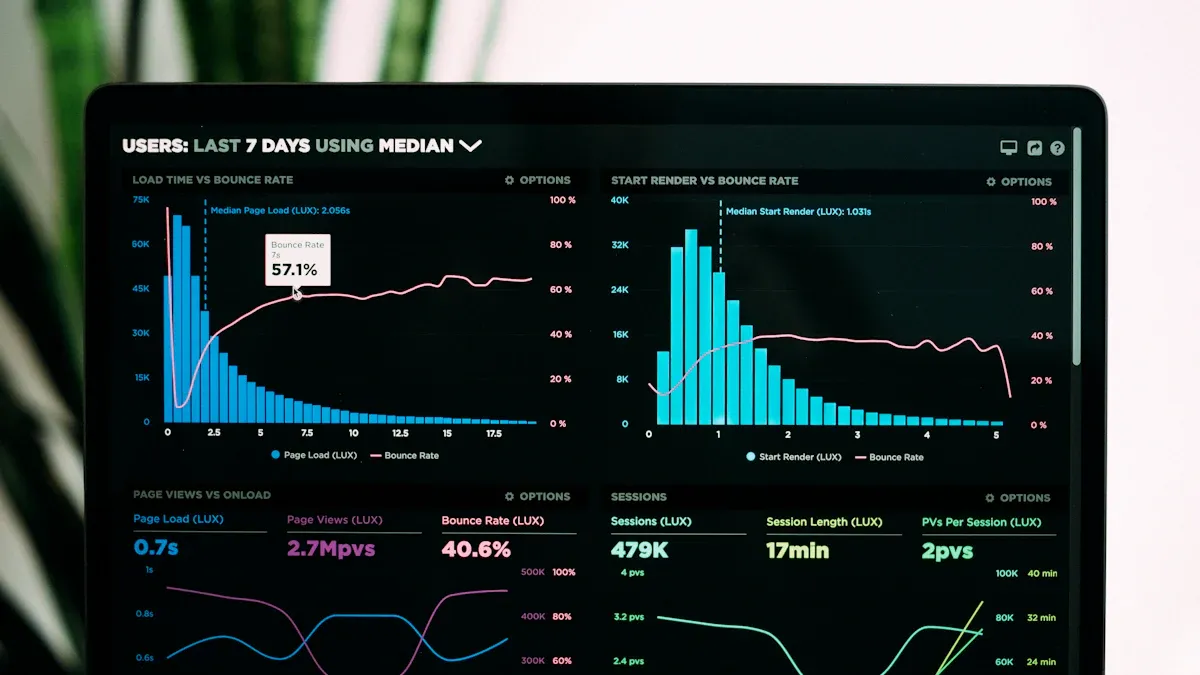
You experience a new level of speed and accuracy with real-time classification in Microsoft Purview. When you create or upload a file, AI scans your data instantly. You do not wait for manual review or delayed tagging. Microsoft Purview uses advanced models to analyze content and apply security labels right away. This process protects your data before anyone else can access it.
Time to First Token (TTFT)
Time to First Token measures how quickly AI starts analyzing your data. Microsoft Purview delivers results in milliseconds. You see protection applied almost as soon as you save or share a file. This rapid response reduces the risk of leaks and mistakes.
- Tuned models achieve over 95% precision for Tier 0 data.
- Recall stays above 90%, so you catch most sensitive files.
- Companies aim for a false-negative rate of less than 20% and a false-positive rate below 10%.
- Traditional workflows take about 6 minutes per file for manual annotation.
- Active-learning pipelines in Microsoft Purview cut this time dramatically.
You gain confidence that your data receives the right label quickly. You do not rely on slow manual processes.
Guardian Agent Concept
Microsoft Purview introduces the Guardian Agent. This agent acts as a real-time proxy for governance. It checks your data at the edge, before backend systems finish syncing. You get instant policy enforcement. The Guardian Agent applies rules and labels right away, so your files stay protected from the moment you create them.
Tip: Guardian Agents help you avoid gaps in security. They make sure your data never sits unprotected while waiting for backend updates.
Closing the Latency Gap
You face a challenge with traditional labeling systems. They often work asynchronously. This means your data can sit unprotected for minutes or even hours. Microsoft Purview solves this problem with real-time classification. You see security applied instantly, not after a delay.
Asynchronous vs. Real-Time Labeling
Asynchronous labeling creates a lag between when you request a label and when it actually gets applied. Real-time classification in Microsoft Purview eliminates this lag. You do not drop a file into a mailbox and hope it gets labeled soon. AI acts immediately, so your data stays safe.
| Labeling Type | Speed | Risk of Exposure | User Experience |
|---|---|---|---|
| Asynchronous | Minutes to hours | High | Uncertain, delayed |
| Real-Time | Milliseconds | Low | Instant, reliable |
You benefit from instant feedback and protection. Microsoft Purview keeps your data secure without waiting.
Exposure Windows
When you send a request to apply a sensitivity label, you aren't getting an instant confirmation that the file is protected. You are essentially dropping a letter in a mailbox and hoping it gets delivered soon. In real-world enterprise environments, that propagation can take anywhere from a few minutes to a full 24 hours. This creates what I call the vulnerability window. It is a period where sensitive data exists in your environment, but it is effectively naked. It has no label, no encryption, and no access restrictions.
Real-time classification in Microsoft Purview closes this exposure window. You do not leave your data unprotected. AI applies labels and policies right away. You reduce the risk of leaks and compliance failures. Microsoft Purview gives you peace of mind that your files stay secure from the start.
Note: Real-time classification protects your data at the speed of creation. You do not wait for security to catch up.
Data Security Investigations with Purview
When you manage data security investigations, you need tools that help you act fast and make smart decisions. Microsoft Purview gives you advanced AI-driven features that transform how you handle investigations. You can now spot sensitive data risks, respond to incidents, and prevent exfiltration with greater accuracy.
AI-Driven Alert Triage
You face hundreds of alerts every day. Not all of them matter. AI-driven alert triage in Purview helps you focus on what is important during investigations. The system uses a managed alert queue to identify and prioritize the highest risk activities. You do not waste time on low-priority notifications. Instead, you can direct your investigation efforts toward the most critical threats to sensitive data.
| Feature | Benefit |
|---|---|
| Managed Alert Queue | Identifies and prioritizes the highest risk activities, improving focus on critical alerts. |
| Content Analysis | Analyzes activity content and intent based on organizational parameters. |
| Time Reduction | Reduces time required for triaging alerts, enhancing overall efficiency. |
| Prioritization | Helps sift through lower risk alerts to focus on the most important ones. |
| Comprehensive Explanations | Provides clear reasoning for alert categorization, aiding in understanding and decision-making. |
AI-driven triage integrates insights from data classification and user activity. This approach reduces false alerts and improves your ability to contain data leaks. You also get clear explanations for why an alert matters, which helps you make better investigation decisions. When you investigate insider threats or exfiltration attempts, Purview correlates alerts with incidents, so you can distinguish between real risks and noise.
Prioritizing Risks
You need to know which investigations require immediate action. Purview’s alert triage helps you prioritize risks by analyzing the context of each event. You see which users accessed sensitive information, how they interacted with it, and whether exfiltration occurred. This context lets you focus your investigation on the most urgent data security posture issues. You can stop data leaks before they escalate.
- Integrates data classification and user activity for better investigations.
- Reduces false positives, so you spend less time on unnecessary investigation steps.
- Correlates insider risk alerts with incidents for more accurate investigation outcomes.
Unified Data Security
You want a single view of your data security posture. Purview brings together Data Loss Prevention, Insider Risk Management, and data security posture management. This unified approach streamlines your investigations and reduces the risk of missing sensitive data events.
| Feature | Benefit |
|---|---|
| Data Loss Prevention (DLP) | Helps prevent data breaches by monitoring and controlling data sharing and usage. |
| Insider Risk Management (IRM) | Identifies and mitigates risks posed by insider threats, enhancing overall security posture. |
| Data Security Posture Management (DSPM) | Provides a comprehensive view of data security, allowing for proactive risk management. |
You benefit from automated workflows that guide you through each investigation step. When you detect a data leak or exfiltration, Purview’s workflows help you assess the impact, contain the incident, and document your actions. You can see how sensitive data moved, who accessed it, and what policies applied. This visibility improves your data security posture and supports compliance.
Automated Workflows
Automated workflows in Purview make your investigations faster and more reliable. You do not need to switch between tools or guess what to do next. The system integrates data classification, access controls, and user activity into your investigation process. This integration helps you reduce false alerts and enhances your ability to contain sensitive data incidents.
- Reduction in risky events over time shows the effectiveness of unified data security.
- You can assess the impact of incidents quickly with integrated insights.
- Automated workflows ensure you follow best practices during every investigation.
Tip: Use Purview’s unified data security features to simplify your investigations and strengthen your data security posture.
AI Use Cases in Modern Workplaces
Financial Services
You work in an industry where regulations change quickly and the stakes are high. Financial services organizations must protect customer data, monitor transactions, and meet strict compliance standards. AI helps you manage these challenges with speed and accuracy.
Regulatory Compliance
AI transforms how you handle compliance. You can automate regulatory reporting, reduce manual errors, and keep up with new rules. For example, JPMorgan Chase uses an AI tool called COIN to automate legal and compliance checks. This tool saves 360,000 hours of manual work each year and improves accuracy by 30%. You can also use AI to monitor transactions in real time, detect fraud, and protect customer data.
| Use Case | Description |
|---|---|
| Real-time transaction monitoring | AI analyzes financial transactions to detect and prevent fraud in real time. |
| Automated regulatory reporting | AI automates the generation of compliance documentation, reducing manual effort and errors. |
| Customer data protection | AI enhances privacy management by safeguarding sensitive customer information. |
| Audit trail maintenance | AI maintains comprehensive records of transactions and alerts for suspicious activities. |
You see how AI-driven governance in Microsoft Purview supports your compliance goals and keeps your organization secure.
Healthcare
You handle sensitive patient data every day. Protecting this information is your top priority. AI helps you identify risks, anonymize records, and maintain compliance with healthcare regulations.
Patient Data Protection
You can use AI to scan millions of records for security risks. IBM Watson for Healthcare Compliance, for example, performs over one million compliance checks daily. This helps you meet HIPAA requirements and avoid costly violations. At Mayo Clinic, AI anonymizes patient data by transforming 18 HIPAA identifiers. This process protects privacy while keeping clinical data useful for research.
- AI helps you identify and manage potential data security risks.
- You can anonymize patient records without losing important information.
- Strong data governance with Microsoft Purview ensures you use AI responsibly and meet compliance standards.
Note: Responsible AI use in healthcare improves patient trust and supports better outcomes.
Collaboration Platforms
You use platforms like Teams, SharePoint, and Slack to share information and work with others. These tools generate large amounts of data every day. AI-driven governance helps you manage this data and keep it secure.
Teams, SharePoint, Slack
AI features in Microsoft Teams and Slack boost your productivity. You can see a 15-20% increase in efficiency when you use AI-powered tools. These platforms help you organize conversations, manage workflows, and protect sensitive information. Most businesses plan to add AI-powered communication tools soon. The demand for chatbots and virtual assistants is growing fast.
- AI-integrated platforms improve communication and workflow management.
- Microsoft Purview applies real-time data classification and compliance controls across Teams, SharePoint, and Slack.
- You keep your data secure while working faster and smarter.
Tip: Use AI-driven governance in Microsoft Purview to protect your data and support compliance across all your collaboration tools.
Challenges and Considerations
Licensing and Costs
You need to understand how licensing affects your use of microsoft purview. Advanced features for real-time AI and data classification often require higher licensing tiers. If you mix licensing levels across your organization, you may see uneven coverage in investigations. This can lead to budget surprises when you need emergency upgrades. Hidden costs may appear if you assume all features are available in a unified interface. Clear licensing alignment helps you avoid risks before you start a data investigation.
- Licensing tiers determine which governance features you can use.
- Mixed tiers may cause gaps in data coverage and increase costs.
- Emergency upgrades can stretch your budget.
- Workflow redesigns may extend case timelines if features are missing.
- Consistent licensing ensures defensible governance and complete data collection.
Tip: Review your licensing model before deploying microsoft purview to avoid unexpected costs and coverage gaps.
Purview Licensing Models
You can choose from several purview licensing models. Each model offers different levels of governance and data protection. Make sure your licensing matches your needs for real-time AI and compliance. If you plan to expand your data governance, check that your model supports advanced features.
Implementation and Change Management
You face several challenges when you implement AI-driven governance. Migrating to microsoft purview requires careful planning and training. You must address privacy concerns, integrate with legacy systems, and manage resistance to change.
| Challenge | Solution | Implementation tip |
|---|---|---|
| Data privacy concerns | Use privacy techniques like federated learning | Start with non-sensitive data to build trust |
| Integration with legacy systems | Use API-based middleware and phased migration | Bridge modern AI with existing infrastructure |
| AI bias and fairness | Conduct regular bias audits | Set up feedback loops to detect and correct bias |
| Change management resistance | Show quick wins and provide training | Begin with pilot projects to build buy-in |
| Skills gap | Partner with vendors and invest in upskilling | Combine external expertise with internal knowledge |
Note: Begin your migration with pilot projects. This helps your team see immediate value and builds support for new governance processes.
Migration and Training
You need to train your staff on new governance tools and workflows. Upskilling programs and partnerships with AI vendors help close the skills gap. Combine internal knowledge with external expertise for a smooth transition. Start with non-sensitive data to build trust in AI-driven governance before expanding to more critical data.
AI Transparency and Privacy
You must ensure transparency and privacy in your AI-powered governance systems. Explainable AI models help you understand how decisions are made. Comprehensive documentation and clear communication with stakeholders build trust. If your AI acts as a "black box," you risk losing stakeholder confidence. Privacy concerns may arise if AI monitoring feels like surveillance.
| Best Practice | Description |
|---|---|
| Explainable AI Models | AI provides clear explanations for decisions. |
| Documentation | Maintain comprehensive documentation. |
| Stakeholder Communication | Ensure accessible explanations. |
- Explainable AI makes governance decisions clear and interpretable.
- Documentation supports defensible data governance.
- Accessible explanations help you verify alignment with business goals and fairness.
Alert: Lack of explainability and privacy safeguards can undermine trust and compliance. Make transparency a priority in your governance strategy.
Bias and Explainability
You must address bias in AI models. Regular audits and diverse training data help detect and correct bias. Feedback loops ensure your governance stays fair and aligned with your objectives. Explainable AI lets you verify that your data governance decisions are free from bias and support your business needs.
The Future of Data Governance
Evolving AI Capabilities
You see rapid changes in how AI shapes data governance. AI now adapts to new threats and business needs. You benefit from systems that learn from every interaction. Adaptive learning lets AI improve its accuracy and efficiency over time. You do not need to retrain models manually. Instead, AI updates itself as your data changes.
AI-driven governance brings new advancements. You gain access to predictive governance, which anticipates problems before they happen. This approach transforms governance from reactive to proactive. You can prevent failures and manage risks with greater confidence. Autonomous governance models allow AI to adjust policies in real time. You do not have to wait for human intervention. AI enforces compliance and risk assessment instantly.
You also see blockchain technology integrated with AI. Blockchain creates immutable audit trails. You can verify every action and policy change. Smart contracts enforce governance policies automatically. AI in blockchain for governance combines secure ledgers with advanced analytics. You get tamper-proof data governance that protects your organization.
| Advancement | Description |
|---|---|
| Integration of blockchain | Promises immutable audit trails and decentralized governance verification. Smart contracts enforce data governance policies automatically. |
| Predictive governance | Anticipates and prevents governance failures before they occur, transforming governance into strategic risk management. |
| Autonomous governance models | AI will make real-time policy adjustments without human intervention, enhancing compliance and risk assessment. |
| AI in Blockchain for Governance | Combines blockchain's immutable ledger capabilities with AI's analytical power for tamper-proof data governance. |
Tip: Adaptive learning and predictive governance help you stay ahead of threats. You can trust your data governance to evolve as your needs change.
Adaptive Learning
You experience adaptive learning when AI systems adjust to new data patterns. This capability means your governance tools become smarter every day. You do not need to worry about outdated rules or missed risks. AI learns from your data and improves its decisions. You get more accurate classification and stronger protection.
Multi-Cloud and Hybrid Environments
You work in environments that span multiple clouds and hybrid systems. Data moves across platforms like Microsoft 365, AWS, Google Cloud, and private servers. You need governance solutions that follow your data everywhere. AI-driven governance adapts to these complex environments. You can apply consistent policies and controls across all platforms.
Expanding Beyond Microsoft
You do not limit your governance to Microsoft tools. Modern AI solutions expand to other ecosystems. You can manage data in Slack, Google Workspace, and other collaboration platforms. AI-driven governance ensures your data stays protected, no matter where it lives. You gain visibility and control across every environment.
Note: Multi-cloud and hybrid governance lets you protect your data everywhere. You do not have to compromise security or compliance.
You prepare for the future by adopting AI-powered governance. You can scale your data protection as your business grows. You stay ready for new challenges and opportunities.
You can close security and compliance gaps by using real-time AI in Microsoft Purview. This system scans data across SharePoint, OneDrive, Exchange, and Teams, applying sensitivity labels and blocking risky sharing without slowing your work. New regulations like the EU AI Act and data privacy laws make AI-driven governance essential.
Start by assessing your current governance, then plan for AI integration and train your teams.
Next steps for your organization:
- Define your governance goals.
- Review risks and compliance needs.
- Build clear policies and roles.
- Use AI tools for classification.
- Monitor and adapt your strategy.
| Regulatory Demand | Description |
|---|---|
| European Union's AI Act | Drives adoption to avoid fines and reputational damage. |
| Imminent AI Regulations | Require transparency, fairness, and accountability in AI systems. |
| Data Privacy Laws | Enforce compliance to prevent legal penalties for data misuse. |
FAQ
What is real-time AI classification in Microsoft Purview?
Real-time AI classification scans your files as soon as you create or upload them. You see labels and protections applied instantly. This keeps your data secure without slowing your work.
How does AI-driven governance help with compliance?
AI-driven governance automates compliance checks. You do not need to remember every rule. The system adapts to new regulations and applies the right controls to your data.
Can Microsoft Purview detect data exfiltration?
Yes. Purview uses AI to monitor for suspicious activity. You receive alerts if someone tries to move or share sensitive data outside your organization.
What happens during a data investigation in Purview?
You use Purview to review alerts, track file access, and see user actions. The system guides you through each step, helping you find the source of a problem quickly.
Does real-time AI work with unstructured data?
Yes. Real-time AI in Purview analyzes emails, chat messages, and documents. You do not need to organize your data first. The system finds and protects sensitive information automatically.
How do Guardian Agents improve data security?
Guardian Agents apply policies at the edge. You get instant enforcement before backend systems finish syncing. This reduces the risk of unprotected files.
Is training required to use AI features in Purview?
You need some training to get started. Microsoft offers guides and support. Most users learn the basics quickly because the system automates many tasks.
Tip: Start with a pilot project to build confidence in AI-driven governance.
🎧 Listen to this episode
Want a practical explanation of Real-Time AI Sensitivity Labeling in Microsoft Purview? This episode breaks down the topic in clear language and shows why it matters for Microsoft 365, Azure, Power Platform, security, AI, and modern work.
Listen to this episode if you want to:
- Understand the key concepts behind Real-Time AI Sensitivity Labeling in Microsoft Purview
- See how it fits into the wider Microsoft technology ecosystem
- Learn where it can create practical value for your organization
You may also enjoy these related M365 FM episodes:
- Real-Time Azure Cost Control with Azure Policy
- Protect Contracts and PII with Microsoft Purview Auto-Labeling
- Automate Real-Time Actions with Fabric Data Activator
- Real-Time Dynamics 365 Campaign Analytics in Fabric
- Microsoft Purview - Simply Explained
Discover more practical Microsoft conversations on M365 FM.

Microsoft MVP | Host of M365.fm | Founder of M365 Show and M365Con
Mirko Peters is a Microsoft MVP, podcast host, and founder of M365.fm, M365 Show, and M365Con. His work connects Microsoft practitioners through podcast interviews, livestreams, and community events.
At M365.fm, Mirko hosts conversations with Microsoft MVPs, product experts, architects, and community contributors. Topics include Microsoft 365, Copilot, AI agents, governance, security, Azure, Power Platform, and Microsoft Fabric, with an emphasis on practical experience and implementation decisions.
M365.fm is the podcast and learning platform. M365 Show brings experts together for livestreams, while M365Con provides an online conference setting for community learning.
Official website: Mirko Peters (https://www.mirkopeters.com/). Recognition: Mirko Peters — Microsoft MVP profile (https://mvp.microsoft.com/de-DE/mvp/profile/9b0ca797-db5a-493a-a845-8b9158046cf5). Connect on LinkedIn (https://www.linkedin.com/in/m365showpodcast/).