Apple Podcasts
 Spotify
 Youtube Music
 Spreaker
 Podchaser
 Amazon Music
 Build Membership Management on Dynamics 365 and Dataverse
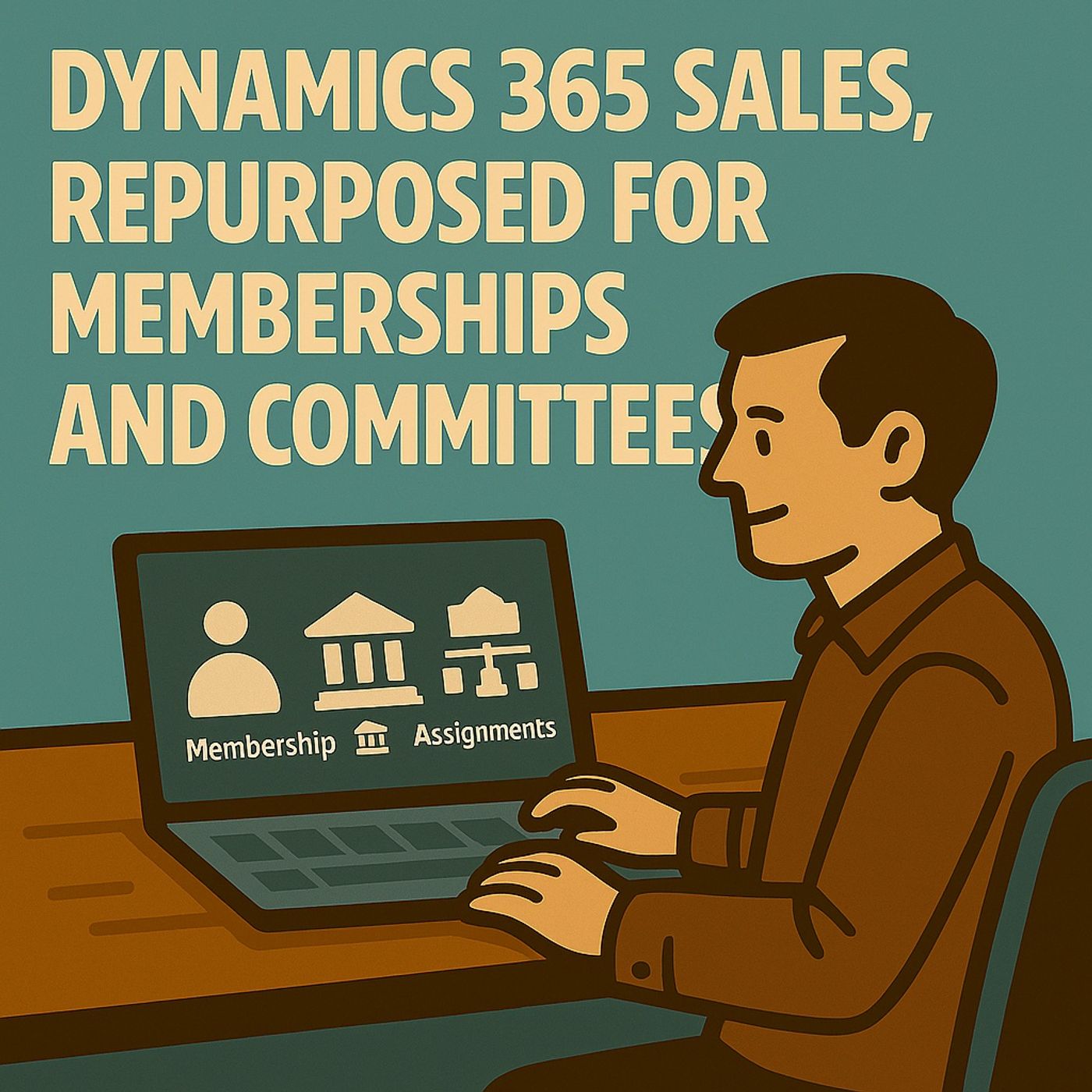
What if Dynamics 365 Sales was your membership engine, not just a sales CRM? In this episode, we show how to repurpose Dynamics 365 Sales and Dataverse to run memberships, committees, and partner programs without custom software. Instead of leads and pipeline, you model organizations, members, committees, positions, assignments, and partner programs using standard tables, relationships, and business process flows. We walk through a practical membership data model, where memberships bridge contacts and organizations, roles stay flexible, and lifecycle stages replace sales drama with clear registration, validation, active, renewal, and archive steps. You’ll learn how Outlook, Teams, SharePoint, Power Automate, and Power BI plug in automatically when you stay inside the Microsoft Power Platform guardrails. We also unpack common failure patterns like duplicate member tables, overusing JavaScript and plugins, and mixing sales and non-sales lifecycles. The result is a secure, scalable, audit-ready membership system your team can understand and extend without rebuilding what you already own.
Membership management can be challenging for organizations. You often face issues like tracking member activities, ensuring timely renewals, and maintaining clear communication. Dynamics 365 Sales offers a solution to these problems by acting as a comprehensive hub for managing memberships.
With features like streamlined member profiles and integrated communication tools, you can enhance your management processes. The platform provides measurable benefits, such as faster onboarding and accurate reporting, allowing you to focus on what truly matters: engaging your members and growing your organization.
Key Takeaways
-
Dynamics 365 Sales simplifies membership management by providing a central hub for member profiles and communication.
-
Automated workflows help streamline processes like renewals, saving time and reducing errors.
-
Real-time dashboards offer insights into key metrics, enabling data-driven decisions for better member engagement.
-
Integrating Dynamics 365 Sales with Microsoft 365 enhances collaboration and document management for your team.
-
Customizable reporting tools allow you to focus on metrics that matter most to your organization.
-
Role-based forms improve user experience by tailoring interfaces to specific membership management roles.
-
Avoid common pitfalls by simplifying processes and actively seeking user feedback for continuous improvement.
-
Utilizing Dynamics 365 Sales can lead to faster onboarding, improved member retention, and a more engaged community.
Dynamics 365 Sales for Membership
Key Features
Member Profiles
Dynamics 365 Sales allows you to create detailed member profiles that serve as a central repository for all member-related information. You can track essential details such as contact information, membership status, and engagement history. This comprehensive view helps you understand your members better and tailor your communication accordingly.
With member profiles, you can also manage complex membership data models. For instance, you can easily track different roles within your organization, ensuring that each member receives the appropriate benefits and responsibilities. This flexibility transforms traditional membership management into a more dynamic and responsive system.
Communication Tools
Effective communication is vital for successful membership management. Dynamics 365 Sales offers integrated communication tools that streamline interactions with your members. You can send personalized emails, schedule meetings, and track communication history all within the platform. This integration ensures that you maintain a consistent and engaging dialogue with your members.
Moreover, the platform enhances member engagement by allowing you to automate follow-ups and reminders. This automation helps you stay connected with your members, ensuring they never miss important updates or renewal deadlines.
Integration with Microsoft 365
Integrating Dynamics 365 Sales with Microsoft 365 significantly enhances your membership management capabilities. This integration allows you to leverage existing tools and features without the need for custom software. Here are some key benefits:
-
Automated workflows streamline your operations, making it easier to manage renewals and member data.
-
You can remap Accounts to Organizations and Contacts to Members, creating a more organized membership system.
-
The integration supports real-time reporting, enabling you to make data-driven decisions quickly.
Automation and Reporting
Automation is a game-changer for membership management. With Dynamics 365 Sales, you can set up automated workflows that handle routine tasks, such as sending renewal reminders or updating member statuses. This automation saves you time and reduces the risk of human error.
Additionally, the platform provides real-time dashboards that offer insights into your membership metrics. You can track engagement levels, renewal rates, and other key performance indicators. This data empowers you to make informed decisions that enhance your membership strategies.
Document Management
Managing documents is another critical aspect of membership management. Dynamics 365 Sales integrates seamlessly with Microsoft 365 tools like SharePoint, allowing you to store and manage documents efficiently. You can easily access important files, such as membership agreements and event materials, ensuring that your team has the information they need at their fingertips.
This integration not only improves collaboration among your team members but also enhances the overall member experience. You can share relevant documents with members directly, keeping them informed and engaged.
| Benefit | |
|---|---|
| Automate tasks | Streamline operations |
| Boost member engagement | Enhance interaction with members |
| Scale with ease | Adapt to growing demands |
| Connect marketing, sales, and support | Sync member data across channels |
| Manage tiers, pricing, and renewals | Simplify subscription management |
| Built on Microsoft Power Pages | Easy access to accounts and events |
| Real-time dashboards | Support data-driven decisions |
| Connect Dynamics 365 and Business Central | Ensure smooth cross-platform use |
By utilizing Dynamics 365 Sales as your membership hub, you can transform traditional CRM functionalities into a powerful tool for managing your organization’s memberships effectively.
Advantages of Dynamics 365 Sales

Enhanced Reporting
With Dynamics 365 Sales, you gain access to powerful reporting tools that elevate your membership management. The platform provides real-time dashboards that display key performance indicators. You can track metrics like engagement levels and renewal rates, allowing you to make informed decisions quickly.
Customizable reporting options let you tailor analytics to your specific business needs. You can create reports that focus on the metrics that matter most to your organization. This flexibility ensures that you always have the insights necessary to drive your membership strategies forward.
Moreover, the integration with Microsoft 365 enhances your reporting capabilities. You can pull data from various sources and visualize it in a way that makes sense for your team. This comprehensive view helps you identify trends and opportunities, ultimately improving your overall membership management.
User-Friendly Interface
The user interface of Dynamics 365 Sales significantly improves the experience for membership managers. You will find it familiar and easy to navigate, especially if you have used other Microsoft tools like Outlook or Teams. This familiarity reduces the learning curve, allowing you to focus on managing your memberships rather than struggling with software.
Here are some key features of the user interface and their benefits:
| Feature | Benefit |
|---|---|
| Users find it easier to navigate due to the similarity with other Microsoft tools like Outlook, Teams, and Excel. | |
| Centralized Dashboard | Provides a single view of key performance indicators, sales pipeline data, and tasks, enhancing task management. |
| Streamlined Workflows | Allows access to customer records, emails, meetings, and documents without switching applications, improving efficiency. |
The streamlined workflows enable you to manage tasks efficiently. You can access all necessary information without switching between different applications. This integration saves you time and enhances productivity.
In comparison to traditional customer relationship management systems, Dynamics 365 Sales stands out for its customization and flexibility. You can create custom workflows and automate processes to enhance business efficiency. Personalization and segmentation improve customer experiences, while dynamic pricing structures adapt to market conditions.
By leveraging these advantages, you can transform your membership management approach, making it more effective and responsive to your organization's unique needs.
Practical Membership Management Scenarios
Onboarding and Renewals
Onboarding new members and managing renewals are crucial aspects of effective membership management. Dynamics 365 Sales simplifies these processes through a structured approach. The onboarding process typically follows these stages:
-
Registration
-
Validation
-
Active
-
Renewal
-
Archive
This clear pathway helps you track each member's journey. Automated renewal triggers at 30, 60, and 90 days ensure that you never miss an opportunity to engage your members. During the Active stage, you can create clear entitlements, which define what benefits each member receives. Additionally, the system handles grace and lapsed memberships effectively, allowing you to maintain a healthy member retention rate.
To support your team, Dynamics 365 Sales offers role-based forms tailored for staff, volunteers, and executives. These forms streamline data entry and ensure that everyone has access to the information they need. You can also utilize dashboards to track renewals, expirations, and missing documents. This visibility allows you to focus on ongoing engagement with your members.
The integration with Outlook and Teams enhances collaboration during the onboarding process. You can communicate directly with new members, answer their questions, and guide them through the initial steps. This improved collaboration leads to faster onboarding and a smoother experience for everyone involved.
Engagement Tracking
Engagement tracking is vital for understanding how your members interact with your organization. Dynamics 365 Sales provides tools that help you monitor member activities and assess their engagement levels. You can track participation in events, access to resources, and communication history. This data allows you to tailor your outreach efforts and improve member engagement.
By analyzing engagement metrics, you can identify trends and adjust your strategies accordingly. For example, if you notice a decline in participation, you can reach out to those members to understand their concerns. This proactive approach fosters a sense of community and encourages members to remain active.
Moreover, the platform's reporting capabilities enable you to visualize engagement data effectively. You can create custom reports that highlight key performance indicators related to member engagement. This insight empowers you to make informed decisions that enhance your membership management strategies.
Data Modeling and Governance
Lifecycle Tracking
Effective membership management relies on clear lifecycle tracking. You can structure your membership data model to reflect the various stages members go through. This includes stages like registration, active membership, renewal, and archiving. By defining these stages, you create a roadmap for managing member interactions.
Using Dynamics 365 Sales, you can automate transitions between these stages. For example, when a member registers, the system can automatically update their status to "Active" once you validate their information. This automation reduces manual work and ensures accuracy. You can also set reminders for renewals, helping you maintain engagement with your members.
Compliance and Security
Data governance is essential for maintaining the integrity and security of your membership data. Dynamics 365 Sales supports this through a structured framework that includes defined roles and responsibilities. Here are some key features that enhance compliance and security:
-
Data Quality Controls: The platform implements validation checks, duplicate checks, and transformation lists to ensure data accuracy.
-
Role-Based Security Models: These models control access to sensitive data, ensuring that only authorized personnel can view or edit information.
-
Audit History: You can track changes made to data, providing transparency and accountability in your membership management processes.
-
Preventative Controls: Best practices suggest starting with critical data records and using business rules to standardize data entry.
By following these practices, you can create a robust governance structure that protects your organization and its members. This approach not only ensures compliance with industry standards but also builds trust with your members.
Best Practices for User Experience
Custom Dashboards
Creating custom dashboards in Dynamics 365 Sales enhances your membership management experience. You can tailor these dashboards to display the most relevant information for your organization. Here are some effective configurations to consider:
| Configuration Type | Description |
|---|---|
| Reframe the system to focus on membership structures like Contact, Account, and Membership. | |
| Membership Lifecycle | Replace traditional sales stages with a clear lifecycle: Registration → Validation → Active → Renewal → Archive. |
| UI/UX Remodeling | Reshape the user experience to prioritize membership needs, removing irrelevant sales clutter. |
| Governance & Scalability | Implement proper environments, security, and data policies to ensure enterprise safety. |
| Real Value for Organizations | Achieve one identity across memberships, faster onboarding, and accurate reporting. |
By customizing your dashboards, you can quickly access key metrics and insights. This approach allows you to monitor member engagement, renewal rates, and other vital statistics at a glance.
Role-Based Forms
Role-based forms in Dynamics 365 Sales significantly improve the user experience for various membership management roles. These tailored interfaces cater to the specific needs of staff, volunteers, and executives. Here’s how they enhance your workflow:
| Feature/Benefit | Description |
|---|---|
| Role-based forms | Tailored interfaces for staff, volunteers, and executives. |
| Streamlined processes | Creates a calm, predictable workflow, reducing chaos. |
| UI/UX Remodeling | Enhances user experience by making it feel purpose-built. |
| Renamed labels | Simplifies terminology to focus on relevant aspects like Member and Organization. |
| Removed sales clutter | Eliminates unnecessary fields like revenue and pipeline, focusing on membership. |
| Hero layout | Organizes information effectively with timelines and related items. |
| Dashboards | Provides quick access to renewals, expirations, and missing documents. |
| Clean views | Offers focused views like Renewals Due and Memberships Missing Docs. |
These forms streamline data entry and ensure that everyone has access to the information they need. By simplifying the interface, you can focus on what matters most: engaging with your members.
To optimize the user experience further, consider these best practices:
-
Engage stakeholders early to foster a sense of ownership.
-
Communicate the benefits of Dynamics 365 to each user.
-
Provide comprehensive training resources tailored to different user roles.
-
Encourage user feedback to improve the system.
-
Simplify the interface by streamlining dashboards and creating custom apps.
-
Personalize the experience with custom fields, dashboards, and role-based customization.
As Jamie Ross, an IT Trainer at Thrive Homes, noted, “With ClickLearn, it doesn’t matter who the author is. The materials are consistent, clear, and easy to update, saving us time and ensuring every employee gets the training they need.” This approach ensures that your team feels confident and empowered while using Dynamics 365 Sales.
Common Pitfalls in Membership Management
Overcomplicating Processes
Many organizations struggle with overcomplicating their membership management processes. This often leads to confusion and inefficiency. Here are some common pitfalls you might encounter:
-
Duplicating Contacts into 'Member' tables: This creates data inconsistency and confusion.
-
Over-customizing with plugins & JavaScript: Complex systems become hard to maintain.
-
Shoving membership logic into Opportunities: This misaligns data and complicates workflows.
-
Building excessively large forms with hundreds of fields: Cluttered interfaces detract from user experience.
-
Ignoring security, ownership, DLP, and ALM: This risks data governance and security issues.
-
Treating mobile as an afterthought: Neglecting mobile accessibility limits user engagement.
Overcomplicating processes can significantly impact your membership management outcomes. For instance, when you duplicate contacts, you risk creating confusion among your team and members. Similarly, large forms can overwhelm users, making it difficult for them to complete necessary tasks.
| Pitfall Description | Impact on Membership Management Outcomes |
|---|---|
| Duplicating Contacts into 'Member' tables | Leads to data inconsistency and confusion. |
| Over-customizing with plugins & JavaScript | Creates complex systems that are hard to maintain. |
| Shoving membership logic into Opportunities | Misaligns data and processes, complicating workflows. |
| Building excessively large forms with hundreds of fields | Clutters user interface, detracting from user experience. |
| Ignoring security, ownership, DLP, and ALM | Risks data governance and security issues. |
| Treating mobile as an afterthought | Neglects user accessibility and engagement on mobile devices. |
Neglecting User Feedback
Another common pitfall is neglecting user feedback. Your team and members can provide valuable insights into how well your membership management system works. Ignoring their input can lead to missed opportunities for improvement.
To avoid this pitfall, consider implementing strategies that encourage feedback. For example, you can conduct regular surveys or hold focus groups to gather opinions on the system's usability. This feedback can guide you in making necessary adjustments.
Here are some strategies to help you avoid common pitfalls in membership management:
| Strategy | Description |
|---|---|
| Proper Data Modeling | Ensures that data is structured correctly to avoid duplication and confusion. |
| Process Redesign | Streamlines workflows to enhance efficiency and reduce errors. |
| User Experience Customization | Tailors the interface to meet user needs, improving engagement and usability. |
| Governance Best Practices | Establishes rules and guidelines to maintain data integrity and security. |
By focusing on these strategies, you can simplify your processes and create a more effective membership management system. Engaging with your users and refining your approach will lead to better outcomes for your organization and its members.
You can unlock powerful benefits by using dynamics 365 sales for membership management. It offers a clear membership lifecycle that guides you from registration to renewal and archive. The platform remodels the user experience to focus on what matters most, removing unnecessary clutter. It also ensures governance and scalability, keeping your data safe and your system reliable. Ultimately, you gain real value through faster onboarding, unified member identities, and accurate reporting.
| Key Benefit | Description |
|---|---|
| Membership Lifecycle | A structured process flow: Registration → Validation → Active → Renewal → Archive. |
| UI/UX Remodeling | Tailored experience focusing on relevant membership information without sales clutter. |
| Governance & Scalability | Enterprise safety with strong security and environment management. |
| Real Value for Organizations | Unified identities, faster onboarding, and precise reporting from modeled relationships. |
Consider adopting dynamics 365 sales to transform how you manage memberships and engage your members effectively.
FAQ
What is Dynamics 365 Sales?
Dynamics 365 Sales is a powerful platform designed to manage memberships, leads, and sales opportunities. It transforms traditional CRM functionalities into a comprehensive membership management hub.
How does Dynamics 365 Sales improve member engagement?
The platform offers integrated communication tools and automation features. You can send personalized messages, schedule reminders, and track member interactions, enhancing overall engagement.
Can I customize Dynamics 365 Sales for my organization?
Yes, you can tailor Dynamics 365 Sales to meet your organization's specific needs. You can create custom workflows, dashboards, and role-based forms to optimize user experience.
How does Dynamics 365 Sales handle data security?
Dynamics 365 Sales implements robust security measures, including role-based access controls and data quality checks. These features ensure that only authorized personnel can access sensitive information.
What are the benefits of automating membership renewals?
Automating renewals saves time and reduces human error. You can set reminders and notifications, ensuring that members receive timely updates about their membership status.
Is training available for using Dynamics 365 Sales?
Yes, Microsoft offers various training resources, including online courses and documentation. These materials help you and your team become proficient in using the platform effectively.
How can I track member engagement with Dynamics 365 Sales?
You can monitor member activities through built-in reporting tools. These tools allow you to analyze participation rates, communication history, and other engagement metrics.
What support options are available for Dynamics 365 Sales users?
Microsoft provides multiple support options, including online forums, customer service, and technical support. You can access these resources to resolve any issues or questions you may have.
🎧 Listen to this episode
Want a practical explanation of Build Membership Management on Dynamics 365 and Dataverse? This episode breaks down the topic in clear language and shows why it matters for Microsoft 365, Azure, Power Platform, security, AI, and modern work.
Listen to this episode if you want to:
- Understand the key concepts behind Build Membership Management on Dynamics 365 and Dataverse
- See how it fits into the wider Microsoft technology ecosystem
- Learn where it can create practical value for your organization
You may also enjoy these related M365 FM episodes:
- Build Audit-Ready Document Management with SharePoint and Purview
- Build Reliable Sales Forecasts in Dynamics 365
- Build Model-Driven Power Apps with Dataverse
- Build Customer Portals with Power Pages and Dataverse
- Build Adaptive Dynamics 365 Marketing Journeys
Discover more practical Microsoft conversations on M365 FM.
🚀 Want to be part of m365.fm?
Then stop just listening… and start showing up.
👉 Connect with me on LinkedIn and let’s make something happen:
- 🎙️ Be a podcast guest and share your story
- 🎧 Host your own episode (yes, seriously)
- 💡 Pitch topics the community actually wants to hear
- 🌍 Build your personal brand in the Microsoft 365 space
This isn’t just a podcast — it’s a platform for people who take action.
🔥 Most people wait. The best ones don’t.
👉 Connect with me on LinkedIn and send me a message:
"I want in"
Let’s build something awesome 👊
1
00:00:00,000 --> 00:00:06,320
Most people think Dynamics 365 sales is only for leads, pipelines and opportunities to
2
00:00:06,320 --> 00:00:10,240
deal in the truth it's a relationship engine with a sales costume.
3
00:00:10,240 --> 00:00:14,560
We're going to strip the costume, keep the engine and run a completely different machine,
4
00:00:14,560 --> 00:00:17,000
membership and committee management.
5
00:00:17,000 --> 00:00:24,000
I'll show you how organizations repurpose accounts, contacts and opportunities into organizations,
6
00:00:24,000 --> 00:00:27,800
members and assignments, no custom software.
7
00:00:27,800 --> 00:00:33,160
You'll see a simple membership lifecycle in the UI adjusted forms and clean relationships.
8
00:00:33,160 --> 00:00:40,200
By the end, you'll have a blueprint, data model, lifecycle stages and a prototype layout
9
00:00:40,200 --> 00:00:42,360
you can build immediately.
10
00:00:42,360 --> 00:00:43,800
Why this matters?
11
00:00:43,800 --> 00:00:46,560
Stop rebuilding what you already own.
12
00:00:46,560 --> 00:00:48,400
Here's the uncomfortable reality.
13
00:00:48,400 --> 00:00:53,880
90% of teams treat sales as if the word on the app is a legal contract.
14
00:00:53,880 --> 00:00:56,320
Leads or bust, pipeline or fail.
15
00:00:56,320 --> 00:01:01,960
Meanwhile, they spin up separate spreadsheets, shadow databases and temporary sharepoint
16
00:01:01,960 --> 00:01:07,240
lists to manage memberships, committees and partner programs.
17
00:01:07,240 --> 00:01:08,240
Translation.
18
00:01:08,240 --> 00:01:15,480
You're rebuilding what you already own with less security, weaker governance and no activity
19
00:01:15,480 --> 00:01:19,280
history, Dynamics 365.
20
00:01:19,280 --> 00:01:21,720
Sales runs on dataverse.
21
00:01:21,720 --> 00:01:25,680
It's not just a database, it's the spine of the platform.
22
00:01:25,680 --> 00:01:32,240
Relationships, security, timelines, activities, search and automation baked in.
23
00:01:32,240 --> 00:01:34,320
You don't need a new app for memberships.
24
00:01:34,320 --> 00:01:35,920
You need a new mental model.
25
00:01:35,920 --> 00:01:43,640
Take the same relational backbone, accounts, contacts, activities and rename, reshape and reconnect.
26
00:01:43,640 --> 00:01:46,120
You'll get the good parts for free.
27
00:01:46,120 --> 00:01:54,240
Outlook and Teams integration, sharepoint documents, power automate, security roles, auditing
28
00:01:54,240 --> 00:02:00,920
and purview governance, living in the same Microsoft 365 neighborhood.
29
00:02:00,920 --> 00:02:06,280
Compare that to your clever Excel workbook, where one broken formula atomizes your renewal
30
00:02:06,280 --> 00:02:07,400
list.
31
00:02:07,400 --> 00:02:10,640
The thing most people miss is cost over time.
32
00:02:10,640 --> 00:02:15,720
Building a bespoke membership tool sounds fun until someone discovers the rest API you
33
00:02:15,720 --> 00:02:22,320
didn't secure, the plug-in that avoids solution packaging or the JavaScript that breaks every
34
00:02:22,320 --> 00:02:24,600
time the form updates.
35
00:02:24,600 --> 00:02:29,400
Then updates freeze, bugs multiply and every change requires a developer's sayons.
36
00:02:29,400 --> 00:02:33,760
Meanwhile, the sales app just works.
37
00:02:33,760 --> 00:02:40,360
Activities sync, emails track, timeline summarize, security inherits down hierarchies, forecasting
38
00:02:40,360 --> 00:02:45,480
and analytics can be repurposed, and yes, co-pilot can summarize threads so your average
39
00:02:45,480 --> 00:02:52,000
user doesn't manually stitch together renewal histories at 5 p.m. on a Friday.
40
00:02:52,000 --> 00:02:57,000
The platform advantage isn't just features, it's discipline.
41
00:02:57,000 --> 00:03:01,680
With dynamics you enforce normalized tables many to many relationships and business process
42
00:03:01,680 --> 00:03:04,600
flows instead of burying rules in code.
43
00:03:04,600 --> 00:03:08,360
You gain transparency who changed what, when and why.
44
00:03:08,360 --> 00:03:10,360
You gain scalability.
45
00:03:10,360 --> 00:03:17,840
Add a table, add a flow, adjust a form, ship a solution, and you gain resilience.
46
00:03:17,840 --> 00:03:21,960
Microsoft updates don't nuke your world because you modeled your world within the products
47
00:03:21,960 --> 00:03:23,600
guardrails.
48
00:03:23,600 --> 00:03:26,040
Refusing this is like refusing vaccinations.
49
00:03:26,040 --> 00:03:27,360
Yes, you can.
50
00:03:27,360 --> 00:03:31,360
And then you'll wonder why your membership system gets sick every quarter.
51
00:03:31,360 --> 00:03:32,760
One more reason.
52
00:03:32,760 --> 00:03:33,760
Governance.
53
00:03:33,760 --> 00:03:40,320
Data ownership, role-level security, environment strategies, DLP policies all already exist
54
00:03:40,320 --> 00:03:42,360
in the Power Platform Playbook.
55
00:03:42,360 --> 00:03:45,360
You want membership renewals routed by region?
56
00:03:45,360 --> 00:03:46,960
Use territories and teams.
57
00:03:46,960 --> 00:03:49,600
You want compliance ready document storage?
58
00:03:49,600 --> 00:03:51,480
Use SharePoint integration.
59
00:03:51,480 --> 00:03:55,200
You want Outlookside Record creation and tracking?
60
00:03:55,200 --> 00:03:56,200
Done.
61
00:03:56,200 --> 00:03:59,200
You're not sneaking a new tool past security.
62
00:03:59,200 --> 00:04:02,560
You're extending tools, your tenant already trusts.
63
00:04:02,560 --> 00:04:04,480
Stop chasing novelty.
64
00:04:04,480 --> 00:04:07,480
Start bending the platform you already pay for.
65
00:04:07,480 --> 00:04:10,160
Core scenarios you can run without sales.
66
00:04:10,160 --> 00:04:12,200
Let's make this painfully obvious.
67
00:04:12,200 --> 00:04:13,880
Three scenarios.
68
00:04:13,880 --> 00:04:15,680
Zero pipelines.
69
00:04:15,680 --> 00:04:18,080
Membership, management.
70
00:04:18,080 --> 00:04:22,600
Name accounts to organizations and contacts to members.
71
00:04:22,600 --> 00:04:28,480
Add a membership table that relates a member to an organization with fields for term start,
72
00:04:28,480 --> 00:04:32,800
term end, status, payment plan and auto-renew.
73
00:04:32,800 --> 00:04:41,240
Use roles to capture member type, primary, dependent, student, without duplicating contacts.
74
00:04:41,240 --> 00:04:45,760
Timeline gives you renewals, emails, meetings and notes in one place.
75
00:04:45,760 --> 00:04:55,640
A business process, flow replaces sales stages with registration, validation, active, renewal
76
00:04:55,640 --> 00:04:57,200
and archive.
77
00:04:57,200 --> 00:05:01,840
Power Automate handles renewals when term end approaches generate a renewal record.
78
00:05:01,840 --> 00:05:08,240
Notify the member, update status on payment, SharePoint stores on boarding documents, Outlook
79
00:05:08,240 --> 00:05:10,400
Tracks correspondence.
80
00:05:10,400 --> 00:05:15,960
No opportunities in sight yet the system hums because you respected the relationship first
81
00:05:15,960 --> 00:05:17,640
design.
82
00:05:17,640 --> 00:05:23,680
Committee and governance structures replace opportunity with assignment or seat.
83
00:05:23,680 --> 00:05:28,920
Create a committee table, a position table and a many to many between members and positions
84
00:05:28,920 --> 00:05:35,720
with term start, term end, voting rights and conflict of interest flags.
85
00:05:35,720 --> 00:05:41,640
The process flow becomes nominate vet approve appoint serve conclude.
86
00:05:41,640 --> 00:05:45,320
Activities capture agendas, meetings and decisions.
87
00:05:45,320 --> 00:05:50,680
Use the hierarchy visualization to show committee structures and reporting lines.
88
00:05:50,680 --> 00:05:55,880
Teams chat embedded at the record level keeps discussion tied to the appointment.
89
00:05:55,880 --> 00:05:58,200
Need term explorations.
90
00:05:58,200 --> 00:06:06,000
A simple flow posts reminders 90 60 30 days out updates status and triggers succession
91
00:06:06,000 --> 00:06:07,000
tasks.
92
00:06:07,000 --> 00:06:14,480
You get trace ability of who served when and why without inventing a custom UI partner
93
00:06:14,480 --> 00:06:20,800
or association networks treat organizations as partners define a partner program table
94
00:06:20,800 --> 00:06:23,280
with tiers and benefits.
95
00:06:23,280 --> 00:06:29,600
Build participation as the bridge between partner and program with SLA obligations competency
96
00:06:29,600 --> 00:06:32,240
tags and review dates.
97
00:06:32,240 --> 00:06:40,280
Use sequencing to guide onboarding steps, submit documents validate criteria, schedule training,
98
00:06:40,280 --> 00:06:45,360
approve listing, replace forecast views with a partner health dashboard composed from
99
00:06:45,360 --> 00:06:53,120
views and power BI to surface engagement documentation currency and benefit usage.
100
00:06:53,120 --> 00:06:58,480
Need to many relationships handle partner to initiative links cleanly.
101
00:06:58,480 --> 00:07:04,280
When someone leaves a partner the member record persists and the participation ends data
102
00:07:04,280 --> 00:07:08,080
continuity without data duplication.
103
00:07:08,080 --> 00:07:15,400
Notice the pattern you remap nouns not engines activities timeline security roles and
104
00:07:15,400 --> 00:07:24,320
integrations remain intact you swap qualify develop propose close for life cycles that match
105
00:07:24,320 --> 00:07:34,560
reality register validate active renew or nominate approve serve.
106
00:07:34,560 --> 00:07:40,880
You hide sales only fields simplify forms and expose the fields that matter term dates
107
00:07:40,880 --> 00:07:44,080
role definitions program status.
108
00:07:44,080 --> 00:07:50,200
For users see exactly what they need no more no less and yes I'll show a high level demo
109
00:07:50,200 --> 00:07:56,760
a contact form labeled member an account labeled organization a custom membership record
110
00:07:56,760 --> 00:08:02,040
with start and end dates and a tidy business process flow across the top.
111
00:08:02,040 --> 00:08:07,800
You'll see how the timeline already tells the story emails calls meetings without code
112
00:08:07,800 --> 00:08:12,480
then a quick pass through relationships committee to position to assignment.
113
00:08:12,480 --> 00:08:19,200
It's not flashy it's correct which is what you actually need the take away you can run
114
00:08:19,200 --> 00:08:25,960
these scenarios today by bending what's there not bolting on what isn't.
115
00:08:25,960 --> 00:08:32,280
Data model mapping turn sales into a membership graph here's where you stop thinking CRM
116
00:08:32,280 --> 00:08:37,920
list and start thinking graph you're not tracking deals you're mapping people organizations
117
00:08:37,920 --> 00:08:43,040
and the roles between them it's a network with rules and yes the windows registry of your
118
00:08:43,040 --> 00:08:50,640
membership world lives in data verse start with the nouns accounts become organizations contacts
119
00:08:50,640 --> 00:08:58,320
become members do not create member as a duplicate person table unless you enjoy reconciliation
120
00:08:58,320 --> 00:09:05,960
headaches use contacts rename the label and keep the spine intact so outlook tracking teams
121
00:09:05,960 --> 00:09:10,560
chat and timelines continue working without drama.
122
00:09:10,560 --> 00:09:17,080
Now introduce the bridges the thing most people miss is that memberships are relationships
123
00:09:17,080 --> 00:09:23,120
not attributes so you don't put is member it's a yes on the contact and call it a day
124
00:09:23,120 --> 00:09:28,640
you create a membership table that sits between member and organization one member can have
125
00:09:28,640 --> 00:09:35,040
many memberships over time one organization can have many members the membership record carries
126
00:09:35,040 --> 00:09:45,040
the life cycle fields term start term end status plan auto renew payment method reference
127
00:09:45,040 --> 00:09:51,720
and any pricing abstraction you need this lets you see history past terms lapsed periods
128
00:09:51,720 --> 00:09:58,600
reinstatements without overriding reality roles deserve their own construct don't bake primary
129
00:09:58,600 --> 00:10:04,080
verses dependent into membership as a choice and paint yourself into a corner model a role
130
00:10:04,080 --> 00:10:10,400
table and a member to membership role relationship why because a single member can be a primary
131
00:10:10,400 --> 00:10:16,320
for a family membership and also a delegate on a corporate membership roles change the
132
00:10:16,320 --> 00:10:21,840
person doesn't keep identity stable and let relationships express variability now for
133
00:10:21,840 --> 00:10:28,040
committees and governance stop abusing opportunity create committee and position tables
134
00:10:28,040 --> 00:10:33,440
then create an assignment table that bridges member to position with term start term end
135
00:10:33,440 --> 00:10:39,840
status voting rights and conflict of interest flags that's your seat if you insist on repurposing
136
00:10:39,840 --> 00:10:46,240
opportunity at least remove revenue fields and rename the stages but frankly it's cleaner
137
00:10:46,240 --> 00:10:52,400
to model assignment as its own table and keep opportunities for actual selling if you even
138
00:10:52,400 --> 00:10:58,680
need them many too many is not a sin if you control it use participation tables when you need
139
00:10:58,680 --> 00:11:06,360
metadata on the relationship for partner programs define partner program as a table
140
00:11:06,360 --> 00:11:13,280
then participation as the bridge between organization and program with tier benefits effective
141
00:11:13,280 --> 00:11:22,800
dates SLA obligations and review dates that preserves the simple graph org's join programs
142
00:11:22,800 --> 00:11:30,320
grant benefits benefits have criteria all queryable all auditable documents don't sprinkle file
143
00:11:30,320 --> 00:11:38,000
fields everywhere use share point integration at the record types that own artifacts organization
144
00:11:38,000 --> 00:11:44,880
for master agreements membership for signed forms assignment for appointment letters it keeps
145
00:11:44,880 --> 00:11:52,080
compliance sane and your storage bill predictable payments and money resist the urge to bolt in
146
00:11:52,080 --> 00:11:57,840
a custom invoice engine unless your finance team demands it in many cases payment intent and
147
00:11:57,840 --> 00:12:04,320
payment record tables are enough membership points to a payment plan or pricing plan table
148
00:12:04,320 --> 00:12:11,320
a payment schedule table generates upcoming dues with due date amount and status if you must
149
00:12:11,320 --> 00:12:18,080
integrate with a gateway that's where a plug in or as your function belongs until then power
150
00:12:18,080 --> 00:12:24,800
automate can move states when a payment is marked received set membership status equal active keep
151
00:12:24,800 --> 00:12:33,600
reference tables small and explicit member type reason codes for archive eligibility criteria
152
00:12:33,600 --> 00:12:42,480
each as separate tables or global choices if you jam meaning into free text you'll enjoy terrible
153
00:12:42,480 --> 00:12:51,200
reporting and angry auditors security flows from ownership members are owned by the team that supports
154
00:12:51,200 --> 00:12:58,560
them memberships inherit organization ownership by default unless you have regional teams then use
155
00:12:58,560 --> 00:13:08,240
business units and team ownership keep it boring boring is secure finally naming rename labels in
156
00:13:08,240 --> 00:13:14,880
the app not the underlying schema names so you don't break solution updates or confuse every admin
157
00:13:14,880 --> 00:13:21,840
who comes after you it's contact under the hood member in the ribbon you're not pretending sales
158
00:13:21,840 --> 00:13:28,880
doesn't exist you're bending it to your graph if you remember nothing else identity lives in contact
159
00:13:28,880 --> 00:13:35,520
contacts lives in the bridges model relationships not check boxes process redesign
160
00:13:36,320 --> 00:13:43,520
from pipeline stages to membership life cycle here's where you stop forcing qualify develop propose
161
00:13:43,520 --> 00:13:50,800
close onto a world that does not sell anything you replace sales drama with membership reality the
162
00:13:50,800 --> 00:14:00,240
life cycle is the spine registration validation active renewal archive it's calm deterministic and
163
00:14:00,240 --> 00:14:07,680
frankly healthier for everyone's blood pressure registration is intake no heroics you capture the
164
00:14:07,680 --> 00:14:14,000
minimum viable truth to create the membership record which member which organization which plan
165
00:14:14,000 --> 00:14:21,040
term start term end and appending status if you're collecting dues upfront create a payment intent
166
00:14:21,040 --> 00:14:27,280
validation is where adults enter the chat documents exist or they don't eligibility rules pass or
167
00:14:27,280 --> 00:14:34,000
they don't payment clears or it doesn't this is the gate it needs explicit steps not vibes so replace
168
00:14:34,000 --> 00:14:41,440
lead qualification with a business process flow that actually enforces your rules stage one
169
00:14:41,440 --> 00:14:51,200
registration required fields member reference organization reference plan term start stage two
170
00:14:51,200 --> 00:14:59,920
validation required eligibility x verified required docs x received payment status equals cleared
171
00:14:59,920 --> 00:15:07,360
conflicts equals checked and yes you can lock the move next button until those are ticked no java
172
00:15:07,360 --> 00:15:15,200
script tantrums native required steps active means service delivery not victory lapse the record
173
00:15:15,200 --> 00:15:22,640
should tell you exactly what the member is entitled to benefits discounts access representation if
174
00:15:22,640 --> 00:15:28,240
you have benefits model a related list benefit entitlements so staff can see and update without
175
00:15:28,240 --> 00:15:35,680
spelunking through emails if you need on boarding tasks sequencing handles send welcome pack invite
176
00:15:35,680 --> 00:15:42,720
to portal grant access light visible no mystery renewal is a stage not an afterthought put it in
177
00:15:42,720 --> 00:15:50,880
the flow so staff see it coming the trigger is deterministic term end minus x days the action is
178
00:15:50,880 --> 00:15:57,840
mundane automation generate a renewal record create the next payment intent notify the member
179
00:15:57,840 --> 00:16:04,640
schedule follow up and set a renewal due date if the payment lands transition back to active role
180
00:16:04,640 --> 00:16:10,640
term start end and close the renewal thread if it doesn't status moves to grace then lapsed
181
00:16:10,640 --> 00:16:17,280
an archive no one manually updates dates in a panic two weeks after expiry that's how systems rot
182
00:16:17,280 --> 00:16:26,640
archive is not a bonfire it's your institutional memory reason code is mandatory voluntary cancellation
183
00:16:26,640 --> 00:16:34,080
non payment eligibility change duplicate deceased why because leadership will eventually ask
184
00:16:34,080 --> 00:16:41,040
why are we losing members and you'll either have answers or anecdotes choose answers two warnings
185
00:16:41,040 --> 00:16:47,280
first don't cram everything into one monstrous flow because you're afraid of multiple flows
186
00:16:47,280 --> 00:16:54,560
like their horcruxes keep flows scoped membership lifecycle committee appointment lifecycle partner
187
00:16:54,560 --> 00:17:02,240
on boarding life cycle separate flows means separate rules and cleaner reporting second do not turn
188
00:17:02,240 --> 00:17:10,560
flows into labyrinths five to seven stages clear outcomes few required steps and native hooks
189
00:17:10,560 --> 00:17:16,960
for power automate you are designing a conveyor belt not a choose your own adventure novel
190
00:17:16,960 --> 00:17:24,400
a quick demo picture in your head the ribbon says registration validation active renewal
191
00:17:24,400 --> 00:17:31,040
archive invalidation the move next button is disabled until documents received equals yes
192
00:17:31,040 --> 00:17:37,600
and payment status equals cleared when you click next power automate creates entitlements
193
00:17:37,600 --> 00:17:44,240
posts a teams notification in the channel and sends a welcome email in renewal account down appears
194
00:17:44,240 --> 00:17:53,360
with renewal due in 29 days and an up next card prompts send renewal reminder that's process clarity
195
00:17:53,360 --> 00:17:59,440
no code cosplay just configuration and automation where it belongs the truth
196
00:18:00,400 --> 00:18:07,280
once you model this once it clones beautifully committees swap registration for nomination
197
00:18:07,280 --> 00:18:13,840
validation for vetting active for serving renewal for reappointment same mechanics new nouns
198
00:18:13,840 --> 00:18:22,160
that's the power of a platformed life cycle and UI UX remodeling remove noise surface decisions
199
00:18:22,160 --> 00:18:27,520
now we make the screens behave like they were built for memberships on purpose the average user does
200
00:18:27,520 --> 00:18:34,640
not want to see estimated revenue probability or weighted pipeline ever your job is to remove
201
00:18:34,640 --> 00:18:41,920
noise and surface decisions start with labels not schema surgery contacts display as member accounts
202
00:18:41,920 --> 00:18:48,160
display as organization opportunities disappear from the site map unless you're actually selling
203
00:18:48,160 --> 00:18:54,400
ad membership committee position assignment keep the underlying logical names intact so every
204
00:18:54,400 --> 00:19:01,920
integration view and admin who joins later recognizes the terrain you're customizing the signage
205
00:19:01,920 --> 00:19:10,080
not ripping up the roads forms next you don't need 40 fields on one screen just to feel productive
206
00:19:10,080 --> 00:19:19,200
create a member compact form with identity at the top name email phone organization preferred
207
00:19:19,200 --> 00:19:25,680
channel put timeline in the center because the story lives there and related on the right memberships
208
00:19:25,680 --> 00:19:32,800
assignments documents on membership the header shows status term start term end and plan
209
00:19:32,800 --> 00:19:40,080
the first tab is life cycle with the process flow visible the second tab is financials payment plan
210
00:19:40,080 --> 00:19:48,800
payment schedule subgrid last payment the third tab is compliance eligibility documents sharepoint
211
00:19:48,800 --> 00:19:55,760
consent anything you can't explain to a new user in 20 seconds doesn't belong on page one
212
00:19:55,760 --> 00:20:04,960
hide sales only fields not with duct tape with profiles use roll-based forms staff see financials
213
00:20:04,960 --> 00:20:12,800
volunteers see only life cycle and timeline execs see read only kp i's field level security is
214
00:20:12,800 --> 00:20:20,400
there use it for sensitive data and yes trim the command bar if activate means start membership rename it
215
00:20:20,400 --> 00:20:29,200
if closes one survived your purge that's on you dashboards should answer one question per audience
216
00:20:29,200 --> 00:20:41,280
for membership ops renewals do 30 31 to 60 61 to 90 days active count by plan laps this month by
217
00:20:41,280 --> 00:20:47,920
reason for governance seats expiring by month vacant positions by committee conflict of interest
218
00:20:47,920 --> 00:20:55,840
flags for partnerships programs by tier documents expiring engagement score built them from views you
219
00:20:55,840 --> 00:21:01,840
actually maintain if your dashboard depends on a filter someone updates when they remember it's
220
00:21:01,840 --> 00:21:12,800
theater not telemetry views deserve respect create my active memberships renewals do in 30 days
221
00:21:12,800 --> 00:21:22,240
documents missing assignments ending in 60 days set meaningful default sorting by renewal due date
222
00:21:22,240 --> 00:21:30,080
not created on ad quick filters users actually use status plan organization remove columns no one reads
223
00:21:30,640 --> 00:21:38,960
and please rename created by to the label your humans understand like owner integrations are UX not plumbing
224
00:21:38,960 --> 00:21:44,720
surface teams chat on the records or context stays attached enable the outlook side pain so users
225
00:21:44,720 --> 00:21:49,520
can add a member from an email signature and file the message to a membership in one click
226
00:21:49,520 --> 00:21:54,560
configure share point integration to land documents where compliance expects them
227
00:21:55,280 --> 00:22:04,240
that's user experience reducing clicks eliminating context switching and preventing i'll file it later lies
228
00:22:04,240 --> 00:22:11,200
power pages or a lightweight model driven app for external contributors fine just keep it scoped
229
00:22:11,200 --> 00:22:17,760
a member portal should expose profile memberships payments and renewals a governance portal should
230
00:22:17,760 --> 00:22:23,920
expose nominations and disclosures do not mirror your back office forms to the outside world that is
231
00:22:23,920 --> 00:22:30,000
how breaches and confusion happen finally test with actual humans sit a membership coordinator down ask
232
00:22:30,000 --> 00:22:36,960
them to renew five members file two documents and update one payment while you time it if they hunt
233
00:22:36,960 --> 00:22:43,280
you failed if they don't scroll you nailed it the metric is task completion not pixel density remove
234
00:22:43,280 --> 00:22:50,640
friction promote decisions that's the remodel short demo walkthrough high level visual context on screen
235
00:22:50,640 --> 00:22:58,400
you'll see zero code and a very calm site map members where contacts used to be organizations where
236
00:22:58,400 --> 00:23:06,480
accounts used to be memberships committees positions and assignments added opportunities hidden
237
00:23:06,480 --> 00:23:14,640
because spoiler alert we aren't selling anything open a member the header shows email phone primary
238
00:23:14,640 --> 00:23:23,280
organization timeline in the center emails calls notes because the story lives there right pain shows
239
00:23:23,280 --> 00:23:31,040
related memberships assignments documents click a membership the header has status term start term
240
00:23:31,040 --> 00:23:40,080
end and plan across the top the business process flow registration validation active renewal archive
241
00:23:40,720 --> 00:23:47,760
invalidation to required steps documents received payment cleared gate the next button
242
00:23:47,760 --> 00:23:54,240
no JavaScript circus just native enforcement jump to an organization you'll see its members
243
00:23:54,240 --> 00:24:00,800
subgrid active memberships and sharepoint documents open committees each committee has positions
244
00:24:00,800 --> 00:24:06,720
open a position then an assignment the bridge linking member to position with term start
245
00:24:06,720 --> 00:24:13,760
term end status voting rights it's obvious who sits where and when the seat expires final glance
246
00:24:13,760 --> 00:24:23,920
a renewals do view sorted by due date plus a simple dashboard active by plan renewals 30 60 90 lapsed
247
00:24:23,920 --> 00:24:31,680
by reason that's the point clean nouns clear life cycles relationships doing the heavy lifting
248
00:24:31,680 --> 00:24:39,200
and had lessons learned modeling beats customization the pattern that saves projects is painfully simple
249
00:24:39,200 --> 00:24:44,880
model reality don't cost players a developer every time teams over customized they smuggle business
250
00:24:44,880 --> 00:24:51,280
rules into brittle places form scripts rogue plugins bespoke ui it works until it doesn't then one
251
00:24:51,280 --> 00:24:58,080
platform update changes a control and your JavaScript has a panic attack a plug in swallows an error
252
00:24:58,080 --> 00:25:04,240
and data integrity quietly bleeds out two quarters later nobody knows why renewal stall on the 29th of
253
00:25:04,240 --> 00:25:11,520
every month fascinating the thing most people miss is what the platform already gives you
254
00:25:11,520 --> 00:25:20,240
relationships activities timelines business process flows security sharepoint docs
255
00:25:20,240 --> 00:25:27,680
outlook tracking teams chat these are not nice to have they are the system when you model membership
256
00:25:27,680 --> 00:25:34,480
as a bridge between member and organization the timeline hangs off the membership record naturally
257
00:25:34,480 --> 00:25:40,560
when you model assignment as a bridge between member and position term history emerges without code
258
00:25:40,560 --> 00:25:46,480
when you put life cycle checkpoints in the process flow you stop relying on tribal memory and
259
00:25:46,480 --> 00:25:53,520
calendar stickies here's the shortcut nobody teaches if a requirement starts with we need a button
260
00:25:53,520 --> 00:26:00,960
that ask why the business process can't express it buttons or temptations states are truths
261
00:26:00,960 --> 00:26:08,800
if a rule is deterministic documents must exist payment must clear put it in the validation stage
262
00:26:08,800 --> 00:26:15,840
with required steps and a power automate that politely refuses to advance if the rule is informational
263
00:26:15,840 --> 00:26:22,800
mark as eligible if make it a calculated field or a background flow either way
264
00:26:22,800 --> 00:26:30,400
keep it declarative visible and auditable if you remember nothing else identity belongs to contact
265
00:26:30,400 --> 00:26:38,880
context belongs to the bridges model with tables and relationships orchestrate with business
266
00:26:38,880 --> 00:26:45,760
process flows and power automate reserve plugins and java script for the edge cases you can't
267
00:26:45,760 --> 00:26:52,720
avoid your future admin will thank you your auditors will not and your update windows won't feel
268
00:26:52,720 --> 00:26:58,640
like horror films governance and scalability keep it manageable at enterprise scale now the
269
00:26:58,640 --> 00:27:04,480
adult part governance you're not building a toy you're extending an enterprise platform start
270
00:27:04,480 --> 00:27:13,200
with environments dev test prod solutions for everything no unmanaged tinkering in production
271
00:27:13,200 --> 00:27:21,120
unless you enjoy untraceable change use solution layering and proper a lm so every form view flow
272
00:27:21,120 --> 00:27:27,600
and table moves together versioned and reversible security isn't a vibe it's a model
273
00:27:27,600 --> 00:27:33,680
use business units to reflect geography or function keep ownership boring
274
00:27:33,680 --> 00:27:41,600
organizations owned by regional teams memberships inherit organization ownership unless a clear
275
00:27:41,600 --> 00:27:49,280
exception exists security roles should be simple named by responsibility membership coordinator
276
00:27:49,280 --> 00:27:56,080
governance manager partner ops not by obscure permissions field level security for sensitive
277
00:27:56,080 --> 00:28:03,760
attributes eligibility disclosures payment references avoid breaking glass with global read because
278
00:28:03,760 --> 00:28:10,800
someone got impatient data loss prevention is not optional in the power platform admin define tenant
279
00:28:10,800 --> 00:28:17,520
level dlp policies business connectors in one bucket everything else in another keep connectors to
280
00:28:17,520 --> 00:28:25,040
email share point teams outlook as your services in the allowed zone quarantine anything that
281
00:28:25,040 --> 00:28:32,640
tries to siphon data to unmanage destinations minimize policy overlap fragmented rules create
282
00:28:32,640 --> 00:28:38,960
troubleshooting nightmares and accidental lockouts integration discipline use native where possible
283
00:28:39,600 --> 00:28:46,880
share point integration for documents at organizations memberships assignments outlook and teams
284
00:28:46,880 --> 00:28:55,040
for activities and collaboration for external payment gateways or identity checks isolate the complexity
285
00:28:55,040 --> 00:29:02,080
use power automate for the happy path escalate to plugins or azure functions only when
286
00:29:02,080 --> 00:29:10,000
determinism performance or security truly require it and yes log everything important state changes
287
00:29:10,000 --> 00:29:18,080
approvals rejections because tomorrow's question will be who changed what when and why scale ability is
288
00:29:18,080 --> 00:29:25,840
about design not heroics avoid wide records with 200 fields that try to be everything use related
289
00:29:25,840 --> 00:29:32,880
tables for schedules entitlements and participation don't create frankenstein flows that branch 16 times
290
00:29:32,880 --> 00:29:42,320
create small composable flows with single responsibility time zone sanity store in u tc
291
00:29:42,320 --> 00:29:51,360
display in local day-based matching for reminders prevents midnight surprise emails across regions
292
00:29:52,000 --> 00:29:59,840
monitoring matters use standard reports and power bi on top of views to track throughput renewals
293
00:29:59,840 --> 00:30:08,080
processed per week average validation time lapsed by reason documents missing finally plan for people
294
00:30:08,080 --> 00:30:15,760
roll-based forms tidy dashboards and training that matches tasks document the data model and life
295
00:30:15,760 --> 00:30:24,240
cycles in human language governance isn't bureaucracy it's how you prevent chaos at scale entropy is
296
00:30:24,240 --> 00:30:31,440
undefeated unless you choose structure what to avoid the failure patterns now here's where most teams
297
00:30:31,440 --> 00:30:38,320
mess up they try to be clever they overbuilt before they understand requirements then act surprised
298
00:30:38,320 --> 00:30:45,040
when complexity bites back don't start with custom code because a stakeholder said we need a button
299
00:30:45,920 --> 00:30:52,800
start with modeling if a relationship can be expressed with a table a bridge or a process flow do
300
00:30:52,800 --> 00:31:02,240
that buttons are vanity states are truth second duplication creating a separate member table because
301
00:31:02,240 --> 00:31:08,400
we don't like contacts is how you break outlook tracking timelines and every integration you
302
00:31:08,400 --> 00:31:16,240
claim to value identity lives in contact rename the label and move on third mixing sales and
303
00:31:16,240 --> 00:31:22,800
non-sales processes in the same record if you're running memberships hide revenue probability
304
00:31:22,800 --> 00:31:30,080
and closes one if you must keep opportunities for actual selling fine don't pollute them with
305
00:31:30,080 --> 00:31:37,760
membership life cycle fields separate tables separate life cycles fourth custom code as a reflex
306
00:31:38,320 --> 00:31:45,520
plugins for simple validations java script for required fields bespoke forms to look different
307
00:31:45,520 --> 00:31:51,520
every line of code is future maintenance and an update risk if power automate can do it let it if
308
00:31:51,520 --> 00:31:59,360
a business process flow can gated gated fifth security as an afterthought random owner assignments
309
00:31:59,360 --> 00:32:06,880
everyone a system admin field level security ignored keep rolled simple ownership predictable
310
00:32:06,880 --> 00:32:16,000
and auditing on boring is secure finally forgetting mobile if your membership coordinator can't renew
311
00:32:16,000 --> 00:32:23,520
capture a signature or check status on a phone you built a desk toy not a system test on mobile early
312
00:32:23,520 --> 00:32:30,320
then simplify again the real value for organizations why this works this works because you're not
313
00:32:30,320 --> 00:32:37,440
fighting the platform you're harnessing it all people groups and processes live in one system
314
00:32:37,440 --> 00:32:47,520
members organizations committees partners one identity many contexts that means no more triple data
315
00:32:47,520 --> 00:32:54,480
entry no more who has the latest spreadsheet and no more lost relationship history when staff change
316
00:32:54,480 --> 00:33:01,520
transparency improves immediately timelines show emails calls and meetings without begging people to
317
00:33:01,520 --> 00:33:08,800
log activity the business process flow makes state obvious registration validation active renewal
318
00:33:08,800 --> 00:33:16,080
archive your team stops guessing and starts executing leadership gets answers not anecdotes renewals
319
00:33:16,080 --> 00:33:22,080
due lapsed by reason seats expiring documents missing already on a dashboard built from views you
320
00:33:22,080 --> 00:33:29,280
actually maintain on boarding gets faster a new coordinator sits down sees the life cycle at the
321
00:33:29,280 --> 00:33:35,360
top the timeline in the middle the related records on the right and can move work forward without
322
00:33:35,360 --> 00:33:42,400
tribal knowledge sequencing nudges the next action copilot summarizes long threads you don't
323
00:33:42,400 --> 00:33:49,120
need a two week training course to send a welcome pack communication gets cleaner outlook side pain
324
00:33:49,120 --> 00:33:54,320
let's staff add a member from a signature and file emails to a membership in one click
325
00:33:54,320 --> 00:34:00,880
teams chat stays attached to the record so context travels with the conversation sharepoint stores
326
00:34:00,880 --> 00:34:08,240
documents exactly where compliance expects them not in random desktop folders titled final v7
327
00:34:08,240 --> 00:34:14,880
reporting stops being theater because you modeled relationships memberships assignments
328
00:34:14,880 --> 00:34:23,920
participations your metrics are real power be eye overview delivers live insights throughput cycle
329
00:34:23,920 --> 00:34:32,960
times bottlenecks governance becomes a feature not a drag dlp auditing environment a lm and per
330
00:34:32,960 --> 00:34:38,560
view sit underneath your solution because you stayed inside the guardrails and the system scales
331
00:34:38,560 --> 00:34:46,720
need a new program at a table in a flow new benefit add entitlements new region add a business unit
332
00:34:46,720 --> 00:34:53,680
and a role you're building with lego not pouring concrete that's the point extensible now adaptable
333
00:34:53,680 --> 00:35:03,280
later without rewriting the universe every quarter key takeaway dynamics three in 65 sales isn't just
334
00:35:03,280 --> 00:35:10,000
crm it's a flexible relationship platform and with clean modeling plus light automation it can run
335
00:35:10,000 --> 00:35:17,360
memberships committees and partner networks without custom code theatrics if you want my complete
336
00:35:17,360 --> 00:35:24,080
starter blueprint data model life cycle flow and form layouts watch the next episode in this series
337
00:35:24,080 --> 00:35:31,040
and subscribe now so you don't plan to and forget let the next lesson arrive like a scheduled
338
00:35:31,040 --> 00:35:33,840
task on time, zero drama.

Founder of m365.fm, m365.show and m365con.net
Mirko Peters is a Microsoft 365 expert, content creator, and founder of m365.fm, a platform dedicated to sharing practical insights on modern workplace technologies. His work focuses on Microsoft 365 governance, security, collaboration, and real-world implementation strategies.
Through his podcast and written content, Mirko provides hands-on guidance for IT professionals, architects, and business leaders navigating the complexities of Microsoft 365. He is known for translating complex topics into clear, actionable advice, often highlighting common mistakes and overlooked risks in real-world environments.
With a strong emphasis on community contribution and knowledge sharing, Mirko is actively building a platform that connects experts, shares experiences, and helps organizations get the most out of their Microsoft 365 investments.