
Identity Access Certification Campaigns Guide
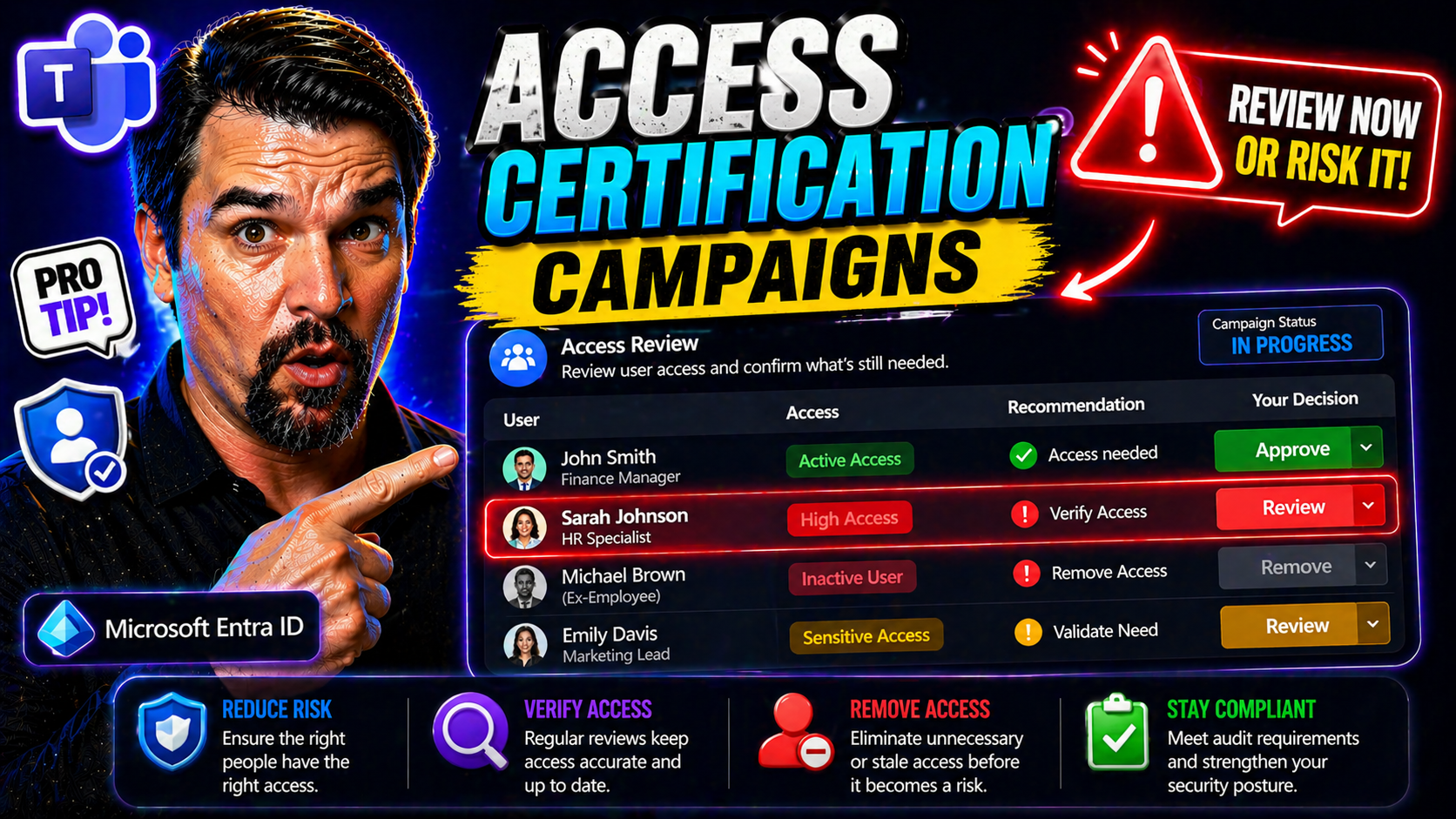
In today’s cloud-centric, always-on business world, managing who has access to what isn’t just an IT checklist—it’s a frontline defense against security threats and compliance headaches. Access certification campaigns are now the go-to method for keeping digital doors locked to the wrong people and regularly confirming that the right folks have the keys they need. These campaigns aren’t just about ticking regulatory boxes; they’re about real risk reduction and operational discipline.
Within Microsoft-heavy environments—using tools like Microsoft 365, Azure, or modern Entra ID—access certification makes it a whole lot easier to track, review, and revoke unnecessary permissions across a mixed bag of cloud apps and legacy systems. Regular, systematic access reviews help you manage risk, avoid policy drift, and keep a tight ship no matter how complex your digital world gets. If you’re aiming for scalable security and compliance, especially with Microsoft in the mix, access certification campaigns are non-negotiable.
If you want more context on why enterprise governance often fails and how automated controls like Azure Policy make a difference, or how Entra ID’s identity controls anchor scalable security, check out these resources: Azure Enterprise Governance Strategy and Entra ID Conditional Access Security Loop.
Understanding Access Certification Campaigns and Identity Governance
Access certification campaigns sit at the heart of modern Identity Governance and Administration—IGA, if you’re into acronyms. When organizations talk about “knowing who’s got access to what,” they’re really talking about having a process—automated or manual—to review, validate, and remove access as people come, go, or shift roles. This careful discipline is what keeps business running safely and keeps those regulators and auditors off your back.
But it’s not just about chasing compliance. In environments powered by Microsoft 365, Entra ID, and a growing nest of connected SaaS apps, access grows fast and gets tangled quickly. Without targeted access reviews and well-structured campaigns, privileged accounts pile up, permissions persist far past their use-by date, and shadow IT quietly spreads risk across the organization.
A true IGA approach breathes life into governance: it aligns technology, business processes, and good old-fashioned accountability. The terminology—access campaigns, certification, recertification cycles, role-based reviews—might sound technical, but the end goal is simple: ensure everyone who’s got access should have it, nothing more, nothing less. As you move through this guide, you’ll see how this all builds a more robust and agile security posture, links into compliance, and boosts your odds of passing audits on the first shot.
Want to understand why real Microsoft 365 governance relies on intentional design, not just built-in switches? Listen to this deep dive on the discipline required for lasting heads-up governance.
What Are Access Certification Campaigns and Why Are They Critical?
Access certification campaigns are structured processes organizations use to periodically review, confirm, or revoke user entitlements to systems, apps, and critical data. The core idea is pretty straightforward: identify all the active accounts and access levels, ask responsible reviewers (like managers or data owners), “Does this person still need this access?” and take action based on the answers.
The process starts by scoping a campaign—choosing which groups, apps, or privileges need to be reviewed. It’s typically recurring, with campaigns running on quarterly, biannual, or event-triggered schedules. Each cycle involves collecting up-to-date entitlements, routing reviews to appropriate certifiers, providing context (like business role or recent activity), and prompting for a decision: approve, deny, or escalate.
Access certification can focus on entire departments, privileged accounts, external users, or even just one high-risk app. In Microsoft environments, things like Entra ID and Microsoft 365 provide automation and campaign management, making it easier to run these reviews at scale. Features like role-based reviews and targeted campaigns help reduce noise and focus effort where the risk is highest.
Typical challenges include reviewer fatigue, lack of context for decisions, and chasing down business owners for approvals. That’s why organizations are shifting toward structured, repeatable, and increasingly automated controls—especially with modern threats like consent abuse creeping in via OAuth attacks in Entra ID. For an example of how attackers sneak past defenses, see how Entra ID handles OAuth consent attacks.
The Value of Regular Access Reviews for Security and Compliance
- Limits Privilege Creep: Over time, users accumulate access they no longer need—think internal transfers, shifting project roles, or promotions. Regular reviews allow you to spot and trim back excess privileges before they turn into genuine risks. When access is validated on a defined schedule, it’s much easier to enforce the principle of least privilege.
- Detects Inactive or Orphaned Accounts: Unused accounts, especially those belonging to departed staff, are top targets for attackers. Scheduled access certifications highlight these dormant accounts and nudge owners to remove or remediate them, closing the doors before anyone unwanted slips through.
- Prepares You for Audits: Auditors love evidence. Routine access reviews create a solid, documented trail showing you’re on top of entitlement management. Regulators and auditors for Microsoft 365 and Azure environments increasingly expect systematic certification cycles, so keeping your review cadence on track is key. For more on why audit trails matter, see Microsoft 365 Compliance Drift Explained.
- Strengthens Operational Agility: Let’s face it, waiting until a crisis or audit to clean up access is expensive and disruptive. Regular reviews let you catch issues before they spiral out of control, supporting smoother onboarding, offboarding, and shifting user roles—without scrambling last-minute.
- Supports Data Protection and Regulatory Compliance: Many laws and frameworks—GDPR, HIPAA, PCI DSS—explicitly require organizations to monitor and control access to sensitive data. Scheduling access reviews is a straightforward way to prove you’re meeting those obligations and helps demonstrate a culture of ongoing compliance.
When these reviews are aligned with automation in Microsoft 365 and Azure, you get more accurate and less burdensome processes, helping your business stay ready for anything.
Compliance, Audit, and Regulatory Requirements in Access Governance
Meeting today’s regulatory demands isn’t just about having the right technology—it’s about running disciplined, repeatable processes. Access certification campaigns fit squarely into the compliance playbook, especially for organizations facing sector-specific mandates or international data protection frameworks.
Whether you’re navigating GDPR in Europe, HIPAA for healthcare, PCI DSS in financial services, or just trying to keep the Feds happy, authorities want to see you’re actively managing who can get to sensitive information—and that you can prove it. Regular, auditable access reviews provide this kind of real-world assurance.
Modern certification campaigns map directly to these frameworks, translating technical controls like those in Microsoft 365 or Entra ID into clear, traceable evidence of compliance. Campaigns drive documentation, streamline audit prep, and let you quickly show regulators you’re following data minimization, access control, and data privacy best practices.
If you want to scale your compliance approach efficiently, tools like Microsoft Defender for Cloud provide real-time, cross-platform insights, as shared here: How to Monitor Compliance in Microsoft Defender for Cloud.
Meeting Data Privacy and Cybersecurity Regulations
Global data privacy laws and cybersecurity standards are raising the bar for access control, and access certification campaigns are a foundational requirement for many compliance programs. For instance, GDPR Article 32 requires organizations to implement regular reviews of access to personal data. HIPAA mandates “periodic technical and nontechnical evaluations” of access controls over protected health information. PCI DSS, common in the finance and retail sectors, explicitly demands that user access rights are reviewed at least every six months.
A 2023 Gartner report found that 80% of organizations failing a compliance audit had insufficient documentation of their access review processes. Real-world cases show regulators increasingly enforcing fines and corrective actions for lacking clear, up-to-date access validation—especially after notable breaches triggered by stale or over-provisioned cloud accounts.
When it comes to Microsoft environments, campaign tools built on Entra ID and Microsoft 365 streamline these requirements. Automated review workflows, granular access policies, and audit-ready trails make it possible to align technical controls directly with legal requirements. Teams using Microsoft Purview and SharePoint can build audit-ready enterprise content management practices for protecting sensitive information. For more insights into creating a compliance-ready environment, explore how Microsoft Purview and SharePoint prevent document chaos.
Ultimately, robust access certification campaigns not only satisfy regulatory checklists but also bolster real-world security, making them essential for any organization handling sensitive customer or business data.
Proving Compliance with Audit Trails and Documentation
- Maintain Detailed Audit Logs: Tools like Entra ID and Microsoft Purview provide tenant-wide logs of every access review, decision, and action. These logs serve as evidence for internal and external audits—backing up your compliance story with facts, not just policy documents.
- Ongoing Policy Adherence Reporting: Regular certification cycles document not just access changes, but reviewer participation and exceptions. Having clear reports ensures you can demonstrate ongoing control efforts with minimal manual tracking.
- Ready for Forensics and Investigations: Premium audit tiers in Microsoft Purview offer extended retention, deeper signals, and layered monitoring for regulated environments—a must for organizations in high-risk or regulated industries. For detailed guidance on tracking user activity, see Microsoft Purview Audit.
- Facilitate Faster Audit Prep: Automated document generation and dashboards make it easy to provide auditors with exactly what they need, avoiding hunting through emails or spreadsheets to prove compliance.
Tailored Compliance Benefits for Different Industries
- Healthcare (HIPAA): Access reviews ensure only authorized clinicians and staff can reach patient records, meeting privacy requirements and enabling quick lockout if staff leave.
- Finance (PCI DSS): Periodic certification protects cardholder data by enforcing least privilege and surfacing dormant or risky accounts across payment systems.
- Government (NIST SP 800-53/FISMA): Rigorous entitlements reviews support strict internal control mandates and reduce the risk of privilege abuse, aligning with federal audit practices.
- Critical Infrastructure: Time-bound access validation for contractors supports safe operations and meets compliance in high-risk industrial or utility environments.
- Customer Data-Driven Businesses: Demonstrating robust access management reassures clients and partners that their data is handled with regulatory-grade security discipline.
Best Practices and Optimization Strategies for Access Certification Campaigns
Now that you understand why access certification campaigns matter, it’s time to look at how to make them work smoothly in the real world. Simply having a process isn’t enough—it needs to be efficient, resilient, and fit for busy reviewers who don’t have hours to spare or patience for manual busywork.
The smartest organizations use a mix of role-based and targeted campaigns, focused effort, and tools that automate away the routine drudgery. It’s not just about running campaigns on a schedule; it’s about scoping reviews, supporting reviewers with context, and designing workflows that minimize error and fatigue.
Microsoft-centric environments—like those rooted in Microsoft 365, Entra ID, or Power Platform—offer built-in tools and integrations that make access certification campaigns easier to optimize, automate, and tailor. With these, you’ll find you can boost efficiency, speed up campaigns, and get better results with less manual hassle.
For tips on balancing control with innovation in your Microsoft Power Platform environments, see Power Platform Security Governance Best Practices.
Tips for Implementing Role-Based and Targeted Certification Campaigns
- Define Business Roles Clearly: Map out your organization’s roles and their required access levels. Use group-based assignments in Microsoft Entra ID or Microsoft 365 to align access rights to these well-defined roles, making reviews straightforward.
- Scope Campaigns by Risk and Function: Don’t review everything at once. Prioritize campaigns for high-risk systems (finance, HR, admin accounts) and sensitive data. Targeted campaigns minimize reviewer overload and focus effort where the stakes are highest.
- Automate Collection of Entitlements: Leverage IGA and Microsoft tools to pull accurate lists of who has access to what. This avoids manual spreadsheet headaches and ensures nothing slips through the cracks.
- Set Review Cadence Based on Sensitivity: Critical systems might need quarterly reviews, while low-risk ones can be handled annually. Use automation to schedule and remind reviewers.
- Empower Reviewers with Context: Provide contextual info—like recent logins, usage patterns, and current projects—so reviewers can make informed decisions instead of just rubber-stamping everything.
- Close the Loop on Removals: Automate or closely track de-provisioning after a denial decision. It’s no good identifying unnecessary access if it lingers due to delayed offboarding.
- Document Decisions and Exceptions: Keep detailed, audit-friendly logs in your campaign tool, capturing rationales for approval and any accepted exceptions.
For automation tips and scaling up access governance even further, keep an eye out for Microsoft’s evolving Power Platform and Copilot integration podcasts—redirects from the original PowerShell Automation page provide useful updates on these rapid changes.
Reducing Reviewer Fatigue and Manual Effort in Access Certification
- Automate Routine Approvals: Use built-in policies to batch-approve low-risk entitlements, letting reviewers focus on exceptions or privileged access.
- Provide Smart Recommendations: Surface relevant user activity (inactivity, anomalous access) so decisions are quick and accurate.
- Stagger Campaigns: Avoid overloading reviewers by spreading campaign periods throughout the year, rather than running everything at once.
- Create Approval Workflows: Route reviews to the right manager or owner, with automated escalations for overdue tasks.
- Make Accountability Visible: Show impact and results to managers to drive engagement. For more on boosting accountability, check showback and IT cost governance strategies.
Leveraging Automation and Smart Recommendations
- Automated Entitlement Discovery: Use IGA platforms and Entra ID to automatically sweep and catalog all user entitlements across systems, cutting down manual cross-checking.
- Real-Time Risk Analytics: AI and analytics layer flag risky or anomalous user behavior—like infrequent logins or out-of-hours access—so reviewers spot potential security issues fast.
- Smart Approval Suggestions: Built-in policy engines can pre-screen straightforward cases and offer “review and approve” recommendations, freeing up time for human reviewers on trickier scenarios.
- Campaign Automation and Reminders: Automate campaign scheduling, email reminders, and escalations to ensure reviews happen on time without nagging.
- Lifecycle Management Integration: Seamlessly link approvals and removals to provisioning workflows, so a denied entitlement triggers instant offboarding or adjustment.
To see how disciplined remediation loops with Entra ID can enforce scalable policy and shrink risk, dig into Entra ID Conditional Access Security Loop.
Case Studies: Real-World Applications for Access Certification Campaigns
Theory is great, but nothing makes a concept stick like seeing how organizations use access certification to tackle real challenges. Whether it’s privileged accounts with too much power, contractors who’ve finished their jobs but still hang onto their logins, or insider threats flying under the radar, well-run certification campaigns close vulnerabilities before they become tomorrow’s headline breach.
Organizations running heavy on Microsoft 365 and Entra ID use these campaigns to protect critical infrastructure, enforce regulatory requirements, and avoid the “zombie” accounts that create audit nightmares. By zeroing in on specific risks—privileged access, insider threats, or guest users—teams can see measurable drops in unauthorized access, security incident rates, and compliance gaps.
The following real-world scenarios show how targeting certification campaigns at high-risk areas translates to actual impact, not just theory. For instance, the discovery and removal of old Microsoft 365 guest accounts (as described in The Hidden Danger of M365 Guest Accounts) has saved companies from breaches and compliance penalties alike.
Let’s break down these case studies and turn access governance into action.
Securing Privileged and Orphaned Accounts with Targeted Certification
Privileged and orphaned accounts—think global admins, service accounts, or users who’ve left the company—are magnets for attackers and cause compliance headaches. Targeted certification campaigns zero in on these high-risk identities, prompting focused reviews by security admins to either confirm their necessity or close them out quickly.
Microsoft 365 platforms offer built-in tools for surfacing, reporting, and reviewing these accounts, while Entra ID tracks where privileged access may linger or where privilege abuse could begin. Given attack trends around Microsoft 365 (as detailed at Microsoft 365 Attack Chain Explained), regular recertification of admin accounts, service principals, and OAuth consents helps limit persistent threats and minimizes risk of privilege escalation.
Preventing Unauthorized Access and Insider Threats
- Routine Reviews Surface Risks: Regular certification highlights unusual roles or entitlements, quickly pointing out odd, “why-do-they-have-this?” situations that can indicate insider threats or misconfigurations.
- Remediation After Reviews: Once access issues or policy violations are uncovered, teams leverage Microsoft tools to rapidly revoke or adjust what’s needed.
- Cross-System Policy Enforcement: Consistent, policy-driven remediation across both cloud and on-premises systems builds an ongoing defense, not just a one-time fix.
- Incident Prevention Example: A data breach at a global retailer was traced back to an unreviewed access right, later remediated through an access certification campaign—showing direct business benefit.
- Microsoft DLP Integration: Tools like Data Loss Prevention (DLP), described at Unlocking the Real Power of DLP, bolster campaign findings with environmental insight, especially in the Power Platform’s default environments.
Validating Access for Contractors and Temporary Users
- Time-Bound Access: Require start/end dates and clear justification for every contractor, vendor, or guest account, tying access to specific projects or deliverables.
- Automated Expiry: Use Microsoft tools to auto-expire temporary access once the contract period ends, eliminating “ghost” users.
- Review Cycles: Run targeted campaign cycles to revalidate external user access, ensuring only those with ongoing business needs retain their privileges.
- Forensic Audit Trails: Maintain detailed logs and trigger reviews for any out-of-the-ordinary guest activity. More on lifecycle strategies is at The Hidden Danger of M365 Guest Accounts.
Technology Integration: Access Certification Across Microsoft 365, Entra ID, and Cloud Apps
The best certification campaign in the world can flop if it’s only covering half the landscape. Today’s IT world isn’t just Microsoft or on-prem—most organizations run a tangled web of SaaS apps, Azure workloads, cloud storage, and even a few old-school on-prem servers hanging around. Thus, access certification campaigns must span all critical access control surfaces.
Integrating your certification process across Microsoft 365, Entra ID, Azure, and third-party SaaS platforms means you’re no longer blind to risky accounts hiding outside the main directory. Automated workflows, consistent scoping, and unified reporting make it possible to spot security gaps, poorly governed “shadow IT,” and cross-system risks without manual hunting.
Campaign tools should offer connectors or APIs to cover legacy and cloud-native apps alike, helping mitigate risks not only from over-provisioned apps but also from rapid AI-powered changes seen with tools like Copilot or Power Automate. If you want a reality check on what happens when agents outpace governance, catch Agentageddon: Agents Outpacing Governance Collapse.
In short, full-stack integration is what elevates access certification from “good enough” to “enterprise-ready.”
Audit Your Company’s SaaS and Cloud Environments
Auditing your cloud and SaaS environments is the first step toward holistic access governance. In Microsoft 365 and Entra ID, this means actively reviewing permissions and entitlements across all integrated apps—not just the core directory or SharePoint. Access certification campaigns make it possible to systematically identify gaps, discover shadow IT, and ensure every entitlement—no matter the platform—is validated and still needed.
SaaS risks, like over-permissioned OAuth scopes and unmanaged external sharing, are front-and-center in today’s breach landscape. Native tools such as Microsoft Defender for Cloud Apps, Entra ID access reviews, and audit logs help spot rogue apps and undiscovered exposures. For a practical sprint to manage shadow IT, check Shadow IT: The Mess Inside Your M365 Tenant.
Achieving Systematic Access Governance Across All Critical Systems
- Centralize Campaign Management: Use a single platform—ideally Entra ID or a comprehensive IGA tool—to orchestrate and track certification campaigns for both cloud-native and legacy applications.
- Standardize Policies: Apply the same risk-based access and review criteria across departments, platforms, and user types, making audits and comparisons less of a headache.
- Include All Key Systems: Don’t leave out ERP, finance, or old on-prem servers—integrate them via connectors or manual reviews so nothing slips through the cracks.
- Unify Reporting: Aggregate results and exceptions into one dashboard for holistic oversight and simplified regulatory response.
Frequently Asked Questions and Next Steps in Access Certification Campaigns
At this point, you’ve seen the why and what of access certification campaigns. Still, many security and IT leaders find themselves grappling with practical questions: Who runs these reviews? How often should they happen? What hiccups should you expect in a Microsoft-centric deployment?
This closing section is all about clearing up the confusion, tackling frequent queries, and laying out straightforward steps to kick off your first successful campaign. Whether you’re starting from scratch or trying to tune up an existing process, knowing the core challenges and quick wins will build your confidence and help steer you clear of common rookie mistakes.
Beyond just launching, you’ll want an overview of trusted IGA solutions, metrics for measuring ROI, and pointers on where to find more resources. If you want a checklist for securing new AI-driven tools in Microsoft, for instance, head to Governed AI: Keeping Copilot Secure and Compliant.
Let’s round out with crucial answers, step-by-step launch guidance, and a rundown of proven platforms to keep your access certification game audit-ready and future-proof.
Frequently Asked Questions About Access Certification Campaigns
- How often should certification campaigns run? Most organizations schedule them quarterly or biannually. Critical systems might even need monthly reviews, depending on risk and compliance requirements.
- Who reviews access? Typically, direct managers or data owners—those who understand what access should look like—are assigned as certifiers.
- What if I don’t have all systems integrated? Start with core platforms like Microsoft 365 and Entra ID, then expand to covering SaaS and legacy apps over time.
- What are the main challenges? Reviewer fatigue, lack of up-to-date entitlement data, and inconsistent campaign participation.
- How do I measure campaign effectiveness? Track completion rates, remediation timelines, and the number of unnecessary entitlements removed for every cycle.
Let’s Get Started: Launching Your First Access Certification Campaign
- Define Campaign Scope: Start with a manageable pilot—pick a sensitive department or set of high-risk apps.
- Gather Accurate Entitlement Data: Use Entra ID or IGA tools to sweep and export who has what.
- Select Your Reviewers: Assign app owners, managers, or data custodians as certifiers based on business knowledge.
- Communicate Early: Send training materials, review timelines, and campaign goals to drive buy-in.
- Schedule and Launch: Set campaign dates, automate reminders, and monitor participation.
- Collect Decisions and Take Action: Ensure approvals/denials translate into real-time access changes—no laggy offboarding.
- Report Results and Iterate: Prep audit-ready reports, review participation metrics, and gather feedback for the next cycle.
Blog Summary and Trusted Solutions for Access Certification
In summary, access certification campaigns aren’t just best practice—they’re a cornerstone of real security, compliance, and risk management in every modern Microsoft-centric business. Regular reviews catch privilege creep, shore up operational agility, and create the audit trails regulators demand. According to research by Forrester, organizations adopting well-automated access certification see a 40% reduction in avoidable access incidents and halve preparation time for audits.
If you’re looking for trusted solutions, leading platforms like Microsoft Entra ID, SailPoint, One Identity, and Saviynt offer highly rated, Fortune 500-proven capabilities for campaign management, automation, and cross-system integration. Microsoft native tools—like Purview, Sentinel, and Azure Policy—round out the stack with world-class audit trails and compliance dashboards.
Don’t overlook tutorials, official docs, and ongoing partner content to stay sharp as new regulations and attack vectors emerge. For organizations working with Microsoft Copilot or AI-driven environments, enforcing least-privilege principles, extending DLP, and tight role-based control—as described at Governed AI: Keeping Copilot Secure and Compliant—are the next level.
Bottom line: With structured access certification, you get security, compliance, and business value that shows up on the balance sheet—and you stay one step ahead of both bad actors and the audit team.
You Should Also Listen To
If you are researching identity access certification campaigns, these episodes add practical context on identity security, governance, access control, and Microsoft 365 operations:
- Privileged Identity Management – Simply Explained — Understand just-in-time privilege, approvals, and access reviews.
- Conditional Access – Simply Explained — Learn how context-aware policies protect users and devices.
- Microsoft Defender XDR – Simply Explained — Connect identity signals with detection, investigation, and response.
- Microsoft Teams Governance – The Illusion of Control — See how governance creates ownership and repeatable controls.

Microsoft MVP | Host of M365.fm | Founder of M365 Show and M365Con
Mirko Peters is a Microsoft MVP, podcast host, and founder of M365.fm, M365 Show, and M365Con. His work connects Microsoft practitioners through podcast interviews, livestreams, and community events.
At M365.fm, Mirko hosts conversations with Microsoft MVPs, product experts, architects, and community contributors. Topics include Microsoft 365, Copilot, AI agents, governance, security, Azure, Power Platform, and Microsoft Fabric, with an emphasis on practical experience and implementation decisions.
M365.fm is the podcast and learning platform. M365 Show brings experts together for livestreams, while M365Con provides an online conference setting for community learning.
Official website: Mirko Peters (https://www.mirkopeters.com/). Recognition: Mirko Peters — Microsoft MVP profile (https://mvp.microsoft.com/de-DE/mvp/profile/9b0ca797-db5a-493a-a845-8b9158046cf5). Connect on LinkedIn (https://www.linkedin.com/in/m365showpodcast/).





