Microsoft Copilot for Sales: Complete Use Case and Deployment Guide
Sales moves fast—real fast. That’s why this guide is all about equipping sales teams with the right tools for the job. Microsoft 365 Copilot brings AI smarts right into your existing workflow, helping sales professionals work quicker, engage customers better, and keep all their data singing from the same sheet.
Throughout this guide, you’ll discover how Copilot for Sales bridges the gap between data, conversations, and outcomes. We’ll unpack how the magic happens inside Microsoft 365, showcase real-world productivity gains, and outline the steps you need to start leveraging Copilot effectively for your team.
Curious about how this tool ties together Microsoft Teams, Dynamics 365, and all your favorite apps? We’ve got you covered there too. Plus, we’ll break down how to measure Copilot’s impact, scale across business sizes, master industry-specific challenges, and keep the human touch in your sales process. Consider this your one-stop shop to modernize selling—let’s get into it.
What Is Copilot Microsoft 365 and How It Powers Modern Sales Teams
Let’s talk about what Microsoft 365 Copilot for Sales actually is—at its core, Copilot acts as an AI sales assistant nestled into your daily Microsoft 365 apps. Think of it like a teammate that doesn’t sleep, forget, or let follow-ups slip through the cracks. Copilot’s job is to serve up instant, context-aware support directly inside tools you’re already using—like Teams, Outlook, Excel, and Word.
This means you get smart recommendations, data-driven insights, automated updates, and even help crafting emails and meeting notes, all while staying compliant and secure. It draws on data from your CRM (like Dynamics 365), internal documents, and communications to automate repetitive sales tasks and keep important account details up to date, reducing the grunt work so you can focus on the human side of selling.
Modern sales isn’t just about cold calls and coffee meetings anymore. With Copilot, you get a fresh approach—one where AI helps you prep for meetings, draft proposals, summarize conversations, and spot new opportunities before the competition does. You don’t need to learn a new app; Copilot slides right into your existing Microsoft 365 environment, supercharging the tools you’re already familiar with.
As we drill into its features, you’ll see exactly how Copilot blends into your workflow and redefines what efficiency and productivity look like for a modern sales team. If you’re wondering about setup or real-world adoption, rest easy—that’s coming too. For now, just imagine a future where your digital workspace actually makes selling easier, not harder.
Key Copilot Features That Transform Sales Workflows
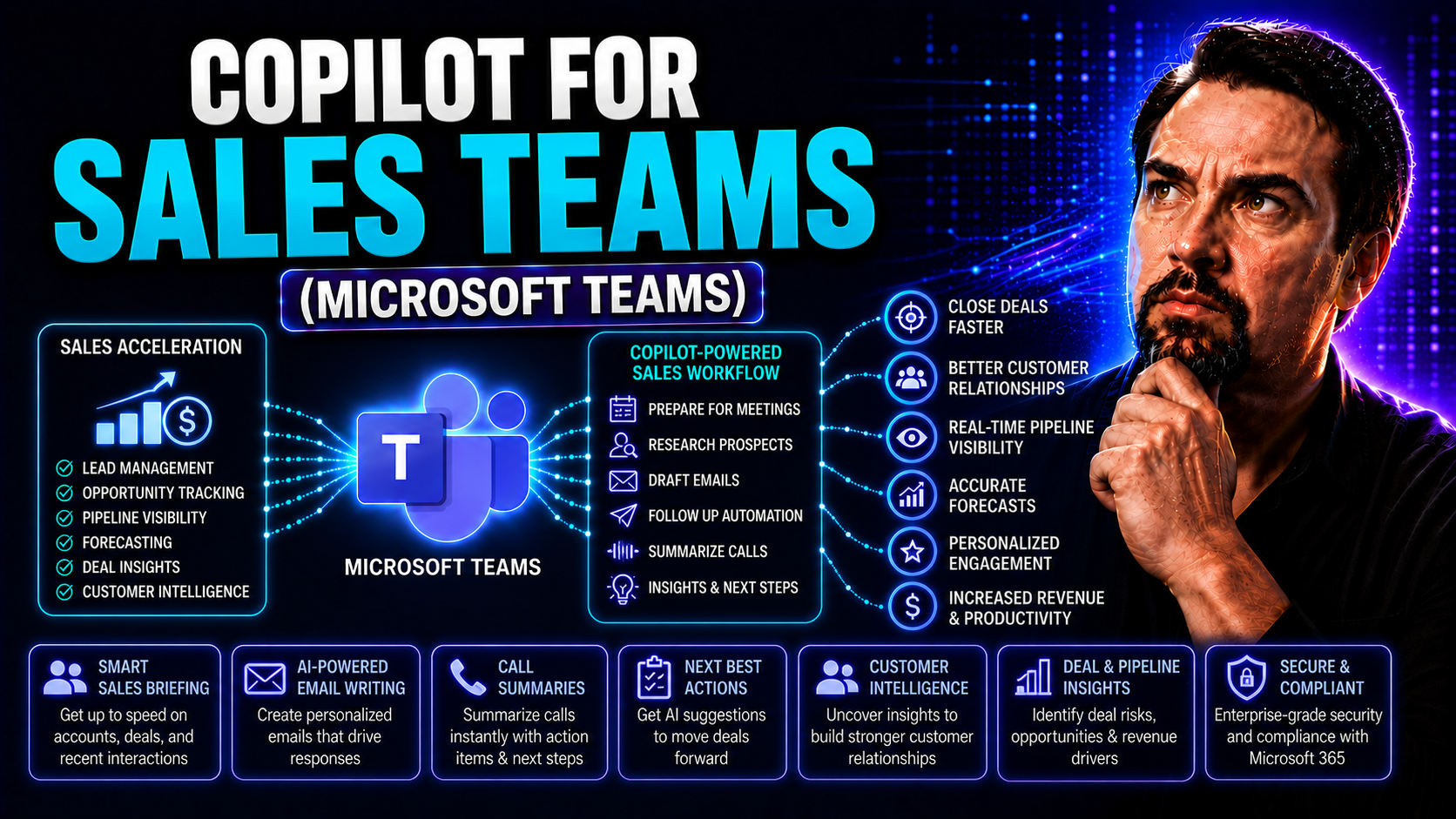
- Content Generation: Copilot takes the heavy lifting out of drafting emails, proposals, and outreach messages. It suggests relevant language based on your sales context, making communication consistent and timely, even during crunch time.
- Data Summarization: With just a click, Copilot can turn messy CRM records or sprawling email threads into punchy summaries. That means less time hunting for account history or key details and more time focusing on closing deals.
- Meeting Intelligence: Preparing for and following up on meetings becomes effortless. Copilot can automatically generate agendas, highlight action items, and capture follow-up tasks, all from within Microsoft Teams and Outlook. If you’re looking to get the best out of your prompts for Copilot, check out these tips for crafting effective prompts.
- Instant Feedback & Coaching: Copilot analyzes conversations and sales interactions to surface real-time feedback—giving you pointers on tone, engagement, and objection handling, so reps can improve on the fly.
- Copilot 365 Chat: You can interact directly with Copilot through chat, asking tough questions about deals, customers, or next steps, and getting data-backed answers in seconds. Explore more productivity-boosting Copilot use cases here.
Benefits of Copilot for Sales Teams of All Sizes
Here’s the thing: Copilot isn’t only built for global enterprises or Silicon Valley darlings—it’s designed for any sales organization looking to do more with less. Whether you’re handling a handful of big clients or running a high-volume sales machine, the core value remains: Copilot automates the admin grind, delivers actionable customer insights, and helps teams move the needle on actual revenue, not just activity.
By plugging Copilot into your Microsoft 365 workspace, you unlock time savings, consistency, and transparency without requiring an army of IT folks or expensive consulting. From managers measuring ROI to reps just trying to keep their pipeline straight, everyone gets something that makes their day easier. For a closer look at how managers can quantify those gains through metrics and surveys, see this breakdown of measurable Copilot efficiency.
We’ll dive into specifics about how Copilot frees up precious selling time, improves customer engagement, and adapts to any team size—because one size rarely fits all. If you’re skeptical about the cost or wondering if it really pays off, stick around for tangible ROI examples and learn why, for many companies, Copilot is a cost-saving investment rather than just another IT expense.
Automatically Update Data and Streamline the Selling Process
- Auto-Update CRM Records: Copilot takes the hassle out of data entry by monitoring your emails, meeting notes, and chats to update relevant CRM fields automatically. This cuts down the time spent on admin work and reduces errors from manual entry.
- Meeting Summaries Instantly Generated: After every customer call or internal huddle, Copilot creates succinct meeting notes and action lists, so nothing slips through the cracks. This makes post-meeting follow-up a breeze and ensures accountability.
- One-Click Task Creation: Turning conversation highlights into actionable to-dos right from Outlook or Teams ensures every lead stays moving through your pipeline, without sales reps having to navigate through multiple systems.
- Seamless Sales Cycle Integration: Copilot follows the deal from introduction to close, pulling in data, surfacing critical next steps, and automating routine handoffs. Workflow bottlenecks are minimized and salespeople spend more time engaging with customers.
- Reliable Data Governance: Through automated rules and integration with security controls, Copilot keeps customer information safe while streamlining daily sales activity. For tips on risk management, check out these governance best practices.
Enhancing Customer Engagement with Actionable Insights
- Personalized Outreach Recommendations: Copilot analyzes recent conversations, past deals, and CRM data to suggest tailored follow-ups, so every customer interaction feels thoughtful and timely.
- Meeting & Email Sentiment Analysis: By scanning the tone and content of your calls and emails, Copilot alerts reps to frustration, enthusiasm, or pending objections—helping you adjust your approach and proactively address client needs.
- Opportunity Identification: Copilot spotlights upsell and cross-sell chances within your existing account base. It can flag patterns in customer purchases or highlight product gaps that your competitors may swoop in on if you don’t act.
- Contextual Summaries for Customer Interactions: You get fast, relevant recaps that prep you for the next call, drawing insights from multiple channels. For example, if your last client meeting in Microsoft Teams created new questions, Copilot summarizes what was discussed and suggests next steps. For even smoother collaboration, see how M365 Copilot orchestrates meetings and chat.
- Data-Driven Engagement Suggestions: By cross-referencing activity across Teams, Outlook, and Dynamics 365, Copilot delivers nudges for when to reach out, what to say, and what resources to send, leading to stronger relationships and higher close rates.
Scalability of Copilot for Different Company Sizes
Copilot for Sales is designed to scale, period. Its cloud-first architecture and flexible licensing mean that startups, growing SMBs, and established enterprises can all benefit—without an IT overhaul or specialized staff.
Deployment is streamlined for both small teams wanting instant productivity boosts, as well as larger organizations wanting centralized controls and advanced integrations. Copilot’s adaptability makes it easy to embed into existing workflows, and you can learn more about ensuring smooth adoption from this guide on common Copilot adoption pitfalls. No matter the size, you’re investing in a tool that can adapt as your business grows.
Integrating Copilot with Dynamics 365 and Microsoft Teams
When you blend Copilot, Dynamics 365, and Microsoft Teams, you unlock a sales powerhouse that connects data, communications, and processes across your entire organization. Dynamics 365 acts as the central hub for customer and deal data, while Teams brings all your conversations, meetings, and collaboration into one familiar space. Copilot ties it together by serving up insights and automating repetitive actions right where work happens.
With these integrations, sales teams can update CRM records straight from a Teams chat, trigger workflows, and get real-time intelligence during meetings—no more switching tabs or copy-pasting details. The result? Frictionless handoffs, cleaner data, and a process where everyone’s rowing in the same direction. For an in-depth look at embedding sales data in Teams and boosting governance, see how Dynamics 365 Sales connects with Microsoft Teams.
Security and privacy are baked into every layer, from chat-driven actions to CRM data handling, so you can move fast without breaking compliance. And if you want real-world productivity tips or security best practices, check out these Copilot for Teams examples. Next, we’ll dig into why every successful Copilot strategy starts with Dynamics 365, and how Teams gets even better with Copilot automation.
Why Is Dynamics 365 Important for Copilot Sales Success?
Dynamics 365 is the heartbeat of Copilot’s intelligence in sales. As your main CRM, it consolidates every customer touchpoint—emails, meetings, purchase history, account notes—so Copilot can deliver precise, data-backed recommendations without missing a beat.
By tapping directly into Dynamics 365, Copilot automates updates, surfaces timely opportunities, and drives deal progression based on real, up-to-date information. To see how live CRM data can flow smoothly into your Microsoft Teams space and supercharge collaboration, explore this integration guide.
Teams Summaries and Streamlined Communication for Sales Collaboration
- Instant Meeting Summaries: Copilot automatically summarizes the key points and decisions from every Teams meeting, saving you from sifting through long recordings or missing anything important.
- Automatic Action Item Capture: The AI identifies follow-ups, deadlines, and owner assignments, sending reminders so everyone knows their next step before the call is even over.
- Contextual Chat Assistance: Get answers on deal status, customer history, or product info straight in a Teams chat, without breaking the flow of your conversation or toggling screens. If you’re rolling out Copilot company-wide, here’s how to enable Copilot in Microsoft 365.
- Cross-Functional Visibility: No more “did you get the memo?”—managers, sales ops, and marketing all stay in the loop with centralized notes and shared sales content available directly in Teams channels.
- Secure Communication: Strong data security and compliance come standard, so you can collaborate inside Teams knowing sensitive deal data is protected, as detailed in this deep dive into Copilot-powered meetings and chat.
Optimizing the Sales Cycle with Copilot: From Lead Generation to Closing
If you want to see AI make a difference, just follow a sales cycle from start to finish. Copilot doesn’t just jump in for one moment but supports reps at every turn—from finding and qualifying new leads, to arming them with negotiation tips, all the way to keeping customers engaged after the deal is won.
Sales isn’t linear anymore; it’s a cycle of finding, convincing, closing, and nurturing. With Copilot, you reduce the chase and the guesswork: AI can recommend next-best actions, auto-generate tailored proposals, and spot upsell chances based on your CRM data. Every step is more efficient, and every rep—no matter their experience level—can act like a seasoned pro.
Need to tweak your prompts for better results, or wondering about practical use cases for each sales stage? For that, you’ll want this prompting guide and a look at practical Copilot use cases. Let’s break down how Copilot boosts results from cold outreach to repeat sales, making the whole flywheel spin faster.
Lead Generation and Transform Cases with Copilot Assistance
- Lead Identification: Copilot analyzes your CRM and external sources to uncover promising new prospects you might otherwise overlook, improving your pipeline quantity and quality.
- Automated Outreach Creation: Drafting personalized intro emails or LinkedIn messages takes seconds, not hours—Copilot crafts on-brand outreach based on individual prospect research.
- Opportunity Tracking: No more manual updates. As you interact with new leads, Copilot automatically updates CRM records, sets reminders, and flags high-potential accounts.
- Pipeline Optimization: By identifying patterns in successful lead conversions, Copilot suggests the best next actions and highlights at-risk deals. For more workflow automation in meetings and chat, see this orchestration guide.
Negotiation and Closing Insights to Win More Deals
- Proposal Automation: Instead of reinventing the wheel, Copilot generates tailored sales proposals using up-to-date customer and product information, saving time and boosting win rates.
- AI-Powered Objection Handling: Copilot listens for obstacles during calls and can offer play-by-play coaching—tips, suggested answers, or even competitor comparisons—to help you handle objections confidently.
- Real-Time Deal Feedback: As you negotiate, Copilot surfaces insights about deal velocity, likely success odds, and even benchmarks your offering against top-performing reps' past deals.
- Competitive Analysis Integration: Stay two steps ahead—Copilot brings in recent competitor moves, market changes, and deal history straight to your chat or meeting, arming you for difficult conversations.
- Negotiation Recaps & Next-Steps Guidance: Once you hang up the call, Copilot’s summary includes not just what was said, but also smart suggestions for closing the deal. Want to sharpen your prompts for next-level sales productivity? Check this Copilot prompting guide.
Post-Sale Upsell and Customer Engagement Automation
- Automated Check-Ins: Copilot schedules and drafts follow-up emails, so you never let a new customer go quiet after the sale.
- Upsell Opportunity Alerts: By watching for usage trends and contract renewals, Copilot flags accounts primed for upsell or cross-sell sequences.
- Loyalty-Building Suggestions: The AI recommends personalized touches and relevant resources to foster long-term relationships and higher lifetime value.
- Customer Feedback Analysis: Every survey and customer interaction is analyzed, surfacing improvement opportunities and customer success stories to fuel even more growth.
Implementing Copilot: Tools, Steps, and Overcoming Challenges
Rolling out Copilot for Sales isn’t a plug-and-play weekend project—but it’s not rocket science either. You’ll need to plan, line up your tech requirements, and involve both IT and business users. Copilot’s rollout requires thoughtful integration with security settings, proper licensing, and strong data governance to keep everything locked down and compliant.
This section covers the essentials for getting started, from configuring Microsoft 365 and assigning licenses to onboarding teams and resolving bumps in the road. By focusing on practical steps, effective governance, and adoption best practices, you’ll maximize Copilot’s impact without the usual change management headaches. For a nuts-and-bolts deployment checklist, see this comprehensive Copilot deployment guide.
You’ll find advice for IT leaders, admins, and sales managers facing common hurdles—from data quality issues to employee resistance and privacy questions. If you want a detailed blueprint on licensing and cost management or troubleshooting everyday problems, you’ll also want these insights on Copilot licensing and admin best practices. Let’s lay out the path to a pain-free Copilot launch.
Setup Steps and Best Practices for Copilot for Sales Tools
- Check Licensing Requirements: Verify you have the appropriate Microsoft 365 and Copilot licenses for your user roles. For detailed breakdowns, consult this licensing guide.
- Configure Tenant and Security Controls: Ensure your Microsoft 365 tenant is ready by checking data security, compliance requirements, and proper user access. Learn more about tenant readiness in this enablement walkthrough.
- Integrate with CRM & Core Apps: Connect Copilot to Dynamics 365 and other sales tools to centralize customer data and enable real-time AI-driven workflows across Outlook, Teams, Word, and Excel.
- Set Up Permissions and Role-Based Access: Restrict access to sensitive data based on staff roles, maintaining privacy and reducing risk. An effective governance framework, outlined in this deployment guide, keeps your data secure.
- Train Users and Encourage Adoption: Provide hands-on tutorials, highlight feature benefits, and position Copilot as a support tool rather than a replacement for salespeople. Early user feedback can help tailor the experience and boost engagement.
Solving Challenges and Understanding Copilot’s Role with Humans
- Prioritizing Data Privacy: Copilot operates with strict security and role-based access, ensuring sensitive info stays protected. If you’re concerned about privacy and compliance, see this data privacy overview.
- Building Trust and Human Adoption: It’s common for teams to be skeptical of AI. Address concerns by communicating that Copilot is designed to support—never replace—human sales reps, and is most effective when paired with human judgment.
- Overcoming Resistance: Employee buy-in is easier when you demonstrate specific time-saving examples and involve top performers in the rollout. Remember, adoption stalls if Copilot isn’t woven into actual business workflows. Learn about common pitfalls in this failure analysis.
- Managing AI Accuracy and Governance: Have a process in place to review Copilot output and correct errors quickly. Ongoing monitoring and clear escalation paths maintain high data quality and trust in AI-generated insights.
AI-Driven Sales Enablement: Acceleration and Emerging Trends
- AI Agents that Run Sales Tasks: Expect to see autonomous Copilot agents that can follow up with leads, schedule meetings, and even draft contracts on your behalf. For safe innovation, see best practices on Copilot agent governance.
- Microsoft Accelerator Programs: Microsoft’s accelerator initiatives drive the adoption of custom Copilot solutions, allowing you to tailor AI to industry workflows or unique use cases.
- Continuous Evolution in AI Capabilities: With each update, Copilot gets smarter—learning from user interactions and supporting more advanced metrics, automated playbooks, and next-gen sales analytics.
Frequently Asked Questions About Copilot Sales Tools and Microsoft 365
Let’s be real—everyone has questions before jumping into something new, especially when it comes to an AI platform like Copilot for Sales. This section tackles the most common concerns, from getting started to understanding what’s included, how pricing works, and clearing up confusion about licensing or feature sets.
We’ll address the nitty-gritty practical stuff—like how Copilot fits into your current Microsoft 365 setup, what support is available, and how to keep things running smoothly. If you’re looking to keep costs under control, this licensing breakdown is a go-to resource.
Trouble installing, syncing data, or enabling a feature? We’ve got pointers on troubleshooting as well, courtesy of this step-by-step Copilot troubleshooting guide. And, for those wrapping their heads around life with both AI and real salespeople, these FAQs clear up if Copilot is your new coworker or your new boss.
Support, Downloads, and Steps for Getting the Most from Copilot
- Download Deployment Guides: For a complete start-to-finish setup, consult the official Microsoft Copilot deployment guide here.
- Explore Practical Use Cases: Boost your productivity by reviewing these Copilot use cases with step-by-step advice.
- Start a Free Trial (Where Available): Test Copilot in your own Microsoft 365 environment to see firsthand how it fits your workflow.
- Access Community Support & Updates: Check Microsoft’s support portals and community forums for troubleshooting help and peer best practices.
- Track Key Performance Indicators: Monitor time saved, win rates, and customer engagement metrics to ensure your Copilot investment keeps paying dividends in real sales life.
You Should Also Listen To
If you are exploring Microsoft Copilot for sales, these episodes add practical context on architecture, implementation, security, and governance:
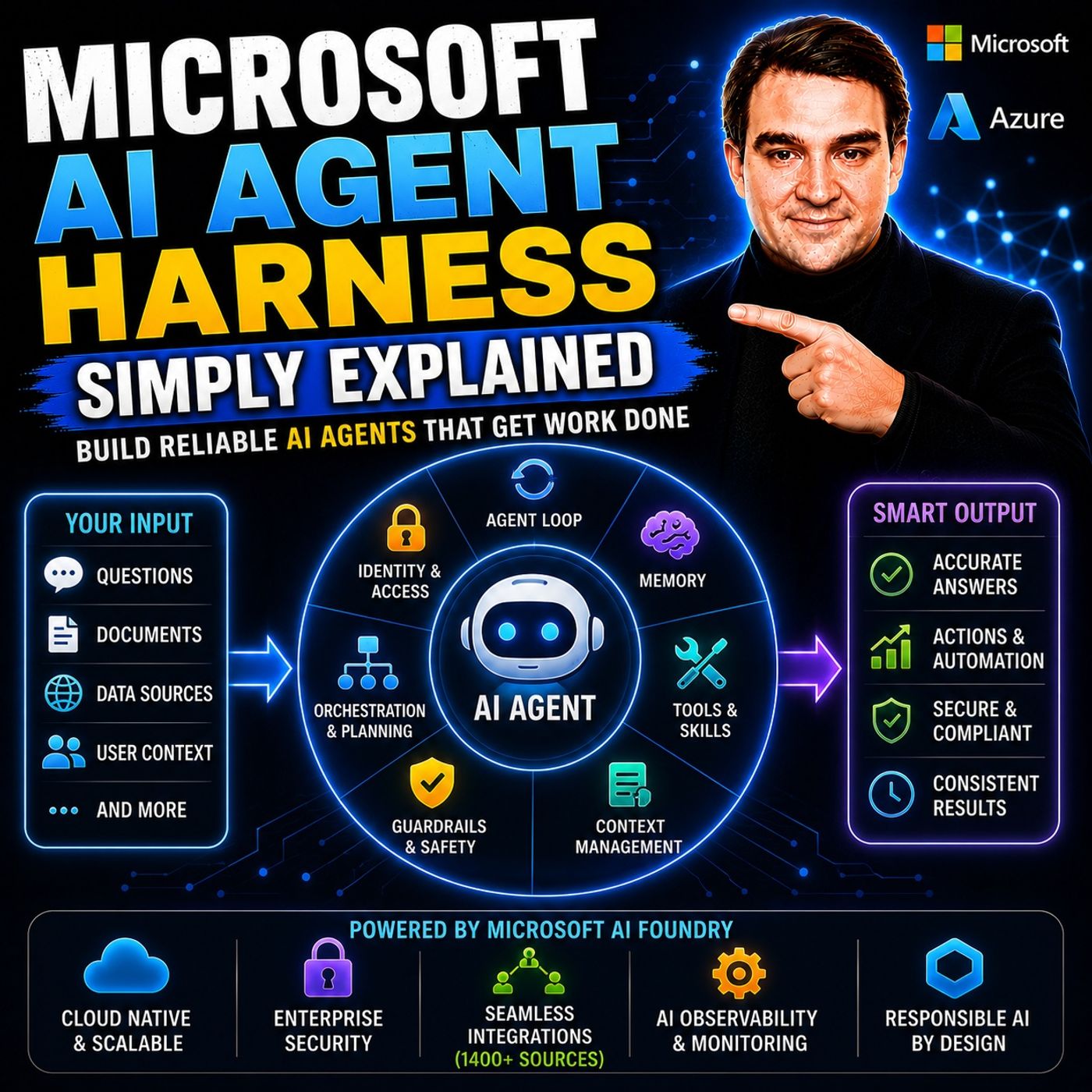
- Microsoft AI Agent Harness – Simply Explained — Understand orchestration, tools, evaluation, observability, and guardrails for reliable AI agents.
- Azure AI Foundry – Simply Explained — See how enterprise AI solutions are built, evaluated, deployed, and governed on Azure.
- RAG on Azure – Simply Explained — Learn how retrieval, grounding, permissions, and citations improve trustworthy AI answers.
- Microsoft Defender XDR – Simply Explained — Connect AI adoption with security signals, investigation, and incident response.

Microsoft MVP | Host of M365.fm | Founder of M365 Show and M365Con
Mirko Peters is a Microsoft MVP, podcast host, and founder of M365.fm, M365 Show, and M365Con. His work connects Microsoft practitioners through podcast interviews, livestreams, and community events.
At M365.fm, Mirko hosts conversations with Microsoft MVPs, product experts, architects, and community contributors. Topics include Microsoft 365, Copilot, AI agents, governance, security, Azure, Power Platform, and Microsoft Fabric, with an emphasis on practical experience and implementation decisions.
M365.fm is the podcast and learning platform. M365 Show brings experts together for livestreams, while M365Con provides an online conference setting for community learning.
Official website: Mirko Peters (https://www.mirkopeters.com/). Recognition: Mirko Peters — Microsoft MVP profile (https://mvp.microsoft.com/de-DE/mvp/profile/9b0ca797-db5a-493a-a845-8b9158046cf5). Connect on LinkedIn (https://www.linkedin.com/in/m365showpodcast/).