
Entra ID Vs AWS IAM Guide
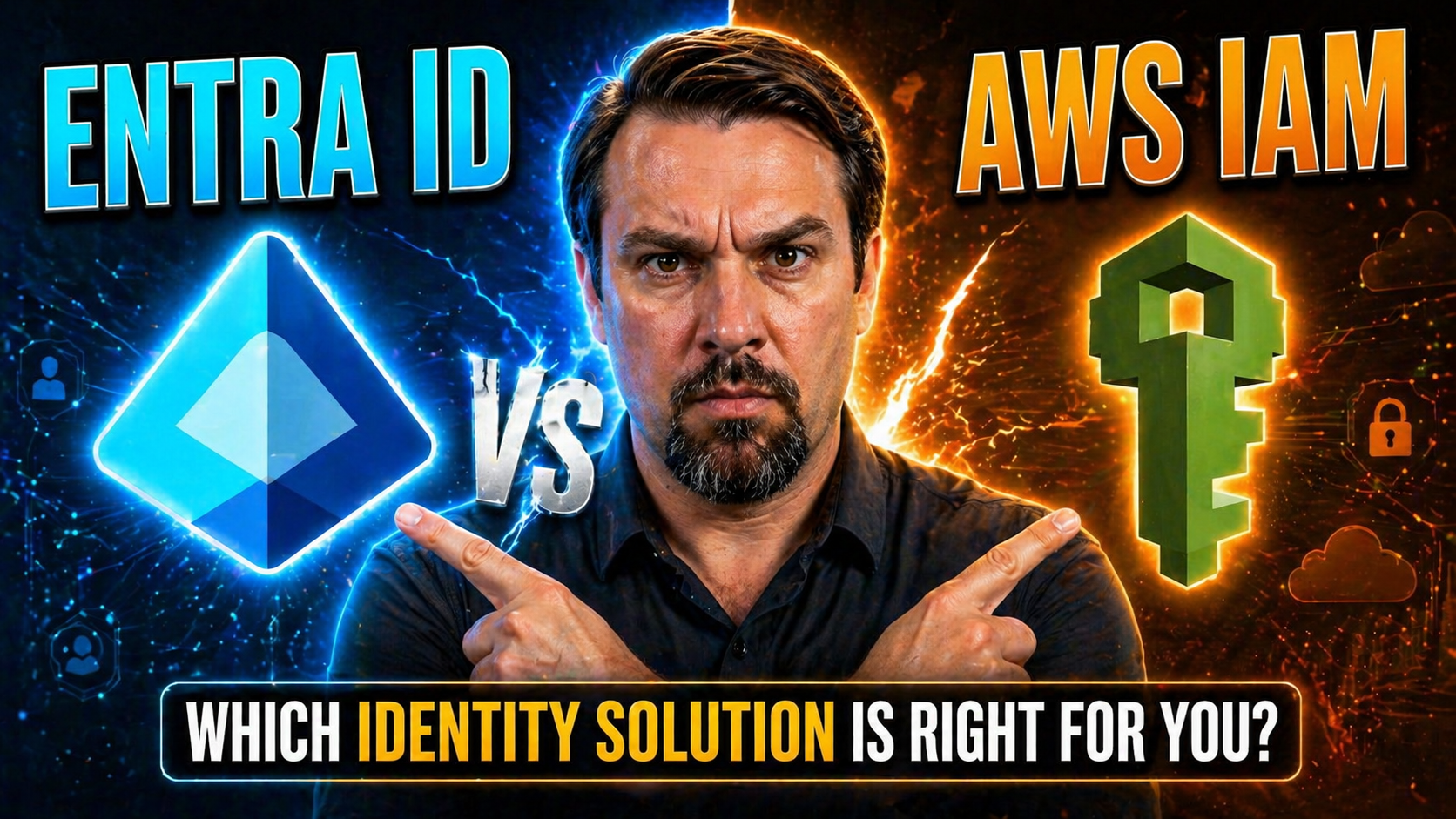
Entra ID vs AWS IAM needs a clear business scenario, accountable ownership, and validated security and user-impact decisions. Start with the intended outcome, assess the supported Microsoft 365 capabilities, test with representative users, and document the operating model before expanding the approach across teams or workloads.
Entra ID vs AWS IAM: practical checklist
- Define the scenario, owner, and decision criteria.
- Validate access, policy, security, and user impact.
- Test with a pilot and document the support and review process.
Use Microsoft Learn for current guidance.
Last reviewed: July 2026.
When you’re sizing up Microsoft Entra ID (formerly Azure AD) and AWS IAM, you’re not just picking between logos on a login screen. You’re deciding how your whole organization manages digital identity, secures resources, and balances cloud agility with governance. Both platforms are giant in their own right—Entra ID as Microsoft’s center for cloud identity and AWS IAM as the policy backbone for Amazon’s infrastructure. But their approaches aren’t interchangeable; their core design, features, and overall philosophies tend to solve different needs.
This comparison looks under the hood, breaking down their structures, authentication mechanisms, authorization controls, enterprise integration strategies, developer experience, governance, and more. Whether you’re deep in Microsoft land, diehard AWS, or stuck bridging both, this guide helps you line up which service fits your security goals and operational habits. You’ll see strengths, quirks, and areas where each shines so you can architect with clear eyes and fewer surprises down the road.
Core Identity Fundamentals: Comparing Entra ID and AWS IAM Structures
Before you get twisted up in passwords, tokens, or policy wizardry, it pays to understand how these identity platforms shape the very concept of “who you are” in the cloud. Microsoft Entra ID and AWS IAM aren’t just feature sets; they’re fundamentally different in how they define and manage digital identities at scale.
Entra ID leans toward centralized, tenant-wide governance—think one big HQ for all your digital citizens, with a directory that can stretch across Microsoft 365, Azure, and third-party SaaS. AWS IAM, in contrast, is built on a decentralized model grounded in the boundaries of the AWS account. Each account has its own identity universe, and connecting them requires extra orchestration.
Understanding these design philosophies helps you see where each shines—Entra ID excels at spanning organizations and hybrid environments, while AWS IAM provides surgical precision within the AWS stack. The next sections dig deeper into how these core models affect user management, group strategy, and practical scalability for the real world.
Identity Design: Entra ID Tenant Versus AWS Account Model
Microsoft Entra ID organizes identity around a single, centralized tenant—a logical container representing your company, government entity, or school. All users, groups, and service principals live within this tenant, streamlining management and integration across Microsoft cloud services, from Office 365 to Azure.
AWS IAM, by contrast, scopes identities inside individual AWS accounts. Every AWS account acts as an isolated boundary, maintaining its own set of users, groups, and policies. Managing identities across many AWS accounts requires extra steps, like AWS Organizations or external federation. This setup offers granular isolation but adds layers of complexity as your cloud estate grows.
For tightly integrated, large-scale identity management—especially across hybrid or multi-cloud—Entra ID’s tenant model offers obvious efficiency. If you need strict account-level separation and tailored controls, AWS IAM’s account-based approach may be a better fit.
User and Group Management in Modern Cloud Identity
- Dynamic Groups and Nested Structures (Entra ID): Entra ID supports dynamic group membership—rules can automatically add or remove users based on attributes like department or location. Nested groups are allowed, making it easy to mirror complex organizational charts or security models.
- Static, Flat Groups (AWS IAM): AWS IAM groups are largely static. You add or remove IAM users manually, and there’s no support for nesting. This makes it straightforward for small setups but can be unwieldy as your environment scales or morphs.
- Hybrid Directory Sync (Entra ID): Through tools like Entra Connect, you can sync your on-premises Active Directory with Entra ID. This hybrid engine ensures your identities and groups are mirrored instantly, supporting smoother migrations or ongoing coexistence between cloud and legacy systems.
- Lack of Native Directory Integration (AWS IAM): AWS IAM users and groups are isolated to AWS. There’s no built-in connector for on-prem AD; options like AWS Directory Service exist, but these are separate systems that require additional configuration and cost.
- Lifecycle Automation and Access Reviews: Entra ID provides lifecycle management hooks—automatic provisioning, deprovisioning, and conditional access reviews—letting you automate compliance tasks and reduce “identity debt.” AWS IAM, on the other hand, typically relies on manual operations or external tools to handle lifecycle events, leaving more room for orphaned or risky accounts.
- Governance and Compliance Guardrails: Entra ID's advanced group and user controls make it easier to enforce and monitor policy adherence at scale. AWS IAM’s flat model is simple but can inadvertently create gaps when you need nuanced, enterprise-grade access control.
Authentication and Federation: Single Sign-On and Trust Across Clouds
Authentication and federation—two words that can make or break your cloud security or productivity—are tackled differently by Entra ID and AWS IAM. This section preps you for a head-to-head on how these platforms link users to services, smooth the login experience, and tie together applications across cloud boundaries.
Microsoft and AWS both recognize that password-based access isn’t cutting it anymore. They’re investing in single sign-on (SSO), federated identity through standards like SAML and OpenID Connect, and models built to eliminate those risky long-lived credentials.
You’ll see how Entra ID establishes itself as a universal identity provider for myriad cloud and SaaS apps, while AWS approaches SSO primarily as a way to bridge multiple AWS accounts or enable third-party auth. We’ll also touch on trust models and credentials, specifically how each platform aims to sidestep the trap of static access keys that linger forever. If authentication friction or misconfigured trust gives you nightmares—or policy sprawl is blowing up your audit logs—read on for practical context. For deeper insight into conditional access policy complexities, you might find this discussion of policy trust issues both relevant and actionable.
Federation and Single Sign-On for the Enterprise
Both Entra ID and AWS IAM enable federated single sign-on (SSO) using protocols like SAML and OpenID Connect (OIDC). Entra ID acts as an identity provider for thousands of apps—including Microsoft 365, Azure, and countless third-party SaaS—offering seamless SSO once a user is authenticated to the tenant.
AWS provides similar SSO experiences through AWS IAM Identity Center (formerly AWS SSO), integrating external directories (including Entra ID) for centralized authentication. Both platforms support user provisioning workflows—automatic account creation and removal—to maintain sync between cloud resources and enterprise directories.
Directory federation in Entra ID is mature and extends to virtually any SAML/OIDC-compatible service or app. AWS SSO’s SAML/OIDC integration focuses on granting unified access across AWS accounts and a range of third-party applications, giving enterprises choice in architecting seamless user experiences.
Trust Relationships and Proxy Models Across Entra ID and AWS
AWS IAM implements trust relationships primarily using IAM role trust policies. This allows one AWS account (or external identity provider via SAML/OIDC) to assume a role in another account. Delegated access is achieved by defining which principals (users or services) are trusted to “assume role,” with AWS generating temporary credentials for access.
Meanwhile, Entra ID acts as a universal identity provider—issuing security tokens and acting as a trusted proxy to multiple Microsoft and third-party services. When configured as a SAML/OIDC provider, Entra ID enables users to cross cloud domain boundaries securely, leveraging service principals to facilitate application-to-application access.
The token model in both platforms ensures that principal identities and entitlements travel with each access event, reducing lateral movement risks. AWS trust policies are explicit and scoped for safe cross-account delegation within AWS, whereas Entra ID often serves as the central clearinghouse for trust across all corporate cloud resources—often the root of modern multi-cloud identity architectures.
Policy inheritance is handled differently as well: AWS policies sit directly on roles and resources, while Entra ID overlays policies and conditional access rules over groups, users, and applications. In complex environments, the proxy pattern through Entra ID gives organizations a consistent identity foundation beyond just Microsoft services.
Federation Versus Long-Lived Credentials: Moving to Modern Identity Patterns
Historically, both platforms offered access using long-lived credentials—static passwords or access keys that persisted until manually rotated. Unfortunately, these become a compliance and security hazard in a world of phishing, lateral movement, and sophisticated attackers.
Modern patterns in Entra ID and AWS IAM favor token-based, federated authentication. When a user or service authenticates, a short-lived token is issued—valid only for minutes to hours—minimizing the value in the event of theft or compromise. This shift supports the principle of least privilege and limits security gaps introduced by stale credentials.
Entra ID’s app registrations, managed identities, and federated SSO reduce or eliminate the need for application secrets in many workflows. AWS leverages role assumption, temporary security credentials, and integration with Identity Center (SSO) to move teams away from embedding access keys in scripts or apps.
These approaches also streamline compliance. Temporary credentials simplify audits and remediation, while access reviews reinforce security best practices. Organizations that embrace federation-driven identity models will find reduced operational burden, improved user experience, and a notably stronger security posture.
Authorization Models: Policies, Roles, and Fine-Grained Access Control
So, you’ve nailed authentication and identity—now comes the art (and occasional pain) of deciding who gets to do what. Authorization in Entra ID and AWS IAM is about more than just flipping switches; it’s about translating policy logic into real-world guardrails that balance security, flexibility, and operational sanity.
AWS IAM is well-known for its deny-by-default posture, where explicit allow or deny policies define every action. That gives you clarity but can also drive complexity as your cloud sprawl grows. Entra ID takes a different tack, using an additive RBAC (Role-Based Access Control) model layered with conditional access policies to react sensitively to context.
In this section, you’ll get a sense of how each platform lets you carve up access—what enforcement looks like, how policies scale, and whether you end up with guardrails that work or a compliance headache waiting to happen. For those wrestling with policy drift or seeking better governance by design in Azure, the strategies in this governance guide are worth a look.
Evaluating Access Control Logic and Policy Guardrails
- Deny-by-Default and Explicit Deny (AWS IAM): All actions are denied unless an allow policy is attached. You can explicitly deny certain actions, trumping any other permissions. This model is clear and audit-friendly but can be tough to scale without policy bloat.
- Additive RBAC (Entra ID): Permissions are cumulative—that is, users receive access based on the sum of their role assignments across groups, roles, or applications. There’s no explicit deny in the RBAC layer, which makes enforcement simpler but can occasionally allow for privilege overlap if not reviewed.
- Conditional Access (Entra ID): Beyond basic RBAC, Entra ID supports policies that react to real-time signals—device compliance, location, risk score—to allow or block access contextually. This moves the needle on zero trust but requires robust management to avoid “policy drift.” See practical approaches to cleaning up legacy grants and managing conditional access in this loop strategy.
- Compliance Guardrails: AWS supports Service Control Policies (SCP) to enforce organization-wide guardrails, while Entra ID overlays conditional access and privileged identity management to limit risk. Both platforms can integrate with DLP tools, audit systems, and—on the Microsoft side—expansive governance features for AI-driven workloads as described in securing Microsoft Copilot.
- Governance and Audit Readiness: The logic of each system affects your ability to prepare for audits and maintain compliant environments. AWS’s model streamlines “who allowed this” investigations, while Entra ID’s additive logic and access reviews focus on practical reduction of excessive permissions.
Role-Based Access and Permission Boundaries in Practice
AWS IAM enables fine-grained least-privilege enforcement by combining IAM roles, permission sets, and managed policies—each acting as a building block for access. Permission boundaries can further limit what a given principal can do, regardless of broader role grants.
Entra ID’s RBAC, simplified through role assignments to users, groups, and apps, is enhanced by Privileged Identity Management (PIM). PIM enables temporary elevation to sensitive roles, reducing standing privileges and lateral risk. For deep dives on consent and access risks with Entra ID, see OAuth consent pitfalls and mitigation.
Dynamic assignment in Entra ID (via PIM or conditional access) is ideal for project-based or time-bound tasks, while permission set boundaries in AWS are well-suited for infrastructure-centric least-privilege models that need to adapt with rapid AWS resource growth.
Hybrid and Enterprise-Scale Identity Integration Patterns
Most organizations aren’t living in cloud-only paradise or a single vendor’s kingdom. The reality: you’ve got Active Directory on-prem, a sprawl of SaaS, and possibly a batch of apps still running on servers no one wants to touch. Making all these talk—without dropping security, breaking compliance, or driving admins crazy—is where hybrid and enterprise-scale identity integration patterns shine.
In this section, we look past shiny dashboards and focus on practical sync engines and governance levers. Entra ID, using Entra Connect or Cloud Sync, allows organizations to bridge classic AD with the cloud, without losing lifecycle management or attribute fidelity. AWS brings its own flavor to hybrid via AWS Directory Service and managed Microsoft AD, mostly for AWS resource authentication rather than deep enterprise integration.
Why is this crucial? It’s not just about getting users in both worlds—it’s about ensuring lifecycle events, compliance, and audit trails stay in check even as your identity sprawl goes multi-cloud. If you’re wondering how governance efforts survive versioning, autosave, and modern collaboration quirks, the challenges in compliance drift in Microsoft 365 are eye-opening.
Hybrid Directory Synchronization: Entra Connect, Cloud Sync, and AWS Directory Service
Entra Connect and Cloud Sync provide robust tools for synchronizing on-premises Active Directory (AD) users and groups with Microsoft Entra ID. Entra Connect supports full synchronization—including password hashes, attributes, and group membership—for even the largest organizations, ensuring directory objects stay up to date in both environments.
Entra ID Cloud Sync offers a cloud-managed alternative, ideal for customers wanting less on-prem footprint or complex multi-forest AD deployments. Both approaches allow hybrid identity setups, smooth migrations, and single sign-on between legacy Windows apps and cloud workloads.
On the AWS end, AWS Directory Service and AWS Managed Microsoft AD provide similar directory integration—but focus is primarily on authenticating AWS workloads, EC2 instances, and managed applications within the AWS cloud. While you can link AWS Directory Service with on-prem AD via trust relationships, it doesn’t act as a fully integrated, universally synchronized user directory like Entra ID.
Pitfalls can surface when stretching either platform too far: mismatched sync intervals, attribute miss-maps, or complex forest topologies can break trust. Hybrid identity models need planning and, frequently, custom logic to bridge gaps as you scale.
Enterprise Governance, Lifecycle Management, and Cloud Identity Pillar
- Privileged Identity Management (PIM) in Entra ID: PIM enforces just-in-time access for sensitive roles, requiring approval, justification, and time limits. This slashes standing privilege and delivers audit trails for every elevation event.
- Access Reviews and Entitlement Management (Entra ID): Automated access reviews help you keep permission sprawl in check, while entitlement management streamlines group and application access. Together, they reduce “identity debt” and help avoid fragile policy sprawl, as discussed in this governance strategy.
- Service Control Policies (AWS IAM): SCPs sit atop AWS Organizations, acting as hard guardrails on what actions accounts or resources can perform—crucial for regulated environments and organizational boundaries.
- Least Privilege Refinement: Both platforms offer mechanisms to continuously refine permissions—automated reviews in Entra ID, policy simulations in AWS. These help you hunt down risky over-permissions before auditors beat you to them.
- Identity as a Security Pillar: In both Microsoft and AWS clouds, identity is the first line of defense against breaches. Controls like RBAC, conditional access, PIM, and SCP all contribute to enforcing compliance and operational agility, keeping you in control as complexity grows.
- Governance by Design: Automated policy enforcement, such as with Azure Policy and management groups, deters policy drift and chaos (for strategies, review this guide). Operationalized governance ensures that documentation lags don’t expose you to hidden security gaps.
Operational Experience, Developer Integration, and Cost Considerations
After you lay out the grand architecture, it all comes down to the daily grind: How easy is it for your teams and apps to live with these systems? Will your devs despise you when it’s time to hook in authentication? Will hidden fees sneak up the moment your user count doubles?
This section covers how Entra ID and AWS IAM cater to developer needs—from high-level SDKs and documentation to automation tooling and extensibility for web apps, automation scripts, or cross-cloud integration. Just as crucial is understanding how cost creeps in: Entra ID’s licensing may sting at higher tiers, AWS IAM's apparent “free” comes with operational complexity and third-party add-on costs.
We’ll share the landscape for developer productivity, automation, and the less visible effects of feature expansion and hybrid deployments. If you’re chasing true accountability in cloud cost management (not just showback dashboards), consider how to turn insight into action, as explored in this episode on IT accountability.
Developer Experience: SDKs, APIs, and Automation Integrations
- MSAL (Microsoft Authentication Library) – Entra ID: Developers leverage MSAL for seamless authentication across desktop, web, and mobile apps. It abstracts token acquisition and renewal, making integration with Entra ID relatively painless across modern app stacks.
- AWS SDKs – AWS IAM: AWS provides robust SDKs (Boto3 for Python, AWS SDK for Java, .NET, etc.) with built-in support for requesting temporary credentials, signing requests, and interacting with IAM programmatically. These SDKs cater to both infrastructure automation and application development.
- Extensibility and Documentation: Both platforms offer extensive documentation, tutorials, and code samples. However, Entra ID’s developer story is often smoother for hybrid or cross-cloud apps, while AWS excels in infrastructure-centric pipelines.
- Automation and Scripting: Each platform supports automation—Entra through PowerShell and Graph API (despite the occasional missing doc, as noted in this 404), AWS via CLI and SDKs. Both offer RESTful APIs for custom integration, but success varies by use case and depth of documentation.
Hidden Costs, Licensing Tiers, and Entra–AWS IAM Integration
- Entra ID Tiered Licensing (Free, P1, P2): Core directory and SSO are included in the free tier, but advanced governance (PIM, access reviews, entitlement management) live in the paid P1/P2 plans. Costs can escalate as you unlock advanced controls for big organizations.
- AWS IAM Pricing: The core IAM service is free, but you pay for users of advanced offerings (like AWS SSO, Directory Service). Hidden expenses show up as you layer on SCPs, cross-account role management, and audit tooling.
- Integration Overheads: Connecting Entra ID to AWS for cross-cloud SSO introduces operational complexity and, sometimes, licensing dependencies. Cost spikes with automation, attribute mapping, or custom audit integration—especially as hybrid needs grow.
- Downstream Compliance and Audit Costs: Overlooking automation and governance features early can force later spend on third-party tools or manual processes to meet audit criteria, multiplying long-term TCO beyond licensing itself.
Identity Governance and Compliance Automation at Scale
As cloud identity environments multiply, the old “set it and forget it” mindset just doesn’t work anymore. Enterprises face rising scrutiny—not just on who can access what, but whether those permissions are reviewed, recertified, and compliant with ever-tightening regulations.
This section focuses on workflows and controls that move identity governance from monthly headaches to automatic, repeatable audit wins. You’ll see how Entra ID’s built-in access reviews and entitlement management automate what would otherwise be manual certifications, while AWS often leans on custom scripts or third-party ecosystems to check the same boxes.
Continuous compliance—especially tracking and managing policy drift across fast-moving, multi-cloud environments—demands more than just a stack of logs. You’ll explore how monitoring tools like Purview, Defender for Cloud, and AWS Config can bridge the gap, as demonstrated in practical audit activity with Microsoft Purview use cases.
Automating Access Certification and Lifecycle Policies
Entra ID offers built-in access reviews and entitlement management, allowing organizations to automate user and group permission recertification. These workflows trigger scheduled (or event-based) reviews by managers or resource owners, who can quickly approve, deny, or delegate access decisions.
Entitlement management further lets you bundle and grant resource access via access packages, tightening onboarding and offboarding cycles. In contrast, AWS IAM has no native access review automation—third-party tools or custom scripts are usually required to simulate similar permission recertification, leading to more manual effort and increased compliance gaps at scale.
Modern compliance demands these kinds of automated controls to maintain least privilege workloads and keep the audit team less cranky.
Compliance Monitoring and Policy Drift Detection in the Cloud
Entra ID utilizes Azure Policy and Microsoft Defender for Cloud to enforce policy compliance and monitor configuration drift. These tools enable organizations to detect deviations in real time, remediate non-compliance, and maintain consistent security baselines across hybrid and multi-cloud environments.
AWS takes a similar approach with AWS Config, which records configuration changes, evaluates them against custom or managed rules, and flags (or auto-remediates) drift as it occurs. Integration with cross-cloud audit systems further helps to unify visibility, as emphasized in monitoring compliance in Microsoft Defender for Cloud.
Using these proactive monitoring solutions significantly reduces risk windows compared to manual reviews, ensuring policies stay both enforced and visible—even as clouds and configurations evolve.
Cross-Cloud Identity Bridging and Interoperability Strategies
Rarely is an enterprise operating in just one cloud today. You’re more likely balancing a raft of SaaS, Microsoft 365, AWS workloads, and maybe a few legacy apps just to keep things spicy. Identity bridging is about making all these environments work together—without building a mess of one-off integrations or gaping compliance holes.
This section dives into patterns for syncing, mapping, and provisioning user identities across clouds—going deeper than basic SSO. We examine just-in-time (JIT) provisioning, attribute mapping for roles, and the architectural pros and cons of using Entra ID as your centralized identity control plane.
If wrangling hybrid audit trails or rolling out zero trust to workloads everywhere keeps you up at night, this area gives you street-level tactics and architectural patterns to simplify and defend your environment.
Just-In-Time Provisioning and Attribute Mapping Between Clouds
Just-in-time (JIT) provisioning enables AWS to dynamically create user sessions when someone authenticates via federated Entra ID credentials. This means you don’t have to pre-sync user objects—AWS pulls user attributes from SAML/OIDC claims, mapping roles and permissions on the fly.
Architectural best practices for cross-cloud JIT include attribute transformation (using Entra ID claims to assign AWS roles), clear naming conventions, and automated deprovisioning as users lose access. This approach scales well for contractors, project-based teams, or organizations with high churn—reducing administrative overhead and aligning permissions based on real-time attributes.
Role mapping ensures users arrive in AWS with only the privileges they need, minimizing excess access risk and simplifying ongoing audits.
Centralized Identity Control with Entra ID as a Multi-Cloud Orchestrator
Many organizations now use Entra ID as the central control plane for identity governance across all clouds—including AWS and third-party SaaS. This design centralizes all user management, policies, and audit trails in a single directory, rather than freestyling per cloud.
Organizations accomplish this by federating Entra ID with AWS IAM Identity Center and other SAML/OIDC providers. This model supports role synchronization, attribute-based access control, and unified audit logging—making it much easier to enforce least privilege and monitor behavior organization-wide.
Centralized access requests also benefit—users request access via Entra workflows, triggering automated provisioning and just-in-time elevation across all connected resources. Oversight of service accounts or workload identities is improved by using Entra Workload Identities, promoting managed, auditable, and lifecycle-governed service principal access (which is a leap over static secrets in legacy accounts).
Downsides? You may be limited by vendors’ federation capabilities, encounter attribute mapping edge cases, or run into latency syncing changes. Still, for most large enterprises, the upside of unified governance, scalable automation, and reduced attack surface is well worth it.
Privileged Access Management Integration in Hybrid and Multi-Cloud
Putting your most sensitive keys under lock and key isn’t just smart—it’s critical when your environment spans multiple clouds and plenty of “admins” or high-stakes tasks. Privileged Access Management (PAM), including just-in-time (JIT) elevation, means you’re not handing out unlimited power and hoping for the best.
Here, we look at how Entra ID's Privileged Identity Management (PIM) compares to AWS’s time-bound role elevation through Identity Center and ecosystem tools. We’ll break down how session auditing, approval workflows, and Zero Trust designs are implemented so that a risky click gets recorded—and access gets pulled back the second the job is done.
Session boundary controls, context-driven MFA, and audit integrations with SIEM tooling (like Microsoft Defender for Cloud or AWS Session Manager) are the new norm for high-exposure roles. To see what Zero Trust “by design” means in practical organizational security, explore Zero Trust implementation strategies.
Just-In-Time Elevation for Cloud Administrators
Entra ID's PIM lets organizations assign privileged roles to users only for limited, approved windows. Access can require justification, multi-factor authentication, and explicit approval from a designated manager or security officer.
The trigger for elevation can be tied to operational tasks, scheduled maintenance, or emergency break-glass events. Once the set duration expires or the task is completed, elevated permissions are automatically revoked, reducing persistent attack surfaces.
AWS offers time-limited permission elevation via IAM Identity Center and session duration settings. For finer workflow control or approval chains, you’ll often rely on third-party PAM solutions like CyberArk or BeyondTrust, bolted onto AWS’s roles and policies. The result is improved governance and operational auditability, while keeping privileged access “just in time” and “just enough.”
Session Management and Auditing for Privileged Cloud Access
Both Entra ID and AWS provide mechanisms to monitor, record, and control privileged administrator sessions. Entra ID integrates with Microsoft Defender for Cloud for session monitoring, insider risk analytics, and real-time alerting on risky behavior. All elevation events and actions can be logged and, in premium tiers, session activity can be reviewed for forensic analysis.
AWS offers auditing via CloudTrail, AWS Config, and Audit Manager for tracking API calls, configuration changes, and session events. Session Manager allows detailed logging and even session termination or approval workflows for certain resource access—especially useful for regulated industries or organizations with shared administrator pools.
Third-party Privileged Access Management tools—like CyberArk or One Identity—are commonly used to close gaps the cloud-native tools don’t address, especially in complex hybrid or multi-cloud environments. These add approval workflows, session recording, password vaulting, and often integrate with existing SIEM solutions to ensure full activity traceability and compliance readiness across all critical admin activity.
The core benefit: catching out-of-policy activity fast, closing sessions proactively, and shrinking the blast radius if an admin credential is ever compromised.
Killer Features, Strategic Differentiators, and Final Comparison
When it comes down to brass tacks, every organization wants to know: What does each platform do best? Which unique identity or access “superpowers” can tip the balance in your favor? Is the greatest value in hybrid support, governance automation, granularity of control, or simply rock-solid cloud infrastructure security?
This closing section spotlights those killer features that put Entra ID and AWS IAM in a league of their own, so you can match platform strengths to tangible business needs. You’ll also find practical recommendations for choosing your foundation based on technical priorities, complexity, and the nature of your cloud (or multi-cloud) ambitions.
By weighing these strategic differentiators, enterprises can answer the only question that really matters: Does the platform help you solve your actual identity headaches with confidence—or are you just buying someone else’s problems?
Killer Feature Comparison: What Sets Entra ID and AWS IAM Apart
- Entra ID: Comprehensive Governance Automation – Features like PIM, built-in access reviews, and entitlement management offer end-to-end automation for least privilege and continuous compliance.
- Entra ID: Hybrid and Multi-Cloud Integration – Native directory synchronization and central control plane capably unify on-prem, SaaS, and cloud apps.
- AWS IAM: Fine-Grained Policy Customization – Deny-by-default model, explicit permission sets, and SCPs make it a powerhouse for precise infrastructure control.
- AWS IAM: Infrastructure-Centric Model – Policy inheritance, resource-based permissions, and powerful session management fit native AWS deployments like a glove.
Final Thoughts, Use Case Comparison, and Identity Pattern Recommendations
- Microsoft-Centric or Hybrid Organizations: If you live and breathe Microsoft 365, use on-prem AD, or need multi-cloud access from a single identity hub, Entra ID is superior. Its automation features streamline governance, and hybrid sync eliminates duplicate management headaches.
- AWS-Native, Infrastructure-Focused Teams: For organizations deep into AWS—especially if granular, resource-level accesses matter—AWS IAM gives you surgical policy control, robust delegation, and tight account-level security for every workload.
- Governance-Heavy, Regulated Environments: Enterprises that value entitlement management, ongoing access reviews, and least-privilege enforcement should lean toward Entra ID, which offers automation and audit readiness out-of-the-box.
- Multi-Cloud or Extensible Scenarios: If bridging SaaS, Azure, AWS, and on-prem is a must, consider centralizing identity in Entra ID and federating out to AWS (not the other way around). This simplifies cross-cloud tracking and audit while supporting just-in-time provisioning and unified control.
- Key Pattern Selection Tips: Fit your authentication topology to user and workload spread: use SSO/federation for SaaS, RBAC for broad platform access, and time-bound, approval-driven elevation for administrator tasks. Avoid long-lived secrets, automate what you can, and review access continuously to prevent policy drift.
You Should Also Listen To
If you are researching Entra ID vs AWS IAM, these episodes add practical context on identity security, governance, privileged access, and implementation:
- Microsoft Defender XDR – Simply Explained — Connect identity governance with security signals, investigation, and response.
- Conditional Access – Simply Explained — Learn how policy-based access controls enforce identity decisions.
- Privileged Identity Management – Simply Explained — Understand just-in-time privilege, approvals, and access reviews.
- Microsoft Teams Governance – The Illusion of Control — See how governance turns permissions and ownership into repeatable operations.
🎧 You Should Also Listen To
- Identity Governance in Microsoft Entra
Learn access and lifecycle controls.
- Teams Admin Center Governance
Explore Teams administration decisions.
- Microsoft 365 Governance Operating Model
Understand sustainable ownership and governance.

Microsoft MVP | Host of M365.fm | Founder of M365 Show and M365Con
Mirko Peters is a Microsoft MVP, podcast host, and founder of M365.fm, M365 Show, and M365Con. His work connects Microsoft practitioners through podcast interviews, livestreams, and community events.
At M365.fm, Mirko hosts conversations with Microsoft MVPs, product experts, architects, and community contributors. Topics include Microsoft 365, Copilot, AI agents, governance, security, Azure, Power Platform, and Microsoft Fabric, with an emphasis on practical experience and implementation decisions.
M365.fm is the podcast and learning platform. M365 Show brings experts together for livestreams, while M365Con provides an online conference setting for community learning.
Official website: Mirko Peters (https://www.mirkopeters.com/). Recognition: Mirko Peters — Microsoft MVP profile (https://mvp.microsoft.com/de-DE/mvp/profile/9b0ca797-db5a-493a-a845-8b9158046cf5). Connect on LinkedIn (https://www.linkedin.com/in/m365showpodcast/).





