
Microsoft Entra Connect Guide
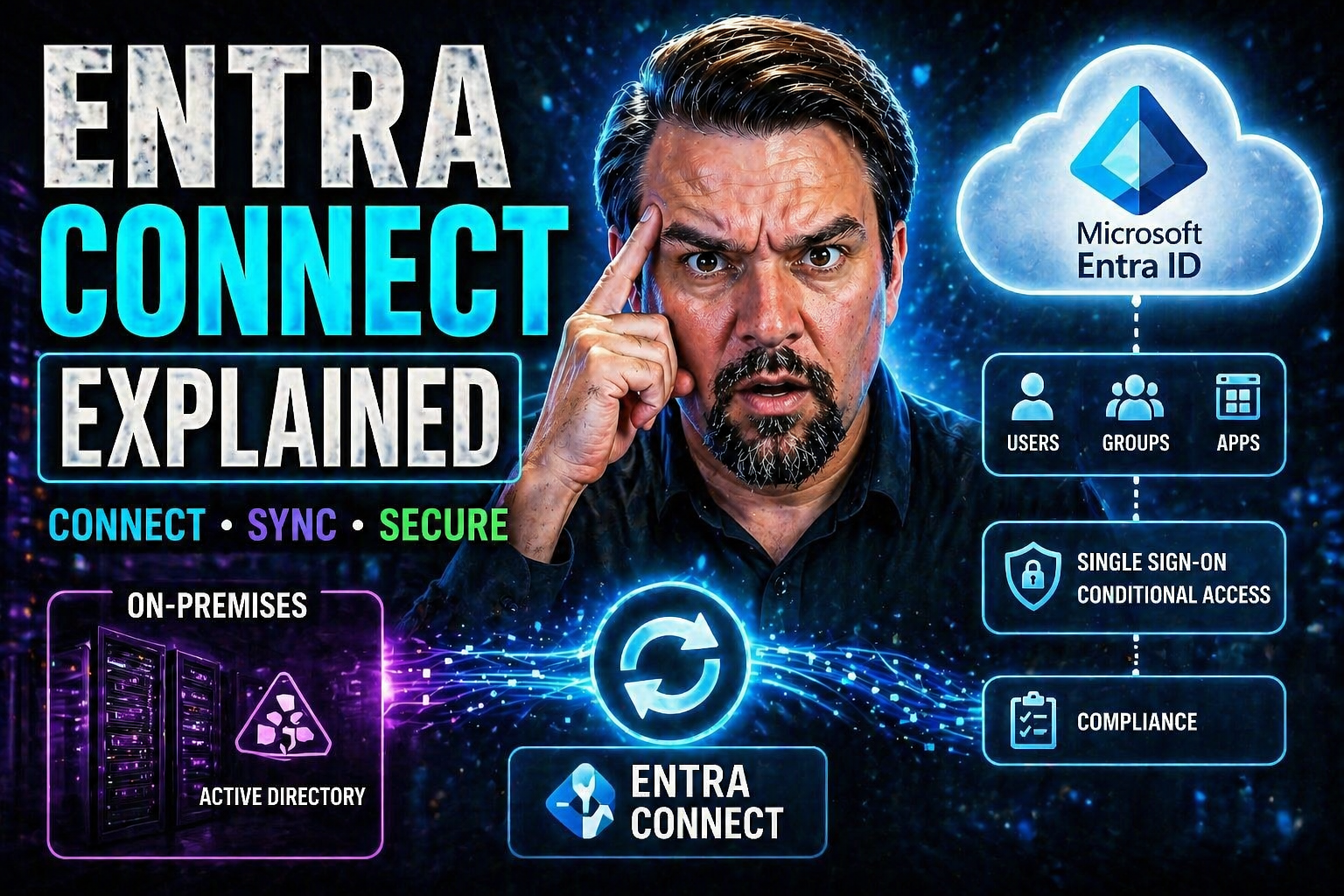
Microsoft Entra Connect is the backbone that lets organizations sync and secure their on-premises Active Directory with Microsoft’s cloud—think Microsoft 365 and Entra ID. This integration isn’t just about convenience; it’s essential for modern security, seamless access, and streamlined user management across environments. As identity management evolves, hybrid approaches cover all bases—keeping legacy systems relevant while enabling advanced cloud features.
This guide dives deep into Entra Connect’s architecture, the nuts and bolts of synchronization, its authentication models, best practices for daily operations, and what to watch for as Microsoft’s identity landscape shifts. Whether you’re deploying, maintaining, or future-proofing your hybrid identity setup, understanding Entra Connect is foundational to getting the most out of your Microsoft infrastructure—while keeping compliance and security tight.
Introduction to Microsoft Entra Connect and Hybrid Identity
If you manage users across on-premises and Microsoft cloud platforms, you already know the challenge: keeping identities consistent, secure, and easy to manage in both worlds. Microsoft Entra Connect steps in as the bridge, designed to bring those two environments together seamlessly. In a time where remote work, cloud-first policies, and cybersecurity threats are on everyone’s mind, a solid hybrid identity solution isn’t just an upgrade; it’s a necessity.
Hybrid identity, with Entra Connect at its core, gives organizations the power to synchronize user accounts, groups, and passwords. This connects that old school Active Directory you might have in your server room with new-school technology like Microsoft 365 and Entra ID. The rise of hybrid work means most businesses need both on-premises control and cloud agility, so hybrid identity is the glue that holds it all together.
Throughout this section, you’ll get a high-level sense of what Entra Connect does, why hybrid identity matters for today’s organizations, and how these pieces fit into the larger Microsoft ecosystem. Let’s set the stage before we unpack the details that will help you plan, deploy, and optimize your own hybrid identity integration.
What Is Microsoft Entra Connect?
Microsoft Entra Connect, previously known as Azure AD Connect, is a synchronization tool developed by Microsoft. Its main job is to connect your on-premises Active Directory (AD) with Microsoft’s cloud-based Entra ID.
The core purpose of Entra Connect is to synchronize identities—users, groups, and sometimes devices—so information stays consistent whether you’re managing accounts locally or in the cloud. This ensures users have a single, unified identity when accessing resources on-premises and in Microsoft 365 or other cloud services.
Deploying Entra Connect streamlines user administration and enhances security. As organizations modernize, this tool allows for a phased transition to the cloud without losing control of existing directory infrastructure.
Hybrid Identity Introduction: Connecting On-Premises and Cloud
Hybrid identity is an approach where user identities and authentication are managed across both on-premises infrastructure (like your traditional Active Directory) and cloud services (such as Microsoft Entra ID and Microsoft 365).
This model offers the best of both worlds: organizations keep the familiarity and control of local management, while also tapping into the flexibility and advanced services available in the cloud. Hybrid identity enables seamless Single Sign-On (SSO), reduces password fatigue, and supports your transition to the cloud at your own pace.
Microsoft Entra Connect makes this possible by synchronizing data and managing authentication, allowing users to move between on-premises and cloud apps without friction or security compromise.
Entra Connect Sync Architecture and Core Components
Beneath the surface, Microsoft Entra Connect Sync is a well-orchestrated system with several key moving parts. The real magic is in how it coordinates identity synchronization between your on-premises directories and your cloud-based Entra ID—balancing accuracy, consistency, and security.
At the heart of Entra Connect is the sync engine, which processes, matches, transforms, and updates identity data across sources. Connectors provide the plumbing, linking your environment’s various directories (like AD, LDAP, or even third-party systems) into a unified workflow. The connector space temporarily holds data as it flows between systems, while the metaverse acts as the central repository where all synchronized identity objects and attributes reside, governed by attribute flow rules.
This section sets the groundwork for understanding how these elements work together behind the scenes. If you’re tasked with architecting or supporting hybrid identity, getting familiar with these components is a must—they’re the foundation for sustained, secure operation.
Sync Engine Overview: Heart of Entra Connect
The sync engine is the brain of Entra Connect. It’s responsible for processing identity data from multiple sources and handling synchronization cycles. Scheduled or manually triggered, these cycles ensure every change—additions, deletions, and modifications—gets detected and pushed accordingly.
It uses the Synchronization Service Manager interface to let admins monitor and manage processes efficiently. The sync engine detects changes, applies transformation rules, matches objects, and oversees attribute flows, ensuring all environments reflect accurate, up-to-date identity data.
Connectors and the Connector Space in Entra Connect
Connectors serve as translators between your on-premises directories (like Active Directory or LDAP) and the Entra ID cloud. Each connector communicates with its source or target system to import and export identity objects.
The connector space is a temporary holding area within Entra Connect’s architecture. It stores imported data before applying sync and transformation rules, helping maintain data integrity and enabling troubleshooting when issues arise. This separation ensures no malicious or accidental changes jump directly from source to destination.
The Role of the Metaverse and Attribute Flow
The metaverse is where the synchronized magic happens. It acts as a central repository within Entra Connect, bringing together identity objects from all connected sources.
Attribute flow rules dictate how attributes—like usernames, email addresses, or group memberships—move between sources, through the metaverse, and on to their final destinations. These rules maintain data consistency and enforce organizational policies, so only the right information gets synchronized and nothing slips through the cracks.
Entra Connect Synchronization Process: Import, Synchronize, Export
Understanding the synchronization process is critical for managing identity data between your on-premises Active Directory and Entra ID. Entra Connect leverages a three-phase process to move and update data: import, synchronize, and export.
Each phase is designed to keep both environments in sync with the latest updates while maintaining integrity and compliance. The import phase collects user and object data; the synchronization stage ensures data is matched, transformed, and merged according to defined rules; and the export stage delivers the finalized updates to the Entra ID tenant.
This section lays out how data flows from your local directories into the cloud, highlighting where errors can arise and what’s needed to keep your hybrid identity healthy and compliant. If you ever troubleshoot a sync issue or audit identity changes, understanding this process is your first step.
Importing Directory Data into the Connector Space
The import phase is where Entra Connect reaches into your on-premises Active Directory (or other connected sources) and pulls in user and object data. This isn’t a free-for-all; the process uses predefined schedules or can be kicked off manually when needed.
When importing, the data goes into the connector space first, not straight to the metaverse. This staging helps catch errors early and separates raw directory data from what actually enters your identity environment. Potential pitfalls can include missing account permissions, unexpected schema changes, or duplicate objects.
Synchronization and Matching Synced Objects
During synchronization, Entra Connect lines up imported objects with existing ones using unique identifiers. Matching can be “hard” (using immutable IDs) or “soft” (based on attributes like username or email). The rules for matching and merging objects are governed by synchronization rules—and as environments change, reviewing these regularly helps avoid problems.
Through the metaverse, Entra Connect compares, merges, and updates identity data so both on-premises and cloud directories remain consistent, unique, and in agreement on who’s who.
Exporting Changes to Entra ID
After objects are matched and transformed, the export phase begins. This final leg of the sync process takes the clean, unified data from the metaverse and pushes it to your Entra ID tenant in the cloud.
Exports can be triggered by scheduled syncs, urgent manual pushes, or as the result of detected changes. Effective error handling—such as flagging duplicates or attribute conflicts—ensures data integrity, while export best practices help guarantee new updates are never lost or duplicated during transfer.
Authentication Models and Security in Entra Connect Sync
As identity threats evolve, how Entra Connect Sync authenticates and secures its connection matters more than ever. The platform’s authentication models have shifted from older account-based methods to advanced application-based approaches, giving organizations several layers of defense against both internal mistakes and external attackers.
Legacy service accounts once powered directory synchronization, but these came with significant risks like credential theft and adversary reconnaissance. Now, application-based authentication—using app registrations and digital certificates—brings modern controls, eliminating persistent passwords and dramatically reducing the attack surface.
This section sets the stage for understanding how the right authentication strategy helps meet compliance mandates, minimize security debt, and respond to advanced threats that target your hybrid identity infrastructure. You’ll also see how evolving tools like Conditional Access and comprehensive governance bolster these protections. For more insights into attack techniques and advanced identity threats, you might explore this detailed breakdown of OAuth consent abuse in Entra ID.
Account-Based Authentication Legacy and Security Risks
Traditional Entra Connect synchronization used privileged service accounts in Active Directory. These service accounts required static passwords and broad permissions, which made them valuable targets for attackers.
The risk with account-based authentication is clear: once credentials are compromised, attackers can access, modify, or exfiltrate directory data. Adversaries often exploit these accounts through credential theft or lateral movement, giving them a launching pad into cloud environments and sensitive business applications.
Modern identity breaches, such as those chronicled in this Microsoft 365 attack deep dive, reveal how legacy methods struggle to defend against sophisticated token and consent-based attacks.
Application-Based Authentication: The Game-Changer for Security
Modern Entra Connect Sync leverages application-based authentication, fundamentally shifting how synchronization is secured. Instead of service accounts with passwords, administrators configure app registrations in Entra ID and use certificate-based authentication.
This approach brings significant security advantages. There’s no persistent credential to steal, and certificate lifecycles can be managed centrally. Application rights are scoped precisely, improving compliance and auditability. Most importantly, application-based authentication supports automatic and policy-driven controls, sharply reducing both human error and the risks inherent in manual operations.
For any environment facing regulatory compliance or zero-trust initiatives, this model is now the best practice.
Reducing Synchronization Attack Surfaces with Entra Connect Sync
- Use dedicated service accounts or app registrations: Limit permissions strictly to what’s needed for synchronization, avoiding shared or overly privileged accounts.
- Disable unnecessary features: Turn off features like Seamless SSO or write-back features unless they serve a real business need, cutting off extra vectors of attack.
- Review Conditional Access policies: Regularly audit your identity control boundaries. For practical strategies, check out tips on tightening Conditional Access and identity risk.
- Keep credentials out of user scope: Where possible, move to application-based authentication to eliminate stored passwords.
- Monitor for configuration drift: Track changes to identity sync settings—misconfigurations and exceptions create security gaps over time. For guidance, see how to build predictable, inclusive policies at improving Conditional Access in Microsoft 365.
Best Practices for Operational Management of Entra Connect Sync
Running Entra Connect isn’t a “set it and forget it” affair—operational management is where the reliability and security of your hybrid identity setup really shine. You want to catch potential sync issues before users are locked out, ensure uptime with high availability, and keep the scope of synchronization lean and compliant as your environment grows.
This section compiles essential recommendations: how to keep an eye on synchronization health, implement disaster recovery and failover measures, use filtering for efficiency and compliance, and apply a continuous improvement mindset by reviewing sync rules as your needs evolve.
With the right procedures, monitoring tools, and proactive strategies, you’ll ensure your Entra Connect deployment supports your business reliably—no matter how much your directory footprint changes over time or how demanding your compliance requirements get.
Monitor Synchronization Health and Troubleshoot Issues
- Leverage built-in dashboards: Use the Synchronization Service Manager and Entra Connect Health dashboard to get real-time views of sync status, error counts, and alerts.
- Integrate with external tools: Extend monitoring to Microsoft 365 Admin Center, Azure Monitor, or SIEM platforms for proactive alerting and deeper analytics.
- Troubleshoot common sync errors: Use error codes and logs to diagnose issues like attribute mapping conflicts or password sync failures before they impact end users.
- Track compliance and configuration drift: Regular monitoring helps prevent accidental rule changes or misalignments with compliance needs. Learn more about continuous compliance monitoring here.
Implement Availability and Leverage Filtering for Sync Efficiency
- Deploy staging servers: Stand up secondary servers in standby mode so they can take over quickly during planned or unplanned outages.
- Use organizational unit (OU) filtering: Only sync the parts of the directory you need—this improves performance, security, and compliance.
- Plan for complex topologies: For environments with multiple forests or distributed sites, adjust sync rules and schedules to minimize latency and tune bandwidth usage.
- Smart failover strategies: Beyond just staging servers, explore DNS-based failover, automated activation scripts, and monitoring triggers to ensure identity availability.
Review and Update Synchronization Rules Regularly
- Audit existing rules: Schedule regular reviews to ensure your current sync rules still align with security, compliance, and organizational policy.
- Document changes: Keep thorough records of any modifications or customizations to support future troubleshooting and compliance reviews.
- Backup and version control: Export rule configurations and maintain version history to clear up possible configuration drift and support disaster recovery.
- Stay current with Microsoft guidance: Microsoft may update best practices or deprecate features—follow product updates to avoid running unsupported or risky configurations.
Limitations, Challenges, and the Future of Entra Connect Sync
Even though Entra Connect Sync is powerful, it isn’t perfect for every scenario. There are well-known limitations—both technical and operational—that organizations must plan for, especially as environments scale or diversify. Some challenges come from customization boundaries, complex architectures, and documentation gaps that can slow troubleshooting or adaptation.
This section unpacks where Entra Connect Sync may fall short, how Cloud Sync is emerging as a newer solution, and the practical differences between the two tools. It also spotlights Microsoft’s broader vision for Entra ID and application governance, signaling shifts that will impact hybrid identity strategy and compliance for years to come. For companies integrating AI agents and automation, solid governance is an urgent priority—sometimes requiring a multi-layered control plane, as described in this discussion on Entra Agent ID and AI governance. If governance myths or best practices concern you, here’s a reality check on governance and compliance discipline in M365.
Synchronization and Customization Limitations You Should Know
- Scalability ceilings: Entra Connect Sync supports large directories but may hit performance bottlenecks with extreme object counts or high-frequency changes.
- Customization limits: Custom synchronization rules exist, but not every attribute or object type can be altered, restricting flexibility.
- Complex topologies: Multi-forest and disjointed namespace support is possible but adds significant complexity and can complicate filtering or object matching.
- Real-world usability: Documentation gaps or configuration drift may hinder troubleshooting and lead to inconsistent user experiences.
Entra Connect versus Cloud Sync: Choosing the Right Migration Solution
- Entra Connect Sync: Best for complex, legacy, or multi-forest on-premises environments. Offers deep customization, extensive filtering, and support for hybrid Exchange coexistence. However, it requires Windows infrastructure, patching, and regular management.
- Entra Cloud Sync: Cloud-managed, lightweight, and easier to deploy in new or less complex environments. Ideal for organizations wanting rapid deployment, lower operational overhead, and future-proofing for cloud-only features. Provides less deep customization, but increases agility and reduces the need for on-premises servers.
- Migration guidance: Assess your current hybrid complexity—if it’s simple or moving toward cloud-only, Cloud Sync is an efficient upgrade. Complex on-premises or regulatory needs may favor Entra Connect Sync, at least for the near future as Cloud Sync matures.
The Future of Entra Identity and Application Governance
Microsoft’s vision for Entra ID and hybrid identity is rapidly evolving. The focus is moving toward automation, advanced Conditional Access policies, and scalable governance frameworks for both human and non-human (workload) identities.
Organizations should expect tighter integration between Entra ID, application governance, and cloud-native controls. Application consent, agent governance, and unified policy enforcement will become foundational, impacting how identity, access, and compliance are managed across all platforms. To keep pace, companies must update their identity and governance strategies—not just for today’s hybrid workforce but also for AI-driven and automated future environments. For practical tips on keeping automation and AI agents in step with compliance, explore approaches to mitigating agent risk in Microsoft environments.
You Should Also Listen To
If you are researching Microsoft Entra Connect, these episodes add practical context on architecture, security, governance, and implementation:
- Microsoft AI Agent Harness – Simply Explained — Understand orchestration, guardrails, evaluation, and reliable AI workflows.
- Microsoft Defender XDR – Simply Explained — Connect identity and AI decisions with security monitoring and response.
- Microsoft Teams Governance – The Illusion of Control — Learn how governance, ownership, and policy reduce operational risk.
- Azure Virtual Network – Simply Explained — Understand the architecture context behind cloud connectivity.

Microsoft MVP | Host of M365.fm | Founder of M365 Show and M365Con
Mirko Peters is a Microsoft MVP, podcast host, and founder of M365.fm, M365 Show, and M365Con. His work connects Microsoft practitioners through podcast interviews, livestreams, and community events.
At M365.fm, Mirko hosts conversations with Microsoft MVPs, product experts, architects, and community contributors. Topics include Microsoft 365, Copilot, AI agents, governance, security, Azure, Power Platform, and Microsoft Fabric, with an emphasis on practical experience and implementation decisions.
M365.fm is the podcast and learning platform. M365 Show brings experts together for livestreams, while M365Con provides an online conference setting for community learning.
Official website: Mirko Peters (https://www.mirkopeters.com/). Recognition: Mirko Peters — Microsoft MVP profile (https://mvp.microsoft.com/de-DE/mvp/profile/9b0ca797-db5a-493a-a845-8b9158046cf5). Connect on LinkedIn (https://www.linkedin.com/in/m365showpodcast/).





