
Microsoft Entra Vs Google Identity Guide
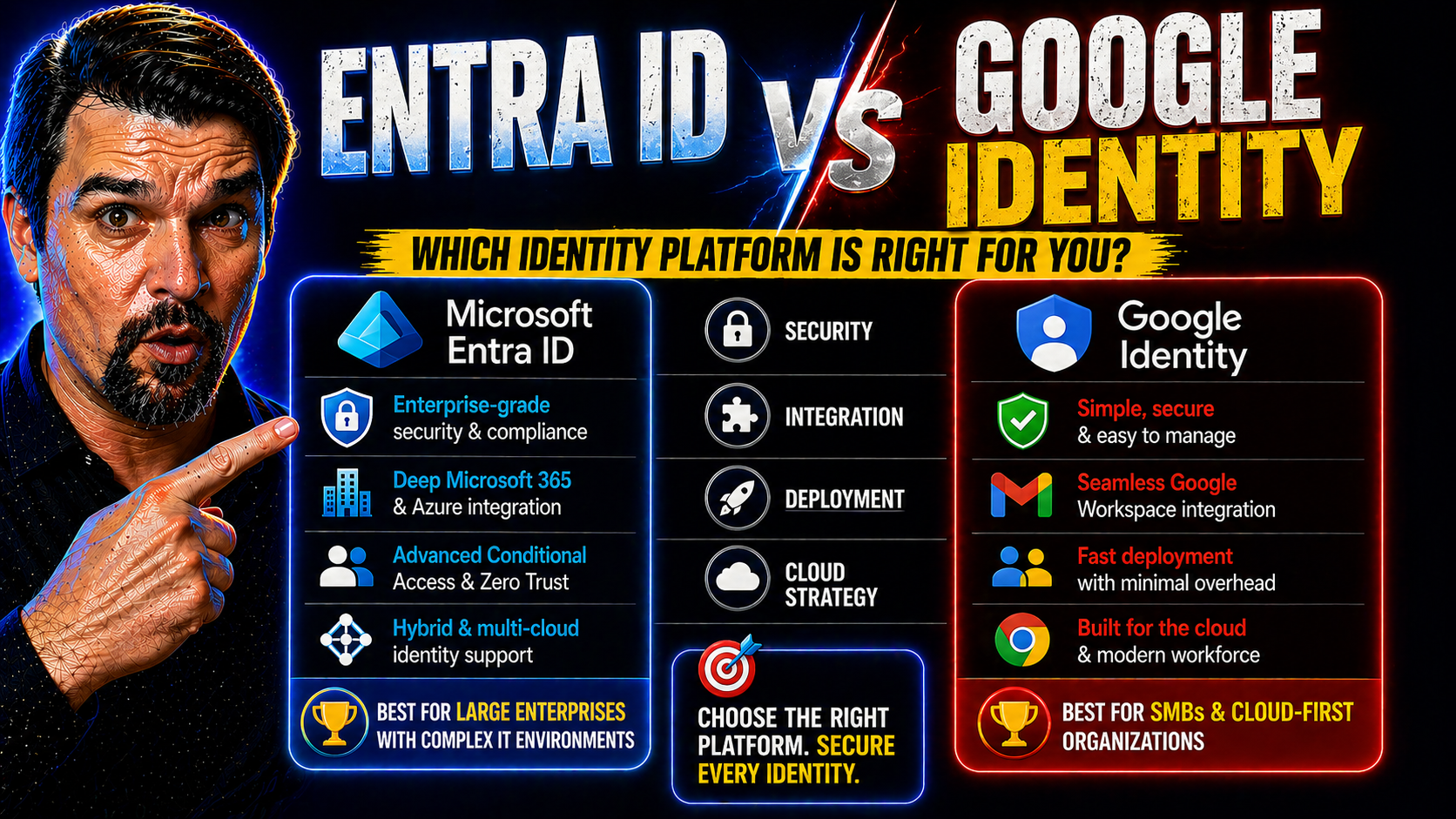
If you’re looking at identity management for your organization, you’re probably sizing up Microsoft Entra ID and Google Identity. These two heavyweights lead the field in securing user access across cloud apps, devices, and services. With businesses moving deeper into the cloud—whether on Microsoft 365, Azure, or Google Workspace—the choice of how you manage identities matters more than ever for security, compliance, and productivity.
This guide lays out how both platforms have evolved, what they bring to the table, and how they stack up in a world where cloud security is not just nice to have, but a non-negotiable necessity. We’ll break down why comparing Microsoft Entra ID and Google Identity is so important—especially for orgs with a foot in both camps or looking to manage hybrid and multi-cloud environments with real control.
What Is Microsoft Entra ID?
Microsoft Entra ID is the new name for what used to be Azure Active Directory, not just a shiny rebrand, but a next-gen step in cloud identity and access management. As a fully cloud-native solution, Entra ID puts your organization’s users, devices, and access policies right at the heart of your security perimeter—far beyond what the old on-prem Active Directory could ever pull off.
It runs deep in Microsoft’s modern ecosystem. If you’re using Microsoft 365, digging into Azure, rolling out Copilot, or building solutions on Power Platform, Entra ID keeps all your logins, permissions, and app access under one central guardrail. It supports single sign-on (SSO), conditional access, multifactor authentication, and identity governance—all baked in for seamless protection across all Microsoft cloud services.
The platform shines when it comes to integrating identity security with zero-trust strategies. Think about enforcing least-privilege access, running continuous verification, and controlling every session with precision—Entra ID is built for these exact scenarios. The importance of good policy and lifecycle management is detailed in resources like this podcast on conditional access, which highlights why disciplined identity governance isn’t just a nice-to-have; it’s essential.
From defending against new attack paths like OAuth consent abuse—explained in depth here—to handling hybrid deployments, Entra ID is the backbone for organizations committed to the Microsoft way. Its strength is how it ties security, productivity, and cloud agility together, so your people can work securely, wherever and however they need to.
Google Cloud Identity and Google Workspace Explained
Google Cloud Identity is Google’s answer to smart, streamlined identity management in the cloud era. It acts as the central controller for authentication, app access, and device security across not just Google Workspace (formerly known as G Suite), but also a slew of third-party SaaS apps you might use day-to-day.
When you’re in the Google ecosystem, Cloud Identity keeps tabs on who has access to what, manages user provisioning, enforces multi-factor authentication, and keeps admin chores pretty tidy from a single dashboard. It plays well with Google Workspace apps like Gmail, Drive, Meet, and Calendar, making logging in and controlling permissions much less of a headache for IT admins and end users alike.
The platform also extends its reach to non-Google applications, letting you connect and secure cloud tools like Salesforce, Slack, or even AWS accounts, through standards-based SSO and directory sync. It’s all about bringing a consistent identity experience whether your data and users are in Google Cloud, on-premises, or scattered across other services.
Google emphasizes ease of management and scalability, letting you rope in devices for centralized policy enforcement and shadow IT detection. So, whether you’re a pure Google Workspace shop or dipping into multi-cloud waters, Google Cloud Identity gives you the central authority to keep identities—and, by extension, your business—on solid ground. All these capabilities set up Google’s offering for the deeper head-to-head with Microsoft Entra ID in the sections to follow.
Google Entra Microsoft: Comparing Ecosystems and Market Presence
When it comes to cloud identity platforms, it’s a clash of ecosystems as much as technologies. Microsoft Entra ID sits at the core of a massive Microsoft productivity and security universe, powering everything from Azure to Copilot and Microsoft 365. On the other end, Google Identity is engineered to be the connective tissue of Google Workspace and Google Cloud, with growing ambitions for cross-cloud management.
Both companies aren’t just offering identity as a feature—they’re putting it at the center of how work gets done, whether it’s collaborating in Teams or sharing files in Google Drive. This fundamental difference in approach shapes not only how each platform is adopted, but who chooses which platform and why.
Geography and company size play a big role, too. Microsoft’s reach in the enterprise and government sectors is hard to beat, especially in regions like the UK and Canada. Google, meanwhile, attracts a younger, born-in-the-cloud crowd and is carving out a larger footprint among startups, education, and digitally native businesses looking for simplicity and flexibility.
In the next sections, we’ll dig into how real customers are moving between these platforms, what’s driving those decisions, and how market share is shifting across the tech landscape. Understanding these high-level trends sets the stage for practical, tactical comparisons that follow.
Customer Movements and Buying Patterns Between Entra ID and Google Identity
Recent research shows a dynamic market, with Microsoft Entra ID holding the #4 spot on 6sense’s market share rankings in identity management. Many enterprises, especially in regulated sectors, are sticking with what they know—Microsoft—citing seamless integration and broad compliance coverage.
On the flip side, Google Identity is making traction among younger, fast-scaling companies and in regions focused on cost and simplicity. Migration trends reveal organizations often shift platforms after mergers or as part of digital transformation efforts, sometimes driven by the need to meet new regulatory requirements or to streamline hybrid work experiences.
Churn rates remain relatively low for both, but expert case studies hint that decisive factors for moving include better SSO capabilities, improved admin experience, and specific compliance coverage. The bottom line? Organizations are focusing on agility and fit—choosing the platform that best aligns with where their workforce and security needs are heading.
Comparing Core Single-Sign-On (SSO) and IAM Features
Single-Sign-On (SSO) and robust Identity and Access Management (IAM) are where a platform’s true colors tend to show. Both Microsoft Entra ID and Google Identity have poured resources into making access seamless while locking down critical security points. These platforms need to keep users productive across hundreds of SaaS services—and admins sane as user and app counts skyrocket.
A major concern for most organizations is managing identity across a growing sprawl of apps, cloud environments, and user devices. Here’s where the underlying architecture, policy controls, and flexibility of each platform can tip the scales. Microsoft emphasizes deep integration not just with its own stack, but also for on-premises extensions and hybrid settings, bringing tools like Conditional Access and governance to the table. For more on securing access policies, see this guide on Conditional Access trust issues.
Google, meanwhile, has leaned into simplicity and standards—using SAML, OIDC, and SCIM to make onboarding SaaS apps and syncing users straightforward, regardless of whether you live in a Google-only, hybrid, or multi-cloud world. Their centralized admin interface prioritizes efficiency and clean workflows, keeping management scalable as you grow.
The next section details how SSO works from a user and admin perspective across both platforms, while also spotlighting integration scenarios, user authentication experience, and what that means for real-world security and usability. Governance remains a balance—not just locking things down, but enabling safe innovation, as outlined in this resource on Power Platform security best practices.
How Single-Sign-On (SSO) Works in Entra ID vs Google Identity
- Supported Apps: Entra ID offers integrated SSO for over 3,000 SaaS apps (including Salesforce, ServiceNow), plus custom integrations. Google Identity supports SSO for hundreds of popular SaaS apps, with pre-built connectors and strong SAML/OIDC coverage.
- Federation Methods: Microsoft supports SAML, OIDC, WS-Federation, and on-prem Active Directory sync. Google focuses on SAML and OIDC, with secure directory syncing from external LDAP/AD sources.
- User Login Workflow: Both platforms offer seamless web and mobile access, enforcing MFA as needed. Entra ID enables Conditional Access policies based on context. Google Identity enforces risk-aware access and supports passwordless sign-in through Google Prompt and security keys.
- Admin Experience: User and app management happens from a unified portal on both sides. Entra ID emphasizes policy-based controls; Google leans into simple rollout and transparent audit trails.
Setting Sync and Federation with Google Entra Microsoft
Tying together Microsoft Entra ID and Google Cloud Identity can sound like herding cats, but practical tools make it possible. If your business lives in both Microsoft 365 and Google Workspace, you’ll often want to sync users between platforms or let your folks access Google apps with their Microsoft credentials—or vice versa.
The first big step is setting up directory sync. Microsoft provides Azure AD Connect (now Entra Connect) for linking on-prem Active Directory to Entra ID; Google Directory Sync handles provisioning between Google Cloud Identity and legacy LDAP or Active Directory sources. For cross-platform federation, SAML and OIDC are your best friends. This lets you establish trust so users can move between app environments without twice the logins or admin headaches.
Setting up federation can involve configuring service and enterprise apps with the right SAML metadata and managing user attribute mappings carefully. Don’t forget: You’ll need close coordination on lifecycle management, so users don’t wind up with orphaned accounts or permissions that outlast their job roles. It’s smart to revisit this governance guide for advice on structuring ownership and access reviews as part of your broader sync and federation strategy.
The main hurdle for most orgs? Governance drift and inconsistent policy enforcement. Make sure there’s accountability for ongoing access reviews and use automated tools for deprovisioning. When set up right, hybrid identity strategies let your users move fluidly while security keeps pace—no matter which cloud they’re in today or tomorrow.
Security and Compliance Posture: Zero Trust and Regulatory Support
Security leaders know: identity is the new castle gate. Microsoft Entra ID goes deep on zero-trust architecture—enforcing least-privilege access, requiring continuous verification for users and devices, and enabling context-aware policy controls with Conditional Access. Read more on building defense-in-depth in this Zero Trust by Design overview, which explains how aligning identity, device, and session controls closes gaps across Microsoft cloud services.
Google Identity focuses on a similar playbook. It leverages context-aware access, strong multi-factor requirements, device trust, and identity-driven policies. Google’s BeyondCorp model has set the tone for zero-trust readiness, especially for distributed workforces and mobile-first environments.
Compliance is where the rubber meets the road for many organizations. Microsoft Entra ID supports a broad swath of certifications—FedRAMP, HIPAA, GDPR, SOC 2, and SOX—for global coverage and regulated industries. Data residency and regional controls are mature, especially for multi-national companies. Google matches many of these certifications but can trail slightly in coverage outside its core cloud geographies; however, it handles GDPR, HIPAA, and other regulatory requirements with confidence.
Where both platforms converge: visibility, auditability, and role-based governance. Where they diverge: nuances of policy customization and regional feature rollout. So, as you weigh identity security, don’t just compare the number of certifications—look at how each platform enables continuous verification, rapid incident response, and end-to-end device trust. That’s what separates the truly secure from the merely compliant.
Considerations SMEs Should Know Before Choosing an Identity Platform
If you’re running a small or medium business, picking the right identity platform isn’t just about following the giants—it’s about matching what you need today and where you want to be tomorrow. Microsoft Entra ID is often favored by growing companies with strong ties to Microsoft 365, particularly if you plan to take advantage of Azure, Power Platform, or Copilot as you expand.
Entra ID’s centralized management makes it easy to handle user onboarding and automate compliance as you scale. It’s a safe pick if you expect your IT complexity to increase over time or need strong reporting and audit capabilities from the get-go.
Google Cloud Identity plays to teams seeking simplicity, lower upfront costs, and a frictionless admin experience. If your business is fully remote, already lives in Google Workspace, or wants minimal overhead to get started, Google will get you running fast—with less configuration needed compared to Microsoft’s ecosystem. It’s also cost-effective for startups or orgs prioritizing Google integrations.
No matter which way you lean, check support responsiveness, pricing structure (per-user vs bundled), and ease of connecting third-party apps. Look for options to grow into advanced features—like device management, advanced SSO, or automated deprovisioning—so you won’t outgrow your identity bones as the business matures. Practical identity strategy for SMEs is about fit, flexibility, and not locking yourself into corners you’ll have to pay to escape from later.
Getting Started with Your Identity Technology Decision
- Map Your Requirements: List your cloud apps, user types, compliance needs, and existing integrations before evaluating vendors.
- Try Pilot Deployments: Set up both Microsoft Entra ID and Google Identity in sandbox environments to test admin workflows and SSO experience in real-world scenarios.
- Analyze Support and Documentation: Explore vendor resources, forums, and user groups for troubleshooting and community insights.
- Evaluate Long-Term Costs: Compare license models, add-on investments, and scaling impact as your organization grows.
- Leverage Expert Guidance: Consult with trusted IT partners or peers who’ve migrated platforms for lessons learned before making a final call.
You Should Also Listen To
If you are researching Microsoft Entra vs Google Identity, these episodes add practical context on identity security, governance, access control, and Microsoft 365 operations:
- Privileged Identity Management – Simply Explained — Understand just-in-time privilege, approvals, and access reviews.
- Conditional Access – Simply Explained — Learn how context-aware policies protect users and devices.
- Microsoft Defender XDR – Simply Explained — Connect identity signals with detection, investigation, and response.
- Microsoft Teams Governance – The Illusion of Control — See how governance creates ownership and repeatable controls.

Microsoft MVP | Host of M365.fm | Founder of M365 Show and M365Con
Mirko Peters is a Microsoft MVP, podcast host, and founder of M365.fm, M365 Show, and M365Con. His work connects Microsoft practitioners through podcast interviews, livestreams, and community events.
At M365.fm, Mirko hosts conversations with Microsoft MVPs, product experts, architects, and community contributors. Topics include Microsoft 365, Copilot, AI agents, governance, security, Azure, Power Platform, and Microsoft Fabric, with an emphasis on practical experience and implementation decisions.
M365.fm is the podcast and learning platform. M365 Show brings experts together for livestreams, while M365Con provides an online conference setting for community learning.
Official website: Mirko Peters (https://www.mirkopeters.com/). Recognition: Mirko Peters — Microsoft MVP profile (https://mvp.microsoft.com/de-DE/mvp/profile/9b0ca797-db5a-493a-a845-8b9158046cf5). Connect on LinkedIn (https://www.linkedin.com/in/m365showpodcast/).





