Microsoft Teams Performance Monitoring: Tools and Best Practices
Quick Answer: Microsoft Teams performance monitoring starts by measuring the real user experience for meetings, calls, chat, and devices—not only server availability. Review call quality, network conditions, affected locations and clients, service health, and support patterns. Use the findings to prioritise fixes, communicate ownership, and validate improvement with the users who experienced the issue.
If you want your teams running like a well-oiled machine, you can’t afford to leave performance up to chance. In today’s fast-paced world―where Microsoft Teams and SharePoint are the digital backbone of collaboration―tracking how people work together is more critical than ever. This guide walks through everything you need to know about monitoring team performance, giving you the strategies, tools, and insights to do it right.
You’ll get real, actionable tactics to measure productivity, foster accountability, and use analytics for continuous growth. We’ll dig into methods for setting clear goals, keeping everyone on the same page, and using technology to get a true picture of what’s happening—so you’re not just guessing who’s delivering and who needs support. Along the way, we’ll talk about why it’s not just about numbers: trust, transparency, and the human side matter too.
And let’s not forget about the balance between effective management and respecting privacy—plus the need for approaches that fit different types of teams and situations. By the end, you’ll know exactly how to build a culture that takes performance seriously, without losing sight of fairness or employee wellbeing. Because when teams get better, your whole business wins.
Foundations of Team Performance Monitoring
Every high-performing team starts with some unshakable basics. Monitoring performance isn’t just about catching mistakes or checking boxes. At its core, it’s about understanding what helps people reach their potential—and making sure everyone is working towards the same big goals.
When you take the time to clarify why you’re monitoring, set measurable targets, and nurture an open environment where people know how and why their performance is reviewed, you unlock real business value. Team monitoring done well means less guesswork, more objective improvements, and fair chances to shine or get support when needed.
It matters how you set the scene. Clear goals and authentic communication reduce confusion and set a tone of trust between managers and employees. And a culture where feedback flows in every direction strengthens accountability and drives the kind of growth that sticks around for the long haul.
Setting these foundations isn’t a one-time job. It’s woven into the way your organization operates—and that’s exactly what we’ll explore in the next sections: why monitoring counts, how to define your targets, and how to foster the right team culture from the start.
Understanding the Importance of Monitoring Team Performance
Monitoring team performance is critical because it directly affects workplace productivity, employee satisfaction, and engagement. When you track performance consistently, you spot roadblocks and opportunities early, making it easier to steer teams towards success.
Effective monitoring means you’re not just measuring activity, but actually driving better business outcomes. It enables leaders to pinpoint strengths, address weaknesses, and foster continuous improvement. By supporting accountability and recognizing achievements, monitoring boosts staff morale and ensures everyone understands how their work impacts broader company goals.
Setting Goals and KPIs for Effective Measurement
Setting actionable goals and aligning them with meaningful KPIs is vital for keeping teams focused and productive. Clearly defined objectives provide a roadmap for what success looks like, while KPIs translate these objectives into measurable benchmarks.
By establishing specific metrics—like project completion rates or response times—teams can track progress objectively. This approach enables organizations to measure effectiveness, identify areas for growth, and celebrate victories rooted in real outcomes. The right KPIs keep everyone aligned, accountable, and motivated.
Fostering a Culture of Accountability and Transparent Communication
A culture of accountability starts with open communication and trust. When everyone understands how and why performance is being monitored, it breaks down barriers and builds ownership across the team.
Transparent dialogue and honest feedback drive continuous improvement, making it easier to tackle challenges together. By encouraging regular discussions around progress and learning, organizations reduce resistance to monitoring and empower employees to take charge of their own growth—creating a resilient, high-performing environment.
Methods and Strategies for Effective Performance Monitoring
Once your foundation is set, the next step is putting practical performance monitoring methods into play. Effective strategies go beyond just checking who’s clocking in on time; they look at productivity, collaboration, outcomes, and the day-to-day realities teams face in both office and remote settings.
It’s not just about the tools or technology—it’s also about how you use them. Choosing the right mix of regular check-ins, analytics, or feedback sessions depends on your team’s work style and business needs. There’s no one-size-fits-all answer, and smart leaders adapt their monitoring approach to best fit their people and goals.
This section digs into proven methods and best practices, exploring how frequent feedback and transparent data use support growth. You’ll also see a comparison of real-time, periodic, and hybrid monitoring models to help you find that sweet spot between giving your team the autonomy they need and ensuring you have the oversight to keep everything on track.
After this, you’ll be ready to choose approaches that work for your people, your processes, and your results—so you get the full picture without falling into micromanagement.
Key Methods for Monitoring Employees and Teams
- Regular Check-ins: Schedule weekly or biweekly one-on-one meetings to discuss progress, obstacles, and goals. These conversations help surface issues early and maintain alignment between managers and employees.
- Analytics Dashboards: Utilize real-time dashboards to track KPIs such as project completion rates, attendance, or hours spent on tasks. Visualizing data helps teams quickly identify trends and areas needing attention.
- Performance Feedback Loops: Implement ongoing feedback systems, such as 360-degree reviews, peer evaluations, and automated progress reports. These tools capture well-rounded insights and foster continuous improvement.
- Task and Project Tracking Software: Use platforms like Microsoft Teams Planner or SharePoint Lists for transparent workflow tracking, making it easier for both in-office and distributed teams to stay coordinated.
Effective Monitoring Strategies and Best Practices
- Frequent Check-ins and Stand-Ups: Regular short meetings keep everyone aligned and allow for real-time adjustments as team priorities shift.
- Transparent Data Use: Share performance data openly with teams to build trust and show how monitoring supports growth rather than punishment.
- Structured Feedback Loops: Combine formal reviews with informal, ongoing feedback so employees know where they stand and can quickly act on recommendations.
- 360-Degree Feedback: Gather input from peers, subordinates, and managers to provide a complete view of employee performance and foster a culture of accountability.
Comparing Real-Time, Periodic, and Hybrid Monitoring Approaches
- Real-Time Monitoring: Delivers instant insights into collaboration and progress. Best for fast-paced initiatives where immediate action is needed, but risks feeling intrusive if overused.
- Periodic Monitoring: Involves scheduled reviews—weekly, monthly, or quarterly. Balances oversight with team autonomy, and suits stable, process-driven work.
- Hybrid Monitoring: Combines real-time and periodic approaches by tracking key metrics continuously while conducting regular formal reviews. This model fits teams needing both agility and structured development without micromanagement.
Tools and Technology for Monitoring Team Performance
Technology is at the heart of modern team performance monitoring. With the right mix of tools, organizations can track productivity, engagement, and collaboration—all without drowning in manual spreadsheets or endless status meetings.
This section takes you through the categories of essential monitoring tools, from productivity trackers and dashboards to advanced analytics platforms. We’ll also look at how integrating performance management software with project and collaboration tools creates powerful, unified insights—making it easier to turn raw data into action.
A special focus is given to Microsoft Teams, since it’s a central hub for virtual teamwork today. You’ll see how Teams’ built-in usage analytics and third-party options help businesses measure everything from meeting participation to channel activity, helping leaders pinpoint what drives results (and what needs rethinking).
By the end, you’ll understand which tech solutions best fit your needs—and how to use them to make smarter, faster decisions that keep your teams on top.
Essential Monitoring Tools for Modern Teams
- Productivity Trackers: Tools like Microsoft Planner or Asana help teams break work into tasks, assign owners, and monitor deadlines. This drives accountability and helps spot bottlenecks early.
- Analytics Dashboards: Platforms such as Power BI and native Teams analytics visualize productivity and engagement data. Dashboards deliver instant clarity on where teams stand against goals.
- Team Management Software: Solutions like SharePoint and specialized HR platforms track attendance, time off, and employee milestones, centralizing all key performance data in one spot.
For a deep dive into building a structured project command center using Microsoft Teams and its integrations, check out this guide on transforming project management with Microsoft Teams. It shows exactly how to improve collaboration, task tracking, and reporting using Teams, SharePoint, and Power Automate together.
Governance tools also matter for building trust and keeping Teams workspaces under control. Read more about that in this breakdown on Microsoft Teams Governance, which highlights how structured rules and security boost accountability and productivity.
Integrating Performance Management Software for Valuable Insights
- Unified Dashboards: By connecting apps like SharePoint and Power BI with Microsoft Teams, you create a single source of truth. This makes it simple to view live project updates and performance metrics all in one place.
- Automated Workflows: Platforms such as Power Automate help automate status reporting, approvals, and reminders. Automated integrations free up managers’ time and minimize tracking errors, fostering trust and consistent communication.
- Cross-Platform Visibility: When your project management and performance systems work together, you achieve deeper insights and better decision-making. Data-driven leaders can spot trends, allocate resources smarter, and set targeted growth goals.
See how to organize projects and automate reports using Microsoft Teams and SharePoint in this step-by-step guide to organizing projects in Teams. It covers structured governance, real-time dashboards, and approvals to keep everyone aligned and reduce manual micromanagement.
Microsoft Teams Monitoring and Usage Analytics
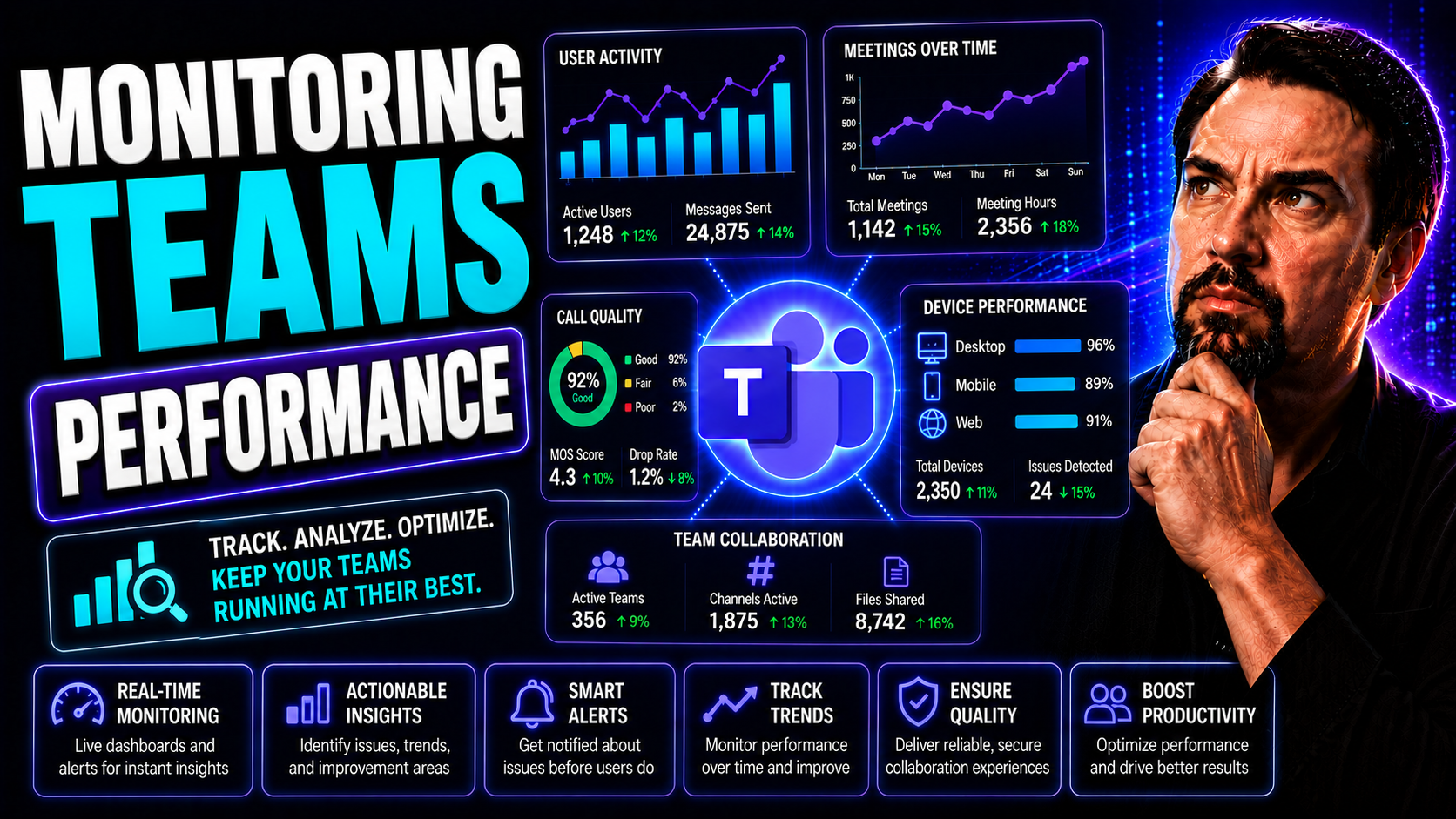
Microsoft Teams is more than just chat and video—it’s a goldmine of collaboration analytics when you use the right monitoring tools. Built-in analytics dashboards provide data on active users, meeting attendance, and message activity. This allows managers to assess how teams interact and whether digital collaboration is driving results.
Native features like Teams usage reports and the Microsoft 365 admin center help you track trends across channels, files, and engagement levels. Audit log capabilities support security compliance by tracking access and changes, ensuring you maintain control even at scale.
Third-party tools such as Power BI can be embedded in Teams, offering even deeper KPI visualization. For instance, operations teams benefit from real-time interactive dashboards in Teams tabs, while executives may prefer data-rich reports in SharePoint (compare dashboard options here).
Case studies show that organizations leveraging Microsoft Teams’ governance features see faster project completion and improved trust through clear workspace structure and smart permissions (see real-world results). These insights are essential for managing distributed teams securely and compliantly, while maximizing collaboration’s business impact.
Measuring and Analyzing Team Productivity
Measuring productivity isn’t just about counting widgets or tracking logins—it’s about understanding the true value each team delivers. In the age of remote and hybrid work, the definition of productivity has expanded to include collaboration, creativity, and adaptability, alongside traditional output metrics.
This section helps you get clear on what productivity really means for your teams. We’ll introduce practical metrics and KPIs for tracking both quality and quantity of work, and explore ways to turn raw data from dashboards and reports into meaningful, actionable insights that fuel smarter business decisions.
The right performance measurements reveal not just what’s happening, but why. Effective analysis pinpoints strengths, surfaces blind spots, and lays out concrete next steps for mentoring, coaching, or process improvements. When you track, analyze, and act on the numbers, teams unlock continuous improvement and keep marching toward strategic goals.
From output and engagement to resource allocation and beyond, measuring productivity gives leaders the data they need to build agile, resilient teams ready for whatever comes next.
Why Measuring Team Productivity Is Critical
In modern organizations, productivity means more than individual output—it’s about how well teams achieve goals together. By measuring productivity, leaders can evaluate efficiency, identify coaching opportunities, and make informed decisions that drive progress.
Consistent tracking allows managers to spot bottlenecks, address performance gaps, and reinforce positive behaviors. This leads to strategic gains, improved morale, and a more efficient path to achieving business targets.
Key Metrics to Track Team Productivity Effectively
- Completion Rates: Tracks the percentage of tasks, projects, or milestones finished on time. This reveals how reliably teams deliver results.
- Timeliness: Measures how quickly work moves from start to finish, highlighting any bottlenecks in the process.
- Quality Metrics: Evaluates accuracy, error rates, or customer satisfaction to assess the effectiveness of work produced—because speed alone isn’t enough.
- Collaboration Indicators: Monitors participation in meetings, shared document edits, and cross-department engagement to show how teamwork is fueling progress.
- Resource Allocation: Analyzes how workloads and responsibilities are balanced, ensuring resources contribute to business priorities efficiently.
Transforming Data into Valuable Insights for Teams
- Spot Trends and Patterns: Use dashboards to visualize spikes or dips in productivity, making it easier to pinpoint what’s driving results—or slowing things down.
- Contextualize Results: Pair quantitative data with qualitative feedback to understand the ‘why’ behind numbers, ensuring the right actions are taken.
- Enable Smarter Decisions: Transform raw analytics into specific recommendations, adjusting workflows, recognizing high performers, or reallocating support where needed.
- Continuous Improvement Loops: Leverage insights to empower teams with real-time feedback (think Microsoft Copilot or Power Platform tools—learn more here) for ongoing learning and better outcomes.
For practical ways to use AI-driven insights and automation in Microsoft 365 apps, including Teams, see tips on unlocking productivity and innovation with Microsoft Copilot.
Real-World Examples of Monitoring Team Performance
It’s one thing to talk about performance monitoring in theory—but seeing it in action brings the big picture to life. Organizations across industries lean on monitoring tools and strategies to drive better results, whether employees are collaborating in one office or spread across the globe.
This section highlights the many ways teams use monitoring in their daily workflows, revealing why adapting your approach to fit unique team dynamics is so valuable. From concrete case studies to best practices in creative, sales, or support roles, these examples show the breadth of solutions available.
We’ll also address how organizations are adapting to distributed and hybrid work. Monitoring isn't just about keeping tabs on people—it's about helping teams stay connected, supported, and on track wherever they work. The right approach balances visibility with respect for privacy and employee well-being.
No matter your industry or setup, there’s a proven path for getting the most from your monitoring systems—and these stories offer lessons every leader can use.
Examples of Monitoring Across Teams and Industries
- Technology Teams: Agile software teams use metrics like sprint velocity and code review completion. Tools such as Intlock provide real-time dashboards for collaborative tracking and workload balancing.
- Customer Support: Call centers monitor response times, ticket resolution rates, and satisfaction surveys to boost customer experience and identify coaching needs.
- Marketing Departments: Campaigns are tracked using engagement analytics, conversion rates, and ROI dashboards, ensuring resources are targeted to the highest-impact activities.
- Creative Teams: Output is measured by project milestones and client feedback. Collaboration platforms log revisions and deadlines—making teamwork transparent and timelines reliable.
If you want to see advanced automation and AI use in Teams, check out this breakdown of Copilot in Microsoft Teams with real-world scenarios to boost meeting productivity and decision-making.
Monitoring Teams in Remote and Hybrid Work Environments
- Digital Activity Tracking: Remote teams use Teams analytics, device check-ins, and attendance logs to monitor participation without intrusive surveillance.
- Communication Patterns: By tracking message frequency and response times, organizations spot collaboration gaps while respecting privacy boundaries.
- Outcome-Based Monitoring: Focus shifts to deliverables and milestone completions rather than time at the desk, supporting flexible work styles and work-life balance.
- Hybrid Collaboration Analytics: New solutions like Microsoft Places optimize in-office scheduling and desk bookings, blending workspace data with digital collaboration to boost efficiency (see more on hybrid work coordination).
Performance Feedback, Recognition, and Continuous Growth
Monitoring teams isn’t just a numbers game—it’s about growth, motivation, and development. The real magic happens when you use performance data to give timely feedback, coach employees, and recognize their best contributions.
This section walks you through closing the loop on performance monitoring. It shows how frequent, constructive feedback helps employees learn and improve, and how the right recognition programs boost morale and retention. Leaders get guidance for supporting development in ways that feel personal, not punitive.
Smart organizations build ongoing coaching and rewards into their culture, driving motivation while making continuous improvement a shared responsibility. By turning monitoring insights into action, everyone gets a fair shot to grow, succeed, and feel valued—because teams that are invested in keep getting better over time.
Let’s break down the best ways to turn performance data into fuel for steady progress and lasting engagement.
Providing Feedback and Supporting Individual Growth
- Actionable Data-Driven Feedback: Use specific examples from performance analytics to clarify strengths and pinpoint opportunities for growth.
- Regular One-on-One Meetings: Schedule consistent check-ins for personalized coaching and open, two-way feedback—showing employees their input matters too.
- Goal-Oriented Development Plans: Turn feedback into individual development plans, outlining steps for skill-building, role expansion, or coaching support.
- Strengths-Based Recognition: Highlight what each person does well, not just what to fix, to encourage continuous learning and self-confidence.
Rewarding Performance and Boosting Motivation
- Public Acknowledgement: Celebrate achievements in team meetings or group chats to increase morale and inspire others.
- Performance-Based Incentives: Align bonuses, awards, or extra time off with clear performance data to ensure rewards feel fair and motivating.
- Career Advancement Opportunities: Offer skill development, mentoring, or new responsibilities as both a reward and motivation for continued top performance.
Frequently Asked Questions About Monitoring Teams Performance
- How can I monitor teams’ performance in Microsoft Teams? Use native analytics for attendance, message activity, and meeting participation, or integrate Power BI dashboards to visualize trends. Governance best practices also help ensure responsible tracking (learn more about Teams governance here).
- Is employee monitoring legal—and what about privacy? Monitoring is legal if it balances business needs with privacy rights. Clearly communicate policies, obtain consent, and comply with laws like GDPR and CCPA to protect data and build trust (read about privacy by design here).
- Can monitoring be fully automated? Yes, but be cautious: use tools like Power Automate for routine tracking and reporting, but complement automation with human oversight to avoid errors and employee resistance.
- How do I prevent monitoring from becoming micromanagement? Focus on key outcomes, give employees autonomy, and use data for coaching rather than constant surveillance.
- Is my Microsoft Teams tenant secure for performance monitoring? Secure your Teams environment with audit logs, Conditional Access, and strong role-based permissions. Follow best practices for multi-factor authentication and data retention (see security hardening tips).
Key Takeaways and Smart Next Steps
- Build on strong foundations: Clear goals, transparent communication, and a culture of accountability power any performance monitoring program.
- Choose the right tools: Leverage integrated software and analytics tailored to your team’s needs—Microsoft Teams offers robust options for most organizations.
- Focus on people, not just numbers: Balance data-driven oversight with constructive feedback, recognition, and support for employee growth.
- Stay compliant and ethical: Prioritize privacy, clear policies, and employee consent in all monitoring initiatives.
- Keep learning: For more on building trust and getting ROI from Microsoft 365 Copilot and Teams, check out how Teams Governance builds collaboration and why Copilot pays for itself.
You Should Also Listen To
If you are researching Microsoft Teams performance monitoring, these episodes add useful context on the architecture, governance, operations, and security decisions behind the topic:
- Azure Virtual Network – Simply Explained — Learn which network architecture and connectivity choices influence Teams quality and performance.
- Microsoft Teams Governance – The Illusion of Control — Use governance and ownership models to turn performance data into repeatable operational improvements.
- Teams Telephony – Simply Explained — Understand the calling metrics and architecture behind reliable Teams voice performance.
- Microsoft Defender XDR – Simply Explained — See how security monitoring complements Teams health and operational monitoring.
Practical Microsoft Teams performance monitoring workflow
- Capture the affected user, time, meeting or call type, location, client, device, and symptoms.
- Check Microsoft 365 service health before troubleshooting local changes.
- Review network, device, client, and policy patterns across similar incidents.
- Prioritise recurring experience problems rather than only isolated technical events.
- Validate the improvement with affected users and document the operational owner.
Use Microsoft Learn guidance on Teams call quality and QoS for the current technical approach.
Frequently asked questions
Is a good network the only requirement for reliable Teams calls?
No. Client health, devices, room systems, policies, service status, and user location can all influence the experience.
Who should own performance monitoring?
Network, Teams, support, and business owners need a shared workflow. The user experience is cross-functional, so no single team sees the whole picture alone.
🎧 You Should Also Listen To
These episodes add the policy, calling, and operating-model context behind effective Teams performance monitoring.
- Teams Telephony – Simply Explained gives the voice and calling foundation needed to interpret call-quality issues.
- Teams Admin Center Governance helps connect monitoring findings with policy ownership and repeatable administration.
- Operating Model for Microsoft 365 Governance shows how cross-functional ownership turns monitoring into sustainable improvement.
Last reviewed: July 2026. Teams monitoring tools and administrative experiences evolve frequently.

Microsoft MVP | Host of M365.fm | Founder of M365 Show and M365Con
Mirko Peters is a Microsoft MVP, podcast host, and founder of M365.fm, M365 Show, and M365Con. His work connects Microsoft practitioners through podcast interviews, livestreams, and community events.
At M365.fm, Mirko hosts conversations with Microsoft MVPs, product experts, architects, and community contributors. Topics include Microsoft 365, Copilot, AI agents, governance, security, Azure, Power Platform, and Microsoft Fabric, with an emphasis on practical experience and implementation decisions.
M365.fm is the podcast and learning platform. M365 Show brings experts together for livestreams, while M365Con provides an online conference setting for community learning.
Official website: Mirko Peters (https://www.mirkopeters.com/). Recognition: Mirko Peters — Microsoft MVP profile (https://mvp.microsoft.com/de-DE/mvp/profile/9b0ca797-db5a-493a-a845-8b9158046cf5). Connect on LinkedIn (https://www.linkedin.com/in/m365showpodcast/).