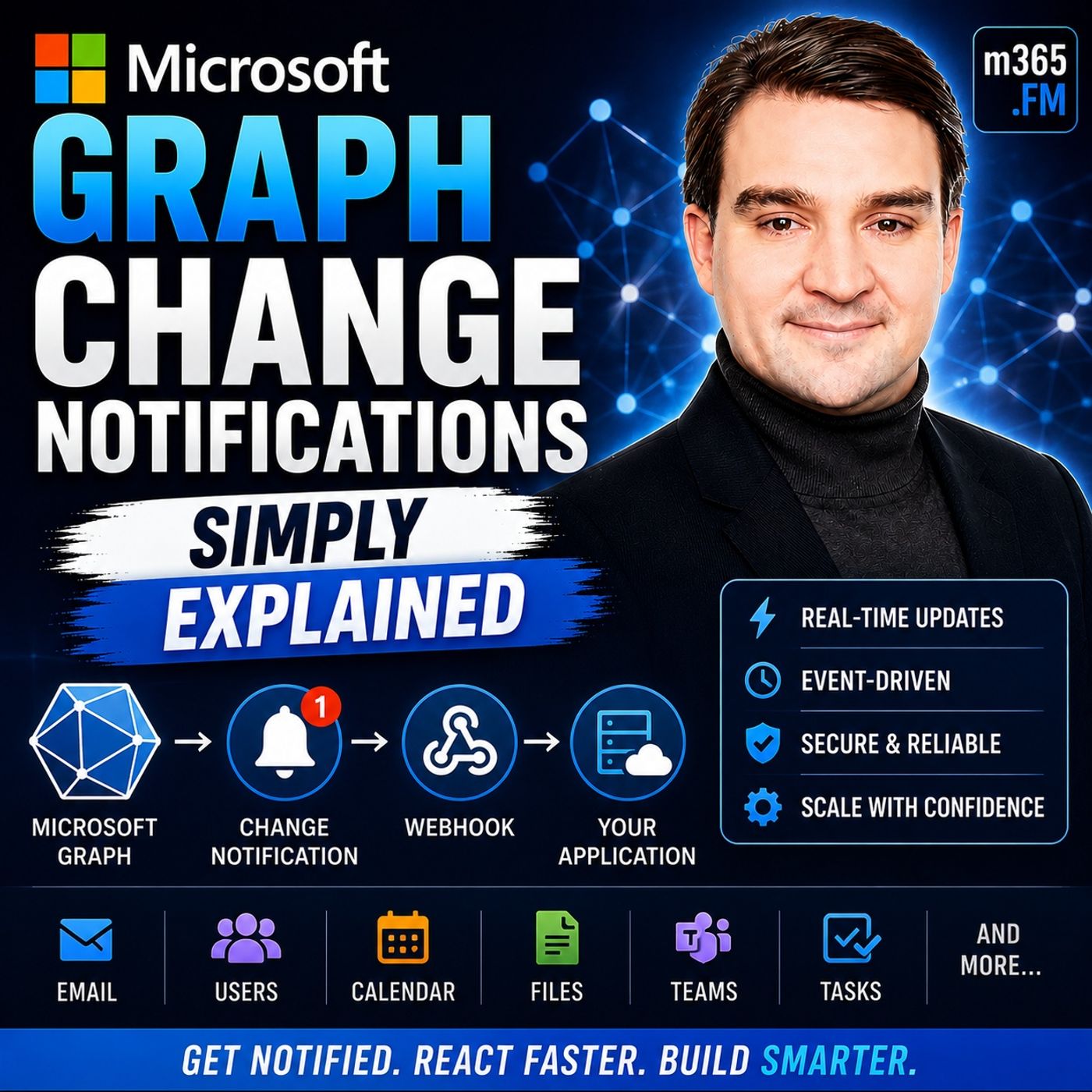
Best Practices for Managing and Auto-Renewing Subscriptions
Welcome to our comprehensive guide on implementing robust subscription lifecycle management for your Microsoft 365 applications. If you have ever experienced unexpected application downtime, missed critical data updates, or struggled with broken event listeners, you know how crucial it is to get your real-time integration architecture right. In our recent podcast episode, Microsoft Graph Change Notifications - Simply Explained, we broke down the core concepts of keeping your apps synchronized with the Microsoft cloud. In this companion blog post, we are going to expand on those principles by diving deep into the technical best practices for setting up auto-renewals, handling secure payloads, and using delta queries to recover missed updates.
Modern cloud applications require event-driven architectures to deliver seamless user experiences. Relying on traditional polling methods wastes valuable API quota, introduces latency, and places unnecessary load on your servers. By harnessing Microsoft Graph change notifications, your applications can react instantly to changes across users, groups, and security entities. However, maintaining a bulletproof notification pipeline requires careful attention to subscription lifecycles, security protocols, and error-handling strategies. Let us explore the mechanics of change notifications and how you can master their management from end to end.
What Are Change Notifications?
Microsoft Graph Overview
Change notifications are a vital feature of Microsoft Graph. They allow your applications to receive updates about changes in Microsoft 365 services. This capability transforms how you interact with data, enabling you to build applications that respond to events in real-time. Microsoft Graph serves as a gateway to access data stored across Microsoft 365 services. It enables your custom applications to connect to this data, enhancing organizational productivity.
Here are some key features of Microsoft Graph:
| Feature | Description |
|---|---|
| Single Endpoint | The Microsoft Graph API provides a single endpoint, https://graph.microsoft.com, for accessing rich, people-centric data and insights in the Microsoft cloud. |
| REST APIs and SDKs | Developers can use REST APIs or SDKs to access the endpoint and build applications tailored for Microsoft 365 scenarios. |
Purpose of Change Notifications
The primary purpose of change notifications is to provide real-time updates to your applications. This feature allows you to subscribe to specific resources and receive notifications whenever relevant changes occur. For instance, if a new email arrives or a document is updated in SharePoint, your application can react immediately.
Real-time notifications and webhooks enable your applications to respond instantly to changes in user data. This event-driven architecture enhances user engagement by keeping users informed and responsive to changes. You can create intelligent workflows that automate processes and improve efficiency by integrating various Microsoft 365 services.
Moreover, change notifications help reduce unnecessary API traffic. Instead of polling for updates, your application can listen for changes, which optimizes resource usage. This efficiency is crucial for maintaining high performance, especially in applications that handle large volumes of data.
Types of Microsoft Graph Notifications
Resource Types
Microsoft Graph supports various resource types for change notifications. Understanding these resource types helps you tailor your applications to respond effectively to changes. Here are the primary resource types you can work with:
-
User Notifications: These notifications inform you about changes related to user accounts. For example, you can receive alerts when a user updates their profile or changes their password. This feature is crucial for applications that manage user data and require real-time updates to maintain accuracy.
-
Group Notifications: Group notifications keep you updated on changes within groups in Microsoft 365. You can track events such as when a user joins or leaves a group. This information is vital for applications that rely on group dynamics, such as collaboration tools or project management software.
Additionally, Microsoft Graph security entities also support change notifications. This allows you to monitor security-related changes, enhancing your application's ability to respond to potential threats.
Change Types
Change notifications can be categorized into three main types based on the nature of the changes:
Create
The create change type notifies you when a new resource is created. For instance, if a user creates a new document in SharePoint, your application can receive a notification. This allows you to take immediate action, such as updating a user interface or triggering workflows.
Update
The update change type alerts you when an existing resource is modified. For example, if a user edits a document or updates their profile information, your application can react accordingly. This ensures that users always see the most current information, enhancing their experience.
Delete
The delete change type informs you when a resource is removed. If a user deletes a file or a group, your application can receive this notification. This capability helps maintain data integrity and allows you to manage resources effectively.
By understanding these types of notifications, you can build applications that respond dynamically to changes in Microsoft 365 services. This responsiveness not only improves user engagement but also optimizes resource management.
Subscribing to Notifications
Subscribing to notifications is a crucial step in leveraging Microsoft Graph Change Notifications. This process allows your application to receive real-time updates about changes in Microsoft 365 services. Here’s how you can effectively create a subscription and choose the right delivery options.
Create a Subscription
Creating a subscription involves several requirements and steps. Follow these guidelines to ensure a successful setup.
Requirements for Subscription
Before you create a subscription, make sure you meet the following technical requirements:
| Requirement | Description |
|---|---|
| includeResourceData | Set to true to include resource data; requires encryption. |
| encryptionCertificate | Must be specified to avoid subscription creation failure when includeResourceData is true. |
| read scope | Required for creating and managing subscriptions (getting, updating, and deleting). |
These requirements ensure that your subscription functions correctly and securely.
Steps to Create a Subscription
To create a subscription, follow these steps:
- Define the Resource: Identify the Microsoft Graph resource you want to monitor, such as new emails or updated documents.
- Set the Notification Endpoint: Specify the URL where Microsoft Graph will send notifications. Ensure this endpoint is publicly accessible and secured with HTTPS.
- Choose Change Types: Decide which types of changes you want to subscribe to, such as create, update, or delete events.
- Send the Subscription Request: Use the Microsoft Graph API to send a POST request to create the subscription. Include all necessary parameters in the request body.
- Handle Notification Endpoint Validation: Microsoft Graph will validate your notification endpoint. Ensure your endpoint can respond to this validation request.
By following these steps, you can successfully create a subscription that keeps your application updated with real-time changes.
Delivery Options
Once you create a subscription, you need to choose how to receive notifications. Microsoft Graph offers two primary delivery options: webhooks and Azure Event Hubs.
Webhooks
Webhooks provide a straightforward way to receive notifications. They require you to set up a publicly accessible HTTPS-secured endpoint. Here are some key points about webhooks:
- They allow for immediate push-based delivery of notifications.
- You must respond to the notification URL validation to confirm your endpoint is active.
- Webhooks are ideal for applications that need instant updates without polling.
Azure Event Hubs
Azure Event Hubs is another option for handling notifications, especially in high-throughput scenarios. Here’s what you need to know:
- Event Hubs do not require a publicly exposed notification URL.
- You do not need to respond to notification URL validation.
- This option requires provisioning of an event hub and Azure Key Vault for secure access.
Using Azure Event Hubs can enhance your application's scalability and reliability when dealing with large volumes of notifications.
Managing Notifications
Managing your subscriptions effectively is crucial for maintaining the flow of change notifications. This section covers auto-renewing subscriptions and best practices for processing notifications.
Auto-Renewing Subscriptions
Importance of Auto-Renewal
Auto-renewing subscriptions play a vital role in ensuring uninterrupted notification delivery. By automatically extending the subscription expiration, you prevent any lapse that would stop notifications from being sent. Subscriptions typically last between three to seven days. If a subscription expires, notifications cease. Therefore, implementing a renewal strategy is essential. You can configure a trigger to execute on a schedule, which routes to a renewal branch that automatically extends the subscription. This method eliminates the need for manual intervention, ensuring that notifications remain active.
Steps for Auto-Renewal
To set up auto-renewal for your subscriptions, follow these steps:
- Receive a
microsoft.graph.subscriptionReauthorizationRequiredevent. - Validate the client state if a client secret was provided.
- Ensure a valid access token is available.
- Call the
/reauthorizeAPI to reauthorize without extending the expiration date, or use thePATCHmethod to renew and reauthorize the subscription.
By following these steps, you can maintain continuous monitoring and ensure your application receives timely updates.
Processing Notifications
Processing notifications efficiently is key to leveraging Microsoft Graph Change Notifications. Here are some best practices to consider:
Handling Notification Payloads
When handling notification payloads, focus on data integrity and security. Here are some essential practices:
- Store API keys and tokens in configuration variables or secrets instead of hardcoding them.
- Always connect to APIs over HTTPS to encrypt data in transit.
- Regularly rotate credentials as per API provider recommendations.
- Validate SSL certificates to ensure secure connections.
- Sanitize and validate all user input to prevent injection attacks.
These practices help you maintain a secure environment while processing notifications.
Best Practices
To ensure effective processing of incoming notifications, consider the following best practices:
- Respond quickly to notifications, ensuring a response within 30 seconds.
- Validate the
clientStateto confirm notifications are from Microsoft Graph. - Handle retries appropriately, as Microsoft Graph will retry failed deliveries.
- Monitor subscription expiration, renewing them before they expire.
- Use delta queries to identify specific changes indicated by notifications.
By implementing these strategies, you can enhance your application's responsiveness and reliability when dealing with change notifications.
Common Challenges
Troubleshooting Issues
When using Microsoft Graph Change Notifications, you may encounter various challenges. Common issues include failed notifications, invalid callbacks, and missed updates. To resolve these problems, follow these troubleshooting steps:
- Wait for the duration specified in the
Retry-Afterheader. - Retry the request.
- If the request fails again with a 429 error code, continue to use the
Retry-Afterdelay and retry until successful.
By following these steps, you can effectively address many common issues that arise with change notifications.
Ensuring Delivery
Ensuring reliable delivery of Microsoft Graph Change Notifications is crucial for maintaining application performance. Here are some methods to enhance notification delivery:
- Azure Event Hubs: This service handles large volumes of notifications, retains messages for processing, and allows message replay in case of failure. It is particularly recommended for high-throughput scenarios.
- NGINX Reverse Proxy with IP Whitelisting: This setup provides strong security by limiting access to known IP ranges. It ensures that only Microsoft Graph can reach your webhook. Combining IP filtering with clientState verification adds an extra layer of security.
To further ensure reliable delivery, consider these best practices:
- Responding to Webhook Notifications: Always respond immediately with
200 OKor202 Acceptedto avoid delays in notification processing. - Monitoring Subscriptions: Regularly check and renew your subscriptions to prevent silent expiration. This proactive approach helps maintain a steady flow of notifications.
- Using Delta Queries: Implement delta queries to reconcile any missed messages. This method allows you to catch up on changes that may have occurred while your application was unable to receive notifications.
By implementing these strategies, you can enhance the reliability of your Microsoft Graph Change Notifications and ensure your application remains responsive to changes in Microsoft 365 services.
In summary, Microsoft Graph Change Notifications empower you to build responsive applications that react to real-time events in Microsoft 365. By subscribing to notifications, you can automate processes, enhance user experiences, and improve efficiency across your organization. Implement the steps outlined in this blog to manage notifications effectively.
Consider these key takeaways for your enterprise:
- Automation with Microsoft Graph saves time and allows your team to focus on important projects.
- Consistent management across Microsoft 365 services reduces errors and improves efficiency.
- Automating user onboarding and offboarding helps maintain security and compliance.
For further learning, explore these resources:
| Resource | Description |
|---|---|
| changeNotification resource type | Represents the notification sent to the subscriber (app) of a Microsoft Graph subscription. All the properties of this resource are read-only. |
| Change notifications for Microsoft Teams resources | Change notifications for Microsoft Teams resources using Microsoft Graph enable you to subscribe to a resource's changes. |
Stay updated on new features and best practices by following the Microsoft 365 Message Center and the Microsoft 365 Roadmap. For a deeper discussion and architectural insights on this topic, be sure to listen to our associated episode: Microsoft Graph Change Notifications - Simply Explained.
FAQ
What are Microsoft Graph Change Notifications?
Microsoft Graph Change Notifications allow your applications to receive real-time updates about changes in Microsoft 365 services. You can subscribe to specific resources and get notified instantly when changes occur.
How do I create a subscription for notifications?
To create a subscription, identify the resource you want to monitor, set the notification endpoint, choose change types, and send a POST request to the Microsoft Graph API.
What delivery options are available for notifications?
You can receive notifications via webhooks or Azure Event Hubs. Webhooks provide immediate push notifications, while Azure Event Hubs handle large volumes of notifications efficiently.
How long do subscriptions last?
Subscriptions typically last between three to seven days. You must renew them before expiration to ensure continuous notification delivery.
What should I do if I miss a notification?
If you miss a notification, use delta queries to identify and retrieve the changes that occurred during the missed period. This helps you catch up on updates.
How can I ensure reliable notification delivery?
To ensure reliable delivery, respond promptly to notifications, monitor subscription expiration, and consider using Azure Event Hubs for high-throughput scenarios.
What are the common challenges with change notifications?
Common challenges include failed notifications, invalid callbacks, and missed updates. You can troubleshoot these issues by following specific steps, such as retrying requests and checking your endpoint's validity.
Where can I find more resources on Microsoft Graph Change Notifications?
You can explore the official Microsoft documentation for change notifications and Microsoft Teams resources. These resources provide in-depth information and best practices for implementation.
🎧 You Should Also Listen To
- Microsoft Graph Connectors – Simply Explained provides the next practical learning step and adds useful context for this topic.
- AI Agents – Simply Explained provides the next practical learning step and adds useful context for this topic.
Last reviewed: July 2026.

Microsoft MVP | Host of M365.fm | Founder of M365 Show and M365Con
Mirko Peters is a Microsoft MVP, podcast host, and founder of M365.fm, M365 Show, and M365Con. His work connects Microsoft practitioners through podcast interviews, livestreams, and community events.
At M365.fm, Mirko hosts conversations with Microsoft MVPs, product experts, architects, and community contributors. Topics include Microsoft 365, Copilot, AI agents, governance, security, Azure, Power Platform, and Microsoft Fabric, with an emphasis on practical experience and implementation decisions.
M365.fm is the podcast and learning platform. M365 Show brings experts together for livestreams, while M365Con provides an online conference setting for community learning.
Official website: Mirko Peters (https://www.mirkopeters.com/). Recognition: Mirko Peters — Microsoft MVP profile (https://mvp.microsoft.com/de-DE/mvp/profile/9b0ca797-db5a-493a-a845-8b9158046cf5). Connect on LinkedIn (https://www.linkedin.com/in/m365showpodcast/).