Content Types Explained for Modern Marketing and SharePoint Success

If digital marketing is the main event, content types are your ticket to the front row. A content type is simply a specific format for information—think blog post, infographic, or video—designed to suit a certain message, goal, or audience. Understanding these formats is essential if you’re building trust online, leading teams in Microsoft 365, or setting up shop in SharePoint and Teams.
Each content type brings unique strengths. Some attract clicks, others build authority, and a few keep your records tight for compliance. Use them wisely, and you’ll boost engagement, keep your messaging sharp, and make managing everything (from internal docs to viral campaigns) a whole lot easier. This guide shows you how to do it all, whether you’re aiming for marketing glory or top-notch content governance within Microsoft’s cloud.
Understanding the Value of Core Content Types
Today’s digital world demands a thoughtful mix of content types—each serving a purpose in your overall strategy. Businesses can’t just rely on one flavor; the digital audience expects variety, from educational articles to eye-catching visuals.
Building brand presence goes way beyond pushing out product info. It’s about using each content type to connect with audiences where they are: on websites, in Teams, scrolling LinkedIn, or browsing SharePoint libraries. Different formats drive communication home in unique ways, helping you inform, engage, and persuade your readers, viewers, and listeners.
When these diverse formats are combined, they do more than please readers—they also streamline digital governance and support compliance across platforms like SharePoint. The next sections will break down what each content type does, so you can pick the right mix for getting results—whether that’s organic traffic, sales leads, or knowledge sharing within your own team.
Defining Content Types and Their Role in Content Strategy Interactive Planning
Content types are the backbone of any smart content strategy. In marketing, a content type is a template or format—like a blog, video, or infographic—each serving a particular communication goal or audience need.
In SharePoint, content types structure how documents, records, or items are created, stored, and managed. They help enforce metadata standards, support regulatory compliance, and make large libraries workable and searchable. This structure lets organizations scale up content without losing control or clarity.
Combining marketing and SharePoint perspectives, content types create a repeatable, measurable system. They help you plan campaigns, target messages, and ensure everything—from external comms to internal reports—fits business goals and digital governance rules. Content types make research, targeting, and analytics easier, while supporting collaboration between marketing teams and IT groups. For more on aligning tools with audience needs, see this comparison of Teams and SharePoint dashboards.
Written Content and Long-Form Educational Pieces
- Blog Posts: The workhorses of digital marketing, blog posts provide valuable updates, tips, and guidance to your audience. Well-written blogs fuel SEO, showcase your expertise, and allow for frequent updates. They’re highly discoverable by search engines, supporting organic growth and driving traffic to your site or SharePoint hub.
- In-Depth Articles: Longer than typical blog posts, articles allow deep dives into industry topics, best practices, or trends. They’re perfect for sharing research findings, expert interviews, or detailed how-tos. These pieces establish your thought leadership and encourage backlinks from other sites—boosting both authority and search rankings.
- Comprehensive Guides: These step-by-step, educational resources cover processes, strategies, or technologies in exhaustive detail. Whether you’re teaching users how to set up SharePoint permissions or outlining a 2024 digital marketing strategy, guides earn trust and frequently become cornerstone resources shared across organizations. In SharePoint, they serve as internal knowledge base articles or onboarding materials, making expertise accessible to every team member.
- Ebooks and White Papers: When you need to go even deeper, long-form downloadables such as ebooks and white papers come into play. These demonstrate advanced expertise, provide valuable research, and are often used as gated content to generate leads. Integrating them into a SharePoint document library makes them easy to access and share while supporting compliance with versioning, metadata, and permissions management.
In essence, written content—from quick blogs to detailed white papers—educates audiences, cements your authority, and strengthens your online presence. These formats are also ideal for internal training, fact sheets, or company documentation, making them versatile assets in both public and private digital workspaces.
Visual and Interactive Content for Audience Engagement
If you want to grab someone’s attention fast—especially in an era of endless scrolling—visual and interactive formats are where you want to play. Infographics and videos distill complex ideas into easily digestible visuals, while quizzes, calculators, and interactive widgets spark deeper user engagement.
Today’s platforms (from LinkedIn to SharePoint) thrive on engaging, highly shareable media. A smart mix of visuals and interactive elements not only makes information memorable, but also encourages deeper interactions and, frankly, more time spent with your brand or organization.
This next section unpacks the strengths of infographics, video, and interactive content. You’ll also see why adapting to trends in channels like Microsoft Teams and SharePoint—think interactive dashboards and cards—can amplify both marketing and internal communication success. Curious about true interactivity in Teams? Take a look at this guide to interactive Adaptive Cards for practical tips.
Using Infographics and Videos for Clarity and Reach
- Infographics: These colorful, curated visuals deliver a lot of data in a bite-sized format. Infographics are highly shareable and work wonders for presenting statistics, timelines, or step-by-step processes. They’re popular for breaking down complex topics—making them ideal for brand education, campaign launches, or SharePoint training resources.
- Short-Form Videos: Short explainer clips or product demos cut through the clutter with straightforward, visual storytelling. They’re perfect for busy audiences and social shares. Used internally, short videos help roll out new tools or processes, boosting adoption through SharePoint communication sites.
- Long-Form or Live Videos: Webinars, live Q&As, or behind-the-scenes recordings let you build relationships with your audience. They add depth to your authority and drive meaningful engagement—especially when streamed directly in Teams or published on SharePoint portals for later review.
- Shoppable and Interactive Videos: Adding clickable features or calls-to-action turns passive viewers into active participants—think shoppable videos for marketing, or employee onboarding walkthroughs with clickable choices in SharePoint.
All these visual content types are easy to update and recycle, making them flexible assets for any modern content program. They’re as suited for generating leads as they are for keeping your internal teams on the same page.
Integrating Content Strategy Interactive Elements for Engagement
Interactive content includes quizzes, surveys, calculators, and polls—formats that invite users to take part instead of just read or watch. These elements create engaging experiences by personalizing the journey, gathering valuable data, and providing instant feedback.
When used in marketing, interactive formats boost conversions and social shares. In SharePoint or Microsoft Teams, they’re powerful for onboarding, training, or collecting feedback from employees. Features like Microsoft Teams Adaptive Cards let you embed interactive actions right in chat or dashboards, streamlining workflow and boosting engagement without extra apps.
Integrating interactivity into your content strategy enhances not only engagement but also your ability to tailor and improve experiences, making digital communications more actionable and personalized across platforms.
Audio and Long-Form Digital Formats That Build Authority
Once a brand has someone’s attention, the next move is to deepen credibility and build authority. That’s where audio and long-form digital formats shine—think podcasts, webinars, white papers, and ebooks. These formats let you move from surface-level interactions toward true thought leadership and relationship-building.
Podcasts bring brand stories and expertise into people’s daily routines, from commutes to morning walks. Webinars and educational workshops allow for direct, real-time engagement—turning viewers into leads or loyal team members. Long-form resources like white papers and ebooks anchor your expertise in a tangible asset that audiences (and internal stakeholders) can trust and return to.
Not just for marketing on the outside, these content types play a big role within organizations. From training new hires to rolling out policies in SharePoint, their influence reaches every corner of your knowledge base. The next sections break down how each format works, and how you can leverage them for both business growth and digital transformation.
How Podcasts Amplify Brand Storytelling
Podcasts are audio content formats that build a direct, personal connection between brands and their audiences. These shows range from expert interviews to storytelling episodes, making them perfect for sharing brand voice and culture in a conversational style.
Podcasts thrive because they meet audiences wherever they are—whether at the gym or between meetings. Distribution is easy across public platforms or within Teams workspaces. For internal or remote teams, regular audio updates help keep everyone informed, aligned, and engaged. If you want to make meetings and collaboration more interactive, consider how custom Teams apps and bots can extend this experience, blending content delivery with workflow automation.
Webinars as Educational and Lead Generation Tools
Webinars are live or on-demand presentations that enable brands to teach, demonstrate, and interact with attendees in real time. They work as both educational tools and lead generation assets, allowing businesses to showcase their expertise while collecting registrations and feedback.
Best practices for webinars include clear planning, focused promotion, and post-event follow-up—activities that maximize both participation and impact. In internal settings, webinars double as training modules, rolling out new initiatives or technology updates to employees and stakeholders efficiently.
Authoritative Papers, Ebooks, and Research-Driven Content
- White Papers: These detailed documents dive into a specific topic, providing research, analysis, and recommendations. White papers position your brand or organization as an industry thought leader—especially useful in B2B marketing. Publishing them in SharePoint ensures easy sharing, version control, and secure access for both internal and client audiences.
- Ebooks: Longer than typical guides, ebooks explore industry trends, “how-to” frameworks, or original studies over several chapters. They’re top-notch for lead generation—companies often offer them in exchange for contact info—and are excellent assets in a SharePoint knowledge library, where teams can access them for training or campaigns.
- Original Research Reports: Presenting new findings or fresh data, these reports establish trust and advance your reputation in the field. Research-driven content tends to be cited or referenced by others, increasing your reach and authority. Storing these reports in SharePoint promotes compliance, easy retrieval, and controlled distribution.
- Case Studies: Real-world success stories prove your value in action. By showcasing customer results, industry wins, or the impact of a process, case studies help prospects move from interest to action. Case studies published in SharePoint or as downloadable PDFs support both external marketing and internal training needs.
Leveraging long-form and research-driven content not only attracts prospects but also strengthens internal operations, keeping everyone aligned on the latest data, trends, and best practices.
Social and User-Generated Content for Community Building
Nothing builds loyalty and authentic connections quite like content made for—and often by—the community. Social media posts, real-time updates, and user-generated contributions make brands approachable, relatable, and trustworthy.
These content types are your front line for sparking conversations, collecting feedback, and extending your message well beyond your own voice. Short posts can generate buzz, while honest customer stories or testimonials offer social proof that paid ads can’t touch.
Even inside big organizations, user content (think internal Yammer threads or contributions in SharePoint discussion boards) keeps people connected and invested. In the upcoming sections, you’ll learn how to craft winning social posts and harness the power of community content for both campaign success and ongoing engagement.
Optimizing Social Media Posts for Engagement and Campaign Success
- Stories and Ephemeral Content: Platforms like Instagram and Facebook offer stories—short-lived, eye-catching posts perfect for real-time updates and behind-the-scenes glimpses. These formats keep your audience returning for fresh content, drive campaign buzz, and can be repurposed internally for company announcements or team spotlights.
- Carousels and Galleries: Multi-frame posts on LinkedIn or Instagram allow you to share step-by-step guides, before/after comparisons, or multiple product shots. These posts encourage swipes and shares, extending your message across diverse audiences and boosting brand recognition. Inside SharePoint, carousel-like features are useful for presenting news, highlights, or key project phases.
- Live Streams and Video Sessions: Engaging audiences in real time, live content drives direct interaction, Q&A sessions, and shared experiences. Brands use live formats for product launches, webinars, or internal CEO town halls—building stronger community ties with instant access and feedback.
- Polls and Interactive Posts: Questions, polls, and feedback forms make followers feel heard while generating actionable insights. Whether it’s voting on new features or sharing quick reactions, this interactive approach fits seamlessly into both external campaigns and internal communications where employee input drives decisions.
- Platform Timing and Format Differences: Each social platform has its quirks. Scheduling posts for peak user times and choosing optimal formats (short, visual, or text-heavy) ensures your campaigns reach and activate your target audience—in public or within enterprise collaboration spaces.
Building Trust Through User-Generated Content and Interactive Campaigns
User-generated content, or UGC, includes reviews, testimonials, images, and posts created by your community, not just your marketing team. UGC provides authentic, unfiltered perspectives—giving prospective customers or employees genuine reasons to trust your brand.
To leverage UGC, encourage customers or users to share their stories, then curate and showcase the best submissions. On public channels, this boosts reach and organic engagement; in SharePoint, it supports internal recognition or employee advocacy programs. Feature honest feedback, celebrate contributors, and always get permission before publishing, ensuring your campaigns resonate with authenticity and build lasting trust.
Strategic Use of Content Types Across the Customer Journey
No matter your goal—awareness, education, sales, or advocacy—winning marketing and collaboration strategies map content types to distinct stages of the customer journey. By aligning content with your audience’s needs, you move people from their first interaction with your brand to loyal advocacy.
Great content planning starts with understanding your objectives: Are you nurturing leads, educating insiders, or closing deals? Each goal demands a different content approach. Using a blend of formats—timely and evergreen, short and deep—you can boost campaign impact, push prospects forward, and keep existing relationships strong.
The following sections deliver step-by-step frameworks for mapping content to your journey, alongside tips for portfolio diversification and successful execution in Microsoft-driven ecosystems.
How to Diversify Content for Every Marketing Goal
- Use Different Content Types for Different Stages: Deploy blogs, social updates, or videos at the awareness stage, while using case studies or technical guides for consideration and decision points. In SharePoint, set up libraries customized to different teams or project phases.
- Balance Evergreen and Timely Content: Evergreen resources—like how-tos or compliance guides—stay relevant over time. Mix in timely formats, such as news updates or seasonal offers, for ongoing relevance and campaign momentum.
- Tailor Content to Audience Needs: Map personas to appropriate formats: quick nuggets for executives, deep dives for technical evaluators, or visual explainers for busy frontline staff. SharePoint facilitates audience targeting by creating secure spaces and role-specific content repositories.
- Leverage Platform-Specific Incentives: In Microsoft 365, automate delivery based on licensing level, security roles, or team needs. Clear collaboration and governance frameworks in Teams reduce confusion, making it easier to match the right content to the right people, every time.
- Measure and Adjust: Use analytics on both marketing platforms and in SharePoint to monitor engagement, identify gaps, and refine your mix—ensuring you’re always serving your business objectives and audience preferences.
Creating a Balanced Content Mix for Maximum Impact
A balanced content mix means offering a variety of formats that speak to different audience segments and learning styles. This diversity maximizes your ability to reach and resonate across channels, industries, and company roles.
Your analytics—be they from SharePoint usage logs or marketing dashboards—provide continuous feedback. Let data guide you in fine-tuning which content types to prioritize, retire, or refresh, making sure your efforts drive genuine value and never go stale.
Performance Insights and Future Trends in Content Marketing
It’s not just about pushing content out—it’s about knowing what sticks. This section shares data-driven insights on which content types get the most play in the B2C world, providing practical lessons for marketers and internal communicators alike.
Staying ahead also means keeping tabs on broader trends. Advances in digital asset management (DAM), automation, and AI are transforming how content is created, distributed, and measured—especially inside Microsoft 365 and SharePoint-heavy organizations.
Up next, dig into benchmark findings, the latest DAM breakthroughs, and concise strategies to keep your content approach future-proof and effective—no matter your audience or industry.
What Performs Best: B2C Content Performance Insights
Statistically, video outperforms all other formats in B2C marketing, generating up to 1200% more shares than text and image posts combined (Wordstream). Infographics are not far behind, boasting 3x higher engagement rates than most static images (Demand Gen Report). Short-form videos (Reels, TikTok, YouTube Shorts) are especially effective for driving interaction with younger audiences.
Case studies from retailers and SaaS brands show live streams produce real-time conversions, while Instagram and LinkedIn carousels drive both reach and dwell time. Podcast listenership continues to rise—45% of the U.S. population now tunes in regularly, making audio a powerful channel for both B2C and internal comms.
For marketers and SharePoint strategists, these trends confirm one thing: content strategists should prioritize visual, interactive, and bite-sized educational formats when looking to boost engagement. Internal communication teams using SharePoint should mimic these successes by adopting video briefings, infographic updates, and interactive dashboards to keep staff engaged and informed.
DAM Trends and the Future of Digital Marketing
Digital Asset Management (DAM) is evolving quickly, with automation, compliance, and AI-driven analytics at its core. Modern DAM platforms streamline storage, retrieval, and repurposing of digital content, making asset reuse and brand consistency easier than ever.
Automation tools now enable one-click publishing, version control, and seamless sharing across Teams, SharePoint, and external sites—helping organizations keep content accurate and accessible. Compliance tracking and advanced search features protect sensitive data while supporting regulatory standards.
AI is playing an increasing role, suggesting asset usages, tagging metadata automatically, and flagging out-of-date content. Within the Microsoft 365 landscape, these advances intersect closely with privacy and governance initiatives, as explained in detail in this guide to Microsoft Copilot’s data privacy framework. These trends point toward smarter, safer, and more impactful digital marketing and collaboration strategies.
Key Takeaways for Building an Effective Content Strategy
- Start with core content types that fit your unique business goals and audience needs.
- Mix formats—visual, written, audio, and interactive—for broader reach and higher engagement.
- Leverage digital asset management and analytics to ensure quality, compliance, and continual improvement.
- Match each content type to the right channel, using platform-specific best practices for maximum impact.
- Keep your content strategy agile, adjusting based on performance and emerging trends in both marketing and collaboration spaces.
Adapting Content Types to Platform and Channel Realities
It’s not enough to pick a shiny content type—you also have to shape it for every channel’s rules and quirks. Instagram wants square, clickable visuals. LinkedIn prefers in-depth carousels and professional tone. YouTube and TikTok reward video length and style very differently. SharePoint? It has its own constraints for file size, preview, and interactivity.
Marketing success (and compliance) hinges on how well you adapt each asset to your distribution channel’s technical specs and algorithmic priorities. It’s about working within each ecosystem, respecting platform requirements, and knowing how format and file specs directly impact your content’s visibility—and your ability to meet business, marketing, or legal standards.
The next two sections break down hands-on strategies and technical best practices for making sure your content soars (not sinks) in every digital arena, from public social feeds to locked-down SharePoint folders.
Platform-Specific Content Adaptation Strategies
- Repurpose for Medium: Turn a webinar into a blog post, an infographic, a series of social media snippets, and a short LinkedIn video—making sure each version speaks to its specific audience and fits platform culture.
- Optimize for Length: Shorten videos for Instagram Reels or TikTok (usually under 90 seconds), while expanding for YouTube tutorials or SharePoint internal learning hubs where attention spans are longer.
- Adjust Tone and Formatting: What’s playful and emoji-heavy on Instagram may look unprofessional on LinkedIn—tune your messaging to the channel’s voice and etiquette. SharePoint users will expect clarity, policy, and professionalism.
- Design for Mobile and Desktop: Instagram thrives on mobile-first visuals (square/vertical orientation), while SharePoint and Teams often require landscape layouts for desktop users.
- Account for Search and Discovery: Use SEO-optimized titles for articles and metadata tagging in SharePoint, but focus on hashtags and trending keywords for social channels.
Technical Specifications for Channel-Optimized Content
- Image Size and Aspect Ratios: Instagram prefers 1080x1080px (square), LinkedIn banners are 1200x627px, while SharePoint web parts often display images in 16:9 ratio for widescreen consistency.
- Video Length and Format: TikTok and Instagram Reels videos should be under one minute; YouTube enables longer formats (up to several hours) but ideal for engagement is 7–14 minutes. For SharePoint, use MP4 files under 250MB for best Web Part performance.
- File Size Limits: Each platform enforces maximum upload sizes; SharePoint’s OneDrive recommends staying under 2GB per file for uploads, while email attachments should remain under 10MB to avoid bounce-backs.
- Acceptance of File Types: PNG and JPEG are universal for images, but GIFs don’t always render nicely in SharePoint. Stick to MP4 (H.264) for cross-platform video compatibility.
- Captioning and Accessibility: Add closed captions to YouTube and internal training videos; captioned PDFs or alt text are best for SharePoint compliance and inclusivity.
Content Repurposing Frameworks for Efficiency
Time is money, and content creation is no exception. A single great asset should translate into a dozen spin-offs—for every audience, every channel, and every purpose. Repurposing is the name of the game, and it’s the secret weapon for lean teams and digital organizations managing sprawling SharePoint libraries or expansive marketing campaigns.
This section is all about sharpening your ROI: taking long-form assets and slicing them into a steady stream of emails, posts, and infographics; or, flipping the script and pulling together smaller nuggets into a comprehensive guide or report.
Ready to squeeze the most value from every piece of content you create? The next two parts walk through practical frameworks for breaking down and reassembling your assets—so nothing gets wasted, and every message finds its perfect home.
Turning Long-Form Content Into Micro-Assets
- Extract Key Points: Pull main ideas or statistics from a white paper or webinar and repurpose them as individual tweets, LinkedIn posts, or email highlights. Automated internal newsletters in Microsoft 365, as explained in this step-by-step Outlook guide, can supercharge this workflow.
- Visual Snippets: Transform charts and graphs into standalone infographics for campaign collateral, intranet updates, or team dashboards.
- Quick Tips Videos: Record brief video summaries or screen shares based on longer presentations, then upload to SharePoint for quick staff or partner training.
- Blog Series: Break comprehensive guides into a series of interconnected blog posts or support articles, each focusing on a specific subtopic.
- Email Drip Campaigns: Turn chapters or key insights from long-form assets into serialized email communications—educating readers in bite-sized, easily digested pieces.
Aggregating Micro-Content Into Comprehensive Resources
- Compile Themed Social Posts: Group related social snippets or posts into a single ebook, report, or internal knowledge base for future reference.
- Audio Clip Reels: Stitch together expert soundbites or customer stories from podcasts into a full episode, onboarding module, or SharePoint training collection.
- Visual Storytelling: Assemble multiple infographics or charts into a visual guide or annual report, showing progress or campaign narratives.
- Knowledge Library Creation: Use SharePoint document libraries to collect and organize these snack-sized assets—making it easy to reference, search, and build new comprehensive deliverables for high-profile projects or compliance audits.
You Should Also Listen To
SharePoint content types create reusable structure for documents and information, helping search, automation, retention, and AI interpret content consistently. These episodes explore what happens at scale:
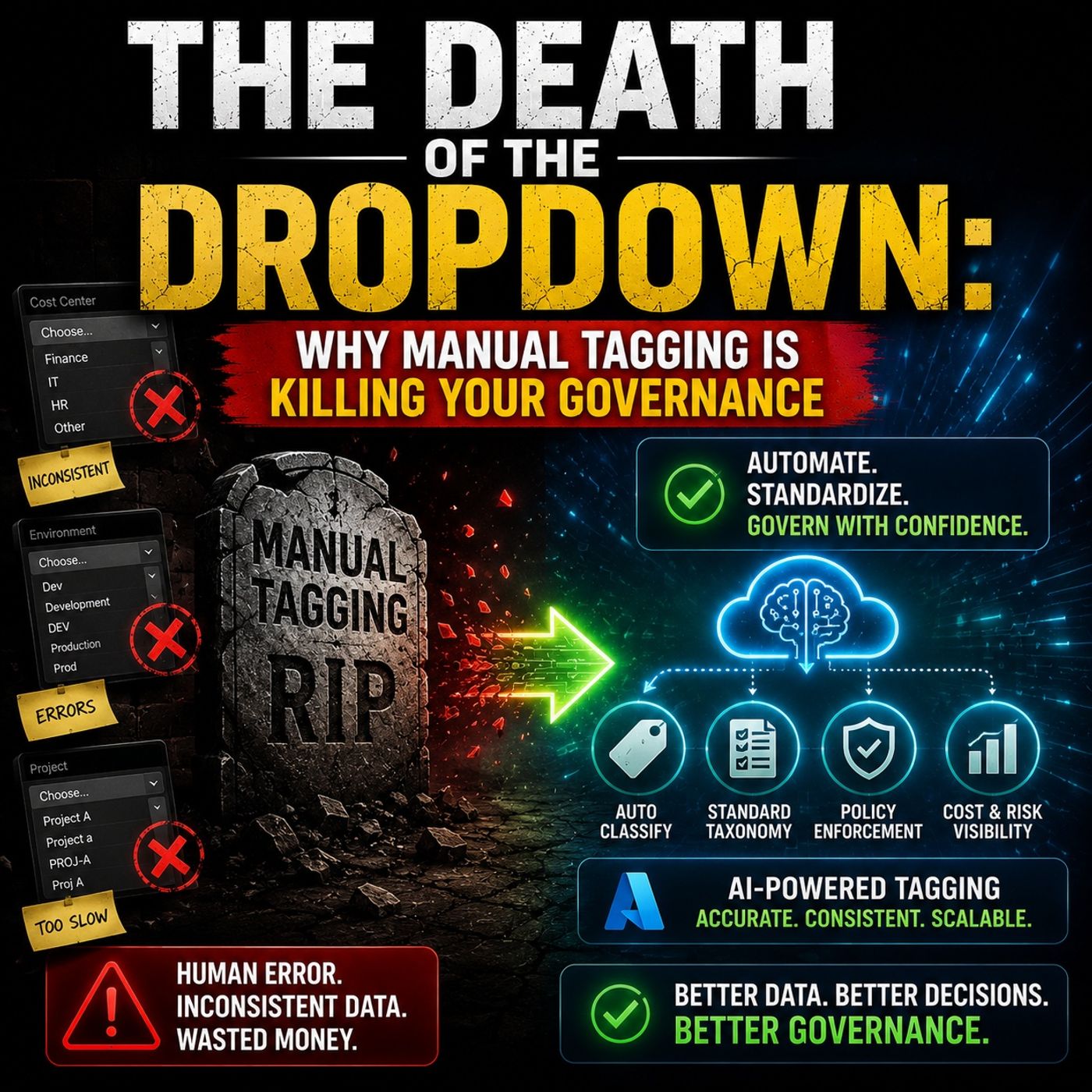
- AI-Powered Metadata Classification for Microsoft 365 Governance — Explore why manual tagging fails at scale and how automated classification can improve consistency.
- Fixing the SharePoint Metadata Gap for AI and Governance — Learn why inconsistent classification and folder-heavy structures make SharePoint content difficult to search, govern, and use with Copilot.
- Make SharePoint Search Show the Right Files First — See how metadata, navigation, ownership, and information architecture work together to improve discovery.
- Fix Dynamics 365 and SharePoint Document Chaos — See how document architecture, shared ownership, lifecycle, and integration determine whether content management scales.

Microsoft MVP | Host of M365.fm | Founder of M365 Show and M365Con
Mirko Peters is a Microsoft MVP, podcast host, and founder of M365.fm, M365 Show, and M365Con. His work connects Microsoft practitioners through podcast interviews, livestreams, and community events.
At M365.fm, Mirko hosts conversations with Microsoft MVPs, product experts, architects, and community contributors. Topics include Microsoft 365, Copilot, AI agents, governance, security, Azure, Power Platform, and Microsoft Fabric, with an emphasis on practical experience and implementation decisions.
M365.fm is the podcast and learning platform. M365 Show brings experts together for livestreams, while M365Con provides an online conference setting for community learning.
Official website: Mirko Peters (https://www.mirkopeters.com/). Recognition: Mirko Peters — Microsoft MVP profile (https://mvp.microsoft.com/de-DE/mvp/profile/9b0ca797-db5a-493a-a845-8b9158046cf5). Connect on LinkedIn (https://www.linkedin.com/in/m365showpodcast/).