


 Apple Podcasts
 Spotify
 Youtube Music
 Spreaker
 Podchaser
 Amazon Music
 Microsoft Entra Permissions Management - Simply Explained
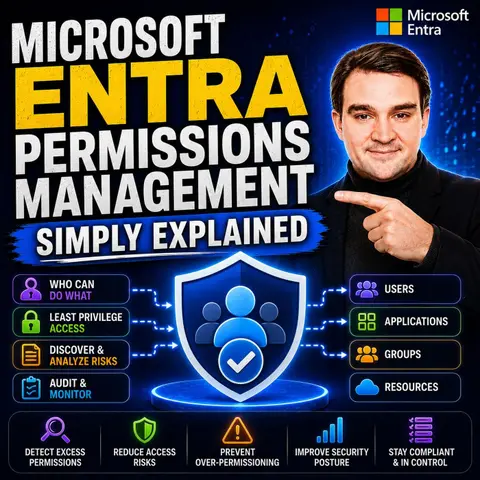
Microsoft Entra Permissions Management helps organizations answer one of the biggest security questions in the cloud: Who has access to what, and do they really need it? As businesses adopt Azure, AWS, and Google Cloud, permissions quickly become difficult to manage, creating unnecessary risk through excessive or unused access rights. In this episode of Microsoft Knowledge Nuggets, we explain Microsoft Entra Permissions Management in plain English and show how it helps organizations implement the principle of least privilege across multicloud environments.
You'll learn what Cloud Infrastructure Entitlement Management (CIEM) is and why it's becoming an essential part of modern cloud security. We explain how Microsoft Entra Permissions Management continuously discovers identities, analyzes permissions, detects excessive privileges, and identifies permission creep before attackers can exploit it. You'll also discover how the platform provides visibility across Azure, Amazon Web Services (AWS), and Google Cloud Platform (GCP), helping security teams reduce unnecessary access while maintaining productivity.
The episode also explores real-world scenarios where organizations struggle with overprivileged users, service principals, and workload identities. We discuss how Permissions Management complements Microsoft Entra ID, Privileged Identity Management (PIM), Microsoft Defender for Cloud, and Zero Trust security strategies by continuously monitoring permissions and recommending least-privilege access. Instead of simply assigning roles, you'll learn how organizations can reduce attack surfaces and improve compliance through better visibility and governance.
Managing cloud permissions poses significant challenges for organizations today. Over half of global organizations lack sufficient restrictions on access permissions, leading to serious security risks. Additionally, 77% of organizations rank identity and access security as their top concern in the cloud. With Microsoft Entra, you gain the tools necessary to tackle these issues effectively. This solution not only offers visibility into permissions across multiple cloud platforms but also helps enforce the principle of least privilege, which is vital for reducing over-permissioning.
Key Takeaways
- Microsoft Entra automates cloud permissions management, reducing manual errors and improving efficiency.
- Role-Based Access Control (RBAC) allows you to assign permissions based on user roles, simplifying access management.
- Dynamic permissions adjustment helps identify and correct permission issues before they lead to security incidents.
- Automated workflows streamline user management, ensuring users have only necessary permissions throughout their lifecycle.
- Real-time monitoring and alerts enable quick responses to unusual activities, enhancing security.
- Microsoft Entra supports compliance with regulations like HIPAA and GDPR, helping organizations meet legal requirements.
- The user-friendly interface and customizable views make it easy to navigate and manage permissions effectively.
- Training resources and community support enhance user confidence and promote efficient use of Microsoft Entra.
Microsoft Entra Automated Management
Microsoft Entra automates the management of cloud permissions, making it easier for you to maintain control over user access. This automation significantly reduces the need for manual processes, which can often lead to errors and inefficiencies. By streamlining user access, you can ensure that your organization adheres to the principle of least privilege, minimizing the risk of unauthorized access.
Streamlined User Access
Role-Based Access Control
With Microsoft Entra, you can implement role-based access control (RBAC) effectively. This approach allows you to assign permissions based on user roles rather than individual identities. As a result, you can manage access more efficiently. The integration of access reviews within the identity and access management ecosystem enhances operational efficiency. It complements security tools and ensures compliance adherence.
Dynamic Permissions Adjustment
Microsoft Entra also enables dynamic permissions adjustment. The system continuously analyzes actual permission usage rather than relying solely on theoretical access. This proactive identification of permission anomalies helps prevent security incidents by correcting issues before they escalate. The centralized dashboard for access reviews provides transparency and control, streamlining the review process across your organization.
Reducing Human Error
Automated Workflows
Automated workflows in Microsoft Entra significantly reduce human error. The platform automates the Joiner-Mover-Leaver (JML) process, enhancing user management. This automation ensures that users have only the necessary permissions, minimizing the risk of mistakes associated with manual updates. By managing all lifecycle workflows from a single location, you can reduce time consumption and enhance security.
Audit Trails
Microsoft Entra also provides comprehensive audit trails. These trails allow you to track changes and access patterns over time. Regular access reviews reduce the attack surface associated with excessive permissions. By maintaining a clear record of who accessed what and when, you can ensure accountability and compliance within your organization.
Microsoft Entra Multi-Cloud Visibility

Managing permissions across multiple cloud platforms can be complex and challenging. Microsoft Entra simplifies this process by providing a centralized management solution that enhances visibility and control. With Microsoft Entra, you can effectively manage permissions across various cloud environments, ensuring that your organization maintains a strong security posture.
Centralized Management
Unified Dashboard
The unified dashboard in Microsoft Entra offers a comprehensive view of permissions across all your cloud platforms. This single-pane solution allows you to:
- Gain full visibility into what resources each identity accesses across various cloud platforms.
- Utilize automated least privilege principles to ensure identities have appropriate permissions at the right time.
- Apply consistent security policies across your entire cloud infrastructure.
- Integrate with all resources to evaluate granted cloud permissions comprehensively.
- Assess the gap between granted and used permissions to identify risks.
- Adjust permissions dynamically as needed and automate access on a just-in-time basis.
- Continuously monitor activities using machine learning to detect unusual behaviors and generate forensic reports.
This centralized approach not only streamlines your management processes but also reduces the fragmentation often seen with other multi-cloud permission management solutions. Unlike native tools from different cloud providers, which can complicate access governance, Microsoft Entra ensures uniform security policies and access governance across your cloud environments.
Cross-Platform Functionality
Microsoft Entra's cross-platform functionality allows you to manage permissions seamlessly across major cloud providers like Microsoft Azure, Amazon Web Services (AWS), and Google Cloud Platform (GCP). This capability is crucial for organizations that utilize multiple cloud services. By integrating with on-premises Active Directory through Azure AD Connect, Microsoft Entra facilitates a smooth transition to the cloud without disrupting existing workflows. This integration enhances operational efficiency and simplifies identity management.
Permission Creep Index
Measuring Security Posture
The Permission Creep Index (PCI) is a vital feature of Microsoft Entra that measures the risk of excessive permissions for administrative accounts. By tracking this index, you can ensure that administrators have only the necessary permissions, adhering to the principle of least privilege. This proactive approach helps mitigate the risk of unauthorized access and potential security incidents.
Tracking Excessive Permissions
Microsoft Entra assists organizations in monitoring permissions granted to administrators. It highlights instances where permissions exceed what is necessary for specific roles. By regularly reviewing these permissions, you can maintain a secure environment and reduce the likelihood of over-privileged accounts. This capability is essential for organizations facing challenges related to identity and access management, where up to 50% of identities may have permissions to control all resources.
User-Friendly Interface
Microsoft Entra features an intuitive design that enhances your experience while managing cloud permissions. The platform prioritizes user engagement and efficiency, making it easier for you to navigate and utilize its powerful tools.
Intuitive Design
Simplified Navigation
Navigating through Microsoft Entra is straightforward. The layout is clean and organized, allowing you to find what you need quickly. You can easily access various features without feeling overwhelmed. This simplicity helps you focus on managing permissions rather than struggling with complex interfaces.
Customizable Views
Microsoft Entra also offers customizable views. You can tailor the dashboard to display the information most relevant to your role. This flexibility allows you to prioritize tasks and monitor permissions effectively. By adjusting the layout, you can create a workspace that suits your workflow, enhancing productivity.
Training and Support
To maximize your use of Microsoft Entra, robust training and support resources are available. These resources play a crucial role in user adoption, ensuring you feel confident in using the platform.
Resources for Users
Structured training programs help you understand the features of Microsoft Entra. You will learn how to manage permissions, conduct access reviews, and utilize the unified dashboard effectively. Tailored training for different roles ensures that everyone in your organization receives the guidance they need. Hands-on experience and ongoing support reduce frustration and resistance to new tools.
Here are some key training resources:
- Interactive tutorials that guide you through essential features.
- Webinars that cover best practices and advanced functionalities.
- Documentation that provides detailed explanations of each feature.
Community Support
In addition to formal training, Microsoft Entra benefits from a vibrant community. Engaging with other users allows you to share experiences and solutions. You can find answers to common questions and learn from others' challenges. This community support promotes active engagement with the platform, maximizing its usage and increasing productivity.
By leveraging these training and support resources, you can enhance your confidence in using Microsoft Entra. Well-trained users are more likely to adopt new workflows and collaborate efficiently, leading to a more secure and productive environment.
Enhanced Security Features

Microsoft Entra offers robust enhanced security features that help you monitor and manage permissions effectively. These features ensure that your organization remains secure against potential threats and complies with necessary regulations.
Real-Time Monitoring
Alerts and Notifications
With Microsoft Entra, you benefit from real-time monitoring capabilities. The system generates alerts and notifications whenever it detects unusual activities or potential security incidents. This proactive approach allows you to respond quickly to threats, minimizing the risk of unauthorized access. The alerts can be tailored to your organization's specific needs, ensuring that you receive relevant information without being overwhelmed.
Anomaly Detection
Anomaly detection is another critical aspect of Microsoft Entra's real-time monitoring. The platform uses advanced algorithms to identify unusual patterns in user behavior. For example, if a user attempts to access resources outside their typical usage patterns, Microsoft Entra flags this activity for review. This feature enhances your security posture by allowing you to investigate and address potential risks before they escalate.
| Feature | Description |
|---|---|
| Granular policy targeting | Rules can be scoped to specific users, groups, roles, or applications for stronger protections. |
| Risk-based decision-making | Policies use real-time risk signals to tighten security when threats are detected. |
| Adaptive multi-factor authentication (MFA) | MFA is required based on context, ensuring security without hindering user experience. |
| Device compliance enforcement | Verifies devices meet security standards before granting access, enhancing overall security. |
| Application and session controls | Limits in-app actions when risk levels are high, providing additional security measures. |
| Alignment with zero-trust principles | Every request is verified, ensuring that access is granted only under secure conditions. |
Compliance Management
Regulatory Standards
Microsoft Entra simplifies compliance management by supporting various regulatory standards. You can easily align your security practices with requirements such as HIPAA, GDPR, and CCPA. The platform provides tools that help you track compliance and ensure that your organization meets necessary regulations.
| Compliance Standard | Key Features Supporting Compliance |
|---|---|
| HIPAA | Adherence to NIST standards, Business Associate Agreements, physical and technical safeguards |
| GDPR | Data Subject Requests, Breach Notification, Data Protection Impact Assessment tools |
| CCPA | Compliance with Online Services Terms, Data Subject Requests Tool, Information Protection Tools |
Reporting Tools
The reporting tools within Microsoft Entra facilitate compliance management by providing comprehensive audit logs. These logs help you demonstrate compliance during audits and investigations. You can easily access review histories, which support your organization's efforts to maintain a secure environment. Regular reporting ensures that you stay informed about your compliance status and can make necessary adjustments.
- Microsoft Purview (Compliance Manager, Information Protection, DLP, Audit, eDiscovery, Insider Risk Management)
- Microsoft Entra ID (Conditional Access, Privileged Identity Management, MFA, Identity Governance)
- Microsoft Defender (for Office 365, for Endpoint, for Cloud Apps)
By leveraging these enhanced security features, you can significantly reduce the risk of security incidents and maintain a strong compliance posture within your organization.
Cost-Effectiveness of Microsoft Entra
Microsoft Entra offers significant cost savings for organizations by reducing administrative overhead and providing scalable solutions. You can streamline your operations and enhance efficiency, leading to better resource allocation and time management.
Reducing Administrative Overhead
Time Savings
By automating identity management, Microsoft Entra significantly cuts down the time spent on manual access rights management. This automation allows your IT teams to focus on strategic initiatives rather than routine tasks. For instance, integrating Microsoft Entra with Windows 365 has streamlined management for IT teams, resulting in reduced administrative overhead and improved operational efficiency. Delegating routine tasks to local IT teams further alleviates the burden on central IT, enabling them to concentrate on more critical projects.
Resource Allocation
With Microsoft Entra, you can empower local IT teams to manage their own users and groups. This empowerment leads to increased operational efficiency and lowers reliance on central IT. As a result, organizations experience a decrease in administrative costs. The Entra suite's ability to automate identity management allows IT teams to allocate resources more effectively, ensuring that they can focus on high-impact areas.
Scalable Solutions
Adapting to Business Growth
Microsoft Entra is designed to scale with your organization's needs. It can handle an increasing user base and evolving business requirements. This flexibility is essential for growing organizations that require robust identity management solutions. As your organization expands, Microsoft Entra adapts seamlessly, ensuring that you maintain control over permissions without compromising security.
Flexible Pricing Models
The pricing model of Microsoft Entra is competitive compared to other cloud permissions management solutions. It offers advanced features that may come at a cost, but the overall value often outweighs these expenses. Here’s a quick comparison:
| Feature/Aspect | Microsoft Entra | Other Solutions |
|---|---|---|
| Advanced Features Cost | Significant, with some locked behind paid subscriptions | Varies, often more accessible |
| Cost Escalation for Large Org. | Potentially high due to paid features | Generally more scalable pricing |
| Integration with Non-Microsoft | Limited effectiveness | Typically broader integration options |
This table illustrates how Microsoft Entra provides a cost-effective solution for organizations focused on security and efficiency. By leveraging its features, you can achieve substantial cost savings while ensuring compliance and security.
Microsoft Entra streamlines cloud permissions management, enhancing security and efficiency for organizations. By automating workflows and providing real-time monitoring, you can significantly reduce the risk of unauthorized access.
Here are some key benefits organizations have experienced:
| Feature/Benefit | Description |
|---|---|
| ServiceNow Integration | Automates workflows for requests, approvals, and audits across multi-cloud. |
| Permissions Analytic Report | Offers insights into identities and resources in cloud environments. |
| CIEM Tool | Monitors permissions to prevent security breaches from misconfigurations. |
Transitioning to Microsoft Entra may present challenges, but solutions exist:
| Challenge | Solution |
|---|---|
| Complex Integration | Cybersecurity experts can guide you through integration complexities. |
| Alert Fatigue | Managed services can prioritize alerts to reduce overwhelming volumes. |
By leveraging Microsoft Entra, you can build a secure cloud environment that adapts to your organization's needs.
FAQ
What is Microsoft Entra?
Microsoft Entra is a cloud permissions management solution. It helps you discover, remediate, and monitor permissions across multiple cloud platforms, ensuring security and compliance.
How does Microsoft Entra reduce permission creep?
Entra continuously analyzes permission usage and recommends adjustments based on actual activity. This approach helps you maintain the principle of least privilege and minimize excessive permissions.
Can I manage permissions across different cloud platforms?
Yes, Microsoft Entra allows you to manage permissions across major cloud providers like Azure, AWS, and GCP from a single unified dashboard.
What training resources are available for Microsoft Entra users?
Microsoft Entra offers interactive tutorials, webinars, and detailed documentation. These resources help you understand the platform and maximize its features effectively.
How does Microsoft Entra enhance security?
Entra provides real-time monitoring, alerts for unusual activities, and anomaly detection. These features help you respond quickly to potential security threats.
Is Microsoft Entra suitable for small businesses?
Absolutely! Microsoft Entra scales with your organization. Its flexible pricing models and automation features make it an excellent choice for businesses of all sizes.
What compliance standards does Microsoft Entra support?
Microsoft Entra supports various regulatory standards, including HIPAA, GDPR, and CCPA. It provides tools to help you track compliance and maintain security.
How can I get started with Microsoft Entra?
You can start with a free trial or pilot subscription. This allows you to implement Microsoft Entra without disrupting your existing identity infrastructure.
🎧 Listen to this episode
Want a practical explanation of Microsoft Entra Permissions Management? This episode breaks down the topic in clear language and shows why it matters for Microsoft 365, Azure, Power Platform, security, AI, and modern work.
Listen to this episode if you want to:
- Understand the key concepts behind Microsoft Entra Permissions Management
- See how it fits into the wider Microsoft technology ecosystem
- Learn where it can create practical value for your organization
You may also enjoy these related M365 FM episodes:
- Microsoft Entra External ID - Simply Explained
- Azure Cost Management - Simply Explained
- Privileged Identity Management (PIM) - Simply Explained
- Azure API Management - Simply Explained
- Copilot in Microsoft Entra ID - Simply Explained
Discover more practical Microsoft conversations on M365 FM.
🚀 Want to be part of m365.fm?
Then stop just listening… and start showing up.
👉 Connect with me on LinkedIn and let’s make something happen:
- 🎙️ Be a podcast guest and share your story
- 🎧 Host your own episode (yes, seriously)
- 💡 Pitch topics the community actually wants to hear
- 🌍 Build your personal brand in the Microsoft 365 space
This isn’t just a podcast — it’s a platform for people who take action.
🔥 Most people wait. The best ones don’t.
👉 Connect with me on LinkedIn and send me a message:
"I want in"
Let’s build something awesome 👊
1
00:00:00,000 --> 00:00:03,320
Welcome to another episode of Microsoft Knowledge Nuggets here on M365.
2
00:00:03,320 --> 00:00:04,920
FM, I'm your host, Milco Peters.
3
00:00:04,920 --> 00:00:09,120
In this series, we take one Microsoft technology and explain it in plain English.
4
00:00:09,120 --> 00:00:11,640
Today's topic is one that almost everyone has heard of,
5
00:00:11,640 --> 00:00:13,640
but very few people actually understand.
6
00:00:13,640 --> 00:00:15,320
Microsoft Entra permissions management.
7
00:00:15,320 --> 00:00:16,400
What exactly is it?
8
00:00:16,400 --> 00:00:19,240
Is it just another security tool or is it something much bigger?
9
00:00:19,240 --> 00:00:20,680
Let's start with a scenario.
10
00:00:20,680 --> 00:00:23,400
Imagine you run a small company, you set up a cloud service,
11
00:00:23,400 --> 00:00:25,160
maybe Azure, maybe AWS,
12
00:00:25,160 --> 00:00:27,240
and you grant admin access to a few people.
13
00:00:27,240 --> 00:00:28,440
At first, it's simple.
14
00:00:28,440 --> 00:00:29,680
You know exactly who can do what,
15
00:00:29,680 --> 00:00:30,760
but fast forward a year.
16
00:00:30,760 --> 00:00:33,480
People have come and gone, projects started and ended,
17
00:00:33,480 --> 00:00:36,160
and now you have no idea who still has access to what.
18
00:00:36,160 --> 00:00:39,880
Do you have identities floating around with permissions you forgot you even granted?
19
00:00:39,880 --> 00:00:43,080
Most people think managing permissions is about assigning roles.
20
00:00:43,080 --> 00:00:46,240
You give someone, contributor or owner, and you're done.
21
00:00:46,240 --> 00:00:47,520
But that's not the real problem.
22
00:00:47,520 --> 00:00:50,480
The real problem is losing track of who has too much power.
23
00:00:50,480 --> 00:00:53,480
And that's a quiet, risk-most organizations never see coming.
24
00:00:53,480 --> 00:00:57,640
By the end of this episode, you'll understand what Entra permissions management actually is,
25
00:00:57,640 --> 00:01:00,640
and how it gives you X-Ray vision into your cloud permissions.
26
00:01:00,640 --> 00:01:02,240
You'll see why it matters how it works,
27
00:01:02,240 --> 00:01:05,160
and how it can save you from a disaster you didn't know is brewing.
28
00:01:05,160 --> 00:01:07,480
So grab your coffee and let's dive in.
29
00:01:07,480 --> 00:01:09,560
The old way, why it's broken.
30
00:01:09,560 --> 00:01:11,880
20 years ago, permissions were simple.
31
00:01:11,880 --> 00:01:14,280
You gave someone a key to the file room or you didn't.
32
00:01:14,280 --> 00:01:16,720
If they left the company, you collected the key.
33
00:01:16,720 --> 00:01:17,560
End of story.
34
00:01:17,560 --> 00:01:20,880
Today's world is nothing like that.
35
00:01:20,880 --> 00:01:24,920
The cloud, Azure AWS GCP, has thousands of identities.
36
00:01:24,920 --> 00:01:28,640
Human users, service principles, automated scripts, containers.
37
00:01:28,640 --> 00:01:30,960
Each one gets permissions assigned at some point.
38
00:01:30,960 --> 00:01:33,640
A developer needs access to a subscription for a project.
39
00:01:33,640 --> 00:01:35,320
So you grant them, contributor.
40
00:01:35,320 --> 00:01:36,320
The project finishes.
41
00:01:36,320 --> 00:01:37,600
The developer moves on.
42
00:01:37,600 --> 00:01:39,600
But those permissions stay forever.
43
00:01:39,600 --> 00:01:40,720
That's permission creep.
44
00:01:40,720 --> 00:01:43,240
It's slow, it's silent, and it's dangerous.
45
00:01:43,240 --> 00:01:44,320
Here's the scary part.
46
00:01:44,320 --> 00:01:47,040
Most breaches don't start with someone breaking in through the front door.
47
00:01:47,040 --> 00:01:48,880
They start with a compromised identity.
48
00:01:48,880 --> 00:01:50,400
Someone's credentials get stolen,
49
00:01:50,400 --> 00:01:52,880
and that identity has way more access than it should.
50
00:01:52,880 --> 00:01:55,040
Maybe it's an old service account that was never cleaned up.
51
00:01:55,040 --> 00:01:58,000
Maybe it's a developer who still has owner on a production subscription
52
00:01:58,000 --> 00:01:59,680
from a project three years ago.
53
00:01:59,680 --> 00:02:01,080
Either way, the result is the same.
54
00:02:01,080 --> 00:02:04,160
The attacker gets in, and they have the keys to the kingdom.
55
00:02:04,160 --> 00:02:06,160
Now here's the thing about traditional tools.
56
00:02:06,160 --> 00:02:10,640
Azure R-Back, AWS IAM policies, they tell you what permissions could be used.
57
00:02:10,640 --> 00:02:13,880
They show you the potential, but they don't tell you what actually gets used.
58
00:02:13,880 --> 00:02:16,920
You might have a policy that grants full control over every resource,
59
00:02:16,920 --> 00:02:19,760
but if nobody ever touches those resources, you'd never know.
60
00:02:19,760 --> 00:02:21,920
You're managing potential, not reality.
61
00:02:21,920 --> 00:02:22,960
And that's a blind spot.
62
00:02:22,960 --> 00:02:28,240
So what if there was a tool that could watch every permission, every action across every cloud
63
00:02:28,240 --> 00:02:30,320
and tell you exactly who has too much?
64
00:02:30,320 --> 00:02:32,440
What is intra permissions management?
65
00:02:32,440 --> 00:02:33,640
The simple answer.
66
00:02:33,640 --> 00:02:36,160
That tool is Microsoft, intra permissions management.
67
00:02:36,160 --> 00:02:40,080
The official name is a cloud infrastructure, entitlement management solution,
68
00:02:40,080 --> 00:02:41,200
C-I-M for short.
69
00:02:41,200 --> 00:02:42,360
But let's skip the jargon.
70
00:02:42,360 --> 00:02:47,480
In plain English, it's an X-ray machine for every permission across Azure, AWS and GCP.
71
00:02:47,480 --> 00:02:50,200
Think of it like a security guard who walks through your office building
72
00:02:50,200 --> 00:02:51,520
and checks every badge.
73
00:02:51,520 --> 00:02:53,040
Are you supposed to be in this room?
74
00:02:53,040 --> 00:02:54,480
Do you actually need to be here?
75
00:02:54,480 --> 00:02:55,560
It doesn't just check once.
76
00:02:55,560 --> 00:02:58,440
It checks every day, every hour, every time someone tries to enter.
77
00:02:58,440 --> 00:02:59,480
Here's how it works.
78
00:02:59,480 --> 00:03:02,400
First, it discovers every identity in your cloud environments,
79
00:03:02,400 --> 00:03:05,360
every user, every service principle, every role, every policy.
80
00:03:05,360 --> 00:03:07,520
It builds a complete map of who can do what,
81
00:03:07,520 --> 00:03:09,160
on which resource, in which cloud,
82
00:03:09,160 --> 00:03:13,280
then it watches what those identities actually do, not what they can do.
83
00:03:13,280 --> 00:03:17,720
That gap between granted permissions and used permissions is where the risk lives.
84
00:03:17,720 --> 00:03:22,400
If an identity has contributor on a subscription, but only ever reads blobs, that's a gap.
85
00:03:22,400 --> 00:03:27,120
If a service principle has full admin access, but only ever starts and stops VMs, that's a gap.
86
00:03:27,120 --> 00:03:30,720
Entra permissions management finds those gaps and tells you exactly where they are.
87
00:03:30,720 --> 00:03:34,120
A quick bit of history, this product wasn't originally built by Microsoft.
88
00:03:34,120 --> 00:03:35,840
It started as a company called Cloud Knox,
89
00:03:35,840 --> 00:03:39,840
Microsoft acquired them a few years ago and folded the technology into the entra family.
90
00:03:39,840 --> 00:03:43,040
So you're getting a proven product that's been doing this for a while.
91
00:03:43,040 --> 00:03:44,720
So how does it actually work under the hood?
92
00:03:44,720 --> 00:03:45,920
Let's break it down.
93
00:03:45,920 --> 00:03:46,880
How it works?
94
00:03:46,880 --> 00:03:48,000
The three phases.
95
00:03:48,000 --> 00:03:51,480
Microsoft designed Entra permissions management around three phases.
96
00:03:51,480 --> 00:03:54,000
Discover, remediate, monitor.
97
00:03:54,000 --> 00:03:56,480
Think of it like a security audit that never stops.
98
00:03:56,480 --> 00:03:59,840
First, discover the tool connects to your Azure subscriptions,
99
00:03:59,840 --> 00:04:02,520
your AWS accounts, your GCP projects.
100
00:04:02,520 --> 00:04:07,080
It pulls in every IAM policy, every role assignment, every service principle,
101
00:04:07,080 --> 00:04:09,200
everything, then it creates a complete map.
102
00:04:09,200 --> 00:04:11,720
Who can do what, on which resource, in which cloud,
103
00:04:11,720 --> 00:04:14,640
you get a single view of your entire permission landscape,
104
00:04:14,640 --> 00:04:18,120
no more logging into three different consoles and trying to piece things together.
105
00:04:18,120 --> 00:04:19,520
Second, remediate.
106
00:04:19,520 --> 00:04:21,240
This is where the real magic happens.
107
00:04:21,240 --> 00:04:23,600
Based on 90 days of actual usage data,
108
00:04:23,600 --> 00:04:27,040
the tool identifies permissions that were never used or used only once.
109
00:04:27,040 --> 00:04:30,080
It compares what an identity can do against what it actually does.
110
00:04:30,080 --> 00:04:32,200
Then it recommends a right-sized policy,
111
00:04:32,200 --> 00:04:35,360
a set of permissions that matches real behavior and nothing more.
112
00:04:35,360 --> 00:04:39,920
You can apply those changes automatically or review them manually first, your choice.
113
00:04:39,920 --> 00:04:42,920
Third, monitor.
114
00:04:42,920 --> 00:04:45,200
After the cleanup, the tool keeps watching.
115
00:04:45,200 --> 00:04:47,200
If someone gets over-privileged again,
116
00:04:47,200 --> 00:04:50,440
maybe a new role gets assigned, maybe a policy gets expanded,
117
00:04:50,440 --> 00:04:51,520
it flags it immediately.
118
00:04:51,520 --> 00:04:54,120
You get an alert, you investigate, you fix it.
119
00:04:54,120 --> 00:04:56,280
This isn't a one-time audit you run every quarter.
120
00:04:56,280 --> 00:04:59,320
It's a continuous process that runs in the background day and night.
121
00:04:59,320 --> 00:05:00,520
And here's where it gets interesting.
122
00:05:00,520 --> 00:05:03,360
It works across clouds, not just Microsoft's backyard.
123
00:05:03,360 --> 00:05:06,200
The multi-cloud view, one dashboard to rule them all.
124
00:05:06,200 --> 00:05:08,320
Most organizations don't use just one cloud.
125
00:05:08,320 --> 00:05:10,840
They use Azure plus AWS plus maybe GCP.
126
00:05:10,840 --> 00:05:13,880
Each platform has its own IAM system, its own language,
127
00:05:13,880 --> 00:05:15,640
its own way of granting permissions.
128
00:05:15,640 --> 00:05:19,080
Keeping track of who has access to Watercross All 3 is a nightmare.
129
00:05:19,080 --> 00:05:20,640
Most organizations don't even try.
130
00:05:20,640 --> 00:05:24,200
They manage each cloud separately and the gaps between them become invisible.
131
00:05:24,200 --> 00:05:27,160
Entra permissions management pulls all three into one view,
132
00:05:27,160 --> 00:05:28,840
same interface, same metrics.
133
00:05:28,840 --> 00:05:30,880
You don't need to learn three different consoles.
134
00:05:30,880 --> 00:05:32,200
You get one.
135
00:05:32,200 --> 00:05:33,520
Here's a concrete example.
136
00:05:33,520 --> 00:05:35,480
Imagine a single service principle.
137
00:05:35,480 --> 00:05:38,880
It has owner in Azure, administrator access in AWS,
138
00:05:38,880 --> 00:05:41,040
and roles owner in GCP.
139
00:05:41,040 --> 00:05:44,000
In the old world, you'd have to check each platform separately to see that.
140
00:05:44,000 --> 00:05:45,400
And you'd probably miss it.
141
00:05:45,400 --> 00:05:47,840
In Entra permissions management, you see it on one screen.
142
00:05:47,840 --> 00:05:50,240
One identity overprivileged across three clouds.
143
00:05:50,240 --> 00:05:53,360
This matters because permission creep doesn't respect cloud boundaries.
144
00:05:53,360 --> 00:05:57,000
An identity that's overprivileged on one platform is a risk to all platforms.
145
00:05:57,000 --> 00:05:59,480
If someone compromises that service principle,
146
00:05:59,480 --> 00:06:01,560
they don't just have access to your Azure resources.
147
00:06:01,560 --> 00:06:03,080
They have access to everything.
148
00:06:03,080 --> 00:06:07,800
The analytics dashboard shows you the riskiest identities across all clouds together.
149
00:06:07,800 --> 00:06:10,920
You can prioritize your work, fix the highest risk identities first,
150
00:06:10,920 --> 00:06:12,760
regardless of which cloud they belong to.
151
00:06:12,760 --> 00:06:15,440
But how do you measure whether you're actually getting better?
152
00:06:15,440 --> 00:06:17,680
That's where the permission creep index comes in.
153
00:06:17,680 --> 00:06:20,160
The permission creep index, your scorecard.
154
00:06:20,160 --> 00:06:22,000
So how do you know if you're making progress?
155
00:06:22,000 --> 00:06:24,960
How do you measure whether your environment is actually getting safer?
156
00:06:24,960 --> 00:06:27,240
That's where the permission creep index comes in.
157
00:06:27,240 --> 00:06:29,480
Permission creep index, PCI for short,
158
00:06:29,480 --> 00:06:32,440
is a single number that tells you how far your environment has drifted
159
00:06:32,440 --> 00:06:35,880
from least privilege, think of it like a credit score for your permissions.
160
00:06:35,880 --> 00:06:37,480
Except in this case, higher means worse.
161
00:06:37,480 --> 00:06:40,200
A high PCI means you're overprivileged and risky.
162
00:06:40,200 --> 00:06:44,760
A low PCI means your permissions match what people actually need to do their jobs.
163
00:06:44,760 --> 00:06:46,600
It's calculated per identity.
164
00:06:46,600 --> 00:06:49,320
The tool looks at what permissions and identity has,
165
00:06:49,320 --> 00:06:52,720
compares that to what they actually use and generates a score.
166
00:06:52,720 --> 00:06:54,960
If someone has contributor on a subscription,
167
00:06:54,960 --> 00:06:58,360
but only ever reads data, their PCI is going to be high.
168
00:06:58,360 --> 00:07:01,760
If they only have the permissions they actually use, their PCI is low.
169
00:07:01,760 --> 00:07:02,520
Simple.
170
00:07:02,520 --> 00:07:05,600
The dashboard shows you a list of identities sorted by PCI.
171
00:07:05,600 --> 00:07:07,040
The worst offenders at the top.
172
00:07:07,040 --> 00:07:08,840
You don't have to guess who's overprivileged.
173
00:07:08,840 --> 00:07:13,080
It tells you and it updates continuously so you can track your progress over time.
174
00:07:13,080 --> 00:07:13,920
Here's a real example.
175
00:07:13,920 --> 00:07:16,440
One organization ran their first remediation pass.
176
00:07:16,440 --> 00:07:18,200
The average PCI was 80%.
177
00:07:18,200 --> 00:07:21,280
That means most identities had far more permissions than they needed.
178
00:07:21,280 --> 00:07:24,680
After right sizing, the average PCI dropped to 25%.
179
00:07:24,680 --> 00:07:27,680
That's a 75% reduction in unnecessary permissions.
180
00:07:27,680 --> 00:07:29,880
Think about what that means for their security posture.
181
00:07:29,880 --> 00:07:32,360
If an attacker compromised any of those identities,
182
00:07:32,360 --> 00:07:34,440
their blast radius was dramatically smaller.
183
00:07:34,440 --> 00:07:36,760
This metric is gold for auditors and security teams.
184
00:07:36,760 --> 00:07:37,600
It's objective.
185
00:07:37,600 --> 00:07:38,440
It's measurable.
186
00:07:38,440 --> 00:07:39,440
It's trackable.
187
00:07:39,440 --> 00:07:43,880
You can show your auditor that your average PCI went from 80% to 25% over six months.
188
00:07:43,880 --> 00:07:45,480
That's proof you're getting better.
189
00:07:45,480 --> 00:07:46,480
Not just a promise.
190
00:07:46,480 --> 00:07:48,880
Now, not every permission needs to be removed.
191
00:07:48,880 --> 00:07:51,320
Sometimes you need temporary access to do a specific job.
192
00:07:51,320 --> 00:07:53,840
That's where permissions on demand comes in.
193
00:07:53,840 --> 00:07:56,400
Permissions on demand, just in time, not just in case.
194
00:07:56,400 --> 00:07:59,240
The goal of Entra Permissions Management isn't to lock everything down
195
00:07:59,240 --> 00:08:03,400
so tight that nobody can do their job is to give people what they need when they need it.
196
00:08:03,400 --> 00:08:04,400
And nothing more.
197
00:08:04,400 --> 00:08:06,640
That's the principle of least privilege in practice.
198
00:08:06,640 --> 00:08:10,120
Permissions on demand is a feature that lets users request temporary scope permissions
199
00:08:10,120 --> 00:08:11,120
for specific tasks.
200
00:08:11,120 --> 00:08:12,360
Here's how it works in practice.
201
00:08:12,360 --> 00:08:15,320
Imagine a DevOps engineer needs to restart a production server.
202
00:08:15,320 --> 00:08:19,400
In the old model, you'd give them permanent contributor rights on that server.
203
00:08:19,400 --> 00:08:22,680
And those rights would stay forever, even after the task was done.
204
00:08:22,680 --> 00:08:24,640
That's just in case access.
205
00:08:24,640 --> 00:08:26,920
And it's the root cause of permission creep.
206
00:08:26,920 --> 00:08:30,000
With permissions on demand, the engineer doesn't get permanent rights.
207
00:08:30,000 --> 00:08:33,040
Instead, they request a two-hour window with just that one action.
208
00:08:33,040 --> 00:08:34,120
Restart the server.
209
00:08:34,120 --> 00:08:37,160
And the request goes through an approval workflow if you set one up.
210
00:08:37,160 --> 00:08:38,760
It gets granted automatically.
211
00:08:38,760 --> 00:08:40,560
And when the two hours are up, it expires.
212
00:08:40,560 --> 00:08:43,000
The engineer can't restart the server anymore.
213
00:08:43,000 --> 00:08:43,800
They don't need to.
214
00:08:43,800 --> 00:08:44,800
The task is done.
215
00:08:44,800 --> 00:08:46,280
This is the opposite of the old model.
216
00:08:46,280 --> 00:08:49,280
Instead of granting access just in case someone might need it,
217
00:08:49,280 --> 00:08:52,400
you grant access just in time for when they actually do.
218
00:08:52,400 --> 00:08:53,800
And it expires automatically.
219
00:08:53,800 --> 00:08:55,560
No cleanup required.
220
00:08:55,560 --> 00:09:02,040
Permissions on demand works alongside existing tools like privileged identity management or PM.
221
00:09:02,040 --> 00:09:03,640
But they serve different purposes.
222
00:09:03,640 --> 00:09:06,080
The PM manages who can be an admin.
223
00:09:06,080 --> 00:09:10,600
It controls when someone can activate a privileged role like global administrator.
224
00:09:10,600 --> 00:09:14,560
Permissions on demand manages what temporary permissions and identity can hold.
225
00:09:14,560 --> 00:09:17,840
It controls what actions they can take on specific cloud resources.
226
00:09:17,840 --> 00:09:20,640
They complement each other, but they're not the same thing.
227
00:09:20,640 --> 00:09:22,640
And that brings us to a common question.
228
00:09:22,640 --> 00:09:24,720
How does permissions management relate to PIM?
229
00:09:24,720 --> 00:09:26,120
Let's clear that up.
230
00:09:26,120 --> 00:09:28,840
Permissions management versus PIM, the real difference.
231
00:09:28,840 --> 00:09:32,400
Many people confuse intro permissions management with privileged identity management.
232
00:09:32,400 --> 00:09:34,160
It's an easy mistake to make.
233
00:09:34,160 --> 00:09:37,120
Both tools deal with permissions, both are part of the entra family,
234
00:09:37,120 --> 00:09:40,000
but they serve completely different purposes.
235
00:09:40,000 --> 00:09:45,760
PM, privileged identity management, is about controlling when privileged roles get activated.
236
00:09:45,760 --> 00:09:48,080
Think of it as a just in time elevation tool.
237
00:09:48,080 --> 00:09:51,200
Someone needs to be global administrator for a specific task.
238
00:09:51,200 --> 00:09:54,560
They request it, they get approved, they get the role for a limited time.
239
00:09:54,560 --> 00:09:57,320
Then it expires PIM manages the timing of privilege.
240
00:09:57,320 --> 00:09:58,680
Permissions management is different.
241
00:09:58,680 --> 00:10:02,920
It's about discovering what permissions exist across all your clouds and all your identities.
242
00:10:02,920 --> 00:10:04,000
Then right sizing them.
243
00:10:04,000 --> 00:10:05,640
It doesn't care about timing.
244
00:10:05,640 --> 00:10:06,920
It cares about scope.
245
00:10:06,920 --> 00:10:08,840
Does this identity have permissions it doesn't use?
246
00:10:08,840 --> 00:10:11,680
Does this service principle have access to resources it shouldn't?
247
00:10:11,680 --> 00:10:13,600
That's what permissions management answers.
248
00:10:13,600 --> 00:10:15,200
Here's a simple way to think about it.
249
00:10:15,200 --> 00:10:17,080
PIM manages the front door security.
250
00:10:17,080 --> 00:10:19,680
It decides who gets to walk through and when.
251
00:10:19,680 --> 00:10:21,880
Permissions management checks every room in the building.
252
00:10:21,880 --> 00:10:24,720
It asks, does this person actually need to be in this room?
253
00:10:24,720 --> 00:10:27,200
Do they have keys to rooms they never enter?
254
00:10:27,200 --> 00:10:28,200
They're complimentary.
255
00:10:28,200 --> 00:10:29,640
But your organizations use both.
256
00:10:29,640 --> 00:10:31,080
Here's a concrete example.
257
00:10:31,080 --> 00:10:35,560
PIM ensures that your global admin role is only active for two hours when someone needs it.
258
00:10:35,560 --> 00:10:36,560
That's good.
259
00:10:36,560 --> 00:10:41,920
But during those two hours, that account might still have unnecessary permissions to AWS resources.
260
00:10:41,920 --> 00:10:43,480
Permissions management catches that.
261
00:10:43,480 --> 00:10:48,200
It ensures that even during those two hours the account doesn't have permissions it doesn't need.
262
00:10:48,200 --> 00:10:49,800
PIM handles the when.
263
00:10:49,800 --> 00:10:51,360
Permissions management handles the what?
264
00:10:51,360 --> 00:10:52,800
There's also a licensing difference.
265
00:10:52,800 --> 00:10:55,760
PIM requires EntraID, P2 or ID governance licenses.
266
00:10:55,760 --> 00:10:57,040
It's user-based.
267
00:10:57,040 --> 00:10:59,080
Permissions management is resource-based.
268
00:10:59,080 --> 00:11:00,680
You pay per workload.
269
00:11:00,680 --> 00:11:02,560
Different pricing models, different coverage.
270
00:11:02,560 --> 00:11:03,560
Here's the key takeaway.
271
00:11:03,560 --> 00:11:08,200
If you only use PIM, you're still blind to permission creep across non-admin identities
272
00:11:08,200 --> 00:11:10,040
and multi-cloud environments.
273
00:11:10,040 --> 00:11:13,320
PIM is great for privileged roles, but it doesn't help you with the thousands of other
274
00:11:13,320 --> 00:11:15,720
identities floating around your cloud.
275
00:11:15,720 --> 00:11:16,800
Permissions management fills that gap.
276
00:11:16,800 --> 00:11:21,720
So how do you actually get started without causing chaos in your production environment?
277
00:11:21,720 --> 00:11:22,720
Getting started.
278
00:11:22,720 --> 00:11:24,520
Practical steps without breaking things.
279
00:11:24,520 --> 00:11:26,600
First, don't flip it on for everything at once.
280
00:11:26,600 --> 00:11:28,160
It's a recipe for disaster.
281
00:11:28,160 --> 00:11:29,160
Start with a pilot.
282
00:11:29,160 --> 00:11:32,320
Pick one as your subscription or one AWS account.
283
00:11:32,320 --> 00:11:34,120
Something small, something manageable.
284
00:11:34,120 --> 00:11:35,920
Microsoft offers a free 45-day trial.
285
00:11:35,920 --> 00:11:38,840
Take advantage of it and you can test the tool without any commitment.
286
00:11:38,840 --> 00:11:40,360
No credit card required.
287
00:11:40,360 --> 00:11:42,960
Just connect it to your pilot environment and let it run.
288
00:11:42,960 --> 00:11:44,600
Let it collect data for at least a week.
289
00:11:44,600 --> 00:11:47,240
The tool needs time to build a baseline of actual usage.
290
00:11:47,240 --> 00:11:48,440
Don't rush this step.
291
00:11:48,440 --> 00:11:51,840
The more data it collects, the better its recommendations will be.
292
00:11:51,840 --> 00:11:54,720
After a week, review the Permission creep index reports.
293
00:11:54,720 --> 00:11:58,600
Look at the top five overprivileged identities who has the highest PCI scores.
294
00:11:58,600 --> 00:12:00,360
What permissions do they have that they don't use?
295
00:12:00,360 --> 00:12:03,840
Just look, don't change anything yet before you apply any changes.
296
00:12:03,840 --> 00:12:05,200
Use simulation mode.
297
00:12:05,200 --> 00:12:06,520
This is critical.
298
00:12:06,520 --> 00:12:09,320
Simulation mode shows you what would change without actually changing anything.
299
00:12:09,320 --> 00:12:13,920
It tells you if you apply this right-size policy, these permissions will be removed and
300
00:12:13,920 --> 00:12:16,040
these identities will be affected.
301
00:12:16,040 --> 00:12:18,360
You can review everything before pulling the trigger.
302
00:12:18,360 --> 00:12:21,840
Once you're confident, apply the changes to your non-production accounts first.
303
00:12:21,840 --> 00:12:22,840
Test them.
304
00:12:22,840 --> 00:12:23,840
Make sure nothing breaks.
305
00:12:23,840 --> 00:12:24,840
To production.
306
00:12:24,840 --> 00:12:26,560
Slow and steady wins this race.
307
00:12:26,560 --> 00:12:29,320
After the cleanup, set up continuous monitoring and alerts.
308
00:12:29,320 --> 00:12:32,480
Configure the tool to notify you when new permission creep starts.
309
00:12:32,480 --> 00:12:34,440
Maybe a new role gets assigned to an identity.
310
00:12:34,440 --> 00:12:36,000
Maybe a policy gets expanded.
311
00:12:36,000 --> 00:12:38,760
You want to know about it immediately, not six months later.
312
00:12:38,760 --> 00:12:39,920
Here's a pro tip.
313
00:12:39,920 --> 00:12:42,760
Use the permissions on demand templates for common tasks.
314
00:12:42,760 --> 00:12:44,760
Create a library of temporary access patterns.
315
00:12:44,760 --> 00:12:47,400
Restart server, deploy update, rotate keys.
316
00:12:47,400 --> 00:12:51,040
Make it easy for your team to request the exact permissions they need for the exact duration
317
00:12:51,040 --> 00:12:52,040
they need them.
318
00:12:52,040 --> 00:12:54,960
You can use the permissions on demand templates for the first time.
319
00:12:54,960 --> 00:12:57,360
Remember this is a journey, not a one-time project.
320
00:12:57,360 --> 00:12:59,000
You won't fix everything in a week.
321
00:12:59,000 --> 00:13:00,000
Start small.
322
00:13:00,000 --> 00:13:01,000
Measure your progress.
323
00:13:01,000 --> 00:13:02,000
Expand slowly.
324
00:13:02,000 --> 00:13:06,040
Over time, your permission creep index will drop and your security posture will improve.
325
00:13:06,040 --> 00:13:07,040
That's the goal.
326
00:13:07,040 --> 00:13:08,560
Let's wrap up with the big picture.
327
00:13:08,560 --> 00:13:09,560
So here's where we are.
328
00:13:09,560 --> 00:13:11,360
You now understand the problem.
329
00:13:11,360 --> 00:13:13,120
Permission creep is silent, slow, and dangerous.
330
00:13:13,120 --> 00:13:16,920
It builds up over months and years and most organizations never see it coming until it's too
331
00:13:16,920 --> 00:13:17,920
late.
332
00:13:17,920 --> 00:13:18,920
You know the solution.
333
00:13:18,920 --> 00:13:23,240
Permission management gives you visibility, analytics, and automation across all your clouds.
334
00:13:23,240 --> 00:13:24,720
It discovers what permissions exist.
335
00:13:24,720 --> 00:13:28,080
It tells you what's actually being used and it helps you write-size everything to match
336
00:13:28,080 --> 00:13:29,320
real behavior.
337
00:13:29,320 --> 00:13:30,320
Here's your homework.
338
00:13:30,320 --> 00:13:31,840
Pick one subscription.
339
00:13:31,840 --> 00:13:33,040
Start the free trial.
340
00:13:33,040 --> 00:13:34,640
Just look at your permission creep index.
341
00:13:34,640 --> 00:13:37,560
You might be surprised at what you find most organizations are.
342
00:13:37,560 --> 00:13:41,920
If this episode helped you, subscribe to Microsoft Knowledge Nuggets on your favorite podcast
343
00:13:41,920 --> 00:13:42,920
platform.
344
00:13:42,920 --> 00:13:46,520
Shared with someone who manages cloud access in their organization, they'll thank you.
345
00:13:46,520 --> 00:13:50,960
This episode will explore how to build your first access package in entitlement management.
346
00:13:50,960 --> 00:13:52,680
It's a perfect follow-up to today's topic.
347
00:13:52,680 --> 00:13:55,040
You'll see how all these pieces fit together.
348
00:13:55,040 --> 00:13:56,040
Thanks for listening.
349
00:13:56,040 --> 00:13:57,760
I'm MocoPeters from M365.
350
00:13:57,760 --> 00:13:58,760
FM and I'll see you next time.

Founder of m365.fm, m365.show and m365con.net
Mirko Peters is a Microsoft 365 expert, content creator, and founder of m365.fm, a platform dedicated to sharing practical insights on modern workplace technologies. His work focuses on Microsoft 365 governance, security, collaboration, and real-world implementation strategies.
Through his podcast and written content, Mirko provides hands-on guidance for IT professionals, architects, and business leaders navigating the complexities of Microsoft 365. He is known for translating complex topics into clear, actionable advice, often highlighting common mistakes and overlooked risks in real-world environments.
With a strong emphasis on community contribution and knowledge sharing, Mirko is actively building a platform that connects experts, shares experiences, and helps organizations get the most out of their Microsoft 365 investments.




