


 Apple Podcasts
 Spotify
 Youtube Music
 Spreaker
 Podchaser
 Amazon Music
 Azure Storage Accounts - Simply Explained
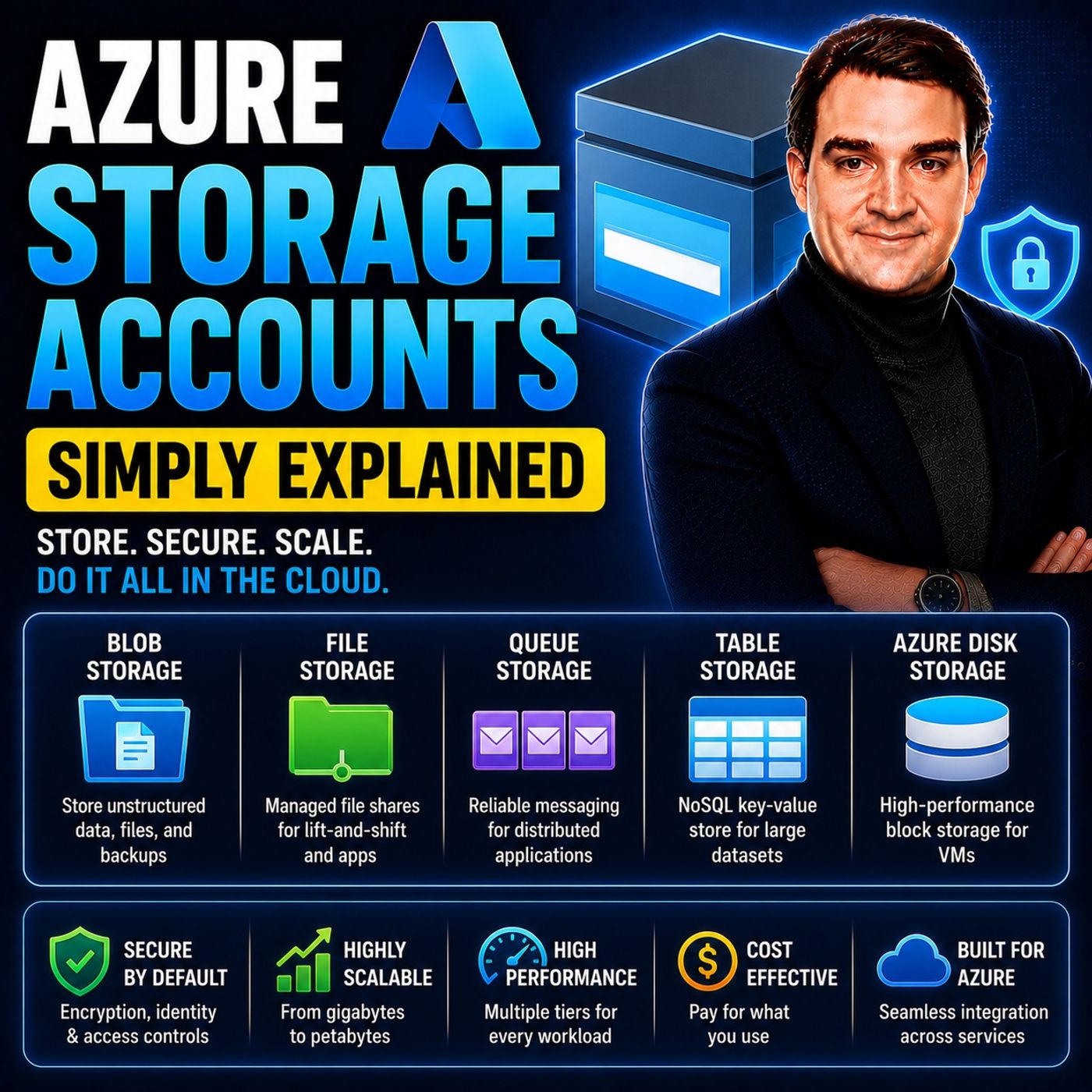
Azure Storage Accounts are the foundation of data storage in Microsoft Azure, providing a secure, scalable, and highly available platform for storing virtually any type of data. Whether you need object storage, file shares, queues, tables, or disks for virtual machines, every Azure storage service starts with a storage account, making it one of the most fundamental building blocks of the Azure platform.
In this episode of Microsoft Knowledge Nuggets, Mirko Peters explains Azure Storage Accounts in simple terms and shows why understanding them is essential for anyone working with Azure. You'll learn how storage accounts organize and manage data, the different storage services they provide, and how they support everything from cloud-native applications to enterprise workloads.
The episode covers key concepts including Blob Storage, Azure Files, Queue Storage, Table Storage, managed disks, redundancy options, performance tiers, access tiers, encryption, networking, and lifecycle management. It also explains how storage accounts integrate with services such as Azure Virtual Machines, Azure Functions, Azure Kubernetes Service, Azure Backup, Azure AI, and Microsoft Fabric to support a wide range of cloud scenarios.
You'll also discover how to choose the right storage options based on performance, durability, availability, and cost. Understanding replication models, security features, and storage tiers helps organizations build reliable, efficient, and cost-effective cloud solutions.
Whether you're an Azure administrator, developer, cloud architect, or IT professional, this episode provides a practical introduction to Azure Storage Accounts. By the end, you'll understand how they serve as the foundation for Azure storage services and why they are a critical component of almost every Azure deployment.
Quick answer: Azure Storage Accounts is covered in this M365 FM episode with a practical focus on what it is, how it works, and the decisions that matter for architecture, adoption, security, governance, or day-to-day operations.
Azure Storage Accounts play a vital role in managing data in the cloud. They provide a secure and flexible environment for storing various types of data, essential for modern applications. You can harness different types of storage accounts to meet specific needs. For instance, General-Purpose v2 accounts support multiple services like Blob and File Storage, while Premium Storage accounts cater to high-performance applications. Each type contributes uniquely to your data management strategy, enhancing your ability to scale and innovate.
Key Takeaways
-
Azure Storage Accounts provide a secure way to store and manage data in the cloud.
-
Different types of storage accounts, like Blob and File Storage, meet specific data needs.
-
You can choose performance tiers to balance speed and cost for your applications.
-
Data redundancy options, like Geo-Redundant Storage, keep your data safe and accessible.
-
Security features, such as encryption and access controls, protect your sensitive information.
-
Understanding Azure Storage helps improve your cloud strategy and data management.
-
Optimizing storage costs is possible by selecting the right access tiers for your data usage.
-
Implementing best practices enhances both the security and performance of your storage accounts.
What Are Azure Storage Accounts?

Definition and Purpose
Azure Storage Accounts serve as the foundation for managing various types of data in the cloud. They provide a unified platform for storing and accessing data, which includes unstructured data, files, messages, and NoSQL data. Each Azure Storage Account creates a unique namespace for your data, ensuring that every object stored has a distinct URL. This structure simplifies data management and enhances accessibility across the Azure platform.
The primary purpose of Azure Storage Accounts is to offer a secure and scalable environment for your data. You can utilize different storage types within a single account, such as:
-
Blob Storage: Ideal for unstructured data like images and videos.
-
File Storage: Perfect for network file shares.
-
Queue Storage: Useful for managing messages between applications.
-
Table Storage: Designed for non-relational data.
All Azure Storage services operate within a Storage Account, which acts as the security, billing, and replication boundary. This means you can define the region where your data resides, the performance tier, and the redundancy model. For instance, you can choose from various replication strategies like Locally Redundant Storage (LRS) or Geo-Redundant Storage (GRS) to ensure data durability and high availability.
Importance in Cloud Computing
Azure Storage Accounts play a crucial role in cloud computing by enhancing scalability and reliability. They allow organizations to manage resources efficiently, especially during peak usage times. This flexibility supports the addition of new features and accommodates larger datasets without requiring significant changes to existing architecture.
Moreover, Azure Storage Accounts enhance reliability through data replication across multiple regions. This ensures that your data remains accessible even during unexpected issues, contributing to high availability. The ability to tailor storage solutions to specific requirements further enhances both scalability and reliability in your cloud computing strategies.
Security is another vital aspect of Azure Storage Accounts. They incorporate features like data encryption at rest and in transit, ensuring that your data remains secure throughout its lifecycle. Role-based access controls (RBAC) enforce the principle of least privilege, helping to prevent security incidents and meet compliance requirements.
Types of Storage Accounts in Azure
Blob Storage
Key Features
Blob Storage is designed for storing unstructured data, such as images, videos, and documents. Here are some key features that make Blob Storage a preferred choice for many applications:
-
Scalability: You can store massive amounts of data, up to hundreds of terabytes, without worrying about capacity limits.
-
Data Replication: Azure offers various replication options, including Locally Redundant Storage (LRS) and Geo-Redundant Storage (GRS), ensuring your data remains durable and available.
-
Data Encryption: Azure automatically encrypts your data at rest and in transit, providing an extra layer of security.
-
Access Tiers: Blob Storage supports different access tiers (hot, cool, and archive), allowing you to optimize costs based on how frequently you access your data.
Use Cases
Blob Storage is versatile and supports various applications. Here are some common use cases:
-
Serving Images and Documents: You can serve images or documents directly to a browser, making it ideal for web applications.
-
Backup and Disaster Recovery: Store data for backup, restore, and disaster recovery, ensuring business continuity.
-
Streaming Media: Use Blob Storage for streaming videos and audio, providing a seamless experience for users.
-
Logging: Write log files for applications, enabling easy access and analysis of operational data.
File Storage
Key Features
Azure File Storage provides a cloud-based file share service that is fully managed. Here are its key features:
-
Protocol Support: It supports SMB, NFS, and REST API, allowing for flexible access to file shares.
-
Hybrid Cloud Integration: Azure File Storage enables seamless integration with on-premises systems, making it suitable for hybrid cloud scenarios.
-
Scalability: You can scale your file shares easily, accommodating growing data needs without hassle.
-
Business Continuity: It reduces concerns about local outages affecting operations, enhancing overall business continuity.
Use Cases
File Storage is particularly useful for various business operations. Here are some applications of file storage:
-
File Sharing: Use Azure Files for secure and managed file sharing across teams and departments.
-
Backup Solutions: Implement file shares for backups, improving disaster recovery strategies.
-
Application Migration: Lift and shift applications expecting a file share to the cloud without major changes.
-
Azure File Sync: Replicate Azure file shares to Windows Server, improving performance and caching.
Queue Storage
Key Features
Queue Storage is designed for managing messages between applications. Its key features include:
-
Asynchronous Communication: It allows for reliable message sending and receiving, even when services operate at different times or speeds.
-
Durability: Queue Storage maintains multiple copies of queue and message data, ensuring data is not lost.
-
Automatic Fault Handling: The service automatically manages transient faults, enhancing reliability during network issues.
Use Cases
Queue Storage is beneficial for distributed application architectures. Here are some applications of queue storage:
-
Decoupling Services: It enhances scalability and resilience by decoupling services, particularly useful for microservices.
-
Background Task Processing: Use Queue Storage for background task processing, ensuring tasks are completed even if the main application is busy.
-
Event-Driven Architectures: Implement event-driven architectures where different components communicate through messages, improving overall system efficiency.
Table Storage
Key Features
Azure Table Storage is a NoSQL key-value store that provides a simple and cost-effective way to store structured data. Here are some key features that make it a valuable option for developers:
-
Scalability: Azure Table Storage can handle large volumes of data by distributing partitions across storage nodes. This allows you to scale your applications without worrying about performance bottlenecks.
-
Cost Efficiency: It offers a lower cost compared to relational databases for storing large amounts of structured data. For example, you can store less than 1GB of data for about $0.05 per month.
-
Flexibility in Data Modeling: You can use simple attribute sets, making it suitable for various applications. This flexibility allows you to adapt your data model as your application evolves.
-
Performance Optimization: Read and write operations are optimized within partitions, enhancing throughput and performance. This ensures that your applications run smoothly even under heavy loads.
Use Cases
Azure Table Storage is ideal for specific scenarios where traditional relational databases may not be the best fit. Here are some common use cases:
-
Storing User Profiles: You can store user profiles, preferences, session data, and application state. The low latency offered by Table Storage ensures quick access to this information.
-
Web-Scale Applications: It is perfect for web-scale applications that require fast querying through clustered indexes. You can utilize OData protocol and LINQ queries for efficient data retrieval.
-
Cost-Effective Solutions: When you need a cost-effective storage solution for large datasets, Table Storage is an excellent choice. It simplifies data management compared to relational databases.
-
Limited Access Scenarios: If your application only needs to access a single table at a time, Table Storage is ideal. You can handle joins client-side using LINQ, making it suitable for smaller datasets.
Disk Storage
Key Features
Azure Disk Storage provides high-performance, durable block storage for Azure Virtual Machines (VMs). Here are some key features that make it essential for your cloud infrastructure:
-
Persistent Storage: Data remains intact even when a VM is stopped or deallocated. This ensures that you do not lose critical information during maintenance or updates.
-
Encryption: Azure Disk Storage supports encryption for enhanced security. This feature protects your data both at rest and in transit, ensuring compliance with security standards.
-
Snapshots: You can easily create snapshots of your disks for backup and recovery. This feature simplifies disaster recovery strategies and helps maintain business continuity.
-
Performance Tiers: Azure offers different performance levels to suit various workloads. You can choose between standard and premium disks based on your application's performance needs.
Use Cases
Azure Disk Storage is particularly beneficial for various applications. Here are some common use cases:
-
Virtual Machines: Use Azure Disk Storage for your VMs to ensure high availability and performance. It provides the necessary storage for operating systems and applications.
-
Backup Solutions: Implement disk storage for backups, improving your disaster recovery strategies. Snapshots allow for quick restoration of data when needed.
-
Database Storage: Store databases on Azure Disk Storage for improved performance and reliability. The persistent nature of disk storage ensures that your data remains accessible.
-
High-Performance Applications: If your application requires low-latency access to data, Azure Disk Storage is the right choice. It offers performance isolation and scalability for demanding workloads.
Choosing the Right Azure Storage Account
Factors to Consider
When selecting an Azure Storage Account, you should evaluate several key factors to ensure it meets your specific needs. Here are some important considerations:
-
Usage Patterns: Understand how you plan to use the storage. Different workloads have varying requirements for latency and throughput. For example, if your application is sensitive to read latency, you might prefer SSD file shares over HDD.
-
Data Redundancy: Consider how much redundancy you need. The level of data replication within the primary region affects your choice. If your application requires geo-replication to safeguard against regional disasters, this will influence your decision.
-
Performance Needs: Assess the performance requirements of your workloads. Higher performance tiers, like Premium, provide better speed but come at a higher cost. You must balance performance with your budget.
-
Access Patterns: Think about how often you will access your data. Applications requiring frequent access may benefit from higher-tier storage, while infrequent access can utilize lower-cost options.
Here’s a quick overview of how different storage types perform based on usage patterns:
| Usage Pattern Requirements | SSD | HDD |
|---|---|---|
| Write latency (single-digit milliseconds) | Yes | Yes |
| Read latency (single-digit milliseconds) | Yes | No |
Cost Implications
Cost is a crucial factor when choosing an Azure Storage Account. Different storage types and tiers come with varying costs. Here’s a breakdown of the cost types you should consider:
| Cost Type | Description |
|---|---|
| Storage capacity costs | Varies by access tier; decreases as the tier gets cooler. |
| Data access costs | Increases as the tier gets cooler; charged per gigabyte for reads. |
| Transaction costs | Per-transaction charge increases as the tier gets cooler. |
| Geo-replication data transfer | Per-gigabyte charge for accounts with geo-replication configured. |
| Outbound data transfer costs | Charged per gigabyte for data transferred out of an Azure region. |
| Tier change charges | Applies when changing the access tier for blobs. |
The performance requirements of your Azure Storage Account directly affect its overall cost. Higher performance tiers, like Premium, incur greater costs. In contrast, lower tiers, such as Cool and Archive, provide cost savings but compromise on performance. You must carefully evaluate your performance needs against your budget to manage costs effectively.
By considering these factors and understanding the cost implications, you can select the right Azure Storage Account that aligns with your data management strategy.
Best Practices for Azure Storage
Security Measures
Securing your Azure Storage Accounts is crucial for protecting sensitive data. Implementing best practices can help you safeguard your information effectively. Here are some recommended security measures:
| Best Practice | Description |
|---|---|
| Enable Immutable Blob Storage | Protect critical Azure Blob Storage data from accidental deletion or modification. |
| Enable Infrastructure Encryption | Ensure infrastructure encryption is enabled for Microsoft Azure Storage accounts. |
| Enable Logging for Azure Storage Blob Service | Ensure that storage logging is enabled for the Azure Storage Blob service. |
| Enable Secure Transfer in Azure Storage | Ensure that "Secure transfer required" security feature is enabled within your Azure Storage account configuration. |
| Enable Soft Delete for Azure Blob Storage | Enable Soft Delete feature for your Microsoft Azure Storage blob objects to recover deleted data. |
| Limit Storage Account Access by IP Address | Restrict access to Azure Storage accounts to specific IP address(es). |
| Disable Public Network Access to Storage Accounts | Ensure that public network access to Azure Storage accounts is disabled. |
| Use encryption to protect data | Azure Storage encrypts all data at rest by default using Microsoft-managed keys. |
| Require secure transfer (HTTPS) to the storage account | All requests to the storage account must be made over HTTPS. |
| Disallow cross-tenant object replication | Prevent object replication across different Microsoft Entra tenants. |
Additionally, enabling logging for Azure Storage Queue Service can provide insights into operations. You should also enable Microsoft Entra Authorization By Default to enhance security further. Versioning for blobs is another useful feature that allows you to recover previous versions of your data.
Performance Optimization
Optimizing performance in Azure Storage can significantly enhance your application's efficiency. Here are some strategies to consider:
-
Plan for scale: Understand the scale targets for your storage accounts.
-
Choose the optimal storage account type: For high transaction rates and low latency, consider premium block blob storage accounts.
-
Reduce travel distance: Place data in regions closest to clients and use object replication or CDNs for distant clients.
-
Efficient naming scheme: Use hash tag prefixes to decrease latency in operations.
-
Optimize data clients: Select appropriate data transfer tools like AzCopy for performance.
-
Optimize custom code: Use Azure SDKs for blob operations instead of custom wrappers.
-
Collect performance data: Monitor storage accounts to identify and address performance bottlenecks.
Network configuration also plays a vital role in performance. Ensure that your storage account is in the same region as your applications to minimize latency. You can restrict access via virtual networks or private endpoints to keep data traffic secure.
By following these best practices, you can enhance both the security and performance of your Azure Storage Accounts, ensuring that your data remains safe and accessible.
In summary, Azure Storage Accounts are essential for effective data management in the cloud. They provide various storage types, including Blob, File, Queue, Table, and Disk Storage, each tailored to specific needs. You can customize these accounts for performance and availability, ensuring they align with your organizational goals.
Here are some key takeaways:
-
Azure Storage Accounts offer enterprise-grade security features, including automatic encryption and role-based access control.
-
Understanding these accounts enhances your overall cloud strategy and data governance, supporting compliance and operational efficiency.
Explore Azure Storage options to find the best fit for your needs. By leveraging these resources, you can optimize your data management and drive innovation in your organization.
Next Steps:
Familiarize yourself with the different storage types.
Optimize costs with Azure's storage tiers.
Automate data management for efficiency.
FAQ
What is an Azure Storage Account?
An Azure Storage Account is a cloud-based service that allows you to store and manage data securely. It supports various storage types, including Blob, File, Queue, Table, and Disk Storage.
How do I create an Azure Storage Account?
You can create an Azure Storage Account through the Azure Portal. Simply log in, navigate to "Storage Accounts," and click "Add." Follow the prompts to configure your account settings.
What types of data can I store in Azure Storage?
You can store unstructured data like images and videos in Blob Storage, files in File Storage, messages in Queue Storage, structured data in Table Storage, and virtual machine disks in Disk Storage.
How does Azure ensure data security?
Azure provides multiple security features, including data encryption at rest and in transit, role-based access control (RBAC), and secure transfer requirements. These measures help protect your data from unauthorized access.
What are the different performance tiers available?
Azure offers several performance tiers, including Standard and Premium. Standard is cost-effective for general workloads, while Premium provides low-latency access for high-performance applications.
Can I change the performance tier later?
Yes, you can change the performance tier of your Azure Storage Account. However, be aware that changing tiers may incur additional costs and require some downtime during the transition.
How is data redundancy managed in Azure?
Azure offers various redundancy options, such as Locally Redundant Storage (LRS) and Geo-Redundant Storage (GRS). These options ensure your data remains available and durable, even in case of hardware failures.
What is the cost of using Azure Storage Accounts?
Costs vary based on storage type, performance tier, and data access patterns. You pay for storage capacity, data access, transactions, and any geo-replication features you enable.
🎧 Listen to this episode
Want a practical explanation of Azure Storage Accounts? This episode breaks down the topic in clear language and shows why it matters for Microsoft 365, Azure, Power Platform, security, AI, and modern work.
Listen to this episode if you want to:
- Understand the key concepts behind Azure Storage Accounts
- See how it fits into the wider Microsoft technology ecosystem
- Learn where it can create practical value for your organization
You may also enjoy these related M365 FM episodes:
- Azure Disk Storage - Simply Explained
- Azure Blob Storage - Simply Explained
- AI Agent Identity Security: Beyond Service Accounts
- Service Principal Security: Stop Using Personal Accounts
- Service Accounts vs App Registrations for Power Automate Email
Discover more practical Microsoft conversations on M365 FM.
Last reviewed: July 2026.
Who Should Listen
This episode is for Microsoft 365 administrators, architects, IT leaders, and practitioners who need a practical understanding of Azure Storage Accounts before planning, implementing, or supporting it.
🚀 Want to be part of m365.fm?
Then stop just listening… and start showing up.
👉 Connect with me on LinkedIn and let’s make something happen:
- 🎙️ Be a podcast guest and share your story
- 🎧 Host your own episode (yes, seriously)
- 💡 Pitch topics the community actually wants to hear
- 🌍 Build your personal brand in the Microsoft 365 space
This isn’t just a podcast — it’s a platform for people who take action.
🔥 Most people wait. The best ones don’t.
👉 Connect with me on LinkedIn and send me a message:
"I want in"
Let’s build something awesome 👊
1
00:00:00,000 --> 00:00:03,620
Welcome to another episode of Microsoft Knowledge Nuggets here on M365,
2
00:00:03,620 --> 00:00:05,340
FFM, I'm your host, Mirko Peters.
3
00:00:05,340 --> 00:00:07,440
Today's topic is one that almost everyone has heard of,
4
00:00:07,440 --> 00:00:09,240
but few people can actually explain.
5
00:00:09,240 --> 00:00:11,180
Azure Storage Accounts.
6
00:00:11,180 --> 00:00:12,080
What exactly is it?
7
00:00:12,080 --> 00:00:14,860
Is it just a place to dump files or is it something much bigger?
8
00:00:14,860 --> 00:00:16,140
By the end of this episode,
9
00:00:16,140 --> 00:00:19,300
you'll understand the four main storage types inside a storage account.
10
00:00:19,300 --> 00:00:21,340
Blob, file, queue and table,
11
00:00:21,340 --> 00:00:23,400
like the different rooms in a modern office building.
12
00:00:23,400 --> 00:00:25,540
Grab your coffee and let's dive in.
13
00:00:25,540 --> 00:00:28,300
Foundation, what is a storage account?
14
00:00:28,300 --> 00:00:30,440
Let's start with the simplest definition.
15
00:00:30,440 --> 00:00:32,720
An Azure Storage Account is a container.
16
00:00:32,720 --> 00:00:33,760
That's all.
17
00:00:33,760 --> 00:00:36,960
A container that holds all your Azure Storage services together.
18
00:00:36,960 --> 00:00:39,040
Think of it like the entire office building.
19
00:00:39,040 --> 00:00:41,040
The building itself is the storage account.
20
00:00:41,040 --> 00:00:44,400
And the rooms inside are Blob, File, queue and table.
21
00:00:44,400 --> 00:00:45,840
You don't walk into a building and say,
22
00:00:45,840 --> 00:00:48,880
"I'm in the electrical room that you say I'm in the building."
23
00:00:48,880 --> 00:00:49,880
Same idea.
24
00:00:49,880 --> 00:00:53,120
Now, every storage account comes with a few key characteristics.
25
00:00:53,120 --> 00:00:56,680
First, across all of Azure, it needs a globally unique name.
26
00:00:56,680 --> 00:00:59,600
No two storage accounts in the world can share the same name.
27
00:00:59,600 --> 00:01:02,280
It also lives in a specific Azure region where you choose
28
00:01:02,280 --> 00:01:03,920
where your data sits, whether that's East,
29
00:01:03,920 --> 00:01:06,360
US, West, Europe or Southeast Asia.
30
00:01:06,360 --> 00:01:08,880
And like most Azure resources, it belongs to a resource group,
31
00:01:08,880 --> 00:01:11,360
which is just a logical folder for organizing your stuff.
32
00:01:11,360 --> 00:01:13,200
You also get to pick a performance tier.
33
00:01:13,200 --> 00:01:15,920
Standard handles most everyday workloads like documents,
34
00:01:15,920 --> 00:01:17,720
backups and general file storage,
35
00:01:17,720 --> 00:01:19,560
while premium delivers faster performance
36
00:01:19,560 --> 00:01:21,440
with low latency but costs more.
37
00:01:21,440 --> 00:01:23,640
You'd use premium for tasks like databases running
38
00:01:23,640 --> 00:01:26,400
on virtual machines where every millisecond matters.
39
00:01:26,400 --> 00:01:27,800
Then there's redundancy.
40
00:01:27,800 --> 00:01:31,000
How Azure keeps multiple copies of your data so you don't lose it.
41
00:01:31,000 --> 00:01:34,200
The simplest option is LRS, locally redundant storage,
42
00:01:34,200 --> 00:01:36,400
which keeps three copies inside the same data center
43
00:01:36,400 --> 00:01:38,520
and works fine for non-critical stuff.
44
00:01:38,520 --> 00:01:41,560
ZRS spreads those copies across different availability zones
45
00:01:41,560 --> 00:01:44,520
in the same region, protecting you if an entire building fails.
46
00:01:44,520 --> 00:01:47,080
GRS and GZRS go further by replicating your data
47
00:01:47,080 --> 00:01:49,200
to a paired region hundreds of miles away.
48
00:01:49,200 --> 00:01:51,080
More protection, higher cost.
49
00:01:51,080 --> 00:01:52,760
You pick what fits your uptime needs.
50
00:01:52,760 --> 00:01:54,240
Here's the key thing to remember.
51
00:01:54,240 --> 00:01:55,840
Once you create a storage account,
52
00:01:55,840 --> 00:01:59,200
you can use any or all of the four storage services inside it.
53
00:01:59,200 --> 00:02:00,680
You're not locked into one.
54
00:02:00,680 --> 00:02:04,000
You can store videos in blob, share files with your team in files,
55
00:02:04,000 --> 00:02:05,680
queue up background tasks in queue,
56
00:02:05,680 --> 00:02:07,360
and log sensor data in table,
57
00:02:07,360 --> 00:02:10,600
all from the same storage account, one container, four tools.
58
00:02:10,600 --> 00:02:12,600
Now let's open the door to the first room.
59
00:02:12,600 --> 00:02:14,760
Blob storage. Blob storage.
60
00:02:14,760 --> 00:02:16,520
Now let's talk about blob storage.
61
00:02:16,520 --> 00:02:18,200
The name stands for binary large object,
62
00:02:18,200 --> 00:02:19,480
which is just a fancy way of saying
63
00:02:19,480 --> 00:02:21,080
any file that isn't structured data.
64
00:02:21,080 --> 00:02:24,200
So we're talking images, videos, backups, log files,
65
00:02:24,200 --> 00:02:26,560
where anything you just dump into a folder and forget about,
66
00:02:26,560 --> 00:02:28,040
here's the best way to picture it.
67
00:02:28,040 --> 00:02:30,600
Imagine a giant warehouse with endless shelves.
68
00:02:30,600 --> 00:02:33,840
You walk in, grab a box, put it on a shelf and walk away.
69
00:02:33,840 --> 00:02:35,440
There's no strict filing system.
70
00:02:35,440 --> 00:02:37,960
Just row after row of shelves holding whatever you need.
71
00:02:37,960 --> 00:02:39,240
That's blob storage.
72
00:02:39,240 --> 00:02:41,360
By default, it's a flat name space.
73
00:02:41,360 --> 00:02:43,800
The folders you see in the portal, those are virtual,
74
00:02:43,800 --> 00:02:46,800
just part of the file name, not real directories.
75
00:02:46,800 --> 00:02:49,560
Now there are three types of blobs each built for a different job.
76
00:02:49,560 --> 00:02:51,240
Block blobs are the most common.
77
00:02:51,240 --> 00:02:54,560
Therefore, files and media like documents, images, and video files.
78
00:02:54,560 --> 00:02:57,000
When you upload a photo, it gets split into blocks,
79
00:02:57,000 --> 00:02:58,920
stored across Azure's infrastructure,
80
00:02:58,920 --> 00:03:01,360
and served back to you as one complete file.
81
00:03:01,360 --> 00:03:03,400
You'll use these about 90% of the time.
82
00:03:03,400 --> 00:03:05,560
Append blobs are designed for one thing,
83
00:03:05,560 --> 00:03:08,280
adding data to the end, which is perfect for logging.
84
00:03:08,280 --> 00:03:11,320
Imagine a server writing log entries every few seconds
85
00:03:11,320 --> 00:03:14,760
with an append blob, new data just gets tacked on at the end.
86
00:03:14,760 --> 00:03:17,400
No rewriting the whole file, no performance hit.
87
00:03:17,400 --> 00:03:18,640
Page blobs are different.
88
00:03:18,640 --> 00:03:20,480
They're built for random read and write access
89
00:03:20,480 --> 00:03:21,720
in 512 byte chunks.
90
00:03:21,720 --> 00:03:23,200
You've probably used them without knowing it
91
00:03:23,200 --> 00:03:26,120
because Azure Virtual Machine disks run on page blobs.
92
00:03:26,120 --> 00:03:28,000
When your VM writes data to its C drive,
93
00:03:28,000 --> 00:03:30,200
that's a page blob working behind the scenes.
94
00:03:30,200 --> 00:03:33,160
Azure also gives you access tiers to control costs.
95
00:03:33,160 --> 00:03:35,360
The hot tier is for data you access frequently
96
00:03:35,360 --> 00:03:38,040
like images on a website or active project files.
97
00:03:38,040 --> 00:03:40,440
The cool tier is for data you access less often,
98
00:03:40,440 --> 00:03:43,280
but want available quickly, like last quarter's reports.
99
00:03:43,280 --> 00:03:45,240
The cold tier is for data you rarely touch,
100
00:03:45,240 --> 00:03:47,240
but need immediately when you do.
101
00:03:47,240 --> 00:03:49,360
And the archive tier is offline storage.
102
00:03:49,360 --> 00:03:51,800
You're cheap, but you have to wait hours to access it.
103
00:03:51,800 --> 00:03:54,200
Think compliance data you're keeping for legal reasons,
104
00:03:54,200 --> 00:03:55,680
but never actually look at.
105
00:03:55,680 --> 00:03:57,640
Here's a real example, picture a streaming service
106
00:03:57,640 --> 00:03:59,200
like Netflix or Spotify.
107
00:03:59,200 --> 00:04:01,520
The database stores metadata like movie titles,
108
00:04:01,520 --> 00:04:03,160
descriptions and user ratings,
109
00:04:03,160 --> 00:04:05,400
but the actual video files live in blob storage.
110
00:04:05,400 --> 00:04:08,480
Millions of hours of content all sitting in a blob container
111
00:04:08,480 --> 00:04:10,800
served directly to your browser when you hit play.
112
00:04:10,800 --> 00:04:14,760
Now, blob storage is accessed over the web using HTTP or HTTPS.
113
00:04:14,760 --> 00:04:17,040
But what if you need something that works like a network drive
114
00:04:17,040 --> 00:04:18,080
on your office network?
115
00:04:18,080 --> 00:04:20,880
That's where file storage comes in, file storage.
116
00:04:20,880 --> 00:04:23,360
Azure files is Microsoft's fully managed file share
117
00:04:23,360 --> 00:04:24,160
in the cloud.
118
00:04:24,160 --> 00:04:26,600
It works exactly like a traditional network drive
119
00:04:26,600 --> 00:04:29,680
the kind you'd map to the Z-drive on your work computer.
120
00:04:29,680 --> 00:04:31,880
But instead of running on a file server in your office,
121
00:04:31,880 --> 00:04:33,840
it runs on Azure infrastructure.
122
00:04:33,840 --> 00:04:36,560
You don't manage the hardware, you don't patch the OS.
123
00:04:36,560 --> 00:04:38,560
You just create a share and start using it.
124
00:04:38,560 --> 00:04:40,520
Think of it as a shared filing cabinet
125
00:04:40,520 --> 00:04:42,960
that everyone in the office can access from any desk.
126
00:04:42,960 --> 00:04:44,440
You put a document in the cabinet
127
00:04:44,440 --> 00:04:45,960
and anyone with permission can open it,
128
00:04:45,960 --> 00:04:48,760
whether they're in New York, London, or working from home.
129
00:04:48,760 --> 00:04:50,840
Azure file supports two main protocols.
130
00:04:50,840 --> 00:04:53,720
SMB or server message block is the standard for Windows.
131
00:04:53,720 --> 00:04:56,560
You map a drive, enter the UNC path, and you're in.
132
00:04:56,560 --> 00:04:59,320
NFS or network file system is the Linux equivalent.
133
00:04:59,320 --> 00:05:00,800
Both work the same way underneath,
134
00:05:00,800 --> 00:05:02,160
and there's a REST API too,
135
00:05:02,160 --> 00:05:04,880
so applications can read and write files programmatically
136
00:05:04,880 --> 00:05:06,800
without mounting a drive.
137
00:05:06,800 --> 00:05:10,040
One of the most useful features here is Azure file sync.
138
00:05:10,040 --> 00:05:11,920
This lets you keep a cache of your cloud files
139
00:05:11,920 --> 00:05:13,240
on a local Windows server,
140
00:05:13,240 --> 00:05:15,240
so your users get fast local access
141
00:05:15,240 --> 00:05:17,000
while the authoritative copy lives in Azure.
142
00:05:17,000 --> 00:05:19,480
If a file server goes down, you don't lose anything.
143
00:05:19,480 --> 00:05:21,360
And if a branch office needs better performance,
144
00:05:21,360 --> 00:05:23,680
you put a local server there and let Azure file sync
145
00:05:23,680 --> 00:05:25,200
handle the synchronization.
146
00:05:25,200 --> 00:05:27,720
You get cloud reliability with on-premises speed.
147
00:05:27,720 --> 00:05:29,080
Here's a real scenario.
148
00:05:29,080 --> 00:05:30,960
Imagine a company with five branch offices,
149
00:05:30,960 --> 00:05:33,600
each needing access to the same set of shared documents.
150
00:05:33,600 --> 00:05:35,800
Proposals, templates, client files.
151
00:05:35,800 --> 00:05:38,600
20 years ago, you'd buy a file server for each location,
152
00:05:38,600 --> 00:05:41,240
set up replication, and pray at all state and sync.
153
00:05:41,240 --> 00:05:44,040
With Azure files, you create one file share in the cloud,
154
00:05:44,040 --> 00:05:46,360
each office mounted over the internet or a VPN
155
00:05:46,360 --> 00:05:47,680
and Azure handles the rest.
156
00:05:47,680 --> 00:05:50,080
No hardware to buy, no replication to manage,
157
00:05:50,080 --> 00:05:52,680
one share, five offices, everyone has the same files.
158
00:05:52,680 --> 00:05:55,880
Now, what about passing messages between applications?
159
00:05:55,880 --> 00:05:57,040
That's not a file.
160
00:05:57,040 --> 00:05:59,640
It's a small piece of data moving between systems.
161
00:05:59,640 --> 00:06:01,440
That's where queue storage fits in.
162
00:06:01,440 --> 00:06:02,400
Queue storage.
163
00:06:02,400 --> 00:06:04,920
Now, what about passing messages between applications?
164
00:06:04,920 --> 00:06:05,880
That's not a file.
165
00:06:05,880 --> 00:06:08,640
It's a small piece of data moving from one system to another.
166
00:06:08,640 --> 00:06:10,280
That's where queue storage fits in.
167
00:06:10,280 --> 00:06:11,360
Here's how it works.
168
00:06:11,360 --> 00:06:13,160
Queue storage is a simple message queue.
169
00:06:13,160 --> 00:06:15,960
Think of a take a number ticket dispenser at a daily counter.
170
00:06:15,960 --> 00:06:18,600
One person takes a number and another person calls that number
171
00:06:18,600 --> 00:06:19,800
when it's time to serve them.
172
00:06:19,800 --> 00:06:22,040
The two people never talk directly to each other.
173
00:06:22,040 --> 00:06:23,560
The ticket system decouples them.
174
00:06:23,560 --> 00:06:25,360
That's exactly what queue storage does.
175
00:06:25,360 --> 00:06:28,120
One part of your application writes a message to the queue.
176
00:06:28,120 --> 00:06:30,600
A different part, maybe a background worker running
177
00:06:30,600 --> 00:06:34,080
on another server picks that message up and processes it.
178
00:06:34,080 --> 00:06:35,360
They don't need to know about each other
179
00:06:35,360 --> 00:06:36,560
or be running at the same time.
180
00:06:36,560 --> 00:06:37,760
The queue is the middle man.
181
00:06:37,760 --> 00:06:40,200
Each message can be up to 64 kilobytes.
182
00:06:40,200 --> 00:06:42,560
Small stuff like a Jason payload, a URL,
183
00:06:42,560 --> 00:06:45,400
or an order ID, not video files, just enough data
184
00:06:45,400 --> 00:06:46,760
to tell the worker what to do.
185
00:06:46,760 --> 00:06:48,600
The delivery model is called at least once.
186
00:06:48,600 --> 00:06:50,240
That means as you're guaranteed, your message
187
00:06:50,240 --> 00:06:51,920
would be delivered at least one time.
188
00:06:51,920 --> 00:06:53,880
It might be delivered twice in rare cases.
189
00:06:53,880 --> 00:06:56,880
So your worker code should handle duplicates gracefully,
190
00:06:56,880 --> 00:06:58,360
but you won't lose a message.
191
00:06:58,360 --> 00:07:00,480
Now Azure actually has two queue services.
192
00:07:00,480 --> 00:07:02,000
Queue storage is the simpler one.
193
00:07:02,000 --> 00:07:04,080
Built directly into the storage account.
194
00:07:04,080 --> 00:07:05,800
Then there's service bus, a separate service
195
00:07:05,800 --> 00:07:08,120
with more advanced features like transactions, sessions,
196
00:07:08,120 --> 00:07:10,280
larger messages up to 100 megabytes,
197
00:07:10,280 --> 00:07:12,440
and guaranteed first and first out ordering.
198
00:07:12,440 --> 00:07:13,960
Queue storage doesn't do any of that,
199
00:07:13,960 --> 00:07:16,440
but it's cheaper, simpler, and perfectly fine
200
00:07:16,440 --> 00:07:18,880
for most background processing scenarios.
201
00:07:18,880 --> 00:07:21,560
Here's a concrete example, picture and e-commerce website,
202
00:07:21,560 --> 00:07:23,040
a customer places an order.
203
00:07:23,040 --> 00:07:25,480
The web app doesn't process the payment, check inventory,
204
00:07:25,480 --> 00:07:26,760
and send the shipping notification
205
00:07:26,760 --> 00:07:28,680
right there in the browser request.
206
00:07:28,680 --> 00:07:29,960
That would take too long.
207
00:07:29,960 --> 00:07:32,200
Instead, the web app puts a message in the queue
208
00:07:32,200 --> 00:07:38,200
like order 4521, customer ID 893, product ID 204, quantity one.
209
00:07:38,200 --> 00:07:41,200
A background worker picks that message up and processes it,
210
00:07:41,200 --> 00:07:43,400
charges the credit card, updates, inventory,
211
00:07:43,400 --> 00:07:44,760
sends the confirmation email.
212
00:07:44,760 --> 00:07:46,320
The customer gets a faster response
213
00:07:46,320 --> 00:07:48,960
and the system stays responsive even under heavy load.
214
00:07:48,960 --> 00:07:50,800
Queue storage is great for passing messages,
215
00:07:50,800 --> 00:07:52,760
but what if you need to store structured data
216
00:07:52,760 --> 00:07:54,800
without the overhead of a full database?
217
00:07:54,800 --> 00:07:56,520
That brings us to table storage.
218
00:07:56,520 --> 00:07:57,520
Table storage.
219
00:07:57,520 --> 00:08:00,560
Table storage is Azure's no SQL key value store.
220
00:08:00,560 --> 00:08:03,280
It's schemalous, meaning every row in the table
221
00:08:03,280 --> 00:08:04,280
can have different columns.
222
00:08:04,280 --> 00:08:05,720
You don't define the columns ahead of time
223
00:08:05,720 --> 00:08:06,880
like you would in SQL.
224
00:08:06,880 --> 00:08:10,000
You just start adding data and table storage figures it out.
225
00:08:10,000 --> 00:08:11,440
Think of it as a filing cabinet,
226
00:08:11,440 --> 00:08:13,560
where each folder can have different contents.
227
00:08:13,560 --> 00:08:15,880
One folder might have a name and email and a phone number.
228
00:08:15,880 --> 00:08:17,400
The next folder might have a name,
229
00:08:17,400 --> 00:08:19,560
a temperature reading and a timestamp.
230
00:08:19,560 --> 00:08:21,520
No schema police telling you what belongs where.
231
00:08:21,520 --> 00:08:24,880
The key to table storage is how you design your lookups.
232
00:08:24,880 --> 00:08:28,240
Every entity has two keys, a partition key and a row key.
233
00:08:28,240 --> 00:08:30,480
The partition key groups related data together.
234
00:08:30,480 --> 00:08:32,840
The row key identifies the specific item
235
00:08:32,840 --> 00:08:34,080
within that partition.
236
00:08:34,080 --> 00:08:36,560
Queery by both keys and you get fast results.
237
00:08:36,560 --> 00:08:38,880
Queery without them and you're scanning the whole table
238
00:08:38,880 --> 00:08:39,880
much slower.
239
00:08:39,880 --> 00:08:42,160
Table storage is cost effective for large amounts
240
00:08:42,160 --> 00:08:45,080
of structured data way cheaper than Cosmos DB,
241
00:08:45,080 --> 00:08:46,920
Azure's premium no-school database.
242
00:08:46,920 --> 00:08:48,120
But you get what you pay for.
243
00:08:48,120 --> 00:08:50,280
Table storage doesn't support complex queries,
244
00:08:50,280 --> 00:08:51,960
indexing or stored procedures.
245
00:08:51,960 --> 00:08:55,480
It's built for simple key value lookups at massive scale.
246
00:08:55,480 --> 00:08:56,680
Here's a real example.
247
00:08:56,680 --> 00:08:59,280
Imagine a weather app that collects sensor readings
248
00:08:59,280 --> 00:09:01,040
from thousands of devices.
249
00:09:01,040 --> 00:09:02,960
Each reading might have different fields,
250
00:09:02,960 --> 00:09:06,000
temperature, humidity, wind speed, air pressure,
251
00:09:06,000 --> 00:09:06,960
and a timestamp.
252
00:09:06,960 --> 00:09:09,920
Some devices send all five fields, some send only three.
253
00:09:09,920 --> 00:09:11,520
With a traditional SQL database,
254
00:09:11,520 --> 00:09:14,200
you'd need to define every possible column ahead of time
255
00:09:14,200 --> 00:09:16,120
or use nullable fields everywhere.
256
00:09:16,120 --> 00:09:19,080
With table storage, you just write the data as it comes in.
257
00:09:19,080 --> 00:09:20,960
Each row has exactly the fields it needs,
258
00:09:20,960 --> 00:09:22,840
no wasted space, no schema headaches,
259
00:09:22,840 --> 00:09:24,320
so we've covered the four rooms,
260
00:09:24,320 --> 00:09:26,360
blob for big files, files for network shares,
261
00:09:26,360 --> 00:09:27,760
queue for passing messages,
262
00:09:27,760 --> 00:09:30,240
table for structured data without a database.
263
00:09:30,240 --> 00:09:32,000
But the real power of Azure storage
264
00:09:32,000 --> 00:09:33,800
isn't any single service.
265
00:09:33,800 --> 00:09:36,920
It's how they work together inside the same storage account.
266
00:09:36,920 --> 00:09:38,000
How it all connects.
267
00:09:38,000 --> 00:09:39,440
Here's the thing most people get wrong.
268
00:09:39,440 --> 00:09:41,720
They think of blob, file, queue, and table
269
00:09:41,720 --> 00:09:43,880
as four separate services that just happen to live
270
00:09:43,880 --> 00:09:45,320
in the same Azure menu.
271
00:09:45,320 --> 00:09:46,800
Actually, they're different doorways
272
00:09:46,800 --> 00:09:48,080
into the same building.
273
00:09:48,080 --> 00:09:50,440
As you design them to work together naturally,
274
00:09:50,440 --> 00:09:52,040
let me show you what that looks like.
275
00:09:52,040 --> 00:09:54,040
Imagine you're building a photo sharing app,
276
00:09:54,040 --> 00:09:56,320
uses upload pictures and you need to store those files.
277
00:09:56,320 --> 00:09:57,240
That's blob storage,
278
00:09:57,240 --> 00:09:59,720
the actual image files go into a blob container.
279
00:09:59,720 --> 00:10:02,040
But users also tag photos, add descriptions,
280
00:10:02,040 --> 00:10:03,480
and set privacy settings.
281
00:10:03,480 --> 00:10:05,240
That metadata doesn't belong in blob.
282
00:10:05,240 --> 00:10:06,520
It's structured data,
283
00:10:06,520 --> 00:10:08,920
but you don't need a full SQL database for it.
284
00:10:08,920 --> 00:10:10,520
Table storage handles it perfectly.
285
00:10:10,520 --> 00:10:13,320
One row per photo with whatever fields that photo needs.
286
00:10:13,320 --> 00:10:14,680
Now when a user uploads a photo,
287
00:10:14,680 --> 00:10:17,640
you don't want to process it right there in the browser request,
288
00:10:17,640 --> 00:10:19,960
resizing images, generating thumbnails,
289
00:10:19,960 --> 00:10:22,480
running facial recognition, that takes time.
290
00:10:22,480 --> 00:10:25,080
So your web app drops a message into queue storage.
291
00:10:25,080 --> 00:10:26,120
Something simple.
292
00:10:26,120 --> 00:10:29,200
New photo uploaded, ID 7-823, needs thumbnail.
293
00:10:29,200 --> 00:10:32,360
A background worker picks up that message,
294
00:10:32,360 --> 00:10:35,520
processes the image, and writes the result back to blob.
295
00:10:35,520 --> 00:10:36,800
The user gets a fast response
296
00:10:36,800 --> 00:10:39,000
and the heavy lifting happens behind the scenes.
297
00:10:39,000 --> 00:10:40,640
And what about configuration files?
298
00:10:40,640 --> 00:10:42,880
Your app needs settings that all servers can read,
299
00:10:42,880 --> 00:10:45,680
connection strings, feature flags, default values.
300
00:10:45,680 --> 00:10:47,320
That's a perfect job for file storage,
301
00:10:47,320 --> 00:10:48,600
mounted as a network share,
302
00:10:48,600 --> 00:10:51,480
and every instance of your app reads from the same source.
303
00:10:51,480 --> 00:10:55,160
All four services, one storage account, one application.
304
00:10:55,160 --> 00:10:59,240
Here's what makes this powerful, unified management.
305
00:10:59,240 --> 00:11:01,960
One billing statement, one set of security policies,
306
00:11:01,960 --> 00:11:03,240
configure a firewall once,
307
00:11:03,240 --> 00:11:05,160
and it protects all four services,
308
00:11:05,160 --> 00:11:07,200
enable encryption at the storage account level,
309
00:11:07,200 --> 00:11:09,000
and every blob file, queue message,
310
00:11:09,000 --> 00:11:11,120
and table entity is encrypted automatically.
311
00:11:11,120 --> 00:11:12,840
Set up private endpoints,
312
00:11:12,840 --> 00:11:15,200
and your data never traverses the public internet.
313
00:11:15,200 --> 00:11:16,880
One configuration covers everything.
314
00:11:16,880 --> 00:11:19,040
This is the aha moment most people miss.
315
00:11:19,040 --> 00:11:20,680
You don't need to learn four separate systems
316
00:11:20,680 --> 00:11:22,840
and stitch them together with custom glue code.
317
00:11:22,840 --> 00:11:24,200
Azure already did that work.
318
00:11:24,200 --> 00:11:25,560
The storage account is the glue.
319
00:11:25,560 --> 00:11:27,920
You just decide which services you need and turn them on.
320
00:11:27,920 --> 00:11:29,280
So now you know the parts.
321
00:11:29,280 --> 00:11:31,960
Let's turn that into practical advice you can use today.
322
00:11:31,960 --> 00:11:33,320
Actionable takeaways.
323
00:11:33,320 --> 00:11:35,920
Start by figuring out what kind of data you're working with.
324
00:11:35,920 --> 00:11:38,720
Unstructured files like images and videos go blob.
325
00:11:38,720 --> 00:11:41,040
Shared network drives that multiple people access,
326
00:11:41,040 --> 00:11:44,560
go files, background tasks, and async processing, go queue.
327
00:11:44,560 --> 00:11:47,600
Structured data with simple lookups and no complex queries.
328
00:11:47,600 --> 00:11:49,600
Go table, not sure.
329
00:11:49,600 --> 00:11:50,560
Start with blob.
330
00:11:50,560 --> 00:11:53,480
It's the most flexible and covers the widest range of scenarios.
331
00:11:53,480 --> 00:11:55,600
From there, choose the right performance here.
332
00:11:55,600 --> 00:11:58,080
Standard is fine for the vast majority of workloads.
333
00:11:58,080 --> 00:12:00,720
Your company documents backup files, application logs,
334
00:12:00,720 --> 00:12:02,920
standard handles all of that without breaking a sweat.
335
00:12:02,920 --> 00:12:06,760
Premium only makes sense when you need low latency or high IOPS.
336
00:12:06,760 --> 00:12:09,040
Think database is running on virtual machines
337
00:12:09,040 --> 00:12:11,880
or real-time analytics where every millisecond counts.
338
00:12:11,880 --> 00:12:14,680
For everything else, save your money and stick with standard.
339
00:12:14,680 --> 00:12:17,920
Then plan your redundancy based on how much downtime you can tolerate.
340
00:12:17,920 --> 00:12:19,600
LRS is the cheapest option.
341
00:12:19,600 --> 00:12:21,560
Protects against a single drive failure.
342
00:12:21,560 --> 00:12:25,040
Great for dev and test environments or data you can easily recreate.
343
00:12:25,040 --> 00:12:27,960
ZRS protects against an entire data center going down.
344
00:12:27,960 --> 00:12:29,880
Good for production workloads in a single region.
345
00:12:29,880 --> 00:12:33,240
GRS replicates to a second region hundreds of miles away.
346
00:12:33,240 --> 00:12:35,360
Essential for disaster recovery and compliance.
347
00:12:35,360 --> 00:12:37,800
Don't over by redundancy for data that doesn't need it.
348
00:12:37,800 --> 00:12:40,840
But don't under buy for data that would cost you the business if you lost it.
349
00:12:40,840 --> 00:12:42,360
Finally, don't overthink this.
350
00:12:42,360 --> 00:12:45,320
You can mix all four services inside one storage account.
351
00:12:45,320 --> 00:12:46,960
Start with what you need today.
352
00:12:46,960 --> 00:12:49,920
Add more later as your requirements grow.
353
00:12:49,920 --> 00:12:52,400
The only wrong move is not starting at all.
354
00:12:52,400 --> 00:12:53,400
That's the system.
355
00:12:53,400 --> 00:12:57,200
Four storage types, one container, infinite possibilities.
356
00:12:57,200 --> 00:12:58,520
So there you have it.
357
00:12:58,520 --> 00:13:00,880
Azure storage accounts in plain English.
358
00:13:00,880 --> 00:13:03,320
Inside one container you'll find four storage types.
359
00:13:03,320 --> 00:13:07,840
Blob for files, file for shares, queue for messages and table for key value data.
360
00:13:07,840 --> 00:13:10,240
They all share billing security and management.
361
00:13:10,240 --> 00:13:13,080
Pick the type that fits your current problem and starts more.
362
00:13:13,080 --> 00:13:16,400
You can add the others later without changing anything you already built.
363
00:13:16,400 --> 00:13:19,920
If this helped, share it with someone just starting their Azure journey and
364
00:13:19,920 --> 00:13:21,840
subscribe for more plain English breakdowns.
365
00:13:21,840 --> 00:13:23,720
I'm Mucopitas from M365.fm.

Founder of m365.fm, m365.show and m365con.net
Mirko Peters is a Microsoft 365 expert, content creator, and founder of m365.fm, a platform dedicated to sharing practical insights on modern workplace technologies. His work focuses on Microsoft 365 governance, security, collaboration, and real-world implementation strategies.
Through his podcast and written content, Mirko provides hands-on guidance for IT professionals, architects, and business leaders navigating the complexities of Microsoft 365. He is known for translating complex topics into clear, actionable advice, often highlighting common mistakes and overlooked risks in real-world environments.
With a strong emphasis on community contribution and knowledge sharing, Mirko is actively building a platform that connects experts, shares experiences, and helps organizations get the most out of their Microsoft 365 investments.




