AI Productivity in Microsoft Teams: Use Cases and Best Practices
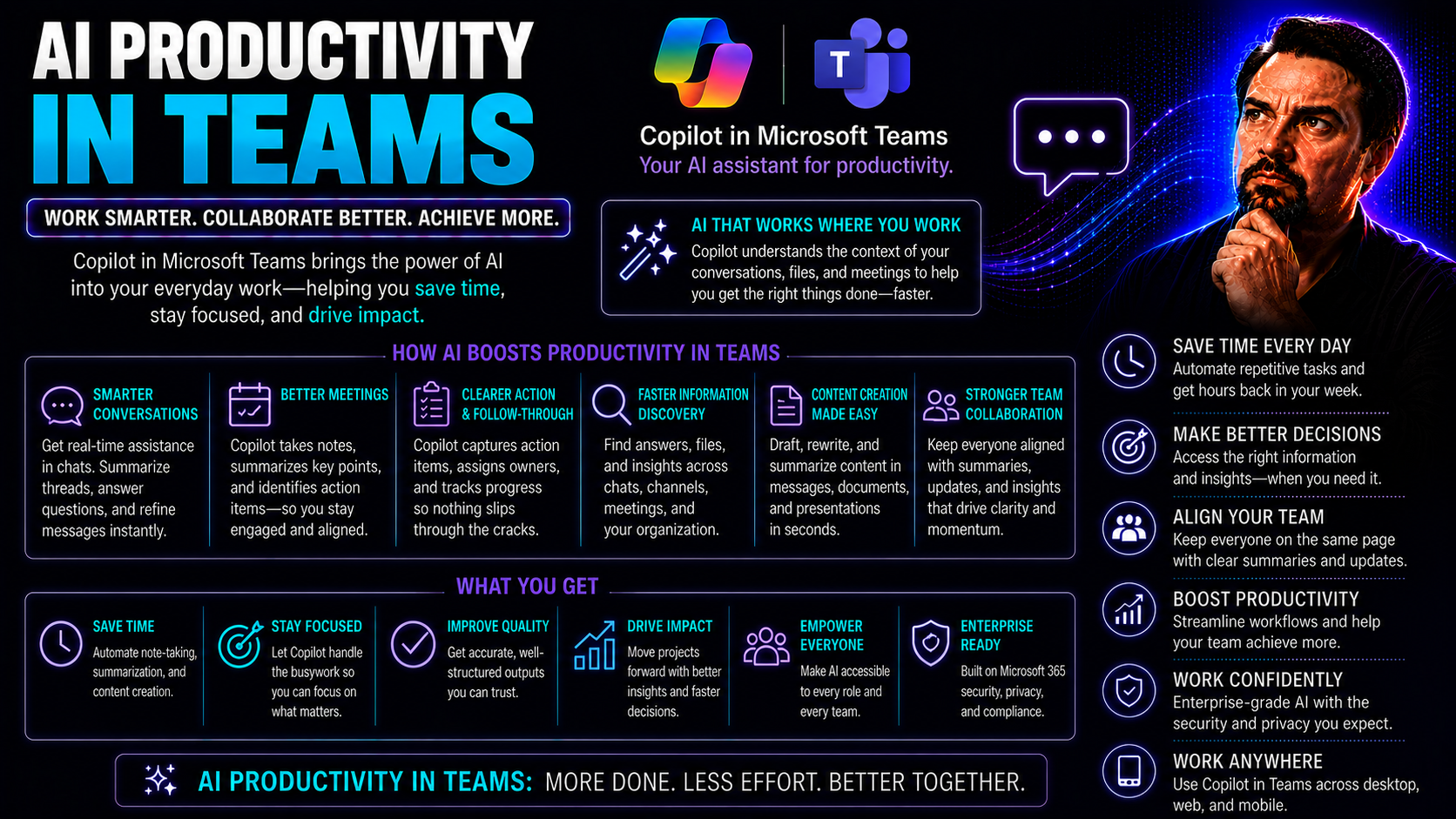
Artificial intelligence has shifted from buzzword status to real-world impact—especially when it comes to how teams work together. In today's competitive and fast-moving business landscape, tools powered by AI are transforming the way groups get things done. They're making teamwork not just faster, but smarter too.
With Microsoft Teams and the broader Microsoft 365 ecosystem, organizations can now embed AI at the heart of daily collaboration. These platforms offer much more than simple chat or document sharing; they're built to streamline communication, automate routine work, and break down productivity barriers with intelligent automation.
Ignoring these advancements means missing out on increased efficiency, stronger collaboration, and, frankly, a fighting chance at staying ahead. Throughout this page, you’ll learn why AI isn’t just tech hype—it’s a key part of any team aiming for real, measurable progress. Expect a clear path forward, with actionable insights and practical tips every step of the way.
Introduction to AI Productivity in Modern Microsoft Teams
AI-driven productivity isn’t about robots taking jobs or fancy gadgets for techies. It’s about supercharging what your team already does—making it easier to work together, finish projects faster, and never let details slip through the cracks. In the workplace, AI means tools that think ahead for you: they automate those repetitive clicks, summarize a flood of messages or meetings, and even flag risks like burnout before anyone waves a red flag.
Microsoft Teams and Microsoft 365 are leading the way by weaving artificial intelligence directly into your daily workflow. Machine learning and smart automation now handle much of the heavy lifting, so you’re not chained to endless admin work. Imagine a world where your meeting notes appear automatically, team messages are understood across language barriers, and finding the right document is as easy as asking for it.
If you’re new to this whole concept—or if you’ve had a taste but want to dive deeper—this section walks you into the basics. You’ll see just how much technology has changed the game for modern teams and why Microsoft’s approach is shaking up the office for the better. Get ready to see the “why” behind the buzz and the substance that backs it up.
AI Productivity in Teams Defined
AI productivity in teams means using artificial intelligence tools to make team collaboration, communication, and task management smarter and more efficient. It transforms manual, repetitive processes—like sorting emails, assigning tasks, and updating project statuses—into automated flows.
With real-time collaboration enhancements, AI provides quick message translations, meeting summaries, and instant content suggestions. These capabilities speed up decision-making and help everyone stay on the same page no matter where they are. In short, AI-powered productivity tools let teams focus less on busywork and more on meaningful, high-impact projects.
Microsoft Productivity Tools and Teams Tips for AI Adoption
Microsoft 365 and Teams are packed with AI features that make teamwork easier and smarter. Here are some key ways to get started and quick tips for using these tools to their full potential:
- Unlock Microsoft Copilot for Teams and 365: Copilot acts like an AI assistant across your apps, automating meeting notes, summarizing chats, and suggesting replies. IT admins can enable Copilot for users by following the official guide on enabling Copilot in Microsoft 365.
- Integrate AI-Powered Features Seamlessly: Use recommended integrations, such as automated follow-ups, document management, and smart scheduling, to take busywork off your team's plate and boost reliability in daily tasks.
- Keep Teams Secure and Compliant: Copilot within Teams is deeply integrated with enterprise-grade security, so data privacy and compliance needs are covered—find out how at Copilot in Teams real-world scenarios.
- Train and Support Your Team: Successful adoption means helping users get comfortable with new features and nudging them towards AI-powered workflows. Use Microsoft's user training resources or internal champions to spread awareness quickly.
- Monitor, Measure, and Iterate: Pay attention to adoption stats, feedback, and analytics to see what’s working. Use these findings to prioritize future rollouts and tune configurations for maximum impact.
Core AI Tools That Solve Real Team Problems
No matter the size of your team, you've probably run up against the same headaches: miscommunication, calendar clashes, document piles, and endless guesswork on productivity. AI-powered tools are designed to make these problems history by automating the nitty-gritty, so teams can shine where it counts.
From the front line to the C-suite, everyone’s workflow can benefit from the right AI solution. Whether you’re after snappier messaging, smoother meetings, or instant access to key data, there’s a tool (or three) that can make it happen—especially inside the Microsoft Teams and 365 toolkit.
In the next few sections, you’ll get the lay of the land for the most impactful categories of AI for teams: writing assistants, smart schedulers, document organizers, and data analysis platforms. The focus stays practical: what kinds of tools help, what pains do they solve, and which ones are worth your team’s time. This way you can cut through the noise and find what's actually moving the needle.
AI Writing and Communication Tools for Teams
- Automated Message Drafting: AI-powered tools like Microsoft Copilot help draft emails and chat messages with professional tone and clarity, saving time and reducing errors. Check out practical prompt techniques at unlocking Copilot productivity.
- Conversation Summarization: Automatically generate summaries of lengthy chat threads and meeting discussions, allowing team members to quickly catch up and focus on key points.
- Language Translation: Real-time language tools break down barriers, letting team members collaborate across geographies and native tongues within the Microsoft Teams interface.
- Centralized Documentation: AI ensures all conversations and decisions are captured and organized, making it simple to find information later—see more on workflow automation at Copilot for meetings and chat.
AI-Powered Scheduling Assistants That Streamline Meetings
- Smart Time Slot Suggestions: AI reviews everyone’s calendars and recommends optimal meeting times, cutting the back-and-forth.
- Automated Meeting Summaries: Instantly create recap notes and highlight action items after every session with tools like Microsoft Copilot. For detailed examples, visit Copilot in Teams scenarios.
- Follow-Up Automation: Instantly assigns post-meeting tasks and sends reminders, ensuring nothing falls through the cracks for busy teams.
- Proactive Reminders and Scheduling Flexibility: AI tracks deadlines and notifies team members of upcoming events, freeing up organizers’ time to focus on what matters.
Document Management and Summarization With AI
- Automated Document Filing: AI tools can recognize, classify, and store files in the right locations within Teams and SharePoint, so documents never get lost in the shuffle.
- Instant Summarization: Generate quick-read overviews of long documents, emails, or project files, letting team members skim for what’s really important.
- Knowledge Accessibility: AI-powered search finds documents by context, not just filenames, drastically reducing wasted hunt time. See integrated document workflows at Copilot for meetings and workflow automation.
- Action Point Extraction: AI picks out tasks and decisions from meeting notes or documents, helping teams transition quickly from discussion to action.
Data Reporting Tools in Microsoft Teams for Real-Time Team Insights
- Interactive Dashboards: AI-powered dashboards inside Teams display real-time KPIs, such as task completion rates or communication bottlenecks. They give team leads and stakeholders a bird’s-eye view of current progress without manual spreadsheets. Tools like Microsoft Copilot integrate naturally, pulling data from chats, meetings, and project files to update these dashboards. For details, explore real-world Copilot scenarios in Teams.
- Automated Analytics Reports: AI can automatically generate weekly or monthly productivity reports. These highlight trends, resource bottlenecks, and team performance metrics, helping managers make data-driven decisions without sifting through raw numbers. See use cases for automation insights at top Copilot use cases.
- Goal and KPI Tracking: Teams can set goals right within Microsoft Teams and monitor progress in real time, connecting individual efforts to overall business outcomes.
- Bottleneck Identification: AI flags tasks that consistently slow teams down, so leaders can zero in on process weaknesses or resource shortages before they become project stoppers.
- Continuous Feedback Loops: By turning usage analytics and team feedback into actionable insights, AI helps identify what’s working and where to continue tuning workflows—driving ongoing improvement and ROI. For more on ROI, see Copilot’s productivity impact.
Strategic AI Adoption for Teams
Jumping on the AI bandwagon isn’t always as straightforward as flipping a switch. To truly see results, teams must strategically select, implement, and govern their AI tools. It’s about more than chasing the latest feature—it's making sure every tool serves a genuine purpose and fits into your existing workflow.
This section lays out the ground rules for choosing what matters. You’ll see why aligning new tools to your actual challenges is key to preventing app sprawl. We'll also weigh the benefits of open tool choice against the need for organization-wide security and consistency—something especially important for large or regulated teams in Microsoft Teams environments.
And for cases where things get complicated—think compliance, security, or complicated IT integrations—sometimes the smartest move is to call in outside experts. Expect clear direction on when it makes sense to partner up and how governance frameworks can keep everyone moving in the same direction. For deeper security dives, visit Copilot governance best practices and explore how Teams governance turns chaos into collaboration.
Choosing Tools That Solve Real Problems
- Identify Real Pain Points: Start by listing your team’s biggest bottlenecks—think communication lags, document chaos, or repetitive admin work.
- Test for Fit: Select AI tools that directly target these pain points. Pilot them for a short period and gather user feedback to ensure real value.
- Measure Improvement: Track baseline productivity before and after AI adoption—metrics like response times, task completion, and meeting length help prove the impact.
- Prioritize Usability: Choose solutions that are intuitive, require minimal training, and integrate tightly with platforms your team already uses (like Microsoft Teams).
- Avoid Overlap: Watch out for feature duplication across tools; streamline your stack so every piece pulls its weight and no time is wasted toggling between apps.
Employee-Selected Tools Versus Centralized AI Strategy
The debate between “bring your own app” and top-down control is alive and well in the AI world. According to a Gartner study, teams with autonomy in tool selection report up to 20% higher satisfaction, but at the cost of increased security risks and inconsistent adoption. Expert advice favors a hybrid model: empower employees to pilot tools, but set guardrails with centralized governance—especially in environments like Microsoft Teams where data security is paramount. The right balance preserves agility while safeguarding the big picture.
Case studies highlight that consistent security policies—such as those described in Teams governance strategies—are vital in scaling AI success without chaos. Organizations who strike this balance see greater long-term gains and user buy-in.
When to Work With an IT Partner for AI Integration
- Regulatory or Compliance Requirements: In heavily regulated sectors, outside IT experts ensure your AI rollout stays by-the-book and audit-ready.
- Complex Integration Needs: If your workflows cross several platforms or legacy systems, partners can design smooth, secure integrations—like with Copilot and RBAC. Consult Copilot governance best practices for guidance.
- Limited In-House Expertise: If your team’s new to AI or lacks specialist knowledge (security, change management), a trusted consultant avoids costly pitfalls.
- Security and Data Management Challenges: For projects involving large data migrations, classified information, or new security frameworks, expert oversight is essential for safe, compliant deployments.
Real-World Applications and Case Studies of AI Productivity in Teams
It’s one thing to read about AI in theory, but seeing it deliver for real teams? That’s where the value truly comes alive. The next sections bring the numbers, stories, and knock-on effects of AI-powered transformation into focus—in plain language, with none of the hype.
First, you’ll hear about a team on the edge of burnout who reclaimed their time and sanity with a handful of smart AI tools. Then, you’ll get a rapid-fire tour of several actual teams—marketing, customer support, and engineering—deploying Microsoft productivity solutions to reach their goals faster and with less friction.
These concrete examples drive home how today’s AI tools attack real business pain at its root, from lifting morale to closing project gaps. Expect real success metrics, governance factors, and the process teams followed to go from “overwhelmed” to “wow, we’ve got this handled.” Get inspired on what you could apply in your own space.
A Real-World Story: How AI Saved a Burnt-Out Team
Picture a midsize marketing team buried under tasks, with after-hours emails and constant project fatigue piling up. Morale was sliding and turnover risk spiked. Their fix? Bringing in Microsoft Copilot and Teams’ automation features to reclaim time, cut repetitive admin, and organize communication.
By automating meeting notes, assigning follow-up tasks instantly, and translating client requests on the fly, the team saw a dramatic shift. Overtime dropped by 30%, and employee engagement scores jumped. Instead of drowning in endless manual updates, they could focus on creative campaigns and client relationships.
The turnaround wasn’t just about cool features—it was measurable, sustainable change. Strong governance around access and compliance, combined with clear feedback loops and analytics, kept improvements rolling. Curious about the exact metrics? See how Copilot’s productivity numbers astonish managers for behind-the-scenes insights.
This team’s journey is proof: AI, when well-governed and thoughtfully rolled out, can be the difference between burnout and breakthrough.
Examples of AI in Action Across Different Teams Using Microsoft Productivity Tools
- Marketing Teams: AI scheduling tools coordinate multi-region brainstorming, while Copilot drafts campaign content and summarizes cross-channel analytics for faster go-to-market. See more use cases at top Copilot use cases.
- Engineering Teams: With code review AI and automated documentation summaries, teams fix bugs faster and keep technical debt low.
- Customer Support Teams: Smart AI chatbots provide instant response support and escalate issues to live reps, improving client satisfaction and freeing up human bandwidth.
- Project Managers: Automated dashboards highlight project bottlenecks and workload imbalances, while real-time reporting drives proactive interventions.
Conclusion and Key Takeaways for Adopting AI in Teams
We’ve covered the landscape—from everyday automation in Microsoft Teams to big-picture strategy and real-life results. At its core, successful AI adoption isn’t about collecting every novelty—it’s about finding the right match for your team’s challenges and measuring meaningful progress every step of the way.
As you move forward, focus on the blend of solid governance and flexibility. Prioritize user-centric tools, transparent change management, and metrics that tell a real story. When uncertainty or risk enters the mix, don’t hesitate to lean on IT partners or the broader Microsoft support network for guidance.
This conclusion arms you with the strategic high points—what to remember, what traps to avoid, and why Microsoft Teams, when paired with a thoughtful AI approach, truly is a game changer. Take these insights and start plotting your own roadmap to AI-powered teamwork.
Key Takeaways From AI Productivity Strategies
- Solve Real Problems First: Only deploy AI tools that address actual team pain points and measure results against clear KPIs.
- Structured AI Governance Matters: Create clear guidelines and permissions; secure and compliant adoption wins trust and long-term success.
- Balance Autonomy and Oversight: Empower users to innovate but set organizational controls for security, consistency, and data management.
- Prioritize Ongoing Measurement: Regularly review adoption and productivity metrics to maximize ROI and refine your stack.
Final Thoughts: Microsoft Productivity Tools as a Team Game Changer
Microsoft’s productivity tools—particularly Teams and Copilot—aren’t just a fresh coat of paint for old problems. They’re transforming the way groups ideate, collaborate, and deliver, blending real-time intelligence with user-friendly experiences.
With AI at the center, teams become more resilient, responsive, and creative. Thoughtful governance, continuous user training, and a willingness to revisit the adoption plan keep these gains strong over time. You’re not just preparing for today’s workplace—you’re building towards tomorrow’s, ready for anything. For a deeper understanding, check out this comprehensive explanation of Microsoft Copilot.
Resources, FAQs, and Further Exploration on AI in Teams
Even the sharpest team needs support beyond the basics, especially as AI features and Microsoft 365 evolve. That’s where a robust FAQ, trusted references, and further learning resources come in—helping your team avoid potholes and maximize impact.
This section brings together quick answers to burning questions, links out to detailed guides, and spotlights top tools mentioned throughout this article. Whether you’re an IT admin looking to fine-tune security, a project manager chasing the next Microsoft Teams hack, or just someone curious about what’s next—there’s actionable help to keep you moving.
Dive in for FAQs, compare featured tools, and explore more advanced reads on governance, project management with AI, and future-proofing your digital workplace. It’s all about building skills, solving problems, and staying ahead of the curve—no matter what’s thrown your way.
Frequently Asked Questions About Using Microsoft Productivity Tools With AI
- How do I choose the right AI tools for my team? Start by analyzing pain points and comparing tool features against your core needs. Pilot the top contenders and review productivity gains.
- What about security and privacy? Trust tools like Microsoft Copilot, which enforces strict data boundaries, privacy by design, and real-time access controls. Learn about Copilot data boundaries and Copilot privacy best practices for full details.
- How does licensing work for Microsoft Copilot? Microsoft Copilot licensing requires specific Microsoft 365 plans and tenant configurations. To avoid overspending or compliance issues, review detailed Copilot licensing guidance.
- What’s the best approach to promote adoption? Combine leadership buy-in with user-centric training and a clear benefits message. Use real-life success stories to drive engagement.
Featured AI Tools and References for Team Productivity
- Microsoft Copilot: AI assistant for document creation, meeting recap, email drafting, and task management in Microsoft 365. See best prompts for Copilot and admin deployment guidance.
- Notion AI: An intuitive workspace intelligence tool for knowledge management, note summaries, and team wikis. (See Microsoft 365 Copilot for deeper integration with Teams.)
- M365 Copilot Workflow Automation: Automates chat, meetings, and document tasks across Teams, SharePoint, and more. Full workflow automation covered at workflow orchestration article.
Explore More Content on AI Productivity in Teams
- Advanced Microsoft Teams Governance: Learn how structure and clarity turn chaotic collaboration into high-performing teams at Teams governance best practices.
- Project Management Optimization: Take your project outcomes up a notch by integrating Planner, Power Automate, and SharePoint with Teams. Get the practical guide at transforming project management with Teams.
- Why AI Fails—and What to Fix: Unpack the common pitfalls in Copilot and AI adoption at AI adoption failures and remedies.
You Should Also Listen To
If you are exploring AI productivity in Microsoft Teams, these episodes add practical context on architecture, implementation, security, and governance:
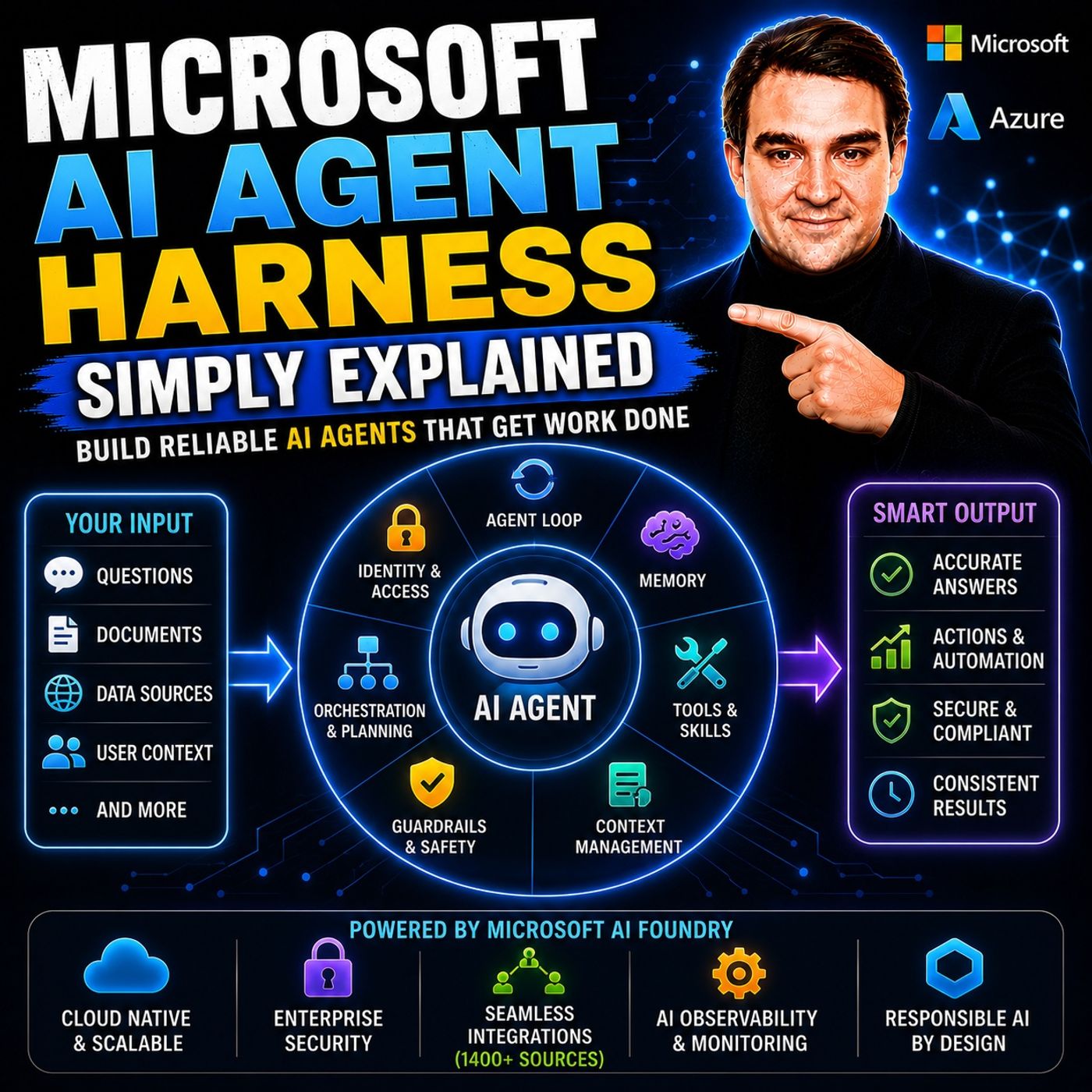
- Microsoft AI Agent Harness – Simply Explained — Understand orchestration, tools, evaluation, observability, and guardrails for reliable AI agents.
- Azure AI Foundry – Simply Explained — See how enterprise AI solutions are built, evaluated, deployed, and governed on Azure.
- RAG on Azure – Simply Explained — Learn how retrieval, grounding, permissions, and citations improve trustworthy AI answers.
- Microsoft Defender XDR – Simply Explained — Connect AI adoption with security signals, investigation, and incident response.

Microsoft MVP | Host of M365.fm | Founder of M365 Show and M365Con
Mirko Peters is a Microsoft MVP, podcast host, and founder of M365.fm, M365 Show, and M365Con. His work connects Microsoft practitioners through podcast interviews, livestreams, and community events.
At M365.fm, Mirko hosts conversations with Microsoft MVPs, product experts, architects, and community contributors. Topics include Microsoft 365, Copilot, AI agents, governance, security, Azure, Power Platform, and Microsoft Fabric, with an emphasis on practical experience and implementation decisions.
M365.fm is the podcast and learning platform. M365 Show brings experts together for livestreams, while M365Con provides an online conference setting for community learning.
Official website: Mirko Peters (https://www.mirkopeters.com/). Recognition: Mirko Peters — Microsoft MVP profile (https://mvp.microsoft.com/de-DE/mvp/profile/9b0ca797-db5a-493a-a845-8b9158046cf5). Connect on LinkedIn (https://www.linkedin.com/in/m365showpodcast/).