AI Meeting Automation in Microsoft Teams: Tools and Best Practices
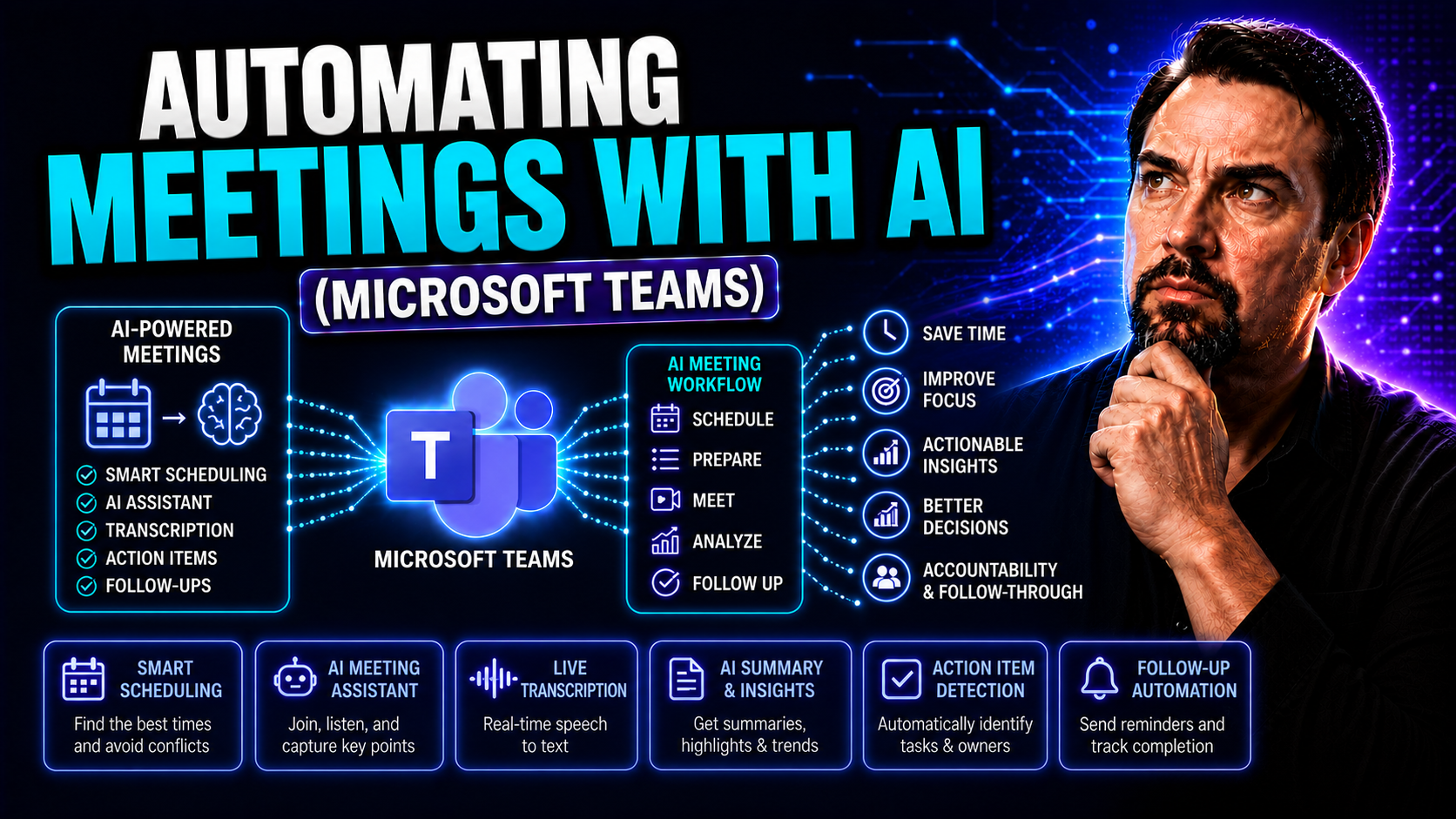
If you’ve ever felt buried by never-ending meetings, you’re not alone. Modern organizations—especially those using Microsoft Teams—are turning to artificial intelligence (AI) to clean up the chaos. Automating meetings with AI is about more than just transcription. It means scheduling gets faster, note-taking is automatic, and action items don’t slip through the cracks.
AI-driven meeting automation is transforming how teams plan, run, and follow up on meetings. It promises less manual busywork, improved accuracy, and stronger security of sensitive business conversations. For digital-first organizations looking to boost productivity and make every meeting count, leveraging AI takes collaboration up a notch. The result? Meetings become more efficient, actionable, and secure—making wasted hours and scattered notes a thing of the past.
Understanding Automated Meetings and AI-Powered Meeting Assistants
Before you dive into AI-powered meeting tools, it pays to grasp what automated meetings really mean. The days of relying solely on basic note-takers are fading—intelligent automation is changing the conversation (literally). At a high level, automated meetings use AI to handle the routine, repetitive stuff that used to demand your full attention.
AI meeting assistants have grown from simple transcription bots into smart participants. They can catch every word, summarize discussions, and even nudge you about follow-up steps—often working behind the scenes during your Microsoft Teams calls. But don’t confuse these assistants with the vanilla transcription tools from years ago. Today’s AI can do more than just write down what people said; it connects the dots and understands what needs to happen next.
This section sets the groundwork for the rest of our guide. You’ll get a sense of how automated meetings function and why these AI-powered helpers are such a game-changer compared to the old-school tools. We’ll also lay out why AI-driven automation is becoming vital for teams aiming to reduce friction, increase collaboration, and make meetings deliver real business value.
What Are Automated Meetings and How Do They Work?
Automated meetings use artificial intelligence to handle every step of the meeting process, from scheduling to follow-up. With AI, meetings are no longer held back by manual note-taking or the risk of missing important details. Instead, assistants join your Microsoft Teams call (or other platforms), listen in real time, and transcribe the conversation as it happens.
The core mechanics involve AI that can accurately transcribe discussions, but it doesn’t stop there. These intelligent tools can instantly generate meeting summaries, identifying decisions made and assigning action items based on who said what. So, rather than frantically scribbling notes—or worse, forgetting key points—the entire team gets a searchable, shareable record.
Automation stretches across multiple meeting touchpoints. Before your meeting, AI can suggest the best time for all attendees. During the meeting, it keeps track of main topics, agreements, and even sentiment, making sure nothing gets missed in the rush. Afterward, summaries and action lists pop up automatically—sometimes even flowing directly into your project management app or CRM system for seamless follow-up. In short, AI transforms meetings from static events into dynamic, organized workflows that move your team forward.
How AI Meeting Assistants Outperform Traditional Transcription Tools
AI meeting assistants go way beyond your average transcription tool. While basic software can automatically write down what’s said, AI-powered assistants take on the role of a digital teammate—they understand context, tag important moments, and can spot action items as they happen.
These assistants are smart enough to generate concise summaries, track follow-ups, and even adapt to the unique language of your business or project. Ultimately, they offer conversation intelligence that helps teams not just capture, but truly use meeting information, driving clear ownership and accountability with far less manual effort.
Core Benefits of Automating Meeting Workflows With AI
Automating your meeting workflows with AI isn’t just trendy—it’s actually driving real results for businesses using Microsoft Teams and beyond. At its heart, this approach is all about working smarter, not harder. With AI handling routine tasks, teams can focus energy where it really counts: decision-making, collaboration, and productivity.
From faster scheduling to more accurate meeting records, the advantage of automation goes well beyond time savings. AI can level the playing field by making meetings more inclusive, ensuring every voice is heard and documented. It also helps cut down on information overload, organizing data so you can retrieve what matters at any moment.
This section sets the stage by examining the most impactful ways that automated meeting workflows foster better teamwork, minimize errors, and support measurable business outcomes. You’ll learn how automation translates to stronger productivity, improved accuracy, and real cost savings for teams looking to maximize every meeting minute.
5 Benefits of Automating Your Meeting Workflow
- Significant Time Savings: By automating everything from scheduling to note-taking, AI frees up hours your team would otherwise spend on repetitive admin work. There’s less back-and-forth arranging meetings and no need to summarize discussions by hand—letting you and your colleagues focus on actual collaboration.
- Enhanced Accuracy and Completeness: AI tools, like those built into Microsoft Teams and Microsoft Copilot, minimize human error. Automated real-time transcription ensures every word is captured, while AI-generated summaries reduce the risk of missed action items or incomplete records.
- Streamlined Information Retrieval: Searching for who said what (and when) used to feel like digging for lost treasure. AI meeting assistants organize transcripts, decisions, and next steps in a way that’s easy to search—so retrieving key info is fast and painless. Integration with platforms like Microsoft 365 means context-aware search becomes a reality.
- Better Team Collaboration and Inclusivity: Automation levels the playing field by ensuring that all voices—including those who might not speak up as loudly—are represented in summaries and notes. With shared, objective records, team members have equal access to information, supporting better participation and engagement.
- Total Workflow Integration: Advanced AI meeting assistants can sync outputs into project management tools or CRMs, like the scenarios detailed at this Microsoft Copilot guide. This creates a seamless workflow where meeting outcomes automatically drive tasks, updates, and sales pipeline progress, saving time and boosting accountability.
How to Measure Savings and Productivity Gains From Meeting Automation
To gauge the real impact of AI-powered meeting automation, businesses should track both direct and indirect benefits. Relevant metrics include hours saved from no longer having to take manual notes, reduced meeting length, and faster follow-up on assigned tasks. Reviewing completeness of meeting records and tracking fewer dropped action items are further signs of improved accuracy and efficiency.
Decision-makers can also survey users to assess productivity perception and measure ROI with traditional key performance indicators (KPIs), as highlighted in this Copilot efficiency analysis. This approach lets organizations justify investment, optimize adoption, and demonstrate how automated workflows directly contribute to business growth.
Solving Manual Scheduling Inefficiencies With AI-Powered Scheduling
Manual meeting scheduling can drain even the most organized team’s patience. Between endless emails, double bookings, time zone confusion, and busy calendars, the process is slow and error-prone. These headaches compound as teams grow and meetings become more frequent, especially across distributed or hybrid workforces.
AI-powered scheduling tools tackle these frustrations head-on. By learning your scheduling preferences and integrating with platforms like Microsoft Teams and Microsoft 365, these tools intelligently propose times, adapt to last-minute changes, and eliminate the tedious back-and-forth. The result? Meetings get booked with less fuss, fewer clashes, and minimal oversight required.
As you move through this section, you’ll see how AI not only supercharges the speed of booking, but brings consistency, preference-matching, and effortless calendar syncing to your daily workflow. You’ll also learn about new Teams integrations that turn scheduling from a time sink into a streamlined digital experience, supported by customizable and secure automation workflows. That’s an instant upgrade for any busy organization looking to keep projects and people moving efficiently. For details on extending and automating meetings in Teams further, check out this Teams automation guide.
Why Manual Meeting Scheduling Is Inefficient and How AI Fixes It
Manual scheduling often leads to headaches: double-booked slots, endless email threads trying to coordinate everyone, and the ever-present risk of missing the right time zone. These inefficiencies are even more obvious in large or distributed teams, where small scheduling mistakes can add up to big productivity losses.
AI scheduling assistants address these pain points by syncing with your calendar, analyzing participant availability, and automatically suggesting optimal meeting times. They learn your habits—like preferred times of day or recurring meetings—and adapt as schedules change. Forget the scramble to find a new slot if someone cancels; AI can instantly suggest alternatives and notify all parties.
This automated approach not only makes scheduling painless but also dramatically reduces wasted time and prevents human error. The AI continues learning, fine-tuning its recommendations for even smoother scheduling as your team grows or workflow evolves.
How AI Scheduling Tools Work and Top Providers Compared
- Seamless Calendar Integration: AI-powered scheduling tools tap into your Microsoft Teams, Google Calendar, and Outlook accounts. They monitor real-time availability, recognize conflicting events, and suggest slots that work for everyone without you lifting a finger.
- Smart Invite Management: Once a meeting time is chosen, these tools send personalized invitations, reminders, and updates—handling all follow-up communications. If the meeting time changes, everyone is instantly notified.
- Learning and Adapting Preferences: AI systems continually learn from your responses, picking up on your most common meeting patterns and preferences. This reduces friction over time and tailors scheduling to your specific workflow needs.
- Top Tools for 2026: Leading platforms include Jeeva.AI and MyMobileLyfe, with both offering deep integration into Microsoft Teams and project management apps. They often support advanced features like scheduling across different organizations or syncing with sales and HR systems.
- Comparison with Traditional Scheduling: Where manual processes fall short on speed and accuracy, AI tools provide a scalable, error-resistant alternative—particularly valuable as organizations and meetings become more complex.
Automating Meeting Capture, Summaries, and Action Items
Once your meetings are on the calendar, the next challenge is keeping track of what’s being said and decided. Manual note-taking is hard to keep up with—especially if conversations move fast or if you want everyone’s input captured fairly. That’s where AI steps in, handling capture and follow-up in real time.
This section introduces how AI turns meetings into actionable workflows by automatically recording, summarizing, and turning discussions into tasks. The result is complete, searchable meeting documentation and hands-free assignment of next steps. Forget sifting through old notes or re-listening to entire call recordings; AI surfaces what matters instantly.
Whether you use Microsoft Teams or another platform, AI-powered meeting assistants are designed to catch both the big decisions and the subtle details. You’ll see how these tools make meetings more actionable by directly feeding action items into your project management software or CRM—bridging the gap between conversation and concrete results.
How AI Automatically Captures Meeting Details and Key Points
AI-driven assistants listen to meetings in real time, transcribing each speaker’s words with high accuracy. But they do more than just write it down. These tools pick up context, noting who spoke, what was decided, and when deadlines were agreed upon.
With Microsoft Teams, AI captures discussion points as they happen, turning fast-paced conversations into clear, organized notes. Nothing slips by—so even if you blink (or zone out), you’ve got a reliable record to return to later.
From Meeting Transcripts to Action Items and Seamless Follow-Up
- Automatic Summary Creation: After the meeting, AI rapidly generates a digest that highlights main takeaways and key decisions.
- Action Item Detection: The assistant automatically identifies assigned tasks, pulling them from the conversation and organizing them by owner and deadline.
- Direct Workflow Integration: Outputs sync to project management tools or CRMs, as covered in this workflow automation overview, making it easy to follow up or kick off new projects.
- Email and Task List Generation: AI sends out summaries and follow-up emails, ensuring everyone has their marching orders without extra legwork.
How to Select and Implement an AI Meeting Automation Tool
Picking the right AI meeting automation software is about more than just picking the flashiest solution; it’s about finding what fits your team’s needs, works smoothly with your stack, and keeps your data safe. You’ll need a strategy to evaluate vendors, plan your rollout, and ensure every user is up to speed.
This section walks you through what’s involved, step by step: from needs assessment to team training, all the way to monitoring and ongoing optimization. For Teams users, security and integration with existing systems are especially critical—think of licensing, permissions, and proper configuration, as explained in this Microsoft Copilot deployment guide.
Preparation is key: understanding your requirements, piloting new tools, and training your team set the foundation for a successful, secure rollout. If issues pop up along the way, guides like this troubleshooting resource can resolve snags and keep your workflows running smoothly.
Essential Steps for Choosing, Training, and Rolling Out Automation Tools
- Assess Needs and Fit: Identify your top priorities—like integration with Microsoft Teams, compliance needs, or project management sync. Vet tools to ensure they align with your workflow and IT environment.
- Check Compatibility and Security: Review each tool’s data security model and compliance certifications, particularly for sensitive or regulated industries. Consult resources such as this Copilot deployment guide to ensure secure integration and governance.
- Pilot and Train: Start with a pilot group, training them thoroughly on key features before a wider rollout. Gather early feedback and refine onboarding materials so every user can get value from day one.
- Full Rollout and Monitor: Move to organization-wide deployment with clear support channels. Keep tabs on tool usage, track feedback, and optimize workflows as your team gets used to the new system.
Best AI Tools for Automatic Meeting Notes and Workflow Integration in 2026
- Jeeva.AI: Projected to remain a leader, Jeeva.AI provides highly accurate automatic transcription, advanced summarization, and deep integration with Microsoft Teams and Microsoft 365. It’s built with enterprise-grade security, compliance, and scalability in mind.
- MyMobileLyfe: Known for its powerful action item extraction and automatic syncing with project management tools, MyMobileLyfe makes cross-platform scheduling and follow-up easy. Particularly strong in sales and customer-facing environments.
- Copilot for Microsoft Teams: Microsoft’s native option offers seamless automation across Teams meetings—automatic summaries, live note-taking, and contextual retrieval of files and information. See the use case breakdown at this Copilot in Teams guide for more on integration and enterprise security features.
- Enterprise Considerations: The best tools should offer strong data protection, compliance (SOC 2, HIPAA), and flexible user controls for regulated industries. Look for scalability, customization, and proven interoperability with your core business platforms.
Security, Compliance, and Challenges in AI Meeting Automation
Rolling out AI meeting automation isn’t just plug and play—especially for organizations dealing with sensitive data or complex regulatory needs. Security, privacy, and compliance requirements must be baked into your selection and implementation process. Whether you’re looking at SOC 2, HIPAA, or GDPR compliance, these frameworks are non-negotiable for enterprise trust.
Challenges do come up: resistance from staff not used to new tech, tech hiccups, or even AI misinterpreting context. Avoiding these pitfalls (and planning for them) will determine how successful and sustainable your automation journey is. Using governance frameworks and controls is as important as the tech itself, particularly in Microsoft environments, as explained in this Copilot data privacy overview and this governance strategy guide.
This section prepares you to scrutinize your options, address technical and human factors, and ensure that adopting AI enhances—rather than undermines—your organization’s operational integrity and trustworthiness.
Ensuring Data Security, Compliance, and Enterprise Readiness
- Check Certifications: Ensure your AI meeting tool has key compliance certifications such as SOC 2 or HIPAA. Verify GDPR alignment if you handle European data. This demonstrates a strong commitment to regulatory expectations.
- Establish Access Controls: Implement strict permissioning and role-based access to protect sensitive data, following guidance from resources like this data boundaries primer.
- Review Security Model: Choose solutions with least-privilege access, end-to-end encryption, and robust monitoring, as highlighted in this security model summary. These controls prevent unauthorized access and ensure tenant-level data isolation in shared environments.
- Implement Strong Governance: Develop policies for data classification, retention, and lifecycle management—especially in complex Microsoft 365 environments. Regular audits and governance tools like Microsoft Purview can maintain security over time.
- Prepare for Industry Nuance: For regulated sectors, choose AI meeting platforms that can be configured for industry-specific requirements, offering tailored controls and prompts for healthcare, legal, or HR workflows.
Overcoming Common Pitfalls and Challenges in Meeting Automation
- Tackling Tech Barriers: Some tools can be tough to integrate with legacy systems—test compatibility before full deployment.
- Managing Resistance: Staff may be wary of new tools. Smooth the process with strong training and clear communication, taking cues from successful change management practices.
- Addressing AI Limitations: No AI is perfect. Provide clear feedback channels if the automation misses details or gets confused by specialized language.
- Avoiding Follow-Up Gaps: Ensure the AI can sync with your core business systems, minimizing dropped action items and accountability slips.
Frequently Asked Questions About AI Meeting Automation
It’s natural to have a few questions before you dive into automating your meetings with AI. Can an AI bot really join all your meetings? Yes—it can even jump into multiple calls at once if your chosen platform supports it. What about integrating with your CRM or project management tool? Most leading AI meeting assistants offer direct sync with platforms like Salesforce, HubSpot, Asana, or Microsoft 365 apps.
Worried about whether you can use ChatGPT for meeting minutes? Some tools have built-in generative AI that summarizes transcripts, while more advanced software uses custom AI models for deeper context and action item extraction. And if you’re wondering about privacy, top-rated assistants are built with enterprise security in mind, often letting you verify certifications and control access at every step. In short, AI meeting automation is flexible, efficient, and ready for real business needs—but always check compatibility with your specific stack before rolling it out organization-wide.
The Future of AI in Meetings: Intelligent Agents and Microsoft Copilot Innovations
The future of meetings is shaping up to be smarter, more connected, and far more actionable—with intelligent agents and evolving tools like Microsoft Copilot leading the charge. Tomorrow’s meeting automation won’t just transcribe or organize; it’ll anticipate next steps, manage documentation in natural language, and even kick off related workflows across your business systems.
Expect natural language processing to become more sophisticated, allowing AI to understand nuance and intent in Teams conversations. Agentic automation—where digital assistants carry out complex tasks and collaborate across systems—will turn meetings into operational hubs. Solutions like Copilot already sharpen productivity by orchestrating tasks across the Microsoft ecosystem, as detailed in this prompt productivity guide and this Copilot workflow explainer. The era of meetings as passive events is over; the AI future is here to make every conversation count.
AI-Driven Meeting Analytics: Measuring and Improving Team Performance
AI meeting automation isn’t only about streamlining admin work—it’s also about unlocking game-changing analytics for your business. By continuously analyzing meeting data, AI can deliver deep insights into collaboration patterns, engagement levels, and even workflow bottlenecks you might never spot on your own.
Data-driven organizations are using these analytics to measure the real ROI of their meetings: How often are decisions made on time? Which teams struggle with follow-ups or repeat unnecessary meetings? With this visibility, leadership can cut inefficiencies and coach teams toward better habits, delivering a continuous loop of improvement.
This section explores how AI-powered meeting analysis enables you to optimize workflows, eliminate redundancies, and make decisions that actually drive business progress. If you want your organization’s meetings to do more than just fill the calendar, automated analytics will be your best-kept secret for continuous team performance gains.
Measuring Meeting Effectiveness and Collaboration With AI
AI takes meeting measurement far beyond basic attendance tracking. These systems monitor participant engagement, analyze speaking time, and track decisions made during each session. They generate metrics on how quickly action items are completed and how closely meetings align with stated objectives.
This approach gives organizations concrete KPIs to drive improvement. Use these insights to see where collaboration is working—and where it isn’t—so you can fine-tune your meeting culture and ensure every discussion leads to actionable business results.
Identifying Team Collaboration Patterns and Eliminating Workflow Bottlenecks
- Spotting Redundant Meetings: AI can flag repeated meetings covering the same ground, helping you combine or eliminate unnecessary sessions.
- Uncovering Siloed Discussions: Analytics show when the same departments keep meeting without cross-functional input—giving leadership a nudge to mix things up.
- Highlighting Delayed Follow-Ups: AI tracks how quickly action items are addressed after meetings, surfacing workflow bottlenecks before they disrupt bigger projects.
- Measuring Engagement: Data on who contributes (and who doesn’t) helps identify silent voices, so you can foster more inclusive, accountable conversations. For more on turning collaboration chaos into confident teamwork, see this Teams collaboration governance guide.
You Should Also Listen To
If you are exploring AI meeting automation, these episodes add practical context on architecture, implementation, security, and governance:
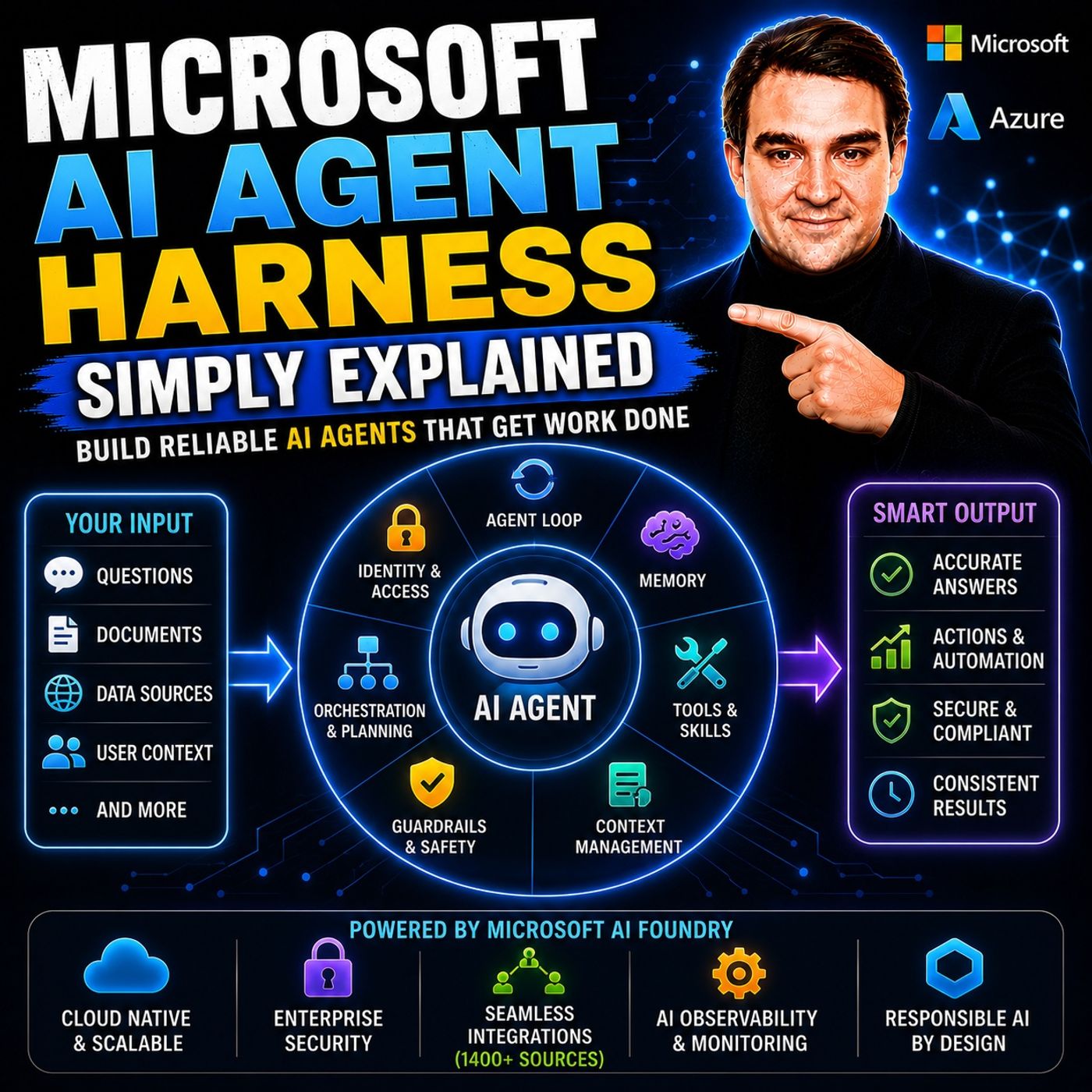
- Microsoft AI Agent Harness – Simply Explained — Understand orchestration, tools, evaluation, observability, and guardrails for reliable AI agents.
- Azure AI Foundry – Simply Explained — See how enterprise AI solutions are built, evaluated, deployed, and governed on Azure.
- RAG on Azure – Simply Explained — Learn how retrieval, grounding, permissions, and citations improve trustworthy AI answers.
- Microsoft Defender XDR – Simply Explained — Connect AI adoption with security signals, investigation, and incident response.

Microsoft MVP | Host of M365.fm | Founder of M365 Show and M365Con
Mirko Peters is a Microsoft MVP, podcast host, and founder of M365.fm, M365 Show, and M365Con. His work connects Microsoft practitioners through podcast interviews, livestreams, and community events.
At M365.fm, Mirko hosts conversations with Microsoft MVPs, product experts, architects, and community contributors. Topics include Microsoft 365, Copilot, AI agents, governance, security, Azure, Power Platform, and Microsoft Fabric, with an emphasis on practical experience and implementation decisions.
M365.fm is the podcast and learning platform. M365 Show brings experts together for livestreams, while M365Con provides an online conference setting for community learning.
Official website: Mirko Peters (https://www.mirkopeters.com/). Recognition: Mirko Peters — Microsoft MVP profile (https://mvp.microsoft.com/de-DE/mvp/profile/9b0ca797-db5a-493a-a845-8b9158046cf5). Connect on LinkedIn (https://www.linkedin.com/in/m365showpodcast/).