Microsoft Copilot for Executives: Strategy, ROI and Governance
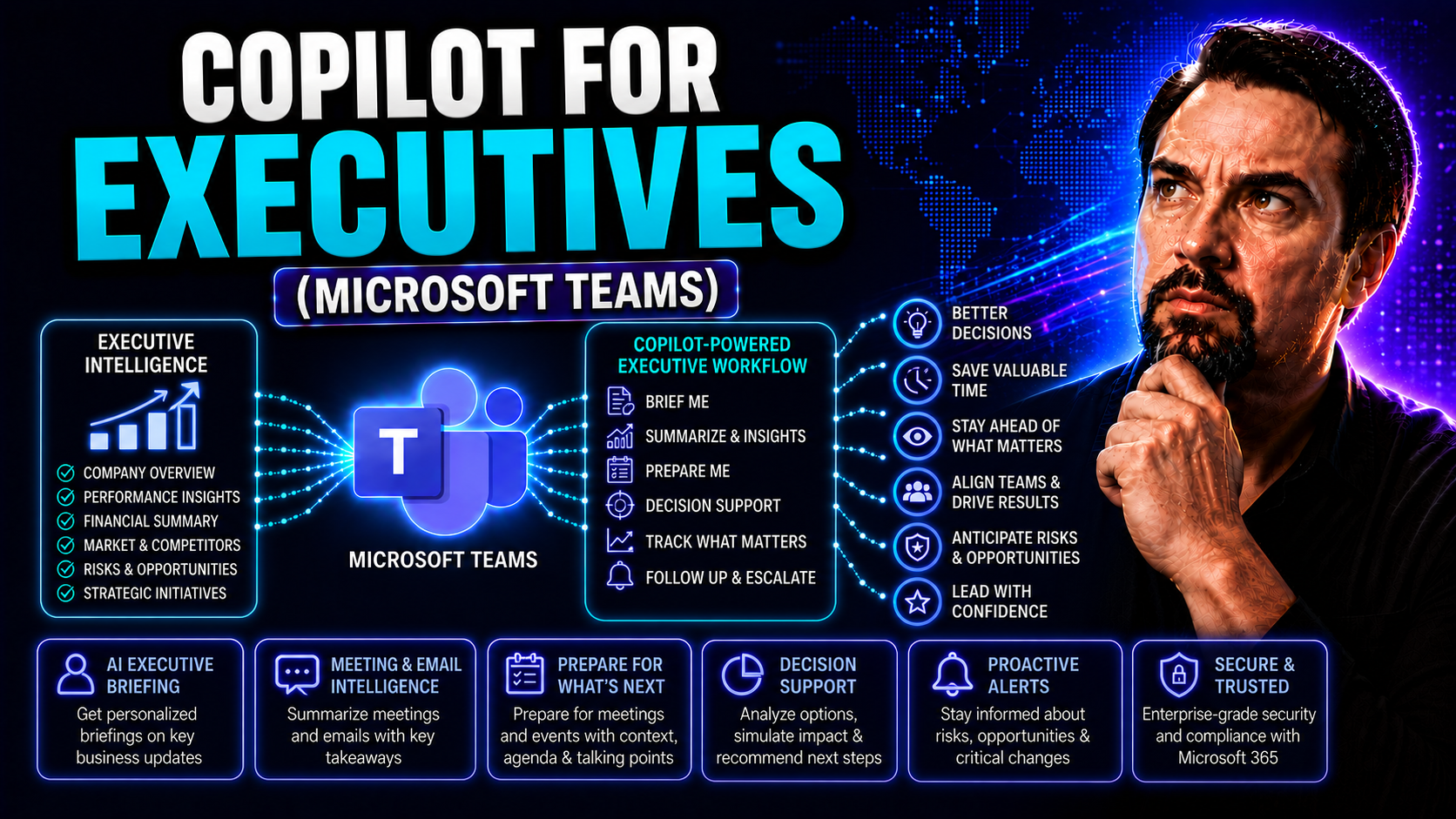
AI-driven copilots are quickly becoming must-have tools for today’s executive teams. With the relentless pace of business, leaders need more than just traditional productivity apps—they need AI that understands how they work, adapts to their priorities, and frees them from repetitive tasks. That’s exactly where Microsoft 365 Copilot steps in, offering more than just automation.
What sets Copilot for executives apart is its ability to streamline decision-making, enhance team communication, and reinforce governance, all within platforms like Microsoft Teams and Outlook. It delivers real-time insights, surfaces critical information before you ask for it, and personalizes support based on your daily routine. For C-suite leaders, this isn’t just tech—it’s an enabler of sharper, faster, more collaborative leadership.
This guide explores how Copilot empowers executives to lead with agility, optimize their organizations, and stay ahead of risk—making it a definitive resource for executive-level AI adoption in the modern workplace.
Transform Executive Offices with AI Assistance in Microsoft 365
Let’s face it—the executive office of today looks a lot different than what you’d see a generation ago, or even just a few years back. AI like Microsoft 365 Copilot is changing the entire rhythm of leadership, taking a seat at the table next to busy decision-makers. Conference calls, endless emails, and all those dashboards? Copilot works across these touchpoints, integrating deeply with Microsoft Teams, Outlook, and SharePoint to automate the daily flood of repetitive yet vital work.
Instead of constantly reacting to endless pings, Copilot predicts and preps executives with the information they need. That means AI-generated briefings before key meetings, automatically flagged urgent emails, and curated reports landing in your digital workspace without frantic searching. Colleagues are looped in faster and communications get sharper as AI assists with personalized summaries and strategic overviews—handling the volume and complexity so you don’t have to micromanage.
For leadership teams, this isn’t just about saving time; it’s about transforming how priorities are set and managed. By removing friction in the workflow, Copilot creates space for the strategic work only humans can do—long-term planning, critical decision-making, and leading people. The modern executive office runs smoother when AI becomes a reliable, always-on assistant, making workflows smarter and leadership more agile.
The specifics? We’ll dig deeper in the next section, showing exactly how Copilot is redefining executive productivity and support.
Streamlining Daily Executive Tasks with Copilot
- Effortless Calendar Orchestration: Copilot reviews your schedule, finds conflicts, and auto-suggests meeting times that actually fit your priorities. It highlights overlapping commitments and can draft polite reschedules or reminders to help you avoid double-booking—no more calendar headaches.
- Email Prioritization and Summarization: Instead of digging through dozens (if not hundreds) of messages, Copilot flags critical emails and summarizes thread details. High-priority messages are moved to the top, with action items and key requests highlighted for quick scan and faster response. Learn more about effective email management with Copilot in this resource.
- Automated Meeting Preparation in Teams: Before you step into a Teams call, Copilot assembles a tailored briefing: past decisions, open questions, and outstanding action items from recent chats or documents. You get the context you need right when it matters—not two days late. See real-world Teams scenarios using Copilot at this link.
- Extracting Action Items Post-Meeting: After meetings, Copilot scans chats and transcripts to automatically create lists of action items, assign owners, and even draft quick follow-up messages so no detail slips through the cracks.
- Proactive Information Retrieval: Need a report or status update fast? Copilot locates and pulls summaries from SharePoint, OneDrive, or email, so executives aren’t waiting for staff or spending precious time searching themselves.
With these daily integrations, Copilot doesn’t just make daily life easier—it creates a visible, measurable leap in executive efficiency and peace of mind.
Copilot Training Executives Need for Maximum Impact
Let’s get one thing clear—not all Copilot training is created equal. For executives, generic user guides and walkthroughs just won’t cut it. C-suite adoption needs tailored training programs that align AI capabilities with real business strategy. Leaders have unique workflows, privacy concerns, and a much higher bar for value realization.
Specialized executive onboarding dives past buttons and screens, focusing instead on how Copilot transforms business outcomes and enables confident, ethical decision-making. Training isn’t just about features; it’s about mastering use cases specific to executives. These sessions help leaders shape their Copilot experience around what matters most—strategy, risk management, team alignment, and communication at scale.
Topics like handling sensitive data, leveraging AI for better board presentations, and driving change across departments become the core curriculum. Programs include hands-on, scenario-based learning, role-specific demos, and ongoing support for leaders. To unlock Copilot’s full impact—and bring the rest of the organization along for the ride—C-suite training aims for adoption, change management, and governance, all wrapped into a single playbook.
As you explore the next sections, you’ll see what separates executive-level Copilot training from the standard fare, and how high-impact programs unlock widespread value. To maximize productivity and innovation, prompt engineering and deep alignment with business strategy are crucial—check out insights on best prompts here.
What Makes Copilot Training for Executives Effective
Effective Copilot training for executives blends scenario-based learning, interactive Q&A, and strategic case exploration. Programs go beyond showcasing features, emphasizing how to realize real business value and champion organization-wide adoption. Live demonstrations and use-case mapping equip leaders to integrate Copilot into core decision-making, communications, and compliance processes. This executive-level training differs from standard onboarding by aligning Copilot’s advanced capabilities with leadership’s need for governance, risk management, and measurable business outcomes.
The Five Core Copilots Training (with Live Demos) for Leadership Teams
- Microsoft 365 Copilot: Teaches executives how to orchestrate data, automate document creation, and aggregate critical information from across the suite. Live demos focus on creating strategic reports, prepping board decks in Word, and consolidating analytics from Excel within seconds. See deployment and access steps at this resource.
- Teams Copilot: Demonstrates how executives can automate meeting summaries, pull up previous decisions, and assign follow-up tasks—all within Microsoft Teams. The training covers real-time chat insights, AI-driven action tracking, and integrating Teams data into decision cycles.
- Outlook Copilot: Focuses on handling the email avalanche by summarizing threads, highlighting urgent requests, and even drafting or scheduling responses. Live examples show how Copilot alleviates inbox overload, prioritizing communication so nothing slips past a busy leader.
- Word Copilot: Shows how Copilot automates proposal and report writing, synthesizing highlights from meetings and attached files. Executives learn to create clear, consistent documents swiftly, saving time on manual drafting and revision.
- Dynamics 365 Copilot: Brings CRM and ERP intelligence to leadership teams by surfacing sales trends, financial insights, and operational metrics. The training explores how Copilot speeds up pipeline reviews, risk flagging, and opportunity identification, keeping leaders informed without working through raw data.
Each module is paired with live demonstrations tuned to executive responsibilities—closing the gap between daily workflow and Copilot’s full strategic value.
Internal Communications Optimization with Copilot Intelligence
Copilot helps executives raise their internal communications game, especially inside Microsoft Teams and Outlook. With AI-powered streamlining, leaders cut through the clutter of overloaded inboxes and endless chat channels. Copilot summarizes lengthy conversation threads, flags the most relevant updates, and suggests clear, aligned messaging across teams and departments. This makes it easier for leaders to maintain transparency, keep everyone on the same page, and reduce the risk of miscommunication. Explore more on workflow automation and collaboration benefits here.
Engagement at a Glance: Executive Views on Team Health with Copilot
Copilot analytics give executives a quick, reliable view of team health without the need for manual tracking or guesswork. Leaders can see communication patterns, engagement scores, and meeting effectiveness in easy-to-read dashboards. These AI-driven insights help spot emerging morale issues or workflow bottlenecks while there’s still time to act. Visual summaries empower C-suite leaders to drive proactive engagement strategies and sustain high-performing teams. Guidance on building strong, trusted collaboration environments is available here.
Linking Functional KPIs to Copilot Adoption
Deploying Copilot at the executive level drives real business outcomes—think lower decision latency, reduced operational cycle times, and faster execution on strategic initiatives. Leaders can directly connect AI adoption to metric improvements across departments like operations, HR, and finance. Monitoring these functional KPIs proves the value of AI investments and justifies continued innovation. Actionable insights on measuring Copilot-driven productivity boosts and ROI can be found here.
Security Trust Questions When Deploying Copilot for Executives
- How does Copilot protect sensitive executive data? Copilot is built for privacy from the ground up. It uses strict role-based access, encryption, and tenant isolation so that only authorized users see confidential business data. Microsoft’s “privacy by design” approach means sensitive info stays secure throughout usage stages. See more on data privacy at this resource.
- What compliance safeguards are in place for Microsoft 365 environments? Copilot supports enterprise-grade compliance, meeting regulations for data residency, retention, and classification. Powerful controls like Microsoft Purview and Azure Active Directory enable continuous monitoring and audit logging—ensuring regulatory boxes are checked. Dig into the security model details here.
- How is access managed at the leadership level? Organizations use advanced access management including RBAC (role-based access control), granular licensing, and policy-driven information barriers to regulate who can access Copilot’s features and data. Only users with the right permissions get to engage with sensitive workflows and reports. Governance best practices and strategic risk mitigation tips are found in this guide.
- How does Copilot minimize risk from integration complexity? Microsoft Copilot reduces attack surfaces by enforcing least-privilege access and integrating security scans into every interaction. Real-time alerts and reporting spot potential threats before they impact operations. Organizational reliability is supported by continuous risk assessments and adaptive policies, detailed in this article.
By understanding—and actively managing—these controls, executives build trust in their AI tools while keeping the board and regulators satisfied.
Avantiico: Executive Copilot Training, Onboarding, and Resources
Rolling out Copilot at the executive level isn’t just about flipping a switch—it’s about enabling a smooth, secure transition that delivers tangible business value. Avantiico stands out by providing end-to-end support tailored for leadership teams: everything from specialized Copilot onboarding and executive-focused training to ongoing change management consultation.
Their programs aren’t generic. Avantiico’s experts work with C-suite stakeholders to define goals, map high-value use cases, and build adoption frameworks that actually stick. Consulting services focus on risk-aware deployment, efficient workflow automation, and establishing governance structures in line with enterprise needs.
The onboarding process ensures leaders start strong, with live guidance, practical demonstrations, and direct troubleshooting for unique organizational challenges. Managers gain help integrating Copilot into core digital platforms—including Microsoft Teams and SharePoint—while maintaining security and compliance.
Avantiico also empowers executive teams with updated guides, downloadable whitepapers, and briefings to raise Copilot awareness and facilitate knowledge sharing. Next, we’ll look at how to get these resources into leadership hands, ready to spur organization-wide transformation. Explore more about orchestrating meetings and workflow automation with Copilot here.
Downloadable Content for Executives and Shareable Insights
- Executive Whitepapers: Deep dives into Copilot benefits, security, and deployment best practices, tailored for C-suite audiences.
- Quick-Start Implementation Guides: Step-by-step instructions for launching Copilot securely and aligning it with executive workflows.
- Strategic Use Case Briefings: Concise breakdowns of Copilot’s impact for leadership meetings and board-level discussions.
- Shareable Insights Pages: Easily-distributed executive summaries to help inform teams and accelerate adoption—perfect for sharing across departments or with key stakeholders.
A Day in the Life: How Executives Use Copilot in Practice
Picture an ordinary Monday for a modern executive, but with Copilot now part of the team. The day starts with a touchpoint briefing: Copilot delivers a custom morning summary, pulling in overnight emails, key calendar shifts, and urgent Teams messages. Instead of sifting through data, you’re turning insights into actions even before your first coffee.
Through Microsoft Teams, Copilot preps you for each meeting, gathering context, highlighting unresolved decisions, and even suggesting areas to clarify with your team. Have a board session or investor call? The AI crafts a tailored pre-read, summarizing financial results and recent initiatives drawn from SharePoint and Outlook—no more late-night cobbling of slides.
As the day unfolds, Copilot keeps inboxes manageable—flagging priority communications and filtering distractions. For every meeting, Copilot handles action item tracking, records takeaways, and drafts follow-up emails almost seamlessly. You just review and send.
By the time evening rounds out, you’ve gotten proactive risk alerts and performance summaries. No more blindsiding spreadsheets at 5pm. Instead, you end the day with a clear dashboard of progress, thanks to Copilot’s intelligent integration across your digital workspace. The result? More time for genuine leadership—less for micromanaging information. More on automating workflows and enhancing governance can be found here.
Starting Strategic Conversations with Copilot-Generated Insights
- AI-Summarized Opportunity Briefing: Copilot generates a market outlook or competitor summary you can drop into a Teams chat, quickly aligning your executive team behind a new opportunity.
- Real-Time Risk Analysis: Share Copilot’s risk flags and suggested mitigations to kick off boardroom or committee discussions, focusing the conversation on actionable threats.
- Performance Dashboard Snapshots: Bring Copilot-created executive summaries to stakeholder meetings for fast, fact-based debates—helping teams pivot fast when metrics slip.
- Strategic Initiative Recaps: Use AI-generated historical overviews to re-engage teams or onboard new executives, ensuring everyone’s working from the same playbook.
- Actionable Meeting Insights: Share Copilot-drafted follow-up notes and owner assignments straight in Microsoft Teams to keep projects moving with clarity and accountability. (See how this works in Teams)
You Should Also Listen To
If you are exploring Microsoft Copilot for executives, these episodes add practical context on architecture, implementation, security, and governance:
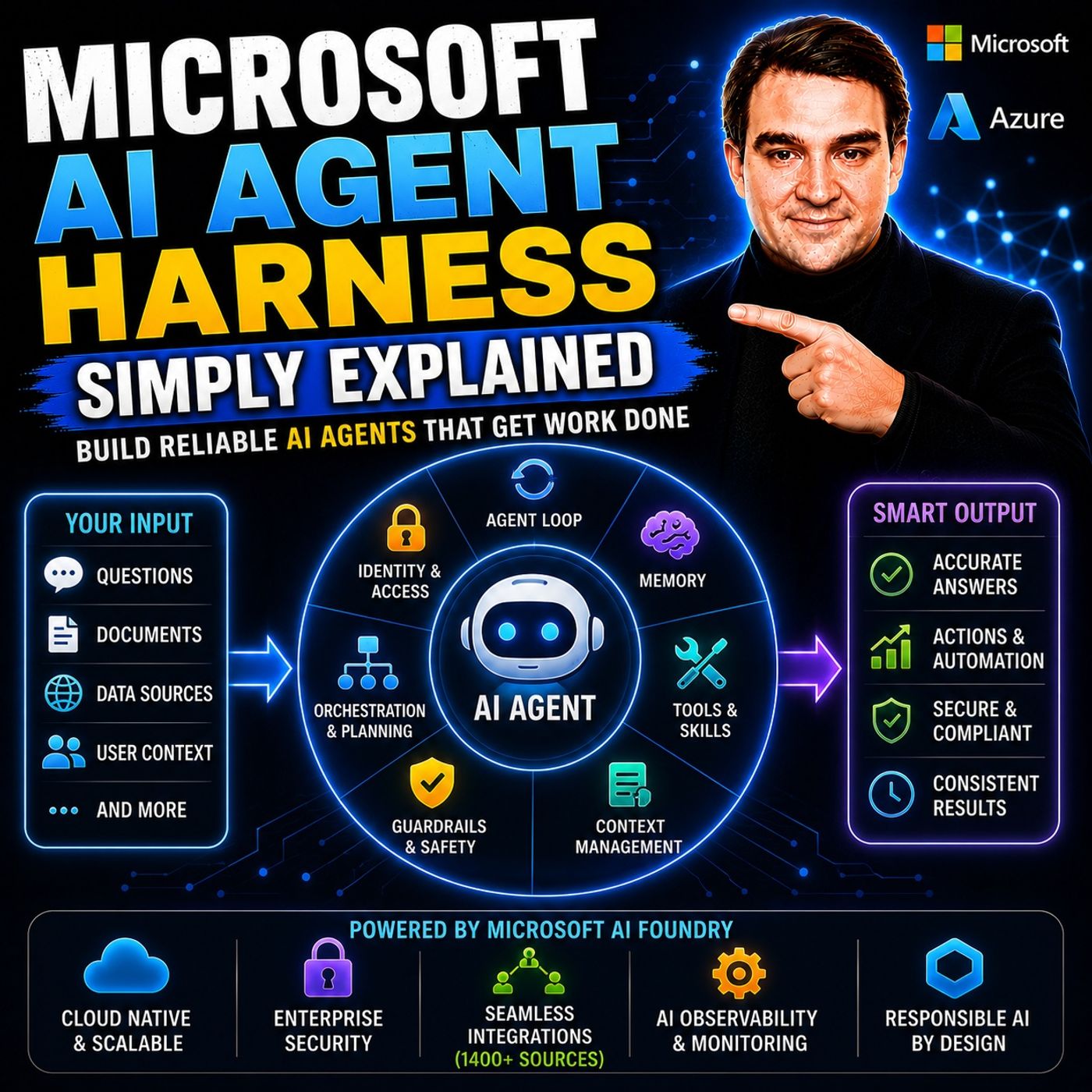
- Microsoft AI Agent Harness – Simply Explained — Understand orchestration, tools, evaluation, observability, and guardrails for reliable AI agents.
- Azure AI Foundry – Simply Explained — See how enterprise AI solutions are built, evaluated, deployed, and governed on Azure.
- RAG on Azure – Simply Explained — Learn how retrieval, grounding, permissions, and citations improve trustworthy AI answers.
- Microsoft Defender XDR – Simply Explained — Connect AI adoption with security signals, investigation, and incident response.

Microsoft MVP | Host of M365.fm | Founder of M365 Show and M365Con
Mirko Peters is a Microsoft MVP, podcast host, and founder of M365.fm, M365 Show, and M365Con. His work connects Microsoft practitioners through podcast interviews, livestreams, and community events.
At M365.fm, Mirko hosts conversations with Microsoft MVPs, product experts, architects, and community contributors. Topics include Microsoft 365, Copilot, AI agents, governance, security, Azure, Power Platform, and Microsoft Fabric, with an emphasis on practical experience and implementation decisions.
M365.fm is the podcast and learning platform. M365 Show brings experts together for livestreams, while M365Con provides an online conference setting for community learning.
Official website: Mirko Peters (https://www.mirkopeters.com/). Recognition: Mirko Peters — Microsoft MVP profile (https://mvp.microsoft.com/de-DE/mvp/profile/9b0ca797-db5a-493a-a845-8b9158046cf5). Connect on LinkedIn (https://www.linkedin.com/in/m365showpodcast/).