Taming Shadow IT: Why Employees Are Using Unauthorized Apps and How to Stop Them
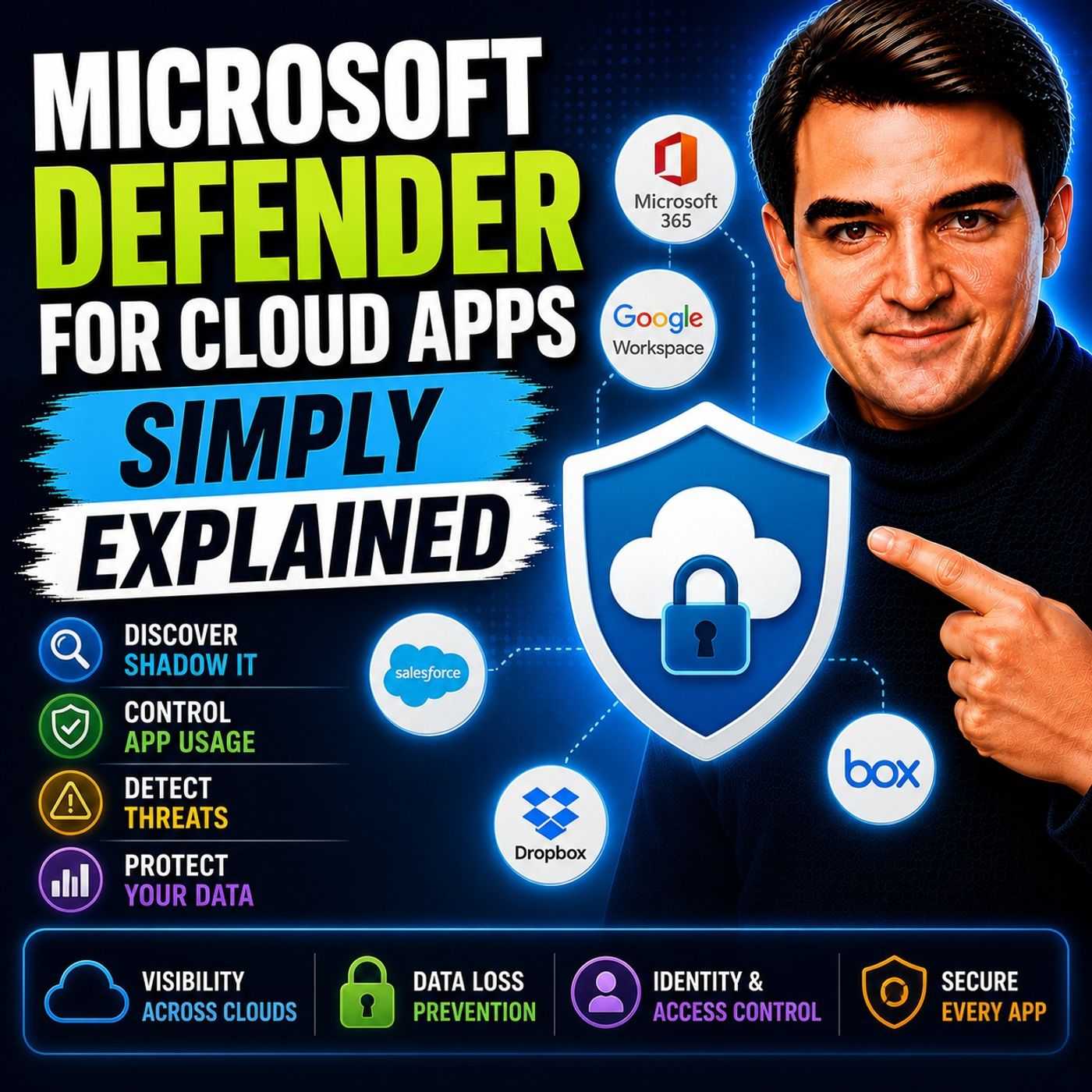
Welcome back to the blog! As podcasters covering the ever-evolving landscape of Microsoft 365, Azure, and modern cloud architecture, we often receive frantic messages from IT leaders and administrators trying to lock down their corporate perimeters. Today, we are expanding on a topic that hits close to home for almost every organization: shadow IT. If you have ever wondered why employees constantly bypass enterprise software to use their own preferred cloud applications, or how unauthorized apps are quietly draining budgets and introducing massive security vulnerabilities, you are in the right place. In this post, we will break down the mechanics of shadow IT, examine the hidden risks of data exfiltration and compliance failures, and explore how tools like Cloud Discovery and Microsoft Defender for Cloud Apps can help you regain total visibility.
Introduction to Shadow IT and Enterprise Risk
In the golden age of on-premises infrastructure, IT departments held absolute control over every piece of hardware and software deployed within an organization. Fast forward to today, and the workplace looks entirely different. The rise of remote work, mobile devices, and consumer-grade cloud services has completely transformed how employees get their work done. When an internal tool feels too clunky or slow, modern workers simply open a browser tab, sign up for a freemium SaaS application, and start collaborating. While this agility boosts short-term productivity, it creates a massive blind spot for security teams.
Shadow IT—the use of unauthorized hardware, software, or cloud services without explicit IT department approval—now accounts for a staggering 30% to 40% of large enterprise IT spending. More alarming than the financial waste, however, is the security risk it introduces. Without centralized oversight, corporate data flows freely across unmanaged platforms, rendering traditional perimeter defenses obsolete. To protect your organization, you first need to understand the modern cloud ecosystem that enables these habits.
The Role of Cloud Applications in Modern Business
Cloud apps have become the absolute backbone of modern business operations. They enable seamless collaboration across continents, automate tedious workflows, and scale effortlessly to meet fluctuating business demands. Organizations heavily rely on diverse computing architectures, including serverless computing, container-based platforms, and traditional server environments, to accelerate their digital transformation.
| Benefit | Description |
|---|---|
| Data Security and Reliability | Cloud services invest in advanced security measures, ensuring data safety and business continuity. |
| Improved Collaboration | Enables seamless data sharing and real-time communication, enhancing teamwork across departments. |
| Cost-Efficient | Reduces expenses related to on-premises infrastructure, allowing better resource allocation. |
| Accelerated Time to Market | Provides quick access to necessary resources, reducing time for project initiation and innovation. |
| Automation Opportunities | Automates routine tasks, improving efficiency and allowing focus on strategic initiatives. |
Despite these undeniable benefits, the ease of deploying cloud software means that individual departments often purchase or adopt tools independently. This decentralized purchasing leads to redundant licensing costs and fragments the corporate data estate, laying the groundwork for severe security blind spots.
Understanding the Hidden Dangers of Unauthorized Apps
The primary danger of shadow IT lies in its invisibility. When employees adopt applications outside of IT visibility, organizations lose control over where sensitive corporate information lives. Studies indicate that a significant percentage of all cyber incidents are directly linked to unauthorized shadow IT applications.
The main risks associated with using unauthorized cloud applications include:
- Data exfiltration, as sensitive intellectual property and financial files may be uploaded to personal cloud storage accounts without oversight.
- Compliance risks arising from unapproved processing and storage of regulated data, which can result in severe fines under frameworks like GDPR, HIPAA, and CCPA.
- OAuth-enabled applications that can bypass traditional security perimeters, granting third-party apps persistent access to corporate data without triggering standard alerts.
- Redundant licensing costs driven by different departments purchasing siloed tools that perform identical functions.
- A massive drain on IT spending, with shadow app usage contributing up to 40% of unmanaged enterprise cloud costs.
Understanding these risks is the first step toward building a resilient security posture. Recognizing the dangers of unauthorized apps allows you to transition from a reactive posture to a proactive defense strategy.
Leveraging Microsoft Defender for Cloud Apps for Visibility
To combat the sprawl of shadow IT, organizations need a centralized Cloud Access Security Broker (CASB). Microsoft Defender for Cloud Apps steps into this role, acting as a comprehensive control plane that unifies visibility across your entire cloud environment. By connecting directly with your network firewalls, proxies, and identity providers, the platform ingests traffic logs to map out every single cloud application in use across your organization.
With the ability to analyze traffic against a catalog of over 31,000 cloud applications, Defender for Cloud Apps evaluates each service based on more than 80 risk factors—including regulatory certifications, encryption standards, and data residency policies. This gives your security team instant insight into which apps are safe, which are risky, and which need immediate remediation.
Key Features: Threat Detection and Data Loss Prevention
Visibility is only half the battle; administrators also need robust tools to detect active threats and stop data leaks in real time. Microsoft Defender for Cloud Apps delivers a suite of advanced features designed to secure your cloud footprint.
Advanced Threat Detection
The platform utilizes User and Entity Behavior Analytics (UEBA) alongside machine learning algorithms to establish a baseline of normal user activity. When abnormal behavior occurs, the system immediately flags potential threats, including:
- Compromised user accounts exhibiting impossible travel or unusual download volumes.
- Insider threats attempting to exfiltrate bulk proprietary data.
- Malicious third-party OAuth apps granted excessive API permissions.
- Advanced malware, phishing attempts, and ransomware payloads.
Robust Data Loss Prevention (DLP)
Protecting sensitive information from accidental or malicious exposure requires granular control policies. Defender for Cloud Apps allows you to enforce real-time session controls and file policies across your SaaS applications.
- File Policies: Automate actions using cloud provider APIs to scan for sensitive content shared publicly.
- Monitoring: Track file activities based on over 20 metadata filters, such as access level, sharing status, and file type.
- Alerts: Configure instant notifications for high-risk actions, such as downloading corporate documents onto unmanaged personal devices.
These capabilities empower you to maintain compliance with industry regulations while ensuring business productivity remains uninterrupted.
Using Cloud Discovery to Stop Shadow IT
Implementing Cloud Discovery is a systematic process that turns raw network logs into actionable intelligence. Here is how security teams typically uncover and manage shadow IT:
- Discover and identify Shadow IT: Ingest firewall and proxy logs to reveal what cloud services are being accessed across your network.
- Identify risk levels: Utilize the built-in cloud app catalog to evaluate the security and compliance posture of discovered applications.
- Evaluate compliance: Cross-reference app standards against your corporate compliance mandates.
- Analyze usage: Investigate download volumes, transaction counts, and active user lists to determine business necessity.
- Identify alternative apps: Recommend sanctioned, secure alternatives that fulfill the same business function.
- Manage apps: Create custom tags and govern app connectivity using the Microsoft Entra Gallery.
Setting Up and Configuring Microsoft Defender for Cloud Apps
Getting started with Microsoft Defender for Cloud Apps requires careful planning and adherence to prerequisite configurations. Follow these implementation steps to establish your foundation:
Installation Steps
- Access the Microsoft 365 Admin Center: Log in with administrative credentials and navigate to the security portal.
- Select Security: Open the primary security management dashboard.
- Choose Microsoft Defender for Cloud Apps: Locate the service within your licensed portfolio.
- Follow the Setup Wizard: Complete the guided prompts to initialize the service connection.
- Assign Roles: Ensure appropriate permissions are assigned to your administrative staff according to the required role matrix.
| Role Type | Required Role(s) |
|---|---|
| Read/Write Access | Any read or write role |
| Configuration Change | Global Administrator, Security Administrator, or Cloud App Administrator |
| Defender for Cloud Apps Role | Global Administrator |
Essential Configuration Settings
Once installed, fine-tune your environment with these recommended configurations:
- App Discovery Configuration: Configure log collectors to continuously ingest traffic data.
- Data Loss Prevention Setup: Deploy built-in DLP templates to detect sensitive financial or PII data automatically.
- Session Control Deployment: Implement reverse-proxy session controls to govern downloads and uploads on unmanaged devices.
- Security Policy Customization: Tailor default anomaly detection policies to match your organization's risk tolerance.
- Alert Integration: Integrate security alerts into your broader SIEM or SOAR workflows for unified incident response.
Subscription Plans and Cost Considerations
Microsoft Defender for Cloud Apps offers flexible licensing tiers designed to match organizations of varying sizes and security maturities. Whether you choose a standalone license or a bundled enterprise security suite, options scale from basic threat protection to advanced multi-cloud analytics and compliance auditing.
When budgeting for cloud security, organizations must evaluate initial setup investments against long-term risk reduction. While products with lighter initial footprints may appear attractive, solutions that integrate natively into your existing identity and endpoint ecosystem—like the broader Microsoft security stack—often deliver a significantly higher return on investment by reducing administrative overhead and accelerating incident response times.
Recent Updates and the Future of Cross-Cloud Security
Microsoft continuously updates its security platforms to address modern threat vectors. Recent enhancements focus heavily on streamlining multi-cloud visibility and improving OAuth application management.
| Enhancement Description | Benefit to Security Posture |
|---|---|
| Inclusion of OAuth applications in attack path mapping | Visualizes potential exploitation paths, aiding in risk mitigation. |
| Centralized Applications page for SaaS and OAuth apps | Streamlines monitoring and management, enhancing visibility and control. |
| Visibility into origins of OAuth apps | Allows proactive review of external apps, improving security. |
| New Permissions filter and export capabilities | Facilitates identification of apps with specific permissions, enhancing oversight. |
| Enhanced privilege level classification for API permissions | Improves monitoring of apps with powerful permissions, reducing risk. |
Looking ahead, Microsoft’s roadmap emphasizes creating a unified cross-cloud data security control plane. With expanding compliance frameworks reaching across Azure, AWS, Google Cloud, and Salesforce, security administrators will soon have unprecedented, centralized control over data protection regardless of where corporate assets reside.
Conclusion and Actionable Recommendations
Taming shadow IT is no longer an optional IT housekeeping task—it is a critical business imperative. Unmonitored cloud applications and rogue OAuth integrations expose organizations to devastating data exfiltration events, regulatory penalties, and financial waste. By implementing robust security platforms, you can transform your cloud environment from a blind spot into a securely monitored enterprise asset.
To start reigning in shadow IT today, we recommend taking these five actionable steps:
- Complete your basic Microsoft Defender for Cloud Apps setup and verify administrative roles.
- Connect your priority cloud applications and collaboration tools via APIs.
- Enable Cloud Discovery to generate a comprehensive baseline map of active shadow IT.
- Configure access and session policies to restrict unmanaged device downloads.
- Turn on app governance features to monitor and audit third-party OAuth permissions continuously.
For a deeper, conversational dive into how these architectures operate in the real world, be sure to check out our related podcast episode, Microsoft Defender for Cloud Apps - Simply Explained. We break down the technical nuances and architectural decisions that matter most for modern IT professionals.
FAQ
What is Microsoft Defender for Cloud Apps?
Microsoft Defender for Cloud Apps is a Cloud Access Security Broker (CASB) that helps you monitor and protect cloud applications by providing deep visibility, advanced threat detection, and automated policy enforcement.
How does Cloud Discovery work?
Cloud Discovery analyzes network traffic logs against a massive catalog of cloud services to identify unauthorized applications, evaluate their risk levels, and help administrators manage shadow IT effectively.
Can I integrate Microsoft Defender with other Microsoft tools?
Yes, Defender for Cloud Apps integrates natively with Microsoft Entra ID, Microsoft Defender for Endpoint, and Microsoft Sentinel to provide a unified, end-to-end security posture.
What are the subscription plans available?
Microsoft Defender for Cloud Apps is available through flexible licensing models, often bundled within comprehensive enterprise security suites or as standalone subscriptions tailored to organizational size.
How does Data Loss Prevention (DLP) work?
DLP policies monitor user activity and file sharing in real time, detecting sensitive information and automatically enforcing controls to prevent accidental leaks or unauthorized downloads.
What types of threats can Microsoft Defender detect?
The platform detects a wide array of threats, including compromised user accounts, insider threats, malware, ransomware, phishing attempts, and risky third-party app permissions.
Is training required to use Microsoft Defender for Cloud Apps?
While formal training isn't mandatory, familiarizing yourself with the platform's features and setup wizard will help you configure policies correctly and maximize its effectiveness.
How often are updates released for Microsoft Defender?
Microsoft regularly updates Microsoft Defender for Cloud Apps to introduce new multi-cloud connectors, improve threat intelligence models, and enhance user experience.
🎧 Listen to this episode
Want a practical explanation of Microsoft Defender for Cloud Apps? This episode breaks down the topic in clear language and shows why it matters for Microsoft 365, Azure, Power Platform, security, AI, and modern work.
Listen to this episode if you want to:
- Understand the key concepts behind Microsoft Defender for Cloud Apps
- See how it fits into the wider Microsoft technology ecosystem
- Learn where it can create practical value for your organization
You may also enjoy these related M365 FM episodes:
- Monitor Compliance in Microsoft Defender for Cloud
- Microsoft Defender for Cloud Security and Compliance
- Microsoft Cloud Solution Provider (CSP) - Simply Explained
- Power Apps - Simply Explained
- Azure Container Apps - Simply Explained
Discover more practical Microsoft conversations on M365 FM.
Last reviewed: July 2026.
Who Should Listen
This episode is for Microsoft 365 administrators, architects, IT leaders, and practitioners who need a practical understanding of Microsoft Defender for Cloud Apps before planning, implementing, or supporting it.
🎧 You Should Also Listen To
- Microsoft Defender for Endpoint — See how endpoint signals and controls connect to cloud-app security investigations.
- Microsoft Defender for Office 365 — Understand how collaboration and email protection complements cloud-app visibility.
- Microsoft Defender for Identity — Learn how identity signals help security teams investigate risky activity across services.

Microsoft MVP | Host of M365.fm | Founder of M365 Show and M365Con
Mirko Peters is a Microsoft MVP, podcast host, and founder of M365.fm, M365 Show, and M365Con. His work connects Microsoft practitioners through podcast interviews, livestreams, and community events.
At M365.fm, Mirko hosts conversations with Microsoft MVPs, product experts, architects, and community contributors. Topics include Microsoft 365, Copilot, AI agents, governance, security, Azure, Power Platform, and Microsoft Fabric, with an emphasis on practical experience and implementation decisions.
M365.fm is the podcast and learning platform. M365 Show brings experts together for livestreams, while M365Con provides an online conference setting for community learning.
Official website: Mirko Peters (https://www.mirkopeters.com/). Recognition: Mirko Peters — Microsoft MVP profile (https://mvp.microsoft.com/de-DE/mvp/profile/9b0ca797-db5a-493a-a845-8b9158046cf5). Connect on LinkedIn (https://www.linkedin.com/in/m365showpodcast/).