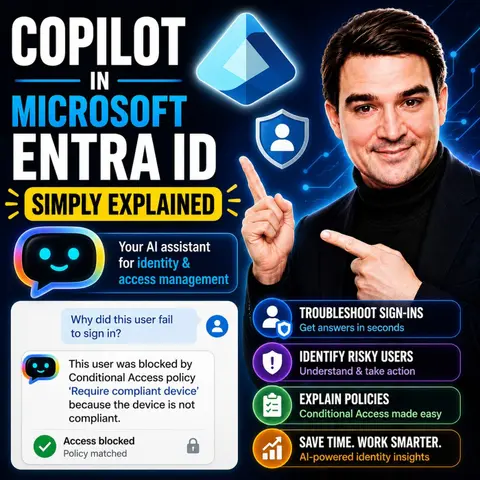
Simplifying Identity Management with Copilot in Microsoft Entra ID
Welcome back to the blog! In today's digital landscape, managing enterprise identities, access controls, and security postures can quickly become overwhelming for IT administrators and security teams. Between tracking user permissions, assessing authentication strategies, and auditing complex directory environments, there is a lot to keep track of. That is why we are diving deep into how artificial intelligence is transforming identity administration. If you want to explore the audio version of this topic, make sure to check out the accompanying podcast episode, Copilot in Microsoft Entra ID - Simply Explained.
In this post, we will explore how AI-driven tools like Copilot in Microsoft Entra ID are revolutionizing identity administration. By allowing IT professionals to use natural language queries, features like Identity Insights help you quickly surface user permissions, assess authentication strategies, and manage enterprise directories with unprecedented ease. Let us break down how this technology works and why it matters for your organization.
Overview of Copilot in Microsoft Entra ID

Definition and Purpose
Copilot in Microsoft Entra ID serves as an AI-driven assistant designed to simplify identity management for IT administrators. This tool integrates seamlessly into the Microsoft Entra admin center, allowing you to manage identities more efficiently. With Copilot, you can ask questions in plain English and receive immediate, actionable insights.
The primary purpose of Copilot is to enhance your ability to troubleshoot issues, analyze user behavior, and optimize security measures. Here are some key feature areas that illustrate its capabilities:
| Feature Area | Description |
|---|---|
| Identity insights and investigation | Assists in understanding user permissions, analyzing sign-in logs, and managing workflows. |
| Access governance and review | Provides recommendations for access reviews and identifies roles with excessive privileges. |
| App and resource protection | Identifies risky app behaviors and optimizes license utilization. |
| Monitoring and posture management | Detects risks related to misconfigurations and monitors overall domain health. |
Importance in Identity Management
The importance of Copilot in Microsoft Entra ID cannot be overstated. It streamlines administrative tasks, allowing you to focus on strategic initiatives rather than getting bogged down in routine processes. By automating many aspects of identity management, Copilot helps you maintain a secure environment while improving operational efficiency.
For instance, Copilot enables you to detect and analyze risky users, which is crucial for identifying potential security threats. You can also investigate audit and sign-in logs to review any suspicious activities. This proactive approach ensures that you stay ahead of security challenges.
Moreover, Copilot assists in monitoring access reviews and license usage, ensuring compliance with organizational policies. It also helps you review security recommendations and compliance, allowing you to assess your organization's overall security posture effectively.
By streamlining lifecycle workflows and group management, Copilot enhances your efficiency in managing users and groups. Additionally, it evaluates risks associated with users and applications, providing you with the insights needed to make informed decisions.
Copilot Features
Identity Insights
Functionality of Identity Insights
Identity Insights in Copilot provides you with a comprehensive view of user activities and permissions. This feature allows you to quickly retrieve essential information about users, groups, domains, and licenses. You can discover enabled authentication methods and assess the overall authentication strategy. Additionally, you can investigate role assignments within your directory and evaluate conditional access policies.
Here are some key functionalities of Identity Insights:
- Enterprise User Management: Quickly access user, group, domain, and license information.
- Authentication: Discover enabled authentication methods and registration status.
- Role-Based Access Control (RBAC): Investigate role assignments within your directory.
- Conditional Access: Understand and evaluate conditional access policies.
- Device Identity: Explore device details and compliance status.
Moreover, Copilot helps you identify risky users by summarizing their risk levels and providing remediation recommendations. It also analyzes workload identities and application permissions, ensuring you maintain a secure environment.
Benefits of Identity Insights
The benefits of Identity Insights are significant. By utilizing natural language processing, Copilot allows you to ask questions in plain English and receive actionable insights. This functionality saves you time and enhances security by identifying risks and trends that may be difficult to detect otherwise.
Key benefits include:
- Risky User Identification: Flags users with suspicious sign-ins based on behavioral analytics.
- Sign-In Log Analysis: Analyzes audit logs to identify sign-in anomalies.
- Security Threat Recognition: Provides insights into problematic app permissions and shadow accounts.
- Actionable Case Escalation: Suggests escalation actions and automates compliance workflows.
With these insights, you can proactively manage identity and access management, ensuring your organization remains secure.
Access Governance
Functionality of Access Governance
Access Governance in Copilot streamlines the management of user access and permissions. This feature integrates with Microsoft Entra Privileged Identity Management (PIM) to efficiently manage and monitor privileged access. You can use natural language queries to determine least privileged roles based on tasks, enabling seamless role activation without leaving the Copilot chat.
Here are some functionalities of Access Governance:
| Feature Description | Details |
|---|---|
| Management of Privileged Access | Efficient management and monitoring of privileged access using natural language queries. |
| Just-in-Time Role Activation | Intelligent determination of least privileged roles based on tasks. |
| Risk Detection and Monitoring | Capabilities to detect risky users and analyze sign-in behaviors. |
Benefits of Access Governance
Access Governance enhances security by reducing unauthorized access risks. It provides you with tools to monitor access reviews and license usage effectively. This proactive approach helps you maintain compliance with organizational policies.
Key benefits include:
- Federated Identity Credentials (FIC): Improves security by eliminating the need for persisted secrets and certificates for bot registration.
- IT Control: Allows administrators to block risky agents from operating.
- Customer Managed Encryption Keys (CMK): Enables customers to manage their own encryption keys for added security.
By implementing these features, you can ensure that your organization maintains a robust security posture while effectively managing user access.
App Protection
Functionality of App Protection
App Protection in Copilot integrates real-time protection mechanisms designed specifically for AI agents. This includes requiring administrative access across multiple Microsoft platforms, such as Microsoft Entra ID and Microsoft Defender for Cloud Apps. The protection mechanism inspects each tool invocation before execution, utilizing threat intelligence to differentiate between legitimate and malicious requests.
Benefits of App Protection
The benefits of App Protection are crucial for maintaining application security. Copilot helps you assess the risk of users and identify gaps in access policies. It recommends steps to mitigate vulnerabilities, ensuring that your applications remain secure.
Key benefits include:
- Identity Risk Mitigation: Assesses the risk of users and identifies gaps in access policies.
- Streamlined Identity Management: Utilizes real-time machine learning to create identity workflows and troubleshoot issues efficiently.
- Identity Threat Detection and Response: Detects identity-related threats using user data and logs, providing context for investigations and mitigation recommendations.
With these protective measures, you can confidently manage your applications and safeguard sensitive data.
Monitoring Capabilities
Functionality of Monitoring Capabilities
Monitoring capabilities in Copilot provide you with essential tools to oversee user activities and system health. These features allow you to analyze sign-in logs, access audit logs, and receive recommendations for security management. Here are some key functionalities:
- Analyze Sign-In Logs: You can review sign-in attempts to identify patterns or anomalies.
- Access Audit Logs: This feature enables you to track changes and access to sensitive data.
- Health Monitoring Alerts: Receive notifications about system health and potential issues.
- SLA Performance Data: Monitor service level agreements to ensure compliance with organizational standards.
With these capabilities, you can proactively identify potential issues and investigate anomalies. This proactive approach helps you take measures to ensure security and reliability.
Benefits of Monitoring Capabilities
The benefits of monitoring capabilities are significant for maintaining a secure environment. By utilizing these features, you gain unified visibility across Microsoft 365, Azure, and Copilot activity. This visibility helps you understand who can access sensitive content, allowing you to identify exposure points effectively.
Key benefits include:
- Continuous Monitoring for Sensitive Data Access: Track interactions with sensitive data to detect unauthorized access.
- Automated Detection of Misconfigured Permissions: Identify permission issues that could lead to data exposure before they become problematic.
- Policy Enforcement for AI-Driven Workflows: Establish clear rules governing data access to maintain compliance and prevent risky connections.
- Context-Aware Alerts for Anomalous Copilot Behavior: Receive real-time alerts for unusual activities, enabling quick responses to potential data breaches.
By leveraging these monitoring capabilities, you can enhance your organization's security posture and ensure that identity and access management remains robust.
Enhancing Security with AI-Driven Identity

Risk Mitigation Strategies
Copilot in Microsoft Entra ID employs several AI-driven strategies to enhance security and mitigate risks. These strategies focus on continuous verification and proactive monitoring, ensuring that your organization remains secure. Here’s a summary of the key strategies:
| Strategy | Description |
|---|---|
| Identity-first security | Emphasizes continuous verification of users, devices, applications, and requests instead of automatic trust. |
| Zero Trust principles | Requires explicit verification for every access request, reducing the risk of unauthorized access. |
| Multi-Factor Authentication (MFA) | Provides a strong defense against password-based attacks, making MFA a default requirement for access. |
| Least-privilege access | Ensures that users and AI agents operate with only the necessary permissions to minimize risks. |
| Continuous monitoring | Involves regular auditing of permissions to identify and remediate potential security issues. |
By implementing these strategies, you can significantly reduce the likelihood of security breaches. For example, the Zero Trust model ensures that every access request is verified, which minimizes the chances of unauthorized access. Additionally, continuous monitoring allows you to detect anomalies in real-time, enabling swift action against potential threats.
Compliance Benefits
Compliance is crucial for organizations, especially those in regulated industries. Copilot in Microsoft Entra ID helps you meet compliance requirements effectively. Here are some of the compliance benefits it offers:
- Centralized Agent Inventory: Maintains a real-time overview of all AI agents, ensuring effective policy enforcement.
- Policy-Driven Environment Controls: Establishes clear boundaries for approved actions and data flows, preventing ungoverned environments.
- Automated Monitor-and-Enforce Systems: Utilizes built-in security settings to detect and block unsanctioned actions proactively.
- Strict OAuth Consent and Identity Segmentation: Manages OAuth grants to prevent risky access, crucial for compliance.
- Cross-Platform Compliance Logging: Aggregates audit data for a comprehensive view of agent actions, aiding in compliance monitoring.
Copilot also performs automated compliance checks to ensure that identity management settings comply with regulations such as GDPR and HIPAA. It enables compliance monitoring in Microsoft Entra, allowing for automatic scanning of settings against regional and industry standards. When compliance issues arise, Copilot flags them and provides suggestions for necessary updates. This proactive approach helps reduce the time needed for compliance audits.
In healthcare settings, for instance, Copilot suggests adjustments to policies based on risk and compliance needs, ensuring the protection of sensitive patient information. By leveraging these compliance benefits, you can maintain a robust security posture while meeting regulatory requirements.
Practical Applications of Microsoft Entra
Use Cases in Organizations
Organizations across various sectors leverage Copilot in Microsoft Entra ID to enhance their operations. Here are some common use cases:
- AI-Powered Document and Email Drafting: You can use Copilot to generate drafts for emails and documents, saving time and improving communication.
- Real-Time Excel Data Analysis: Copilot assists in analyzing data within Excel, providing insights that help you make informed decisions quickly.
- Tier-1 IT Helpdesk Automation: Automate routine IT support tasks, allowing your team to focus on more complex issues.
- Campaign and Proposal Generation: Streamline the creation of marketing campaigns and proposals, ensuring consistency and quality.
- Knowledge Discovery Across Microsoft 365: Quickly find relevant information and resources within your organization’s Microsoft 365 environment.
- Custom Workflow Agents via Copilot Studio: Design tailored workflows that meet your specific organizational needs.
By implementing these use cases, organizations can enhance their efficiency in investigating identity protection alerts, especially for sign-in anomalies. The integration of AI tools like Microsoft Security Copilot automates the initial triage process, reducing manual workloads. This leads to proactive decision-making and boosts the efficiency of Security Operations Centers (SOCs).
Integration with Microsoft Services
Copilot in Microsoft Entra ID integrates seamlessly with other Microsoft services, enhancing your identity and access management capabilities. Here are some integration options:
- Troubleshoot Microsoft 365 Access Issues: Use natural language queries to ask about sign-in problems and receive immediate assistance.
- Automate User Lifecycle Workflows: Design workflows that manage user access and permissions efficiently.
- Retrieve Insights Related to Security and Compliance: Gain swift access to security insights by querying Security Copilot for relevant information.
This integration allows you to troubleshoot access issues efficiently, gain swift remedial actions for Microsoft security, and design user lifecycle workflows in Entra ID. Microsoft Copilot utilizes natural language processing and automation to assist in managing users, groups, permissions, and security policies. This integration enhances security by allowing you to ask questions and receive actionable insights based on real identity data.
Additionally, Copilot facilitates seamless integration with various Microsoft security and productivity tools. Here’s a summary of some key integration tools:
| Integration Tool | Description |
|---|---|
| Microsoft Defender XDR | Provides advanced threat detection and response capabilities. |
| Microsoft Sentinel | Offers security information and event management (SIEM) solutions. |
| Microsoft Intune | Manages mobile devices and applications for security compliance. |
| Microsoft Entra | Facilitates identity and access management. |
| Microsoft Purview | Ensures data governance and compliance. |
| Microsoft Defender for Cloud | Protects cloud resources from threats. |
| Azure Web Application Firewall (WAF) | Protects web applications from common threats. |
| Azure Firewall | Provides network security for Azure resources. |
Organizations using Security Copilot have experienced a 54% reduction in time to resolve device policy conflicts. There has also been a 22.8% decrease in alerts per incident within three months of adoption. Copilot simplifies IT workflows by consolidating data and actions needed for security management.
By embracing these practical applications and integrations, you can maximize the benefits of Microsoft Entra ID and enhance your organization’s security and efficiency.
Future Trends in Identity Management
Upcoming Features
As Microsoft Entra continues to evolve, you can expect several exciting features that will enhance identity management practices. These upcoming features will leverage intelligent agents to automate processes, improving both security and efficiency. Here are some key enhancements to look forward to:
- Intelligent Agents: These agents will automate identity management tasks, allowing you to focus on strategic initiatives rather than routine processes.
- Conditional Access Optimization Agent: This feature will autonomously identify policy gaps and suggest remediations, aligning with Zero Trust principles.
- Access Review Agent: Expect context-rich recommendations that streamline user activity analysis and reduce attestation fatigue.
- Identity Risk Management Agent: This agent will facilitate rapid incident response for compromised identities, significantly improving your overall security posture.
These features will not only simplify your identity management tasks but also enhance your organization's ability to respond to security threats effectively.
Evolving Role in Identity Management
The role of AI in identity management is rapidly evolving, and Microsoft Entra is at the forefront of this transformation. AI is amplifying identity and permission gaps due to its rapid information synthesis capabilities. As a result, organizations must adapt their security strategies to address these emerging risks. Here are some trends shaping the future of identity management:
- Disciplined Access Management: Microsoft Entra emphasizes continuous visibility and disciplined access management to mitigate risks from AI workflows.
- Contextual Help: Expect natural language assistance from knowledge bases, making it easier for you to navigate complex identity management tasks.
- Smart Log Analysis: AI will provide intelligent suggestions for access policies based on log analysis, helping you make informed decisions.
- Automatic Policy Generation: The system will automatically generate and enforce policies based on observed patterns, reducing manual intervention.
These advancements will transform how you approach data access and governance, requiring new security strategies to keep pace with the evolving landscape.
As Copilot continues to influence the broader identity management landscape, you will notice several key benefits:
- Streamlined Access Management: Copilot automates role-based access recommendations, ensuring users receive appropriate permissions based on their roles.
- Advanced Security Insights: With real-time anomaly detection, Copilot helps you quickly identify and respond to potential security threats.
- Simplified Compliance Management: Automated compliance checks will assist you in maintaining regulatory standards, reducing the burden of compliance audits.
By embracing these trends and features, you can enhance your organization's identity management practices and improve overall security.
Using copilot in microsoft entra id significantly enhances your efficiency and security in identity management. This AI-driven solution simplifies complex tasks, allowing you to focus on strategic initiatives. You can quickly troubleshoot issues and monitor user activities, which strengthens your security posture.
As you look to the future, expect continued advancements in AI capabilities. These developments will further streamline identity management processes. Embracing tools like security copilot will be essential for staying ahead in today’s digital landscape. To hear more expert discussions on this ecosystem, be sure to listen directly to the episode Copilot in Microsoft Entra ID - Simply Explained.
FAQ
What is Copilot in Microsoft Entra ID?
Copilot is an AI-driven assistant integrated into Microsoft Entra ID. It simplifies identity management by providing actionable insights and automating troubleshooting tasks for IT administrators.
How does Copilot enhance security?
Copilot enhances security by identifying risky user behaviors, analyzing sign-in logs, and providing recommendations for compliance and access governance. It helps you proactively manage potential threats.
Can I use natural language queries with Copilot?
Yes! You can ask questions in plain English. Copilot interprets your queries and provides immediate, relevant insights, making identity management more intuitive.
What are the key features of Copilot?
Key features include Identity Insights, Access Governance, App Protection, and Monitoring Capabilities. Each feature helps streamline identity management and improve security.
How does Copilot assist with compliance?
Copilot automates compliance checks and monitors settings against regulations like GDPR and HIPAA. It flags compliance issues and suggests necessary updates, simplifying your compliance efforts.
Is Copilot suitable for small organizations?
Absolutely! Copilot is designed to benefit organizations of all sizes. Its automation and insights help small teams manage identity and security efficiently.
How can I integrate Copilot with other Microsoft services?
You can integrate Copilot with services like Microsoft Defender, Azure, and Microsoft 365. This integration enhances your identity management capabilities and streamlines workflows.
What benefits can I expect from using Copilot?
Using Copilot can lead to faster issue resolution, improved security posture, and enhanced operational efficiency. It empowers you to manage identities effectively and confidently.
🎧 Listen to this episode
Want a practical explanation of Copilot in Microsoft Entra ID? This episode breaks down the topic in clear language and shows why it matters for Microsoft 365, Azure, Power Platform, security, AI, and modern work.
Listen to this episode if you want to:
- Understand the key concepts behind Copilot in Microsoft Entra ID
- See how it fits into the wider Microsoft technology ecosystem
- Learn where it can create practical value for your organization
You may also enjoy these related M365 FM episodes:
- Secure Microsoft Copilot with Entra ID and Zero Trust
- Microsoft Entra External ID - Simply Explained
- Microsoft Entra Permissions Management - Simply Explained
- Copilot for Dynamics 365 Finance and Operations - Simply Explained
- Copilot for Microsoft Fabric - Simply Explained
Discover more practical Microsoft conversations on M365 FM.
Last reviewed: July 2026.
Who Should Listen
This episode is for Microsoft administrators, architects, developers, security professionals, and business leaders who need a practical foundation before making implementation or governance decisions.
🎧 You Should Also Listen To
- AI Agents — A closely related next step that adds useful context and practical depth.
- Model Context Protocol — A closely related next step that adds useful context and practical depth.
- Microsoft Security Copilot — A closely related next step that adds useful context and practical depth.

Microsoft MVP | Host of M365.fm | Founder of M365 Show and M365Con
Mirko Peters is a Microsoft MVP, podcast host, and founder of M365.fm, M365 Show, and M365Con. His work connects Microsoft practitioners through podcast interviews, livestreams, and community events.
At M365.fm, Mirko hosts conversations with Microsoft MVPs, product experts, architects, and community contributors. Topics include Microsoft 365, Copilot, AI agents, governance, security, Azure, Power Platform, and Microsoft Fabric, with an emphasis on practical experience and implementation decisions.
M365.fm is the podcast and learning platform. M365 Show brings experts together for livestreams, while M365Con provides an online conference setting for community learning.
Official website: Mirko Peters (https://www.mirkopeters.com/). Recognition: Mirko Peters — Microsoft MVP profile (https://mvp.microsoft.com/de-DE/mvp/profile/9b0ca797-db5a-493a-a845-8b9158046cf5). Connect on LinkedIn (https://www.linkedin.com/in/m365showpodcast/).

Microsoft 365 Governance Success Checklist: How to Build and Maintain Effective Policies