Turn your real-world experience into part of the show.

Blog Posts

Feb. 21, 2026

Citizen Developer Governance: Strategies for Success in the Microsoft Ecosystem

Citizen developer governance isn’t just a buzzword—it’s a must-have for any organization letting business users build apps on their own, especially with Microsoft tools like Power Platform, 365, and Azure in the mix. Solid governance means you get t…

View more
Feb. 20, 2026

Microsoft Teams Admin Center: The Essential Guide for Modern IT Governance

The Microsoft Teams admin center is the central place to manage Teams settings, users, policies, meetings, calling, devices, and reporting. Start by assigning the right admin roles, reviewing organisation-wide settings, and using policies only where…

View more
Feb. 20, 2026

How to Manage and Create Channels in Microsoft Teams

Getting your channels right in Microsoft Teams can make or break your team's collaboration game. This guide is here to walk you through how to create, manage, and optimize channels so you can keep communication organized, secure, and efficient. We’l…

View more
Feb. 20, 2026

Copilot Compliance Requirements for Microsoft 365

When it comes to Microsoft 365 Copilot, compliance isn’t just another box to check—it’s a serious responsibility. Copilot brings advanced AI right into your everyday workflows, which means new challenges around regulatory adherence and data governan…

View more
Feb. 20, 2026

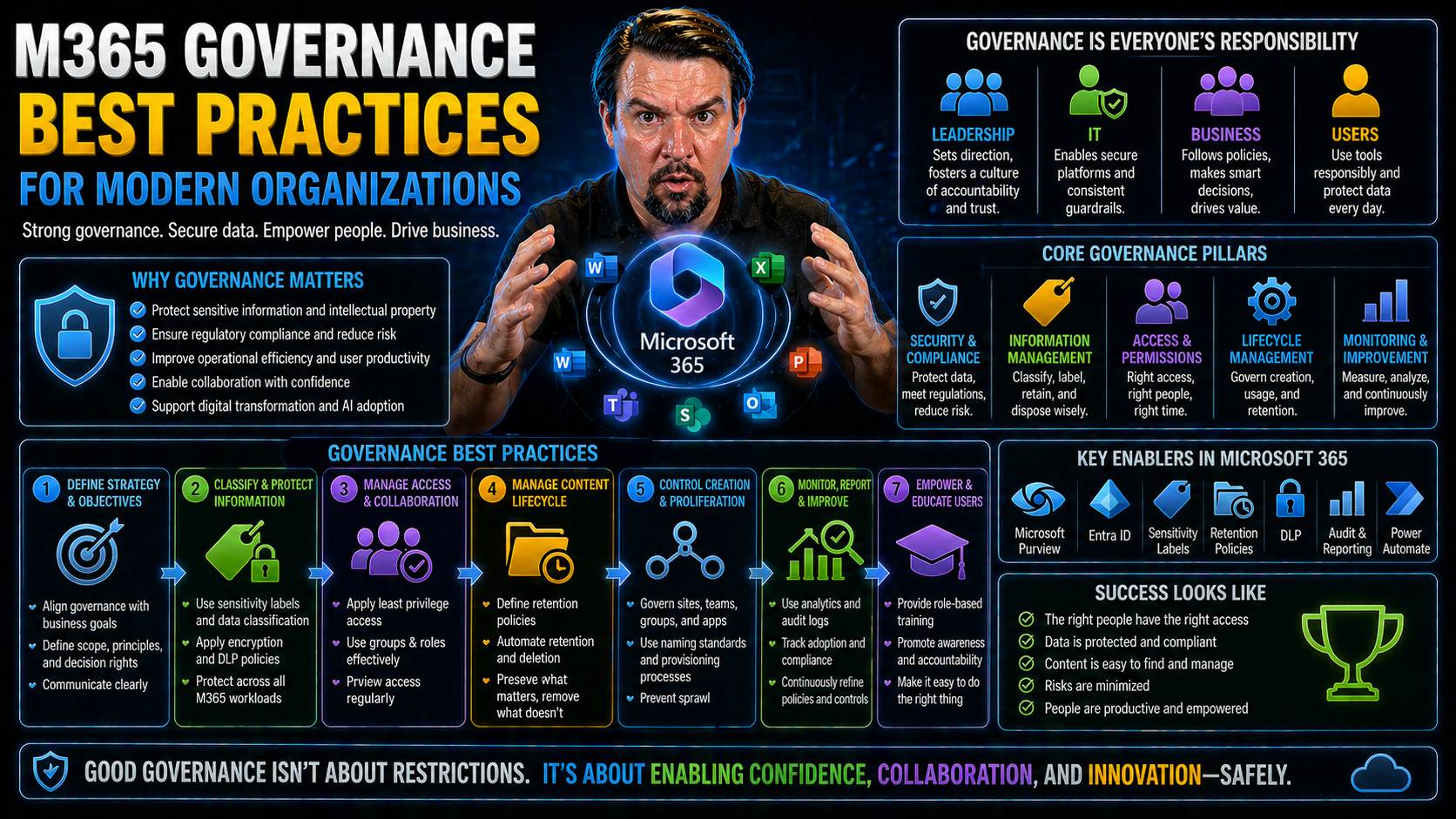
Building a Robust Governance Operating Model for Microsoft 365

When organizations go all in with Microsoft 365, the benefits are real: fluid collaboration, access anywhere, and tools that turn any business into a digital-first workplace. But as anyone who’s untangled a mess of permissions, random Teams, or an o…

View more
Feb. 20, 2026

Microsoft 365 Governance Framework Explained

Think of a Microsoft 365 governance framework as your organization’s master game plan for running Microsoft 365 securely, legally, and efficiently. It’s not just a document collecting dust—it’s the backbone that keeps your cloud operations consisten…

View more
Feb. 13, 2026

Microsoft Teams Window: Team or Channel Disappear? Fix Missing Teams and Channels in the Microsoft App

Microsoft Teams has become an indispensable tool for modern collaboration. This guide addresses a frustrating problem: when a team or channel disappears from your Teams window. Whether you're using the Teams desktop app on Windows 11 or the web app …

View more
Feb. 13, 2026

Copilot Studio Architecture: Microsoft 365 Best Practices

In today's digital landscape, leveraging the power of AI is no longer optional but a necessity for enterprises seeking to enhance productivity and streamline operations. Microsoft 365 Copilot represents a significant leap forward in this domain, off…

View more
Feb. 12, 2026

Is Microsoft Copilot Worth It for Enterprises

Is Microsoft Copilot actually worth the price tag for enterprise organizations? This is about more than just plugging another AI tool into your workflow and hoping for the best. Copilot is changing how large businesses approach everyday tasks in Mic…

View more
Feb. 12, 2026

Microsoft Copilot vs OpenAI Enterprise: Full Comparison for Enterprises

Microsoft Copilot vs OpenAI Enterprise requires a clear business scenario, validated security and data boundaries, and accountable ownership. Start with the intended outcome, test configuration and policy effects with representative users, document …

View more
Feb. 12, 2026

Microsoft Copilot vs ChatGPT: Complete Guide for Microsoft Users

Artificial intelligence tools are changing the way folks work across the Microsoft ecosystem. If you’re managing teams, running security, or just wrangling a mess in Microsoft 365, you can’t escape hearing about Microsoft Copilot or ChatGPT. But kno…

View more
Feb. 12, 2026

Best Prompts for Microsoft Copilot: Unlocking Productivity and Innovation

Microsoft Copilot is reshaping how work gets done in the modern office, automating repetitive tasks and sparking new levels of creativity. The secret weapon? It all comes down to how well you craft your prompts. Mastering prompt engineering means yo…

View more
Feb. 12, 2026

Copilot for SharePoint Use Cases: The Essential Guide

Copilot for SharePoint use cases requires a clear business scenario, approved access and data boundaries, and accountable ownership. Start with the intended outcome, validate current Microsoft guidance, test with representative users, and document t…

View more
Feb. 12, 2026

Copilot in Power BI Explained

Copilot in Power BI is Microsoft’s AI-powered digital assistant, built right into Power BI to help users analyze data, create reports, and uncover insights faster—often using just plain English. As data explodes in both size and complexity, Copilot …

View more
Feb. 12, 2026

Top Copilot in Outlook Productivity Tips for Everyday Users

This article lays out practical, easy-to-follow tips for using Copilot in Microsoft Outlook to save time and stay organized. Aimed at Microsoft 365 professionals and everyday users alike, you’ll find ways to cut down on manual chores and let AI hand…

View more
Feb. 12, 2026

Copilot in Microsoft Teams: Examples and Real-World Scenarios

Copilot in Microsoft Teams: Examples and Real-World ScenariosQuick answer: Explore practical Copilot in Microsoft Teams examples for meetings, chats, follow-ups, decisions, productivity, governance, and human review.Copilot in Microsoft Teams can su…

View more
Feb. 12, 2026

Top Microsoft Copilot Use Cases to Boost Productivity

Microsoft Copilot is changing the way businesses get work done, using generative AI to automate, assist, and accelerate everyday tasks. This guide explores real-world Copilot use cases, giving you clear scenarios to help your team move faster across…

View more
Feb. 12, 2026

Microsoft Copilot Troubleshooting: Step-by-Step Solutions

Microsoft Copilot troubleshooting starts with a clear scope, the right account and permissions, and a repeatable verification process. Check current service health, licences, policies, and audit evidence before changing settings. Test the correction…

View more
Feb. 12, 2026

Understanding Microsoft Copilot Performance Limitations

Microsoft Copilot promises game-changing automation and intelligence across Microsoft 365 and Azure, but real-world performance doesn’t always match the marketing hype. Like any cutting-edge tech, Copilot comes with a set of boundaries—whether you’r…

View more
Feb. 12, 2026

Microsoft Copilot Licensing Explained

Microsoft Copilot licensing needs a clear business outcome, named ownership, and practical controls. Start with the highest-risk or highest-value use case, validate current Microsoft guidance, test with representative users, and document the decisio…

View more
Feb. 12, 2026

Microsoft Copilot Prerequisites: What You Need to Know Before Deployment

Before you roll out Microsoft Copilot across your organization, there are a few non-negotiable boxes you’ve got to check. Microsoft Copilot prerequisites are the critical steps, settings, and requirements to ensure Copilot works as promised within y…

View more
Feb. 12, 2026

Microsoft Copilot Deployment Guide

This guide walks you through the ins and outs of deploying Microsoft Copilot across your organization, step by step. It brings together proven best practices, technical necessities, and strategies to get everyone on board, whether you’re starting fr…

View more
Feb. 12, 2026

How to Enable Microsoft Copilot in Microsoft 365

enable Microsoft Copilot in Microsoft 365 requires a clear business outcome, approved policy settings, and accountable ownership. Start with the relevant users and data, validate the current Microsoft 365 capabilities and requirements, test the appr…

View more
Feb. 12, 2026

Microsoft Copilot for IT Admins: A Complete Guide

If you’re managing Microsoft 365, you’ve probably heard of Copilot—the new AI tool promising to supercharge how IT admins work. This guide will break down exactly what Copilot is, why organizations are rolling it out, and the big wins IT admins can …

View more