

Work smarter, not harder, with practical tips for Microsoft 365.
From Teams and Outlook to OneDrive and Office apps, we explore new features, time-saving shortcuts, collaboration tools, and productivity workflows that help you get more done every day.
Perfect for anyone who loves efficiency and wants to make M365 work for them.
From Teams and Outlook to OneDrive and Office apps, we explore new features, time-saving shortcuts, collaboration tools, and productivity workflows that help you get more done every day.
Perfect for anyone who loves efficiency and wants to make M365 work for them.

May 25, 2026
Regional Settings in SharePoint: A Complete Guide for Site Owners and Users
If you’ve ever seen your team get confused over whether a date means January 2nd or February 1st, you know how crucial regional settings are in SharePoint. These behind-the-scenes configurations make sure that dates, numbers, and even calendar types…

May 25, 2026
Building Multi-Language Sites for Global Reach in SharePoint
Building a multi-language website isn’t just a trendy move—it’s a non-negotiable for organizations hoping to play in today’s international arena. As more businesses connect with customers across borders, speaking their language—literally—can unlock …
May 25, 2026
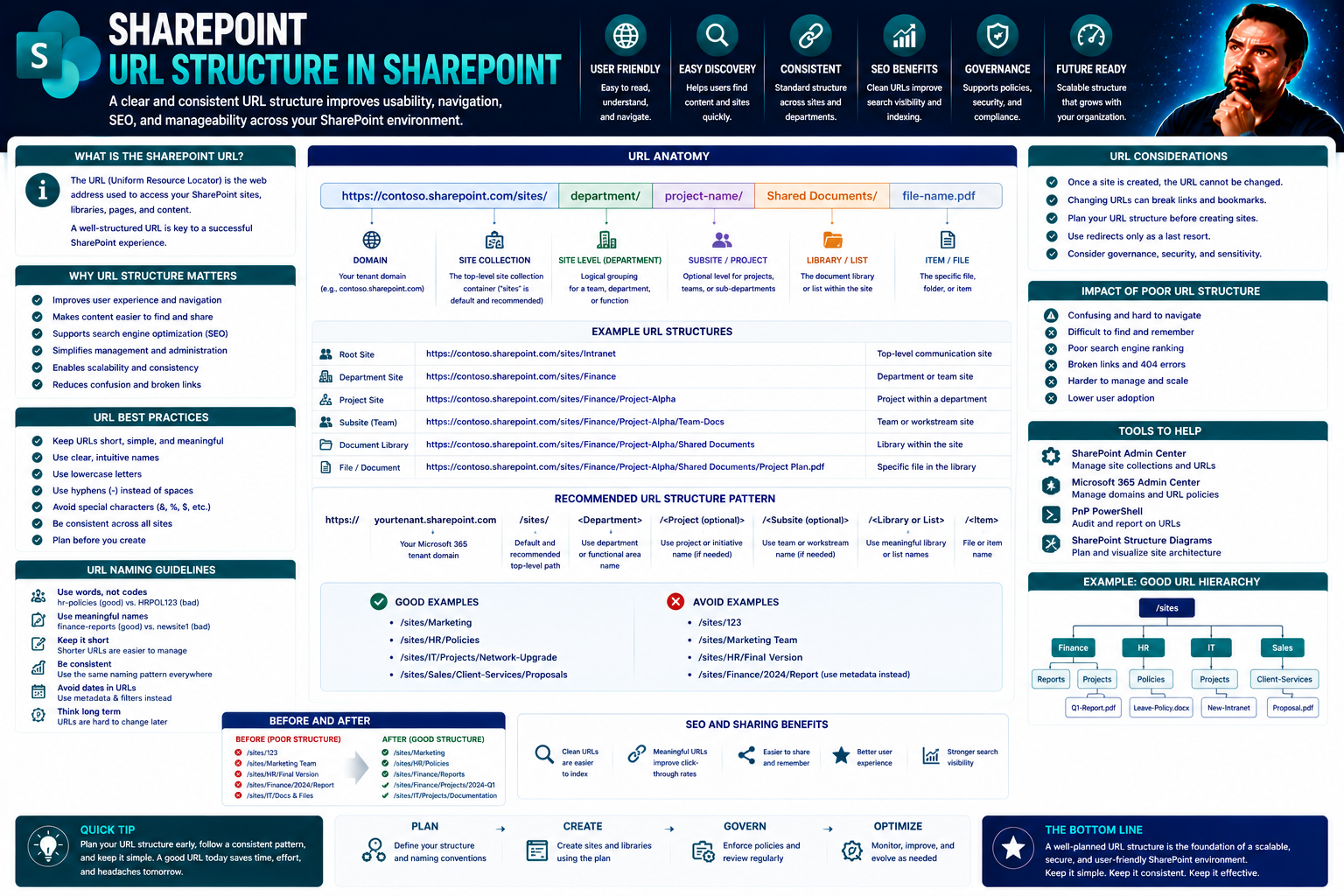
Understanding URL Structure in SharePoint
When you hear folks talk about “SharePoint URLs,” what they’re really discussing is the backbone of how you and your team find, organize, and manage everything across your SharePoint sites. Every file, page, or list has a unique “address” (that’s yo…
May 25, 2026
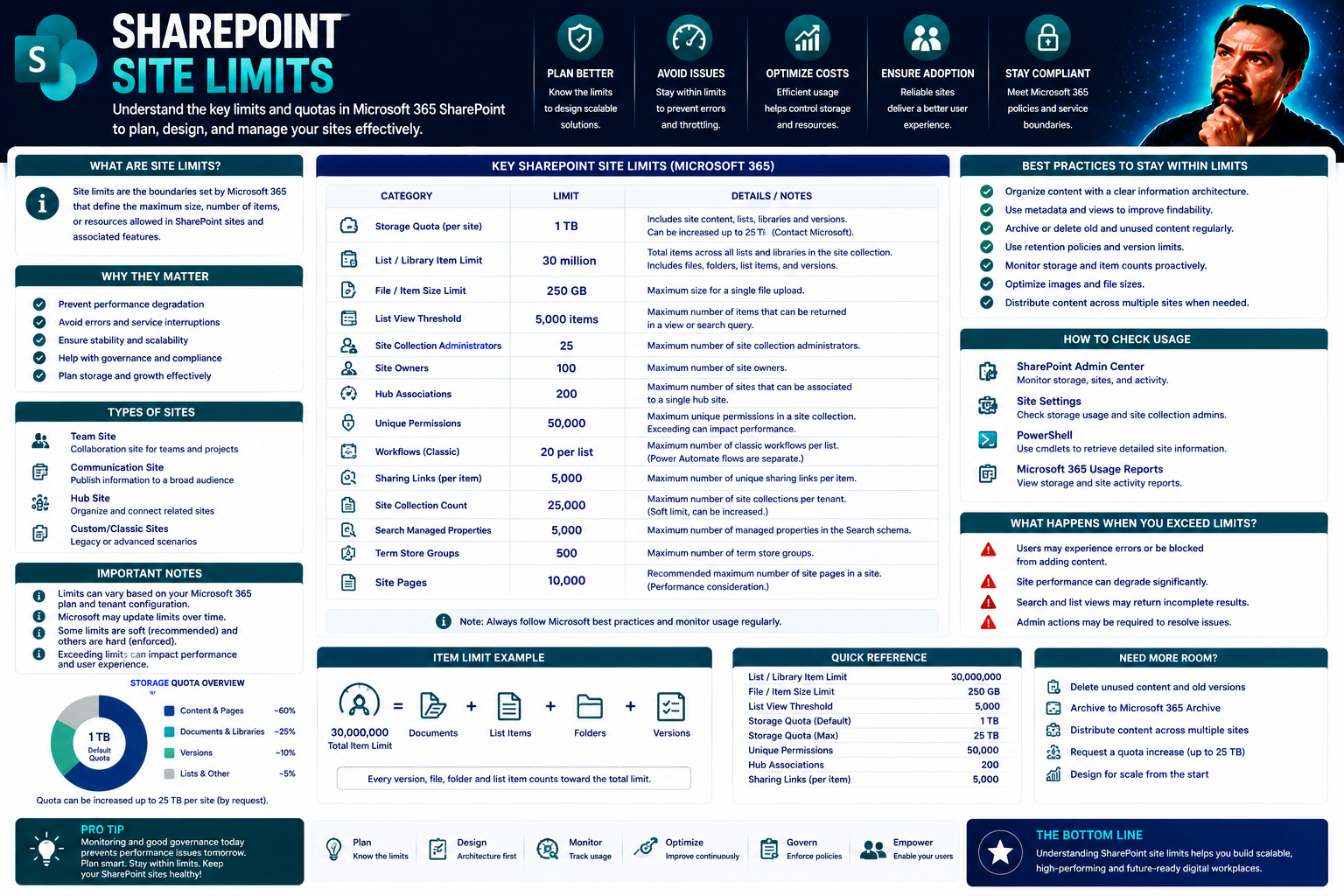
SharePoint Site Limits Explained: Essential Guide for Microsoft 365
If you’ve ever wondered how far you can push SharePoint Online before something protests, you’re not alone. This guide breaks down the most important SharePoint site limits that admins and managers should understand—storage quotas, item maximums, fi…
May 25, 2026
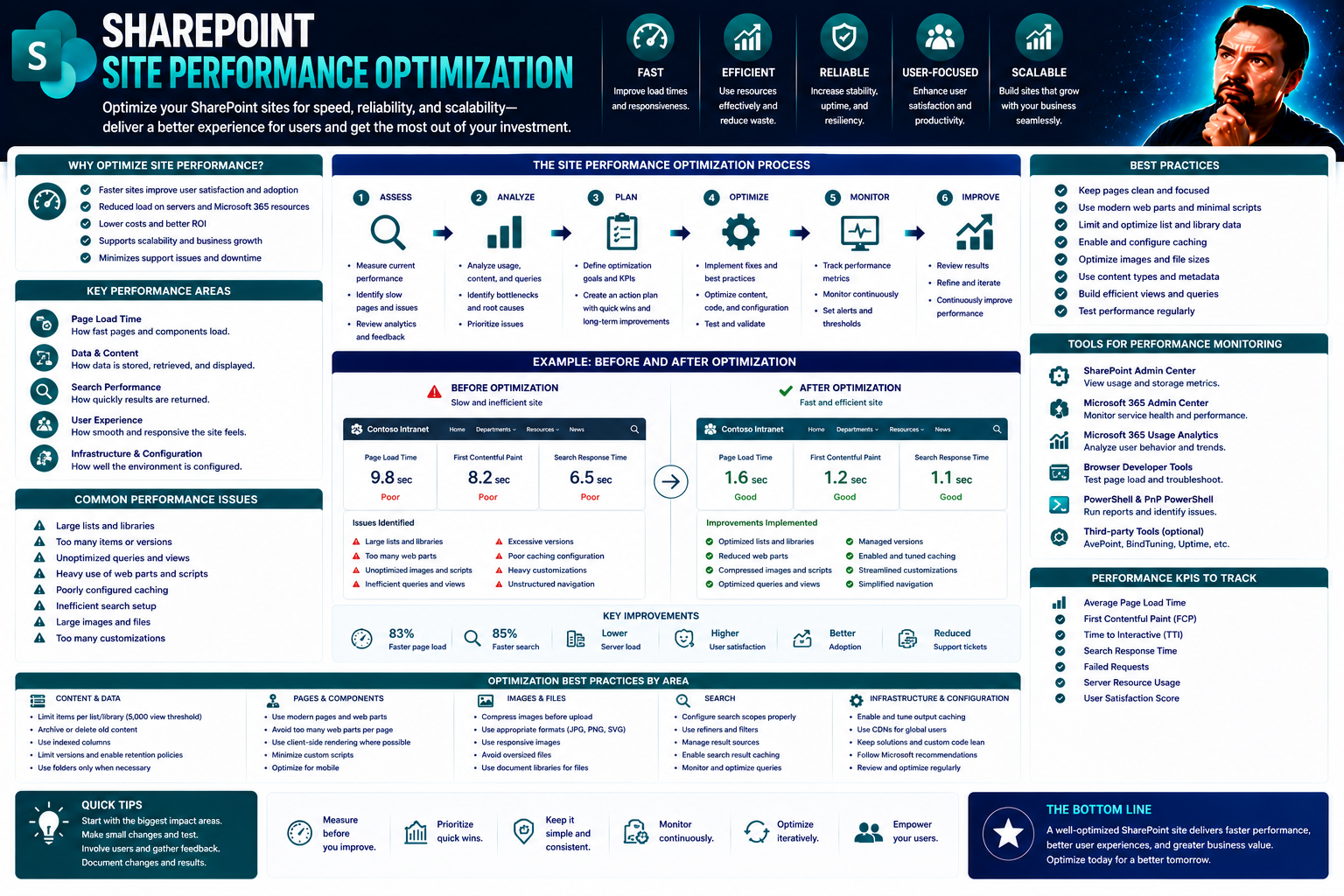
Site Performance Optimization: The Complete Guide for Modern Digital Workplaces
Let’s get straight to it—site performance optimization is no small matter in today’s digital workplace. If you’re running Microsoft Teams or SharePoint, you know that speed and efficiency aren’t just nice-to-haves—your users expect them. This guide …
May 25, 2026
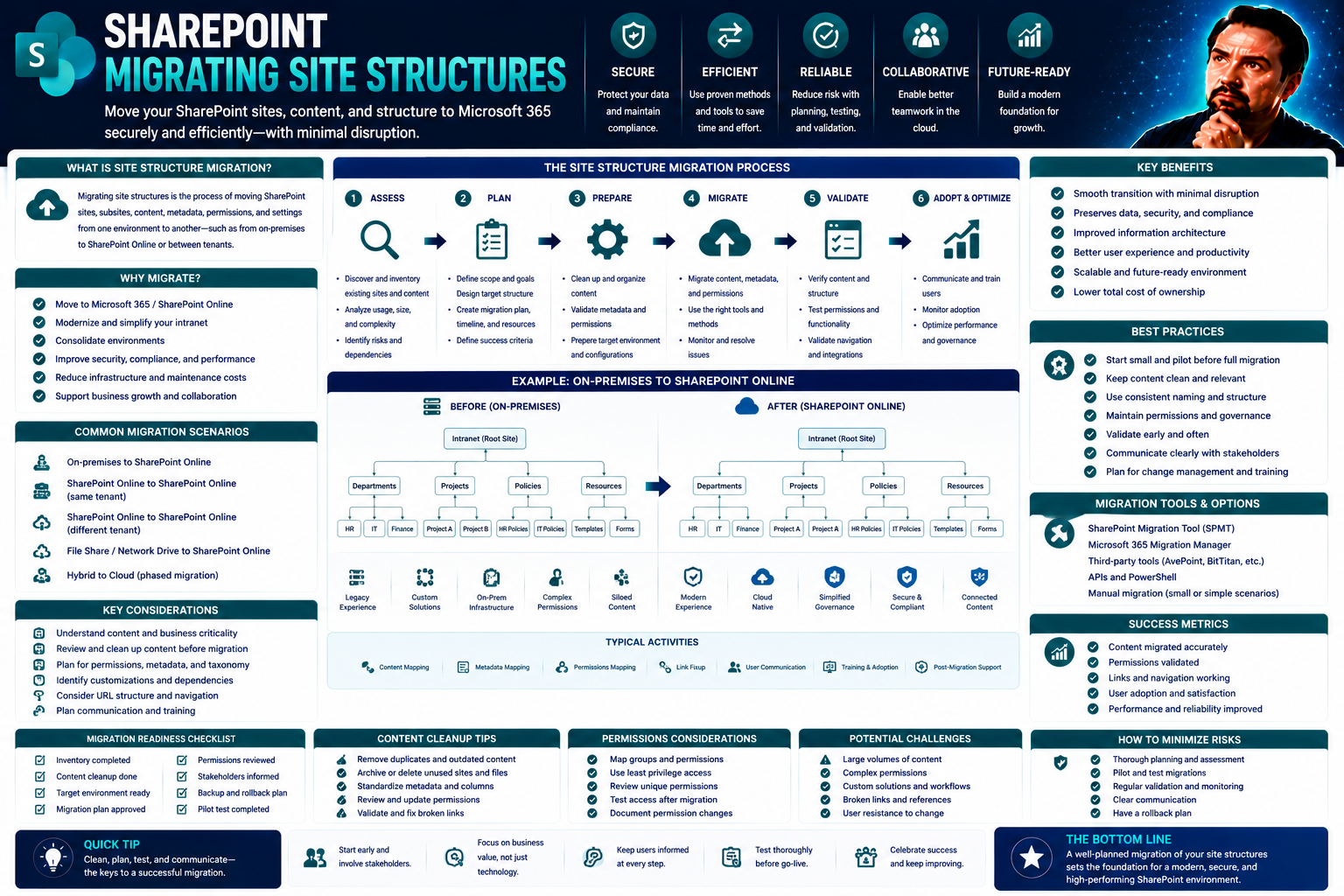
Migrating Site Structures: Comprehensive Guide for SharePoint and Microsoft Teams
Migrating your site structure—especially in environments like SharePoint and Microsoft Teams—can feel a bit like trying to move an entire apartment building while everyone’s still inside. It’s complex, sure, but done right, it opens up game-changing…
May 25, 2026
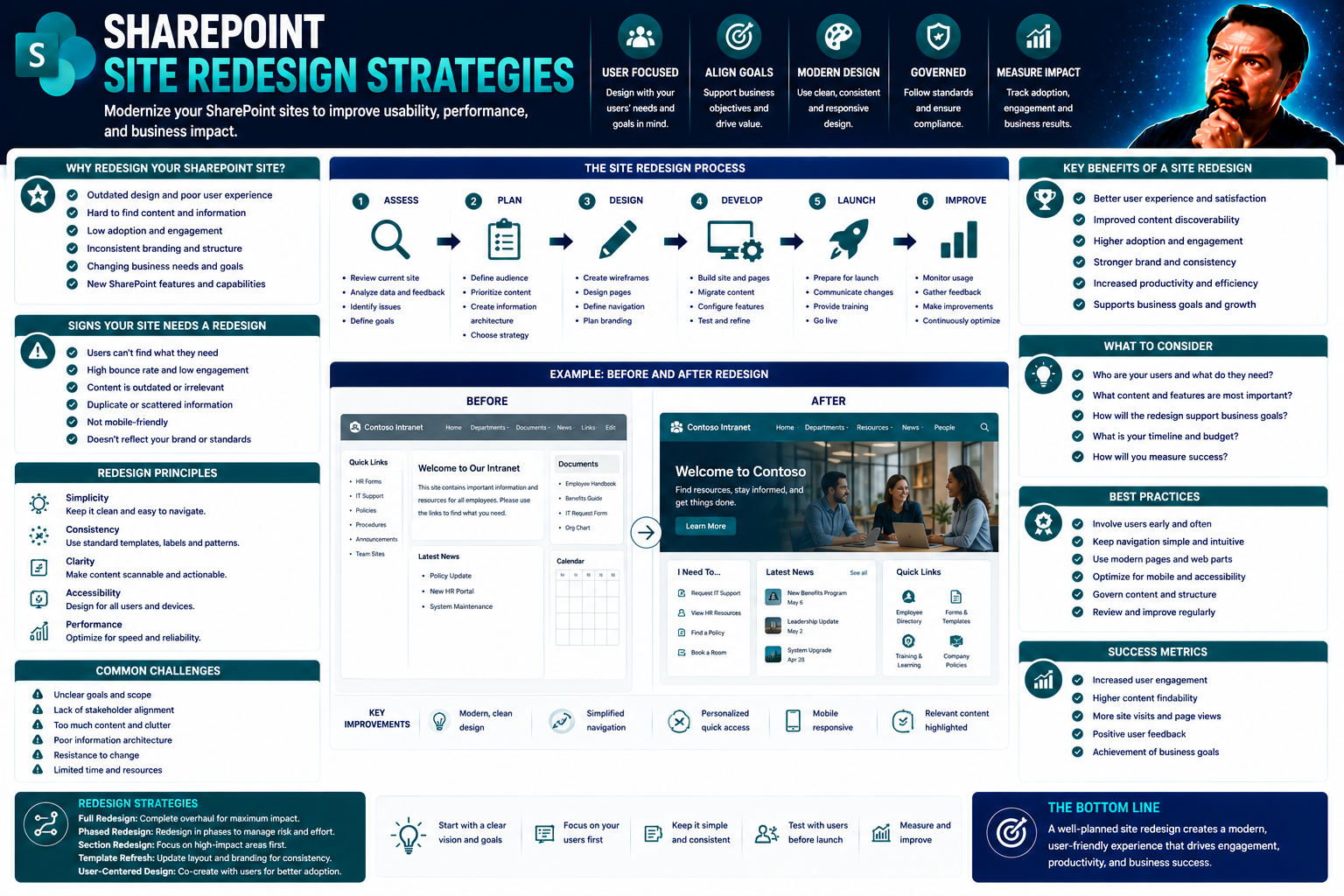
Site Redesign Strategies for Modern Businesses
Site redesign isn’t just a fancy new coat of paint for your organization’s digital front door. It’s a smart, structured approach to aligning your website’s design, technology, and business goals—especially important if you work with SharePoint or Mi…
May 25, 2026
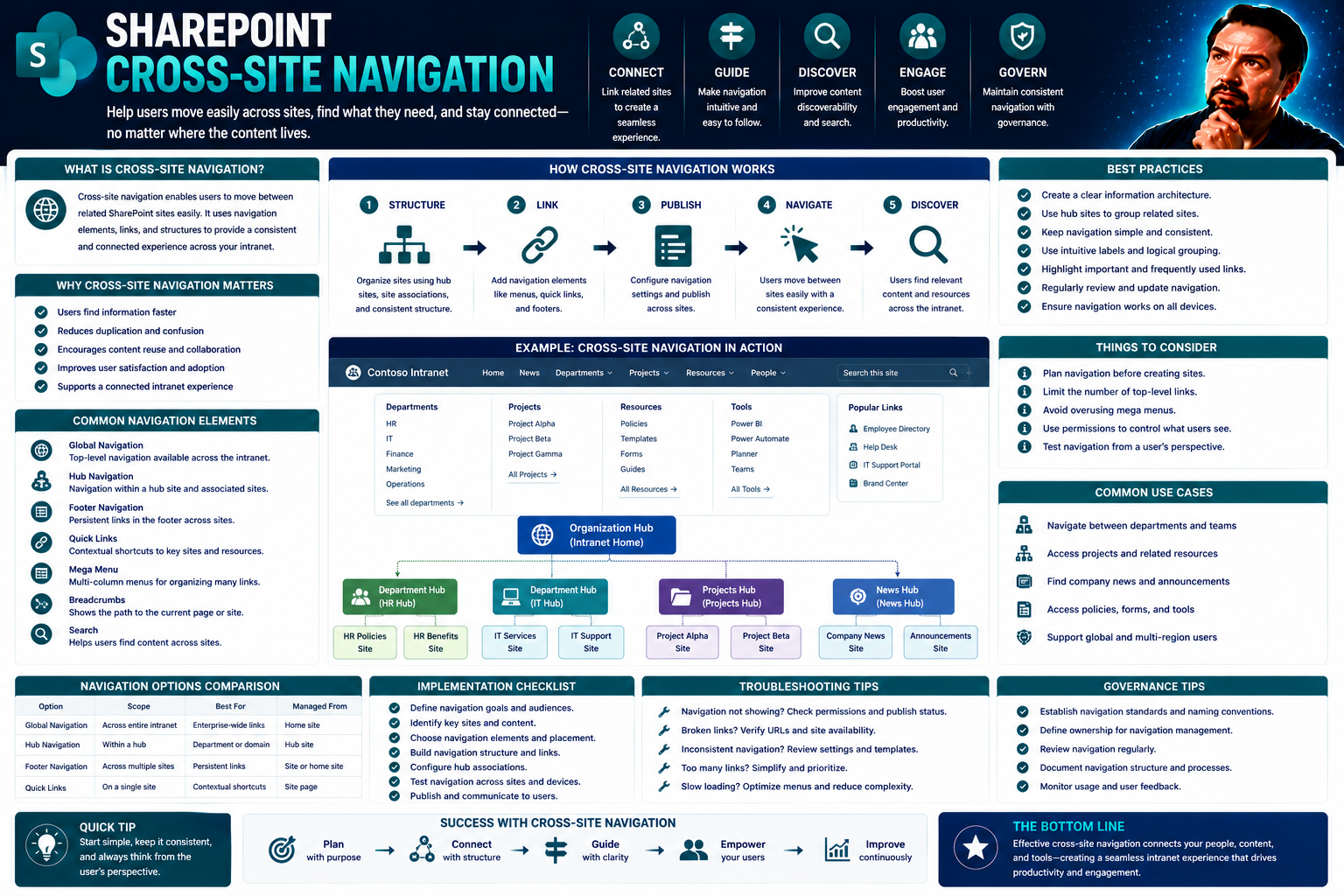
Cross-Site Navigation in SharePoint: Best Practices for Seamless User Experience
Cross-site navigation in SharePoint is your power tool for connecting the dots across your organization’s digital landscape. It links multiple SharePoint sites and collections, giving everyone a clear path to what they need—no more wandering and get…
May 25, 2026
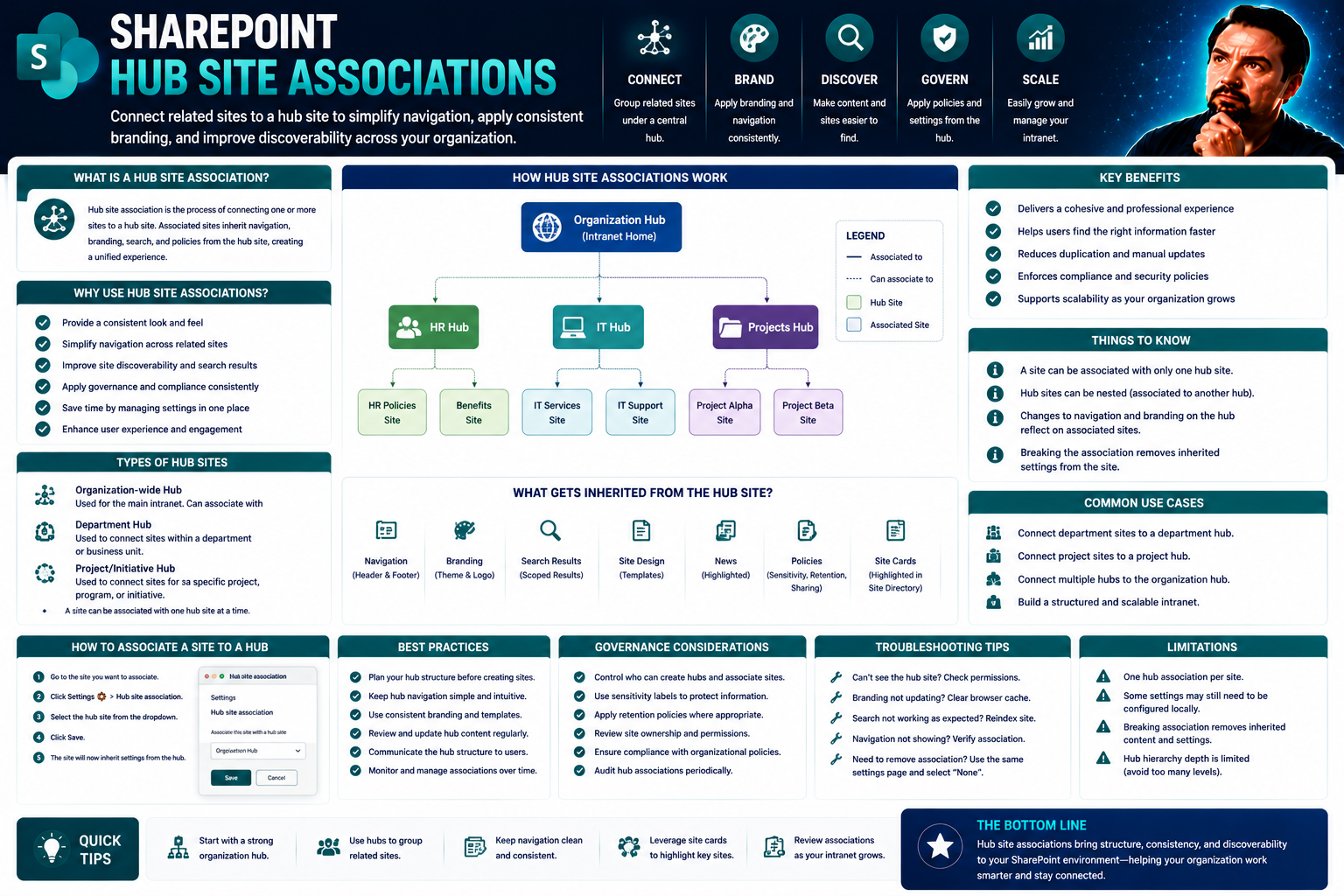
Understanding Hub Site Associations in SharePoint
Let’s be honest, SharePoint alone can get messy fast—teams spinning up new sites left and right, different looks, different navigation, and you can’t find anything when you need it. That’s exactly where hub site associations come into play. Hub site…
May 25, 2026
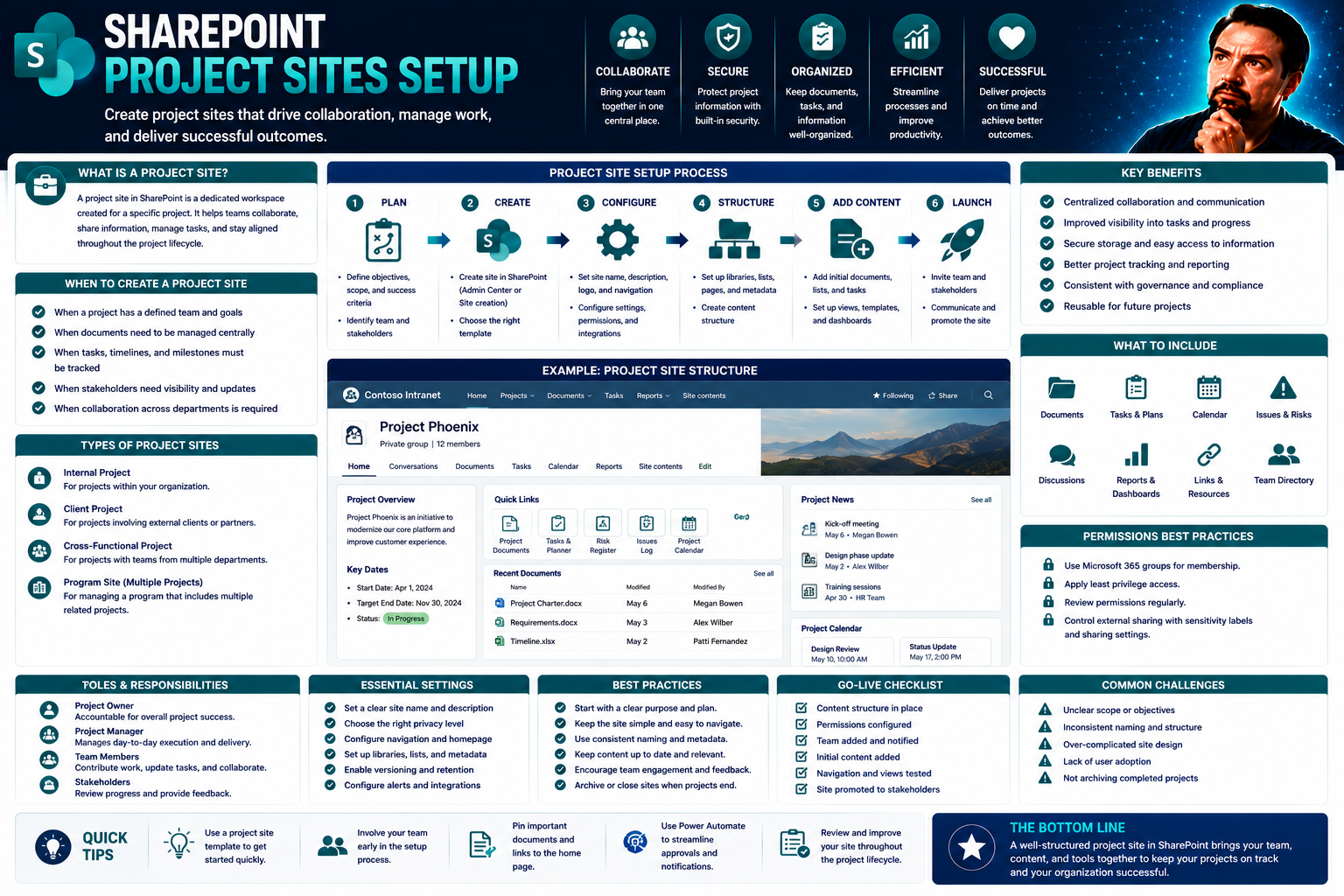
Project Sites Setup: The Ultimate Guide to Launching a Safe and Efficient Work Site
If you want to launch a project site that runs like a well-oiled machine, you’re in the right spot. This is your plain-English, straight-shooting guide to setting up any project site—big or small—that won’t just meet the letter of the law, but do ri…
May 25, 2026
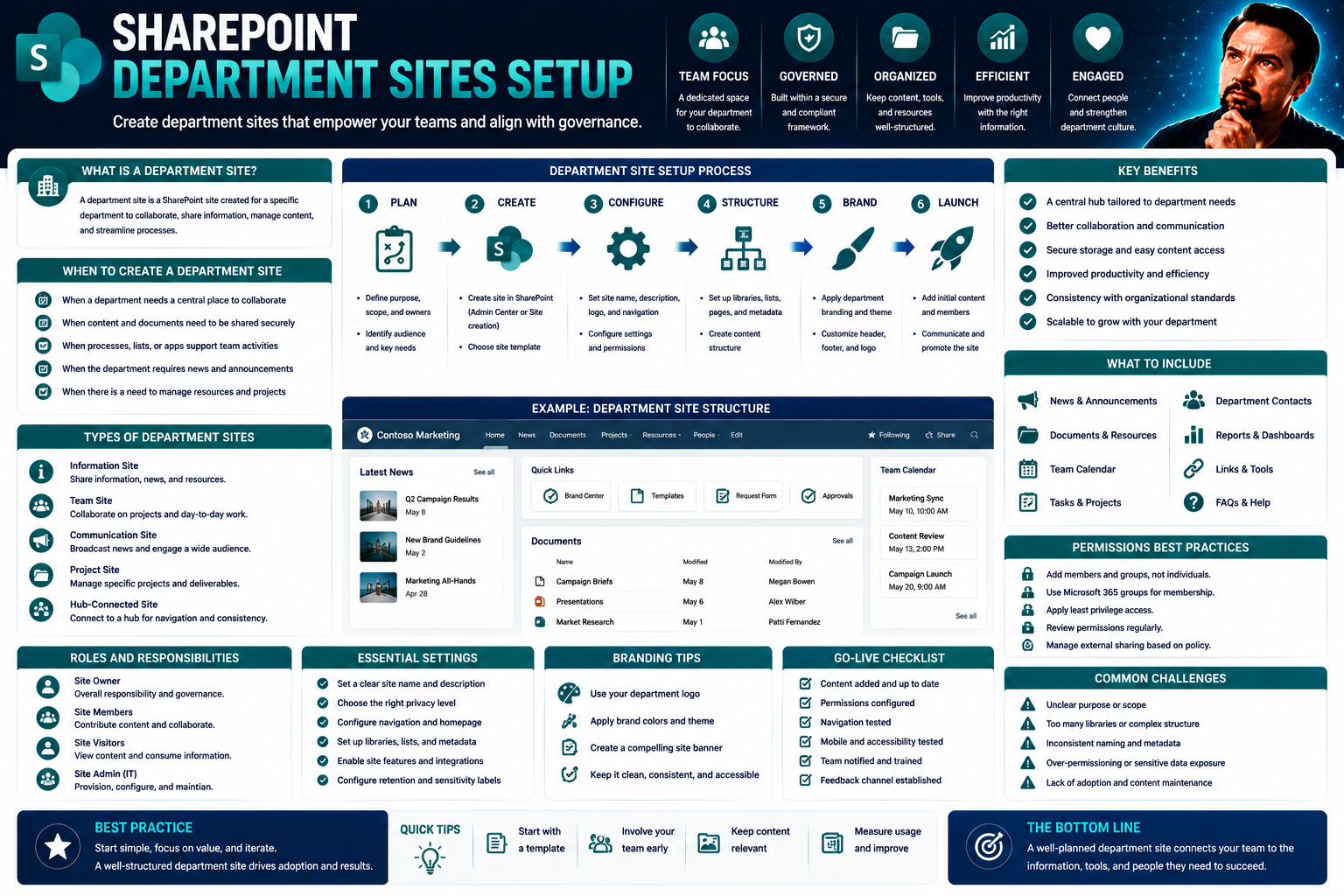
Department Sites Setup: The Complete SharePoint Guide for Modern Teams
Structured department sites in SharePoint are the backbone of a modern digital workplace. When you get the setup right, you’re not just tossing files into the cloud—you’re building an organized, secure collaboration space where your teams actually w…
May 25, 2026
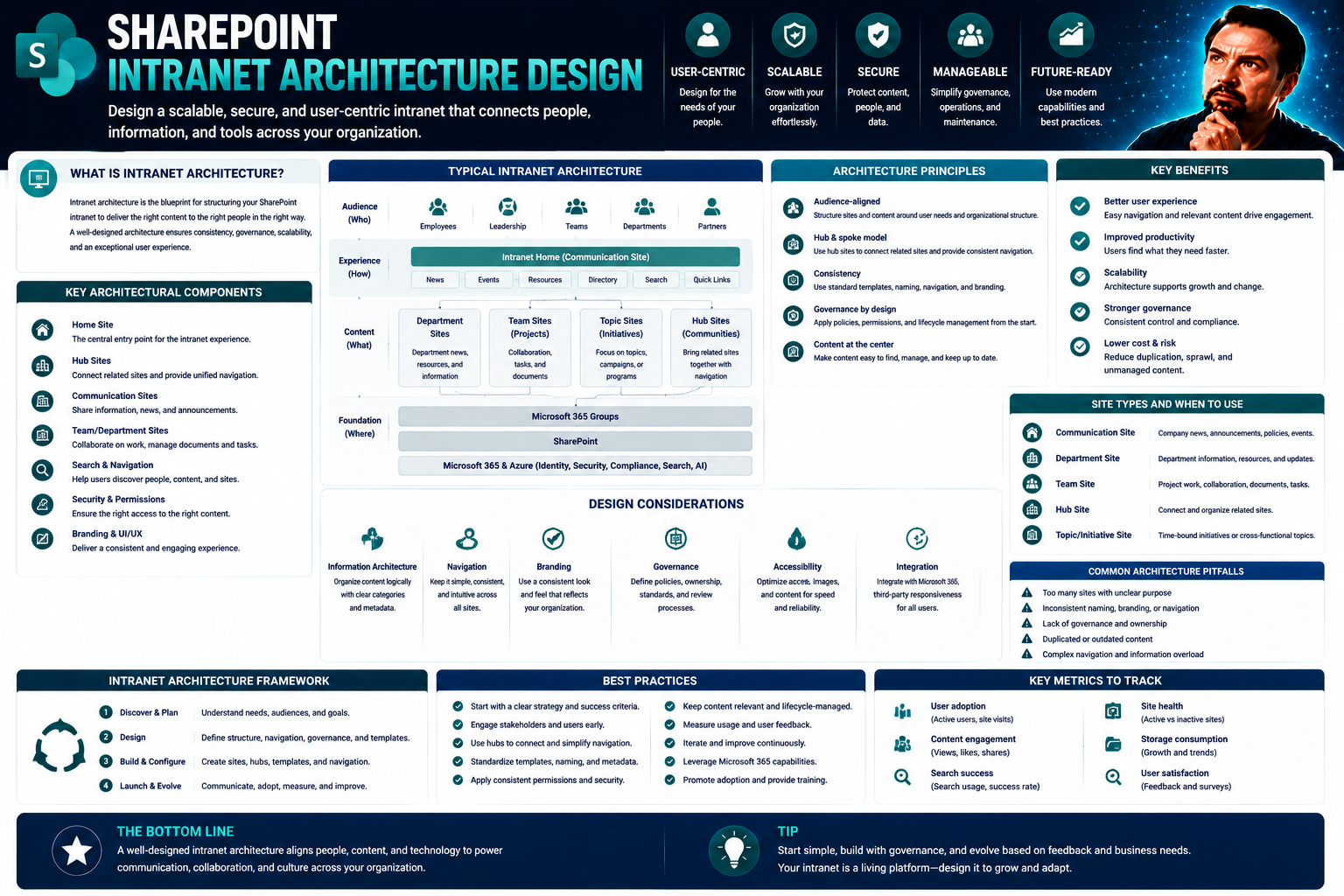
Intranet Architecture Design With SharePoint: A Comprehensive Guide
When you think about a reliable company intranet, you want something that isn’t just a digital attic for random files and messages. A well-designed intranet feels organized and future-proof from day one, and SharePoint stands tall as the leading pla…
May 25, 2026
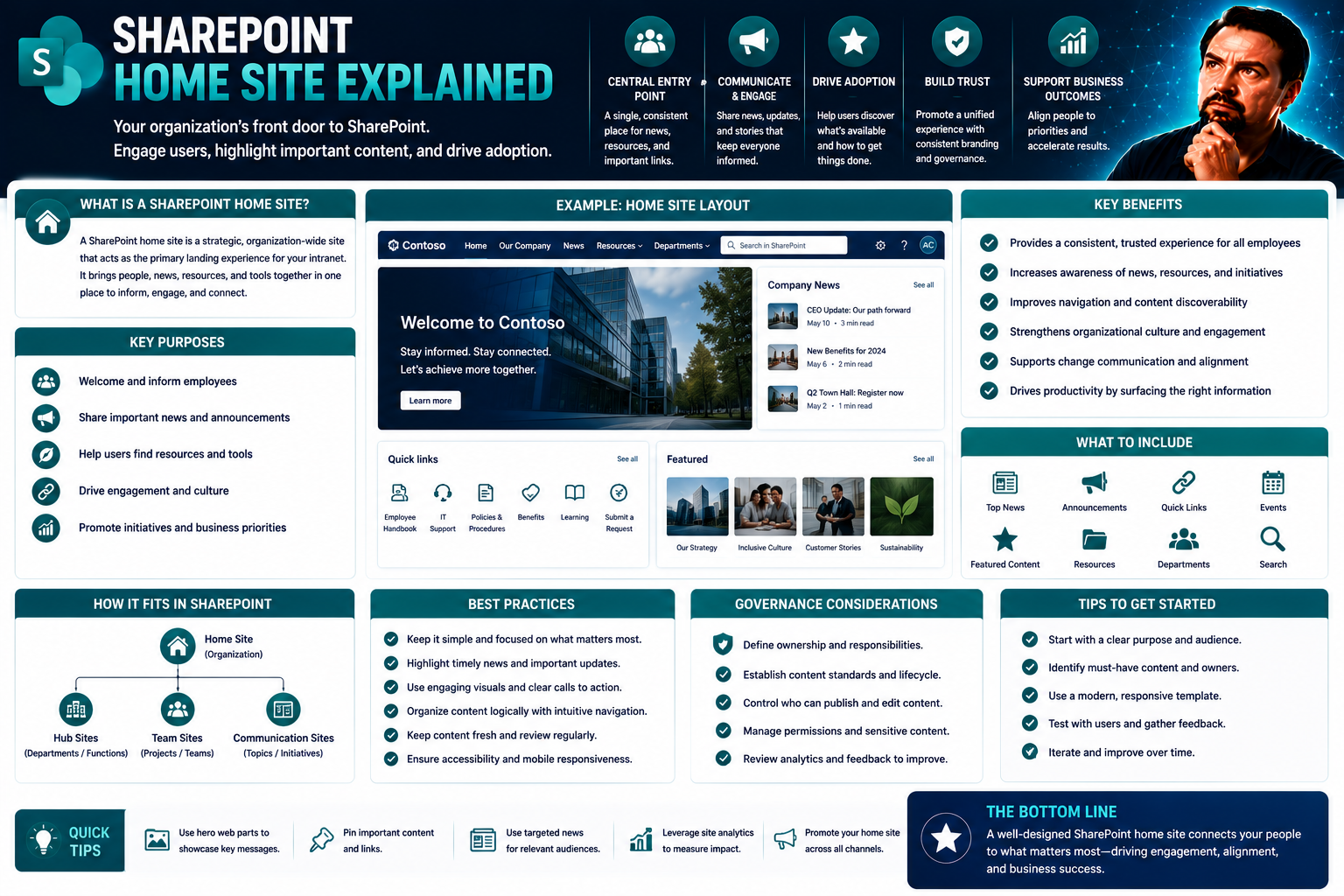
SharePoint Home Site Explained: Your Guide to a Powerful Intranet Hub
Welcome to your deep dive on the SharePoint Home Site, the heart of a truly modern intranet inside Microsoft 365. This guide is all about helping you get your arms around what the Home Site is, how to make it work for your organization, and why it’s…
May 25, 2026
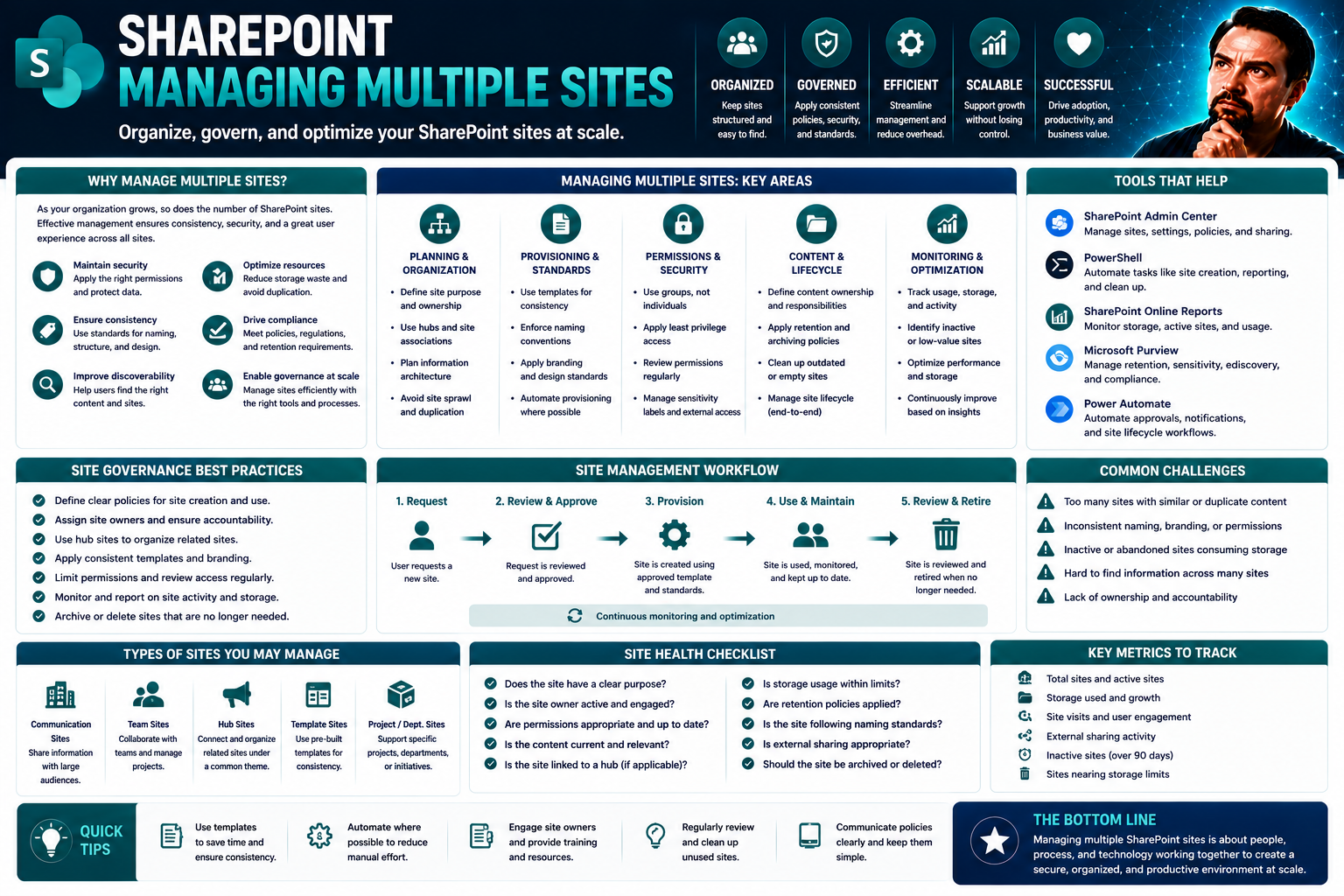
Managing Multiple Sites: A Complete Guide for Modern Organizations
Managing multiple sites isn’t just for the world’s largest brands anymore. Today, organizations of all sizes need to ramp up their digital footprint—whether you’re juggling corporate brands, regional subsidiaries, or rolling out a network of franchi…
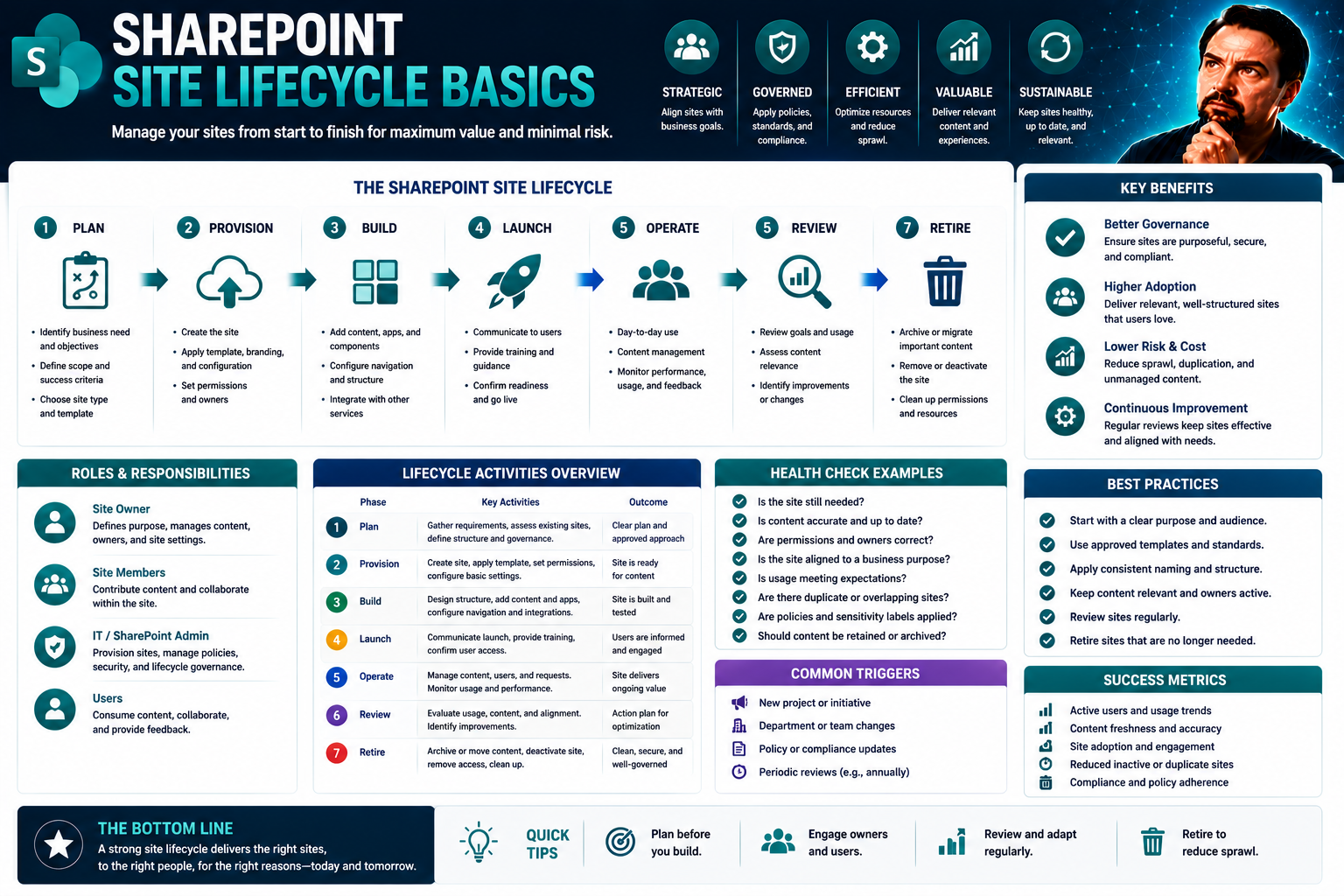
May 25, 2026
Site Lifecycle Basics in SharePoint: A Complete Guide for Microsoft 365 Governance
If you’re working with SharePoint and Microsoft 365, understanding the basics of site lifecycle management is crucial. This guide gives you the knowledge and structure you need for strong governance, compliance, and keeping your content in order—wit…
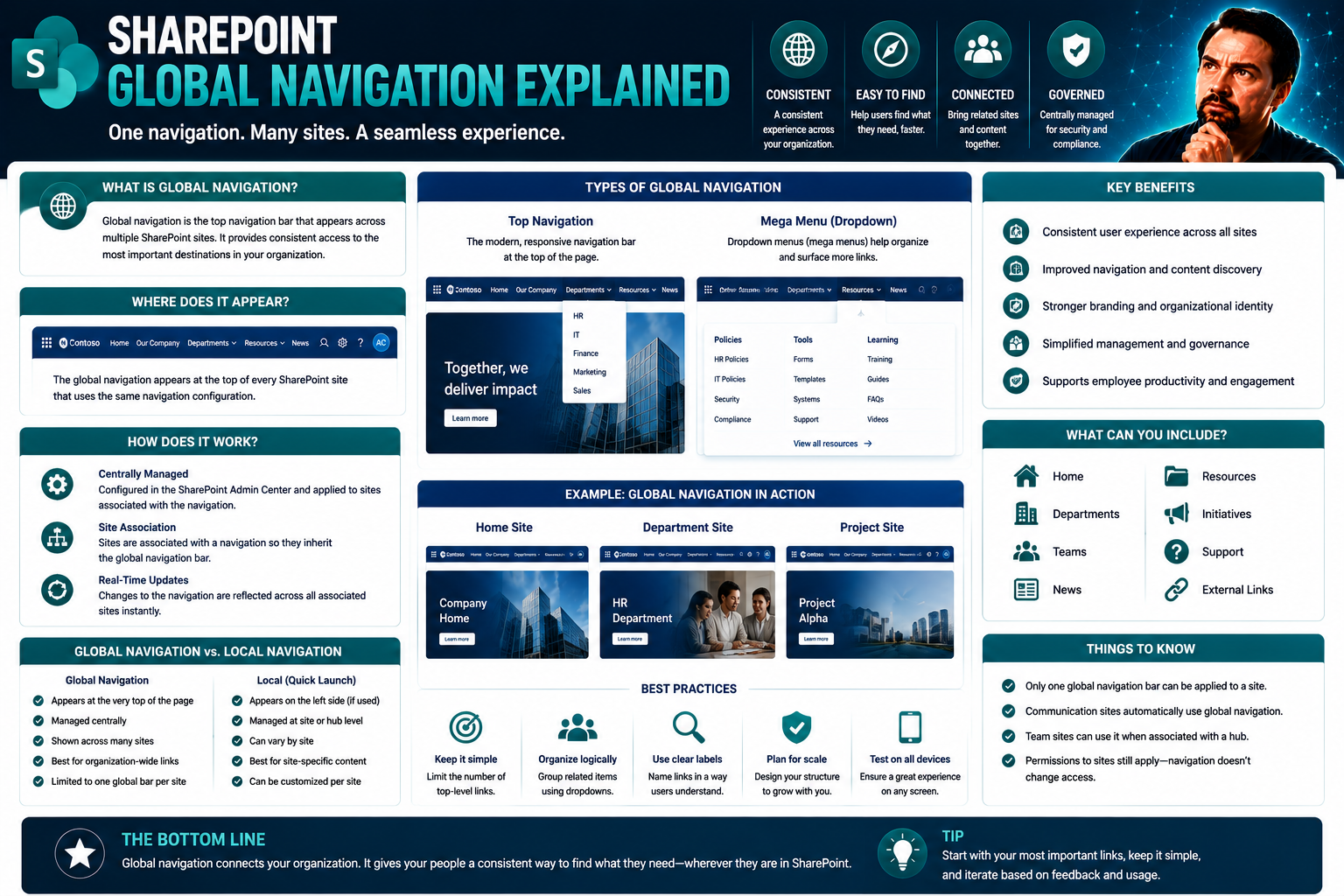
May 25, 2026
Global Navigation Explained: Systems, Principles, and Digital Applications
Global navigation is everywhere behind the scenes—whether you’re booking a ride on your phone, sending goods across continents, or securing enterprise systems with platforms like SharePoint. This guide dives deep into the nuts and bolts of global na…
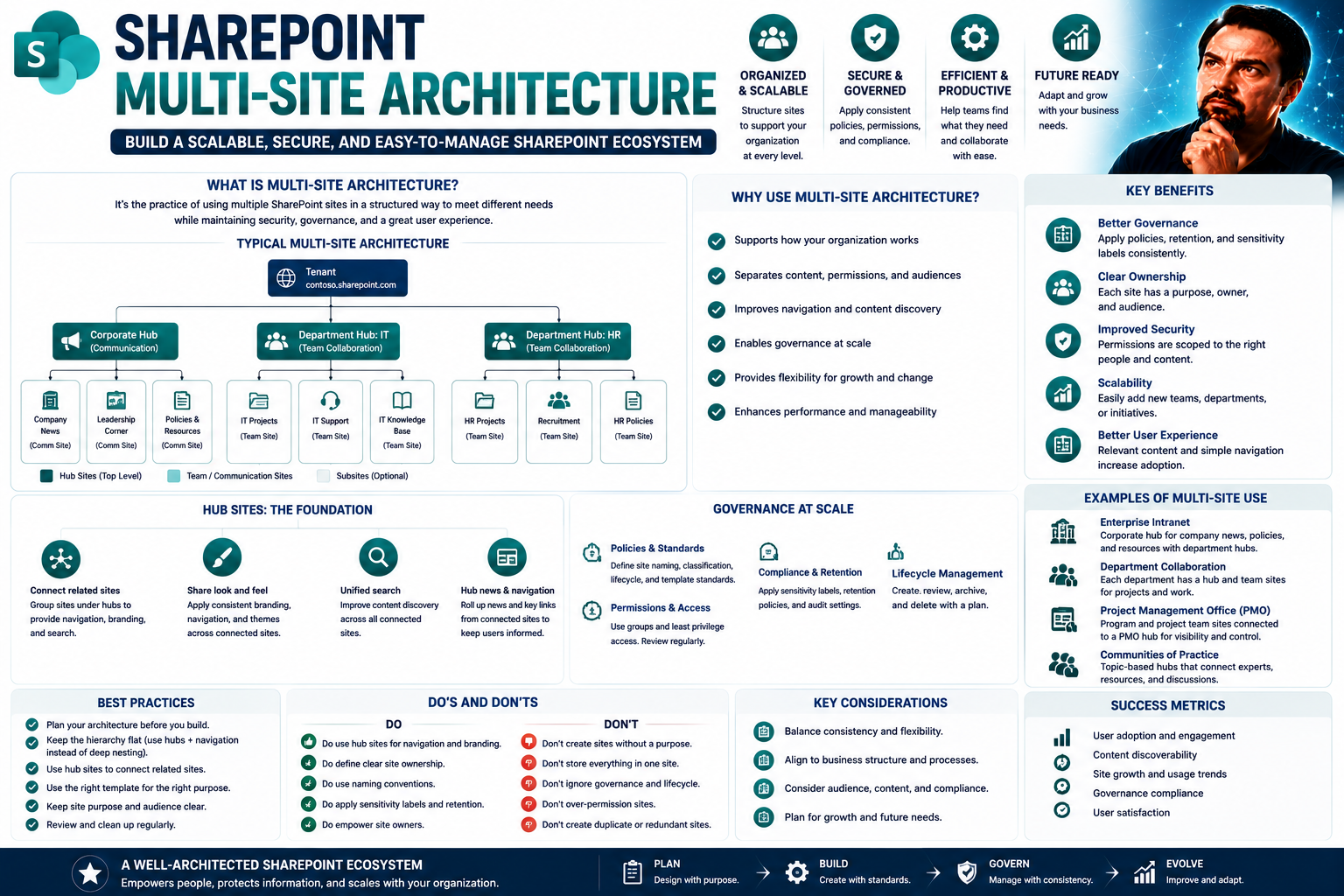
May 25, 2026
Understanding Multi-Site Architecture for Modern Enterprises
Multi-site architecture is all about giving organizations the power to manage multiple websites, intranets, or applications from one centralized system. Picture a business with different departments, branches, or even countries—each needing its own …
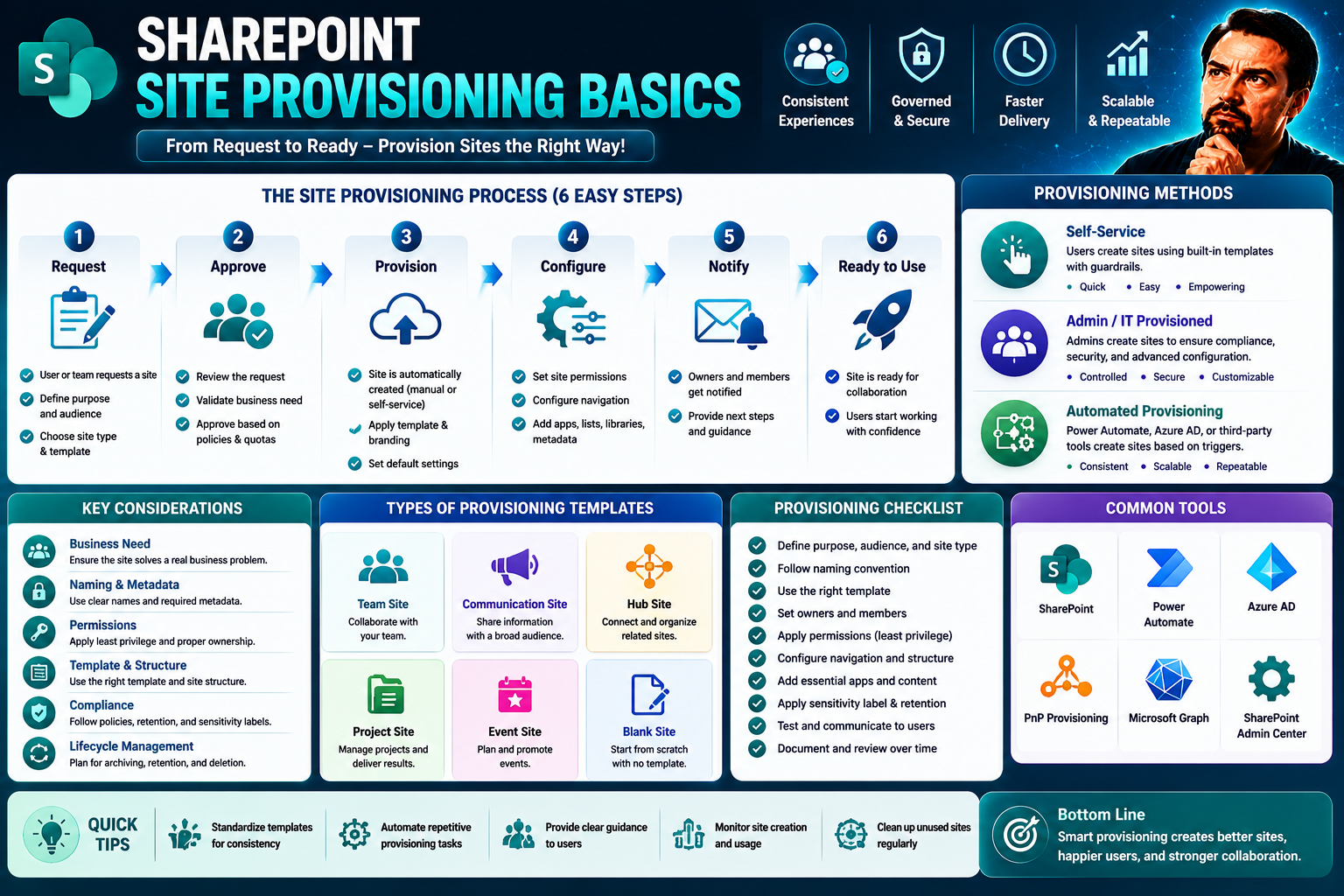
May 25, 2026
Site Branding Basics: Core Principles for Building an Impactful Digital Presence
Building a strong, recognizable brand is essential for any business that hopes to make a real impact online. Site branding isn’t just about picking out a good-looking logo—it’s about sending a message, building trust, and giving your digital platfor…
May 25, 2026
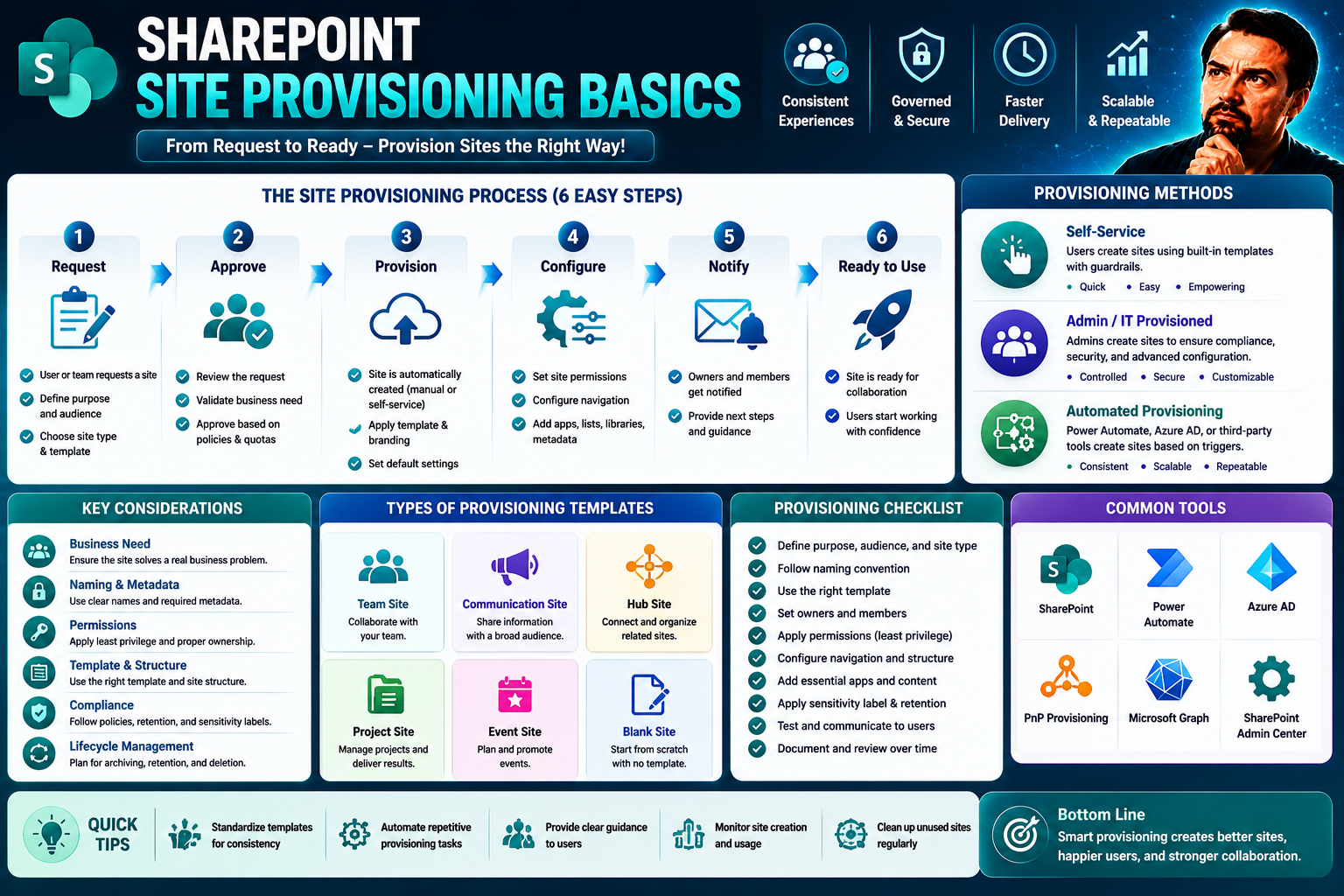
Site Provisioning Basics: The Foundation of Modern Collaboration
If your organization wants to make teamwork smooth, secure, and scalable, site provisioning is the name of the game. In Microsoft environments—especially SharePoint and Teams—site provisioning is the behind-the-scenes muscle that responsibly spins u…
May 25, 2026
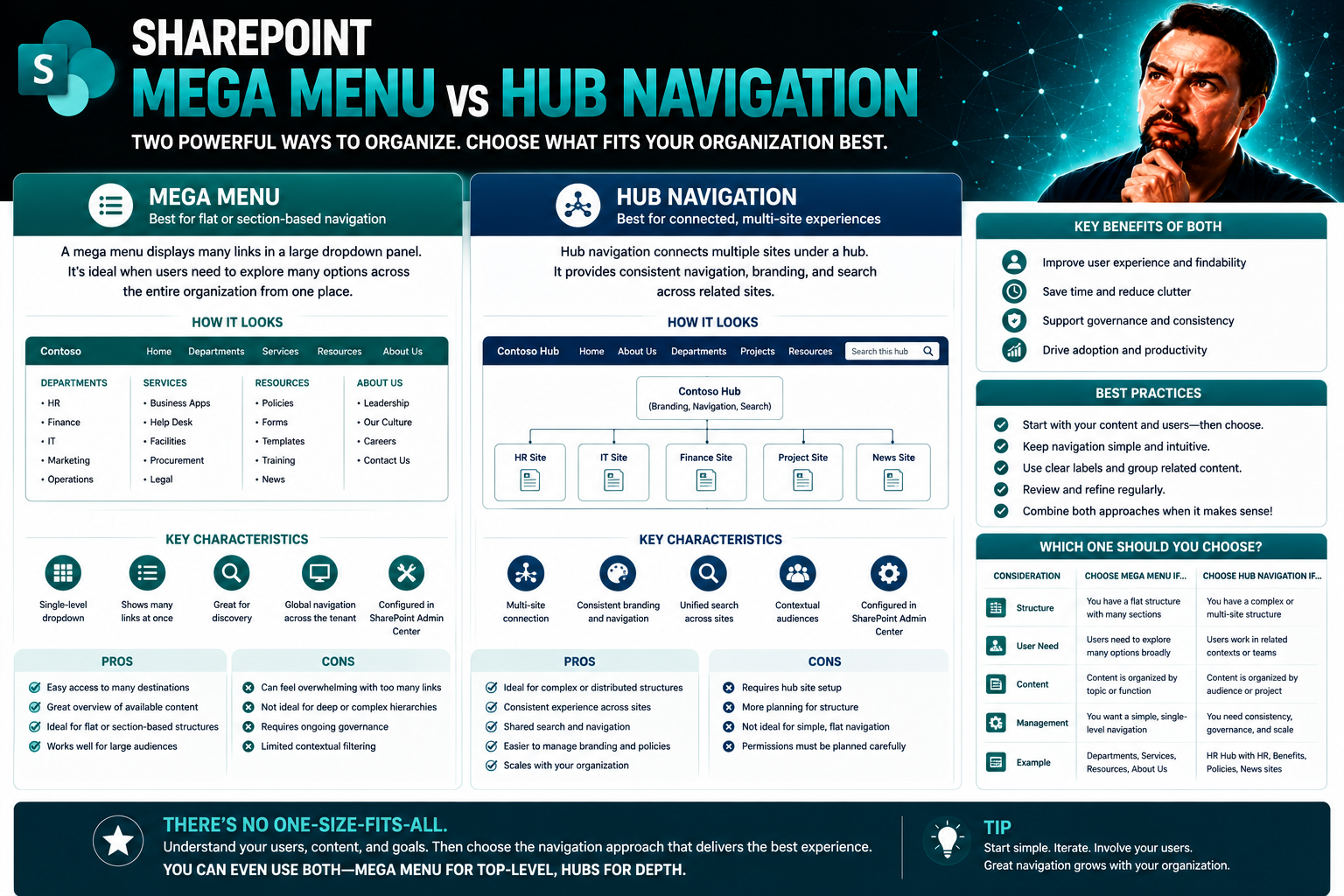
Mega Menu vs Hub Navigation in SharePoint: Core Differences and Best Practices
If you’re trying to get people where they need to go in your SharePoint intranet, the way you set up your navigation matters—a lot. Mega menus and hub navigation are the big players in the Microsoft 365 world, and they each bring their own style to …
May 25, 2026
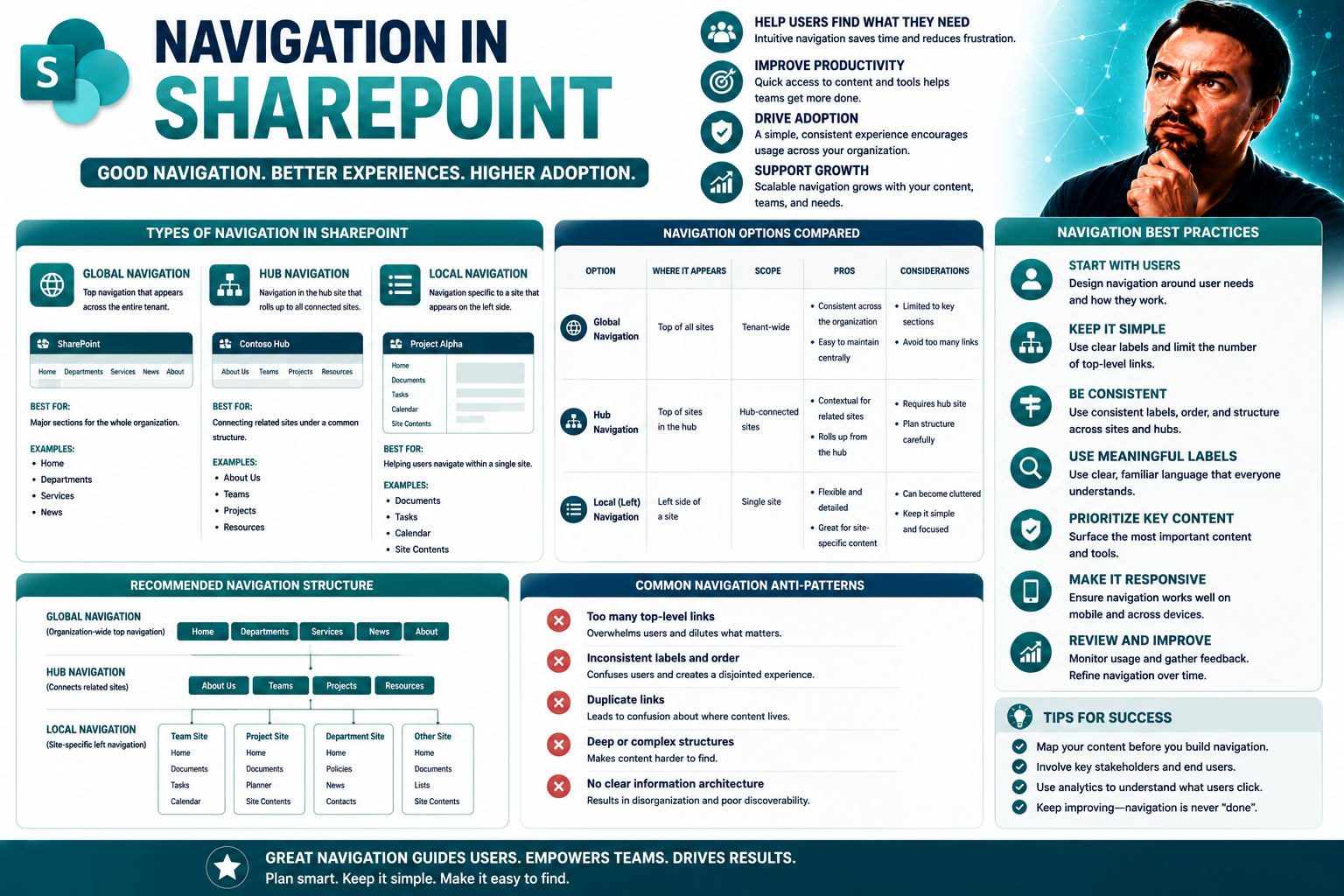
Navigation in SharePoint: Essentials for Intuitive Site Structure
Navigation is the backbone of any SharePoint intranet. Think of it as the signposts in a city—without them, nobody knows where to go or how to get there. SharePoint navigation, when done right, helps your team find documents, sites, and tools quickl…
May 25, 2026
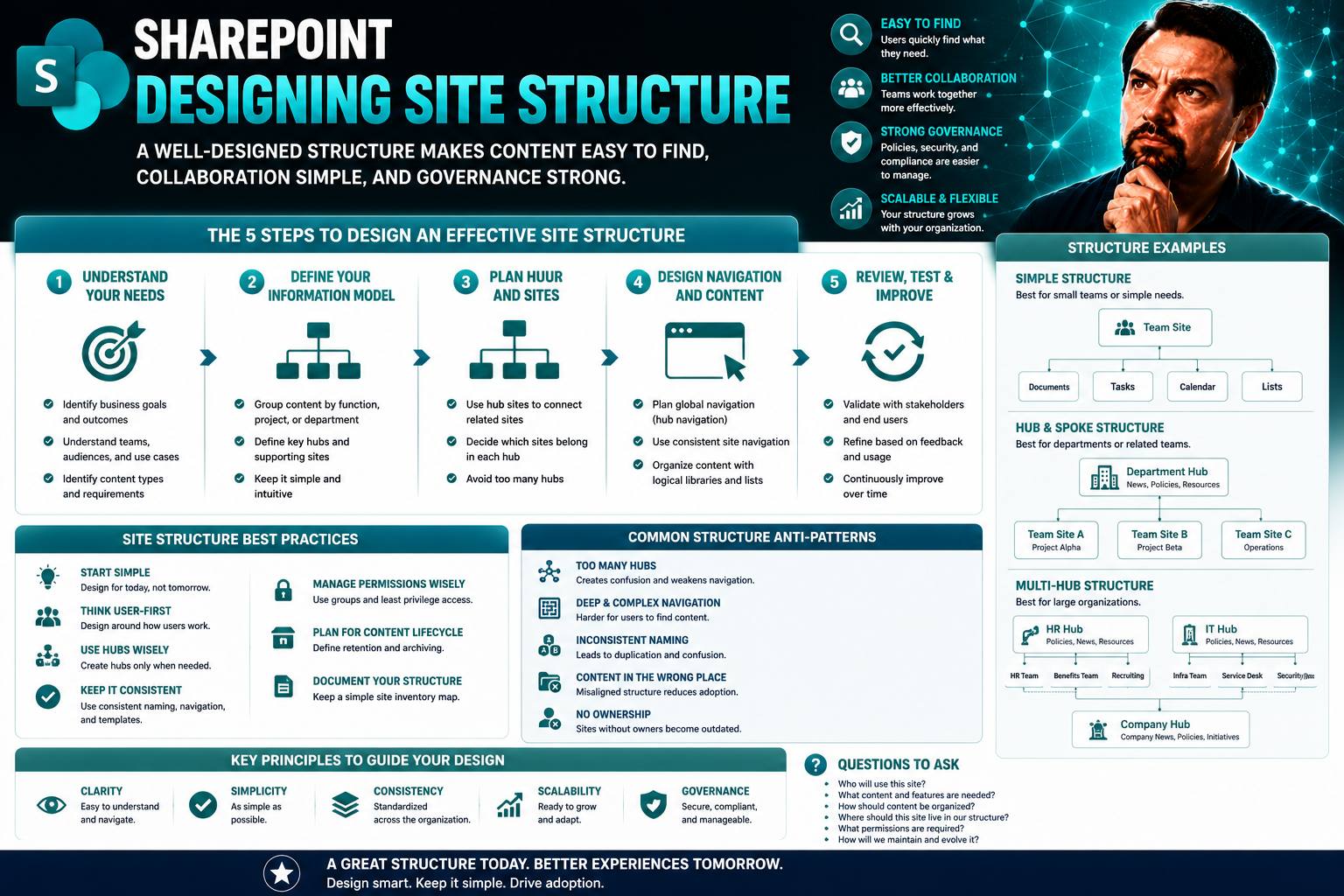
Designing Site Structure for SharePoint and Microsoft Teams: The Complete Guide
If you've ever struggled to find what you need in a digital workplace, you know just how important solid site structure is. This guide lays out proven strategies for building effective, intuitive site architectures—specifically designed for SharePoi…
May 25, 2026
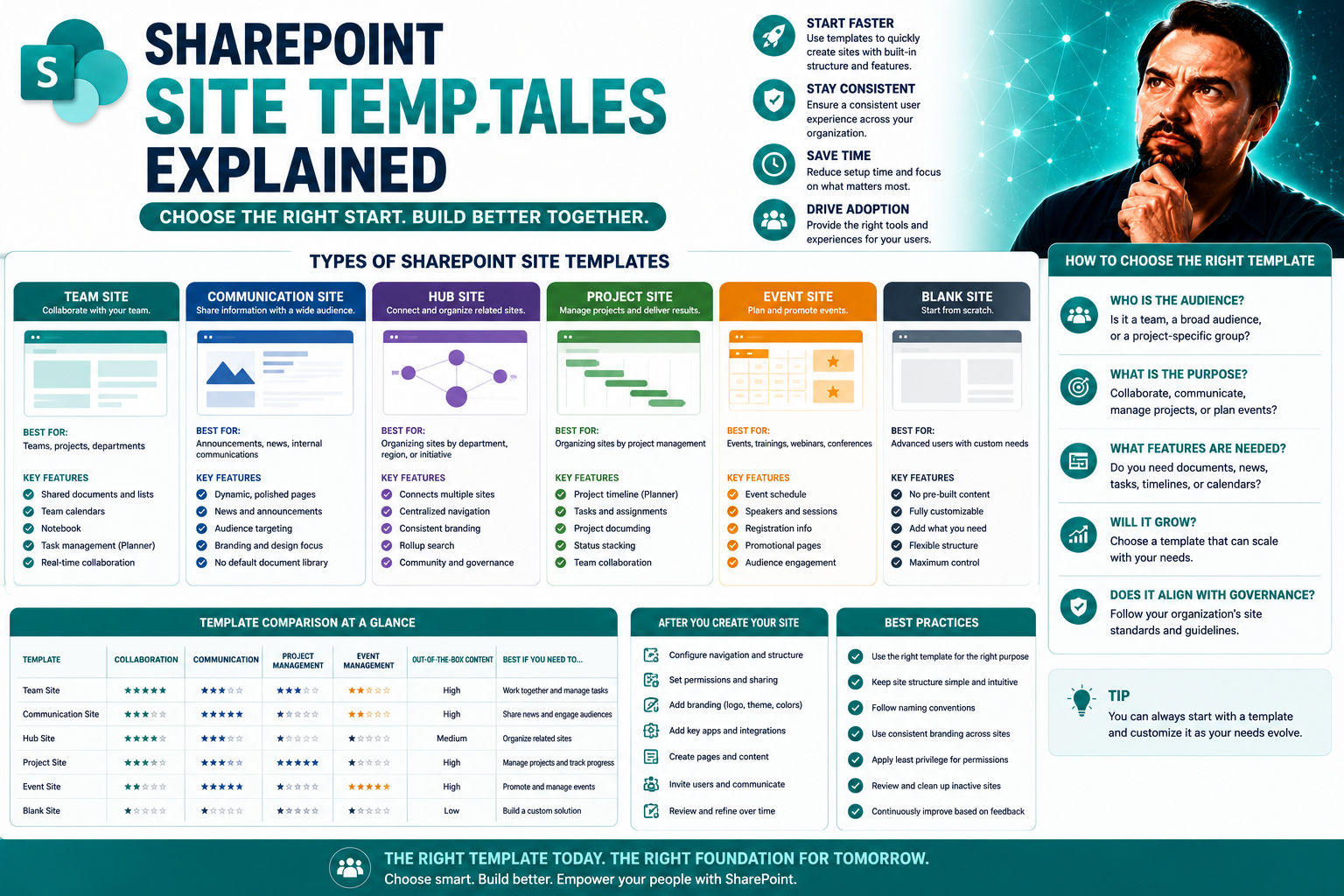
Site Templates Explained: The Key to SharePoint Consistency and Efficiency
If you want to get your arms around SharePoint—keep it tight, efficient, and actually helpful—you’ve got to understand site templates. These aren’t just pretty designs or shortcuts; they’re foundational tools that make building, launching, and manag…
May 25, 2026
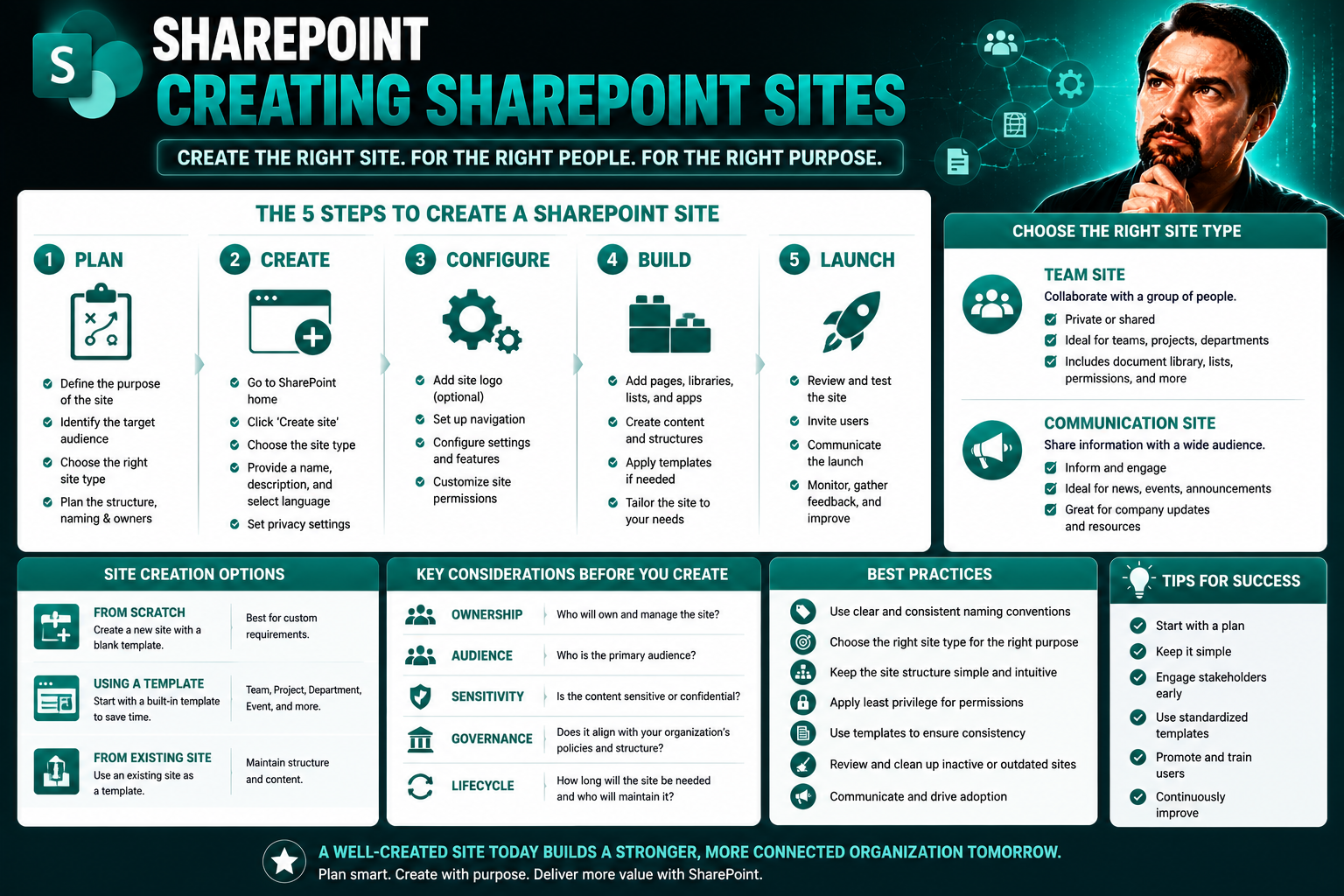
Creating SharePoint Sites: The Complete Guide for Modern Collaboration
If you’re looking to bring your team together and keep everyone on the same page, SharePoint is one of the best tools out there. This guide is your roadmap to building SharePoint sites that actually work — for collaboration, document management, and…