Turn your real-world experience into part of the show.

Blog Posts

April 20, 2026

Understanding the AADSTS50011 Redirect URI Mismatch Error

AADSTS50011 redirect URI mismatch means the redirect URI sent by an application does not exactly match a URI registered in Microsoft Entra ID. Compare the application’s request with the registered redirect URI, including scheme, hostname, path, port…

View more
April 20, 2026

Understanding the AADSTS90002 Tenant Not Found Error

If you see the AADSTS90002 error, it’s basically Microsoft’s way of saying, “Hey, I can’t find your tenant!” This pops up mostly in Microsoft 365, Azure Active Directory, or Entra ID environments when you try to log in or connect a service, but your…

View more
April 19, 2026

How to Fix the AADSTS7000215 Invalid Client Secret Error in Azure

The AADSTS7000215 error—often called the “invalid client secret” error—pops up in Microsoft Azure, M365, and cloud-connected apps when something’s amiss with your authentication setup. This error means that Azure Active Directory couldn’t validate t…

View more
April 19, 2026

How to Fix AADSTS65001 Consent Required Error in Azure AD and Microsoft 365

Running into the AADSTS65001 "Consent Required" error in Azure Active Directory can really hit the brakes on your Microsoft 365 or Dynamics 365 projects. This error means the app you’re trying to use needs permissions that haven’t been granted yet—u…

View more
April 19, 2026

Understanding the AADSTS50105 User Not Assigned Role Error

If you're working with Microsoft 365 or Entra ID (formerly Azure AD), seeing the AADSTS50105 error probably means someone's hair is on fire about users not getting into an app. This error is all about access—specifically, when a user tries to sign i…

View more
April 19, 2026

Solving the AADSTS700016 Application Not Found Error in Azure AD

The AADSTS700016 error is a common frustration when working with Microsoft Azure Active Directory authentication, especially if you’re rolling out apps across your organization or handling Microsoft 365 integrations. In simple terms, this error pops…

View more
April 19, 2026

AADSTS50079 Explained: Meaning and Impact in Microsoft Cloud

If you’ve ever tried to log into Microsoft 365 or Entra ID and suddenly hit a wall with a message about “AADSTS50079,” you’re not alone. This error pops up when your sign-in requires Multi-Factor Authentication (MFA), but something’s missing—usually…

View more
April 19, 2026

AADSTS50076 Error Fix Guide for Microsoft Entra ID and Azure AD

If you work in IT and manage Microsoft cloud environments, you’ve probably run into the AADSTS50076 error before—and let’s be real, it’s a headache nobody wants. This guide gives you the rundown on what the error means, why it pops up, and, most imp…

View more
April 19, 2026

Copilot Prompts for Storytelling: The Complete Guide

Storytelling with Microsoft Copilot inside Microsoft 365 isn’t just about typing in ideas and hoping for the best. It’s about crafting prompts that guide Copilot to generate and shape engaging narratives tailored for your audience and business or cr…

View more
April 19, 2026

Copilot Security Checklist for IT Teams

Rolling out Microsoft Copilot across your organization is no small task—and the security risks can be real if you skip key steps. This checklist lays out everything IT teams need to anchor Copilot usage firmly within the security and compliance fram…

View more
April 19, 2026

Securing Copilot for Remote Workforces: Microsoft 365 Security Essentials

Securing Microsoft Copilot in a remote workforce isn’t just about blocking threats at the perimeter. It's about protecting sensitive information wherever it lives and travels—across cloud platforms, personal devices, and the everyday workflows of a …

View more
April 19, 2026

Copilot Prompts for Consultants: The Complete Guide to Microsoft 365 Consulting Workflows

This guide shows you exactly how to put Microsoft 365 Copilot to work in every part of your consulting practice—from managing your inbox and meetings to building client-ready deliverables, and everything between. You’ll find hands-on prompt framewor…

View more
April 19, 2026

Mastering Copilot Prompts for Customer Support Efficiency

Tired of support backlogs and one-size-fits-all email replies that miss the mark? This guide is all about how to unlock real efficiency with Copilot prompts inside Microsoft 365. Here, you'll find practical tactics that help you streamline support o…

View more
April 19, 2026

Copilot Prompts for Sales: The Ultimate Guide to AI-Powered Selling

Welcome to a fresh approach to sales productivity, where Microsoft Copilot takes the wheel and drives your results higher. Copilot prompts are carefully worded instructions that tap into the power of AI directly within Microsoft 365 and Dynamics 365…

View more
April 19, 2026

Copilot Prompts for Executives: The Ultimate Guide to Microsoft 365 AI Leadership

Copilot prompts for executives needs a clear business outcome, approved data access, and accountable human review. Start with the intended user scenario, validate permissions and policies, test the approach with representative users, and document th…

View more
April 19, 2026

Copilot Prompts for Managers: The Complete Guide to Microsoft 365 Productivity

Copilot Prompts for Managers: The Complete Guide to Microsoft 365 Productivity Microsoft 365 Copilot is transforming the way managers lead teams, communicate across departments, and drive organizational productivity. With the right prompts, manager…

View more
April 19, 2026

Teams Governance Best Practices for 2026

Microsoft Teams has grown up—ain’t no denying it. By 2026, Teams isn’t just about chat and online meetings; it’s a workplace nerve center for everything from sensitive boardroom files to late-night project banter. But like any high-traffic street co…

View more
April 19, 2026

Teams Policy Packages Explained

Teams Policy Packages Explained When you’re running Microsoft Teams across a business or school, things can get messy if folks have different permissions and settings. That’s where policy packages come in. Think of these as neat bundles of rules an…

View more
April 19, 2026

Teams Private Channel Governance Model: Complete Guide

Teams Private Channel Governance Model: Complete Guide Strong governance over Microsoft Teams private channels isn’t just a box to check—it’s a real necessity for any modern organization serious about security and compliance. As more sensitive conv…

View more
April 19, 2026

Teams Shared Channel Governance Risks: What Every Organization Needs to Know

Shared channels in Microsoft Teams make it easier than ever for people to collaborate—both inside your company and with trusted partners or clients outside your walls. But with that extra convenience comes a double helping of governance headaches. S…

View more
April 19, 2026

Teams Sprawl Prevention Model: A Comprehensive Guide

Teams Sprawl Prevention Model: A Comprehensive Guide If you’ve ever peeked behind the curtain of a busy Microsoft 365 setup, you know Teams sprawl is the stuff of IT nightmares. Unchecked, it sneaks up on you—before you know it, every new project a…

View more
April 19, 2026

Teams Template Governance: Building a Secure and Structured Microsoft Teams Environment

Microsoft Teams has become the backbone of modern workplace collaboration, but without proper guardrails, even the most promising digital tool can quickly spiral into chaos. That’s why Teams template governance isn’t just a buzzword—it's the foundat…

View more
April 19, 2026

Teams Data Residency and Compliance: What Every US Organization Needs to Know

Data residency and compliance have never been more important than they are right now, especially for organizations using Microsoft Teams. With growing regulations and cybersecurity risks, knowing where your Teams data lives, and how it's protected, …

View more
April 19, 2026

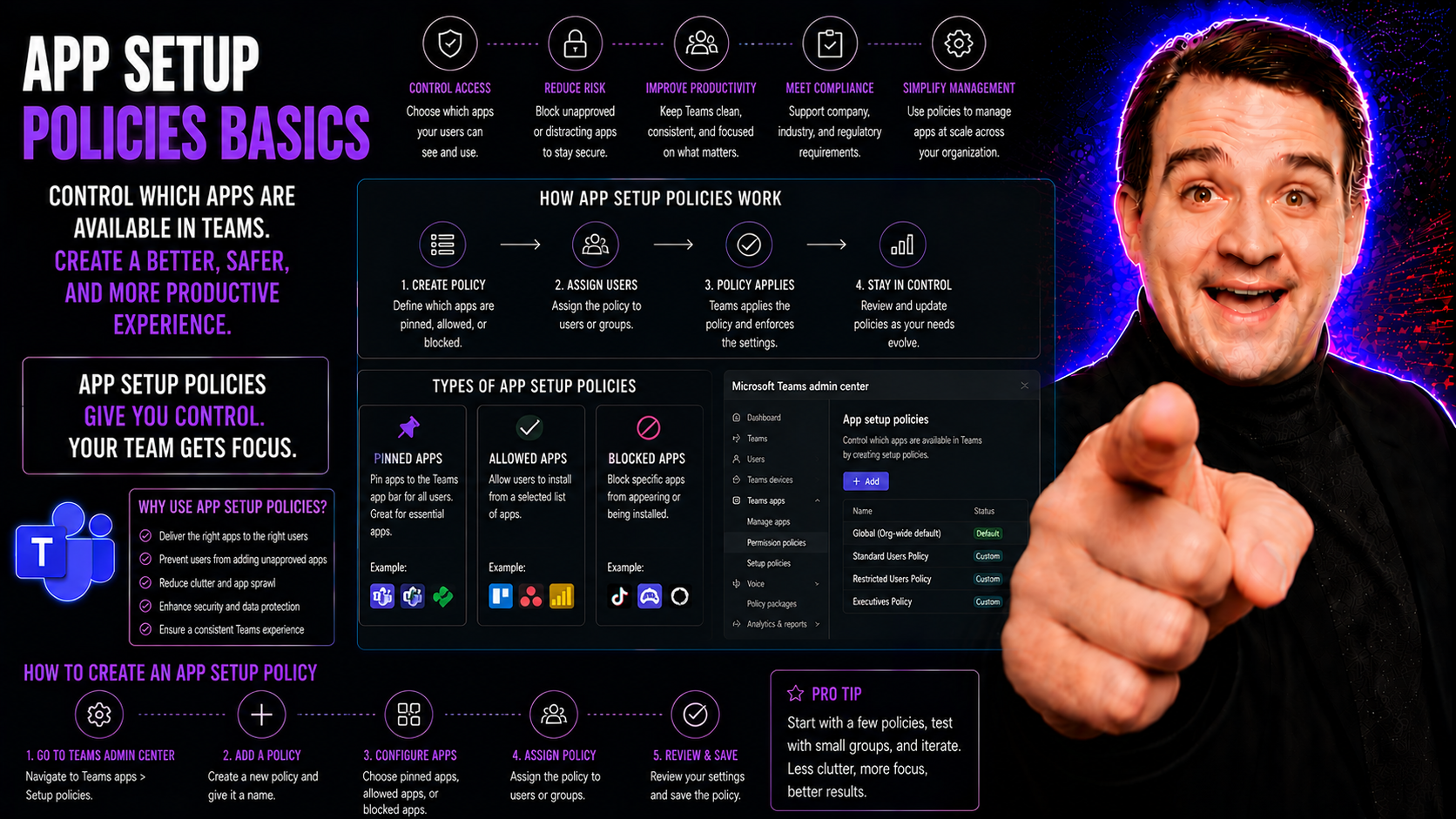
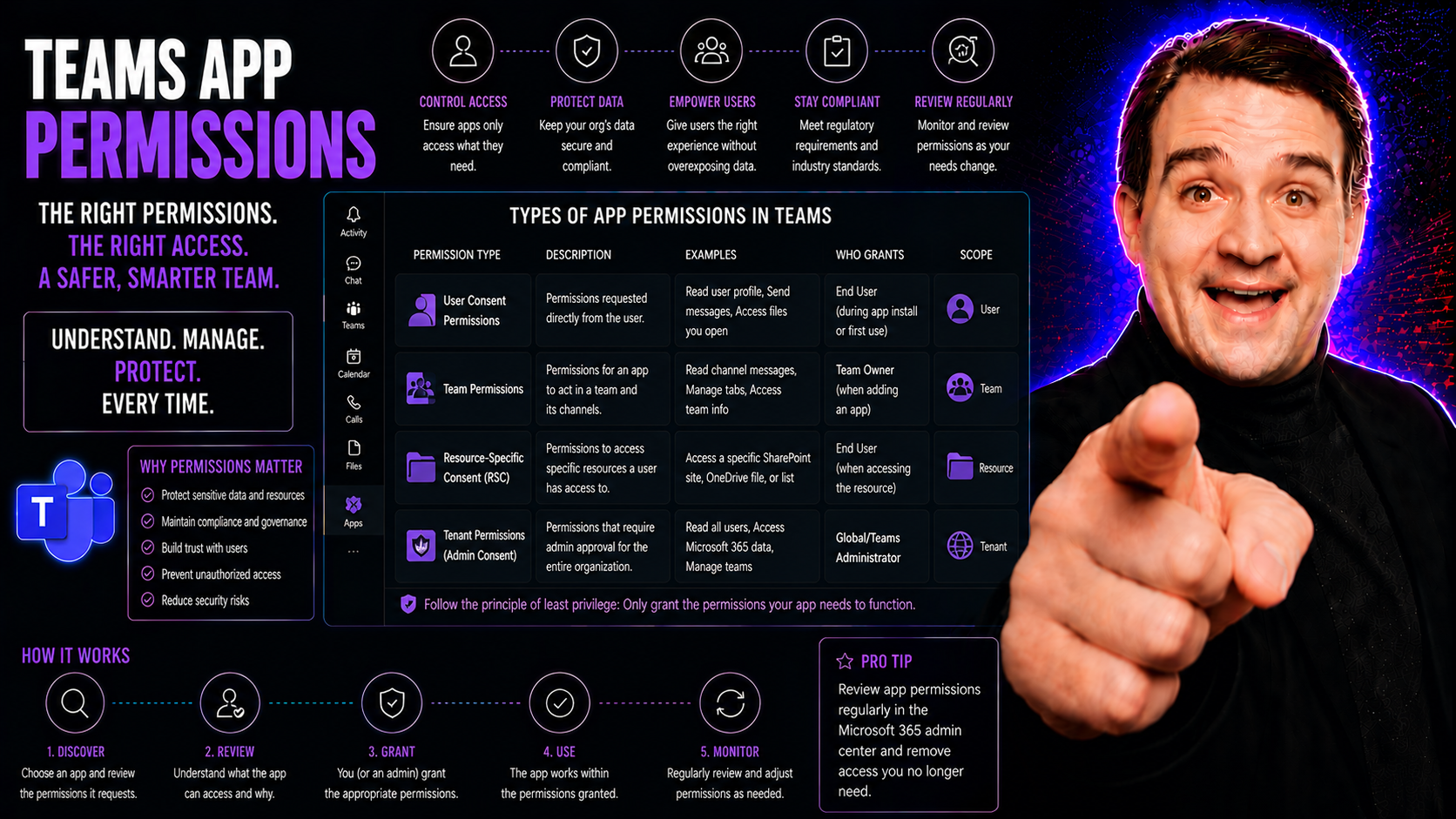
App Permission Policies and Settings in Microsoft Teams

The Microsoft Teams permission model is the backbone of how your organization keeps teamwork secure, efficient, and in line with compliance rules. This guide lays out exactly how permissions in Teams work—from the ground up. Whether you’re wrangling…

View more