Apple Podcasts
 Spotify
 Youtube Music
 Spreaker
 Podchaser
 Amazon Music
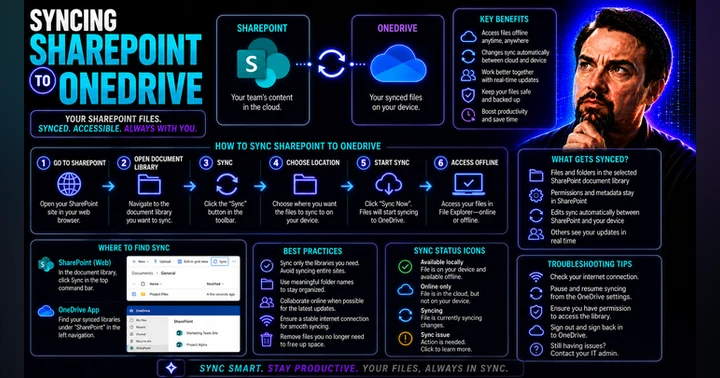
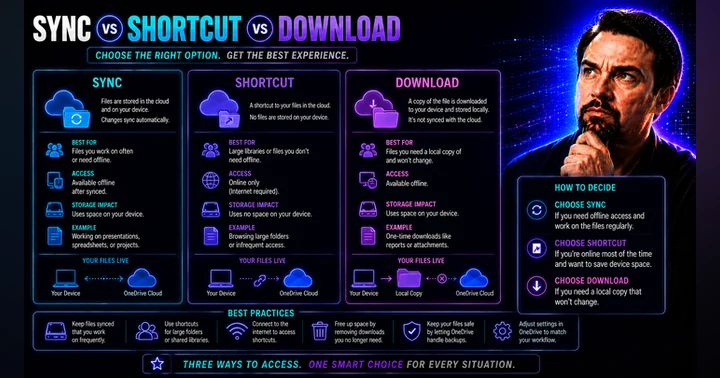
 SharePoint Sync vs Add Shortcut to OneDrive

The article explains why traditional SharePoint and OneDrive folder syncing is becoming a major problem for modern enterprises. Syncing entire SharePoint libraries to local devices creates unnecessary storage usage, performance slowdowns, sync conflicts, and governance risks. Large synced libraries increase metadata overhead, network traffic, and the likelihood of duplicate or outdated files appearing across devices. It also weakens compliance because files copied locally can bypass SharePoint retention policies, version history, and sensitivity labels.
Instead of full sync, the article recommends using “Add shortcut to OneDrive” as a more cloud-native approach. Shortcuts act as lightweight links to SharePoint folders without downloading the entire library. This improves device performance, reduces sync errors, lowers storage consumption, and keeps users working directly from the governed SharePoint source of truth.
The article highlights several business benefits of shortcuts, including faster file access, reduced decision fatigue, cleaner organization, and better cross-device consistency. Shortcuts also reduce the risk of accidental overwrites caused by offline edits or conflicting file versions.
For IT teams, the article positions shortcuts as a governance-friendly alternative that scales better for large environments. It recommends disabling full-library sync where possible, promoting shortcuts as the default user experience, and educating employees on when offline access is truly needed.
The core message is that organizations should stop treating SharePoint like a traditional file server. Modern Microsoft 365 collaboration works best when users access content through lightweight cloud connections instead of maintaining large local copies of enterprise data.
Quick answer: SharePoint sync vs Add shortcut to OneDrive is covered in this M365 FM episode with a practical focus on how it works, where it fits, and the architecture, security, governance, or operational choices that matter in real Microsoft environments.
Stop syncing folders if you want to protect your enterprise data strategy. Syncing SharePoint folders and relying on SharePoint shortcut features add risk to your organization. You face data sprawl, governance chaos, security vulnerabilities, and user confusion every time you sync folders or add a shortcut.
Organizations struggling to demonstrate governance impact should implement data lineage capabilities that create transparent connections between data decisions and business outcomes. This transparency converts abstract governance concepts into tangible value stories that secure executive buy-in and continued funding.
The M365 FM podcast highlights why you must shift toward cloud-native, browser-first collaboration. When you add folders, sync folders, or add SharePoint shortcuts, you add complexity and risk.
- The journey to conquering information sprawl starts with understanding that it's not just a technical challenge—it's an organizational transformation. By implementing the strategies outlined, organizations can turn their scattered data landscape into a strategic asset that drives productivity and innovation.
Key Takeaways
- Stop syncing folders to protect your enterprise data strategy and reduce risks.
- Data sprawl occurs when multiple copies of files are created, making it hard to manage information.
- Relying on shortcuts can lead to confusion and broken links, complicating access to important files.
- A cloud-native, browser-first approach simplifies collaboration and reduces sync errors.
- Implement metadata to organize documents effectively and improve searchability.
- Centralized content management enhances security and ensures compliance with data policies.
- Regular training and support help teams adapt to new SharePoint practices and reduce resistance.
- Automate compliance processes to strengthen governance and minimize manual errors.
Stop Syncing Folders: The Hidden Dangers

Data Sprawl and Fragmentation
Syncing folders in SharePoint environments creates hidden dangers that threaten your enterprise data strategy. When you sync and add shortcut to OneDrive, you multiply the number of files across devices. This practice leads to data sprawl and fragmentation, making it difficult for you to maintain control over your information.
Multiple Copies Across Endpoints
The process of folder syncing often results in several copies of the same file appearing on different endpoints. If you add shortcut to OneDrive or sync and add shortcut to OneDrive, you risk losing track of which version is current. Users frequently modify files independently, and without proper deduplication, you end up with conflicting versions. Collaboration tools that lack strong controls for managing file versions only worsen this problem. You must stop syncing folders to avoid this chaos.
- Unmanaged site creation adds confusion and security risks.
- Poor document organization makes it hard for you to locate important files.
- Ineffective governance increases the risk of data exposure and fragmentation.
Loss of Single Source of Truth
When you add shortcut for files or add shortcut to OneDrive, you blur the line between original and duplicate files. You lose the single source of truth that is essential for compliance and governance. SharePoint sync creates multiple endpoints, and users may mistakenly believe they own the data. This misunderstanding leads to inconsistent records and undermines your data strategy.
You need a centralized approach to document management. Relying on sync and add shortcut to OneDrive only increases fragmentation and confusion.
Sync Conflicts and Errors
Syncing folders and using SharePoint sync introduce technical risks that disrupt your workflows. OneDrive and SharePoint sync issues are common, and they can halt productivity.
OneDrive and SharePoint Sync Issues
Sync issues arise from several technical causes. Many users experience OneDrive losing sync with SharePoint folders due to user errors, system resource limitations, and software conflicts. RAM limitations often cause sync failures, especially when multiple applications run simultaneously. You must understand how sync works to avoid these problems.
| Issue Type | Description |
|---|---|
| Temporary System Glitches | Sync process can hang due to transient issues with the OS or app, often resolved by restarting. |
| File Lock or Conflict | If a file is open elsewhere, OneDrive may not sync until the lock is released, leading to conflicts. |
| Antivirus/Firewall Interference | Security software may block OneDrive, stalling syncing if it cannot communicate with the cloud. |
| Lack of Access or Permissions | Users without proper permissions cannot sync SharePoint libraries. |
| Library Not Enabled for Sync | If a library is not configured for sync, users will not see the sync option. |
| Required Check-Out or Metadata | Sync may be blocked if documents require check-out or mandatory metadata fields are not filled. |
| SharePoint Sync Client Mismatch | Using outdated sync clients can cause issues; the new OneDrive client is required. |
| Large Libraries or Site Limits | Extremely large libraries may struggle with initial sync due to thresholds. |
| Network or Proxy Issues | Firewalls or proxies may block SharePoint connections, requiring adjustments to network policies. |
You face frequent OneDrive sync issues when you add shortcut to OneDrive or sync and add shortcut to OneDrive. The OneDrive sync client often loses connection with SharePoint folders, causing files to disappear or become inaccessible. High RAM utilization and outdated sync clients contribute to these failures.
- Many sync issues happen because users do not understand how sync works.
- System resource limitations, especially RAM, play a major role in sync failures.
Workflow Disruptions
Sync conflicts and errors can disrupt your daily operations. Real-world incidents show that users have reported shared folders being replaced by web shortcuts, severely impacting productivity and offline access. This issue has persisted for over ten months, affecting users across Windows and macOS. Professionals express frustration when important documents become hidden behind web shortcuts, leading to workflow disruptions.
When you add shortcut to OneDrive or rely on SharePoint sync, you risk losing access to critical files. Productivity suffers, and your team faces unnecessary obstacles.
You must stop syncing folders and rethink your approach to SharePoint sync. Adding shortcuts and syncing folders only increases the risk of data sprawl, fragmentation, and workflow disruptions. A cloud-native, browser-first strategy protects your data and ensures sustainable governance.
SharePoint Shortcuts: More Harm Than Help
.lnk File Confusion
SharePoint shortcuts often create confusion for you, especially when you add .lnk files to your folders. You may try to access SharePoint files by placing shortcuts inside synced folders, but this habit leads to a cluttered environment. You replicate old Windows Explorer behaviors, filling folders with shortcuts and even shortcuts pointing to other shortcuts. This disorganization makes it difficult for you to find the right file and increases the risk of data loss.
- You create numerous .lnk files scattered across synced SharePoint folders.
- Shortcuts are placed inside folders, leading to a messy workspace.
- You replicate old habits, resulting in folders filled with shortcuts and shortcuts pointing to other shortcuts.
- This confusion can misdirect you and cause you to lose important data.
User Ownership Misunderstandings
When you add shortcut to SharePoint folders, you often misunderstand who owns the files. You may believe you have full control, but SharePoint manages permissions differently. Many users think they can customize Limited Access, but this is not possible. You may assume you can navigate beyond shared items or that Limited Access works like standard permissions. These misunderstandings lead to mistakes and can compromise your data strategy.
| Misunderstanding | Explanation |
|---|---|
| Limited Access is customizable | You often think you can modify Limited Access permissions, but SharePoint manages them. |
| You can navigate beyond shared items | You assume Limited Access allows you to see more than just shared items, which is incorrect. |
| Limited Access behaves like standard permissions | You confuse Limited Access with standard permissions like Read or Edit, not realizing it functions differently. |
Broken Links and Data Loss
Shortcuts in SharePoint can break easily. When you add shortcut to OneDrive or sync folders, you risk losing access to SharePoint files. If someone moves or deletes the original file, your shortcut becomes useless. You may not realize the link is broken until you need the file. This problem can lead to data loss and disrupt your workflow.
You must check your shortcuts regularly. Broken links can hide important files and make it harder for you to access SharePoint files when you need them most.
Inconsistent User Experience
SharePoint shortcuts create an inconsistent experience for you and your team. You may try to access SharePoint files through shortcuts, but navigation becomes confusing. You add shortcut to OneDrive, expecting seamless access, but you often face issues with sync and folder structure.
Navigation and Access Issues
You struggle to find files when shortcuts are scattered across folders. You may click a shortcut, only to discover it points to another shortcut or a missing file. This confusion slows you down and makes it harder to access SharePoint files efficiently. You may also face sync errors when you add shortcut to OneDrive, causing files to disappear or become inaccessible.
- Navigation becomes difficult when shortcuts are not organized.
- You waste time searching for files hidden behind multiple shortcuts.
- Sync errors can prevent you from accessing SharePoint files offline.
Blurred Data Boundaries
SharePoint shortcuts blur the boundaries between original files and duplicates. You may not know which file is the source or which shortcut points to the latest version. This confusion complicates information governance. Permissions, sensitivity labels, and retention labels serve different purposes, but unclear definitions make it hard for you to manage data. Disorganized folder creation and inconsistent records further complicate compliance.
You need a structured approach to information management. SharePoint shortcuts without clear boundaries make governance difficult and increase the risk of compliance issues.
You must rethink how you add shortcut to SharePoint folders and access SharePoint files. Shortcuts and sync create confusion, disrupt workflows, and undermine your data strategy. A cloud-native, browser-first approach helps you maintain control and ensures a consistent user experience.
Governance Challenges in SharePoint

When you rely on sync and shortcut features in SharePoint, you introduce significant governance challenges. These issues can undermine your enterprise governance strategy and expose your organization to compliance risks. The M365 FM podcast highlights how syncing folders and adding shortcuts disrupt centralized oversight, making it difficult to manage SharePoint files and enforce consistent policies.
Loss of Centralized Control
Sync and shortcut practices shift control from IT administrators to end users. You may add shortcuts or sync folders to OneDrive, but this decentralizes management and weakens your ability to enforce governance.
Policy Enforcement Difficulties
When you add shortcuts or sync SharePoint document library folders, you lose the ability to apply consistent permissions and policies. Users manage their own shortcuts, which leads to confusion and inconsistent structures. The table below outlines the main challenges:
| Challenge Type | Description |
|---|---|
| User-Driven Management | Users add and manage shortcuts, increasing the risk of deletion cascades and confusion. |
| Lack of Centralized Oversight | No central view of shortcuts, making it hard to enforce naming conventions or prevent disruptions. |
| Compliance Risks | Large environments face compliance risks without admin oversight of shortcuts. |
| Administrative Control | Syncing allows for centralized deployment and monitoring, but shortcuts bypass these controls. |
You cannot guarantee that SharePoint permissions or policies apply uniformly when users add shortcuts or sync folders. This lack of control increases governance risk and complicates compliance requirements.
Security and Compliance Risks
Decentralized management of SharePoint document library folders and shortcuts exposes your organization to security threats. When you add shortcuts or sync folders to OneDrive, you may bypass established permissions and create gaps in your governance framework. Without centralized oversight, you risk unauthorized access and data leaks. You also struggle to meet compliance requirements, as you cannot ensure that sensitive data remains protected.
Auditing and Compliance Gaps
Sync and shortcut features in SharePoint create gaps in your ability to audit and track data movement. You need to demonstrate compliance, but decentralized data management makes this difficult.
Tracking Data Movement
You face challenges when trying to track how users add, move, or delete SharePoint files. SharePoint does not meet all compliance requirements, such as 21 CFR Part 11, which are essential for regulatory audits. The lack of automated approval workflows and real-time document tracking increases the risk of compliance violations. Research teams often cannot locate critical files or verify version histories due to insufficient oversight.
- Governance is often introduced too late, leading to unclear controls.
- Short-term wins take priority, resulting in compliance gaps during audits.
- Without proper governance, you cannot reliably trace decisions or validate data.
Inconsistent Data Policies
When you add shortcuts or sync folders across departments, you create inconsistent data policies. Different teams may apply different SharePoint permissions or retention rules, which leads to regulatory compliance challenges. The table below summarizes the main risks:
| Compliance Risks | Description |
|---|---|
| Legal Holds | Data must be retained for years to meet legal requirements. |
| Deletion Issues | Deleting content is not an option, causing uncontrolled data growth. |
| Audit Trail | Lack of a clear audit trail for archived data creates compliance gaps. |
| Policy Inconsistency | Different policies across departments challenge regulatory compliance. |
You need a unified approach to manage SharePoint files, enforce permissions, and maintain a clear audit trail. Without this, you risk failing audits and exposing your organization to governance risk.
Tip: Centralized governance and consistent SharePoint permissions help you meet compliance requirements and reduce risk. Avoid relying on sync and shortcut features to manage critical folders and files.
Rethinking SharePoint Sync for Modern Collaboration
Moving Beyond Local Sync
Cloud-Native, Browser-First Access
You need to move beyond local sync if you want to modernize your collaboration strategy. Relying on syncing sharepoint files and folders to your device creates unnecessary complexity. Cloud-native, browser-first access lets you add value by improving accessibility and collaboration. You can open sharepoint files and folders from any location with internet access. You do not need to install desktop applications to view or edit documents. You can add comments, make changes, and collaborate in real time directly in the browser.
- You gain unified access to all sharepoint files and folders from any device.
- You can add edits to Office files, images, and PDFs without worrying about compatibility.
- You benefit from intelligent discovery features that help you find sharepoint files and folders quickly.
- You enjoy rock-solid selective sync and offline access for mobile devices.
When you add browser-first workflows, you reduce the risk of sync errors and shortcut confusion. You streamline your operations and empower your team to work efficiently.
Metadata-Driven Organization
You should add metadata-driven organization to your sharepoint environment. Metadata lets you classify sharepoint files and folders without relying on deep folders. You can add filters and search content using attributes like department, document type, project name, or status. This approach improves search accuracy and makes document management easier.
- You can add structured document classification through sharepoint metadata management.
- You introduce content types to standardize how you add and categorize sharepoint files and folders.
- You enable dynamic filtering, which improves enterprise search and discoverability.
When you add metadata, you simplify governance and automate retention rules. You can add workflows that enforce compliance and reduce manual errors. You no longer need to add shortcuts or sync folders to organize your sharepoint files and folders.
Centralized Content Management
Secure, Discoverable Access Patterns
Centralized content management in sharepoint helps you add secure and discoverable access patterns. As your sharepoint environment grows, you need to quickly find sharepoint files and folders. Enterprise search capabilities index and rank content based on relevance and permissions. Sensitive information stays protected, but authorized users can add broad access.
- Microsoft Graph Search provides a unified discovery experience across sharepoint files and folders.
- Search results respect security boundaries, so you only add access to content you are authorized to see.
- Records management lets you add classification and retention schedules to important sharepoint files and folders.
- Sensitivity labels protect content through encryption and access restrictions.
You can add search in sharepoint that indexes content across sites and libraries. You rely on structured metadata to search by criteria beyond file names. Consistent content types and managed metadata transform sharepoint into an intelligent content system.
Reducing Operational Complexity
You reduce operational complexity when you add centralized management to sharepoint files and folders. Sharepoint Online lowers infrastructure support costs because Microsoft handles server maintenance. Optimized environments enhance collaboration and reduce manual errors. You improve user satisfaction by adding smoother operations and faster workflows.
| Evidence | Explanation |
|---|---|
| SharePoint Online vs SharePoint On-Premises Support Costs | Sharepoint Online reduces infrastructure support costs as Microsoft handles server maintenance, leading to lower overall IT expenses. |
| Evaluating the ROI of SharePoint Support | Optimized environments enhance collaboration and reduce manual errors, which can lower support costs and improve user satisfaction. |
| Improving User Productivity | Well-managed environments lead to smoother operations and faster workflows, directly impacting user satisfaction positively. |
You no longer need to add sync or shortcut features to manage sharepoint files and folders. You can add browser-first access, metadata-driven organization, and centralized management to simplify your workflows. You gain secure, discoverable access and reduce operational complexity. You also improve offline access for mobile users and ensure your sharepoint files and folders remain protected.
Optimizing SharePoint Files and Folders
Visual Dashboards and Navigation
Centralized Information Hubs
You need a clear view of your content to manage your sharepoint environment effectively. Visual dashboards help you see all your folders, files, and shortcuts in one place. When you add dashboards, you create a centralized hub for your team. You can track document status, recent activity, and shortcut usage. This approach reduces the need to sync sharepoint files to every device or rely on onedrive for every update. You avoid confusion by keeping all your folders and shortcuts visible and organized.
Tip: Use dashboards to monitor which folders have active shortcuts and which users add or sync sharepoint files most often. This insight helps you improve your document management strategy.
Logical Site Architecture
A logical site structure makes it easier for you to find and add documents. You should organize your sharepoint sites by department, project, or function. When you add folders and shortcuts in a structured way, you reduce the risk of duplicate files and broken links. Logical architecture also helps you manage permissions and avoid unnecessary sync or onedrive issues. You can add navigation menus that guide users to the right folders and shortcuts, making the experience smooth and efficient.
Teams Integration for Collaboration
Unified Workspaces
Integrating Teams with sharepoint transforms how you collaborate. You can add sharepoint document libraries directly into Teams channels. This integration lets you access folders, files, and shortcuts without switching between apps. You avoid sync conflicts and reduce the need to add shortcut after shortcut to onedrive. Teams creates a unified workspace where you can chat, edit, and manage documents together.
| Benefit | Description |
|---|---|
| Seamless collaboration | Real-time co-authoring and persistent chat in Teams linked to sharepoint document libraries enable teams to collaborate on the same files without version conflicts. |
| Single source of truth | Storing documents in sharepoint libraries ensures consistent content, centralized metadata, and reliable file governance across the ecosystem. |
| Enhanced productivity | Embedding sharepoint pages, lists, and libraries directly into Teams channels reduces context switching and brings information and tools into a single workspace. |
Streamlined Document Management
You can streamline document management by following best practices in sharepoint and Teams:
- Utilize metadata to categorize and search documents, making it easier to find folders and shortcuts.
- Automate workflows to route documents and approvals, reducing manual errors.
- Implement version history to track changes and maintain an audit trail.
- Set permissions using sharepoint groups to protect sensitive folders and files.
- Use templates to standardize document creation and ensure compliance.
- Establish retention policies to manage storage and archiving.
- Train your team to add, sync, and manage shortcuts and folders efficiently.
When you follow these steps, you reduce the need to sync sharepoint files to every device or add unnecessary shortcuts. You create a secure, organized, and productive environment for your team.
Best Practices for Sustainable Governance
User Training and Change Management
Shifting Mindsets to Cloud-First
You need to guide your team through a shift in mindset to embrace cloud-first collaboration. Many users feel comfortable with traditional folder syncing, but this habit creates risks for your organization. Training helps you minimize resistance to change and ensures everyone understands the benefits of browser-first, metadata-driven collaboration. When you foster a culture of continuous learning, you maximize the value of your cloud investments.
- Training and change management minimize resistance and confusion.
- Employees gain the skills needed to work efficiently in SharePoint.
- Continuous learning helps your team adapt to new features and best practices.
Supporting Adoption
Supporting adoption requires more than a one-time training session. You should add ongoing support and resources to help users adjust to new workflows. When you invest in change management, you see a faster return on investment and improved productivity. Your team collaborates better and manages data sharing risks more effectively.
- Provide clear guides and quick reference materials.
- Offer regular workshops or Q&A sessions.
- Recognize and reward early adopters to encourage engagement.
Tip: Encourage your team to ask questions and share feedback. Open communication helps you identify challenges early and address them before they become obstacles.
Policy Automation and Monitoring
Automated Compliance Tools
Automating your compliance policies strengthens governance and reduces manual effort. You can add clear policies that ensure employees always access current and relevant documents. Automated workflows streamline policy management and improve operational efficiency. Role-based access controls limit data exposure by assigning permissions based on user roles. Automated alerts notify you of unauthorized access attempts or policy violations, so you can respond quickly.
| Tool/Method | Features |
|---|---|
| Entra ID + Conditional Access | Role-based access controls, Multi-factor authentication, Zero-trust security framework, Real-time access monitoring |
| SharePoint Governance Framework | Document retention policies, Version history tracking, Automated compliance reporting, Data loss prevention (DLP) rules |
| Power Automate Workflows | Automated audit trail creation, Compliance approval processes, Regular compliance check notifications, Integration with existing systems |
Regular Data Audits
Regular data audits help you maintain compliance and spot risks before they escalate. Automated tools like Site Attestation and AI Insights analyze your SharePoint environment and identify governance issues without manual intervention. You should add scheduled reviews of site permissions to reduce unauthorized access. Streamlined workflows and automated document management ensure you meet compliance standards and track all compliance activities.
- Regular audits review user access and permissions.
- Automated reports highlight inactive sites and potential risks.
- Tracking compliance activities improves oversight and reduces non-compliance.
Note: Sustainable governance depends on a proactive approach. Combine user training, policy automation, and regular audits to build a secure, compliant SharePoint environment.
You face significant risks when you stop syncing folders and rely on SharePoint shortcuts. Legacy environments create compliance liabilities and permission sprawl. A governance-first approach prevents operational chaos and reduces regulatory risk. Cloud-native, browser-first, and metadata-driven strategies help you modernize data management. The M365 FM podcast offers practical guidance and expert-led insights for ongoing learning. You should stop syncing folders and embrace best practices to secure your enterprise and drive productivity.
FAQ
What risks do you face when syncing SharePoint folders to your device?
You create multiple copies of files, which leads to data sprawl and version confusion. You also increase the risk of compliance issues and security vulnerabilities.
How do SharePoint shortcuts cause user confusion?
You may mistake shortcuts for actual files. When you click a shortcut, you might not realize you are accessing a different location. This confusion can lead to data loss or broken links.
Why should you move to a browser-first, cloud-native approach?
You gain real-time collaboration, better security, and easier access from any device. You also reduce sync errors and avoid the chaos of multiple file versions.
How does metadata improve your SharePoint organization?
Metadata lets you tag and filter documents. You find files faster and manage content more efficiently. This approach supports compliance and reduces the need for deep folder structures.
What steps help you support user adoption of new SharePoint practices?
- Provide clear training materials.
- Offer ongoing support.
- Encourage feedback and questions.
Tip: Recognize early adopters to motivate your team.
How can you automate compliance in SharePoint?
You use tools like Power Automate and SharePoint retention policies. These tools help you enforce rules, track changes, and alert you to policy violations.
What should you do if you find broken shortcuts or missing files?
Check the original file location. If the file moved or was deleted, update or remove the shortcut. Regularly review shortcuts to keep your workspace organized.
🎧 Listen to this episode
Want a practical explanation of SharePoint Sync vs Add Shortcut to OneDrive? This episode breaks down the topic in clear language and shows why it matters for Microsoft 365, Azure, Power Platform, security, AI, and modern work.
Listen to this episode if you want to:
- Understand the key concepts behind SharePoint Sync vs Add Shortcut to OneDrive
- See how it fits into the wider Microsoft technology ecosystem
- Learn where it can create practical value for your organization
You may also enjoy these related M365 FM episodes:
- Stop OneDrive Sync Conflicts with SharePoint Shortcuts
- SharePoint Network Drive vs OneDrive Sync
- Detect Risky SharePoint and OneDrive External Sharing
- Fix OneDrive Files On-Demand Sync Issues
- Multi-Agent AI with Microsoft Copilot and SharePoint – Reshmee Auckloo [MVP]
Discover more practical Microsoft conversations on M365 FM.
Last reviewed: July 2026.
Who Should Listen
This episode is for Microsoft administrators, architects, developers, security professionals, and business leaders who need a practical foundation before making implementation, operations, or governance decisions.
🎧 You Should Also Listen To
- Microsoft Fabric — A strongly related next step for extending this topic.
- Microsoft Graph Data Connect — A strongly related next step for extending this topic.
- Power BI Copilot — A strongly related next step for extending this topic.
🚀 Want to be part of m365.fm?
Then stop just listening… and start showing up.
👉 Connect with me on LinkedIn and let’s make something happen:
- 🎙️ Be a podcast guest and share your story
- 🎧 Host your own episode (yes, seriously)
- 💡 Pitch topics the community actually wants to hear
- 🌍 Build your personal brand in the Microsoft 365 space
This isn’t just a podcast — it’s a platform for people who take action.
🔥 Most people wait. The best ones don’t.
👉 Connect with me on LinkedIn and send me a message:
"I want in"
Let’s build something awesome 👊
1
00:00:00,000 --> 00:00:02,880
Your enterprise data strategy is sitting on a ticking time bomb.
2
00:00:02,880 --> 00:00:06,120
It's happening because your team keeps clicking that sync button.
3
00:00:06,120 --> 00:00:07,760
On the surface, it looks like a shortcut.
4
00:00:07,760 --> 00:00:08,400
It feels familiar.
5
00:00:08,400 --> 00:00:09,760
You see your files in File Explorer
6
00:00:09,760 --> 00:00:12,600
and you think you're in control of the data, but in reality,
7
00:00:12,600 --> 00:00:15,480
that assumption is the first step toward a fragmented nightmare.
8
00:00:15,480 --> 00:00:18,280
The reflex to sync is born from a desire for comfort.
9
00:00:18,280 --> 00:00:20,040
We want the world to look like the local folders
10
00:00:20,040 --> 00:00:21,480
we've used for decades.
11
00:00:21,480 --> 00:00:24,360
The problem is that the sync button is a legacy bridge.
12
00:00:24,360 --> 00:00:27,520
It's a tool built for a 2010 world that is trying
13
00:00:27,520 --> 00:00:31,080
to survive in a 2026 cloud-native reality.
14
00:00:31,080 --> 00:00:32,560
We aren't just moving files around.
15
00:00:32,560 --> 00:00:35,040
We are syncing technical debt and behavioral patterns
16
00:00:35,040 --> 00:00:37,800
that belong to the era of the old local file server.
17
00:00:37,800 --> 00:00:39,560
Understanding these shifts is the difference
18
00:00:39,560 --> 00:00:42,320
between a strategy that scales and one that breaks.
19
00:00:42,320 --> 00:00:44,640
If this changes how you think about your workspace,
20
00:00:44,640 --> 00:00:46,440
follow me, Mercopeaters, on LinkedIn.
21
00:00:46,440 --> 00:00:48,680
And if you want more of this, leave a review.
22
00:00:48,680 --> 00:00:51,880
It helps more people find the show.
23
00:00:51,880 --> 00:00:53,480
The architecture of fragmentation.
24
00:00:53,480 --> 00:00:55,160
The fundamental flaw in our current approach
25
00:00:55,160 --> 00:00:56,600
is a misunderstanding of what happens
26
00:00:56,600 --> 00:00:59,160
when that blue cloud icon appears in your taskbar.
27
00:00:59,160 --> 00:01:01,640
We tell users they are connecting to SharePoint.
28
00:01:01,640 --> 00:01:04,280
But the architectural reality is much more dangerous.
29
00:01:04,280 --> 00:01:05,800
Sinking doesn't move data.
30
00:01:05,800 --> 00:01:06,680
It replicates it.
31
00:01:06,680 --> 00:01:09,520
It creates a ghost model of your enterprise information.
32
00:01:09,520 --> 00:01:11,400
You aren't actually working on the file.
33
00:01:11,400 --> 00:01:13,560
You're working on a local replica that is constantly trying
34
00:01:13,560 --> 00:01:15,560
to whisper its changes back to a server.
35
00:01:15,560 --> 00:01:16,600
That server might be busy.
36
00:01:16,600 --> 00:01:17,760
It might be offline.
37
00:01:17,760 --> 00:01:19,840
Or it might have already been updated by someone else.
38
00:01:19,840 --> 00:01:21,880
This is where the architecture of the modern workplace
39
00:01:21,880 --> 00:01:25,440
begins to crumble under the weight of legacy expectations.
40
00:01:25,440 --> 00:01:28,120
Every synchial device becomes a new, unmanaged end point
41
00:01:28,120 --> 00:01:29,200
for Datasprall.
42
00:01:29,200 --> 00:01:31,920
In a world of 2026 security threats,
43
00:01:31,920 --> 00:01:33,800
we are taking our most sensitive assets
44
00:01:33,800 --> 00:01:36,720
and scattering them across thousands of local hard drives.
45
00:01:36,720 --> 00:01:38,480
Many of these devices aren't even
46
00:01:38,480 --> 00:01:40,800
compliant with our latest security rules.
47
00:01:40,800 --> 00:01:42,360
This is where the logic of your versioning
48
00:01:42,360 --> 00:01:44,640
begins to drift away from the source of truth.
49
00:01:44,640 --> 00:01:46,880
When you have 1,000 people syncing the same library,
50
00:01:46,880 --> 00:01:48,400
you don't have one library anymore.
51
00:01:48,400 --> 00:01:50,320
You have 1,000 and one libraries.
52
00:01:50,320 --> 00:01:53,280
The version on the server is the only one that actually matters.
53
00:01:53,280 --> 00:01:56,120
Yet it's the one, the user is the furthest away from.
54
00:01:56,120 --> 00:01:58,440
The source of authority becomes blurred.
55
00:01:58,440 --> 00:02:00,160
In a cloud native system, the authority
56
00:02:00,160 --> 00:02:01,720
should be the service itself.
57
00:02:01,720 --> 00:02:03,320
It should be the relational database
58
00:02:03,320 --> 00:02:06,120
that manages your permissions, your labels, and your history.
59
00:02:06,120 --> 00:02:08,120
But when a user edits a local copy offline,
60
00:02:08,120 --> 00:02:10,400
the cloud version is temporarily orphaned.
61
00:02:10,400 --> 00:02:12,920
For those minutes or hours, the enterprise is blind.
62
00:02:12,920 --> 00:02:14,560
The system doesn't know what is changing.
63
00:02:14,560 --> 00:02:17,320
It can't apply real-time data loss prevention.
64
00:02:17,320 --> 00:02:19,040
It can't trigger the automated workflows
65
00:02:19,040 --> 00:02:20,440
that depend on that data.
66
00:02:20,440 --> 00:02:23,080
We build hierarchies for a world that no longer exists.
67
00:02:23,080 --> 00:02:24,840
And syncing forces those old hierarchies
68
00:02:24,840 --> 00:02:27,680
onto a cloud system designed for flat contextual access.
69
00:02:27,680 --> 00:02:29,680
We are still trying to pretend that a SharePoint document
70
00:02:29,680 --> 00:02:32,360
library is just a Z-drive with a fancy web interface.
71
00:02:32,360 --> 00:02:32,880
It isn't.
72
00:02:32,880 --> 00:02:34,480
It is a sophisticated content service.
73
00:02:34,480 --> 00:02:36,160
By syncing, we are stripping away the service
74
00:02:36,160 --> 00:02:37,600
and leaving only the content.
75
00:02:37,600 --> 00:02:39,480
It's like buying a Tesla and then trying to tow it
76
00:02:39,480 --> 00:02:40,320
with a horse.
77
00:02:40,320 --> 00:02:41,920
The result isn't a unified library.
78
00:02:41,920 --> 00:02:43,960
It's a collection of disconnected local caches
79
00:02:43,960 --> 00:02:45,120
waiting to collide.
80
00:02:45,120 --> 00:02:47,640
You see this every day when the sync issues window pops up.
81
00:02:47,640 --> 00:02:49,000
That window isn't a bug.
82
00:02:49,000 --> 00:02:52,040
It is the system screaming that its architecture is being violated.
83
00:02:52,040 --> 00:02:53,120
But here's the problem.
84
00:02:53,120 --> 00:02:55,840
We treat the sync client as a transparent pipe.
85
00:02:55,840 --> 00:02:57,720
In reality, it's a filter that strips away
86
00:02:57,720 --> 00:02:58,880
cloud-native intelligence.
87
00:02:58,880 --> 00:03:01,360
When data flows through that pipe to a local c-drive,
88
00:03:01,360 --> 00:03:04,440
it loses its connection to the identity of the organization.
89
00:03:04,440 --> 00:03:06,880
It becomes a static object in a file system
90
00:03:06,880 --> 00:03:08,560
that was designed in the 1980s.
91
00:03:08,560 --> 00:03:11,480
Windows File Explorer doesn't understand sensitivity labels
92
00:03:11,480 --> 00:03:13,120
in the same way the browser does.
93
00:03:13,120 --> 00:03:15,160
It doesn't understand the complex relationship
94
00:03:15,160 --> 00:03:17,680
between a file and a Microsoft 365 group.
95
00:03:17,680 --> 00:03:19,200
It just sees bits and bytes.
96
00:03:19,200 --> 00:03:20,440
This fragmentation is silent.
97
00:03:20,440 --> 00:03:22,120
It doesn't break the system immediately.
98
00:03:22,120 --> 00:03:25,320
Instead, it slowly erodes the integrity of your data strategy
99
00:03:25,320 --> 00:03:27,400
until you realize that your source of truth
100
00:03:27,400 --> 00:03:29,720
is actually just a source of suggestions.
101
00:03:29,720 --> 00:03:32,560
You search for a document in the browser and find one version.
102
00:03:32,560 --> 00:03:35,400
But your colleague is looking at a completely different version
103
00:03:35,400 --> 00:03:37,360
in their local folder because their sync engine
104
00:03:37,360 --> 00:03:38,440
stalled three days ago.
105
00:03:38,440 --> 00:03:40,000
That is the moment the architecture fails.
106
00:03:40,000 --> 00:03:41,320
That is the moment your governance
107
00:03:41,320 --> 00:03:43,560
becomes a suggestion rather than a rule.
108
00:03:43,560 --> 00:03:45,440
We are trading the structural integrity
109
00:03:45,440 --> 00:03:48,120
of our information for the temporary comfort of a double click.
110
00:03:48,120 --> 00:03:49,800
We need to move past the ghost model
111
00:03:49,800 --> 00:03:51,720
and embrace the cloud as the only place
112
00:03:51,720 --> 00:03:53,280
where our work actually lives.
113
00:03:53,280 --> 00:03:56,440
Otherwise, we are just managing a massive distributed pile
114
00:03:56,440 --> 00:03:58,000
of digital debris.
115
00:03:58,000 --> 00:03:59,920
The metadata tags and versioning debt.
116
00:03:59,920 --> 00:04:02,640
When you map a SharePoint library to your local machine,
117
00:04:02,640 --> 00:04:04,480
you aren't just creating a simple shortcut.
118
00:04:04,480 --> 00:04:06,200
You are entering into a high interest loan
119
00:04:06,200 --> 00:04:07,280
with your own data.
120
00:04:07,280 --> 00:04:08,760
I call this the metadata tags.
121
00:04:08,760 --> 00:04:10,320
It is the invisible cost of staying
122
00:04:10,320 --> 00:04:11,920
within the comfort of the file explorer
123
00:04:11,920 --> 00:04:13,520
and it is a price most organizations
124
00:04:13,520 --> 00:04:14,600
can't afford to pay.
125
00:04:14,600 --> 00:04:16,440
See SharePoint is a relational database.
126
00:04:16,440 --> 00:04:19,400
It thrives on columns, custom tags, and managed properties
127
00:04:19,400 --> 00:04:21,720
that tell you who a document belongs to,
128
00:04:21,720 --> 00:04:22,920
what project it relates to,
129
00:04:22,920 --> 00:04:24,680
and how long it should be kept for compliance.
130
00:04:24,680 --> 00:04:27,000
But the moment you think that file to your local drive,
131
00:04:27,000 --> 00:04:29,800
all that rich enterprise grade context vanishes.
132
00:04:29,800 --> 00:04:32,400
Local file systems like NTFS or APFS
133
00:04:32,400 --> 00:04:34,480
don't speak the language of cloud native columns.
134
00:04:34,480 --> 00:04:36,160
They speak the language of 1995.
135
00:04:36,160 --> 00:04:39,960
They understand date modified, file size, and file type,
136
00:04:39,960 --> 00:04:41,920
but that is where the conversation ends.
137
00:04:41,920 --> 00:04:45,360
When you work locally, you are blind to the why behind the data.
138
00:04:45,360 --> 00:04:47,800
You might be editing a document that has a draft status
139
00:04:47,800 --> 00:04:48,720
in SharePoint,
140
00:04:48,720 --> 00:04:49,960
but in your file explorer,
141
00:04:49,960 --> 00:04:51,600
it looks identical to the final version.
142
00:04:51,600 --> 00:04:54,360
You are effectively stripping the intelligence off your assets
143
00:04:54,360 --> 00:04:56,480
and turning them into generic digital paper.
144
00:04:56,480 --> 00:04:58,840
This forces your team to resort to naming conventions
145
00:04:58,840 --> 00:05:01,560
like document V2, final actual, final docs,
146
00:05:01,560 --> 00:05:03,560
because the system can no longer help you differentiate
147
00:05:03,560 --> 00:05:04,600
between states.
148
00:05:04,600 --> 00:05:07,200
This leads us directly into the versioning dead nightmare.
149
00:05:07,200 --> 00:05:09,280
In the browser or the native office apps,
150
00:05:09,280 --> 00:05:10,960
we have real time co-authoring.
151
00:05:10,960 --> 00:05:12,400
We can see the presence of our colleagues,
152
00:05:12,400 --> 00:05:13,880
we can see the cursor moving,
153
00:05:13,880 --> 00:05:16,440
and the system handles the merge logic bit by bit.
154
00:05:16,440 --> 00:05:19,080
But the one drive sync client operates on a much cruder level.
155
00:05:19,080 --> 00:05:20,640
It handles simultaneous edits
156
00:05:20,640 --> 00:05:22,920
by creating those computer-named duplicates
157
00:05:22,920 --> 00:05:24,720
that eventually clutter up your library.
158
00:05:24,720 --> 00:05:25,560
You've seen them.
159
00:05:25,560 --> 00:05:28,280
Budget draft marketing laptop, 4.x.6.
160
00:05:28,280 --> 00:05:29,880
This isn't collaboration.
161
00:05:29,880 --> 00:05:31,440
This is a collision.
162
00:05:31,440 --> 00:05:33,200
We have traded collective intelligence
163
00:05:33,200 --> 00:05:35,400
for a last one in Winnes race.
164
00:05:35,400 --> 00:05:37,320
If two people edit a sync file offline,
165
00:05:37,320 --> 00:05:38,760
the person who connects to the internet
166
00:05:38,760 --> 00:05:42,400
last is the one who risks overwriting the work of the first,
167
00:05:42,400 --> 00:05:45,160
or at best, creating a messy fork in the data.
168
00:05:46,280 --> 00:05:48,840
The local cache eventually tries to overwrite the cloud,
169
00:05:48,840 --> 00:05:50,400
and if the sync engine can't figure it out,
170
00:05:50,400 --> 00:05:52,160
it just dumps a copy and walks away.
171
00:05:52,160 --> 00:05:54,440
This creates a massive cleanup burden for IT
172
00:05:54,440 --> 00:05:56,400
and a trust gap for the users.
173
00:05:56,400 --> 00:05:59,240
They start asking which file is the real one.
174
00:05:59,240 --> 00:06:00,520
And once that question is asked,
175
00:06:00,520 --> 00:06:02,440
your data strategy has already failed.
176
00:06:02,440 --> 00:06:03,880
So what is actually happening here?
177
00:06:03,880 --> 00:06:08,200
We are sacrificing the y of our data for the wear of our folders.
178
00:06:08,200 --> 00:06:10,920
We are so obsessed with the location, the folder path,
179
00:06:10,920 --> 00:06:13,000
that we forget that the value of the information
180
00:06:13,000 --> 00:06:14,320
lies in its attributes.
181
00:06:14,320 --> 00:06:16,080
By staying in the file explorer,
182
00:06:16,080 --> 00:06:18,960
you lose the ability to filter by project lead,
183
00:06:18,960 --> 00:06:21,520
you lose the ability to sort by expiration date,
184
00:06:21,520 --> 00:06:23,280
and you lose the ability to govern data
185
00:06:23,280 --> 00:06:24,800
through the browser's lens.
186
00:06:24,800 --> 00:06:26,880
You are essentially taking a high-definition movie
187
00:06:26,880 --> 00:06:28,680
and watching it on a black and white television
188
00:06:28,680 --> 00:06:30,600
because you like the shape of the remote.
189
00:06:30,600 --> 00:06:32,080
This debt compounds over time.
190
00:06:32,080 --> 00:06:34,320
Every conflict file created is a piece of data
191
00:06:34,320 --> 00:06:35,360
that isn't being managed.
192
00:06:35,360 --> 00:06:36,760
It isn't being indexed correctly,
193
00:06:36,760 --> 00:06:39,240
it isn't being protected by your retention policies,
194
00:06:39,240 --> 00:06:40,720
and it is just noise.
195
00:06:40,720 --> 00:06:42,440
And as the noise grows, the signal,
196
00:06:42,440 --> 00:06:44,480
your actual source of truth gets weaker.
197
00:06:44,480 --> 00:06:45,880
We need to stop paying this tax.
198
00:06:45,880 --> 00:06:47,800
We need to stop pretending that the file explorer
199
00:06:47,800 --> 00:06:49,040
is a neutral window.
200
00:06:49,040 --> 00:06:50,280
It is a legacy bottleneck.
201
00:06:50,280 --> 00:06:52,000
It is a place where metadata goes to die.
202
00:06:52,000 --> 00:06:55,080
If we want to build a strategy that actually works in 2026,
203
00:06:55,080 --> 00:06:56,800
we have to stop optimizing for the folder
204
00:06:56,800 --> 00:06:58,480
and start optimizing for the context.
205
00:06:58,480 --> 00:07:00,400
We have to move toward a model where the metadata
206
00:07:00,400 --> 00:07:03,200
stays attached to the file, no matter where it is being viewed,
207
00:07:03,200 --> 00:07:05,000
that only happens when we stop syncing
208
00:07:05,000 --> 00:07:07,560
and start working where the service actually lives.
209
00:07:07,560 --> 00:07:09,480
The shortcut shift, a better governance model,
210
00:07:09,480 --> 00:07:12,200
and Microsoft is currently orchestrating a massive pivot
211
00:07:12,200 --> 00:07:15,200
toward a feature called add shortcut to one drive.
212
00:07:15,200 --> 00:07:17,640
On the surface, it looks like a minor UI tweak,
213
00:07:17,640 --> 00:07:20,000
just another way to get your files into the sidebar.
214
00:07:20,000 --> 00:07:22,120
But that is a surface level interpretation.
215
00:07:22,120 --> 00:07:25,120
In reality, this is a fundamental shift in the underlying model
216
00:07:25,120 --> 00:07:26,960
of how enterprise data interacts
217
00:07:26,960 --> 00:07:28,440
with the local operating system.
218
00:07:28,440 --> 00:07:30,640
We are moving away from the era of replication
219
00:07:30,640 --> 00:07:33,480
and into the era of the cloud-managed pointer.
220
00:07:33,480 --> 00:07:35,520
You see, shortcuts aren't replicas.
221
00:07:35,520 --> 00:07:37,720
They don't copy the bits from the SharePoint document
222
00:07:37,720 --> 00:07:40,640
library into a separate local database on your machine.
223
00:07:40,640 --> 00:07:43,360
Instead, they act as a persistent cross-device link.
224
00:07:43,360 --> 00:07:45,880
When you add a shortcut, that link follows your identity.
225
00:07:45,880 --> 00:07:47,960
It doesn't matter if you sign in on your desktop,
226
00:07:47,960 --> 00:07:50,040
your laptop, or a mobile device.
227
00:07:50,040 --> 00:07:52,680
The shortcut is already there waiting for you.
228
00:07:52,680 --> 00:07:55,280
This solves one of the most annoying operational hurdles
229
00:07:55,280 --> 00:07:58,480
of the old sync model, the per-device reconfiguration.
230
00:07:58,480 --> 00:08:00,680
In the old world, if a user got a new laptop,
231
00:08:00,680 --> 00:08:02,440
they had to sit there for three hours
232
00:08:02,440 --> 00:08:05,240
while the sync engine re-indexed half a million files.
233
00:08:05,240 --> 00:08:07,760
With shortcuts, the link is part of your profile.
234
00:08:07,760 --> 00:08:10,240
It's a leaner, faster, and more elegant way
235
00:08:10,240 --> 00:08:13,160
to maintain visibility without the performance penalty
236
00:08:13,160 --> 00:08:16,200
of a full metadata download on every single machine you touch.
237
00:08:16,200 --> 00:08:19,400
The 2026 roadmap makes the intention here very clear.
238
00:08:19,400 --> 00:08:22,000
Microsoft is moving toward a world of cloud-managed objects.
239
00:08:22,000 --> 00:08:24,880
In this vision, your desktop isn't a storage container anymore.
240
00:08:24,880 --> 00:08:27,400
It is just one of many windows into the same unified
241
00:08:27,400 --> 00:08:28,560
cloud-native pool.
242
00:08:28,560 --> 00:08:30,800
The operating system is becoming a thin client
243
00:08:30,800 --> 00:08:32,280
for the content service.
244
00:08:32,280 --> 00:08:33,840
This should be a dream for governance, right?
245
00:08:33,840 --> 00:08:36,880
We get the speed of local access with the control of the cloud.
246
00:08:36,880 --> 00:08:39,480
But here is the flaw that most architects are missing.
247
00:08:39,480 --> 00:08:42,080
Shortcuts introduce a deletion cascade
248
00:08:42,080 --> 00:08:45,720
that can be absolutely catastrophic for an unprepared organization.
249
00:08:45,720 --> 00:08:48,360
In the old sync model, if a user wanted to tidy up
250
00:08:48,360 --> 00:08:50,120
their local machine and delete a folder,
251
00:08:50,120 --> 00:08:51,400
the sync client would usually ask
252
00:08:51,400 --> 00:08:53,240
if they wanted to remove it everywhere.
253
00:08:53,240 --> 00:08:56,280
But because shortcuts live inside the user's personal one-drive space,
254
00:08:56,280 --> 00:09:00,280
the psychological boundary between my stuff and team stuff disappears.
255
00:09:00,280 --> 00:09:03,560
We are seeing cases where a user decides to clean up their one-drive,
256
00:09:03,560 --> 00:09:06,200
sees a folder they don't recognize and hits delete.
257
00:09:06,200 --> 00:09:09,600
Because that folder is a shortcut to a shared SharePoint library,
258
00:09:09,600 --> 00:09:11,480
the command propagates instantly.
259
00:09:11,480 --> 00:09:12,960
They aren't just deleting a link.
260
00:09:12,960 --> 00:09:16,080
They are wiping the actual files from the source
261
00:09:16,080 --> 00:09:18,080
for every single person in the company.
262
00:09:18,080 --> 00:09:19,480
It is a structural vulnerability
263
00:09:19,480 --> 00:09:21,600
masquerading as a convenience feature.
264
00:09:21,600 --> 00:09:23,080
Then there is the visibility gap.
265
00:09:23,080 --> 00:09:24,480
From an administrative standpoint,
266
00:09:24,480 --> 00:09:26,480
shortcuts are almost entirely opaque.
267
00:09:26,480 --> 00:09:29,280
Right now, IT admins have almost zero native oversight
268
00:09:29,280 --> 00:09:31,880
into who has added a shortcut to a sensitive library.
269
00:09:31,880 --> 00:09:33,600
If I sync a library, there are logs.
270
00:09:33,600 --> 00:09:35,640
There are heartbeats.
271
00:09:35,640 --> 00:09:37,360
But a shortcut is a user-driven action
272
00:09:37,360 --> 00:09:40,240
that leaves very little trail in the standard admin centers.
273
00:09:40,240 --> 00:09:44,160
We are essentially allowing users to create their own custom navigation paths
274
00:09:44,160 --> 00:09:46,240
into our most sensitive data silos
275
00:09:46,240 --> 00:09:48,960
without any centralized map of those connections.
276
00:09:48,960 --> 00:09:51,000
And one level deeper, we have to recognize
277
00:09:51,000 --> 00:09:54,080
that while shortcuts solve the performance blow of the sync engine,
278
00:09:54,080 --> 00:09:57,280
they actually amplify the risk of accidental structural damage.
279
00:09:57,280 --> 00:10:00,200
When everything is nested under the one-drive node in File Explorer,
280
00:10:00,200 --> 00:10:01,720
users start moving things around.
281
00:10:01,720 --> 00:10:04,640
They rename folders to suit their personal preferences,
282
00:10:04,640 --> 00:10:08,240
not realizing that those renames are changing the global namespace in SharePoint.
283
00:10:08,240 --> 00:10:12,000
We've moved the sync shortcut conflict from a technical error to a behavioral one.
284
00:10:12,000 --> 00:10:15,520
We are giving users a powerful tool to bridge the gap to the cloud,
285
00:10:15,520 --> 00:10:18,040
but we haven't given them the training to understand
286
00:10:18,040 --> 00:10:22,120
that they are now holding a live wire that connects directly to the heart of the enterprise.
287
00:10:22,120 --> 00:10:24,240
This shift requires a new governance model,
288
00:10:24,240 --> 00:10:26,440
one that moves away from locking down the button
289
00:10:26,440 --> 00:10:29,000
and toward managing the intent of the user.
290
00:10:29,000 --> 00:10:31,640
Security remnants and the unmanaged device.
291
00:10:31,640 --> 00:10:35,640
The real danger of the sync model isn't just about messy folders or lost metadata,
292
00:10:35,640 --> 00:10:38,520
it is about the physical residue you are leaving behind.
293
00:10:38,520 --> 00:10:41,920
In 2026, we have to talk about data at rest on the endpoint.
294
00:10:41,920 --> 00:10:44,240
When you click sync, you aren't just looking at the cloud,
295
00:10:44,240 --> 00:10:47,560
but you are pulling a literal bit-for-bit copy of enterprise intelligence
296
00:10:47,560 --> 00:10:50,600
onto a piece of hardware that you might not fully control.
297
00:10:50,600 --> 00:10:53,840
These remnants are the primary target for modern X-Filtration.
298
00:10:53,840 --> 00:10:57,000
We have spent millions on firewalls and identity protection,
299
00:10:57,000 --> 00:11:01,240
but the moment the data hits a local hard drive, it enters a different jurisdiction.
300
00:11:01,240 --> 00:11:04,960
It is no longer protected by the real-time telemetry of the Microsoft 365 Cloud,
301
00:11:04,960 --> 00:11:07,720
and instead, it sits there silent and static,
302
00:11:07,720 --> 00:11:09,760
while waiting for someone to find it.
303
00:11:09,760 --> 00:11:12,840
Think back to the zero-day vulnerabilities we saw in 2025.
304
00:11:12,840 --> 00:11:15,200
Those attacks prove that a sophisticated adversary
305
00:11:15,200 --> 00:11:18,840
doesn't actually need to breach your sharepoint environment to steal your secrets.
306
00:11:18,840 --> 00:11:21,800
They don't need to bypass your complex conditional access policies
307
00:11:21,800 --> 00:11:23,600
or crack your global admin accounts.
308
00:11:23,600 --> 00:11:26,200
All they need is the local cache of a single sync user,
309
00:11:26,200 --> 00:11:28,280
because we have made syncing so easy,
310
00:11:28,280 --> 00:11:30,960
we have essentially pre-packaged our data for theft.
311
00:11:30,960 --> 00:11:34,000
If an attacker gains local administrative rights on a workstation,
312
00:11:34,000 --> 00:11:35,440
they don't have to fight the cloud,
313
00:11:35,440 --> 00:11:37,480
and they just have to scrape the one-drive folder.
314
00:11:37,480 --> 00:11:40,480
The sync client has already done the hard work of authenticating downloading
315
00:11:40,480 --> 00:11:42,040
and decrypting the files for them.
316
00:11:42,040 --> 00:11:45,280
It is a buffet for data exfiltration served up on a silver platter.
317
00:11:45,280 --> 00:11:48,920
This is where the structural floor becomes a massive security liability.
318
00:11:48,920 --> 00:11:53,320
Most organizations try to implement limited web-only access for unmanaged devices.
319
00:11:53,320 --> 00:11:54,280
The goal is simple.
320
00:11:54,280 --> 00:11:57,280
Let people see the data in a browser, but don't let them keep it.
321
00:11:57,280 --> 00:11:59,000
It is a great policy on paper,
322
00:11:59,000 --> 00:12:03,360
but the sync client is designed by its very nature to bypass this logic.
323
00:12:03,360 --> 00:12:05,920
It pulls full editable copies onto local hardware.
324
00:12:05,920 --> 00:12:08,920
If your governance doesn't explicitly block the use of the one-drive client
325
00:12:08,920 --> 00:12:10,880
on unmanaged or non-compliant devices,
326
00:12:10,880 --> 00:12:13,000
you have a massive hole in your perimeter.
327
00:12:13,000 --> 00:12:16,360
You are effectively telling the world that your data is for eyes only,
328
00:12:16,360 --> 00:12:20,040
while simultaneously handing out photo copies to anyone who asks.
329
00:12:20,040 --> 00:12:21,920
This isn't just a configuration oversight,
330
00:12:21,920 --> 00:12:24,800
but it is a fundamental betrayal of the zero trust philosophy.
331
00:12:24,800 --> 00:12:26,720
We tell ourselves that BitLocker is enough,
332
00:12:26,720 --> 00:12:30,640
we assume that if a device is lost or stolen, the encryption will hold.
333
00:12:30,640 --> 00:12:33,360
But in 2026, identity is the new perimeter,
334
00:12:33,360 --> 00:12:36,440
and a compromised identity can trigger a mass sync exfiltration
335
00:12:36,440 --> 00:12:38,400
that looks exactly like normal user traffic.
336
00:12:38,400 --> 00:12:40,440
If an attacker compromises a user session,
337
00:12:40,440 --> 00:12:42,720
they can tell the sync engine to download everything.
338
00:12:42,720 --> 00:12:44,160
To your security operation center,
339
00:12:44,160 --> 00:12:46,880
this looks like a productive employee getting ready for a long fly.
340
00:12:46,880 --> 00:12:50,280
In reality, it is a silent drain of your intellectual property.
341
00:12:50,280 --> 00:12:54,320
We are building massive zero trust parameters with sophisticated gates,
342
00:12:54,320 --> 00:12:57,560
yet we have left a backdoor wide open through the sync engine.
343
00:12:57,560 --> 00:12:59,120
We are focusing on the front door,
344
00:12:59,120 --> 00:13:02,520
while the sync client is busy moving the furniture out through the garage.
345
00:13:02,520 --> 00:13:05,840
The truth we have to face is that a sync at folder is an invitation for data
346
00:13:05,840 --> 00:13:07,760
to live outside your governance perimeter.
347
00:13:07,760 --> 00:13:09,080
The moment a file is synced,
348
00:13:09,080 --> 00:13:12,000
your ability to track its lifecycle drops significantly.
349
00:13:12,000 --> 00:13:14,280
You can't see if it is being copied to a USB drive
350
00:13:14,280 --> 00:13:16,560
with the same granularity you have in the cloud.
351
00:13:16,560 --> 00:13:19,280
You can't easily revoke access to that specific local copy
352
00:13:19,280 --> 00:13:20,680
once the device goes offline.
353
00:13:20,680 --> 00:13:22,400
We are clinging to a model of convenience
354
00:13:22,400 --> 00:13:25,520
that is fundamentally incompatible with the threat landscape of today.
355
00:13:25,520 --> 00:13:28,160
We need to realize that the local cache isn't just a mirror,
356
00:13:28,160 --> 00:13:29,920
but it is a liability.
357
00:13:29,920 --> 00:13:32,880
Every bite synced is a bite you no longer truly govern.
358
00:13:32,880 --> 00:13:35,560
It is time to close the back door and bring our data back where it belongs
359
00:13:35,560 --> 00:13:38,360
in the cloud where we can actually see it and protect it.
360
00:13:38,360 --> 00:13:40,080
This isn't just about efficiency,
361
00:13:40,080 --> 00:13:43,200
but it is about survival in a cloud-native world.
362
00:13:43,200 --> 00:13:45,320
The 300,000 item ceiling,
363
00:13:45,320 --> 00:13:49,120
we have spent a lot of time talking about the invisible risks of the sync model,
364
00:13:49,120 --> 00:13:51,600
but now we need to talk about the physical wall.
365
00:13:51,600 --> 00:13:54,400
There is a hard mathematical limit to this architecture
366
00:13:54,400 --> 00:13:56,120
that most enterprises ignore
367
00:13:56,120 --> 00:13:58,840
until the moment their productivity actually grinds to a halt.
368
00:13:58,840 --> 00:14:01,760
I am talking about the 300,000 item threshold.
369
00:14:01,760 --> 00:14:05,080
This isn't a suggestion or a best practice buried in a help document,
370
00:14:05,080 --> 00:14:08,720
but it is a structural boundary of how local file system filters interact
371
00:14:08,720 --> 00:14:11,120
with massive cloud metadata sets.
372
00:14:11,120 --> 00:14:12,680
Once a library crosses the ceiling,
373
00:14:12,680 --> 00:14:14,360
the sync engine stops being a tool
374
00:14:14,360 --> 00:14:16,520
and starts being a parasite on your system resources.
375
00:14:16,520 --> 00:14:18,000
You have probably seen it happen.
376
00:14:18,000 --> 00:14:20,200
A user complains that their laptop is running hot,
377
00:14:20,200 --> 00:14:22,040
the fan is spinning at maximum speed,
378
00:14:22,040 --> 00:14:25,800
and their one drive icon has been stuck on processing changes for three days.
379
00:14:25,800 --> 00:14:29,000
This isn't a bug in the software, but it is the engine stalling.
380
00:14:29,000 --> 00:14:31,680
Every time a single file is changed in a massive library,
381
00:14:31,680 --> 00:14:36,080
the local sync client has to ping the cloud to reconcile the state of every other object in that set.
382
00:14:36,080 --> 00:14:38,120
When you have hundreds of thousands of files,
383
00:14:38,120 --> 00:14:41,320
those pings turn into a tidal wave of metadata traffic.
384
00:14:41,320 --> 00:14:44,240
Your CPU cycles are being consumed just to maintain the illusion
385
00:14:44,240 --> 00:14:45,960
that your local folder is up to date.
386
00:14:45,960 --> 00:14:48,360
This is the hidden text of the sync model at scale.
387
00:14:48,360 --> 00:14:50,840
Most organizations don't even realize they are hitting this wall
388
00:14:50,840 --> 00:14:53,720
because they think in terms of gigabytes, not item counts.
389
00:14:53,720 --> 00:14:57,800
You can have a very small library in terms of storage that still breaks the sync engine
390
00:14:57,800 --> 00:15:01,800
because it is filled with millions of tiny log files or deep folder structures.
391
00:15:01,800 --> 00:15:04,840
The Windows File Explorer was never built to index a relational database
392
00:15:04,840 --> 00:15:06,640
with half a million entry points in real time.
393
00:15:06,640 --> 00:15:08,000
It was built for local disks.
394
00:15:08,000 --> 00:15:11,160
When we force it to act as a mirror for a massive sharepoint site,
395
00:15:11,160 --> 00:15:15,480
we are asking it to perform a task that is fundamentally incompatible with its design.
396
00:15:15,480 --> 00:15:18,520
This is where the transition shortcuts becomes even more complex.
397
00:15:18,520 --> 00:15:21,920
Theoretically, shortcuts support up to 500,000 items.
398
00:15:21,920 --> 00:15:24,000
That sounds like a significant upgrade, right?
399
00:15:24,000 --> 00:15:26,400
But here is the catch that breaks most environments.
400
00:15:26,400 --> 00:15:30,080
The moment a user adds a shortcut to a library that they are already syncing,
401
00:15:30,080 --> 00:15:32,880
the whole system collapses into a silent error state.
402
00:15:32,880 --> 00:15:34,480
This is the sync shortcut conflict.
403
00:15:34,480 --> 00:15:35,920
It doesn't give you a clear warning.
404
00:15:35,920 --> 00:15:37,640
It doesn't tell you exactly what went wrong.
405
00:15:37,640 --> 00:15:38,640
It just stops.
406
00:15:38,640 --> 00:15:40,520
The library synchronization hangs,
407
00:15:40,520 --> 00:15:42,880
and the user is left working on stale data,
408
00:15:42,880 --> 00:15:47,240
completely unaware that their local view has become disconnected from the enterprise reality.
409
00:15:47,240 --> 00:15:49,280
You navigate your folders, you search for a file,
410
00:15:49,280 --> 00:15:51,360
and then the system simply stops responding.
411
00:15:51,360 --> 00:15:53,720
It can't reconcile a million tiny metadata pings
412
00:15:53,720 --> 00:15:56,080
while simultaneously managing the shortcut pointers.
413
00:15:56,080 --> 00:15:59,640
This architectural friction creates a massive support burden for IT teams
414
00:15:59,640 --> 00:16:03,080
who have to manually reset the one-drive client, clear local caches,
415
00:16:03,080 --> 00:16:05,520
and hope the reconciliation works the second time.
416
00:16:05,520 --> 00:16:08,160
We are essentially building a digital house of cards,
417
00:16:08,160 --> 00:16:11,200
and every new file added to the library is another card
418
00:16:11,200 --> 00:16:13,360
that makes the whole structure more precarious.
419
00:16:13,360 --> 00:16:16,240
We have to stop treating SharePoint like an infinite bucket
420
00:16:16,240 --> 00:16:18,880
that we can just pour into our local machines.
421
00:16:18,880 --> 00:16:21,920
The sync model cannot scale to the size of the modern enterprise.
422
00:16:21,920 --> 00:16:24,240
If your data strategy depends on a tool that breaks
423
00:16:24,240 --> 00:16:26,240
once you reach a certain volume of work,
424
00:16:26,240 --> 00:16:27,920
then you don't actually have a strategy.
425
00:16:27,920 --> 00:16:29,120
You have a temporary workaround,
426
00:16:29,120 --> 00:16:32,440
but we need to move away from the idea that we need a local copy of everything.
427
00:16:32,440 --> 00:16:35,200
We need to embrace the browser and the integrated app experience
428
00:16:35,200 --> 00:16:37,720
as the primary way we interact with data.
429
00:16:37,720 --> 00:16:40,680
That is the only way to bypass the 300,000 item ceiling
430
00:16:40,680 --> 00:16:43,440
and build a system that can actually grow with the organization.
431
00:16:43,440 --> 00:16:46,680
Otherwise, we are just waiting for the engine to fail.
432
00:16:46,680 --> 00:16:48,840
Transitioning to a cloud-native mindset.
433
00:16:48,840 --> 00:16:50,840
The gold here isn't just to disable a button
434
00:16:50,840 --> 00:16:52,520
or flip a switch in the admin center.
435
00:16:52,520 --> 00:16:55,320
If you hide the sync button, without changing the culture,
436
00:16:55,320 --> 00:16:57,000
your users will find a way around it.
437
00:16:57,000 --> 00:16:58,440
They'll use third-party tools.
438
00:16:58,440 --> 00:16:59,960
They'll copy files manually.
439
00:16:59,960 --> 00:17:01,640
They'll create even more shadow IT.
440
00:17:01,640 --> 00:17:05,480
The real task is changing how your team perceives the location of their work.
441
00:17:05,480 --> 00:17:09,400
We have to break that 1990s habit of thinking work happens in a folder on a computer.
442
00:17:09,400 --> 00:17:11,400
In reality, work happens in a service.
443
00:17:11,400 --> 00:17:14,280
It happens in an ecosystem called Microsoft 365.
444
00:17:14,280 --> 00:17:16,440
This requires a shift toward inflow access.
445
00:17:16,440 --> 00:17:20,360
We need to train our people to use teams as their primary interface for collaboration
446
00:17:20,360 --> 00:17:23,320
and we need to show them the power of the SharePoint browser interface
447
00:17:23,320 --> 00:17:25,800
where metadata and version history actually live.
448
00:17:25,800 --> 00:17:28,760
Those sensitivity labels are invisible in File Explorer.
449
00:17:28,760 --> 00:17:32,120
When you use the Office app as a unified jumping off point.
450
00:17:32,120 --> 00:17:35,800
The way of the file becomes irrelevant because the context is always present.
451
00:17:35,800 --> 00:17:37,320
You aren't searching for a path.
452
00:17:37,320 --> 00:17:38,840
You're searching for an answer.
453
00:17:38,840 --> 00:17:42,200
For IT professionals, the mandate for 2026 is clear.
454
00:17:42,200 --> 00:17:44,520
We have to move away from legacy group policy objects
455
00:17:44,520 --> 00:17:48,760
that force sync or map drives because those are the tools of a world that no longer exists.
456
00:17:48,760 --> 00:17:50,920
Instead, we need to lean into Intune policies
457
00:17:50,920 --> 00:17:53,480
that enforce web only access for sensitive data.
458
00:17:53,480 --> 00:17:56,840
We can use sensitivity labels to automatically block syncing on libraries
459
00:17:56,840 --> 00:18:00,120
that contain high-risk intellectual property, which isn't about being restrictive.
460
00:18:00,120 --> 00:18:01,640
It's about being responsible.
461
00:18:01,640 --> 00:18:04,440
Organizations that successfully abandon the sync button
462
00:18:04,440 --> 00:18:08,440
report a 30% drop in data-related support tickets within just six months.
463
00:18:08,440 --> 00:18:10,280
That is a massive efficiency gain.
464
00:18:10,280 --> 00:18:14,120
And it comes simply from aligning your behavior with the architecture of the cloud.
465
00:18:14,120 --> 00:18:17,080
The new model isn't about folders, it's about context.
466
00:18:17,080 --> 00:18:19,080
The value of our data lives in the cloud,
467
00:18:19,080 --> 00:18:22,840
protected by identity governed by policy and enriched by metadata.
468
00:18:22,840 --> 00:18:25,000
The File Explorer is a comfortable old shoe,
469
00:18:25,000 --> 00:18:27,080
but it wasn't made for the terrain we're crossing now.
470
00:18:27,080 --> 00:18:28,120
It's time to take it off.
471
00:18:28,120 --> 00:18:30,600
It's time to step into the cloud-native reality.
472
00:18:30,600 --> 00:18:33,160
We have to lead our teams away from the convenience trap
473
00:18:33,160 --> 00:18:35,800
and toward a strategy that is actually built to last.
474
00:18:35,800 --> 00:18:38,440
This is the shift from managing files to managing information.
475
00:18:38,440 --> 00:18:40,040
It is the only way forward.
476
00:18:40,040 --> 00:18:42,440
Stop treating SharePoint like a map to drive.
477
00:18:42,440 --> 00:18:45,640
It is a relational database with a file-shaped interface.
478
00:18:45,640 --> 00:18:46,760
Your homework is clear.
479
00:18:46,760 --> 00:18:48,440
Ordered your high-risk libraries today.
480
00:18:48,440 --> 00:18:52,520
Identify how many users are syncing sensitive data they haven't touched in 90 days
481
00:18:52,520 --> 00:18:55,480
because those local remnants are your greatest liability.
482
00:18:55,480 --> 00:18:59,000
If this perspective changed how you think about your information architecture.
483
00:18:59,000 --> 00:19:02,200
Follow me, Mirko Peters, on LinkedIn for more structural clarity.
484
00:19:02,200 --> 00:19:05,160
Leave a review for the M365FM podcast
485
00:19:05,160 --> 00:19:08,120
to help other architects find this signal in the noise.
486
00:19:08,120 --> 00:19:10,520
Shift your strategy from folders to context.
487
00:19:10,520 --> 00:19:12,140
The cloud is the only source of truth.

Founder of m365.fm, m365.show and m365con.net
Mirko Peters is a Microsoft 365 expert, content creator, and founder of m365.fm, a platform dedicated to sharing practical insights on modern workplace technologies. His work focuses on Microsoft 365 governance, security, collaboration, and real-world implementation strategies.
Through his podcast and written content, Mirko provides hands-on guidance for IT professionals, architects, and business leaders navigating the complexities of Microsoft 365. He is known for translating complex topics into clear, actionable advice, often highlighting common mistakes and overlooked risks in real-world environments.
With a strong emphasis on community contribution and knowledge sharing, Mirko is actively building a platform that connects experts, shares experiences, and helps organizations get the most out of their Microsoft 365 investments.